Create an Audience for Frequent Flyers with Profile Event
In this exercise, you’ll create an Audience by making use of Adobe Experience Platform’s Segment Builder.
Audience Overview
To log into the Adobe Experience Platform, check the Introduction section.
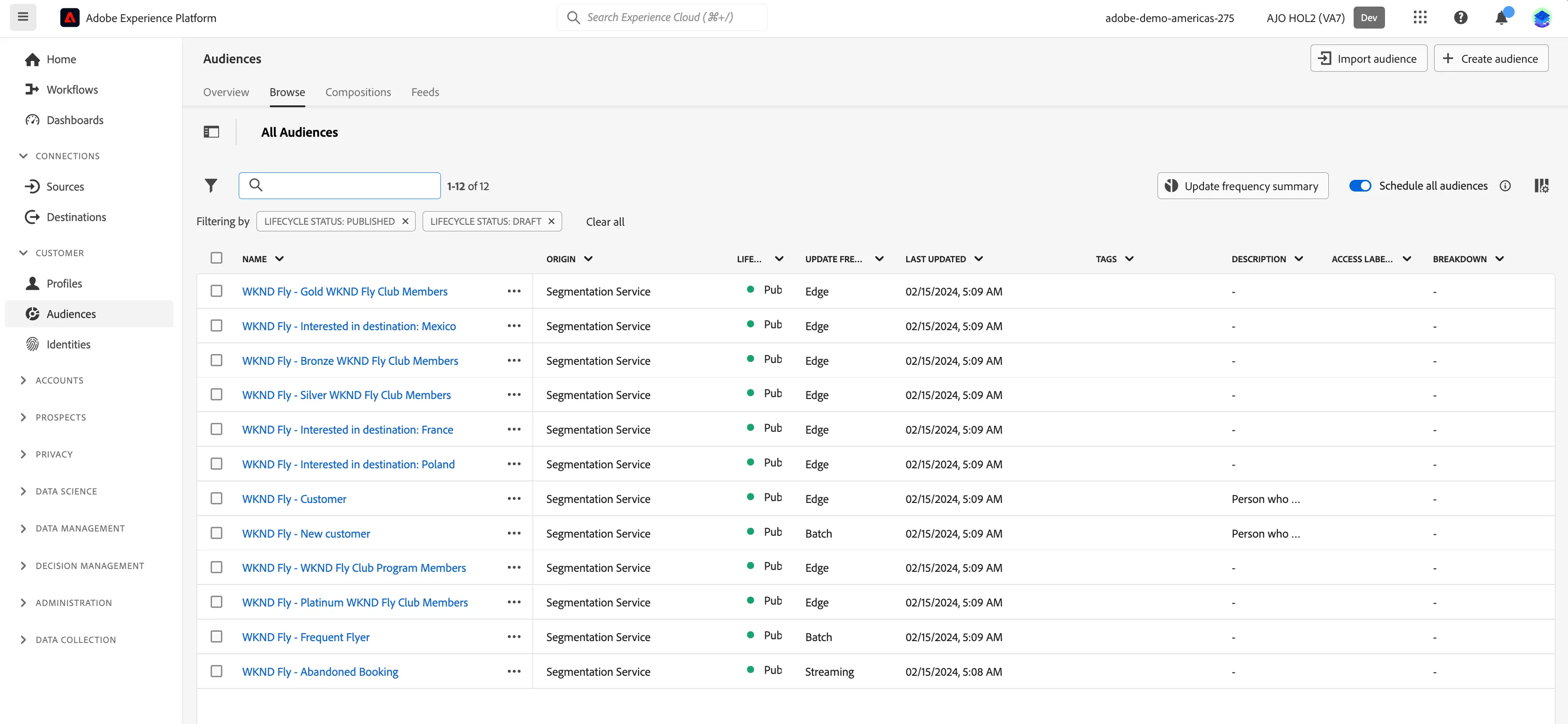
To get an overview of available audiences in Adobe Experience Platform:
- In the menu on the left side, click on Audiences. You will see a dashboard overview with information on a specific audience.
- Click on Browse at the tab bar. You will see an overview of all existing Audiences.
Create A Frequent Flyer Audience
We want to create a rule that will select all customer profiles that have booked more than 8 flights in the last year. WKND Fly consider these customers to be loyalty members and want to personalise content to them.
- Click on + Create Audience. This will open the Create Audience popup.
- Select Build Rule as the create method. This will open the Rule Builder. You will immediately notice the Attributes tab selected underneath Fields. As well as the XDM Individual Profile selector under BROWSE ATTRIBUTES.
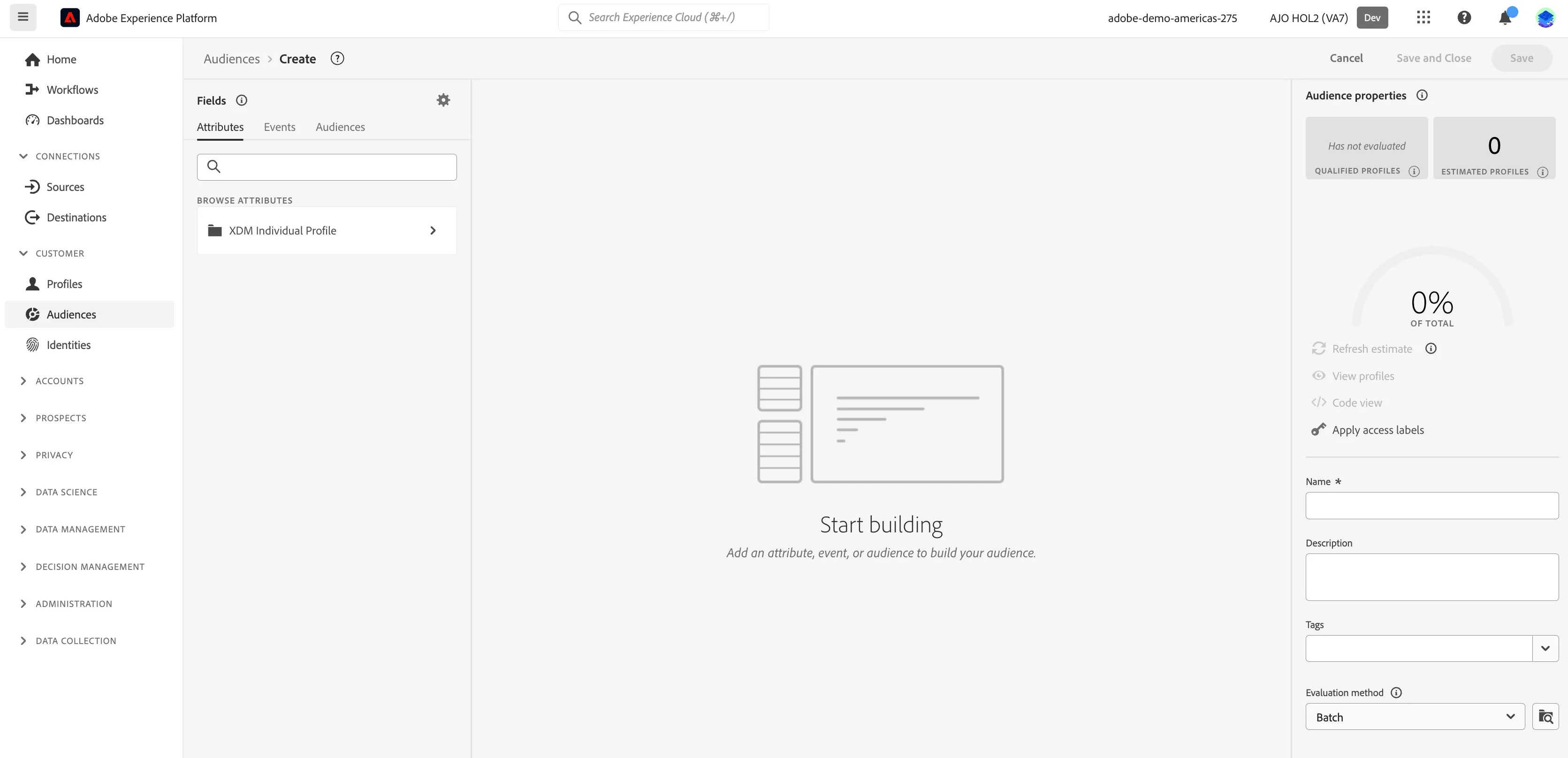
Since XDM is the language that powers the experience business, XDM is also the foundation for the audience builder. All data that is ingested in AEP should be mapped against XDM, and as such, all data becomes part of the same data model regardless of where that data comes from. This gives you a big advantage when building audiences, as from this one Segment builder UI, you can combine data from any origin in the same workflow.
Audiences can be sent to solutions like Adobe Target, Adobe Campaign and Adobe Audience Manager for activation.
Let's build an audience for our Frequent Flyers:
- Select the Events tab in the Fields section.
- In the text search field, type reservation. You will see a Reservations listed under Event Types.
- Drag the Reservations event type onto the canvas where it says Start building.
- Click on the Reservations event box to open the Event Rule.
Your screen should look like:
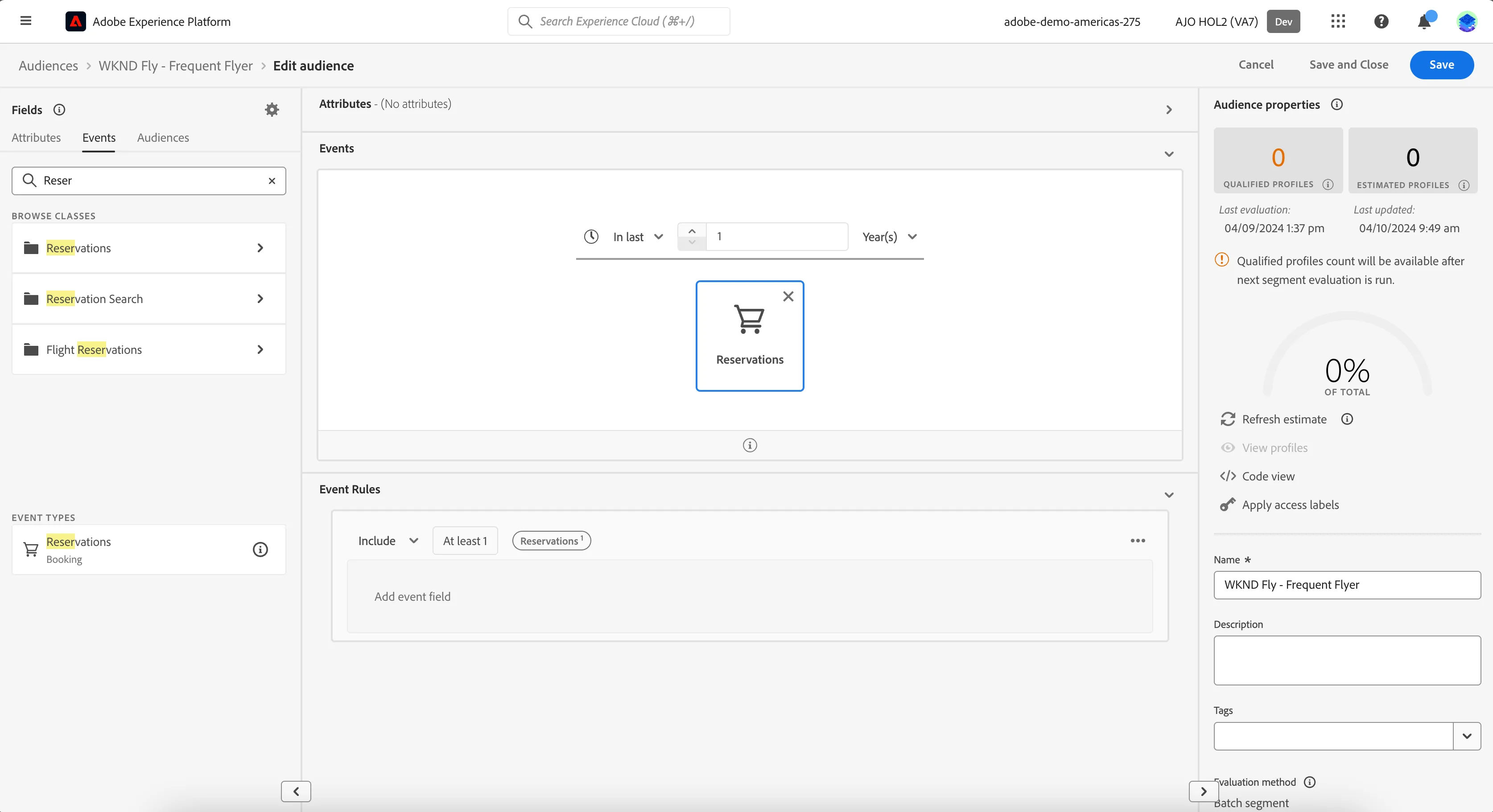
At each step in defining your audience, you can get an estimate of the audience's population:
- Click on Refresh Estimates.
You will then see an estimation of your current audience size. This is very helpful for a business user, so that they can see the impact of certain attributes on the resulting audience size.
So far, you’ve only used the UI to build your audience, but there’s also a code-option to build a audience.
When building an audience, you’re actually composing a Profile Query Language (PQL) query. To visualise the PQL code,
- Click on the Code View switcher in the upper right corner of the Audience builder.
- Click on Segment Builder view to return back to the UI.
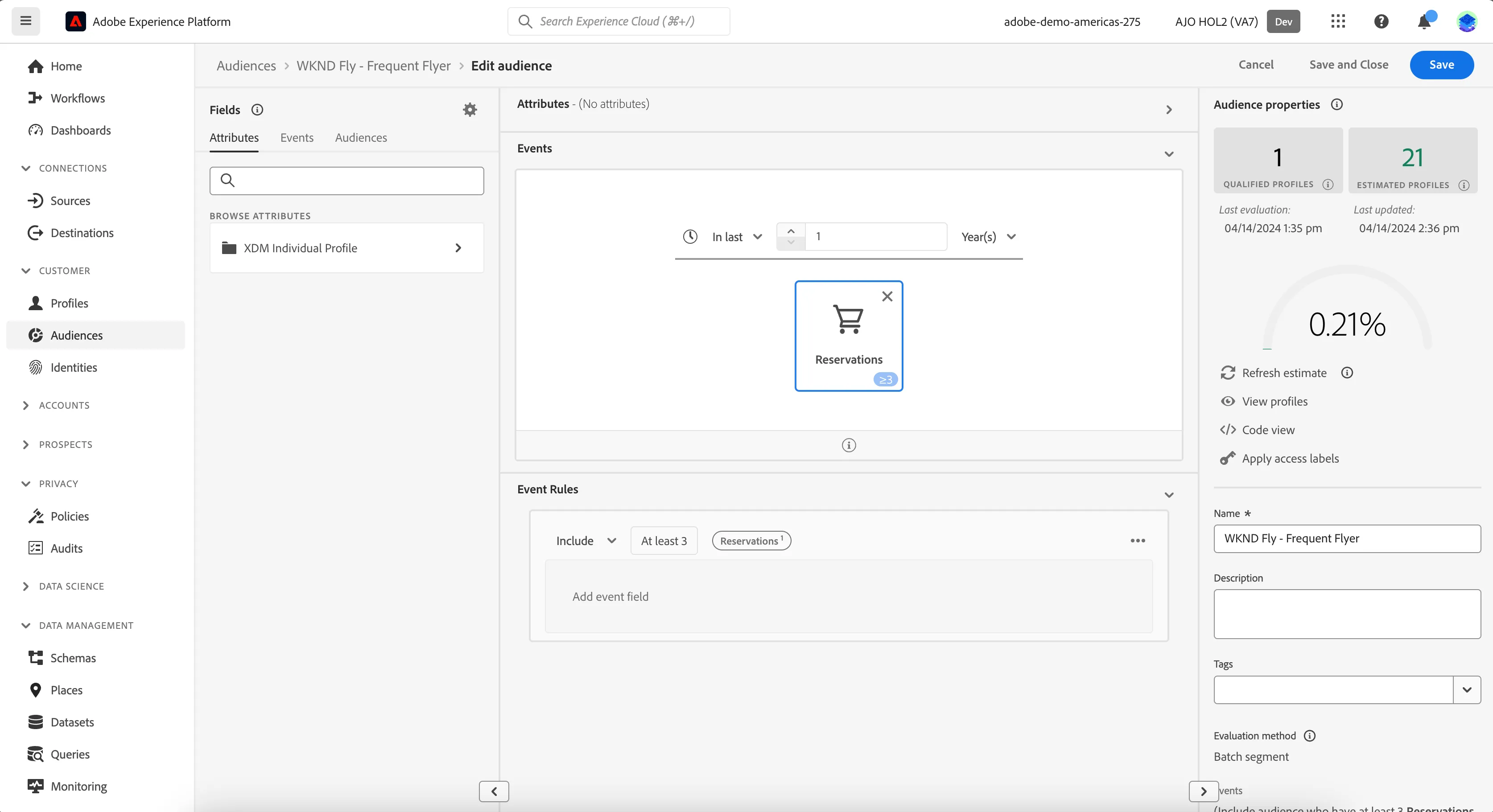
So far your audience will select all customer profiles who have made at least one flight booking at any time. Now we will restrict this further to target only the frequent flyers.
- In the Event Rule, change the include condition to include at least
- Type 3 into the text field.
- We also want to specify the time period in which the 8 flight bookings must occur in order to be considered a frequent flyer. In the Events panel, change the Anytime drop down to In last 1 Year(s)
Your final rule should look like:
Finally, let's save our audience.
- Enter a Name for your audience using the following naming convention <Initials> - Frequent Flyers.e.g. PP - Frequent Flyers
- (optional) Enter a Description.
- Select Batch from the Evaluation method dropdown list.
- Click on Save and Close.
You will be taken to the Audience summary screen, outlining your audience definition.
You have now successfully created an audience using the Adobe Experience Platform Audience Builder.