4.2 Use case: Call center deflection insights
Exercise:
Use case: Call center deflection - I need to understand which digital experiences can be improved to reduce the calls to our call center. e.g. Understand what pages drove the calls to the call center.
For this exercise, we'll analyse the top call reasons to the call center and use the flow visualtion to understand what were they doing on other channels before calling the call center.
4.2.1 Understand the top call reasons to the call center
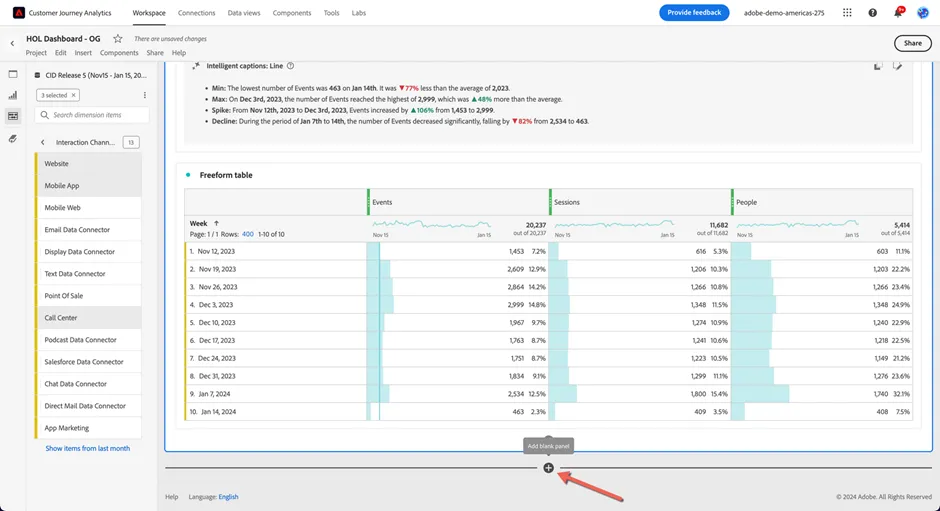
- Add a new blank panel to our dashboard by clicking the + icon at the bottom of our dashboard.
2. Ensure that the CID Release 5 (Nov15 - Jan 15, 2024) is selected in the Data View selector and the reporting date range is Nov 15 2023 - Jan 15, 2024. Then select the Flow visualisation from the options presented.
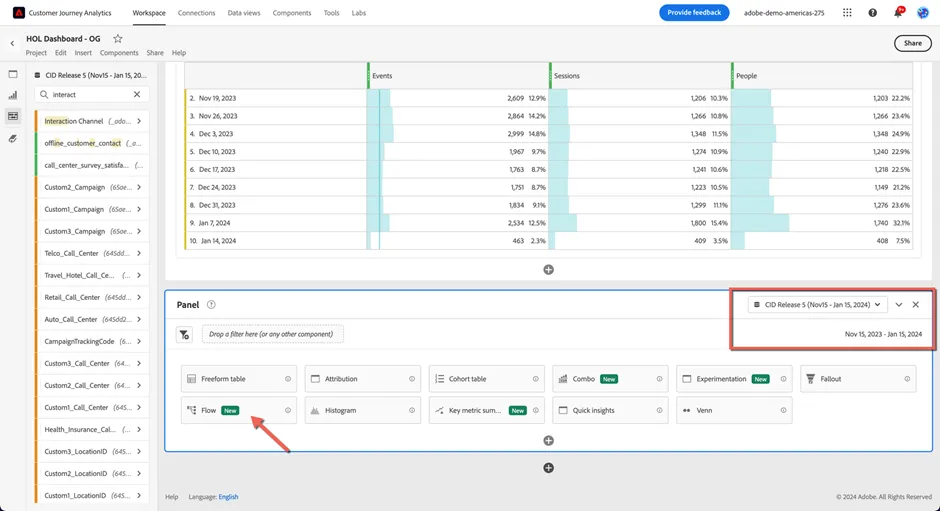
Notes on Dimension configuration:
- Dropping a dimension as the Entry point will show the top first values seen in that dimension either at a Session or Person level
- Dropping a dimension as the Exit point will show the top last values seen for a dimension at a Session or Person level
- Dropping a dimension or a dimensional element in the middle will show you how often that element is the entry or exit, as well as the top elements a person saw prior or after from a pathing perspective. This can also be configured at the Session or Person level.
3. Drag the FSI_RetailBank_CallReason dimension and drop it in the Exit drop zone. Then click Build.
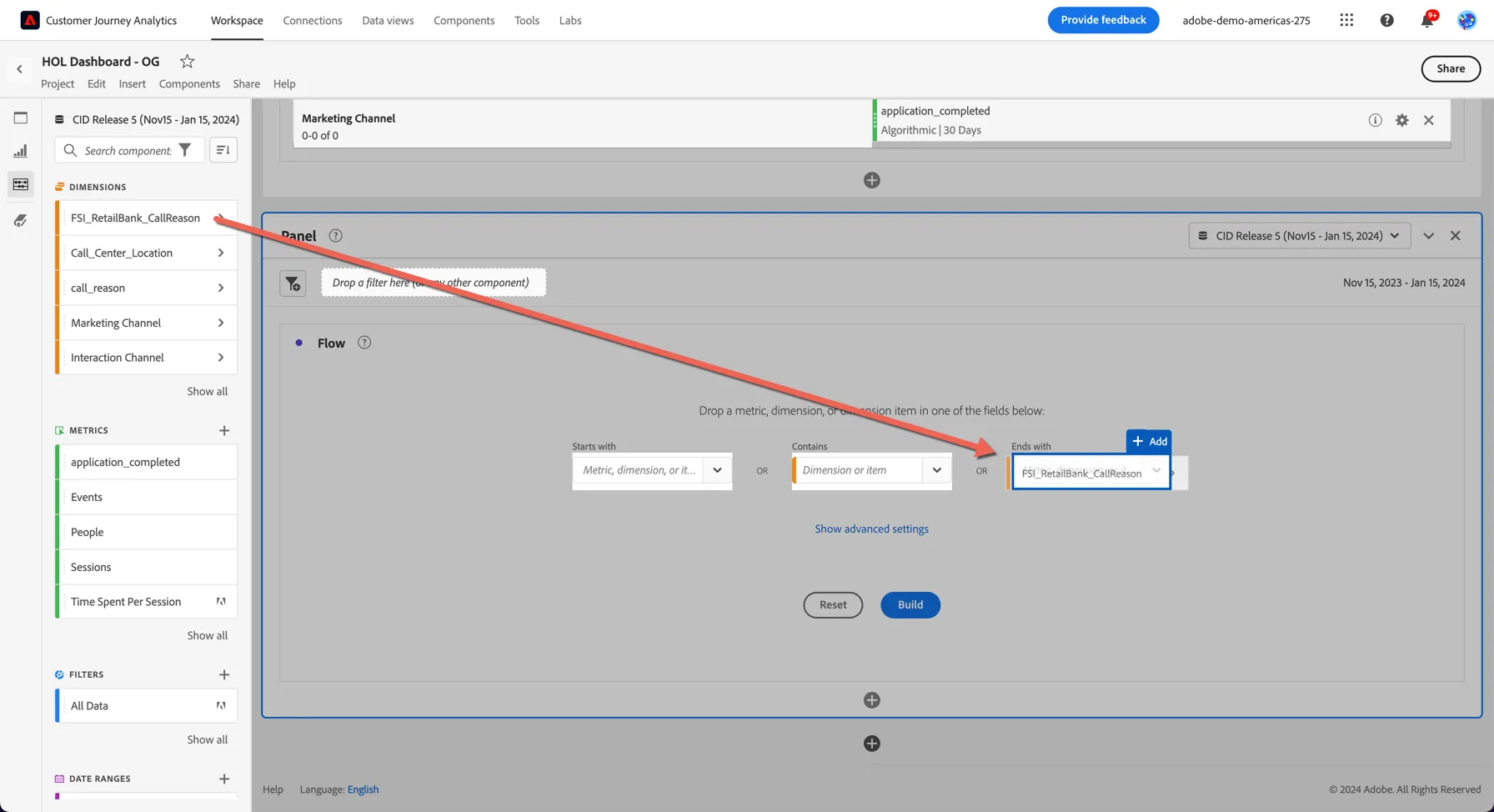
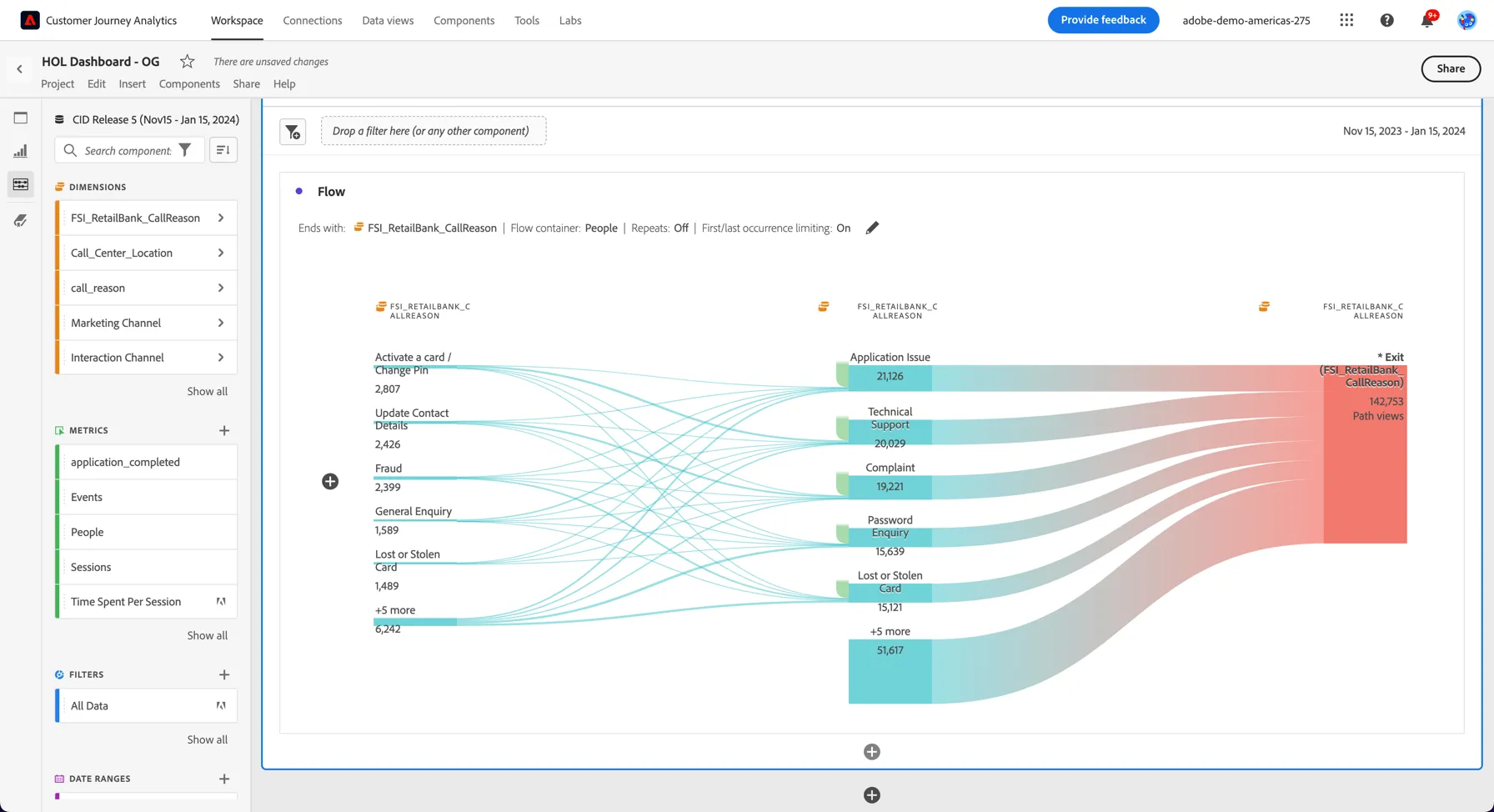
This shows us the top Call Reasons for customer calls into the call center.
4.2.2 Understand which pages drove the calls
One very powerful capability the Flow visualization supports is the ability to mix and match the dimensions being used.
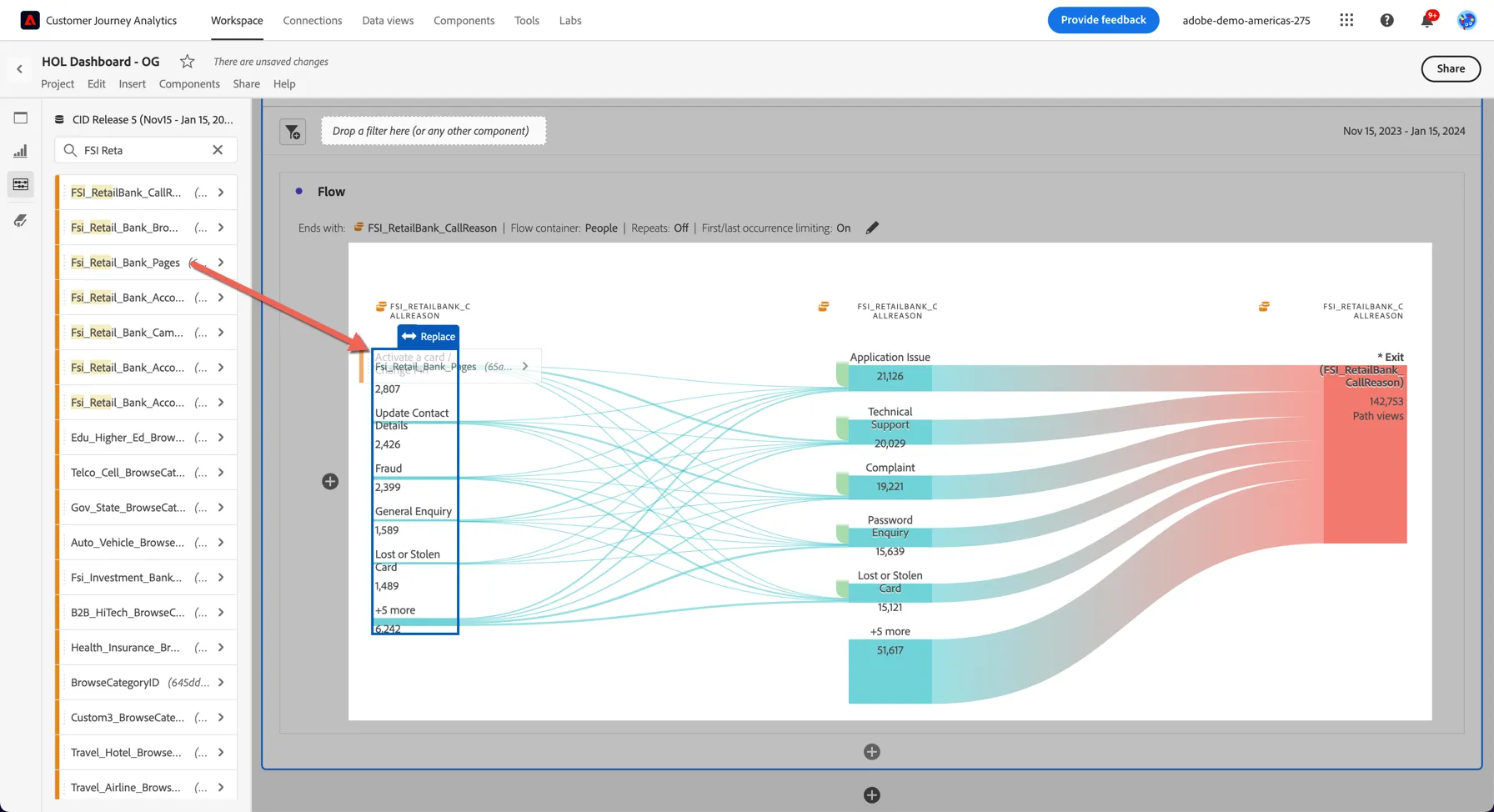
- Drag the FSI_Retail_Bank_Pagesdimension and drop it to replace the left most column of the flow visualisation. The result is a view into the top pages customers interact with prior to a call, broken out by call type:
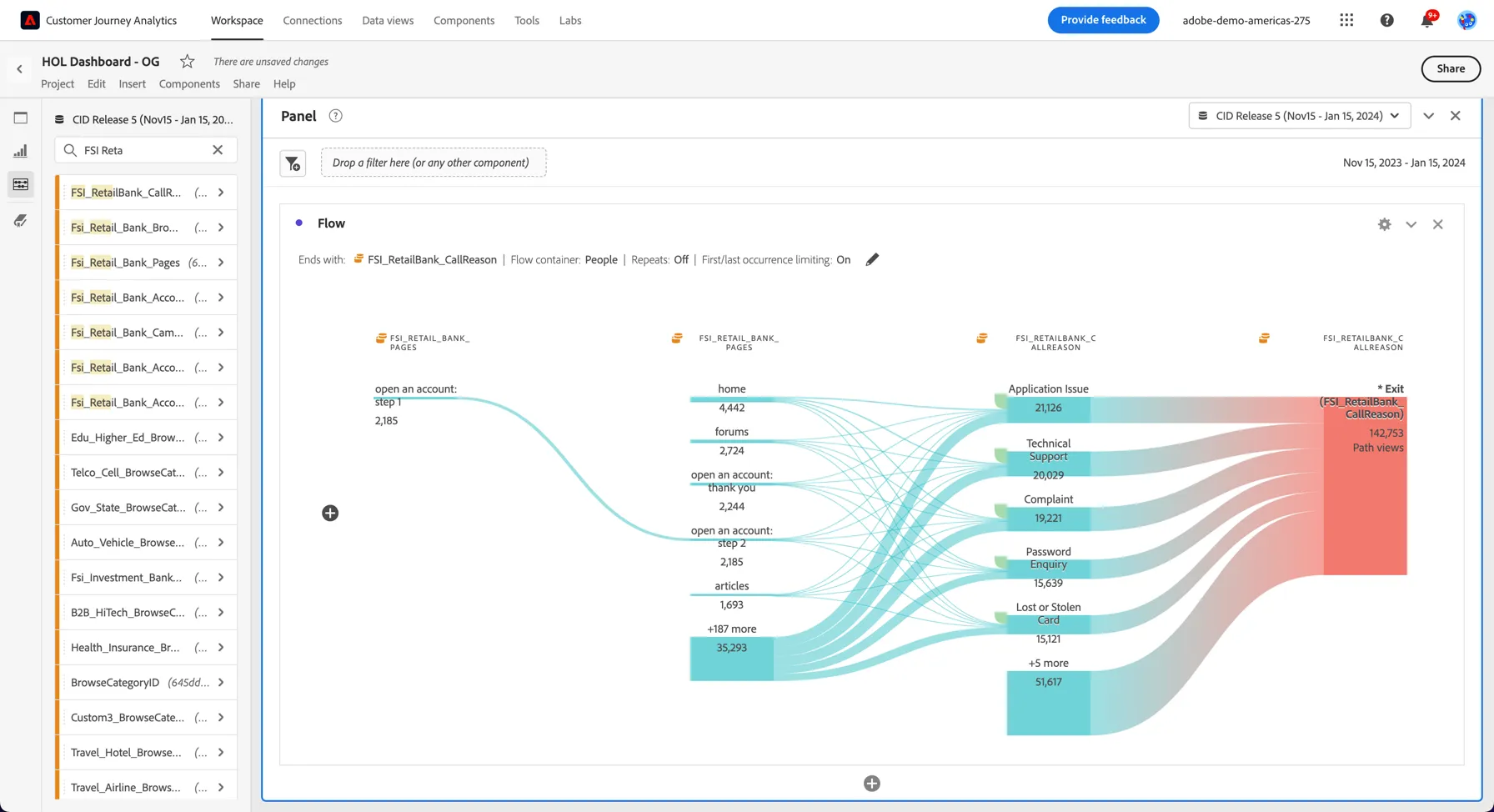
2. Drill into any of the pages to see what customers interact with prior to that on their path to a call. We can see many customers are visiting the self help forums and still not finding an answer before calling in to the call center with an Application Issue. There could be value in running some optimisation tests on those pages.
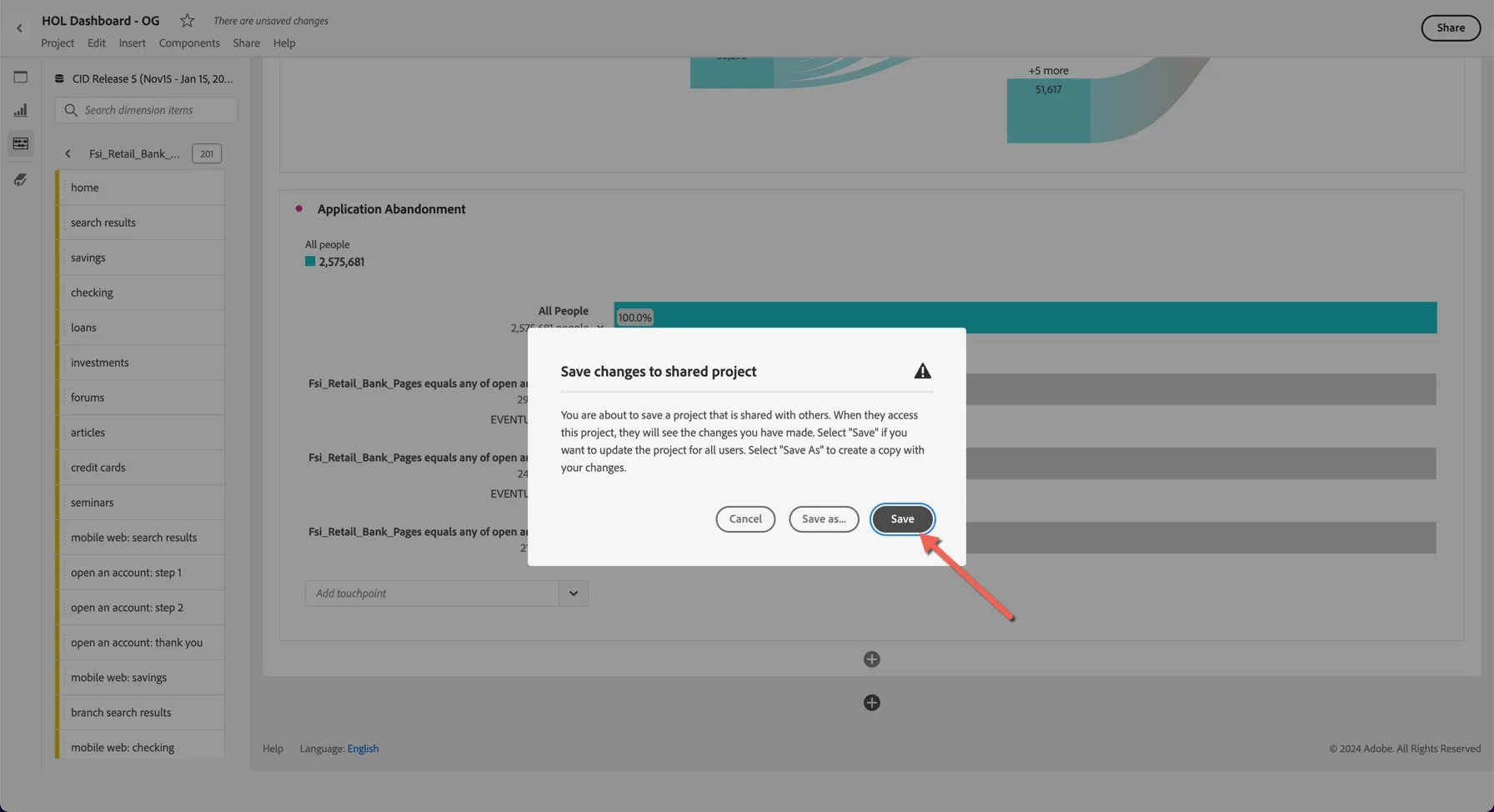
6. Finally hit Ctrl/Command S to save your project.
This can be very powerful in understanding customer journeys across channels. Other use cases could be to analyse how are customers moving across different channels or post a campaign click.
Exercise complete checklist
Able to view the top call reasons to the call center
Able to find the top pages leading to the calls. (This insight can then be fed back to the digital team for any optimisation)