Visit the Luma Website
This section describes a typical user journey in the context of Adobe's real-time customer profile.
The journey from unknown to known is one of the most important topics amongst brands these days, as is the customer journey from acquisition to retention.
Adobe Experience Platform (AEP) plays a huge role in this journey. AEP is the brains for communication, the “experience system of record.”
AEP is an environment in which the word customer is broader than just the known customers. An unknown visitor on the website is also a customer from AEP's perspective and as such, all of the behaviour as an unknown visitor is also sent to AEP. Thanks to that approach, when this visitor eventually becomes (identified as) a known customer, a brand can visualise what happened before that moment as well. This helps from an attribution and experience optimisation perspective.
Customer Journey Flow
Open the Luma Website in a new incognito tab.
To go through the customer journey flow:
On the SecurFinancial homepage, and any other page, you can get access to the Real Time Customer Profile panel. Click on the Adobe logo icon on the top left corner of your screen to open the panel.
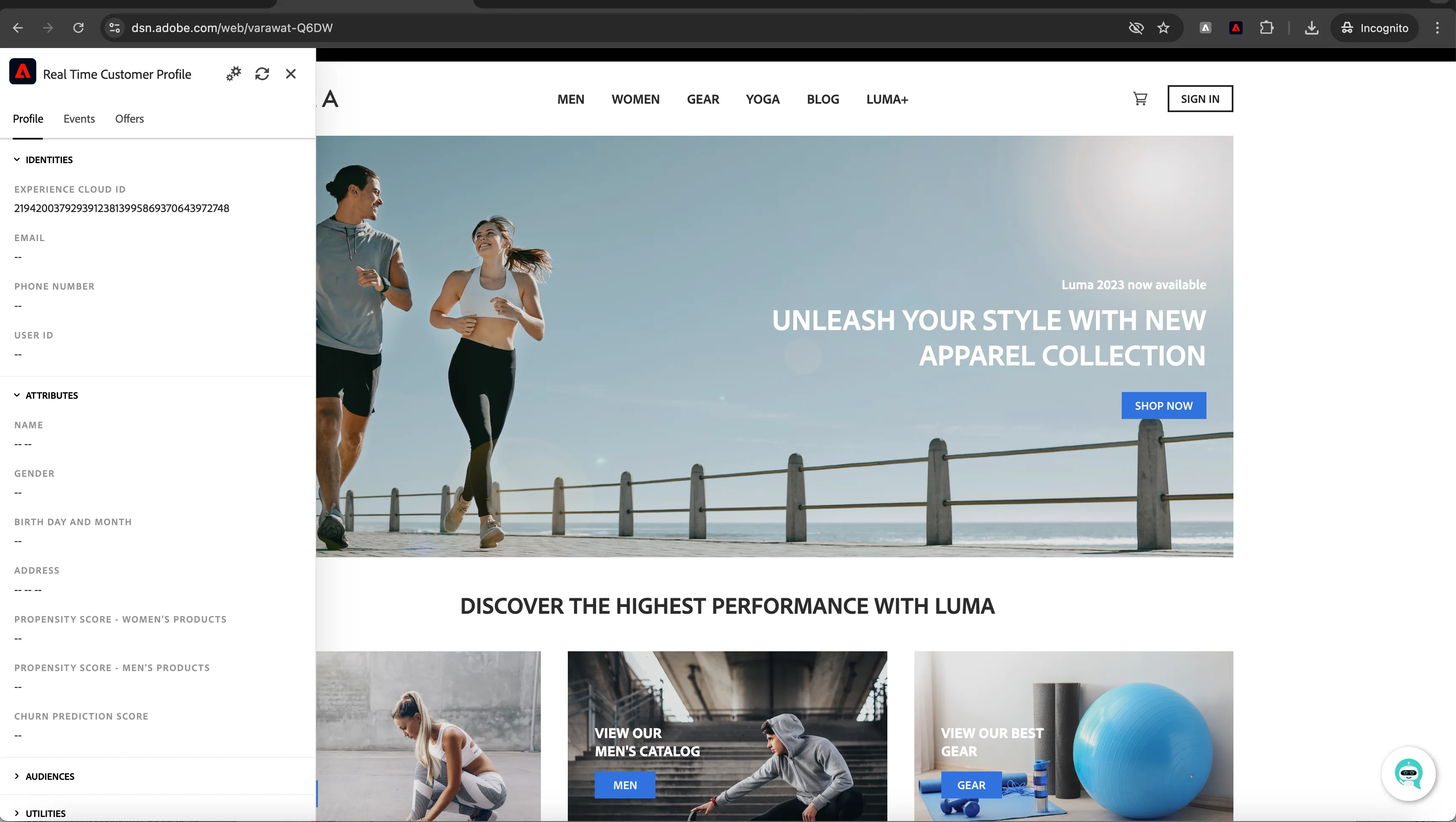
- Have a look at the panel.
- Notice the EXPERIENCE CLOUD ID within IDENTITIES. This is the so-called Experience Cloud ID (aka ECID).
- Click on ATTRIBUTES to see all details (none, at the moment...) of this currently unknown customer.
- Click on Events to see the experience events that were collected based on the customer’s behaviour. The list is currently empty but that will change soon.
Let's behave as a typical customer now.
- Click on any category like Men page link from top nav
- Click on different products to goto product detail page.
Experience events of type Product Views and Page Views have been sent to AEP. To inspect this event:
- Open the Real Time Customer Profile panel.
- Take a look at the Events.
You will see the interactions you have had with the Luma web site.
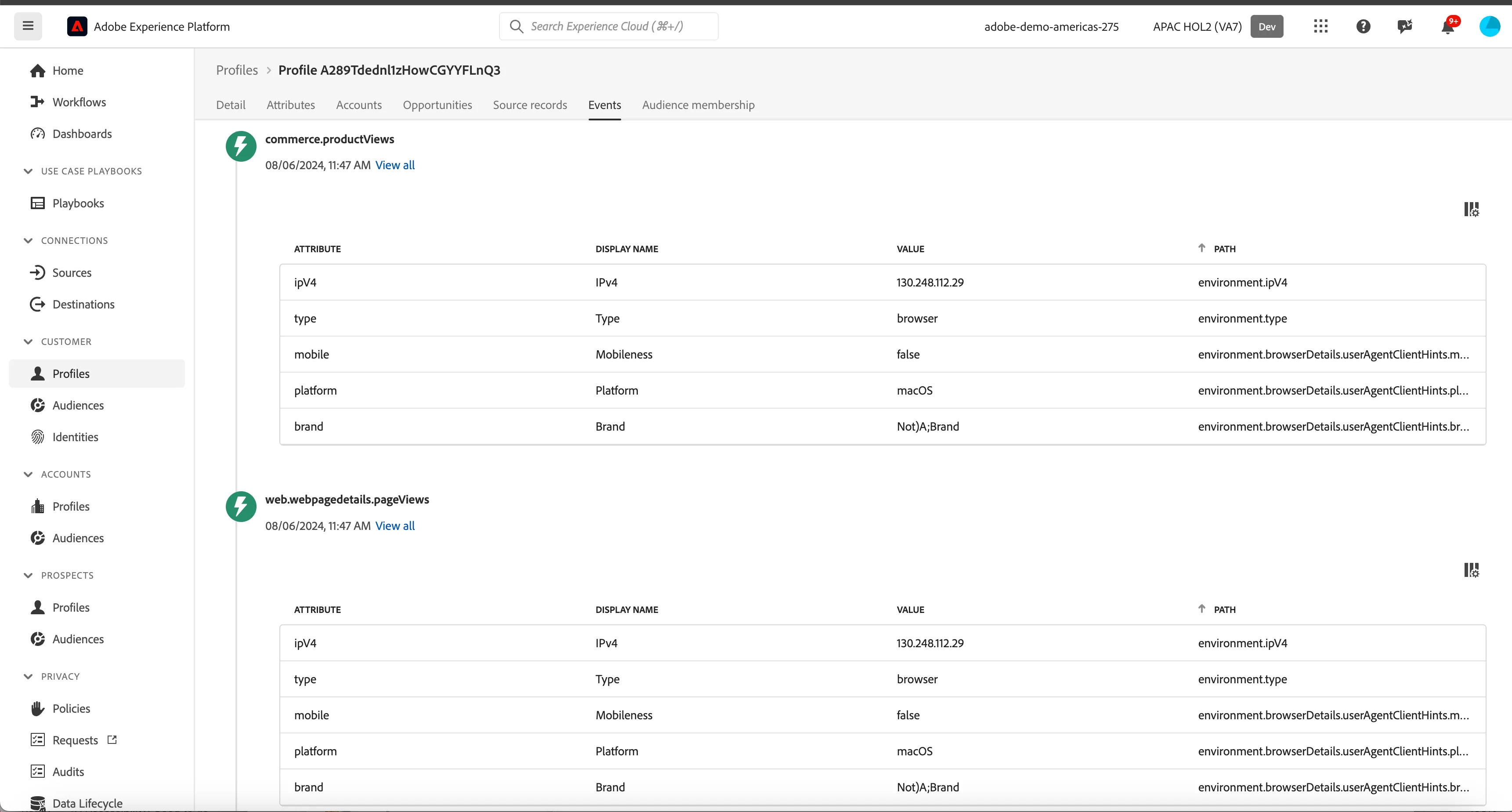
While the behaviour is anonymous, we’re able to track every click and store it in Adobe Experience Platform. Once the anonymous customer becomes known, we will be able to merge all anonymous behaviour automatically to the known profile.
Now let's create a new user to see how profile stiching happens keeping visitors last interactions (as anonymous) still valid.
- Navigate to Sign In Page by clicking on the SIGN IN button on the top right side.
- From the Sign In Page, click on "Create an account" link which will take you to registration form page.
- Fill in the required fields
- Click on "SUBMIT" button. You can optionally fill other fields, however they are optional.
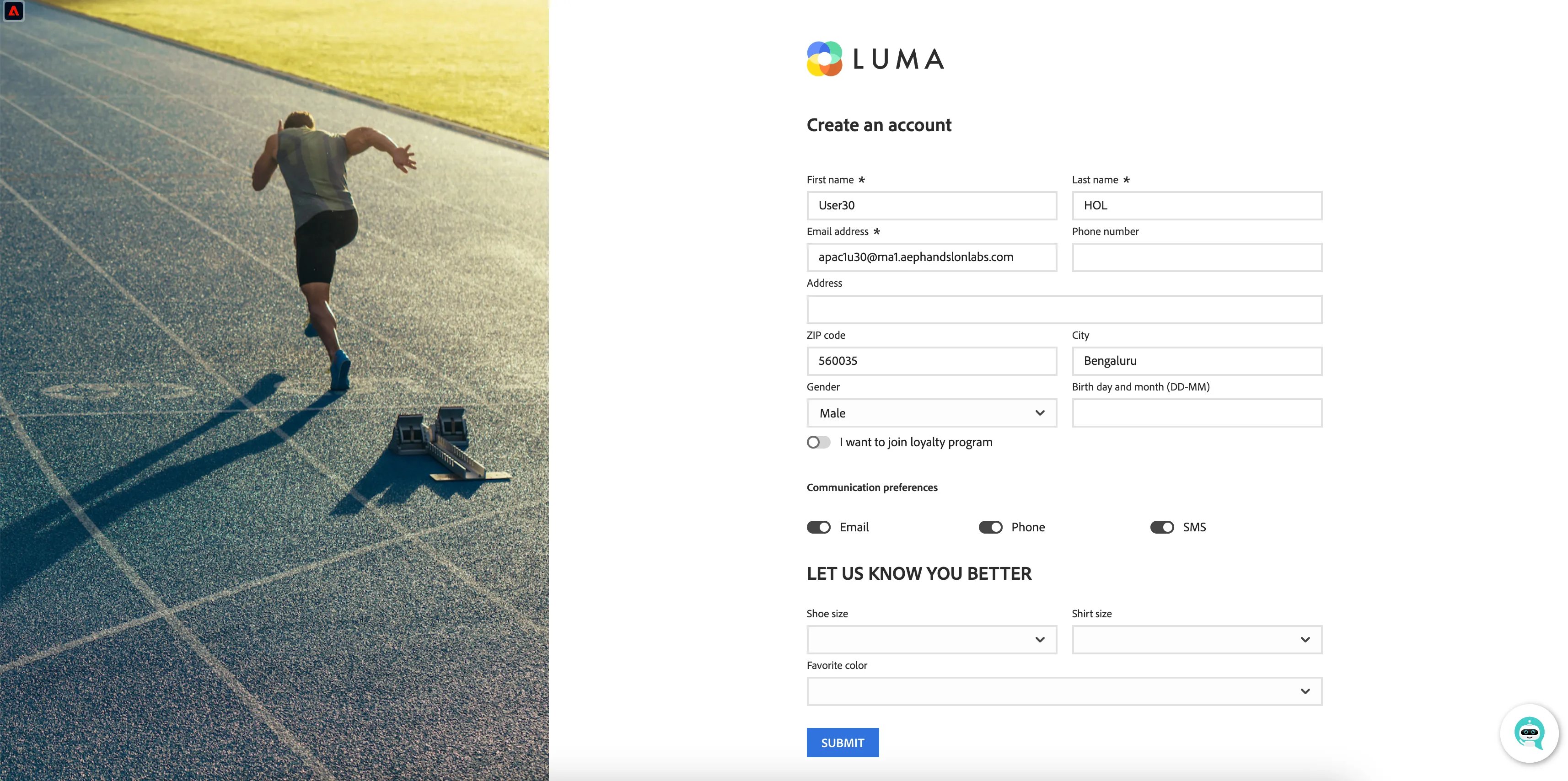
After completing registration, it may take couple of minutes before you can login using the registered user.
Once the anonymous customer becomes known, we will be able to stitch the anonymous profile to any known profile information we have, and we'll be able to retarget the customer across devices.
This has now sent an event to Adobe CDP containing both the ECID and the EMAIL address. The Identity Service will now stitch the two id's so we reconize this device when they return as a known customer.
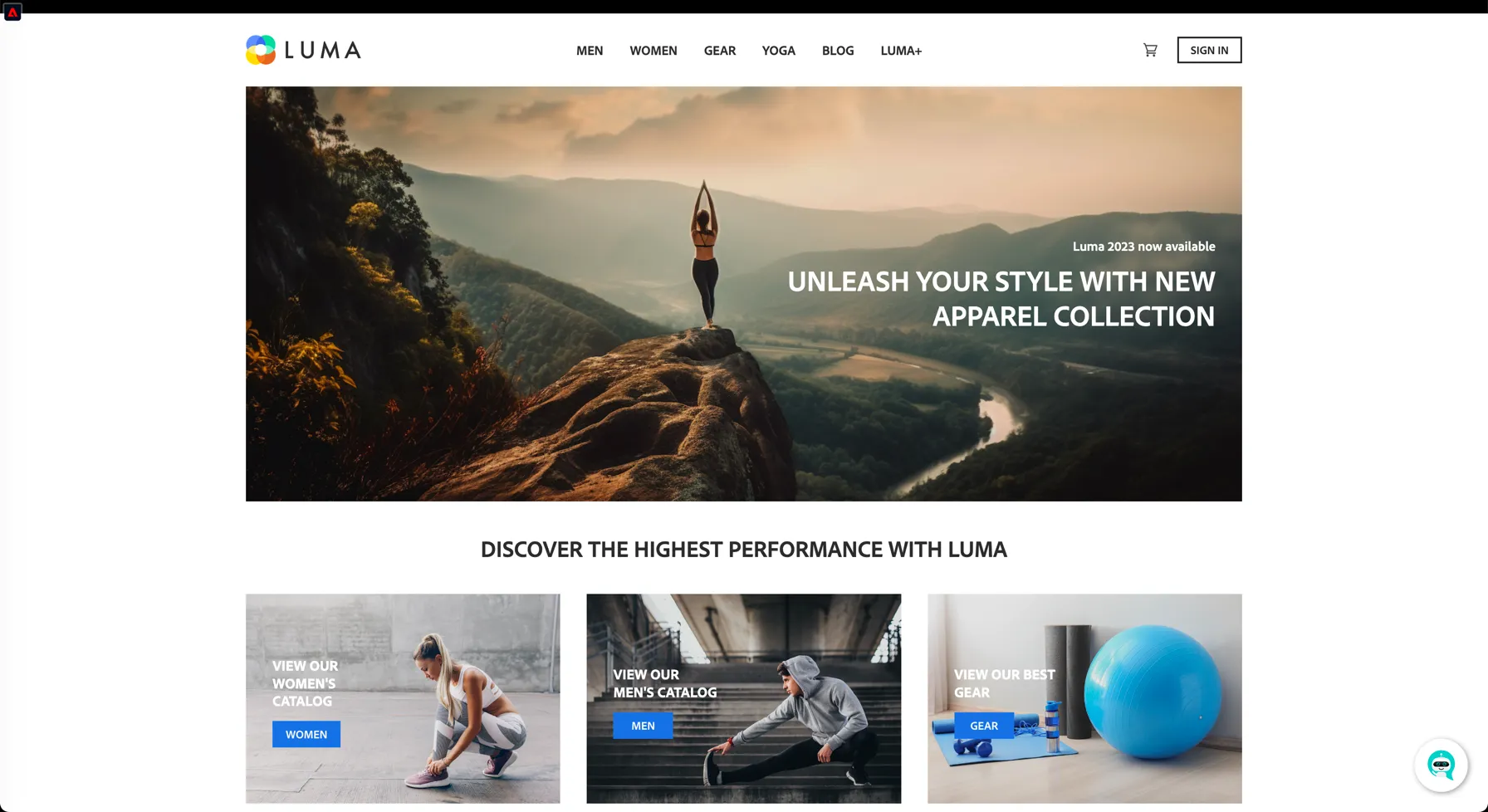
You’ve seen how we collect event data in real time in and how we can use this data for personalisation onsite. In the next exercise, you’ll visualize your profile in Adobe Experience Platform and see how the Identity Service has stitched the new device to a pre-existing known customer profile.
You’ve now effectively seen a real-time, customer profile being created, first anonymous, then as a known profile, and continuously being enriched with experience events.
In the next exercise, you’ll go ahead and visualise your profile in Adobe Experience Platform.