Visit the Luma Website
This section describes a typical user journey in the context of Adobe's real-time customer profile.
The journey from unknown to known is one of the most important topics amongst brands these days, as is the customer journey from acquisition to retention.
Adobe Experience Platform (AEP) plays a huge role in this journey. AEP is the brains for communication, the “experience system of record.”
AEP is an environment in which the word customer is broader than just the known customers. An unknown visitor on the website is also a customer from AEP's perspective and as such, all of the behaviour as an unknown visitor is also sent to AEP. Thanks to that approach, when this visitor eventually becomes (identified as) a known customer, a brand can visualise what happened before that moment as well. This helps from an attribution and experience optimisation perspective.
Customer Journey Flow
To go through the customer journey flow:
Create an audience
In this exercise we'll create an audience of existing customer profiles who have an android device and leveraging partner data that has enriched our profile we know that they have also visited brands such as OPPO, VIVO, Xiomi or Huawei.
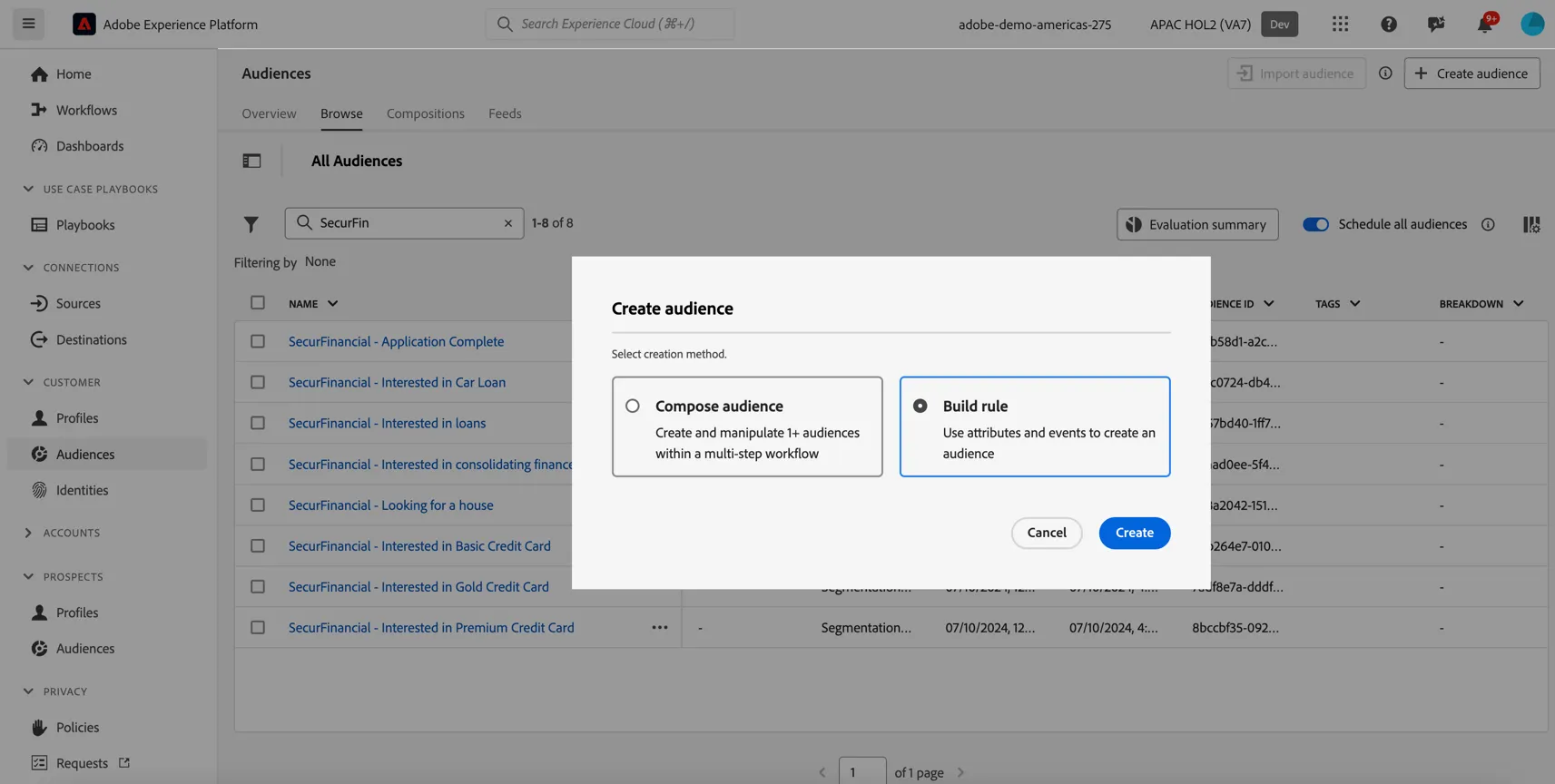
To create an audience click on + Create Audience. Select Build Rule as the creation method. This will open the drag and drop audience builder UI.
You will immediately notice the Attributes tab selected underneath Fields, as well as the XDM Individual Profile selector under BROWSE ATTRIBUTES.
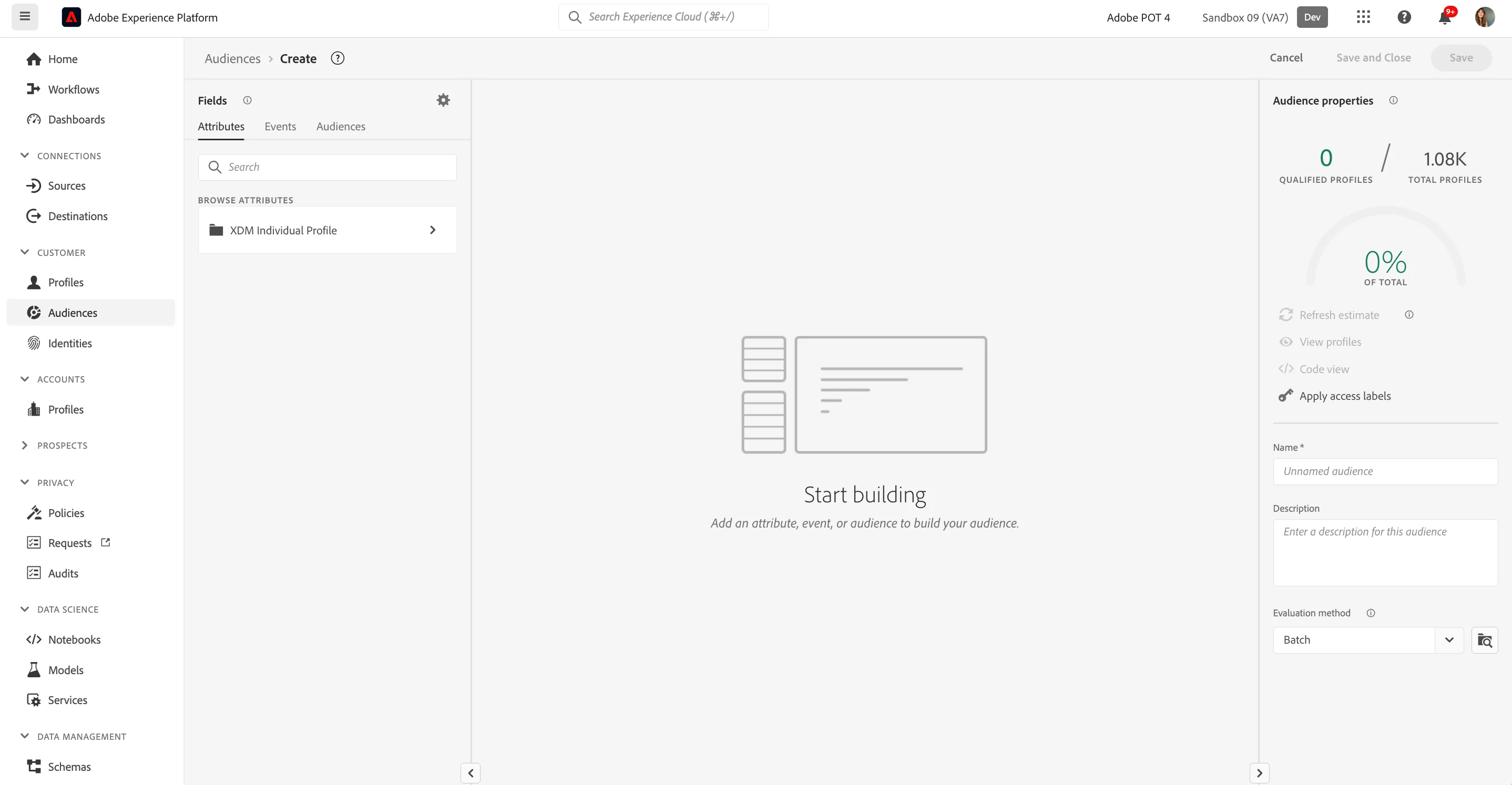
Since XDM is the language that powers the experience business, XDM is also the foundation for the audience builder. All data that is ingested in AEP should be mapped against XDM, and as such, all data becomes part of the same data model regardless of where that data comes from. This gives you a big advantage when building audiences, as from this one audience builder UI, you can combine data from any origin in the same workflow.
Audiences can be used natively in Journey Optimizer to trigger a journey or campaign, or they can be shared to other solutions such as Adobe Target for onsite personalisation, Adobe Campaign or Social Platforms like Meta and Tiktok for retargeting.
Let's build an audience for our customers with scheduled appointments:
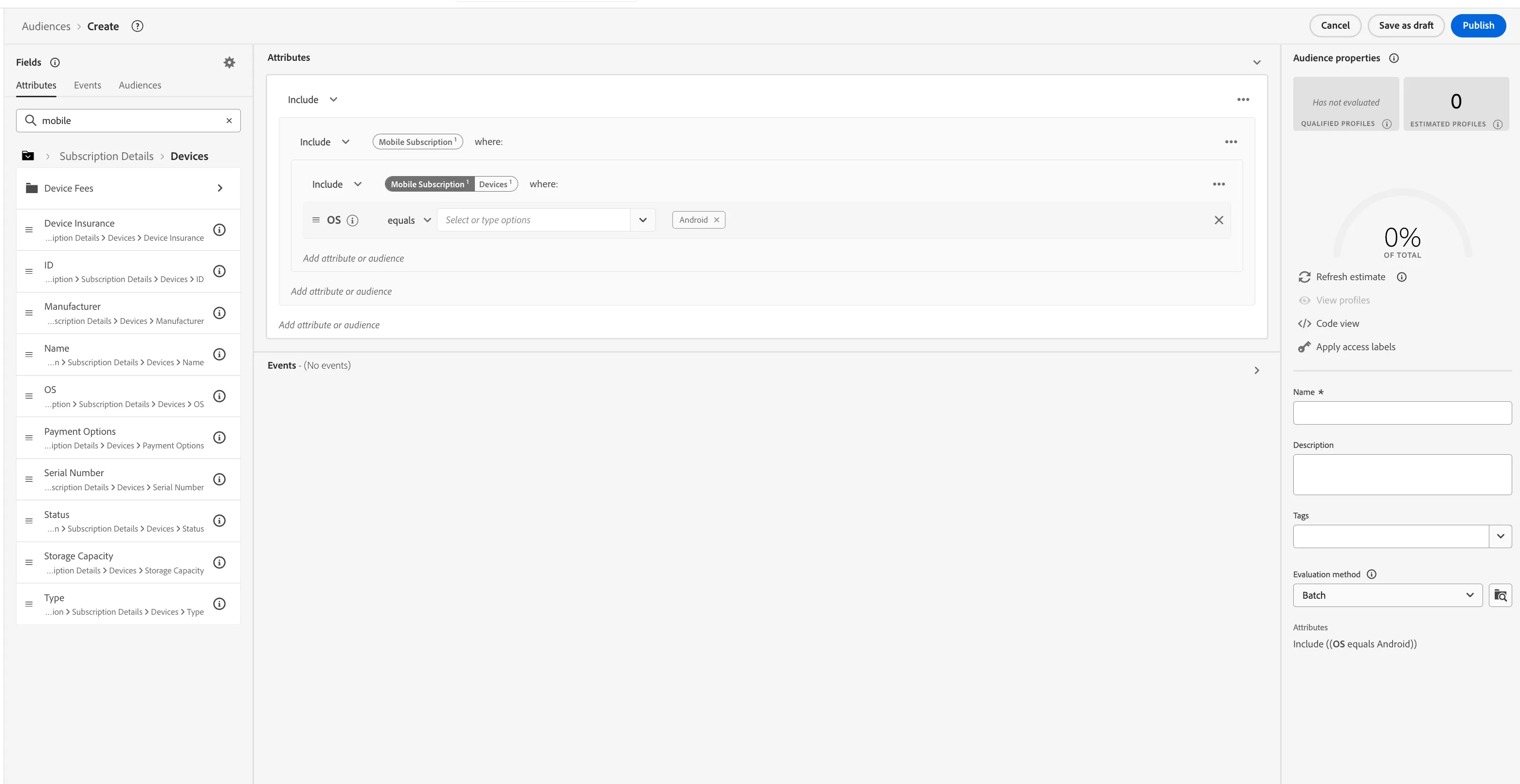
- Select the Attributes tab in the Fields section.
- In the text search field, type mobile subscription. You will see a "mobile subscription" folder listed under Browse Attributes.
- Click into the mobile subscription folder > Subscription Details > Devices > OS.
- Drag the OS attribute onto the canvas where it says Start building.
- Set the value of OS to equal Android.
Your screen should look like:
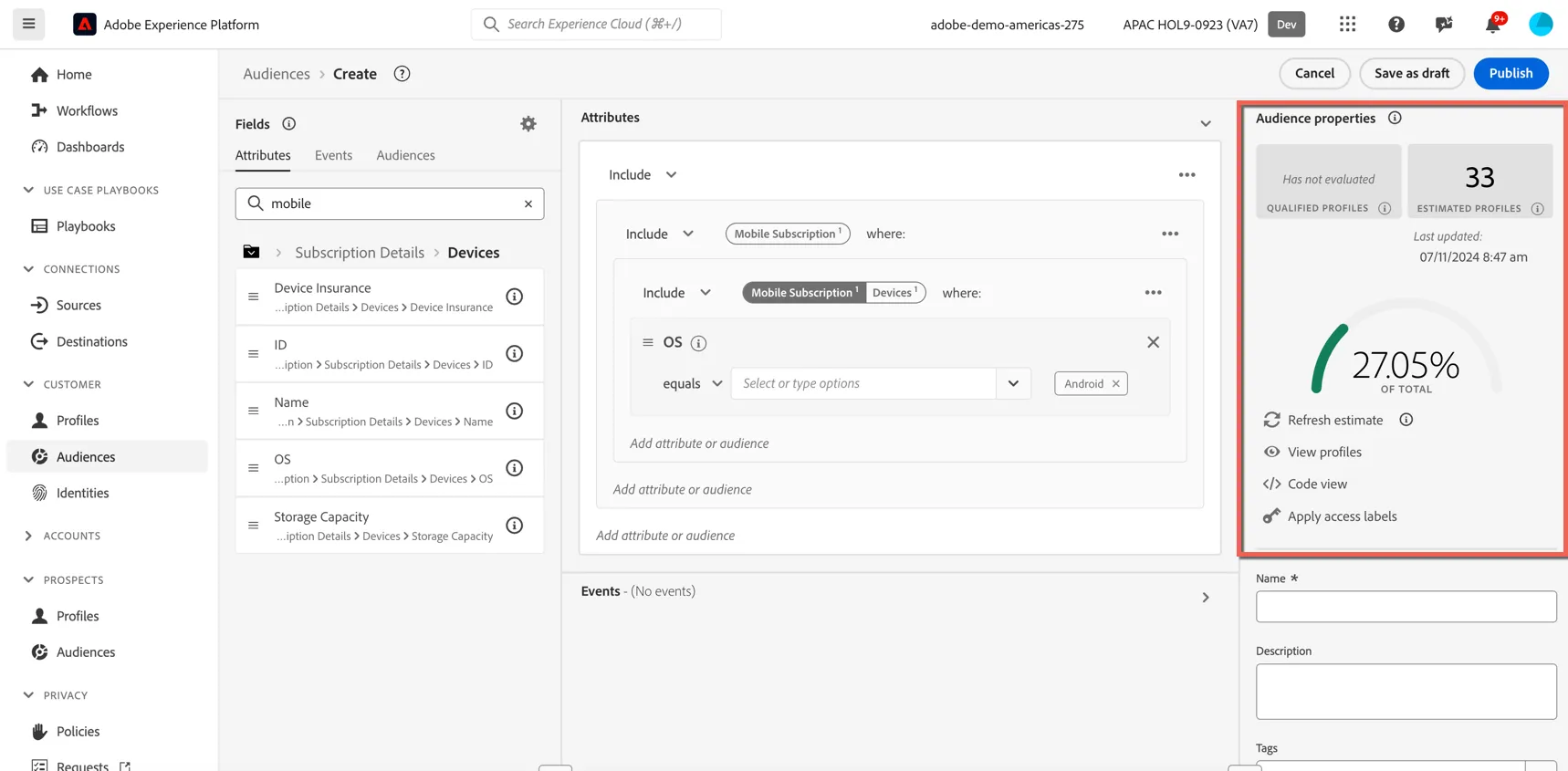
At each step in defining your audience, you can get an estimate of the audience's population:
- Click on Refresh estimate, in the right rail menu.
You will then see an estimate of your current audience size. This is very useful for a business user to see the impact of certain attributes on the resulting audience size.
So far, you’ve only used the UI to build your audience, but there’s also a code-option to build a audience. When building an audience, you’re actually composing a Profile Query Language (PQL) query. To visualise the PQL code:
- Click on the Code View switcher in the right rail menu, in the Audience Properties section;
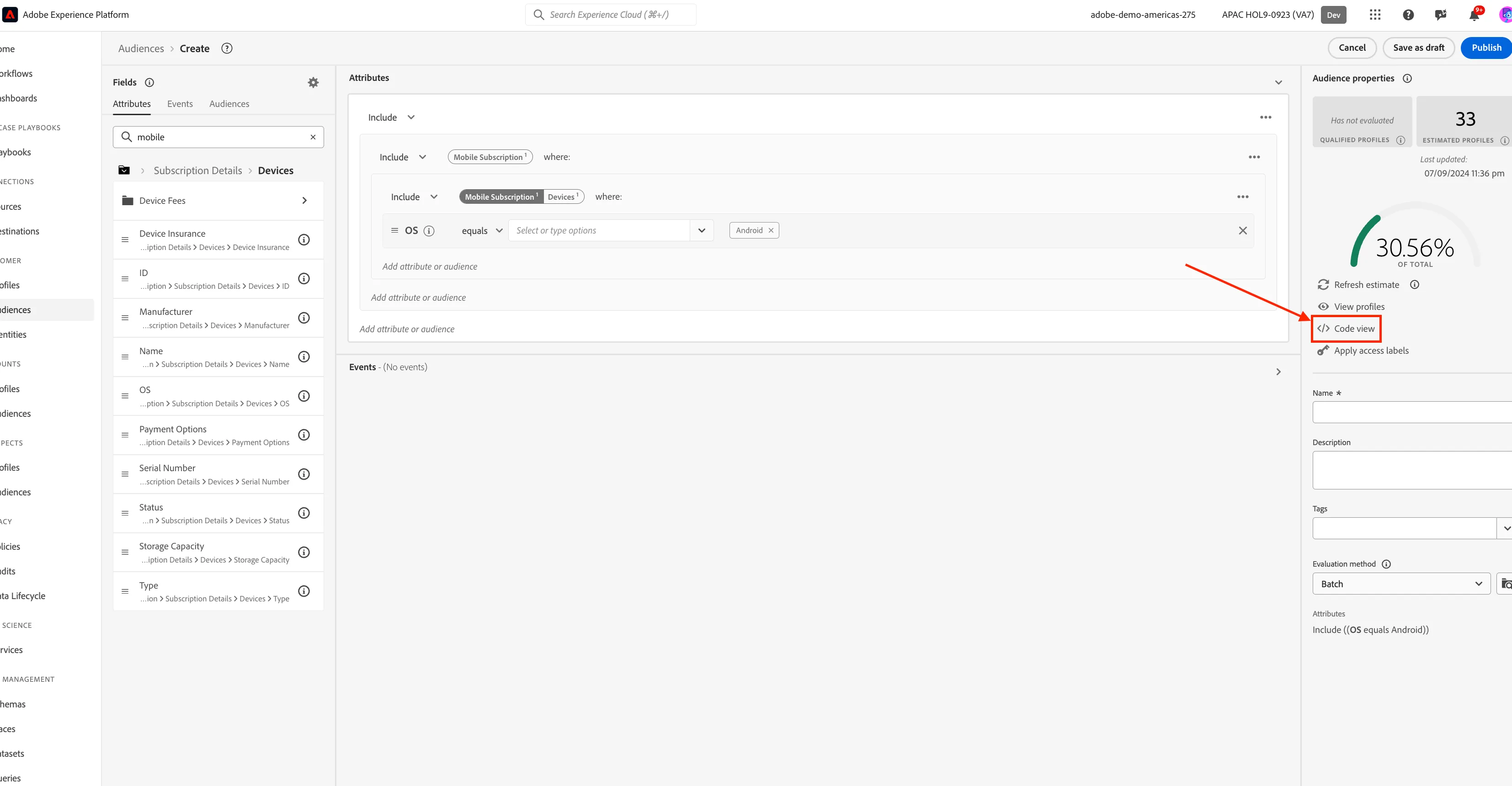
- Click on Segment Builder view to return back to the builder UI.
Currently your audience has all customer profiles that have an android device. Now we are going to narrow this down further to target only the people who have accessed OPPO, VIVO, Xiomi or Huawei websites recently.
This is an example of third party data that has been ingested to enrich your profiles. When using third party data, you are responsible for complying with any data usage policies that exist from both from the partner and your own legal and compliance teams.
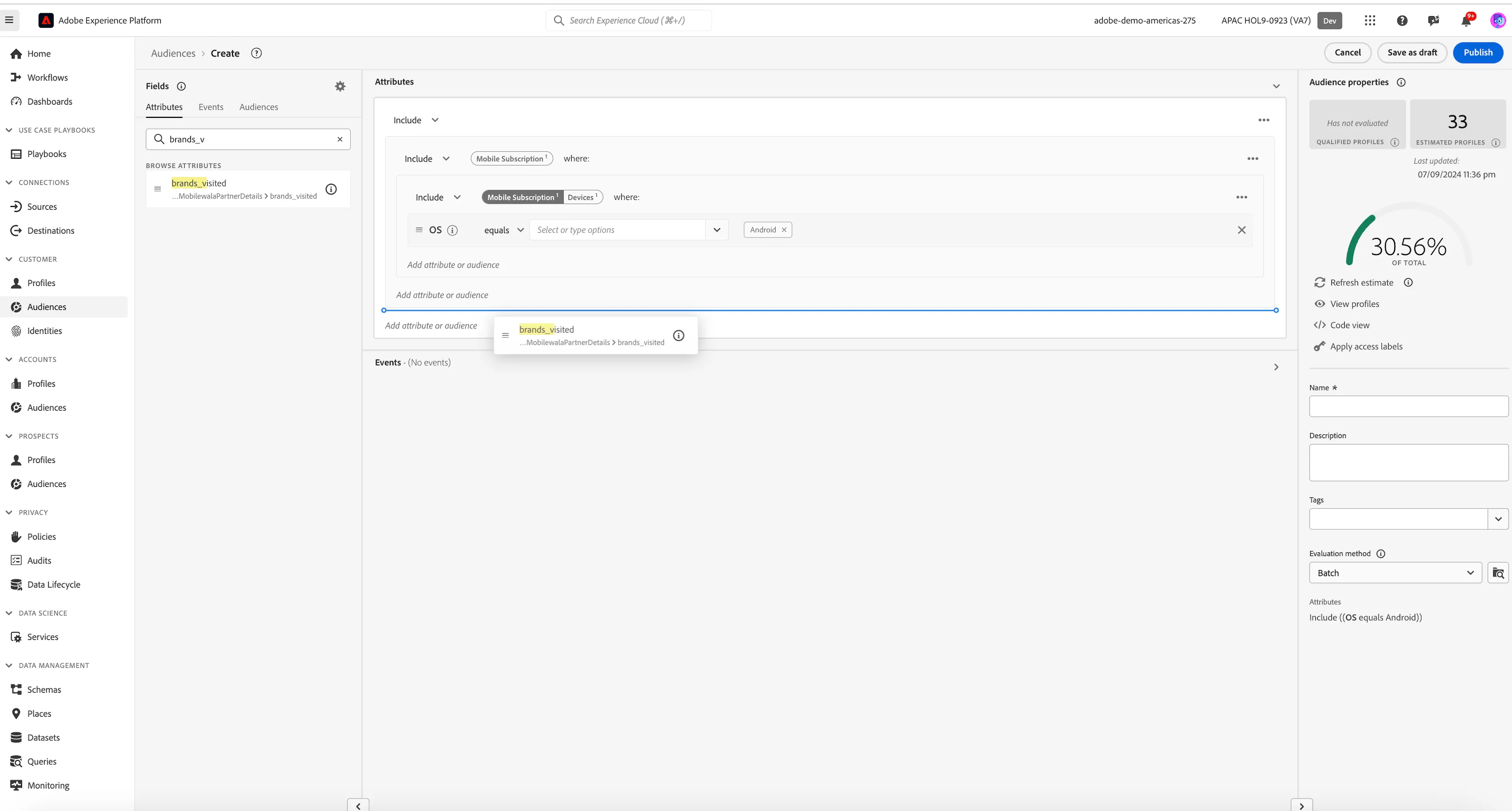
- Your two Attribute Rules will be joined with an AND condition by default.
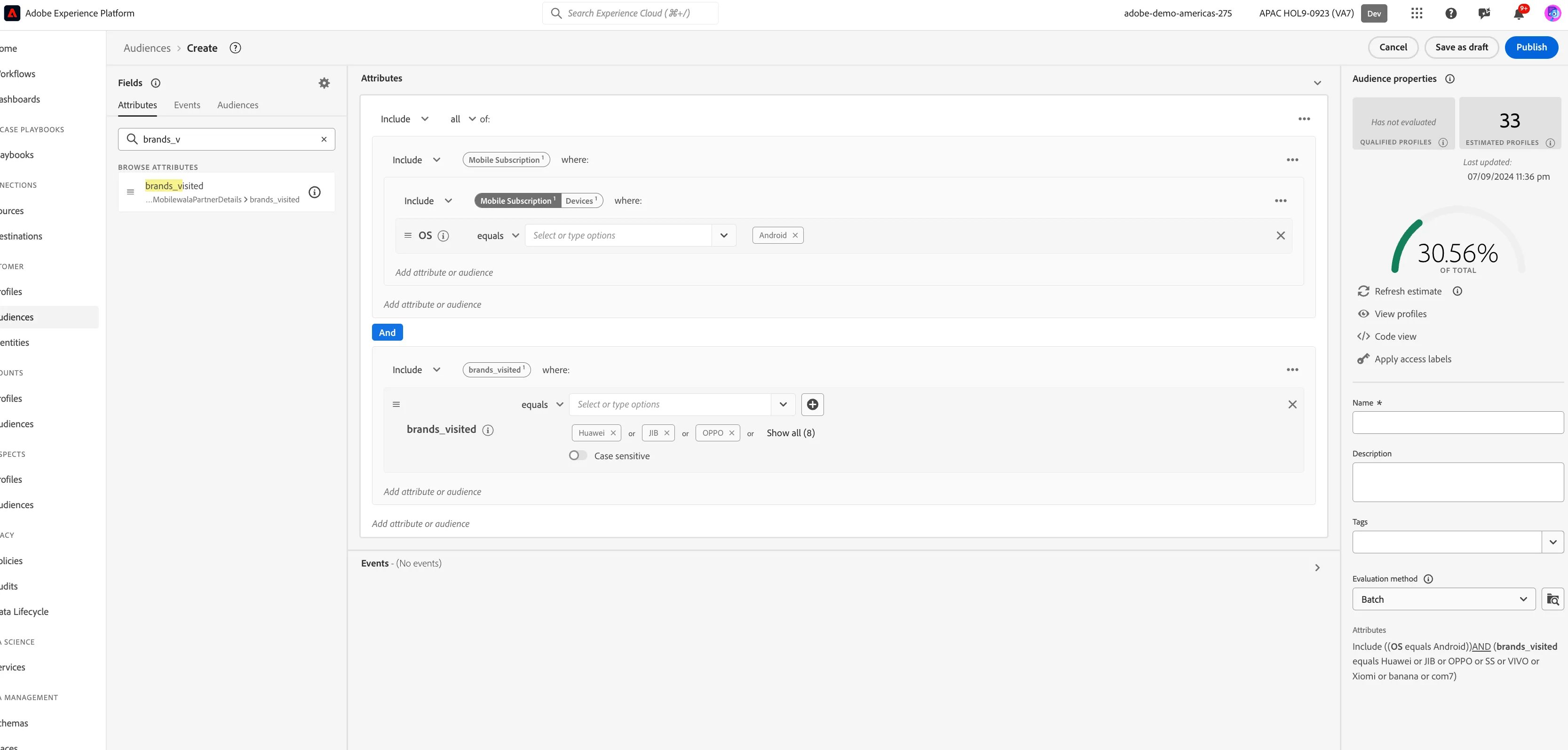
- Set the value of the Brands_visited attribute to equal OPPO, VIVO, Xiomi or Huawei.
Your final rule should look like:
Finally, let's save our audience.
- Enter a Name for your audience using the following naming convention [your name] - Target for device upgrade.
- (optional) Enter a Description.
- Select Batch from the Evaluation method dropdown list.
- Click on Save and Close.
You will be taken to the Audience summary screen, outlining your audience definition.
You have now successfully created an audience using the Adobe Experience Platform Audience Builder.
Visit the Website
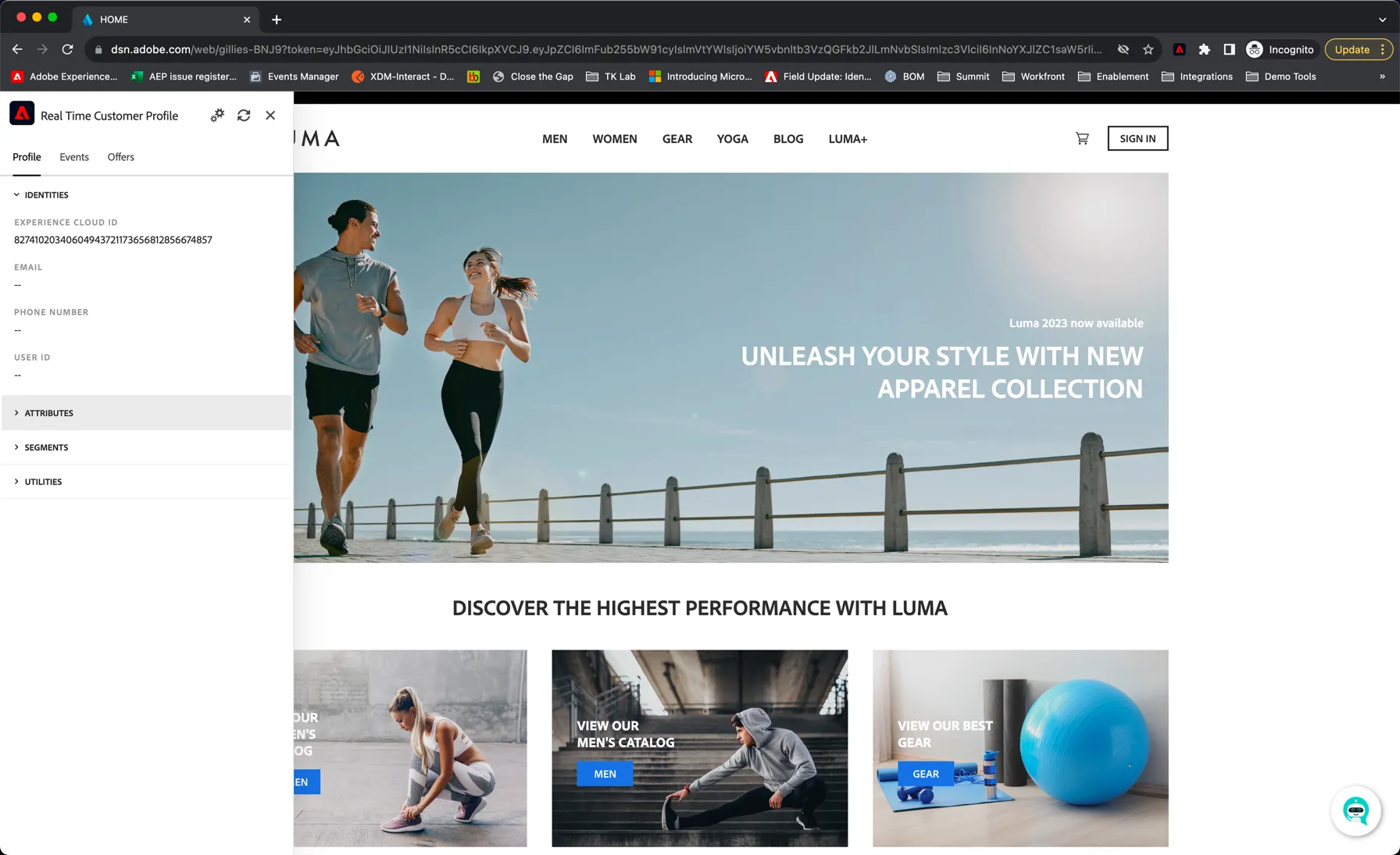
On the website homepage, and any other page, you can get access to the REAL TIME CUSTOMER PROFILE VIEWER.
- Click the Adobe logo icon in the top left corner of your screen to open the REAL TIME CUSTOMER PROFILE viewer.
- Have a look at the panel:
- Notice the Adobe Id within IDENTITIES. This is the Experience Cloud ID (aka ECID).
- Click on the EVENTS tab to see the experience events that were collected based on the customer’s behaviour. The list is currently empty (or has just the home page view event) but that will change soon.
Let's behave as a typical customer now.
- Click on Yoga category page from top menu.
- Explore few products by visiting thier detail page.
On every interaction you do on website, an experience event gets captured. In our case, it will be Page View and Product View which has now been sent to AEP using the Web SDK. To inspect this event:
- Open the REAL TIME CUSTOMER PROFILE panel.
- Take a look at the EXPERIENCE EVENTS.
You will see the interactions you have had with the demo web site.
Tap on the refresh button at the top of the panel if you don't see the events appear
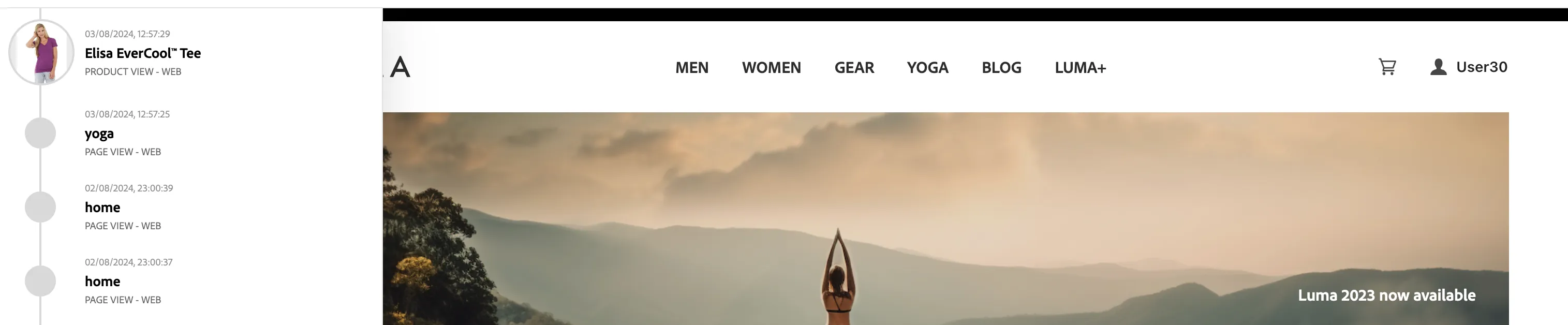
While the behaviour is anonymous, we’re able to track every click and store it in Adobe Experience Platform and we can still use that information to personalise the experience.
- Return to the home page by clicking the Luma logo in the top left.
We've used Adobe Target to personalise the banner image for anonymous visitor having interest in Yoga products by changing the banner image and messaging on banner and CTA button to shop now.
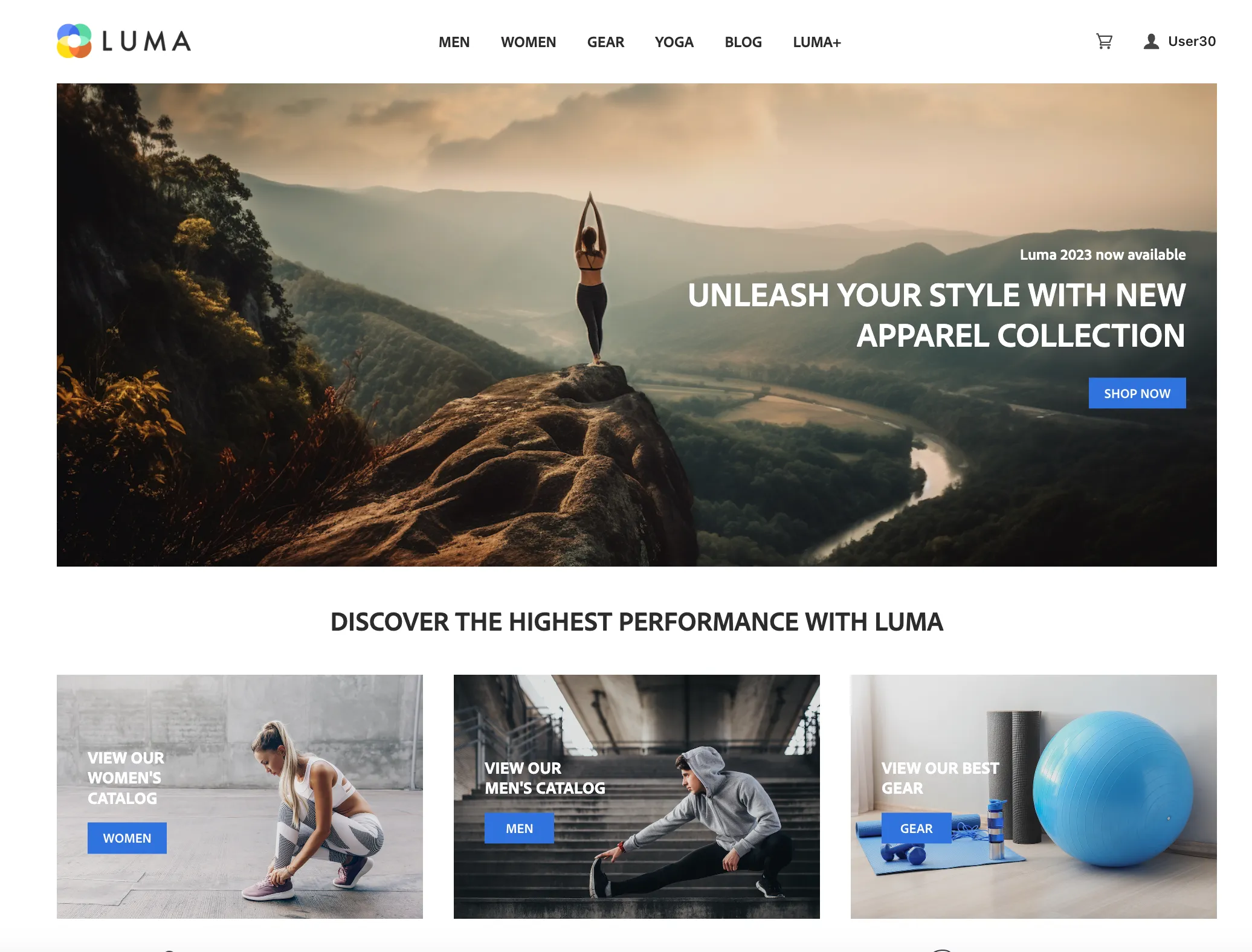
Now let's create a new user to see how profile stiching happens keeping visitors last interactions (as anonymous) still valid.
- Navigate to Sign In Page by clicking on the SIGN IN button on the top right side.
- From the Sign In Page, click on "Create an account" link which will take you to registration form page.
- Provide FirstName as UserXX where XX will be your user number as shared in the email id : apac1uXX@ma1.aephandslonlabs.com and lastName as HOL
- Provide email as apac1uXX@ma1.aephandslonlabs.com where XX will be your user number as shared.
- Click on "SUBMIT" button. You can optionally fill other fields, however they are optional.
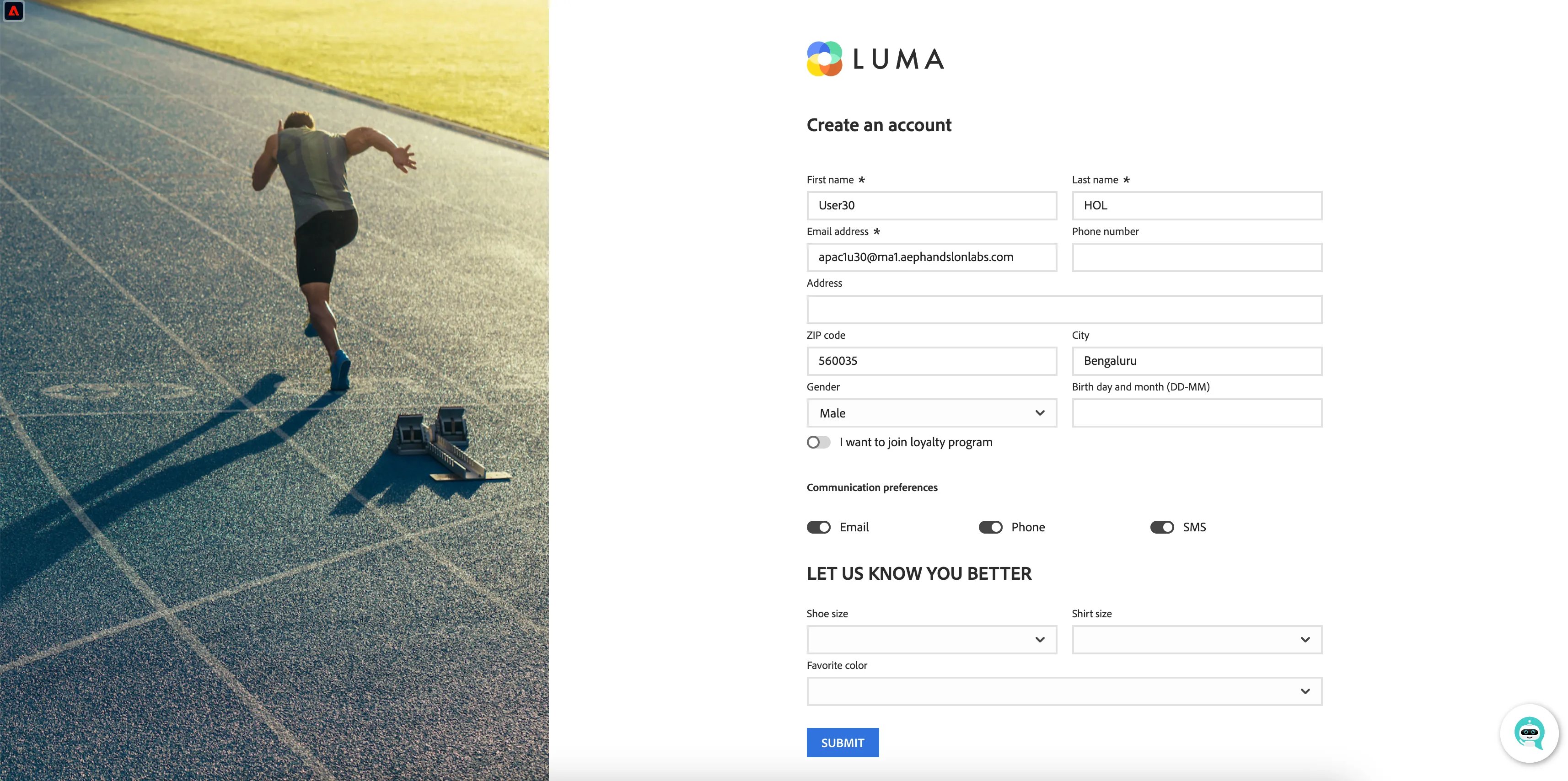
After completing registration, it may take couple of minutes before you can login using the registered user.
Once the anonymous customer becomes known, we will be able to stitch the anonymous profile to any known profile information we have, and we'll be able to retarget the customer across devices.
This has now sent an event to Adobe CDP containing both the ECID and the EMAIL address. The Identity Service will now stitch the two id's so we reconize this device when they return as a known customer.
The banner has once again changed in real-time and no longer prompts the user for a discount code.
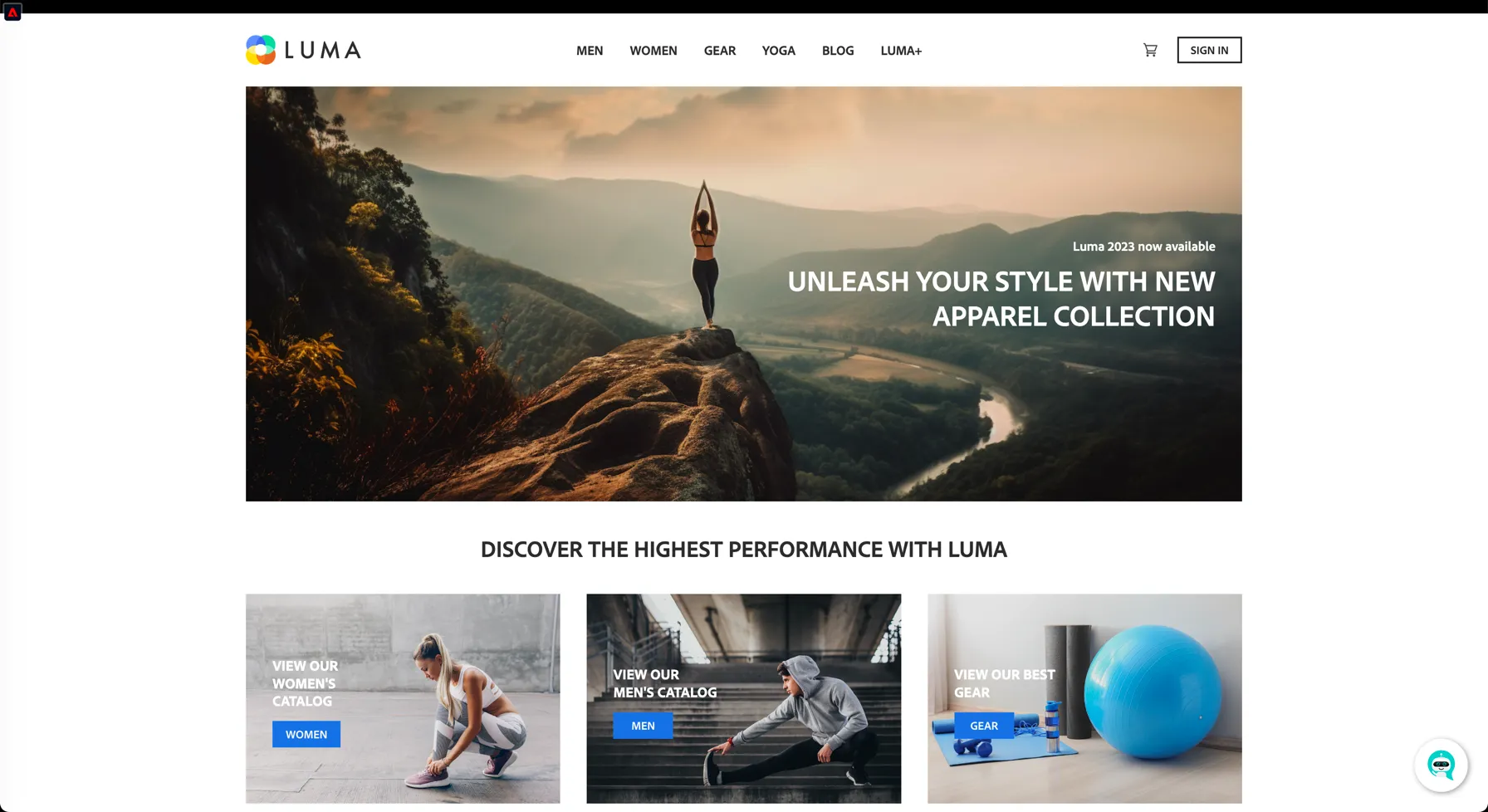
You’ve seen how we collect event data in real time in and how we can use this data for personalisation onsite. In the next exercise, you’ll visualize your profile in Adobe Experience Platform and see how the Identity Service has stitched the new device to a pre-existing known customer profile.
You’ve now effectively seen a real-time, customer profile being created, first anonymous, then as a known profile, and continuously being enriched with experience events.
In the next exercise, you’ll go ahead and visualise your profile in Adobe Experience Platform.