Audiences - Luma Platinum Cart Abandoners: Hands-on Lab
As part of this section, we will create an audience of customers who:
- Abandoned the shopping the cart while logged in to the site (Event Based)
- Belong to the Platinum loyalty tier (Attribute Based)
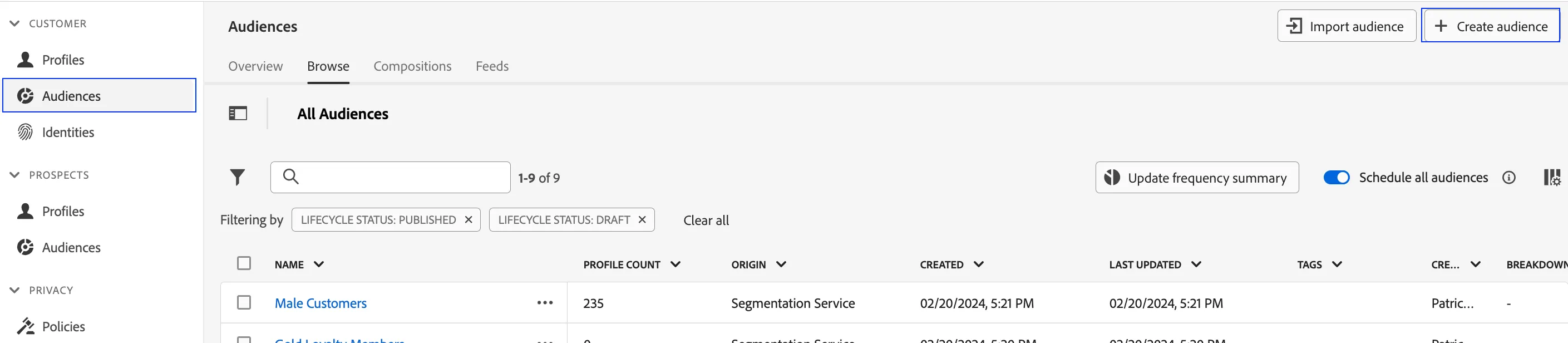
- Click on Audiences in the left navigation panel.
- In the top right corner of the screen, click Create Audience.
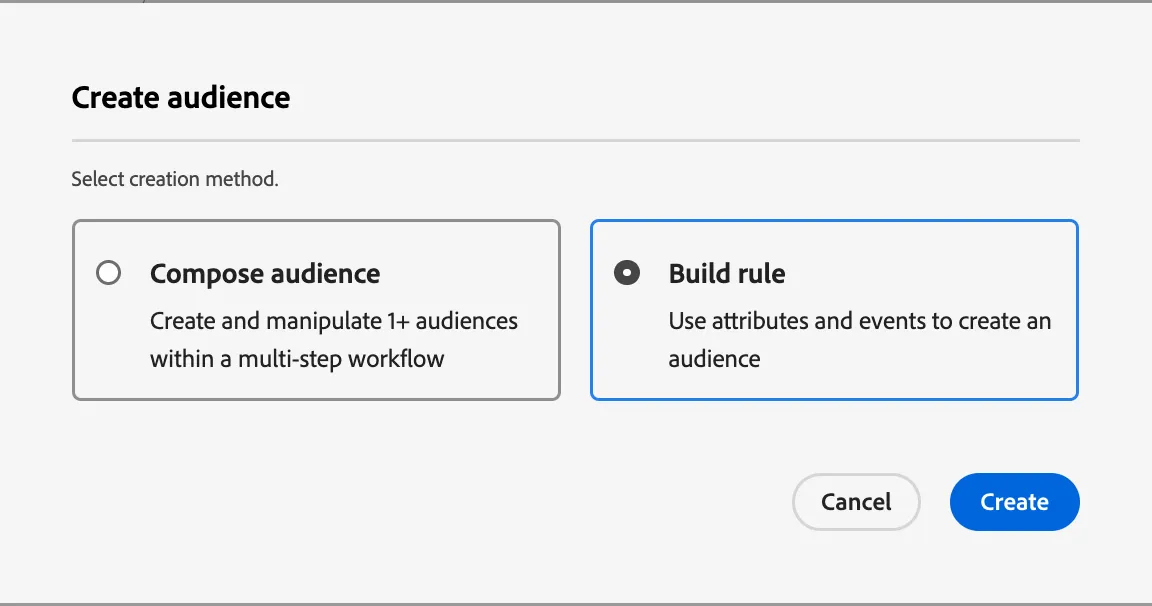
3. Select Build Rule.
4. Click Create.
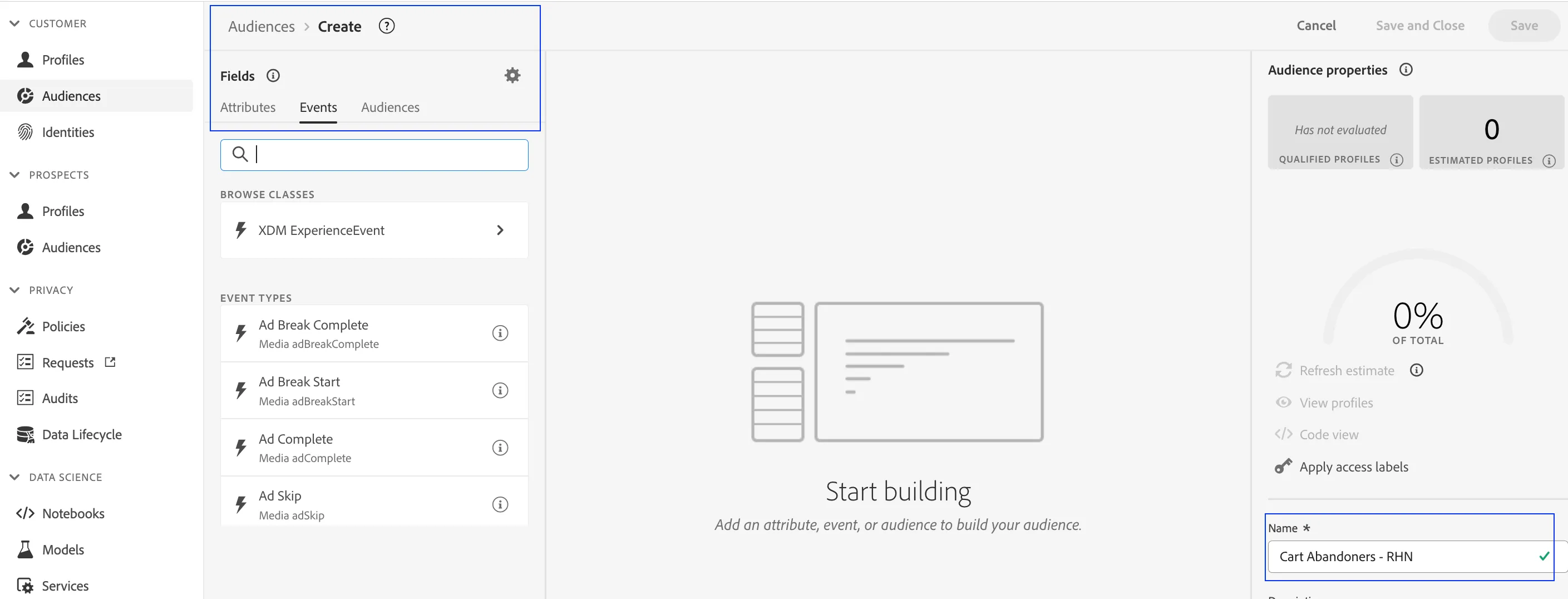
5. Explore the segmentation canvas. This canvas allows marketers to build audiences from ALL existing attributes and events available on the real-time customer profile.
6. Name your audience - Luma Platinum Cart Abandoners - (your initials)
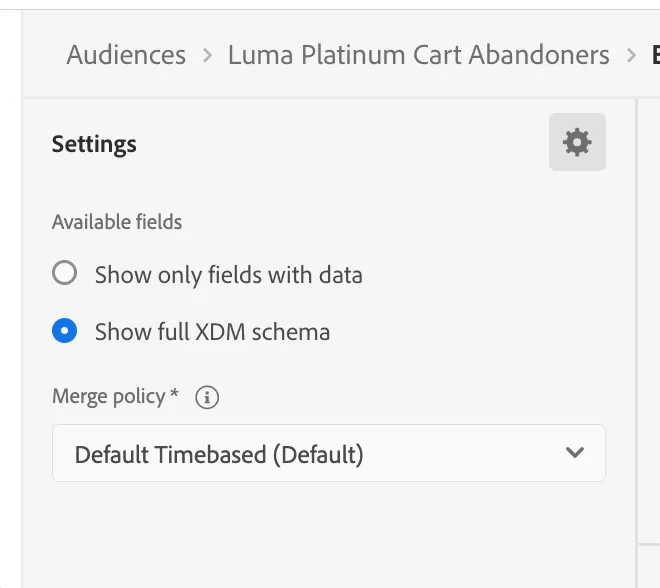
Before we begin, click the gear icon above the Fields Navigator and select "Show full XDM schema". In doing so, the audience builder will show all available data fields regardless of data availability.
7. Click on Events in the Fields navigator. This selection will expose all event based data points that have been onboarded.
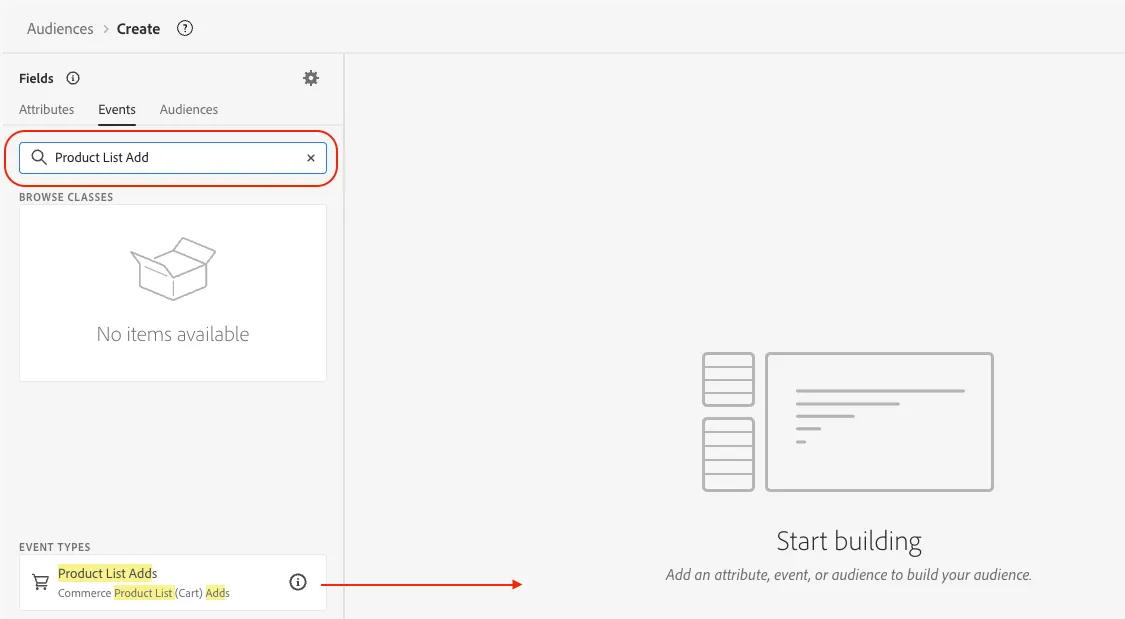
8. Search for the term "Product List Add" to locate the Add to Cart event. Drag it to the center canvas
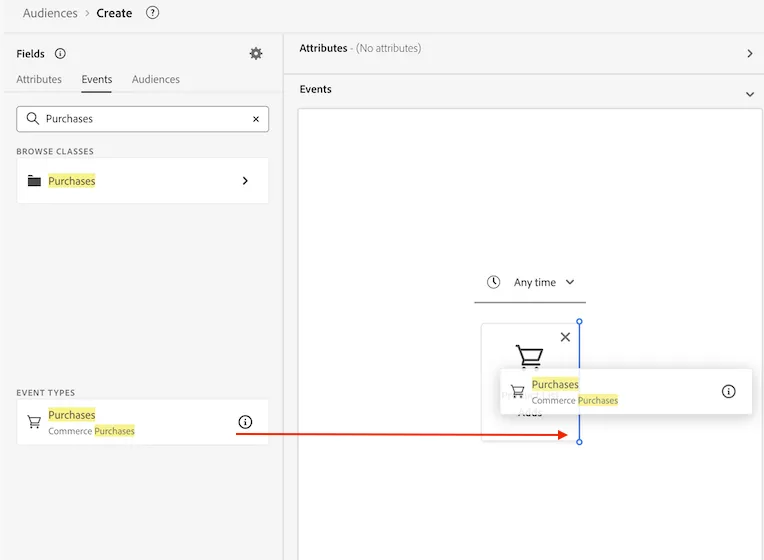
9. Search for the term "Purchases" to locate the Purchaset event. Drag it to the center canvas, this time to the right of the Product List Add event. This imposes a sequential logic which is needed for our use case
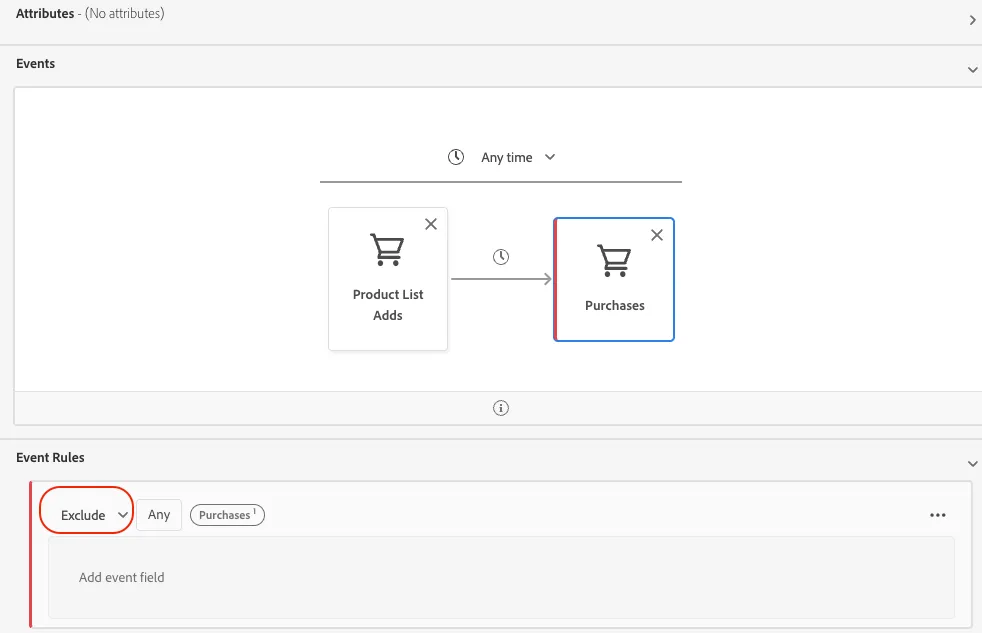
10. Change the logic of the event rule in the second event container by clicking the Include drop-down. Select Exclude. In doing so, your audience will only qualify profiles that do not perform this subsequent behavior i.e. land on the checkout page.
11. In the Fields navigator, click Attributes. Search for Loyalty.
12. Click into the Loyalty fields folder. Drag and drop the tier field.
13. From the drop-down in the attributes container, select Platinum.
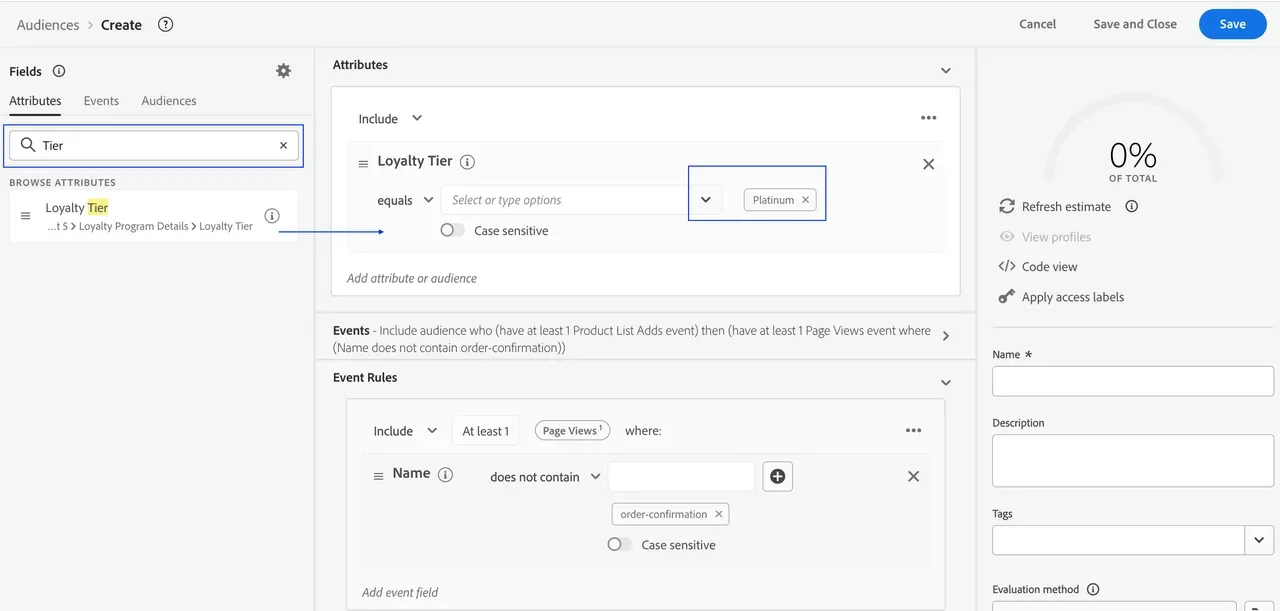
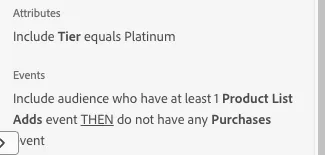
We have created a condition which looks at Platinum loyalty customers who have added products to their cart and then not purchased, thereby making them cart abandoners.
14. Review the simple english logic definition on the bottom right of your screen.
15. Click Save and Close.