Orchestrated Campaigns
Data Foundation
Relational Based XDM
1 min

Sample DDL
You can either download the file or copy the contents and save it in a note pad (notepad++, notes, textEdit, etc) with the extension .ddl.
-- =====================================================================
-- CAMPAIGN_MEMBERSHIP_FILE
-- Ad-hoc campaign history / suppression file for OC
-- (external offers history, non-Adobe)
-- =====================================================================
CREATE TABLE CAMPAIGN_MEMBERSHIP (
CustomerID VARCHAR(64) NOT NULL, -- logical FK -> CUSTOMER_FILE.CustomerID
CampaignID VARCHAR(64) NOT NULL, -- e.g. 'BUSINESS_CHECKING_OFFER'
Channel VARCHAR(64) , -- 'EMAIL', 'DIRECT_MAIL', etc.
SendDate DATE NOT NULL, -- date of the send
-- Version column (required) for OC version descriptor
LastModified TIMESTAMP NOT NULL,
-- Composite PK: same customer can be in multiple campaigns and dates
CONSTRAINT PK_CAMPAIGN_MEMBERSHIP_FILE
PRIMARY KEY (CustomerID, CampaignID, SendDate)
);Upload Your DDL
- Under Data Management, click Schemas.
- Click Create Schema
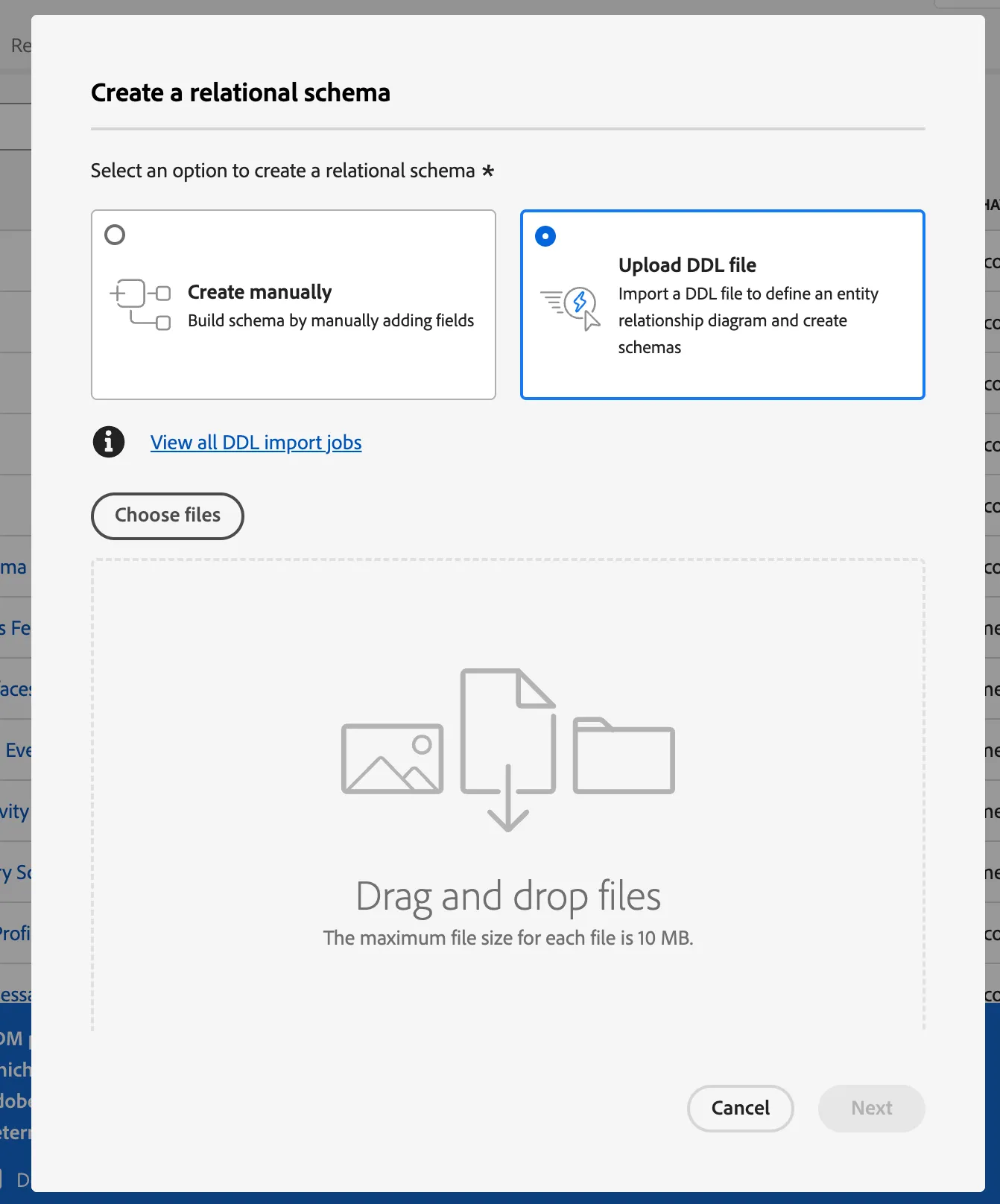
- Select the option Relational Schema
- Select the option Upload DDL File
- Drag and Drop your DDL File, Click Next
Entities and Fields to Import
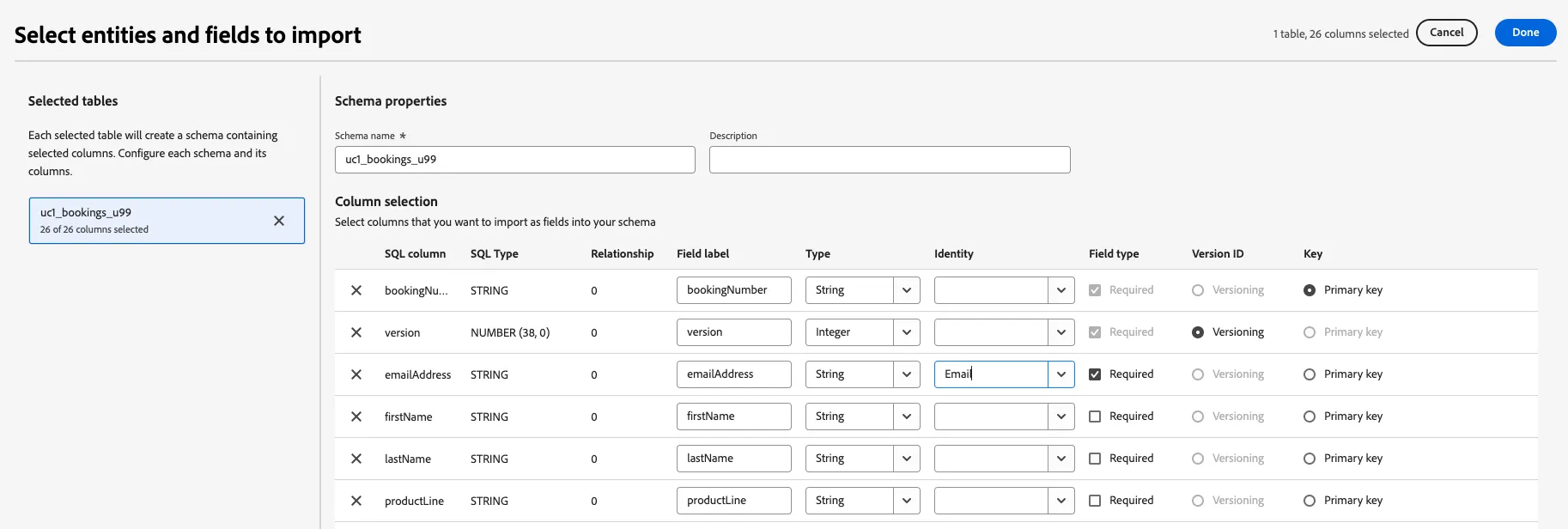
We are creating a flat table with a Primary Key without relatable entities or identity namespaces (we will connect this data to a profile during our campaign workflow). However, we must do a few things here:
- Add your initials to the dataset name so every participant has a different table of their own. "CAMPAIGN_MEMBERSHIP_INITIALS"
- Select the LastModified as the version column.
- Click Done.