Facebook Custom Audience
2 min
- Click on Destinations in the left Menu panel
- Check the My Destinations radio button. This shows all destination connections that have already been configured in your sandbox.
- Check the Connections box.
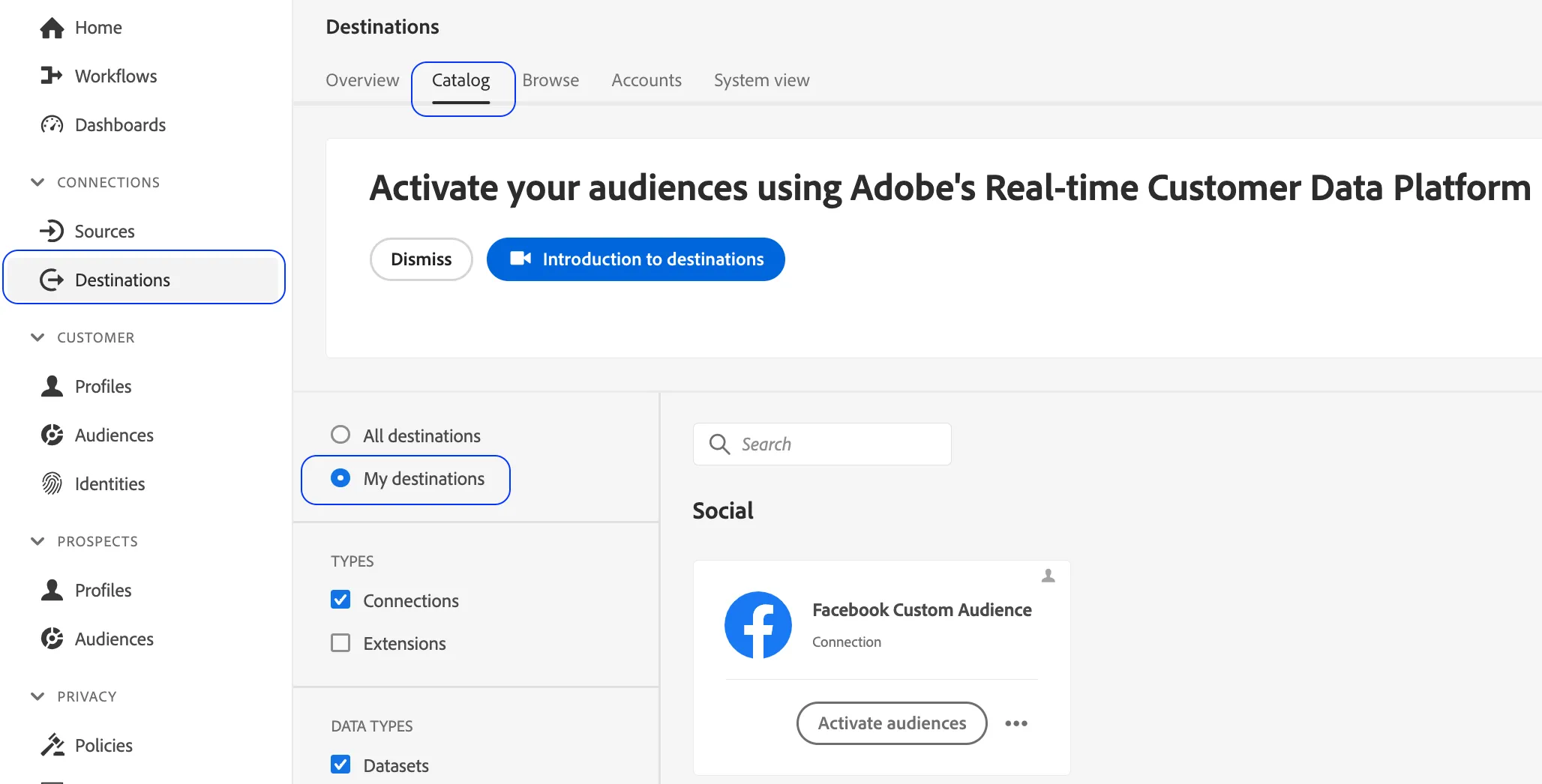
4. Click on Activate Audiences
5. Select the Facebook Custom Audience connection and click Next

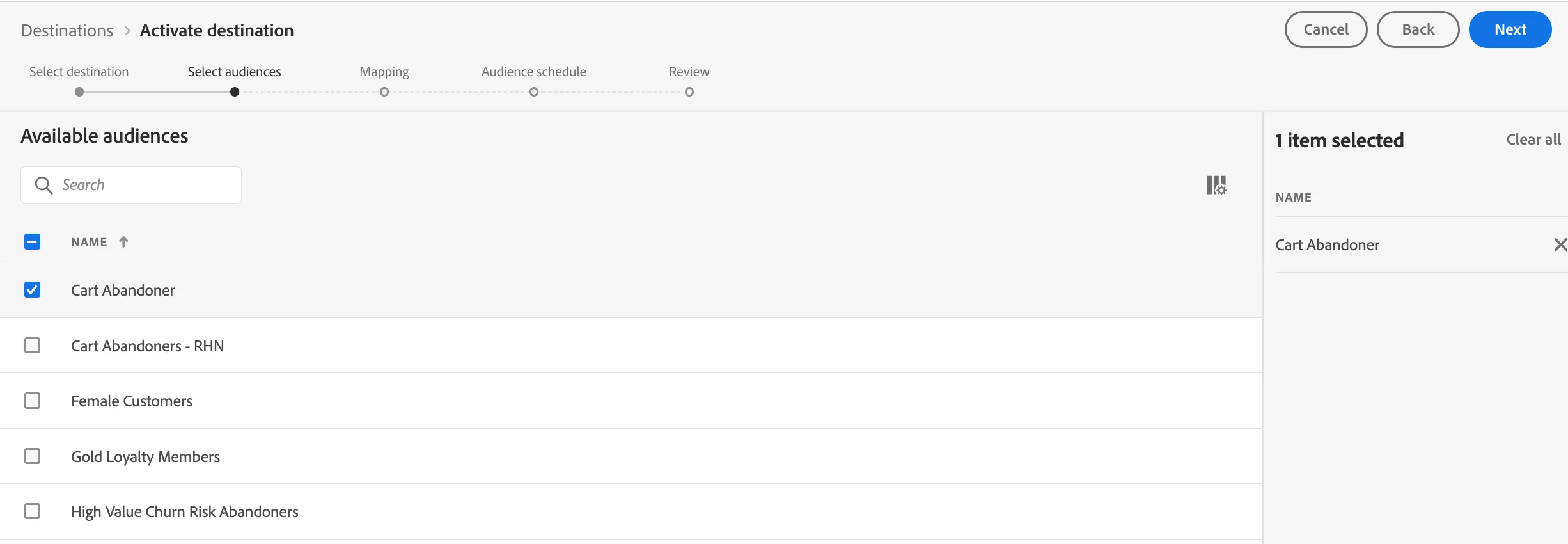
6. Select the Audience/s you created in the previous section to map over and click Next
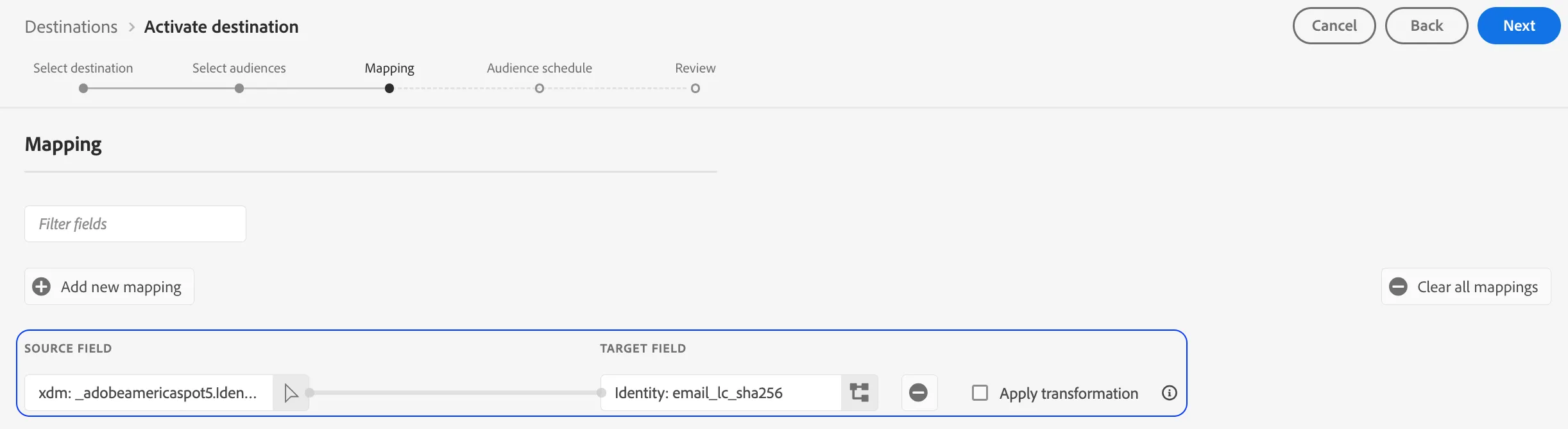
7. Click on the Add New Mapping . This is done so we can map over two fields to Facebook. Add xdm: _adobedemoamericas275.Identitification.core.Email as the source field and map it to the email_lc_sha256 target field. Click Next.
8. Set a value for the Origin of audience (Directly from Customers). Click Next.
9. Review your set up and click Finish.