Data Ingestion
5 min
Download sample CRM data in the .csv file.
Dataset Link
This data is a sample representation of the CRM fields you would ingest to feed your business cases.
Ingesting .csv data in Adobe Experience Platform
- Navigate to the Workflows section in the left panel
- Choose Map CSV to XDM schema
- Click Launch in the right panel

4. Select the Existing Dataset option
5. Search and select your dataset by name from the dropdown
6. Enable Partial Ingestion. Set threshold to the default 5%
7. Update the Dataflow to include your initials
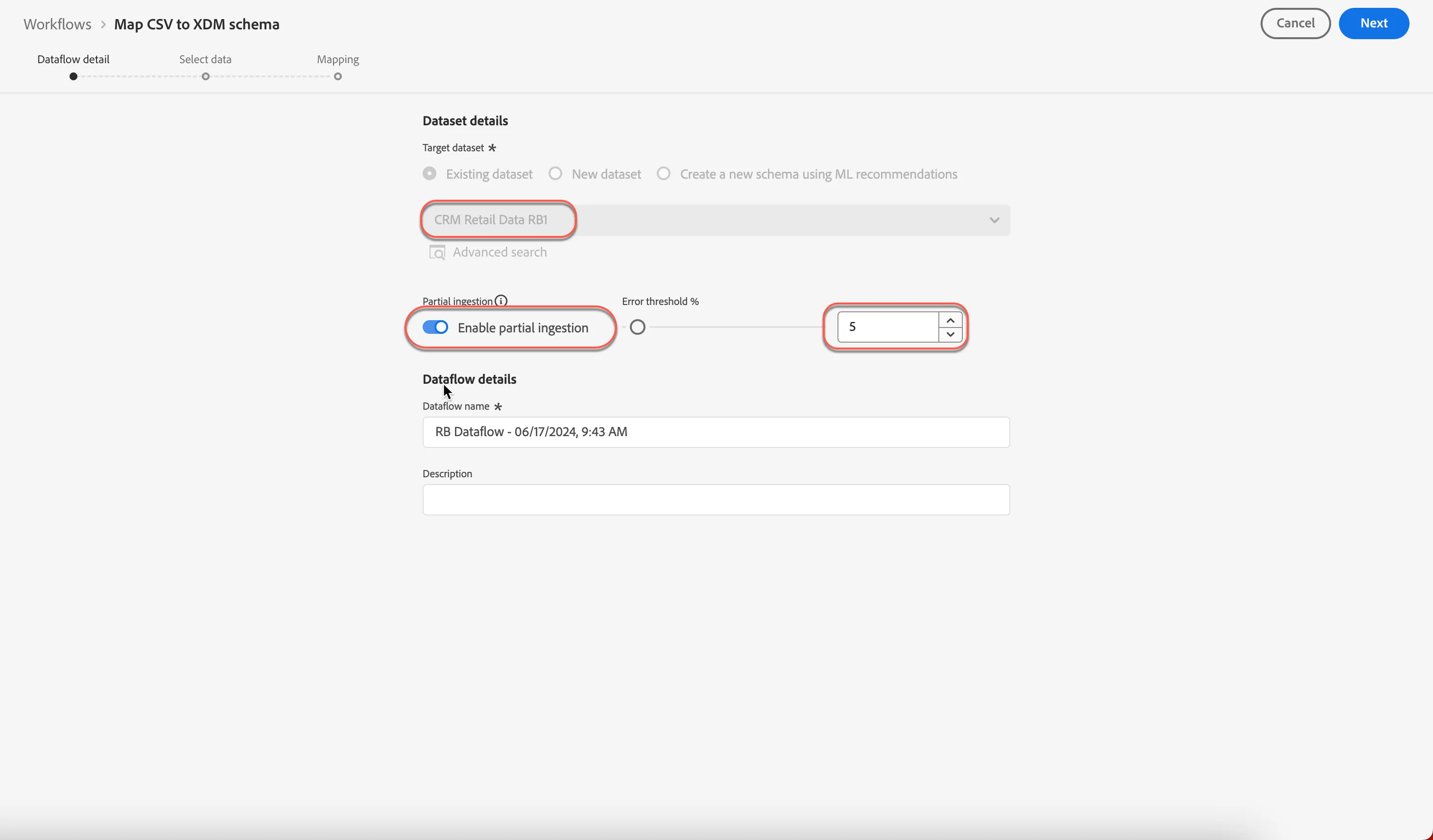
8. Click Next
9. Upload the .CSV file downloaded from your local machine. Drag & Drop or click Choose files to upload
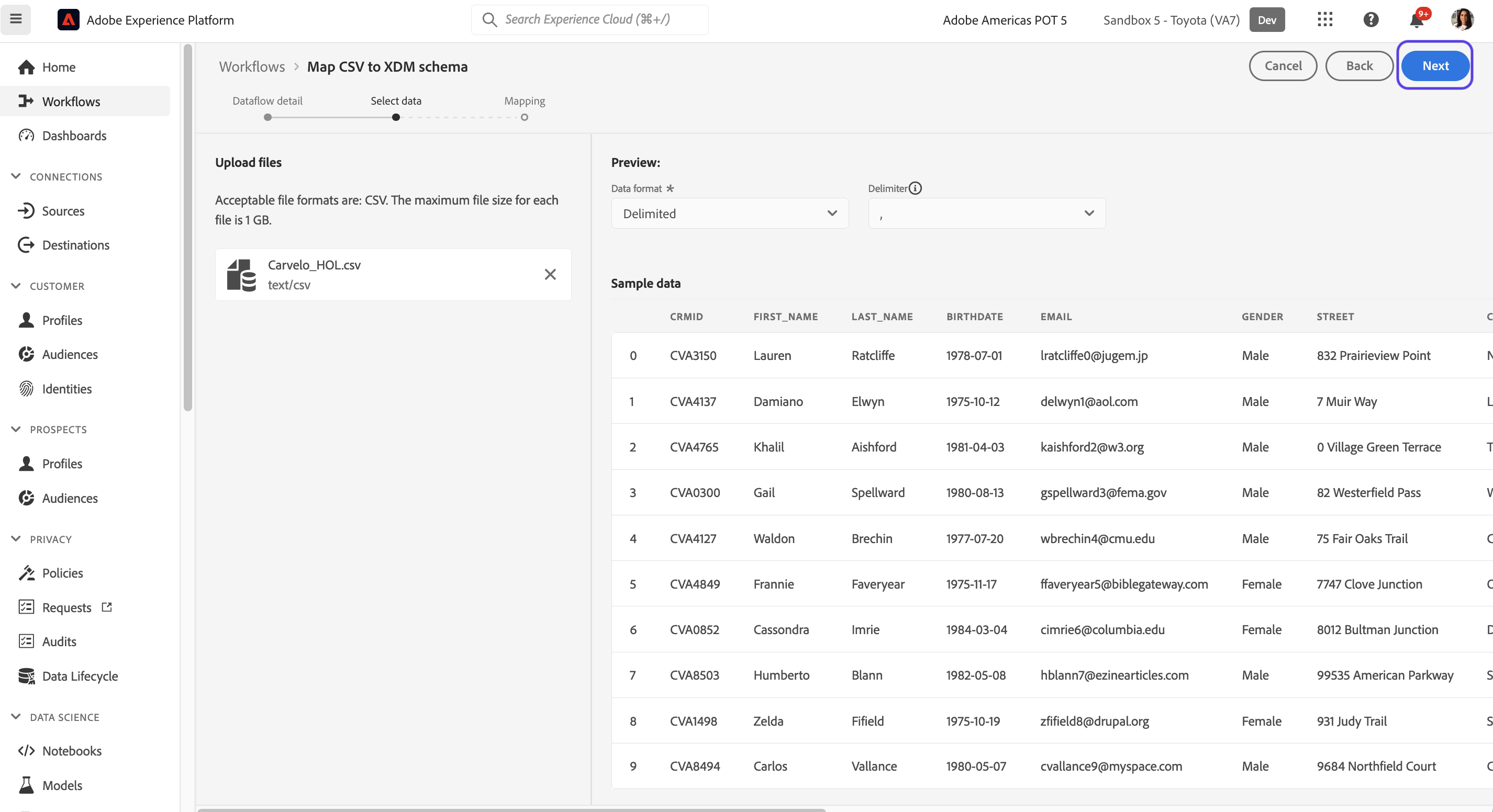
10. Review the sample data and then choose Next
Mapping source columns to XDM schema fields
- As you proceed into the field mapping step, a couple of things to note;
- This mapping step is a requirement to ingest delimited files ONLY. Parquet and JSON formatted files can be dragged and dropped into the appropriate dataset since they are key value pairs and do not need to be explicitly mapped.
- Adobe Experience Platform's AI has correctly mapped most of the source fields to the best matched XDM schema field.
- Fix the fields that are not mapped as desired.
- Remove any fields that are not required.
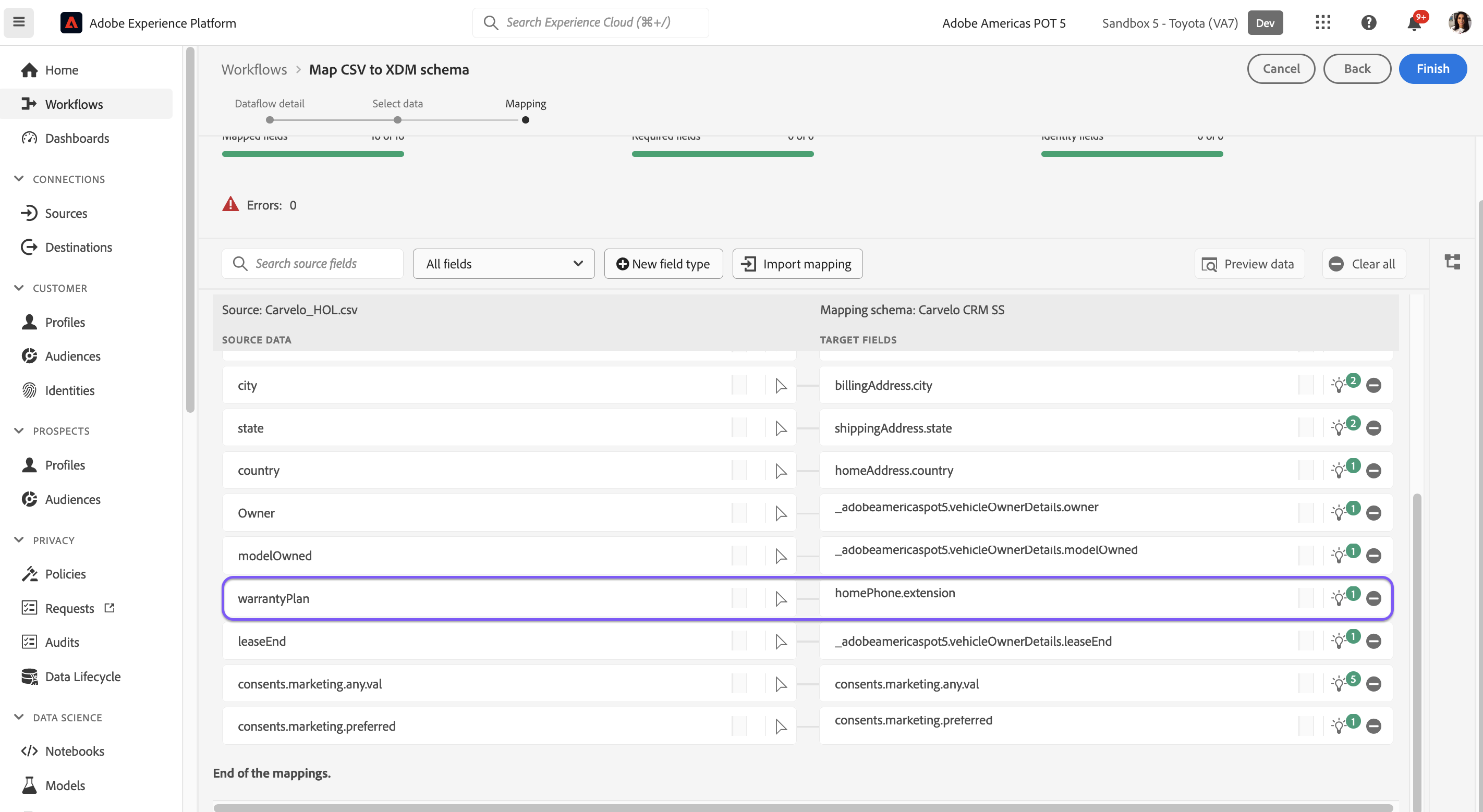
- Click on New field type and choose Add a Calculated Field We will add a new field in the field mapping workflow using data prep functions. Data engineers can use calculated fields to perform in-row calculations that can be assigned to XDM attributes.
- Copy &paste the following first_name+" "+last_name
- Map the calculated source field to the Full Name XDM field
- Click Finish. This will start the data ingestion flow
Validating the ingestion workflow
- Navigate to Datasets
- Search and select your newly created dataset
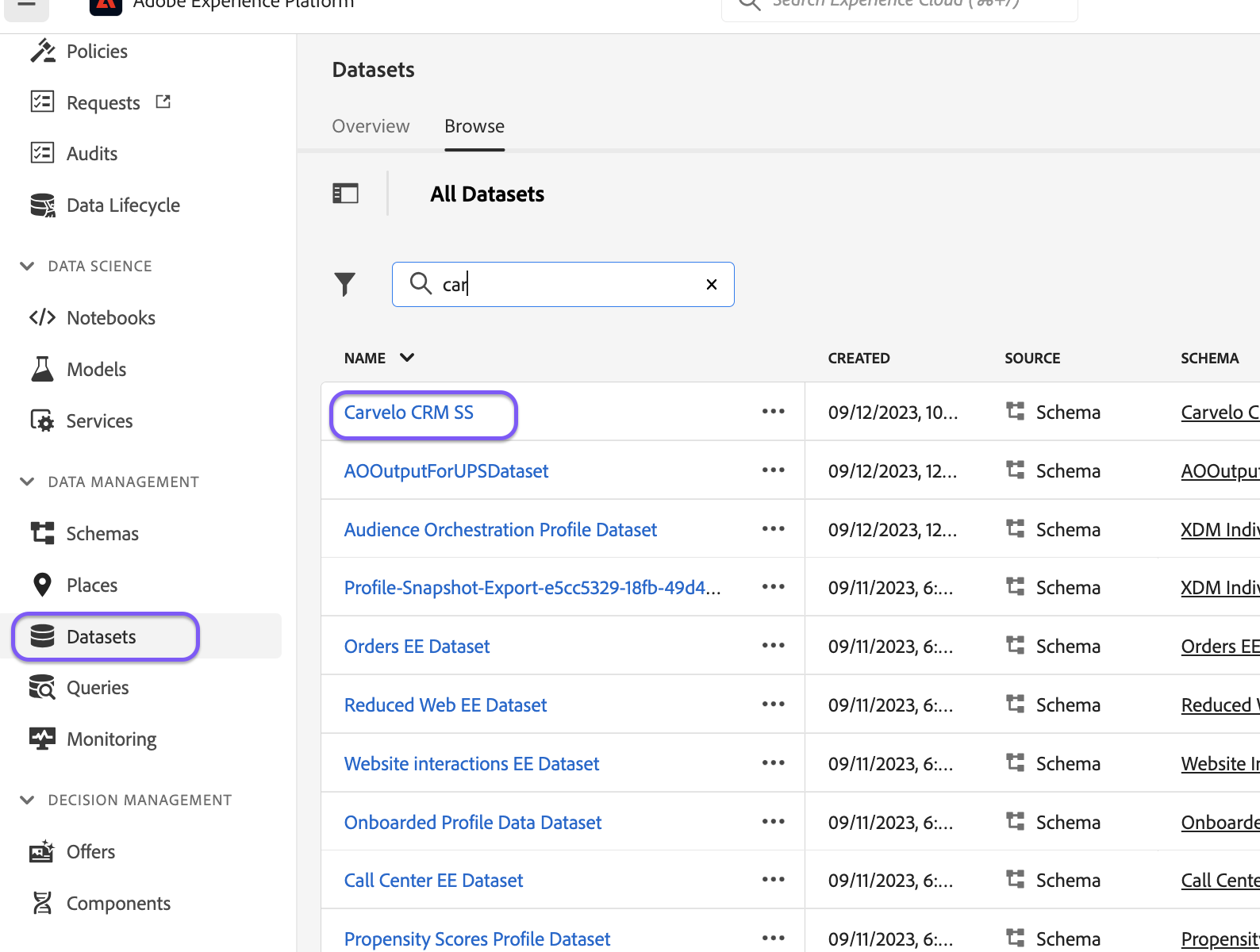
- Notice a batch is created as a result of the ingestion workflow that was triggered
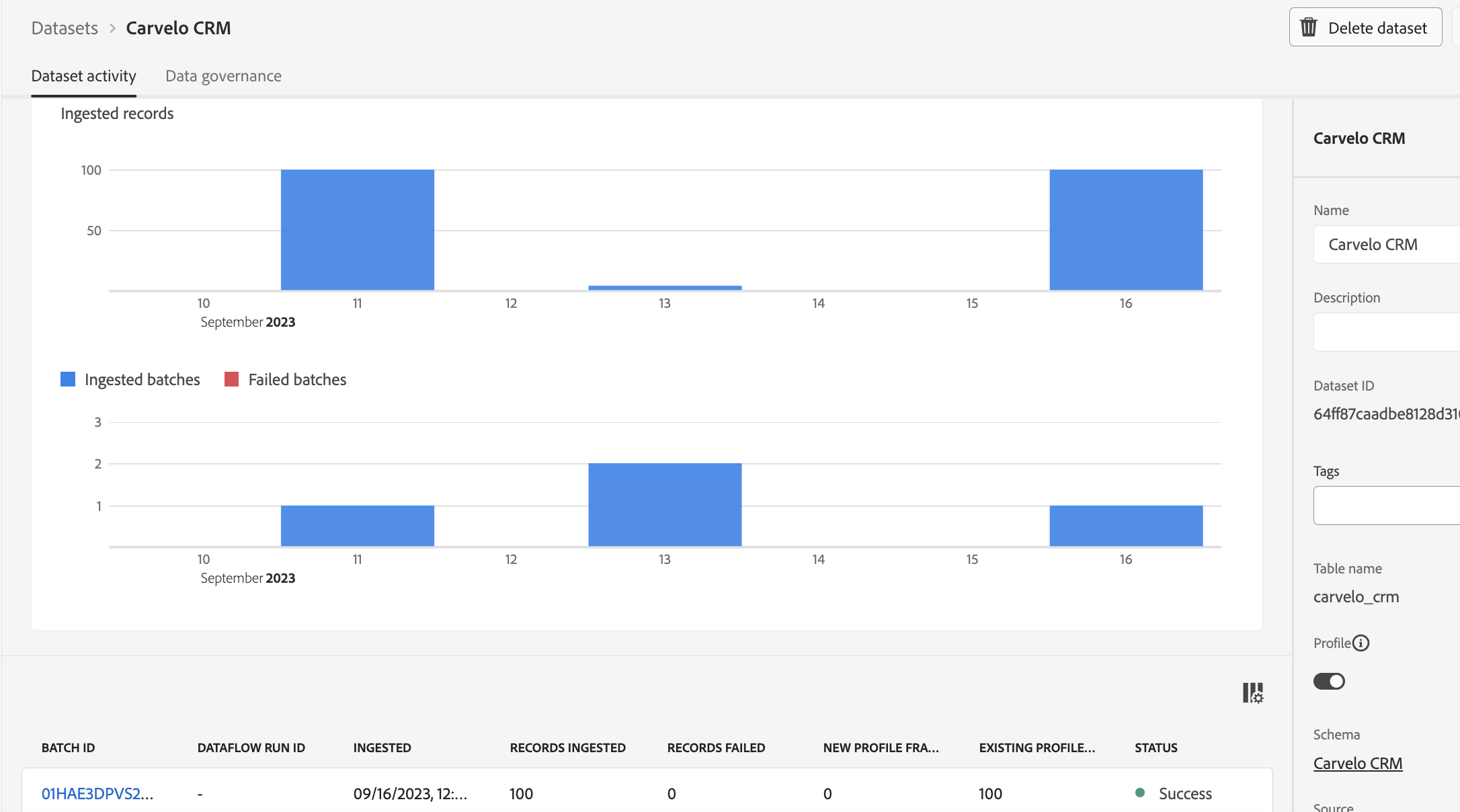
- Once the status for the batch says "Success", click on the Preview Dataset button on the top right of your screen. This allows for validation of source columns to XDM schemas with the corresponding values.