Relational Based XDM
2 min

Upload Your DDL
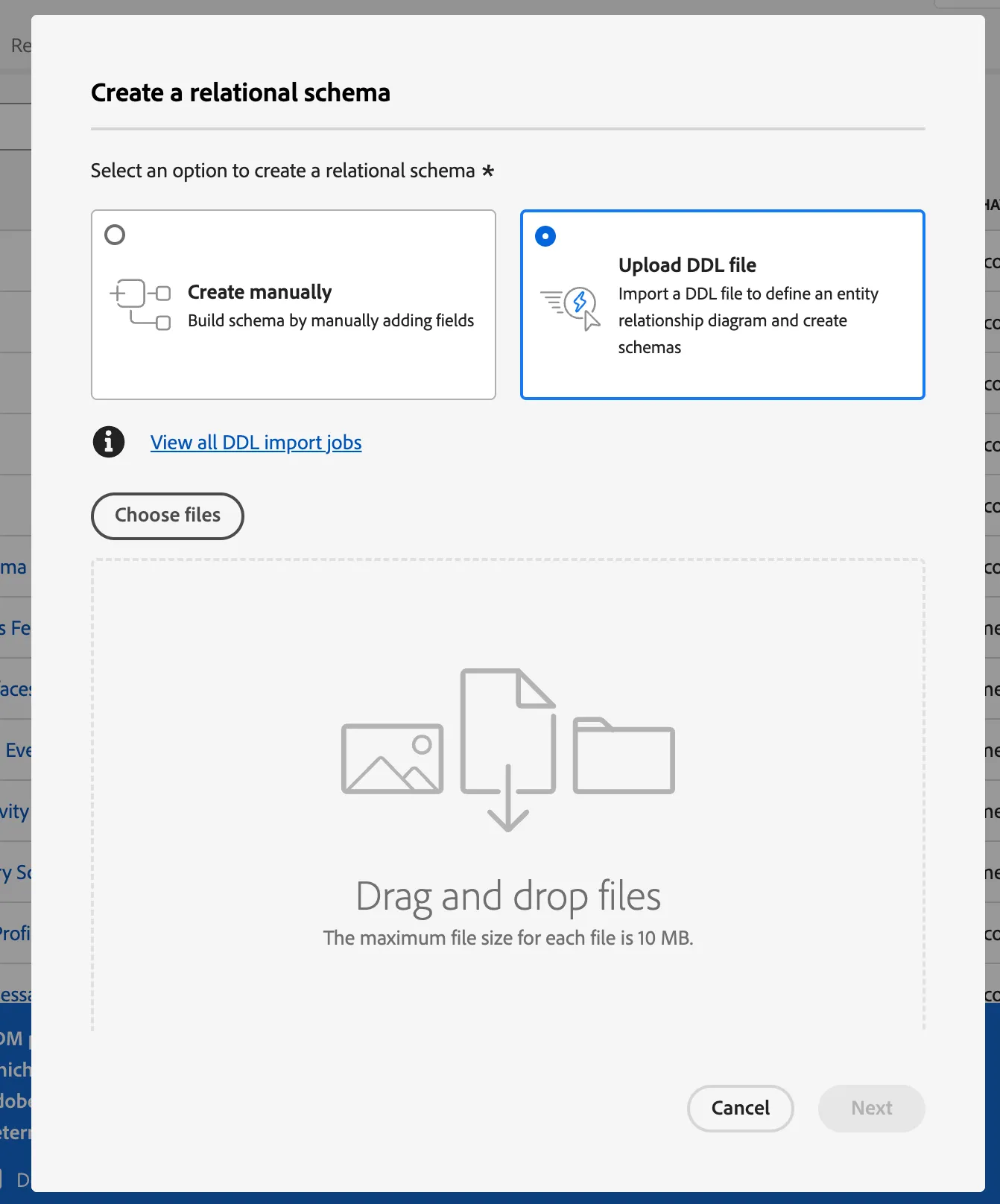
- Under Data Management, click Schemas.
- Click Create Schema
- Select the option Relational Schema
- Select the option Upload DDL File
- Drag and Drop your DDL File, Click Next
Entities and Fields to Import
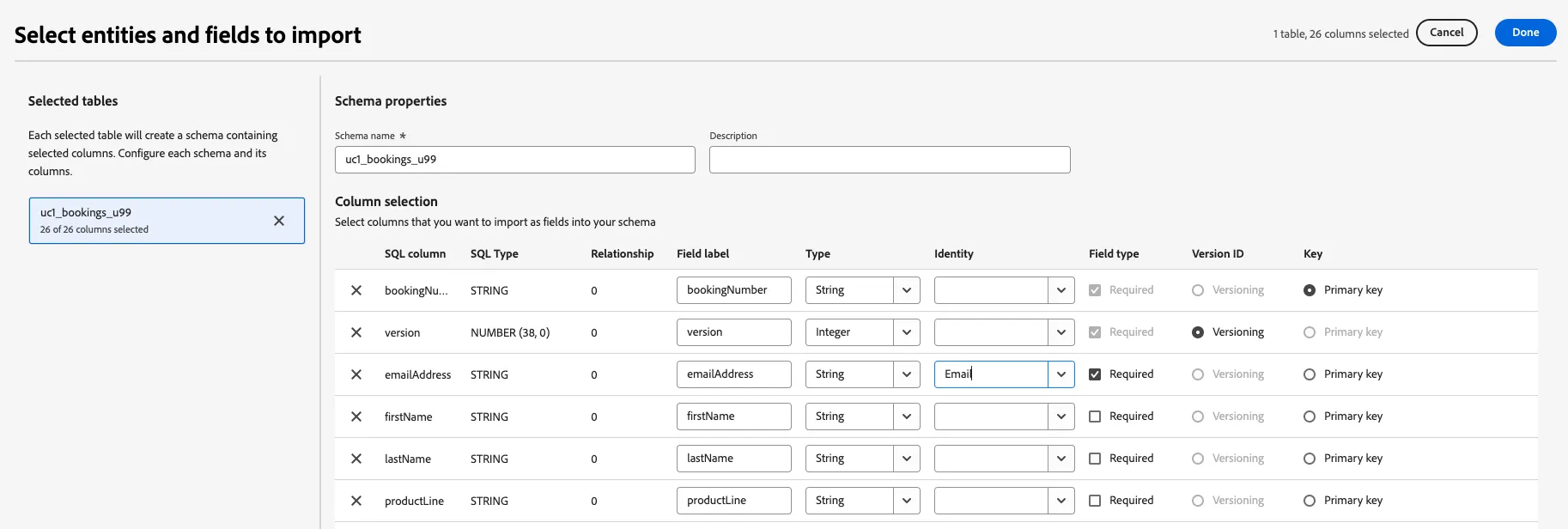
We are creating a flat table with a Primary Key without relatable entities or identity namespaces (we will connect this data to a profile during our campaign workflow). However, we must do a few things here:
- Add your initials to the dataset name so every participant has a different table of their own. "brand_list_INITIALS"
- Select the modifiedDate as the version column.
- Click the Done button in the top right corner.
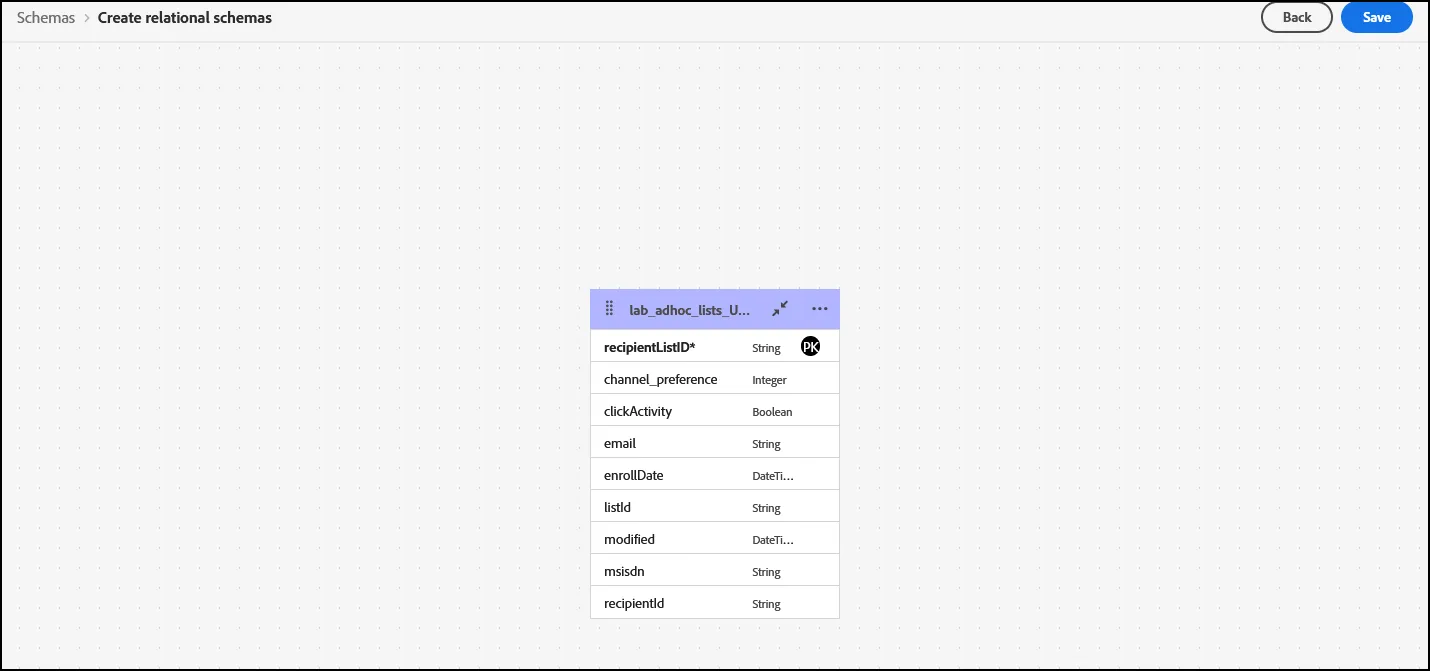
- On the next screen, review your Schema and click Save.