Creating an Audience
Within CJA you can create an Audience from the journeys that were created. This is a great feature because it allows you to be able to use the logic that was used to create a journey then create an audience that can be shared with RT-CDP and AJO to be used in a segment.
For this exercise we will create an audience of people that have visited a product page that have the highest call center volumes associated with them since these are the last page visited before a call.
1. Go to the "Products That Led to Calls Table" and select the top ten products on the table.
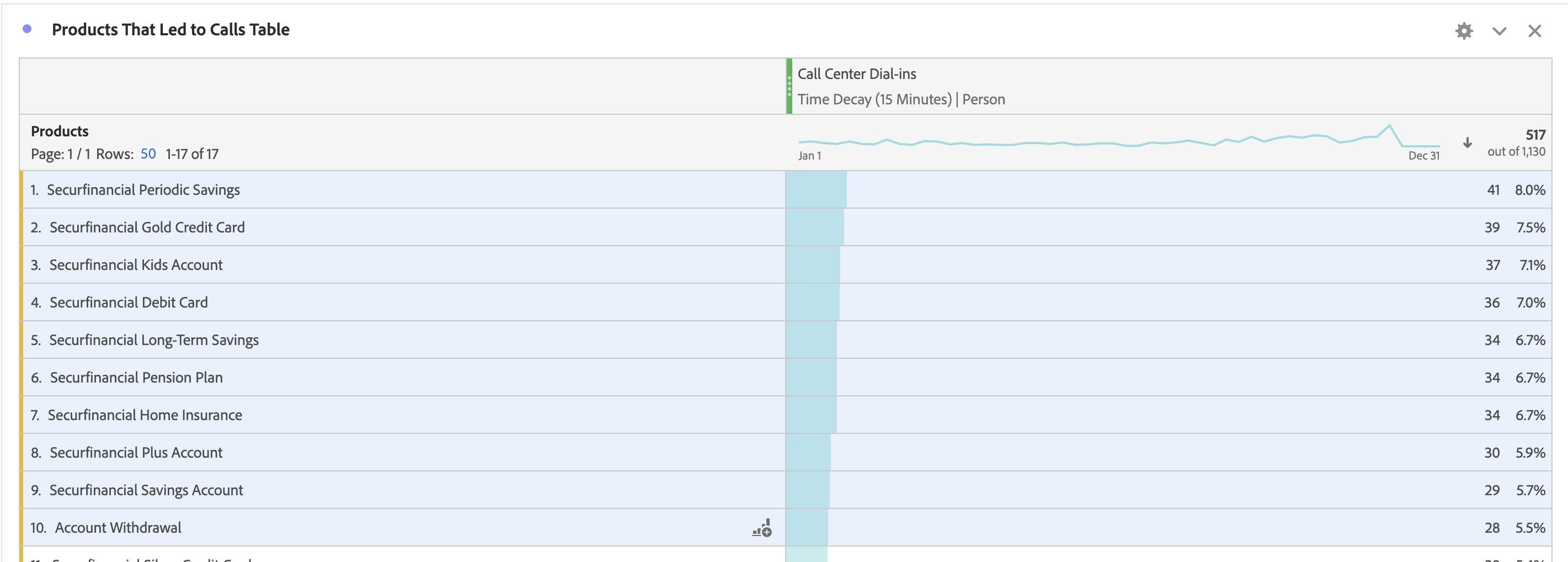
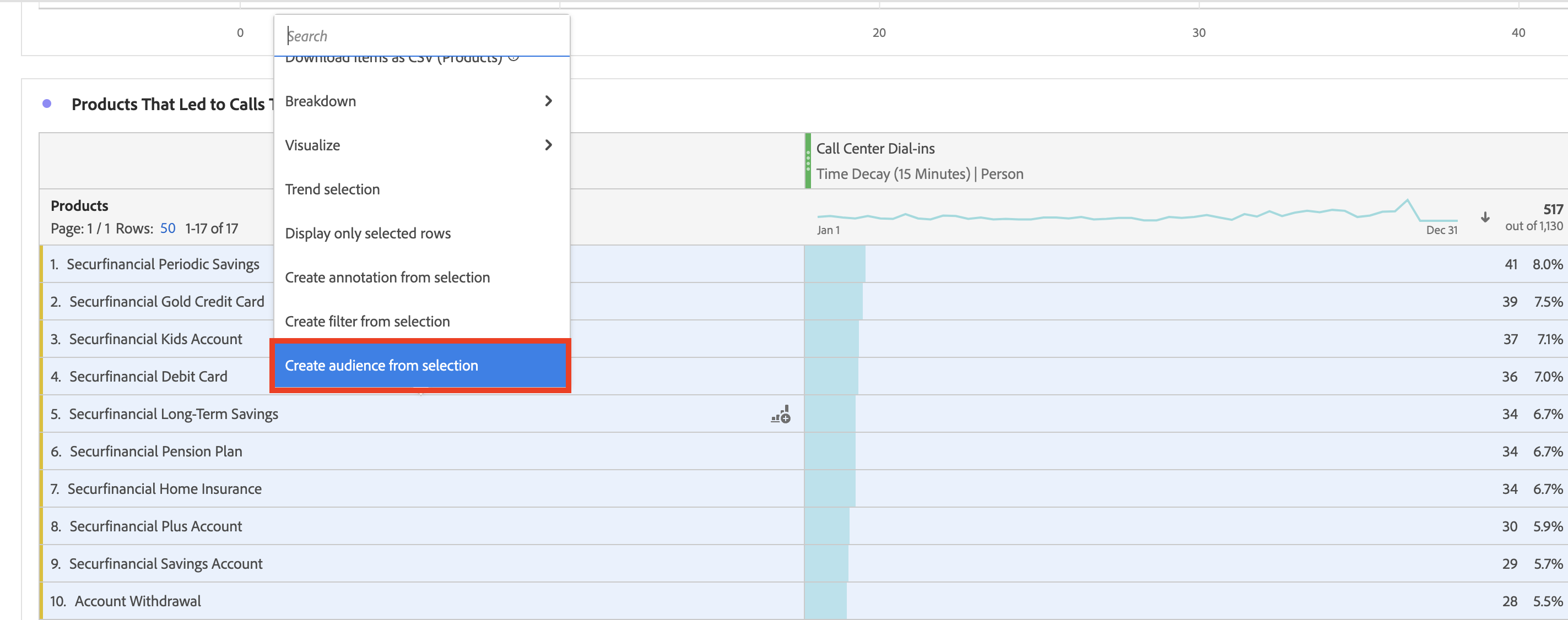
2. Right click on the selected rows. Next, select "Create Audience from Selection".
3. You will be taken to the "Create Audience" page. You need to name the audience "Visited Top Product Page Calls". Everything else with be fine. Click on "Publish".
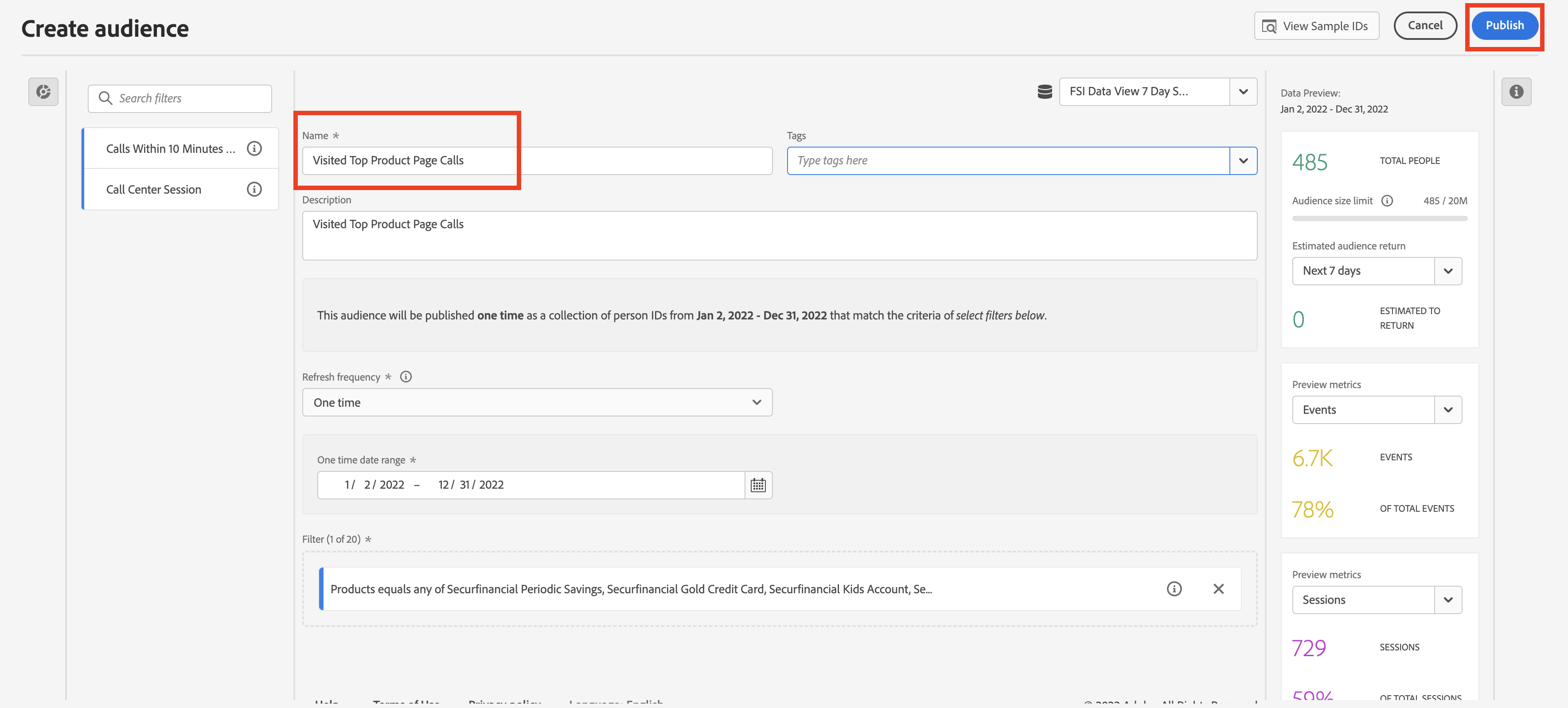
You have now created an audience in CJA that can be used in RT-CDP or AJO when creating a segment.