2.2 Content Publishing
Exercise 2.2: Publishing and Activation to Paid Media (Demo)
Duration: 5 minutes
Note: Activation to live ad platforms is not performed during this workshop. Your presenter will demonstrate the activation workflow so you can see the end-to-end path from approved content to live ads.
Understanding Content Publishing and Activation
Once content is approved and published to the Content library, it can be activated directly to paid media platforms. GenStudio supports activation to Meta Ads Manager, LinkedIn, Amazon Ads, and other channels. Activation pushes the creative experience (images, copy, formatting) directly to the ad platform, eliminating the manual steps of exporting files, uploading to the ad manager, and re-entering copy. The performance marketer configures targeting, budgets, and scheduling in the ad platform after activation.
Value for Your Organization:
- Direct activation to Meta Ads Manager eliminates manual export and upload steps
- Creative-to-activation handoff is reduced from hours to minutes
- Metadata (campaign, brand, channel) is preserved through activation for downstream reporting
- Content library builds over time, creating a growing asset of on-brand, approved creative
Demo Walkthrough
Your presenter will demonstrate the following steps:
Step 1: Navigate to the Content library
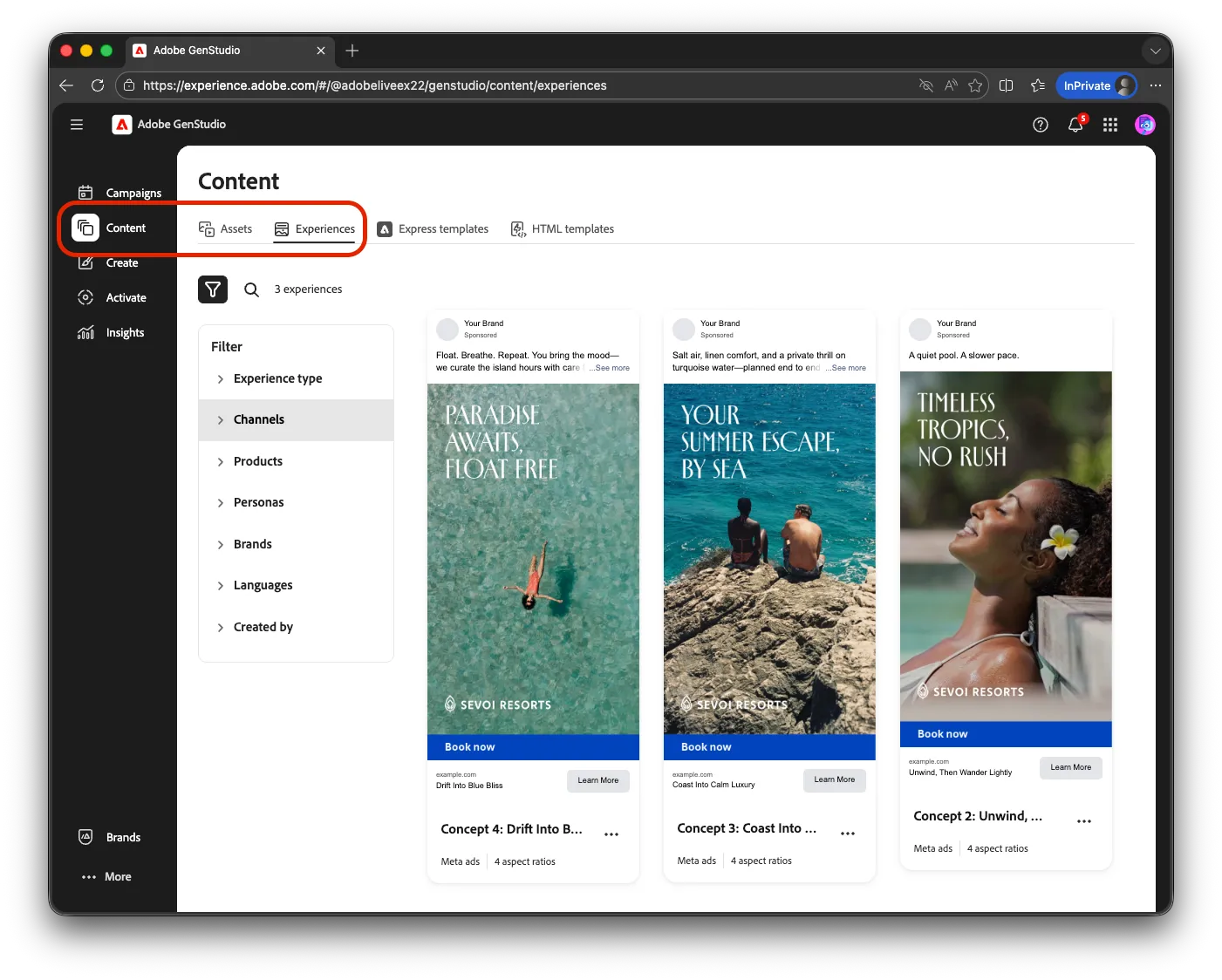
- The presenter opens Content in the left navigation and locates the published Genera experiences
- Published content includes metadata: campaign name, brand, channel, and approval status
Step 2: Initiate activation to Meta
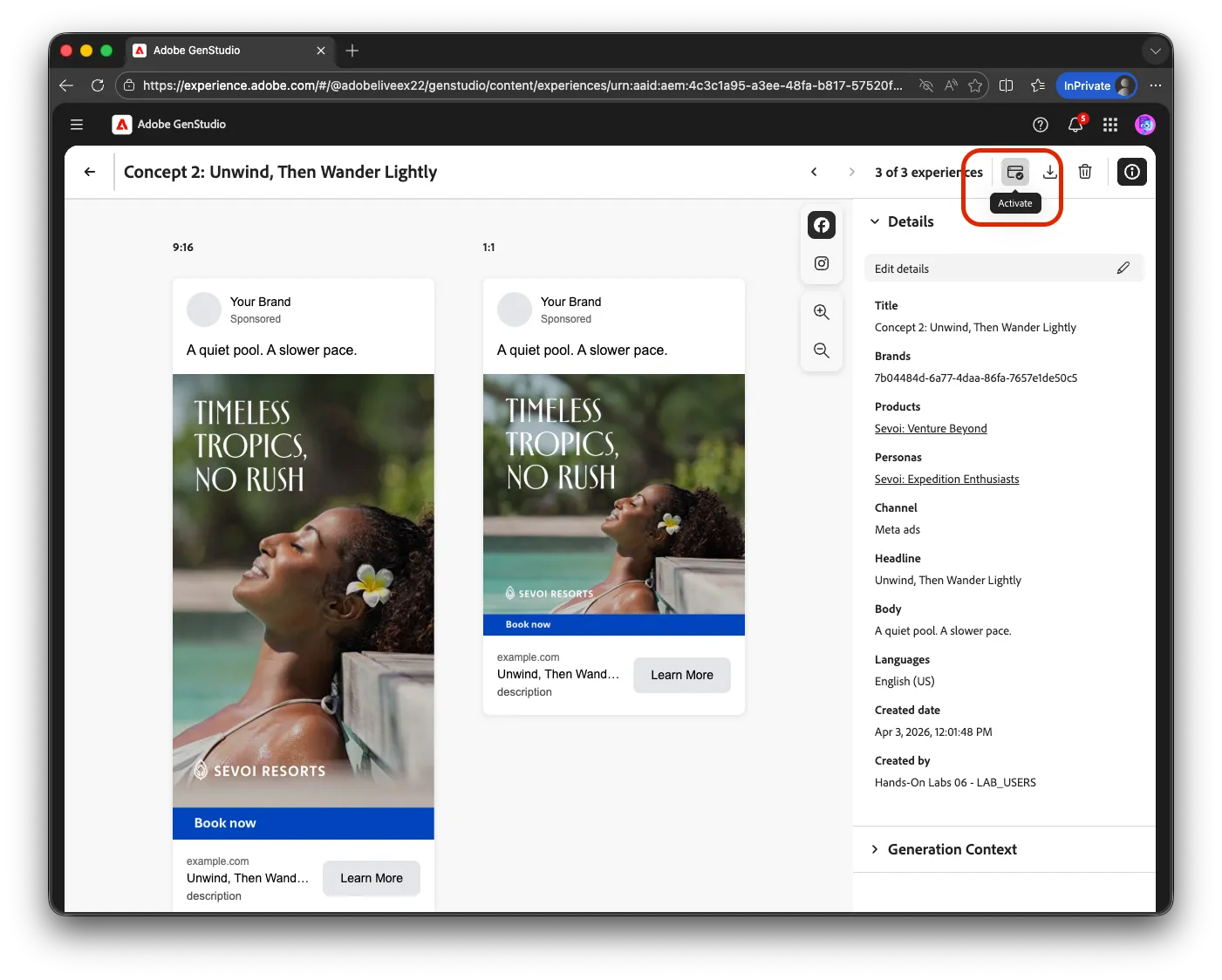
- From the experience detail view, the presenter selects Activate and chooses Meta as the destination
- GenStudio connects to the organization's configured Meta Ads Manager account
Step 3: Configure the Meta ad setup
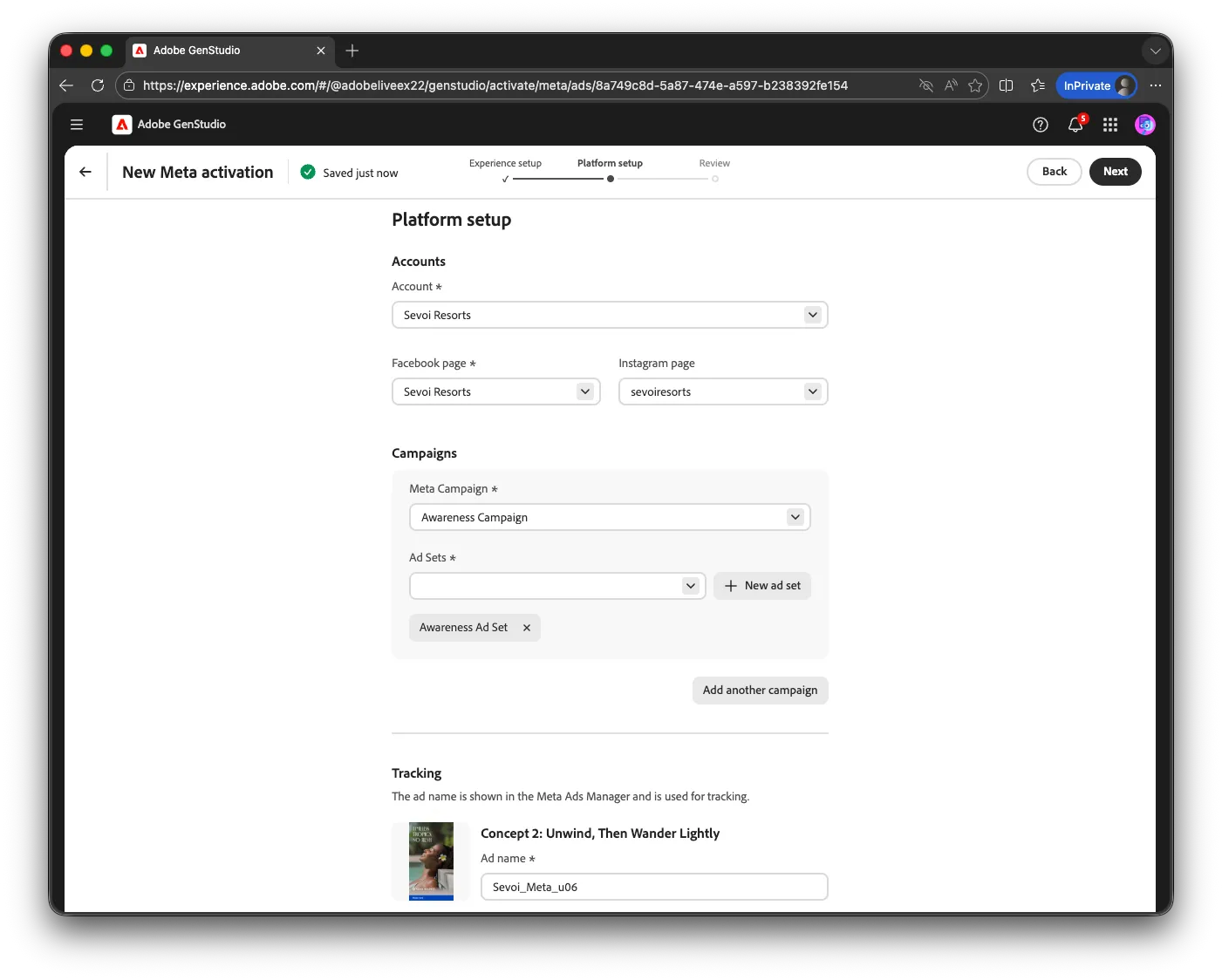
- The Meta ad setup view displays options derived from connected Meta accounts
- The presenter selects the campaign, ad set, and placement configuration
- A creative preview shows how the ad will appear in Meta
Step 4: Review and confirm activation
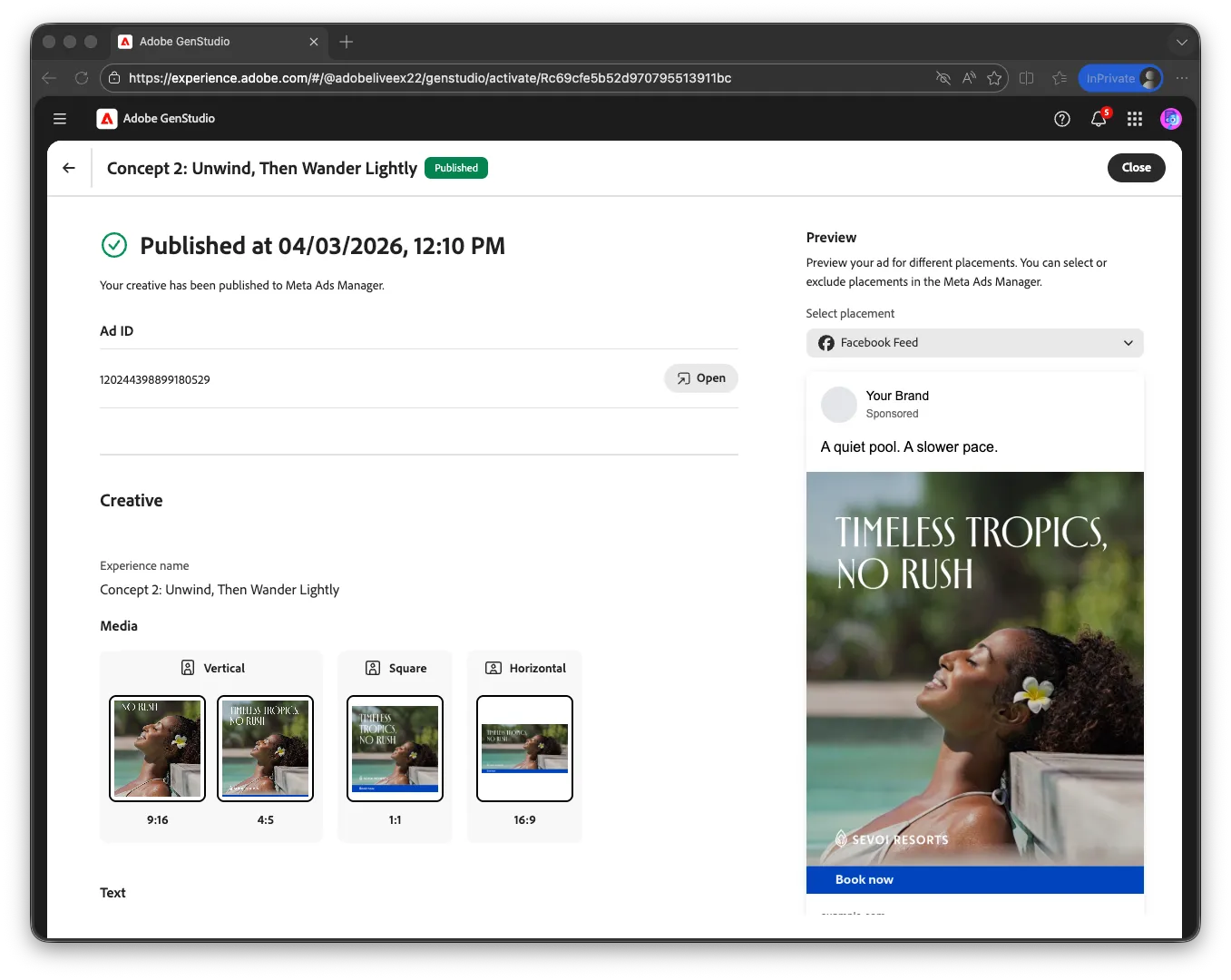
- The presenter reviews the activation summary and clicks Activate
- A confirmation indicates the creative has been pushed to Meta Ads Manager
- Targeting, budgets, and scheduling are configured in Meta Ads Manager after this step
Checkpoint
✓ After watching the demo, can you describe the path from an approved experience in the Content library to a live ad in Meta Ads Manager?
Tip: The Content library becomes increasingly valuable over time. As approved experiences accumulate, teams can search by campaign, brand, channel, or attributes to find content for reuse or inspiration. A global brand with multiple regions can search Content to see what creative has been approved and activated in other markets, reducing duplicate production and enabling cross-regional learning.