Brand, Personas, Products
Brand Details
Brands in GenStudio for Performance Marketing define the visual identity, tone, and guardrails for content creation.
Step 1: Navigate to the Brands tab
From the left navigation, select Brands to view all available brand profiles.
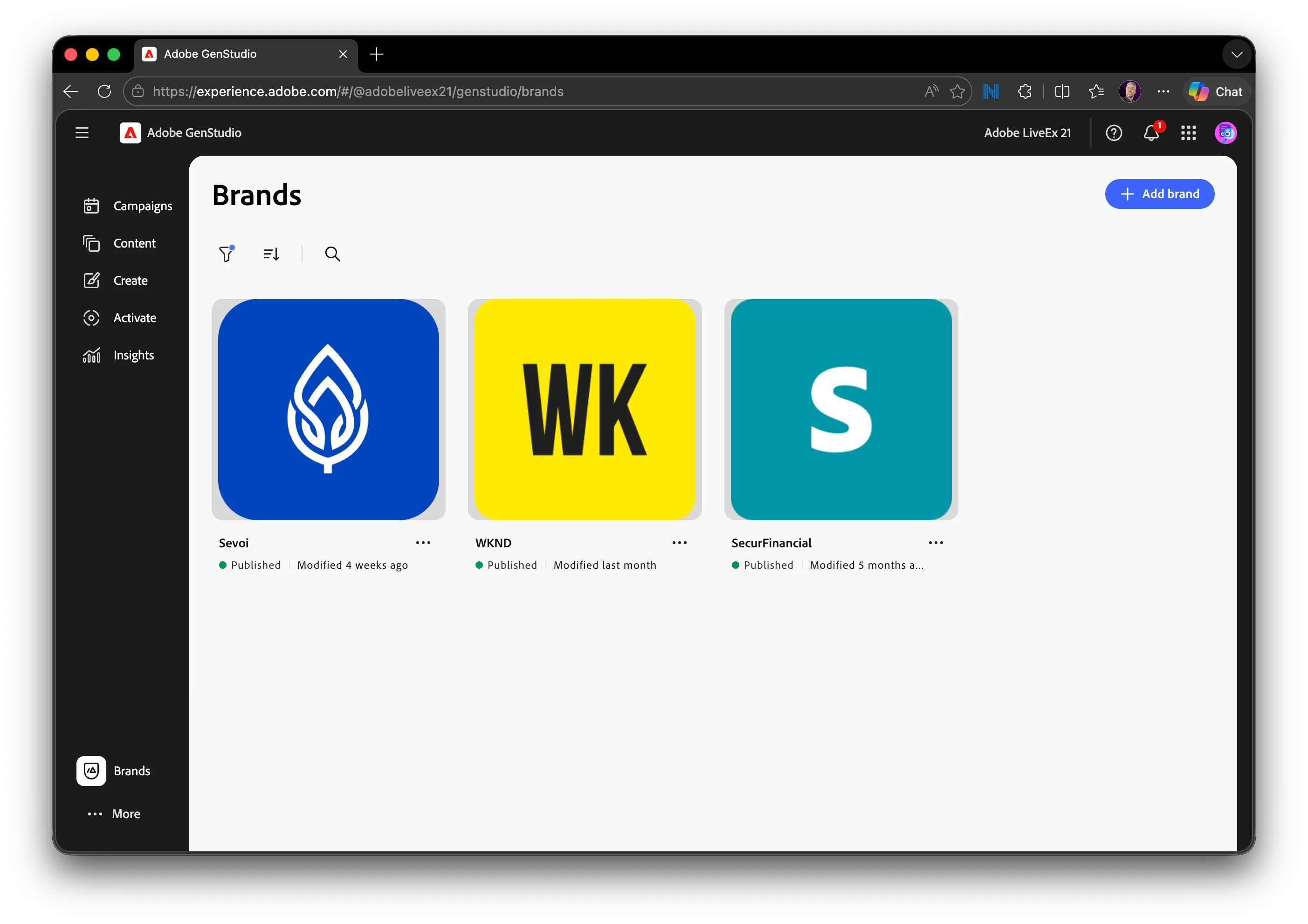
Step 2: Open the Sevoi brand
Click Sevoi to review brand-specific information.
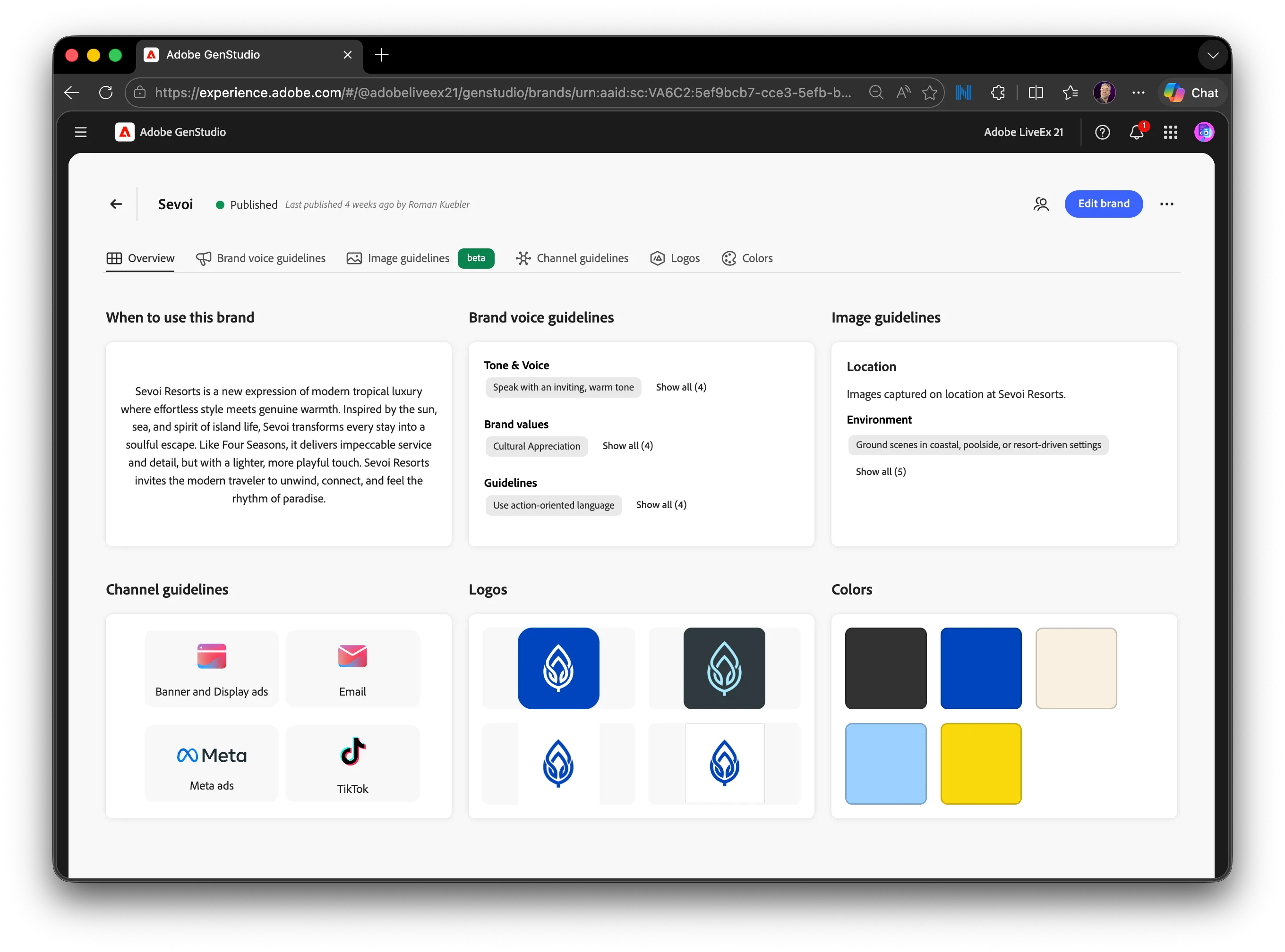
Step 3: Review brand attributes
Scroll through the Brand Overview to understand:
- Brand voice and tone
- Visual guidelines
- Approved messaging themes
These details ensure that all campaign content remains consistent and compliant.
Persona Details
Personas define who you are speaking to and influence messaging, imagery, and channel strategy.
Step 1: Open the Personas tab
From the "More" menu, select the Personas tab.
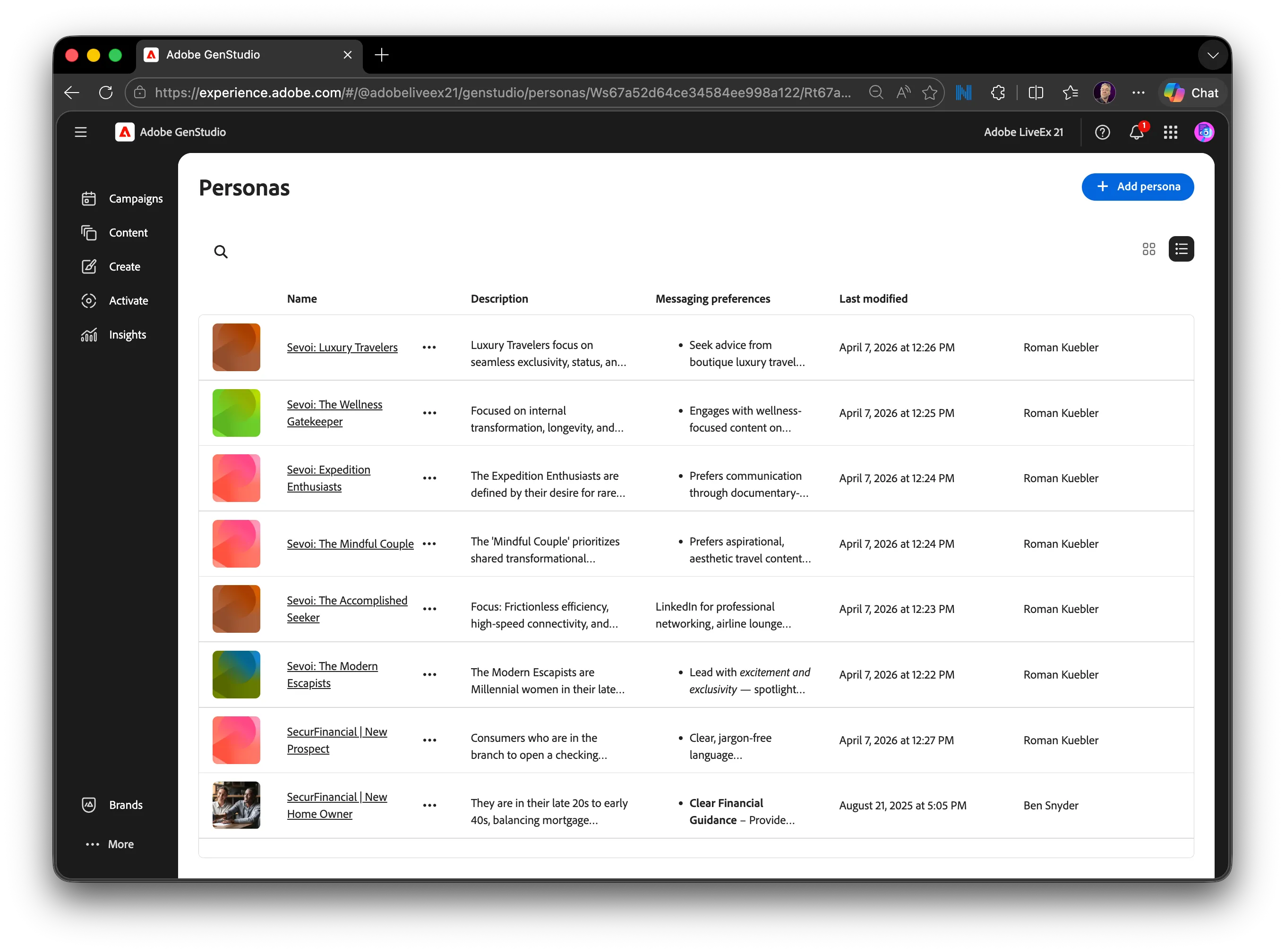
Step 2: Review available personas
Click on "Sevoi: Expedition Enthusiasts" to note:
- Demographic and behavioral traits
- Motivations and pain points
- Messaging considerations
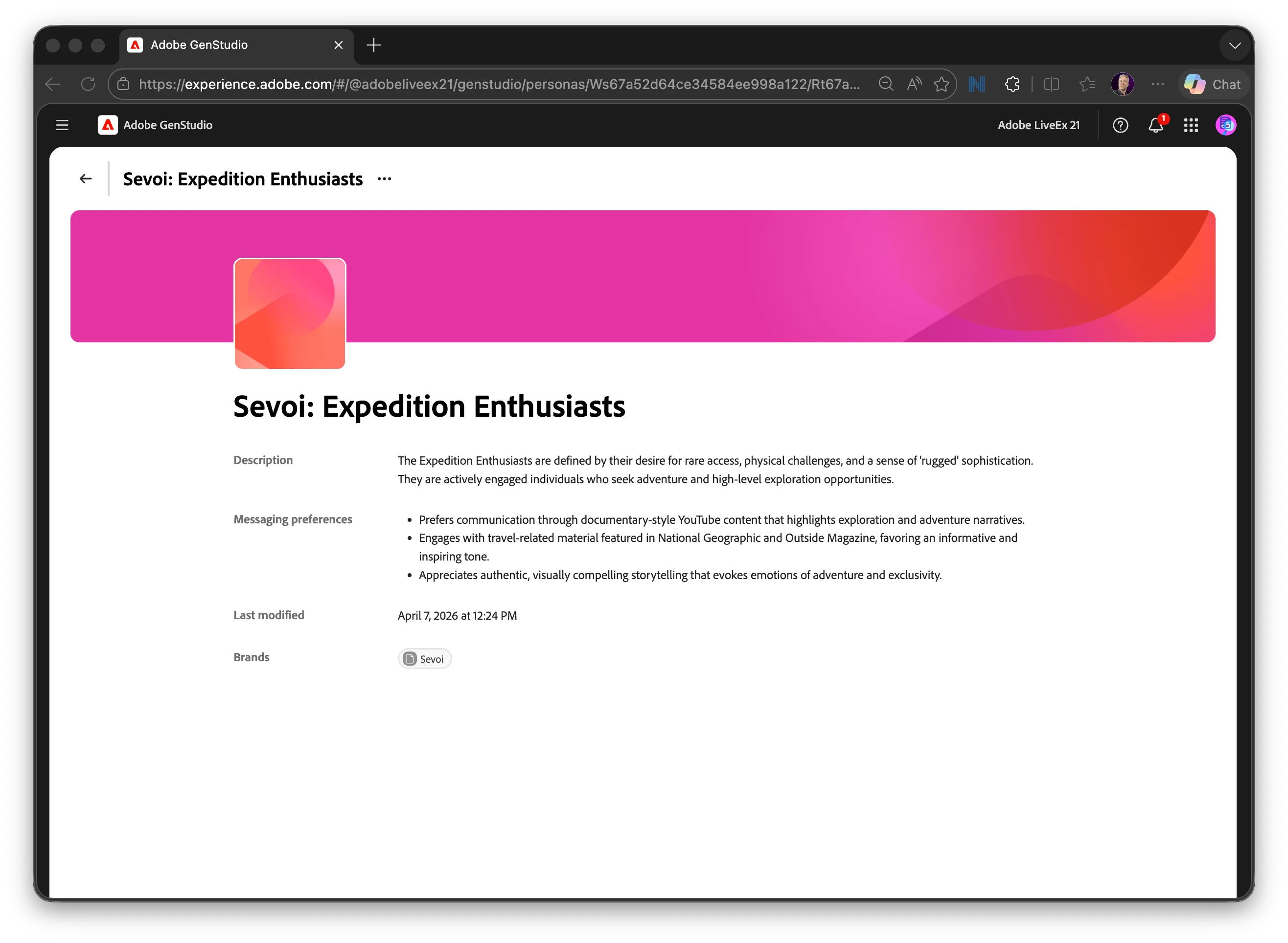
Understanding personas helps ensure campaign messaging resonates with the intended audience.
Product Details
Products represent the offerings being promoted in campaigns and content.
Step 1: Navigate to the Products tab
From the "More" menu, select Products.
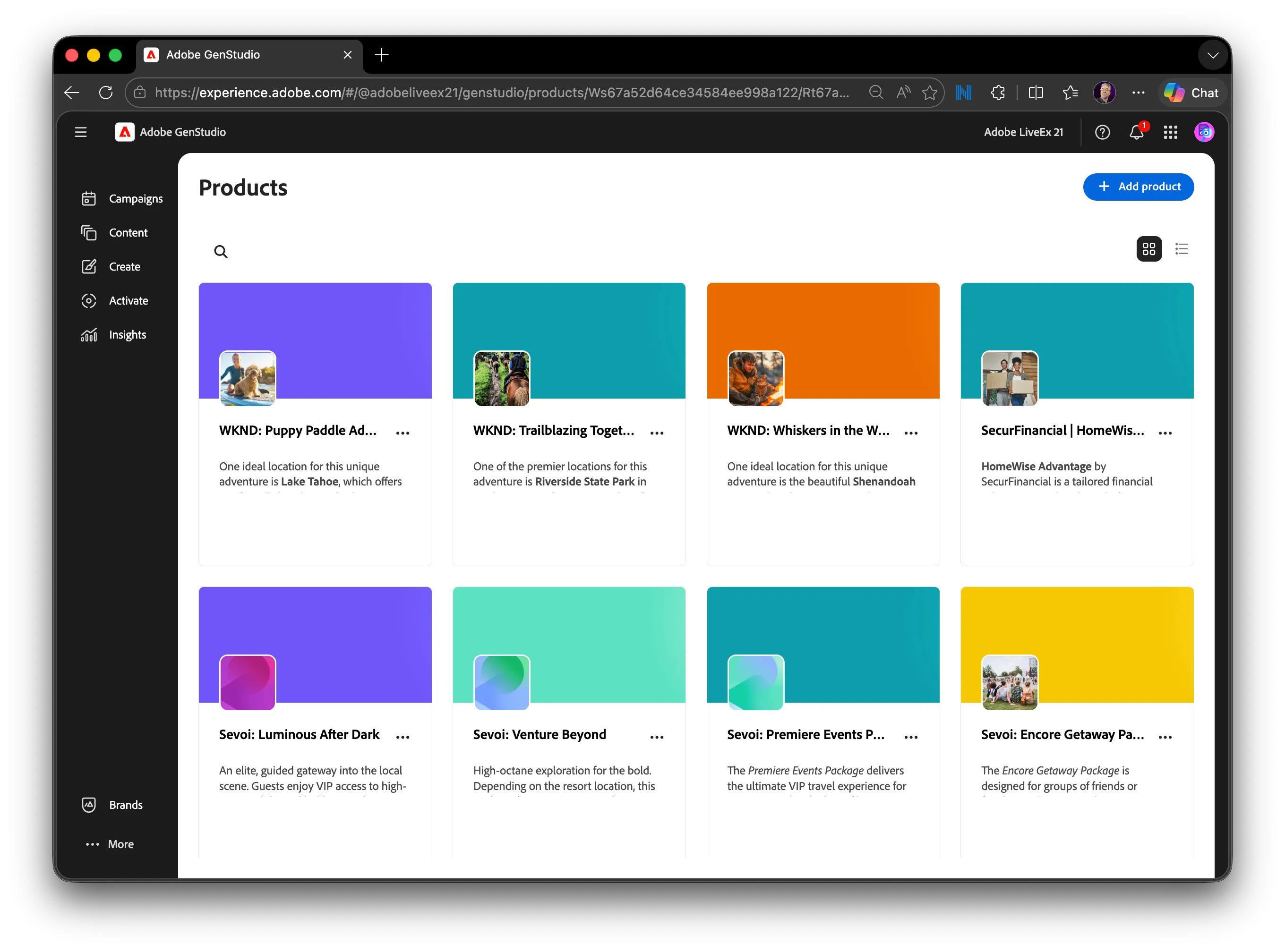
Step 2: Review product information
Open "Sevoi: Venture Beyond" product to see:
- Product descriptions
- Key value propositions
- Supporting attributes
These product details, along with the Brand, and the Personas defined are used to inform campaign messaging and content creation.