Content
Content
While campaigns show content in a campaign-specific context, the Content workspace provides a complete view of all approved assets and experiences in GenStudio for Performance Marketing.
In this section, you will:
- Explore all approved content across campaigns
- Use filtering and search to find assets by brand, campaign, channel, and status
- Review asset metadata, approvals, and reuse across multiple campaigns
- Understand how content governance supports scale and consistency
Step 1: Navigate to the Content workspace
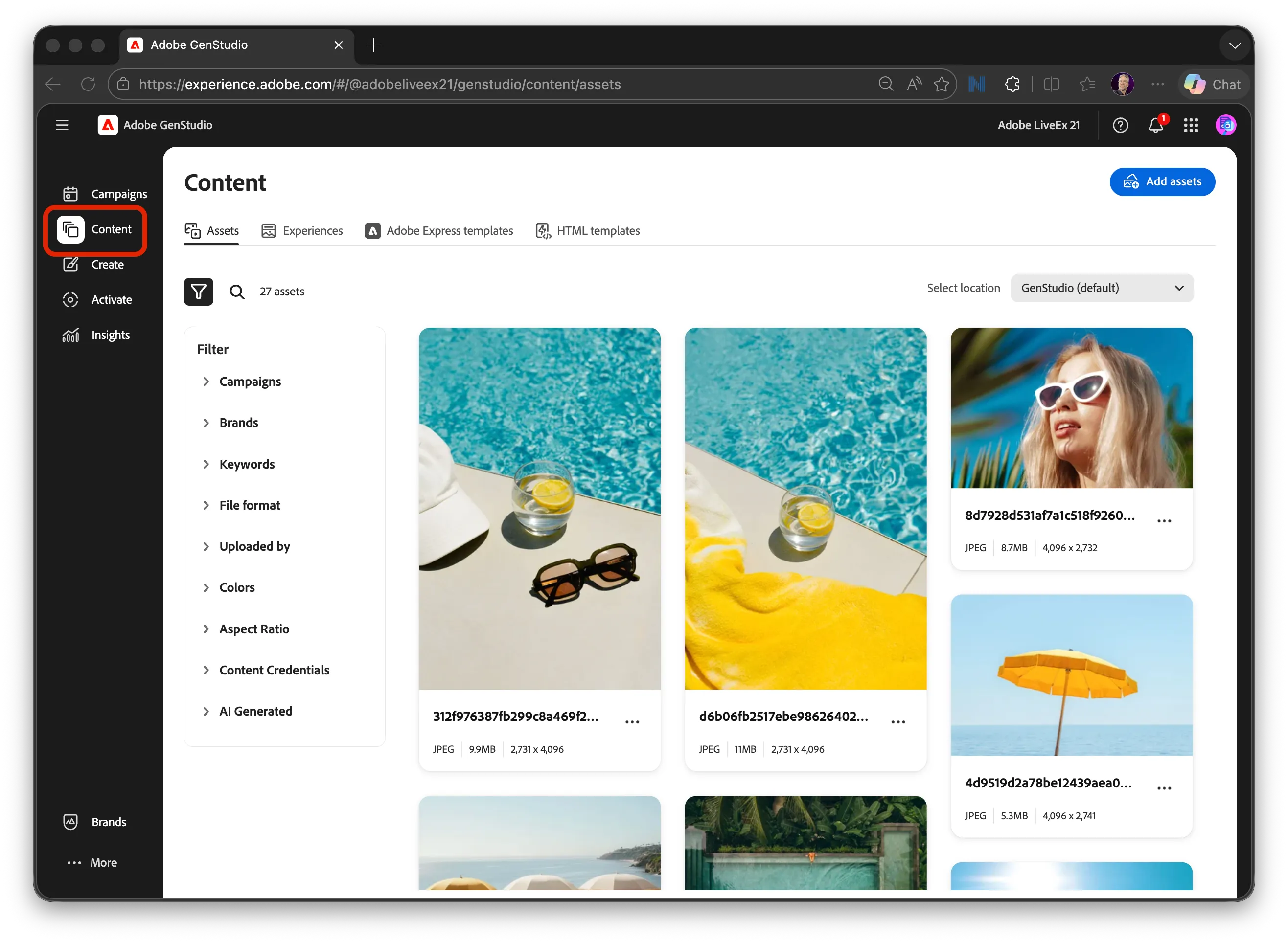
From the main navigation, select Content. By default, Content opens to the Assets view.
Step 2: Review approved assets & use filters to refine search
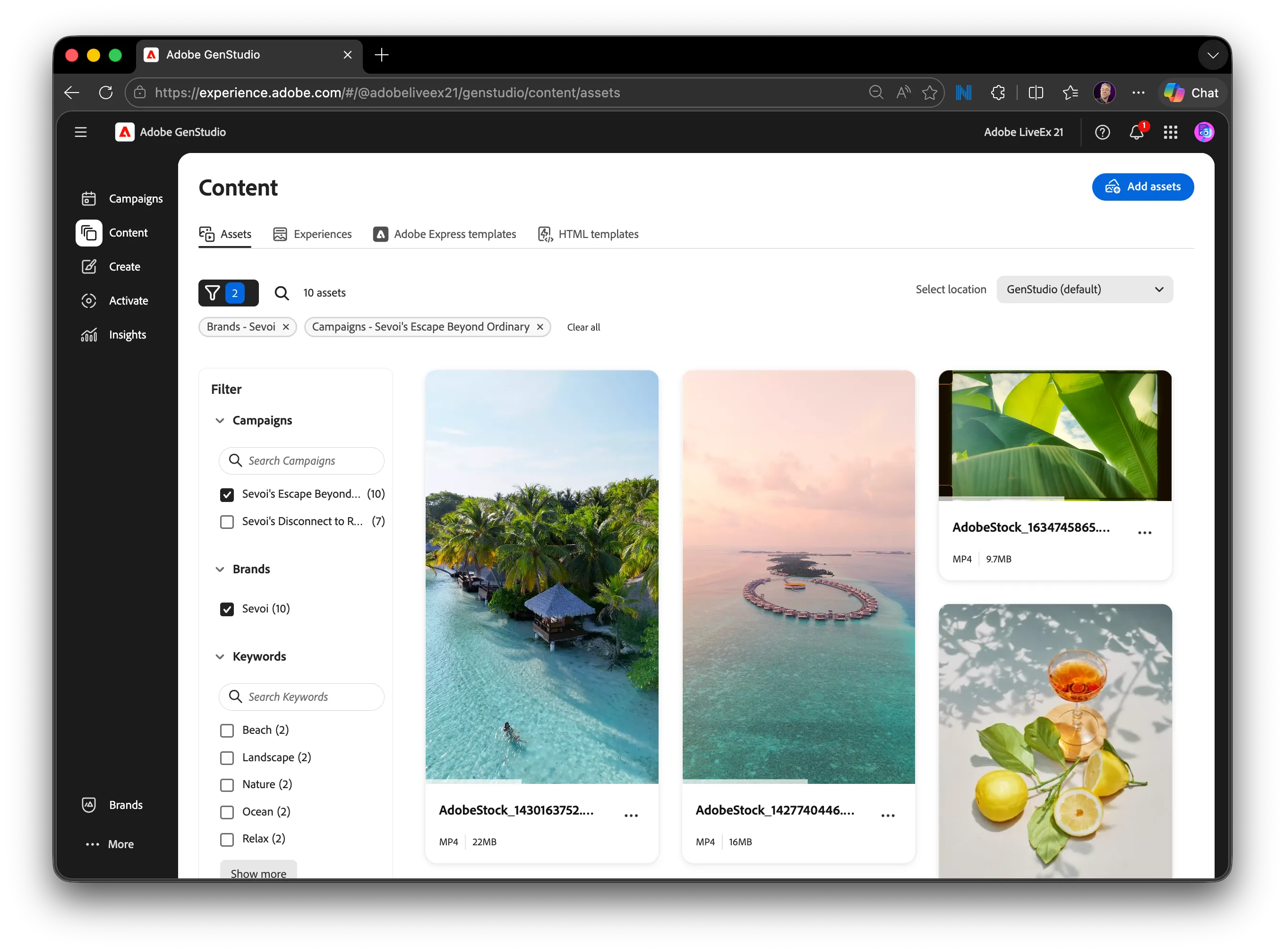
Assets are the foundational building blocks used across campaigns, experiences, and activations. These include approved images, videos, and other creative inputs that can be reused across multiple campaigns.
Use the filter panel to narrow the asset list by:
- Brand: Sevoi
- Campaign: Sevoi's Escape Beyond Ordinary
- Note: This is the same set of assets we viewed in the Campaign > Content section.
Filtering allows marketers to quickly locate the right approved assets while maintaining governance and consistency.
Step 4: Navigate to Experiences
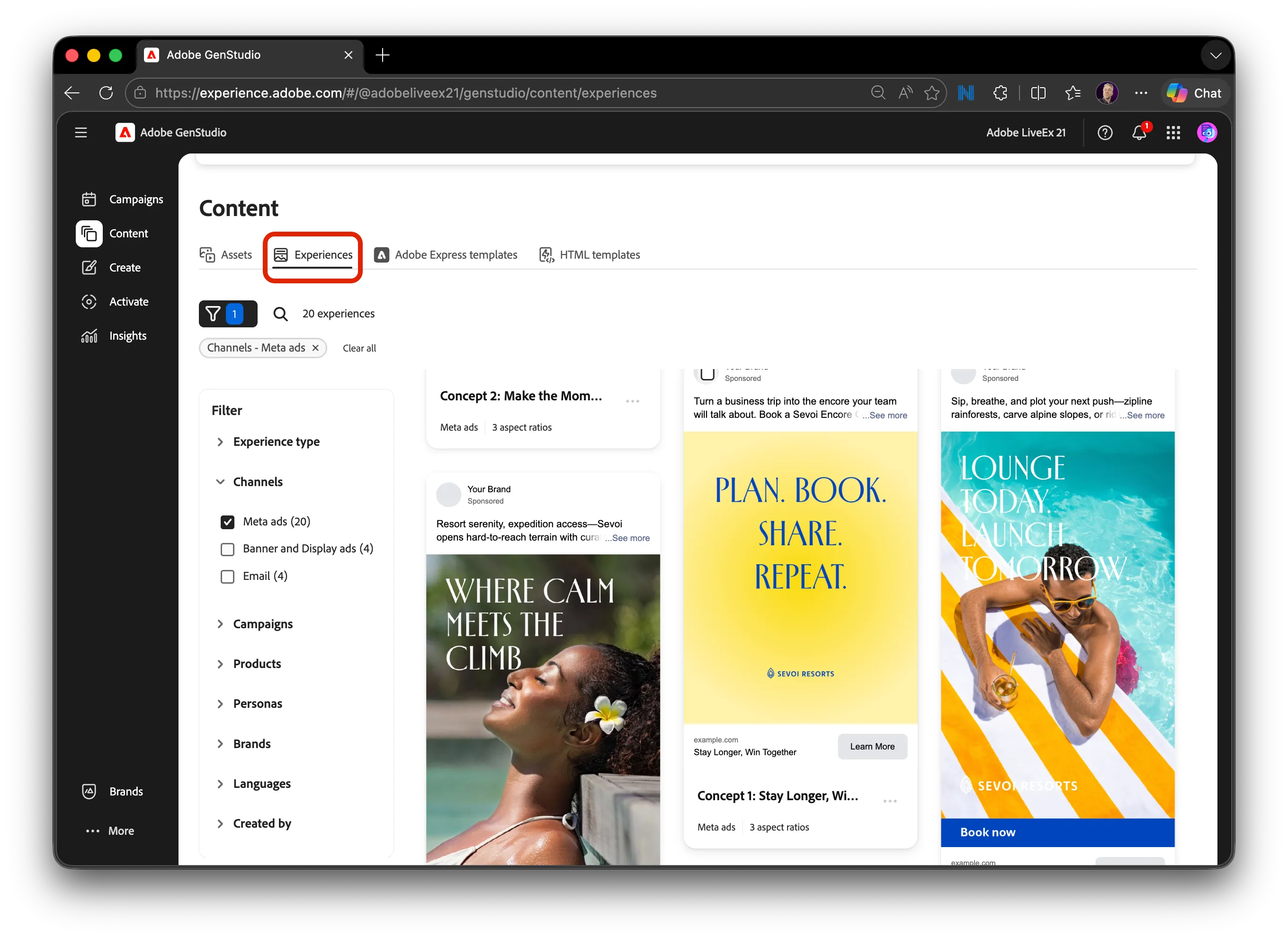
Select the Experiences tab to view assembled content units created for specific channels or use cases.
Experiences combine approved assets and messaging into ready‑to‑activate content.
These experiences will surface later when selecting content during Activate workflows.
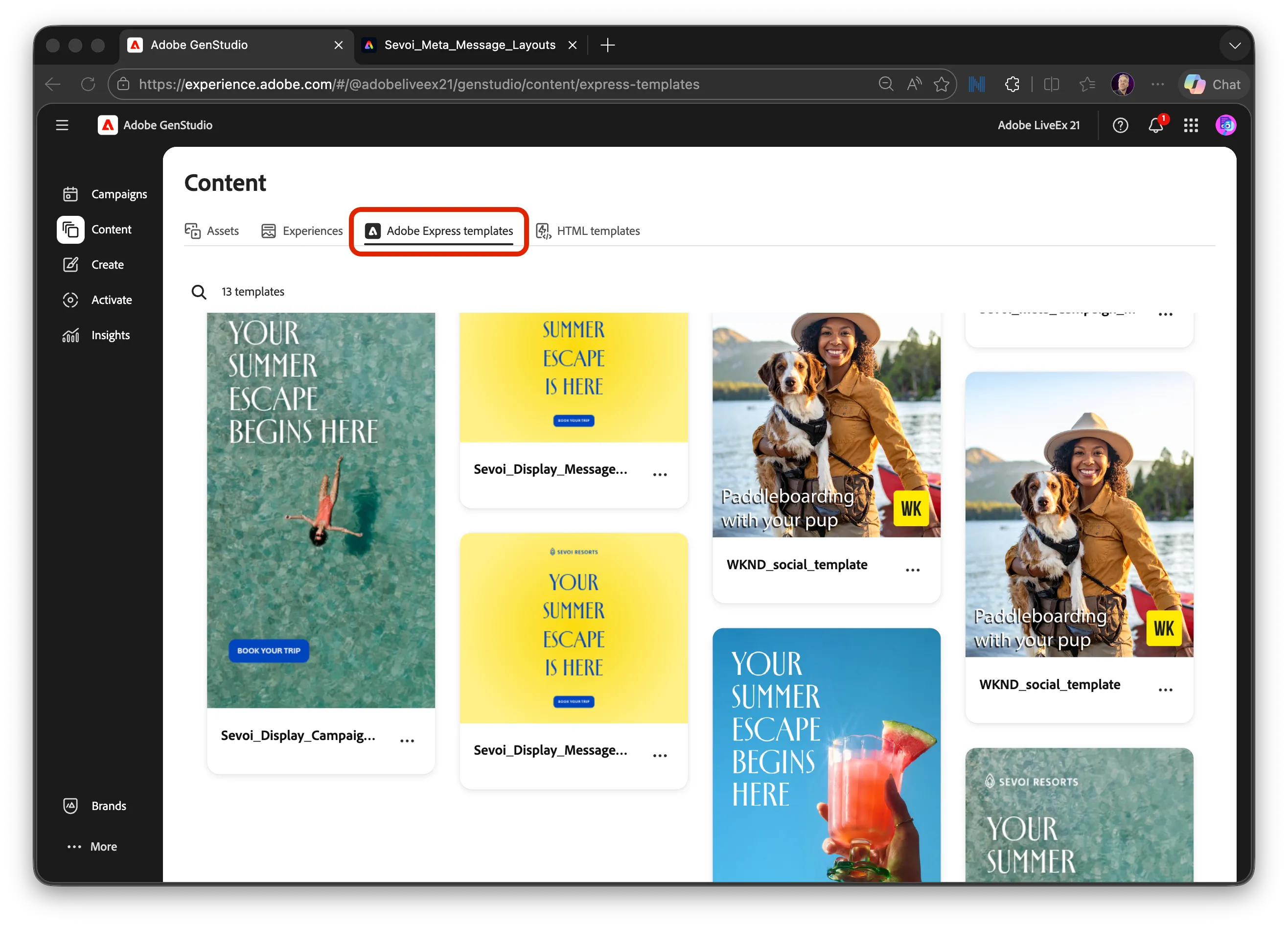
Step 5: Navigate to Templates
Select the Templates tab to view predefined structures used during content creation.
Templates provide:
- Guardrails for layout and structure
- Consistency across channels
- Faster creation at scale
Templates will be available as starting points in the Create section.