Dataset Rules
Dataset rules assist you in mapping your harmonized fields with fields from the data you ingested in Mix Modeler.
- For aggregate data that you ingested in Adobe Experience Platform, you map one or more of the available dataset fields to the appropriate harmonized fields.
- For event data, you can individually map one or more harmonized fields to fields from the dataset, directly or using condition
Dataset Rules
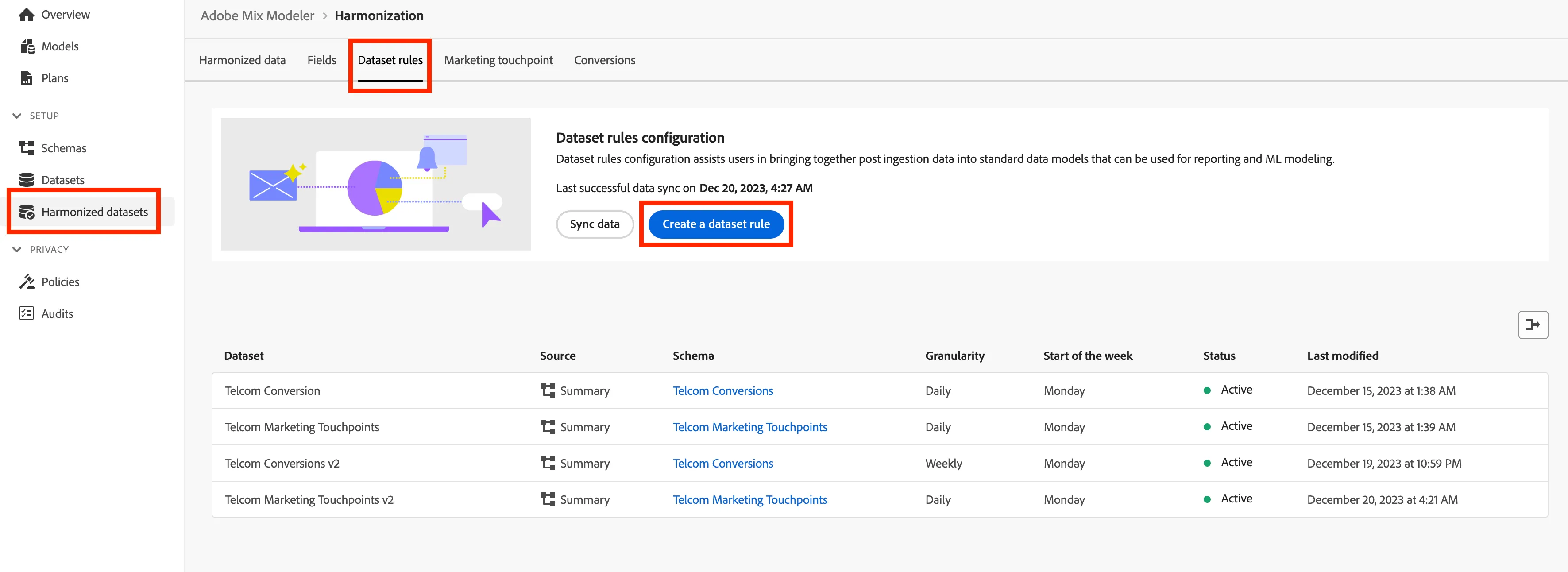
- Navigate to Harmonized datasets then select Dataset rules in the Mix Modeler UI.
- Click on Create a dataset rule.
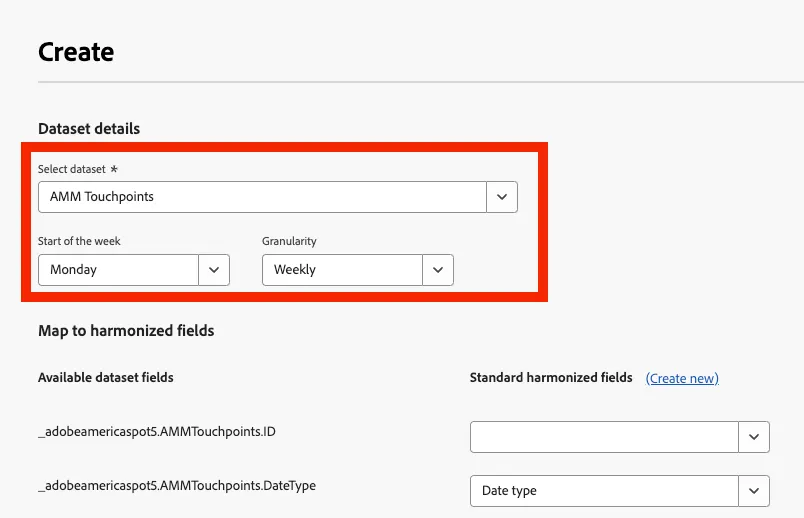
- Select AMM Touchpoints in Select dataset.
- Set Start of the week to Monday.
- Set Granularity to Weekly.
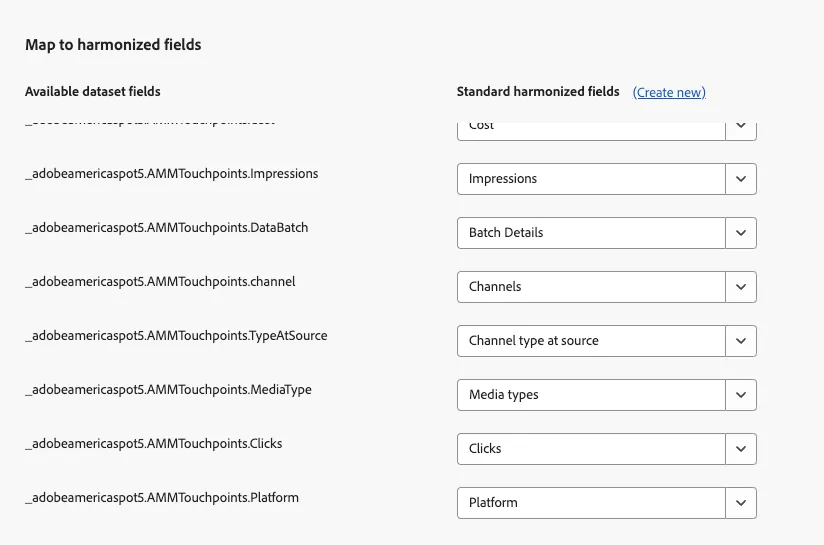
- Map to harmonized fields to the dataset as follows, then click Save:
_adobeamericaspot5.AMMTouchpoints.ID = --- None ---
_adobeamericaspot5.AMMTouchpoints.brand = Brands
_adobeamericaspot5.AMMTouchpoints.channelID = Channel ID
_adobeamericaspot5.AMMTouchpoints.Cost = Cost
_adobeamericaspot5.AMMTouchpoints.Impressions = Impressions
_adobeamericaspot5.AMMTouchpoints.DataBatch = Batch Details
_adobeamericaspot5.AMMTouchpoints.channel = Channels
_adobeamericaspot5.AMMTouchpoints.TypeAtSource = Channel type at source
_adobeamericaspot5.AMMTouchpoints.MediaType = Media types
_adobeamericaspot5.AMMTouchpoints.Clicks = Clicks
_adobeamericaspot5.AMMTouchpoints.Platform = Platform
Next, click on Sync data.
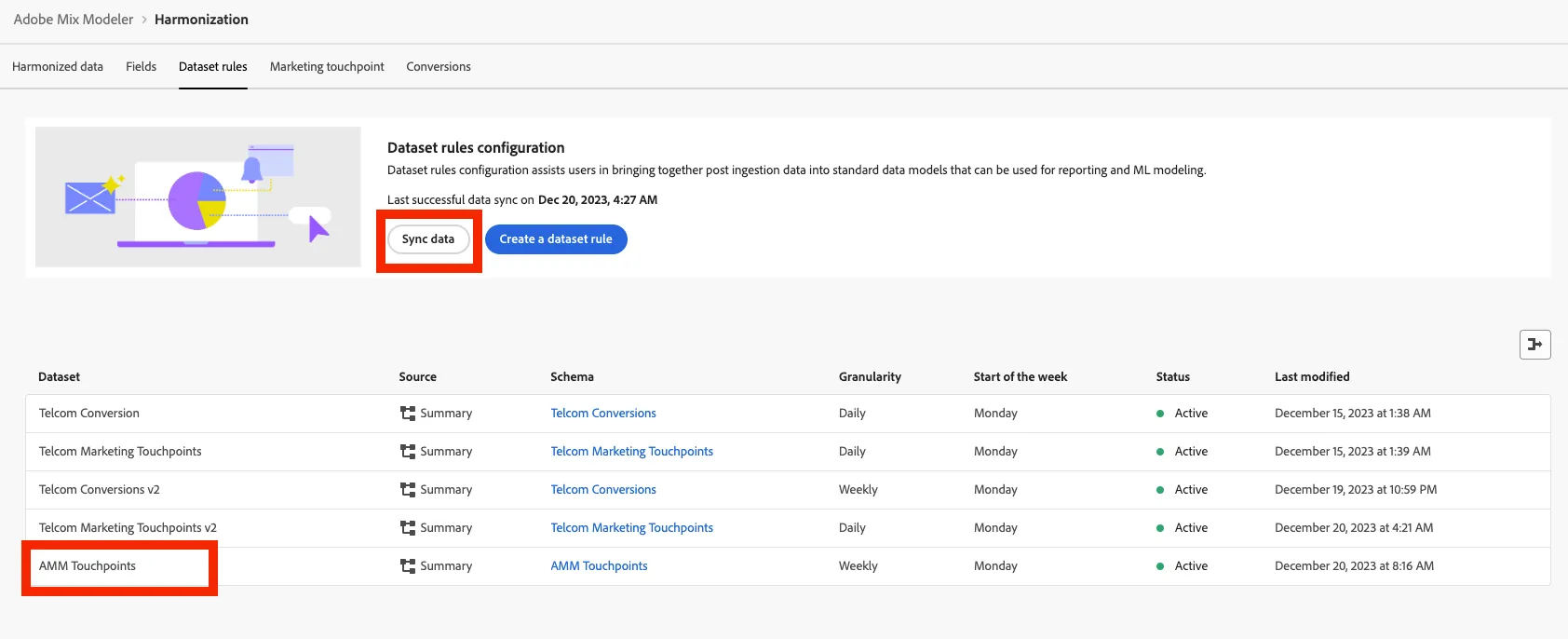
Congratulations! You have completed the Dataset Rules exercise.