2.1 Install & use the mobile app
Overview
Now that we've seen the web experience data and customer profile in Adobe Experience Platform, let's see how we can further enrich the profile by bringing in the mobile app data interactions.
2.1.1 Install the mobile app
NOTE: Please only use the hands on lab email address to login ([email protected]). If you're facing any issues with the app, an Adobe team members can take you through this part of the Bootcamp experience.
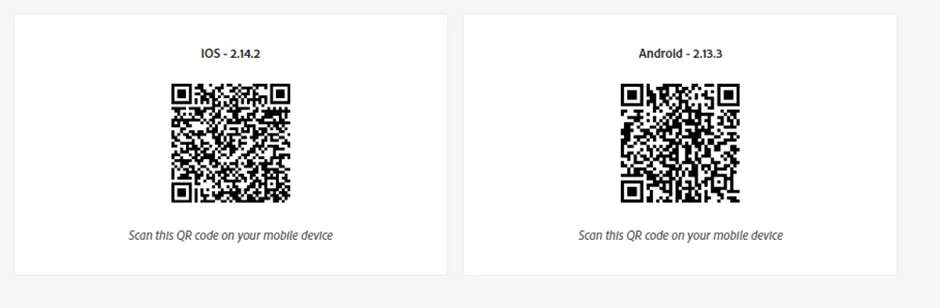
- Scan the QR code (screenshot above) to download the app/.apk file
- Download the file.
- Install the .apk file.
- For Android users – Select Allow this in setting.
- For iOS users, got to your iphone Settings -> General -> VPN & Device Management -> Adobe Systems Inc. -> Trust app
- Open the DX Demo app on your mobile phone.
- Click the Settings (bottom right hand side) within the DX Demo app -> Select custom project & enter the Project ID: gillies–FU70 and click Save
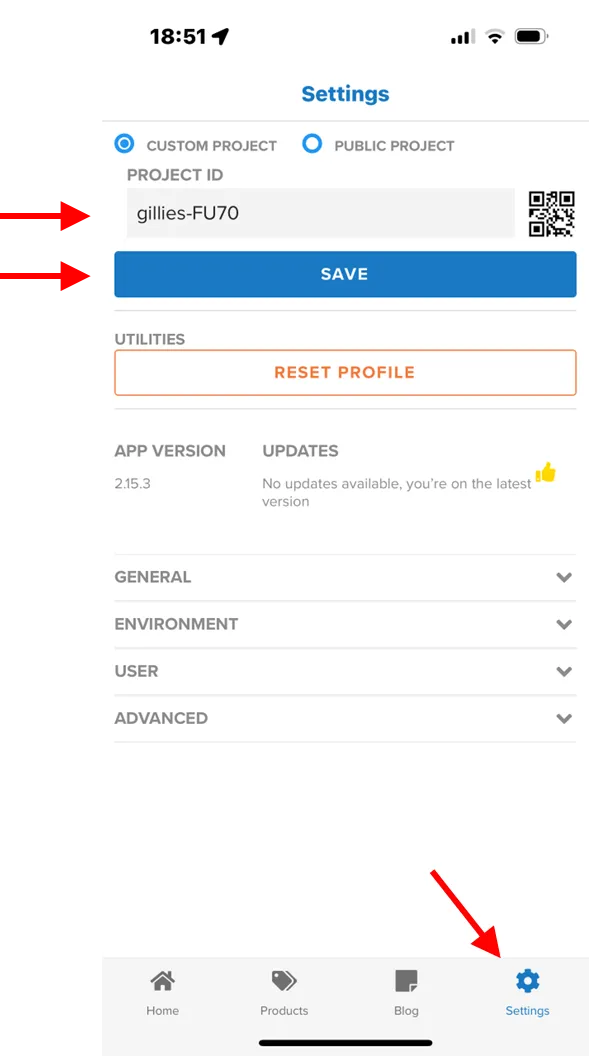
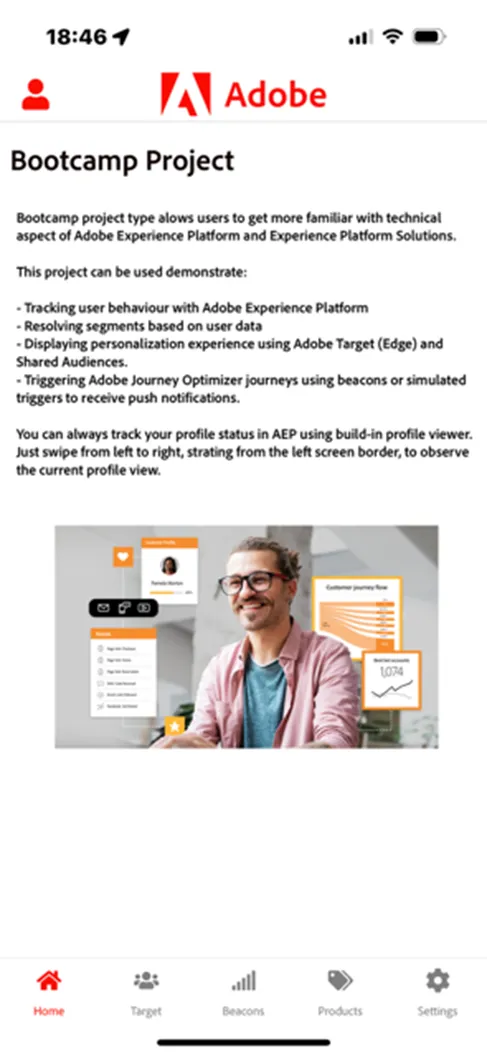
9. Your app is now configured for the Bootcamp and you should see the Bootcampo Home page.
2.1.2 Customer journey flow
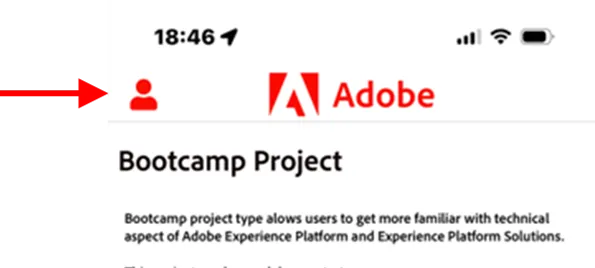
- Open the Login screen by clicking the red person icon (top left corner)
2. Enter your personal email address - the same email address that you used to register for exercise 1.2 on bootcamp website and enter your password.
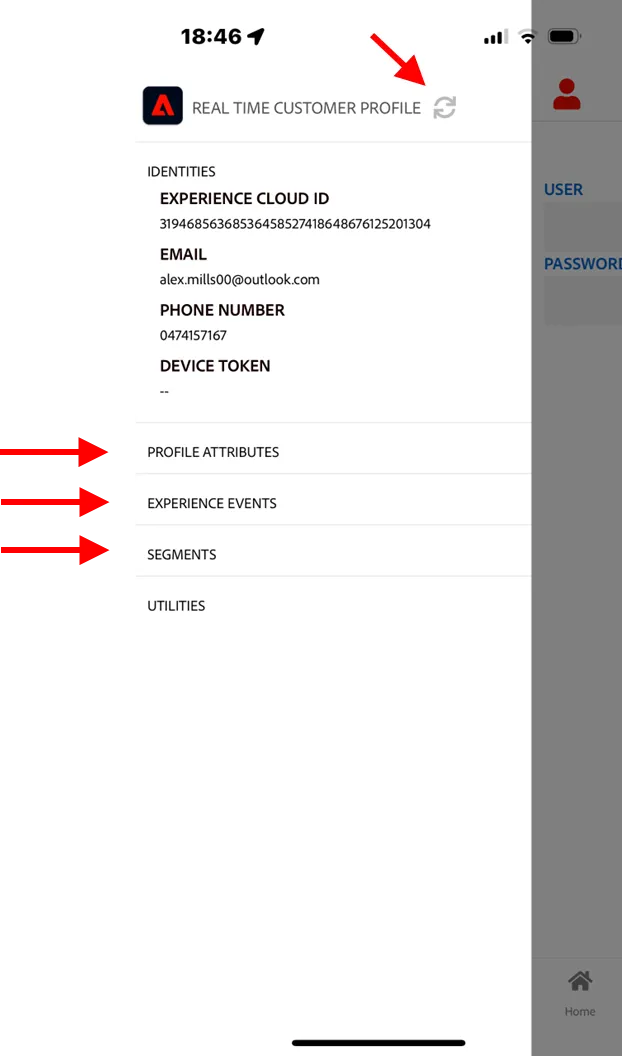
3. Check the profile viewer on the app (on the app homepage, slide the screen slightly towards right) and you can see your profile details. By clicking the different sections you can display the Profile attributes, Events and Segment captured from web. This may take some time to show up, press the refresh button if needed.
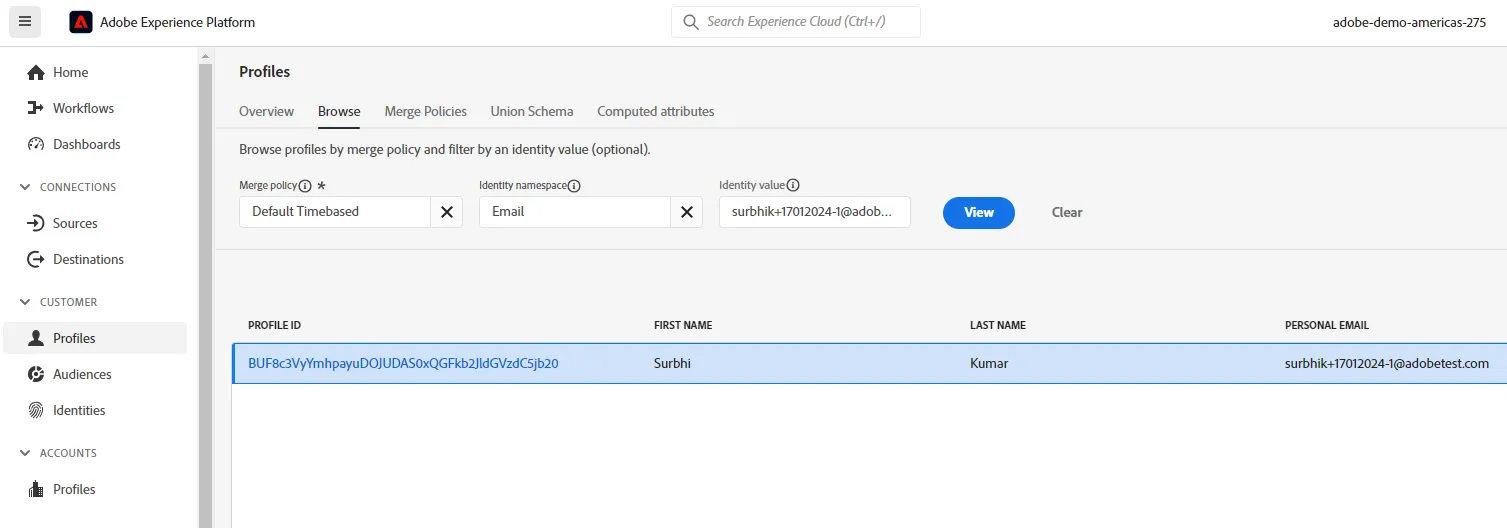
4. Let's go back to Experience Platform and see the app events come through. In Adobe Experience Platform go to -> Customer -> Profile -> Select email address as the namespace -> Enter your email address used to register in Exercise 2.1. -> Click View -> Click on profile ID to go to your profile.
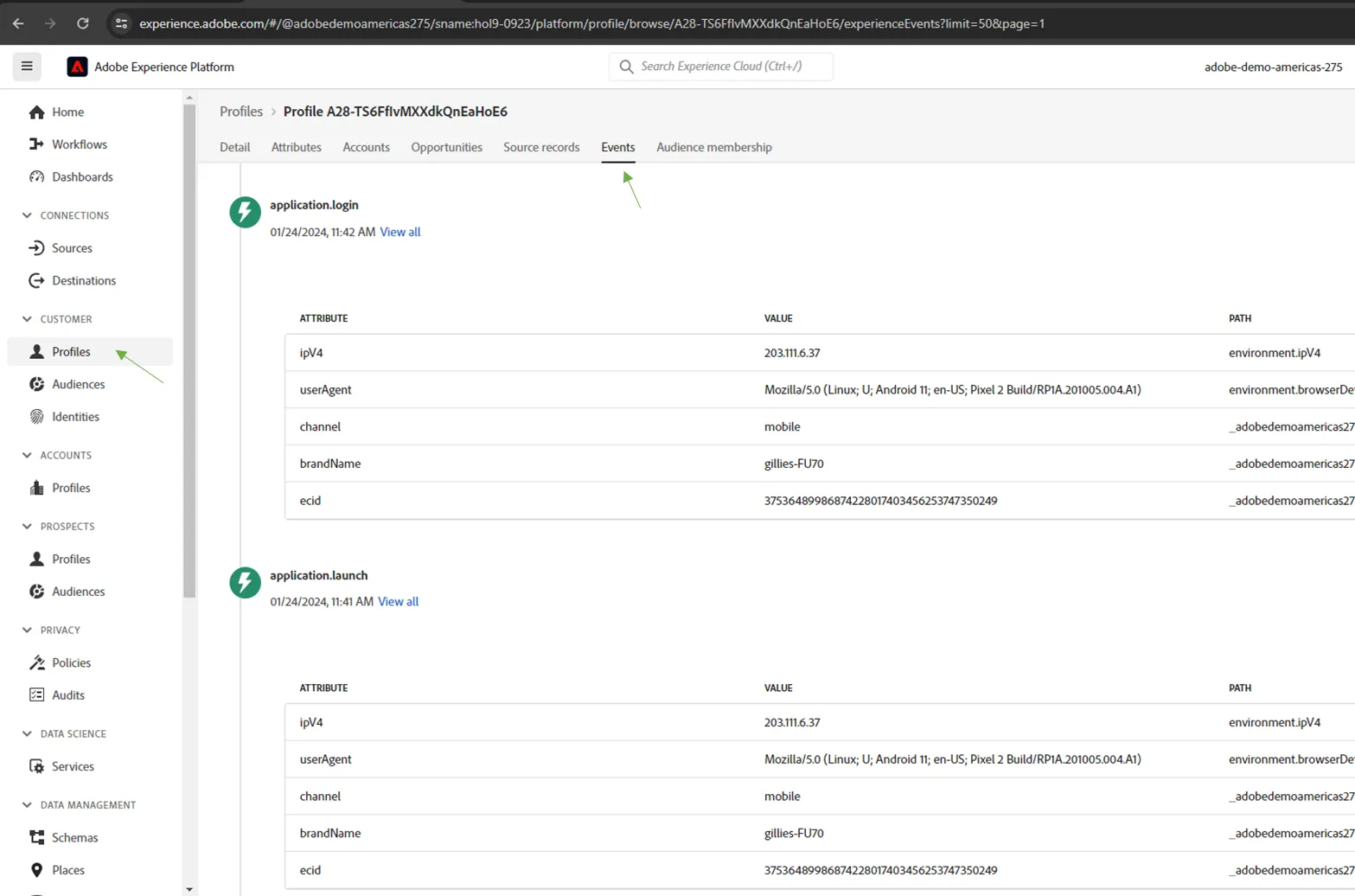
5. Go to the events tab within the profile and view the mobile application events come through.
Exercise complete checklist
Able to view the bootcamp mobile app after installing
Able to login to the mobile app using your email address and view your web behaviours
Able to view the app events in Adobe Experience Platform against your profile