Attribution
In most cases people think of measuring the influence of marketing touches on driving conversions when talking about attribution. Attribution IQ supports this use case very well, but it can also be used for many other use cases. When used in CJA we can measure the influence that any data point has on driving an event of interest, for example, measure the influence of web pages on driving calls.
In this exercise we will use CJA to understand how your marketing campaign (email, Facebook, etc) impact your online applications, but also applications that may have been completed offline in a branch or via the call center. As those events are not directly linked (several days can pass between a marketing campaign and an application), we need to define the attribution method.
- Change to the Panels menu on the left pane and add a new Attribution panel to the bottom of your dashboard.
- Ensure that the CID Release 5 (Nov15 - Jan 15, 2024) is selected in the Data View selector and the reporting date range is Nov 15 2023 - Jan 15, 2024
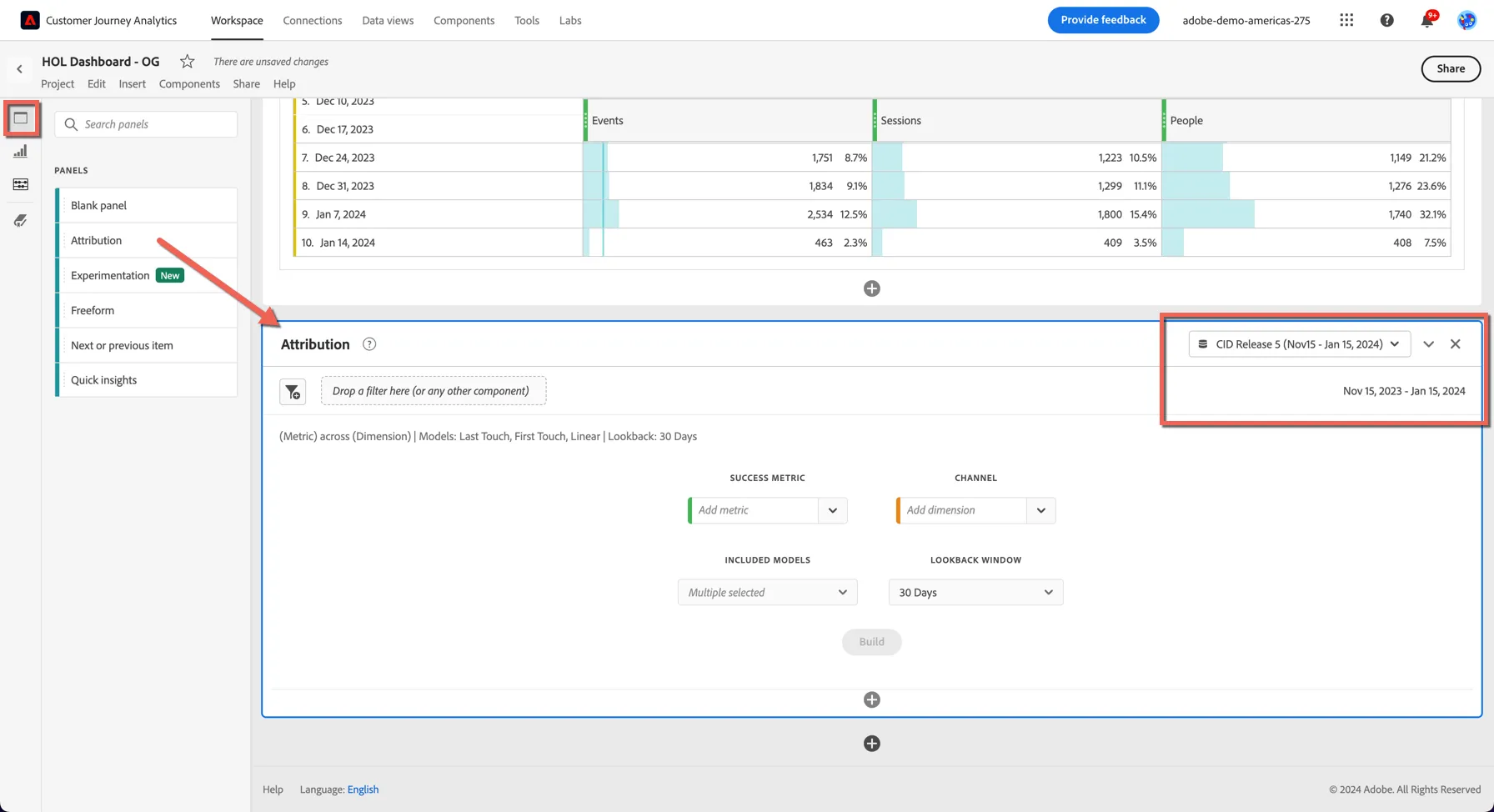
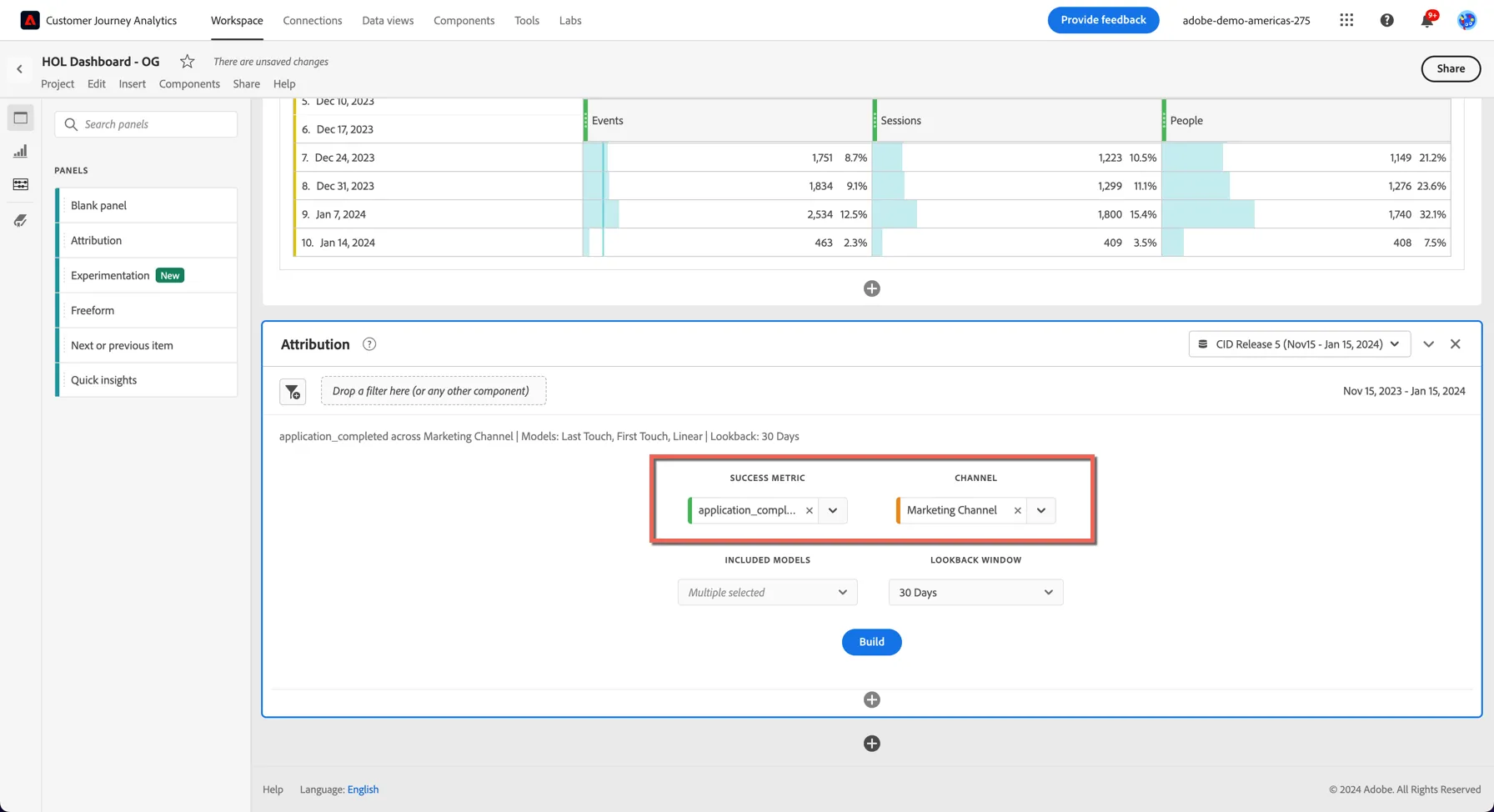
3. Select application_completed for the Success Metric. Select the dimension Marketing Channel for the Channel dimension.
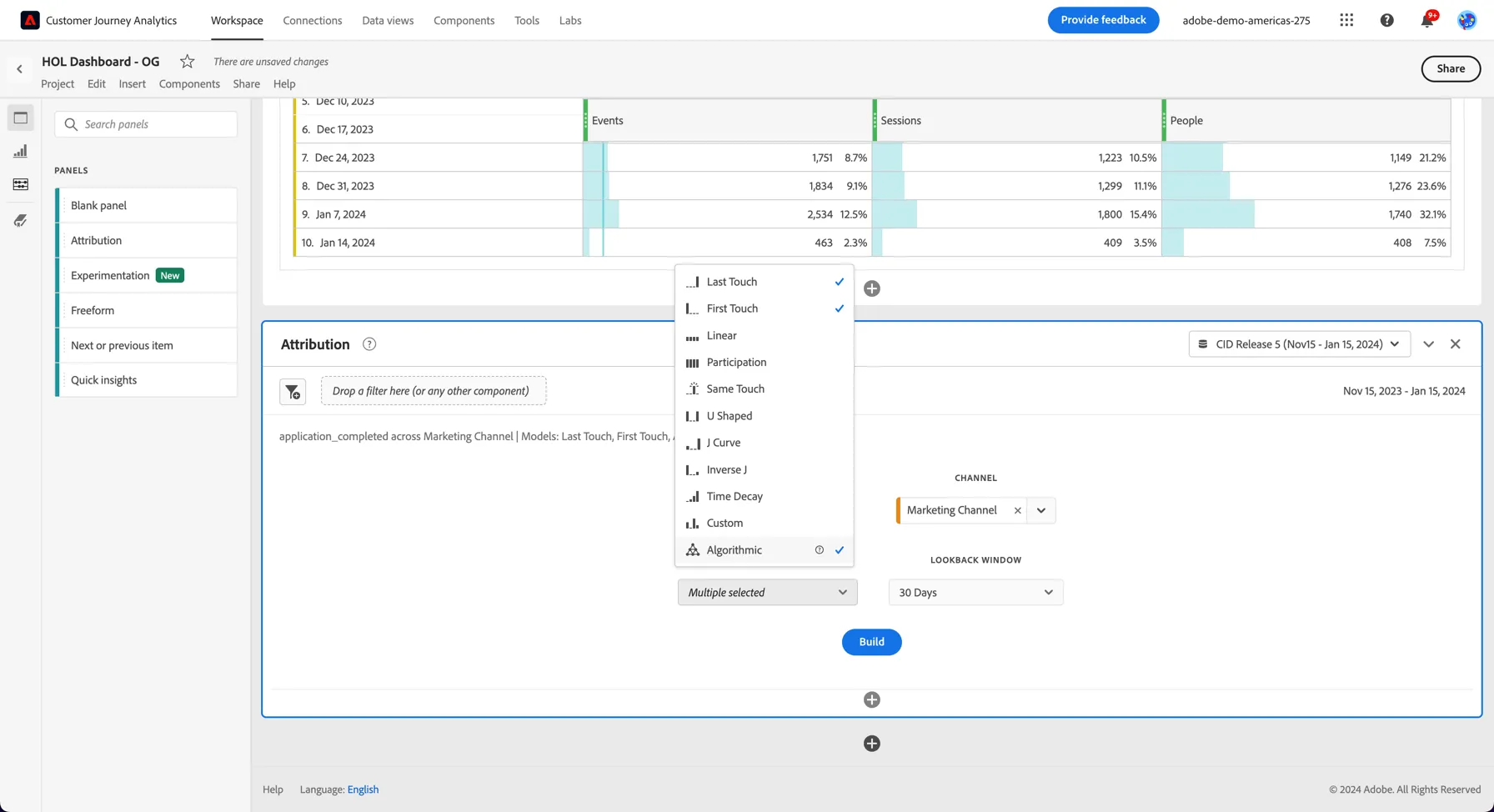
4. Now we want to choose which Attribution Models we want to include in the report. Click on the Included Models drop down, there are some default models selected. Since CJA is reporting on events that happen across channels let's change the models we're using to be more advanced. Untick the linear model and select Algorithmic instead. This will leverage Adobe's internal AI (Adobe Sensei) to allocate the attribution. Perhaps for instance your customer received marketing messages on multiple channels.
5. Leave the Lookback Window at 30 days and click Build. You can see a number of visualisations and tabular results are returned reporting on which marketing channels influenced your applications.
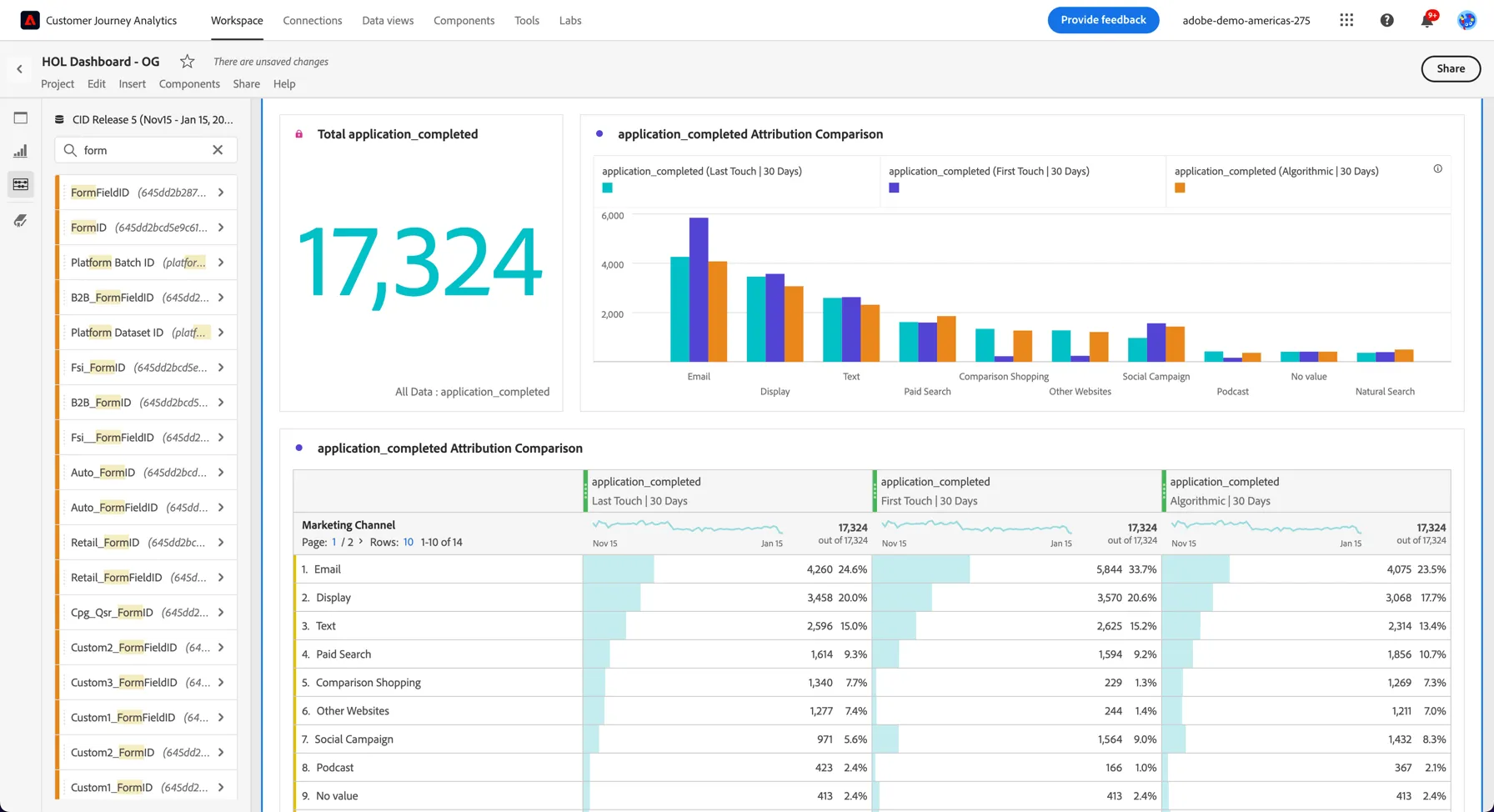
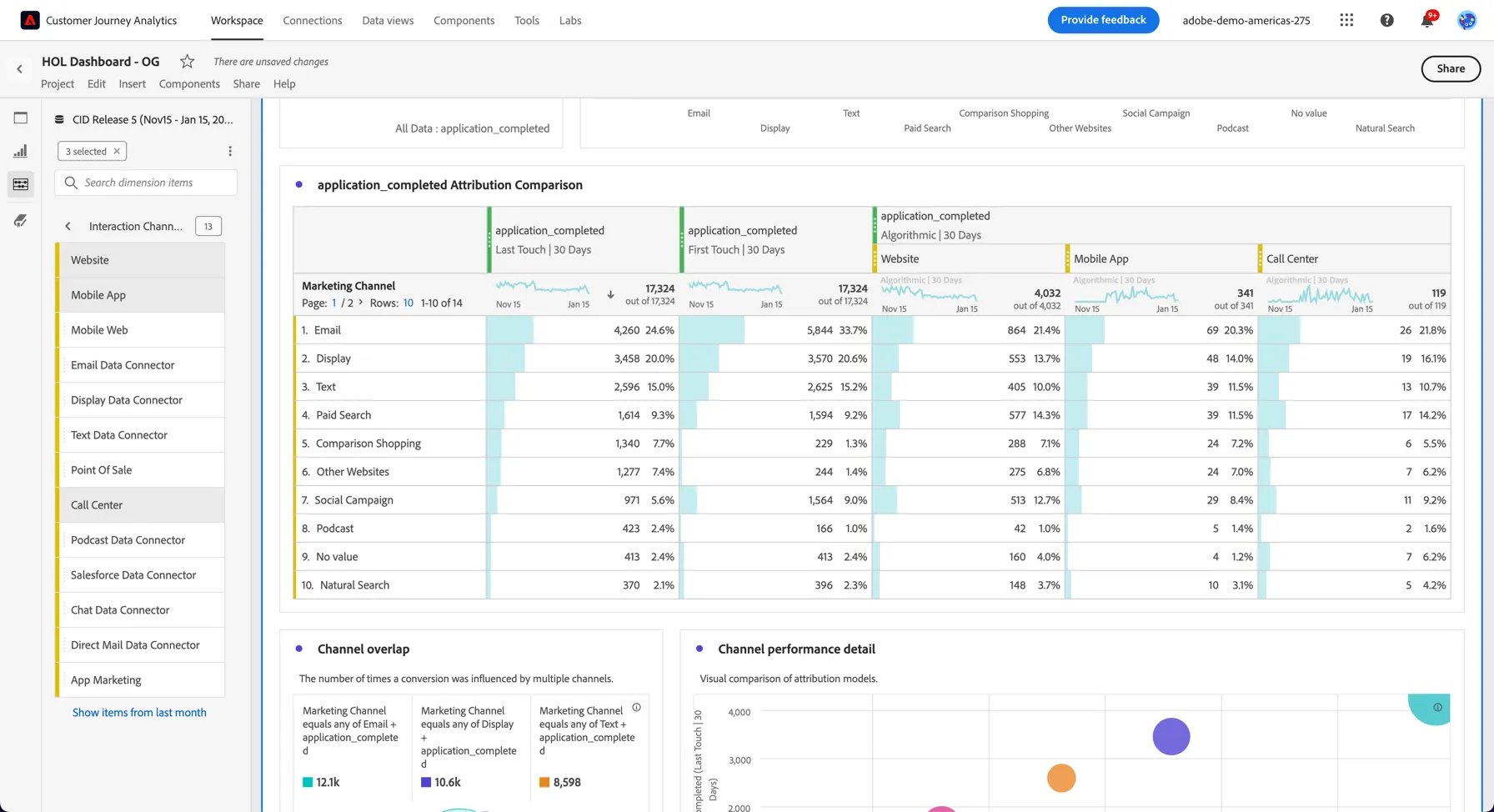
6. This might look familiar to you and like the attribution you see in Adobe Analytics. But remember CJA has data across all of your channels, so we are including applications that are coming in from offline channels as well. Look for the Interaction Channel dimension and click on the > to see what interaction channels are included. Drag the website, Mobile App and the Call Center channels and add them as a filter on your Algorithmic attribution model.
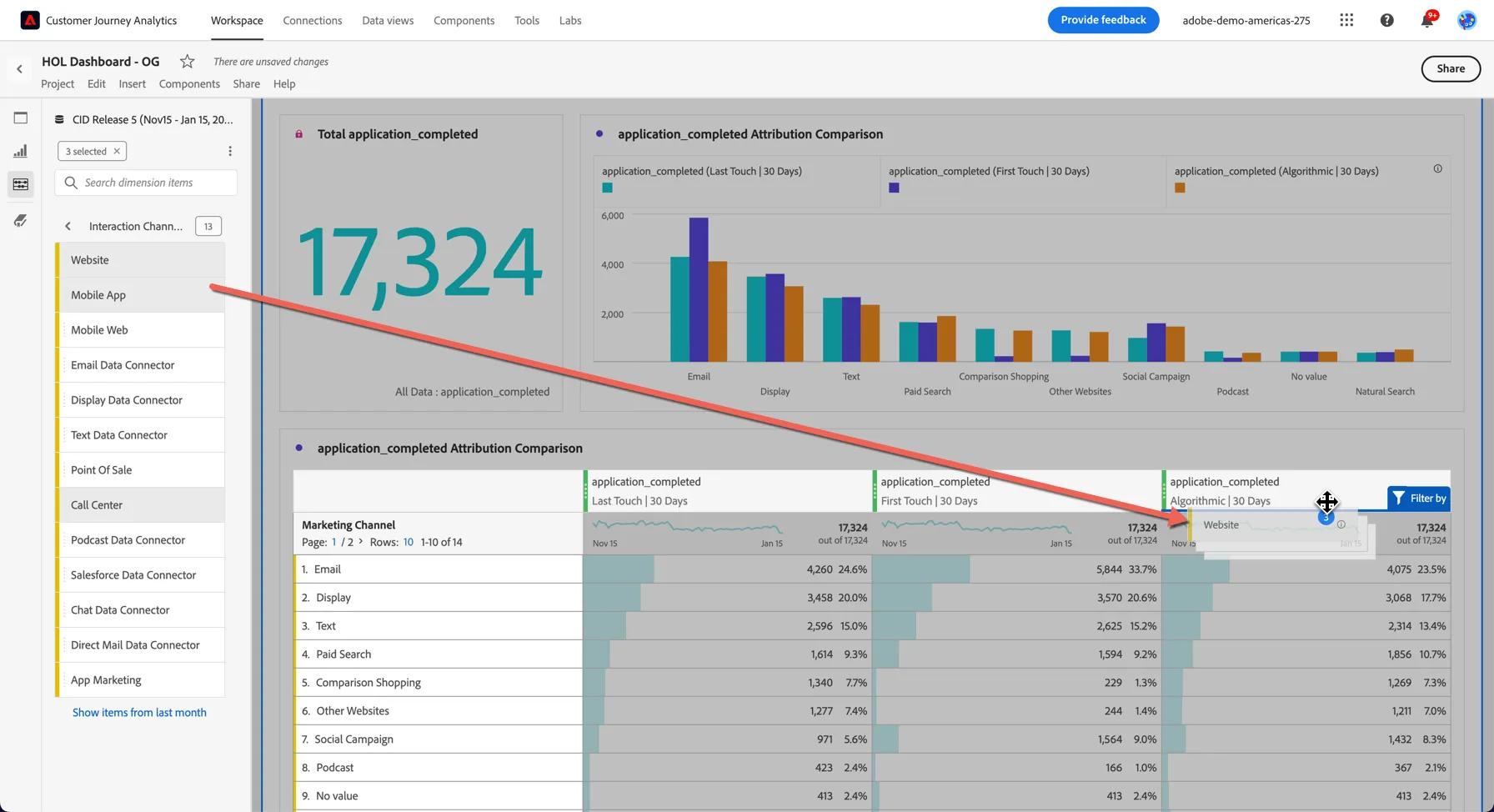
7. You can see that we are reporting now across all of your channels including applications that might be submitted via the call center or even in branch.
Congratulations, this completes the exercise on Attribution