4. Customer Journey Analysis 101
In this user flow, you will get hands-on experience with the Customer Journey Analytics application service.
Learning Objectives
- Become familiar with the Customer Journey Analytics UI
- Use Analysis Workspace to get insights
- At a person level
- Analyse the customer journey beyond digital channel
- Attribute non digital interactions to a proper campaign
- Put Insights into Action via RTCDP or AJO
Prerequisites
This tutorial was created to facilitate a particular bootcamp format. It uses specific systems and accounts to which you might not have access. Even without access, we think you can still learn a lot by reading through this very detailed content. If you're a participant in one of the bootcamp and need your access credentials, please contact your Adobe representative who will provide you with the required information.
Overview of CJA
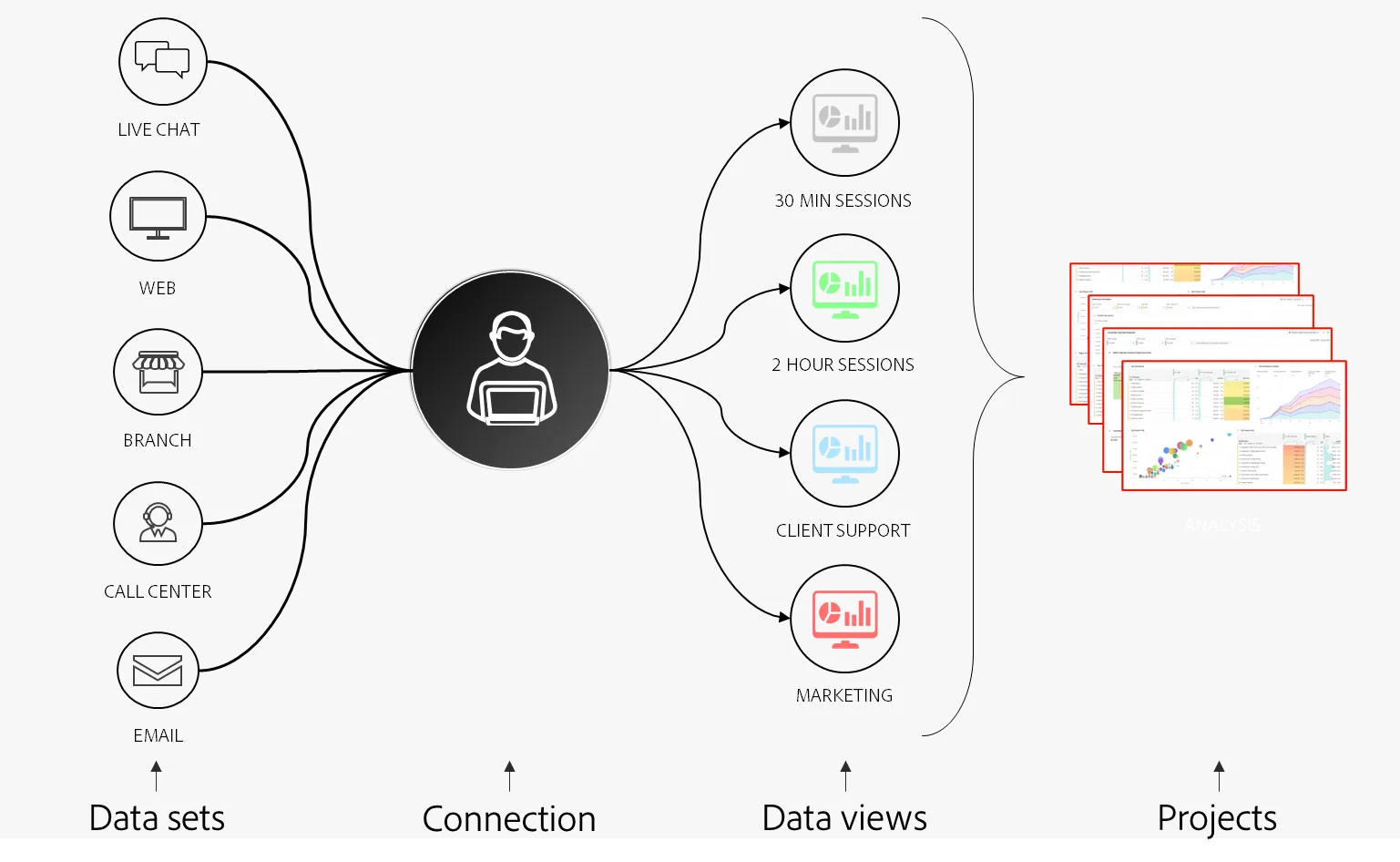
Customer Journey Analytics (CJA) allows you to analyze your customer's behaviour/journey across channels using any data available to you in Adobe Experience Platform, leveraging the power of Analysis Workspace for rapid insights. Customer Journey Analytics lets you control how you connect your online and offline data in Analysis Workspace on any common person ID. The capabilities within Customer Journey Analytics deliver context and clarity to the complex multi-channel customer journeys. The provided context generates actionable insight into how to remove pain points from the customer conversion process and deliver positive experiences in the moments that matter most.
Common Use Cases
Types of insights that you can get with CJA:
- Call center deflection: I need to understand which digital experiences can be improved to reduce the calls to our call center.
- Cross Channel Attribution: I need to understand & attribute successes from any digital or non-digital interaction to the proper campaign
- Improve NPS by integrating voice of the customer data: I need to understand where in the journey were the customers when they gave the score; Understand the context to identify pain points and optimise.
- Combine my Adobe Analytics report suites: I want to combine data from my different Adobe Analytics report suites & visualise customers journey across devices & brands.
Have a look at this video to understand the value, customer journey and configuration process:
{% embed url="https://video.tv.adobe.com/v/327188?learn=on&quality=12" %}
Overview of Customer Journey Analytics can be found here and this link provides a comprehensive learning journey to introduce you to Customer Journey Analytics (CJA).
Understand the Customer Journey Analytics workflow
Before starting the next exercises it's key to understand what steps are needed to bring data from Adobe Experience Platform into CJA in order to visualise it and get some deep insights. It's what we call CJA Workflow and will be covered by a live demo.
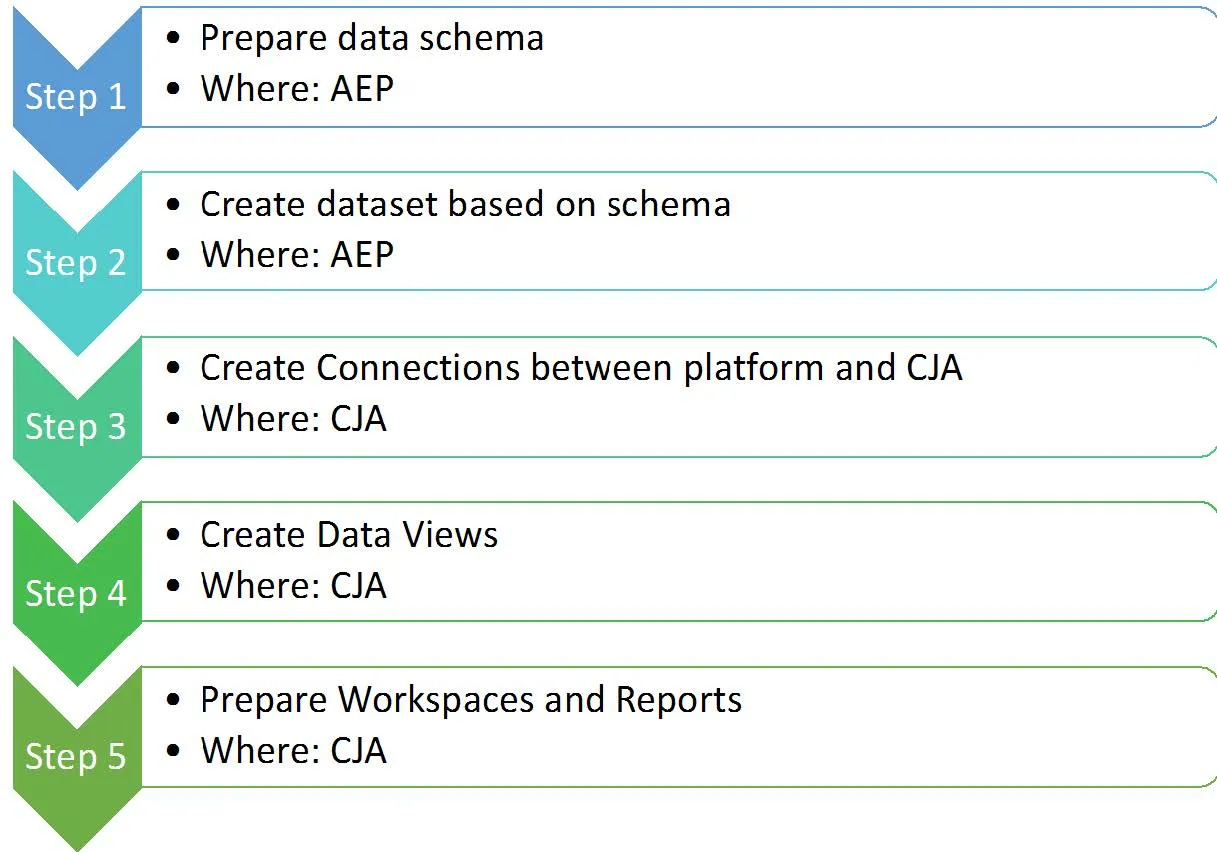
Step 1 & 2 : Get data into Adobe Experience Platform
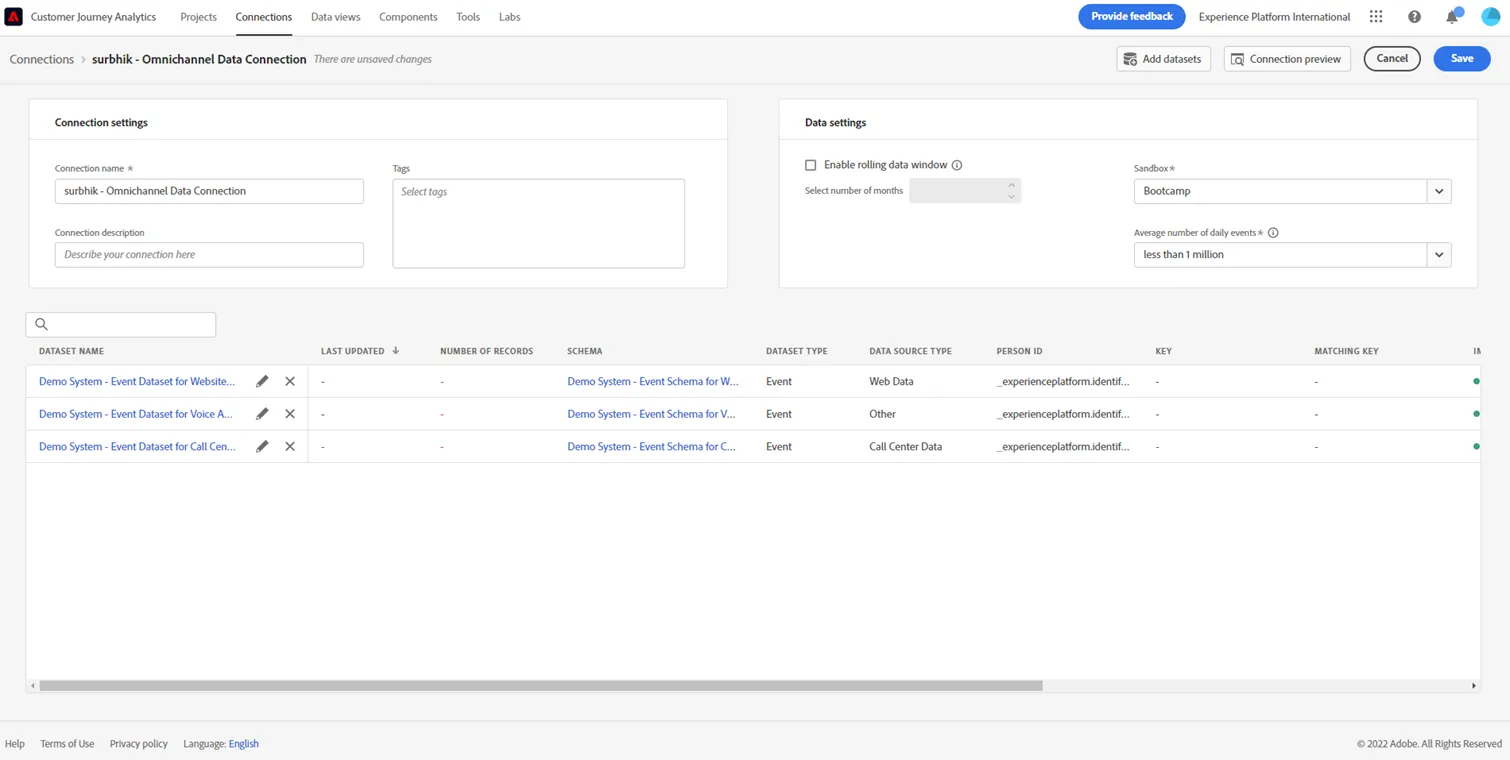
Step 3: Create a CJA connection- A CJA connection allows you to combine multiple Experience Platform datasets into a single analysis environment in Analysis Workspace.
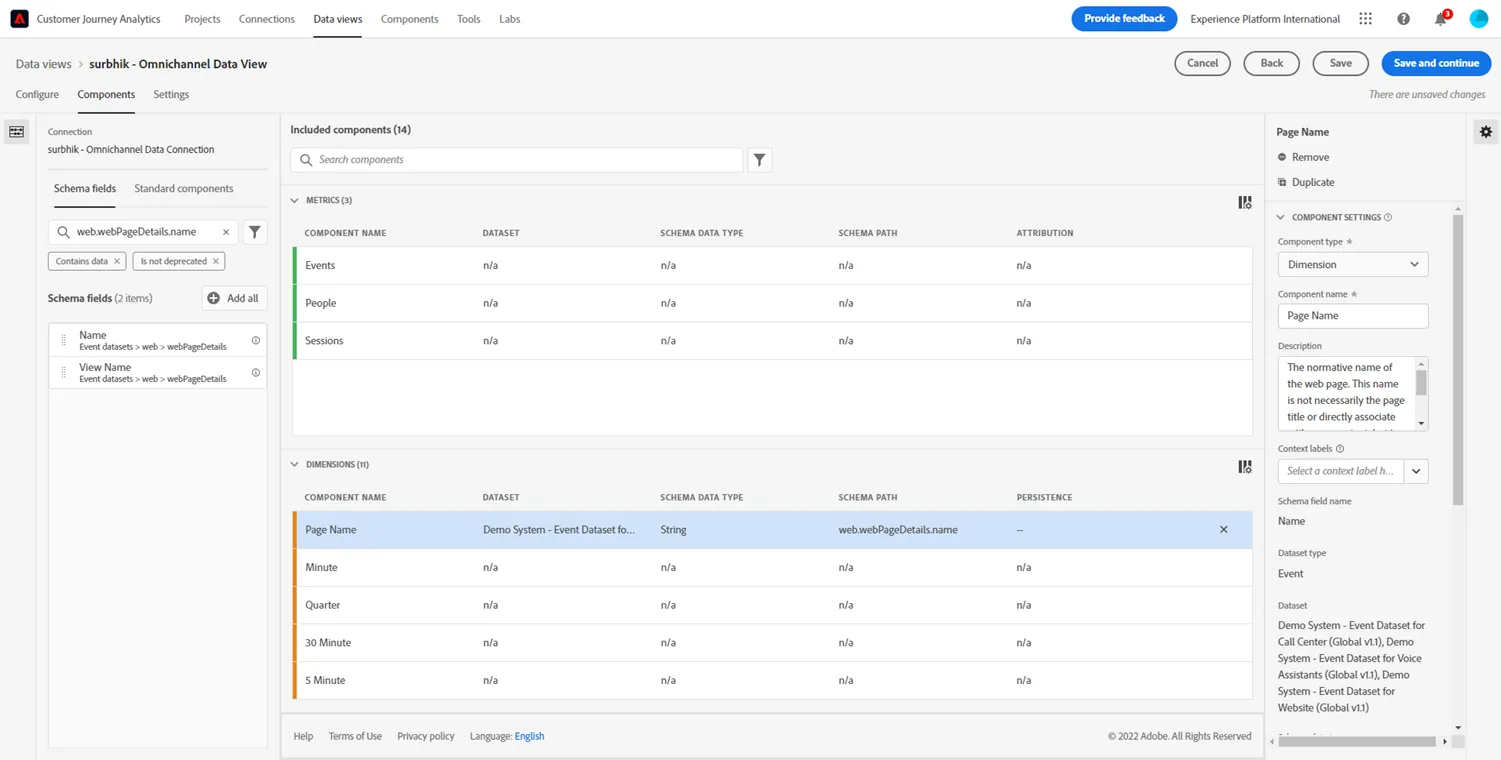
Step 4: Create CJA data views - Data views sit on top of your connections and act as a metrics layer for your data. They give you a consistent view of dimensions and metrics with the right transformations applied in just the right way so that anyone accessing data through CJA can speak the same language and use the same data
In Data views, you can use Derived Fields, to retrocatively apply complex data changes on-the-fly, without the need to rewrite or reingest the data.
Step 5: Analyse in CJA workspace projects.
Exercises
Learn all about the Customer Journey Analytics UI & Person centric insights.
Learn about omni channel insights, analyse top pages that led to calls.
Learn about how to apply different attribution models and see the impact on non-digital channels.
Learn how to take your insights in the form of an audience into action using Real-Time CDP and Adobe Journey Optimizer.