Create an Email Placement
1 min
- Click on Email, under Placements.
-
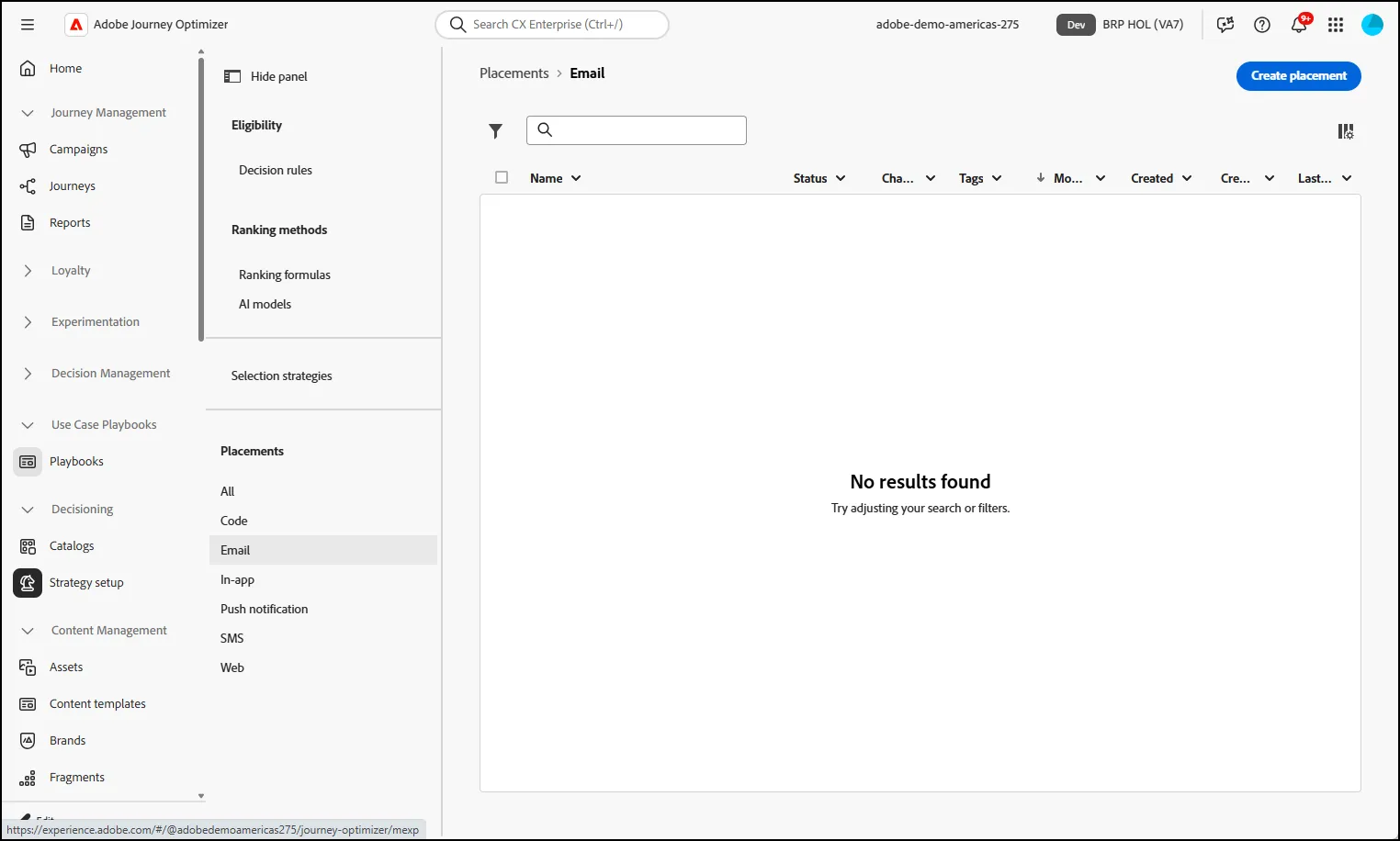
- Click Create a Placement button.
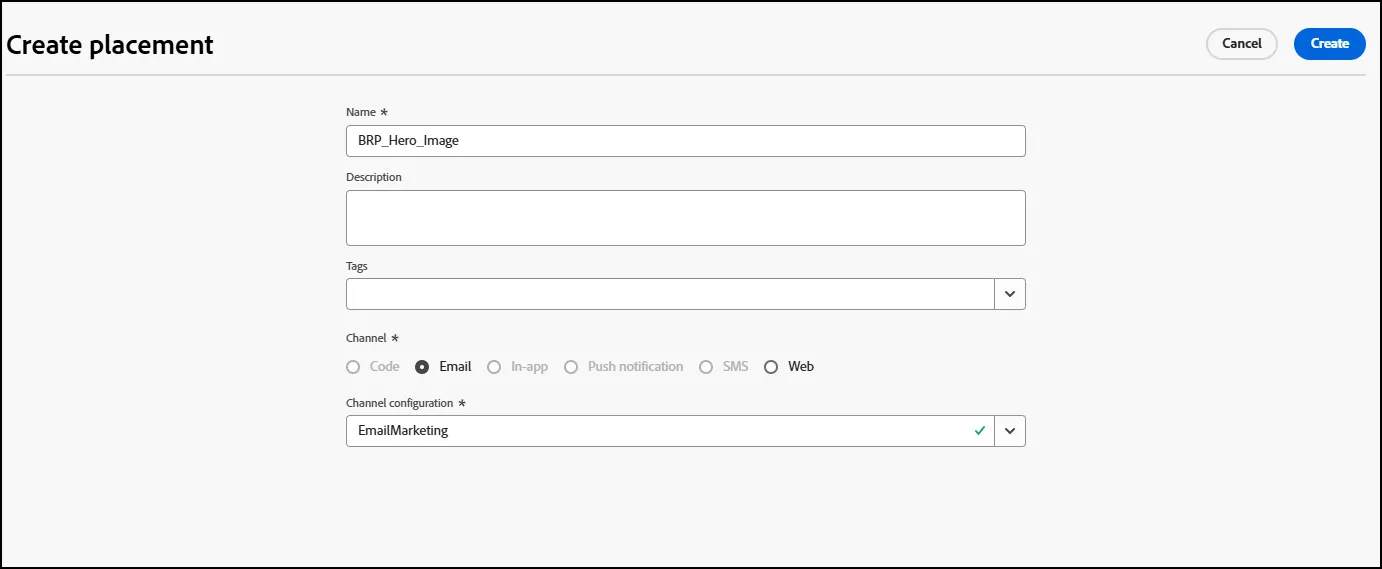
- Give it a name: BRP_Hero_Image
- Select the Channel Configuration: Email-Marketing
- Click Create
Congratulations, you are now ready to add your Offer into your email. Go to Adding ExD to Campaigns Lab next.