Data Ingestion / List Upload
3 min
Create List
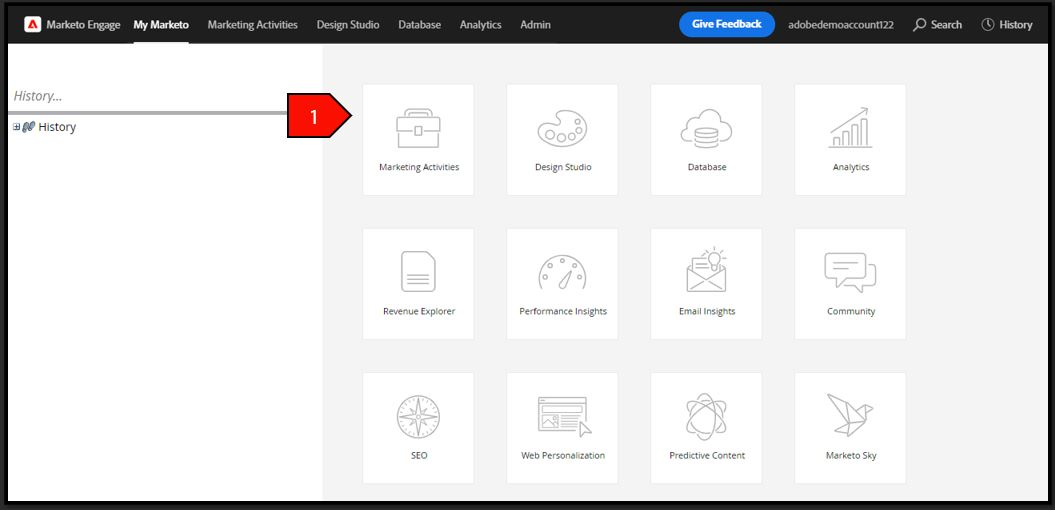
- Navigate to Marketing Activities
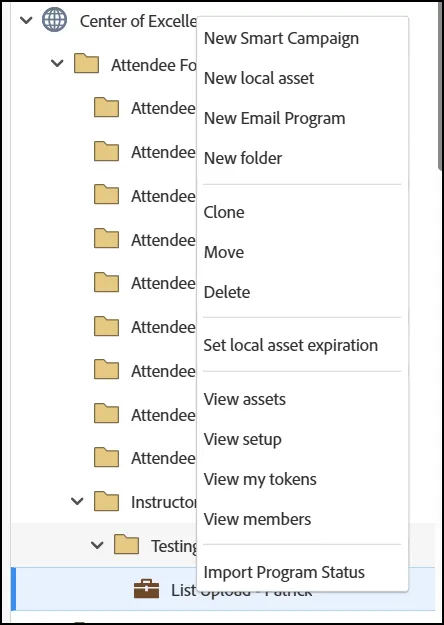
- Right-click on your folder and select "New Program":
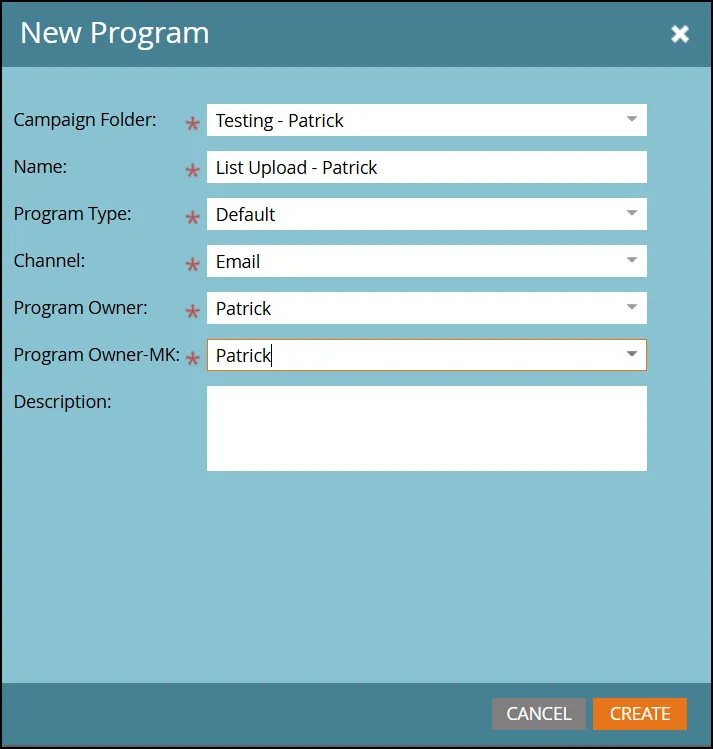
- Type a name for your program with the format "List Upload - Your Name":
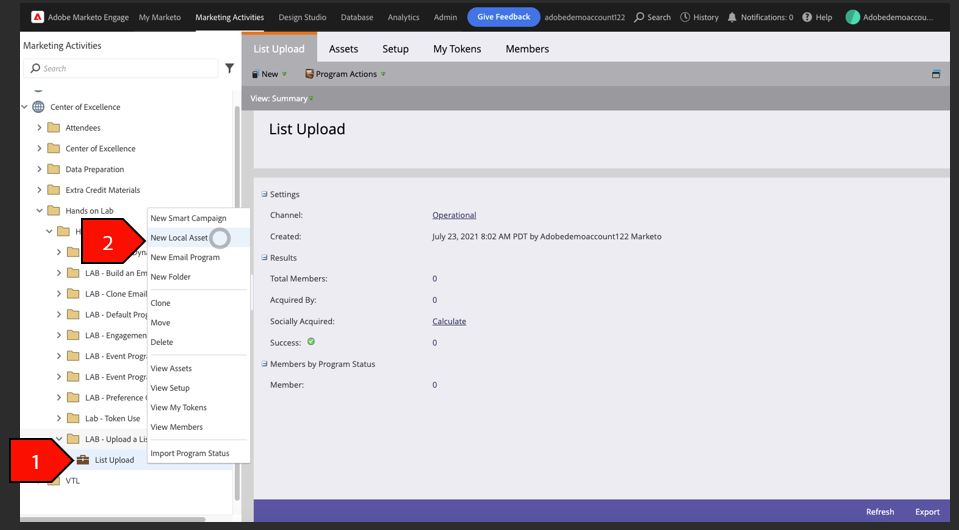
- Right-click on your list import program, select new local asset
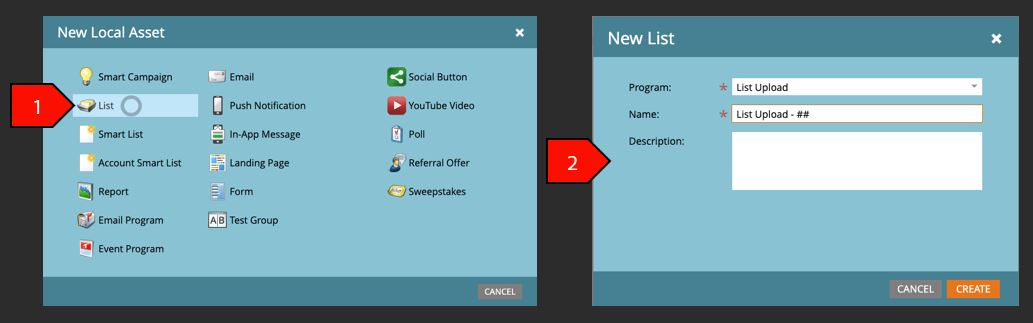
- Click create after the following fields are filled out:
- Program: list import
- Name: List Upload - Attendee #
Import File to List
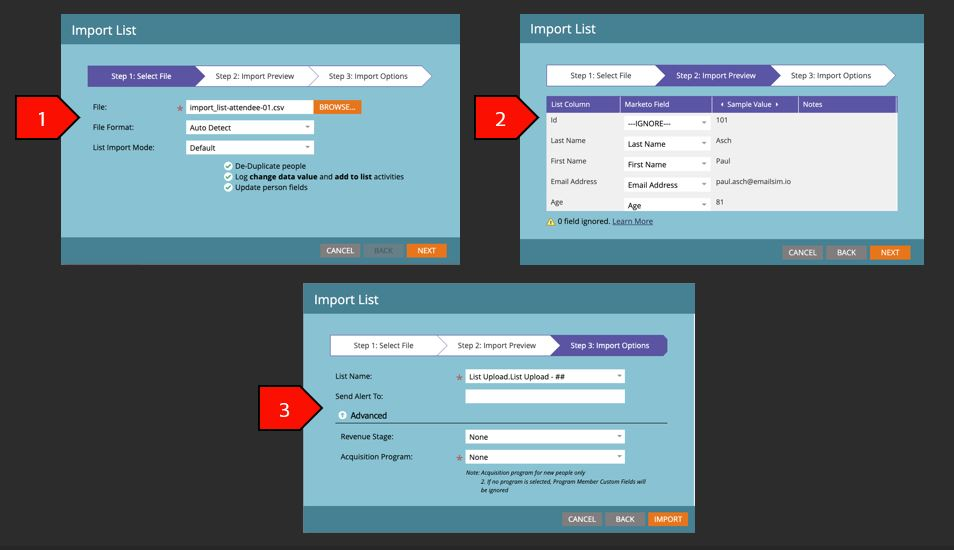
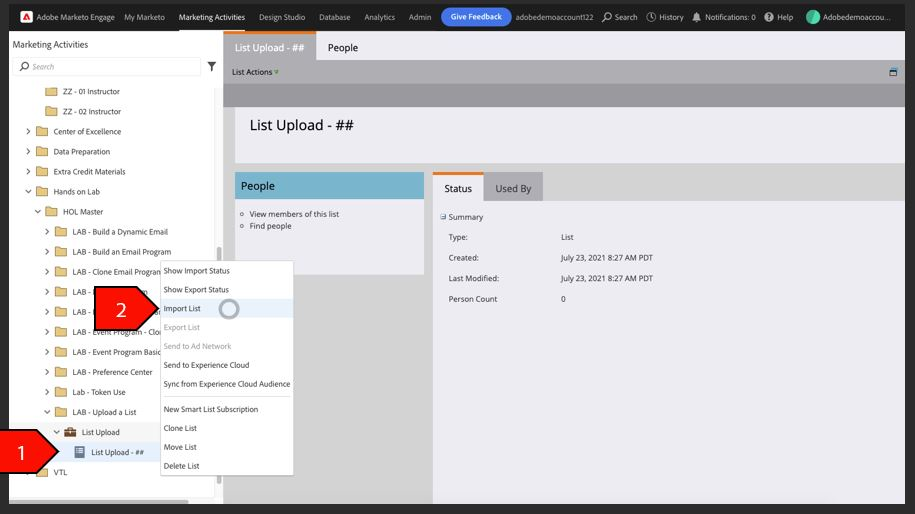
- Right-click on list and select "Import List'
- Select your File, Click Next after completing the following below:
- Import the mkto_hol_import_list.csv file from the lab exercise
- File Format: Auto Detect
- List Import Mode: Default
- Import Preview – Click Next after completing the following below:
- Ensure the List Column matches the Marketo field. All other fields can be ignored
- Import Options – Click Import after completing the following below:
- List Name: MKTO HOL User ##
- Send Alert To: leave blank
- Revenue Stage: None
- Acquisition Program: None