Audience Orchestration
Audience Composition
Rule based audiences are great but have limits. Imagine if you want to limit the number of profiles that can exist within an audience at any time or if you want to enrich the audience with attributes that are stored in a separate dataset? This can be achieved using AEP's Audience Composition. For this exercise, we'll create an audience composition workflow to take the top 100 profiles with the highest propensity scores from your retargeting segment. These will be shared to the contact team to be prioritized for outbound calls.
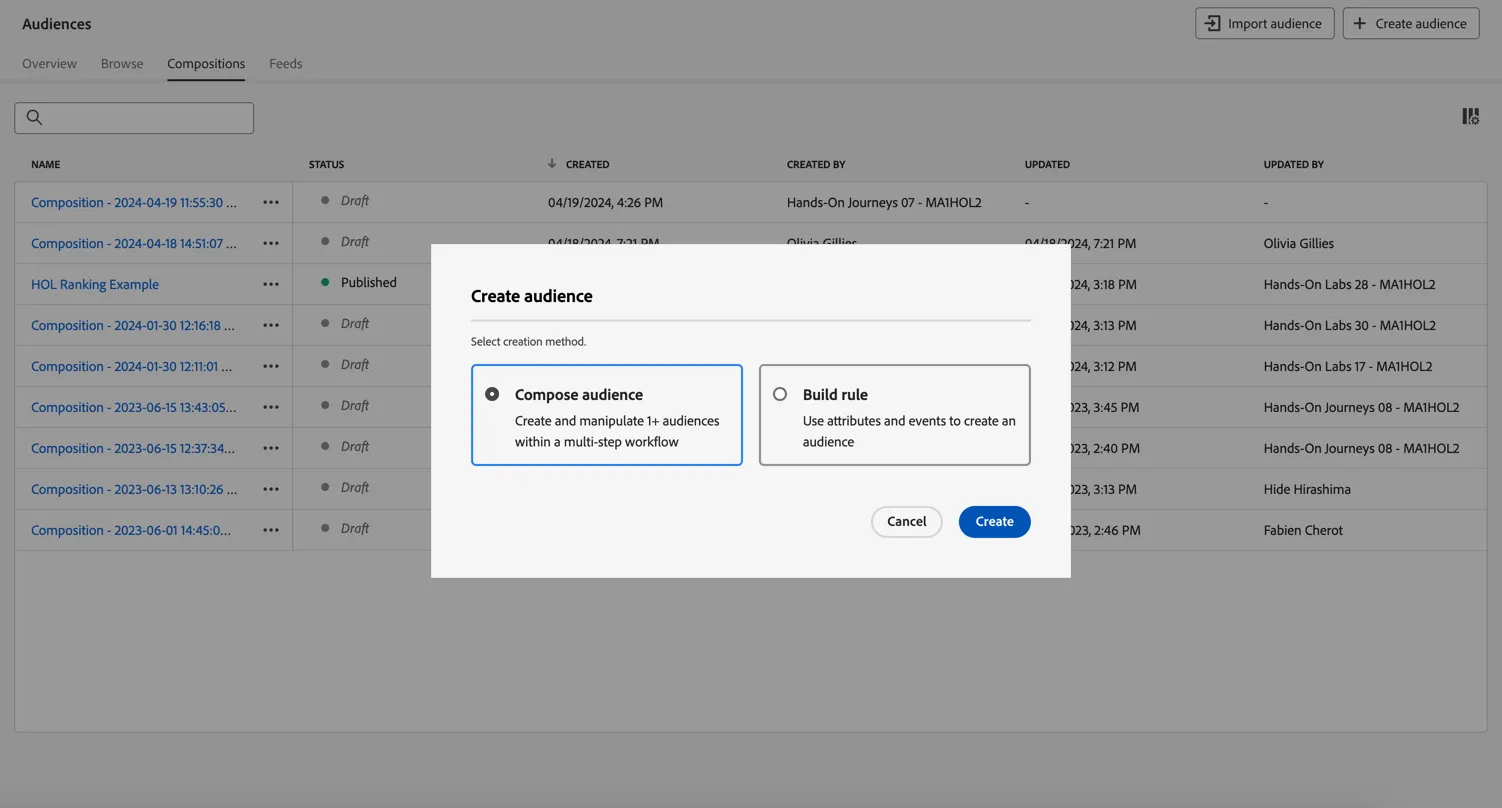
- Go to Audiences and click to + Create Audience. Select Compose Audience and click Create.
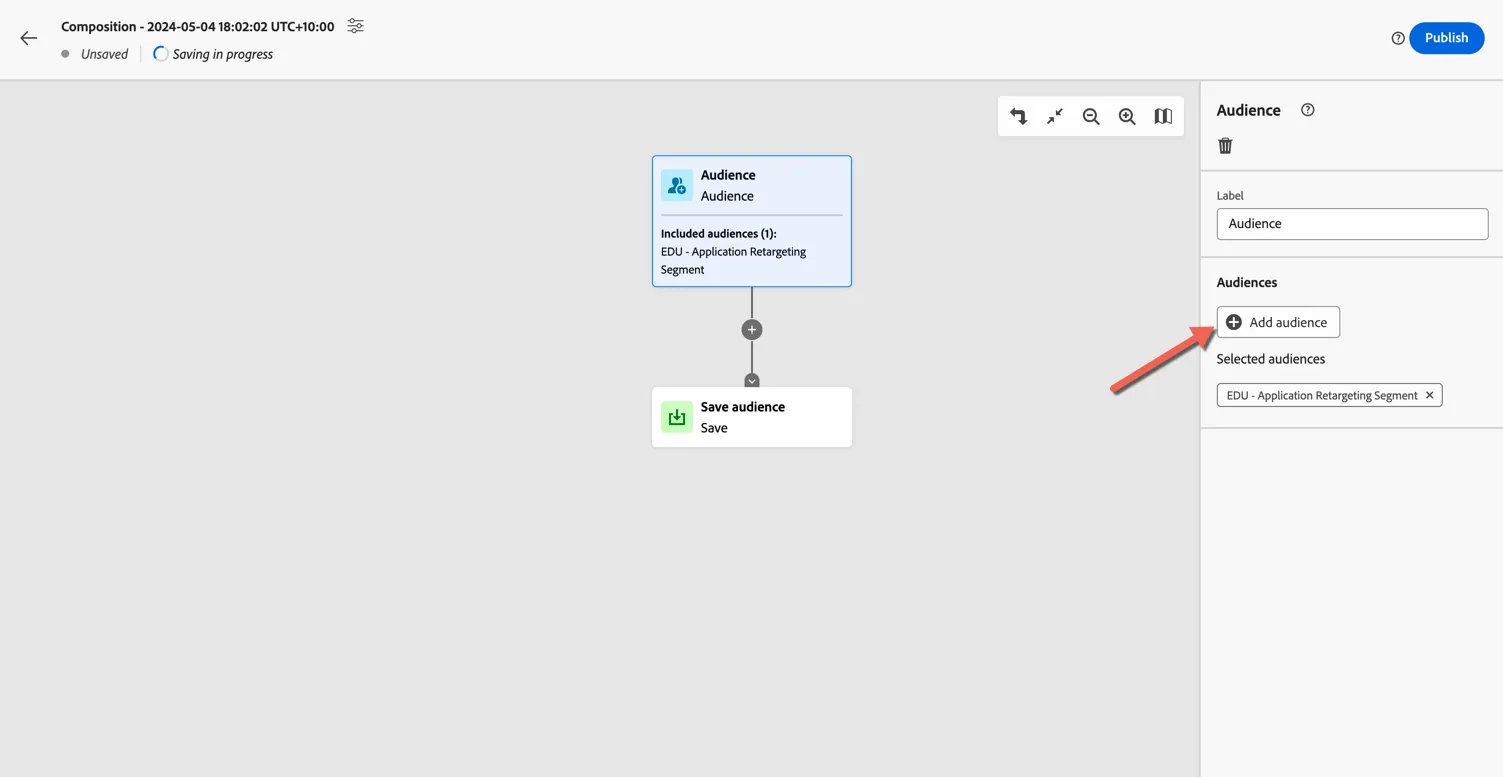
2. Select the Audience activity that starts the composition. Click to Add Audience and select your retargeting segment.
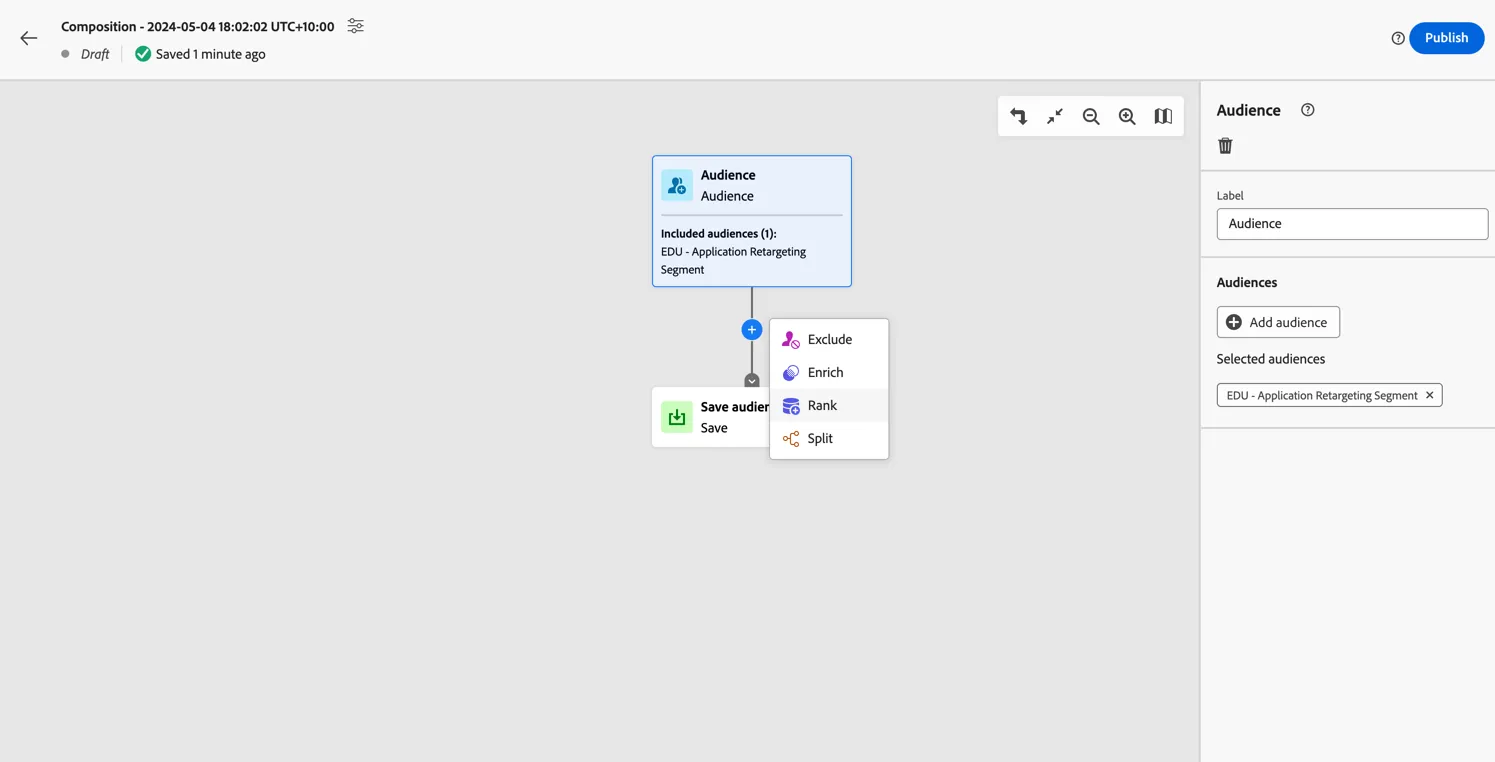
3. Click on the plus after the audience activity and select to add a Rank activity.
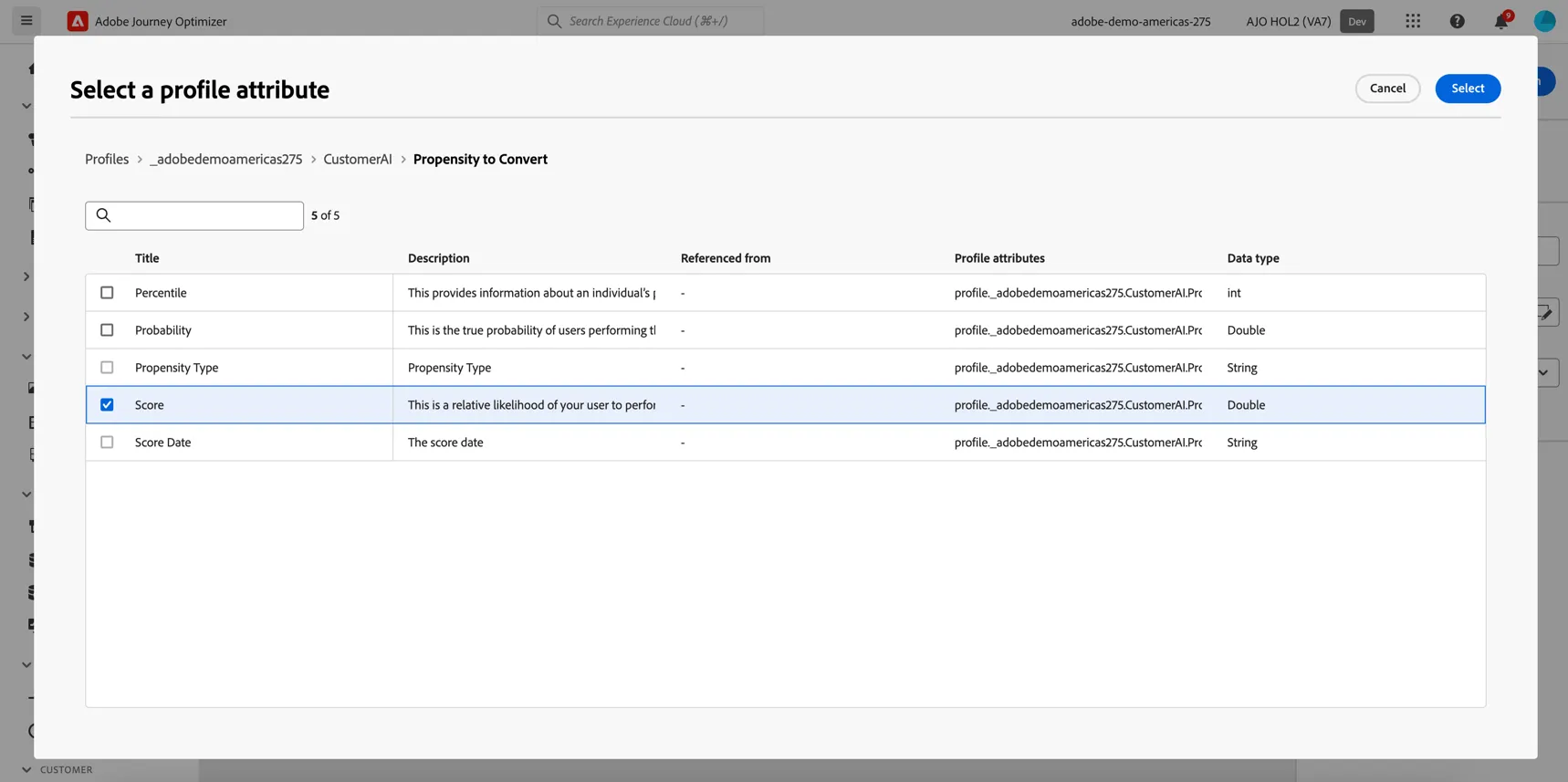
4. Select the adobedemoamericas275 -> Customer AI -> propensity to convert -> score as the attribute to use for ranking
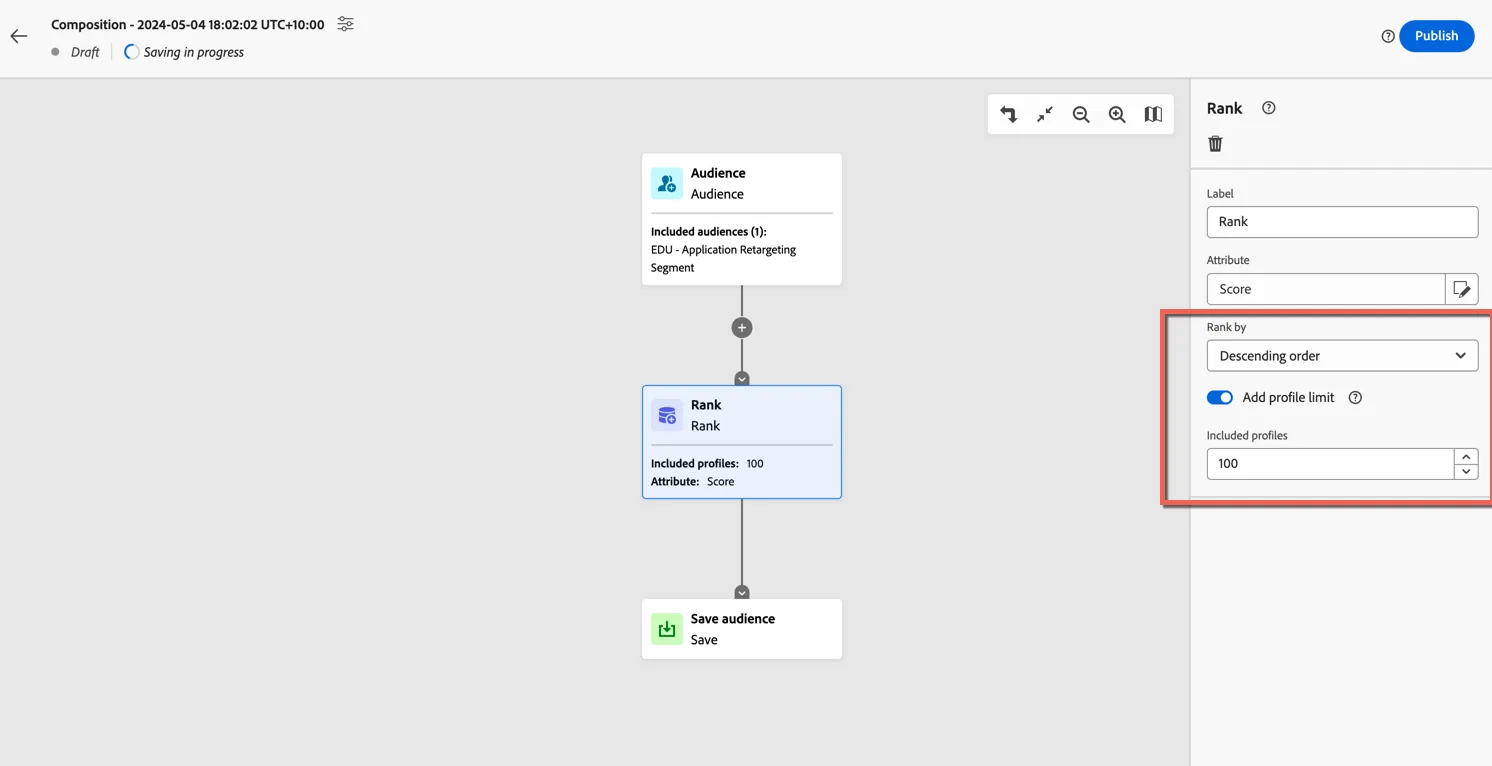
5. Change the Ranking order from Ascending to Descending - we want the profiles with the highest propensity. And add a limit of 100.
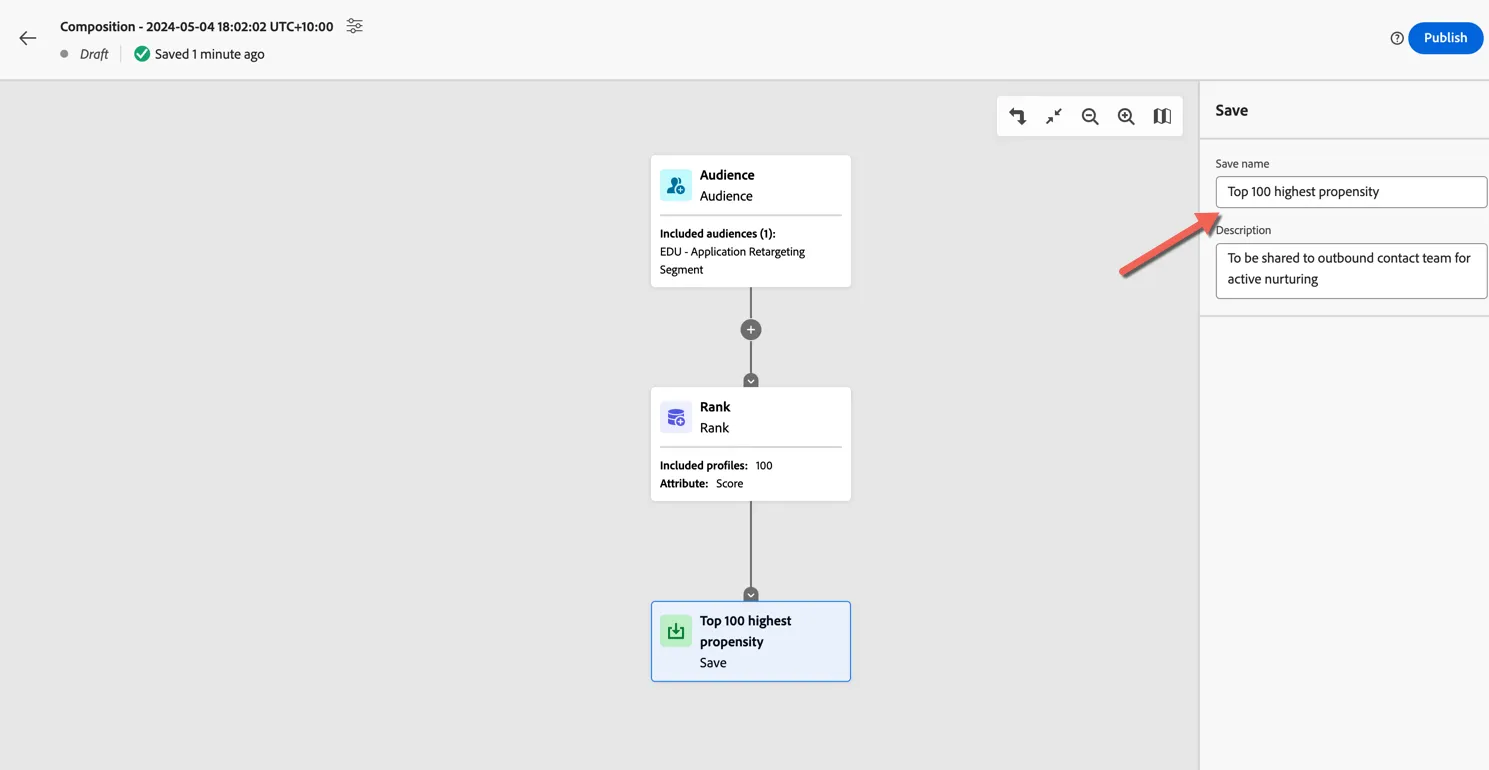
6. Give the output audience a name.
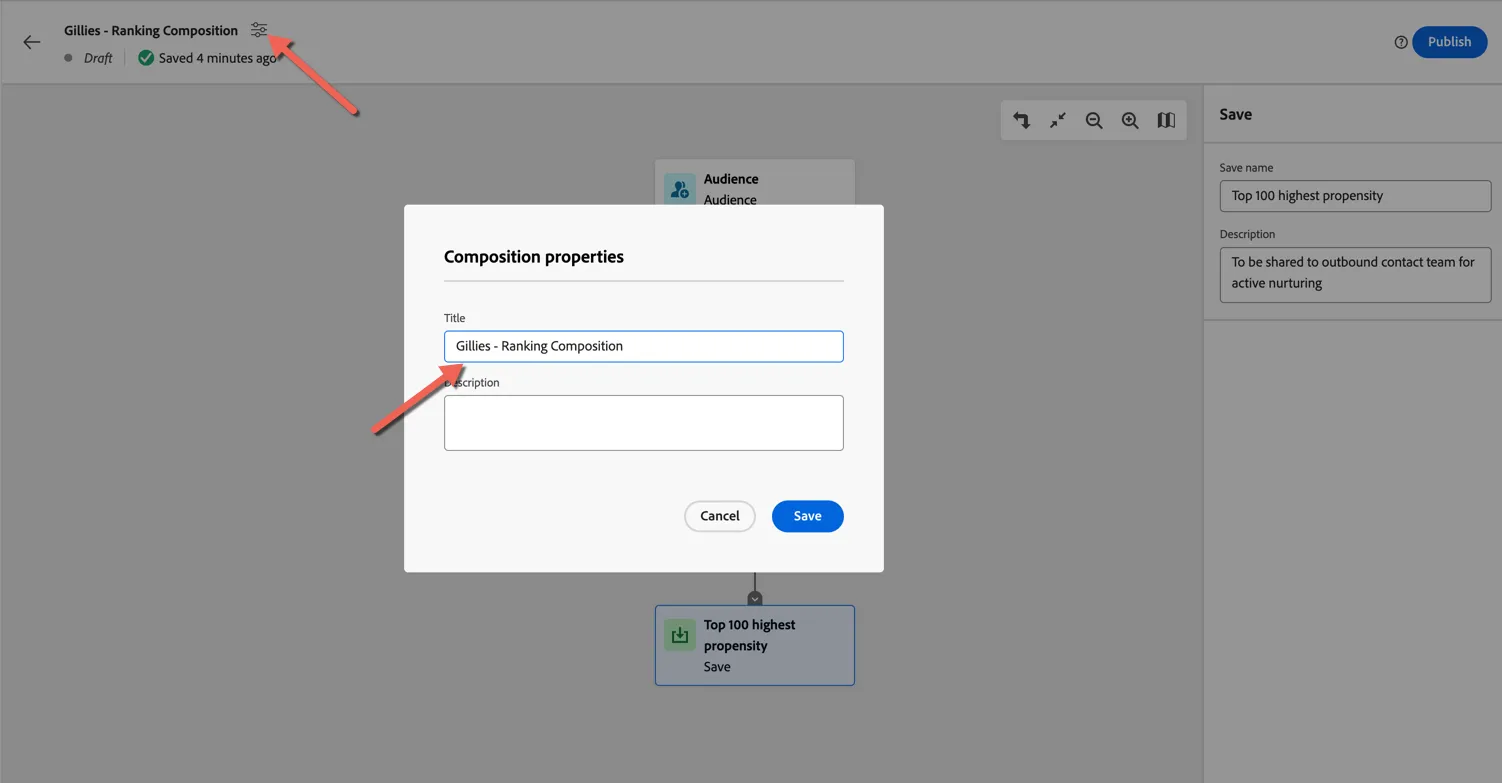
7. Lastly give your composition a name by clicking on the settings at the top left. Make the name unique so you can identify it easily.
Congratulations you have successfully created an audience composition workflow. Once published the workflow will execute once per day to populate the audience with the top 100 highest ranked members.