Fall Out Analysis
Fallout Visualisation
The Fallout visualisation is great for understanding customer paths when there are specific points or events you want to account for. For example, measuring which customers are starting a journey such as a purchase and understand where they drop off.
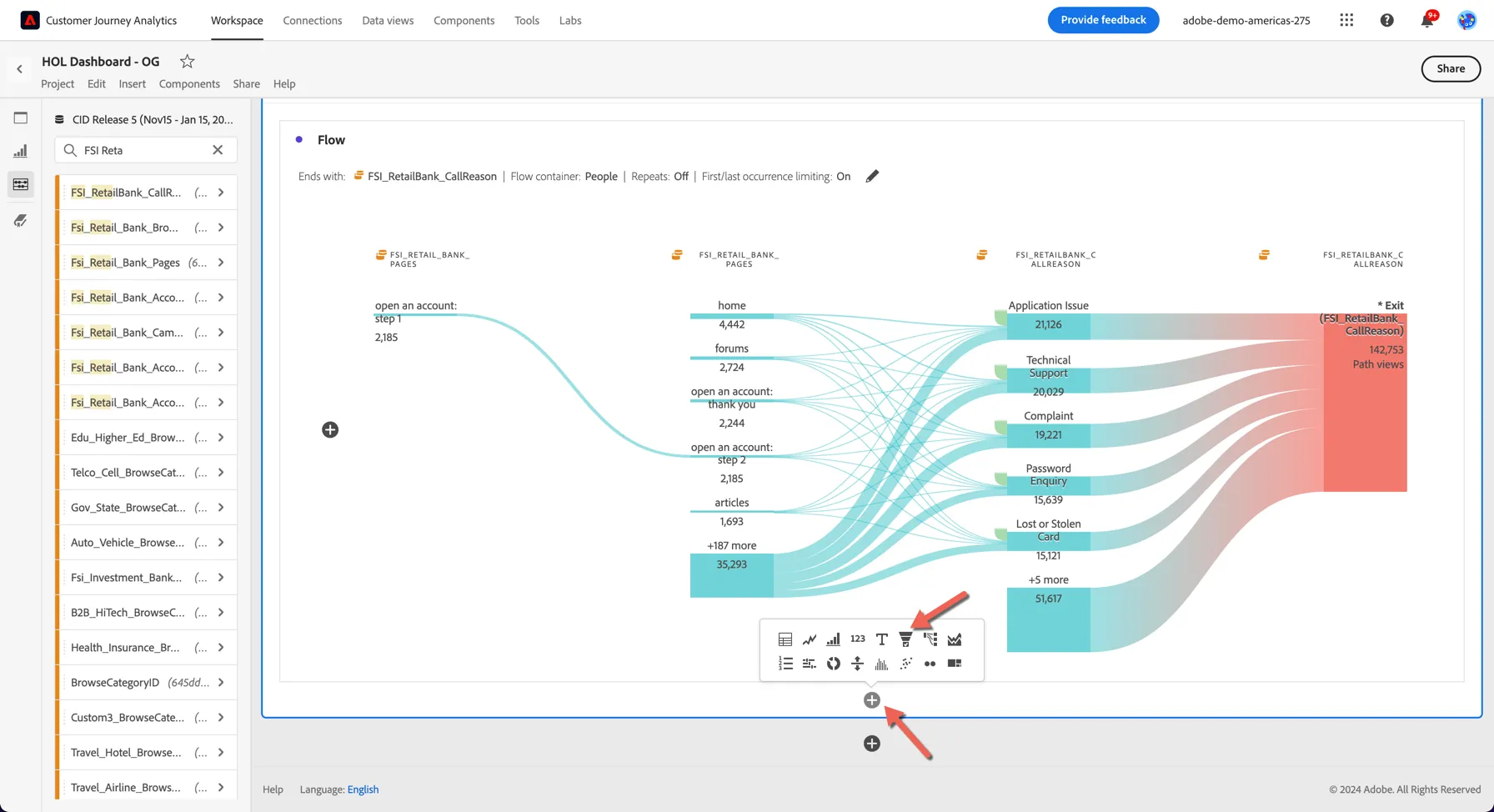
- Add a new visualisation to your dashboard by clicking the + icon inside the panel at the bottom. Select the icon that looks like a Funnel
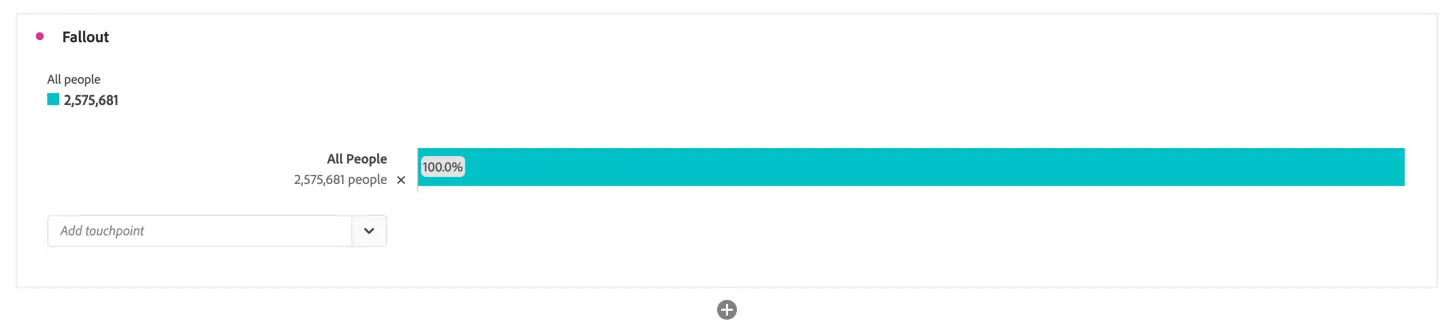
The fallout will start with all people. It then requires you to add the touch points in the process that you want to measure fall-through on as well as fall-out for.
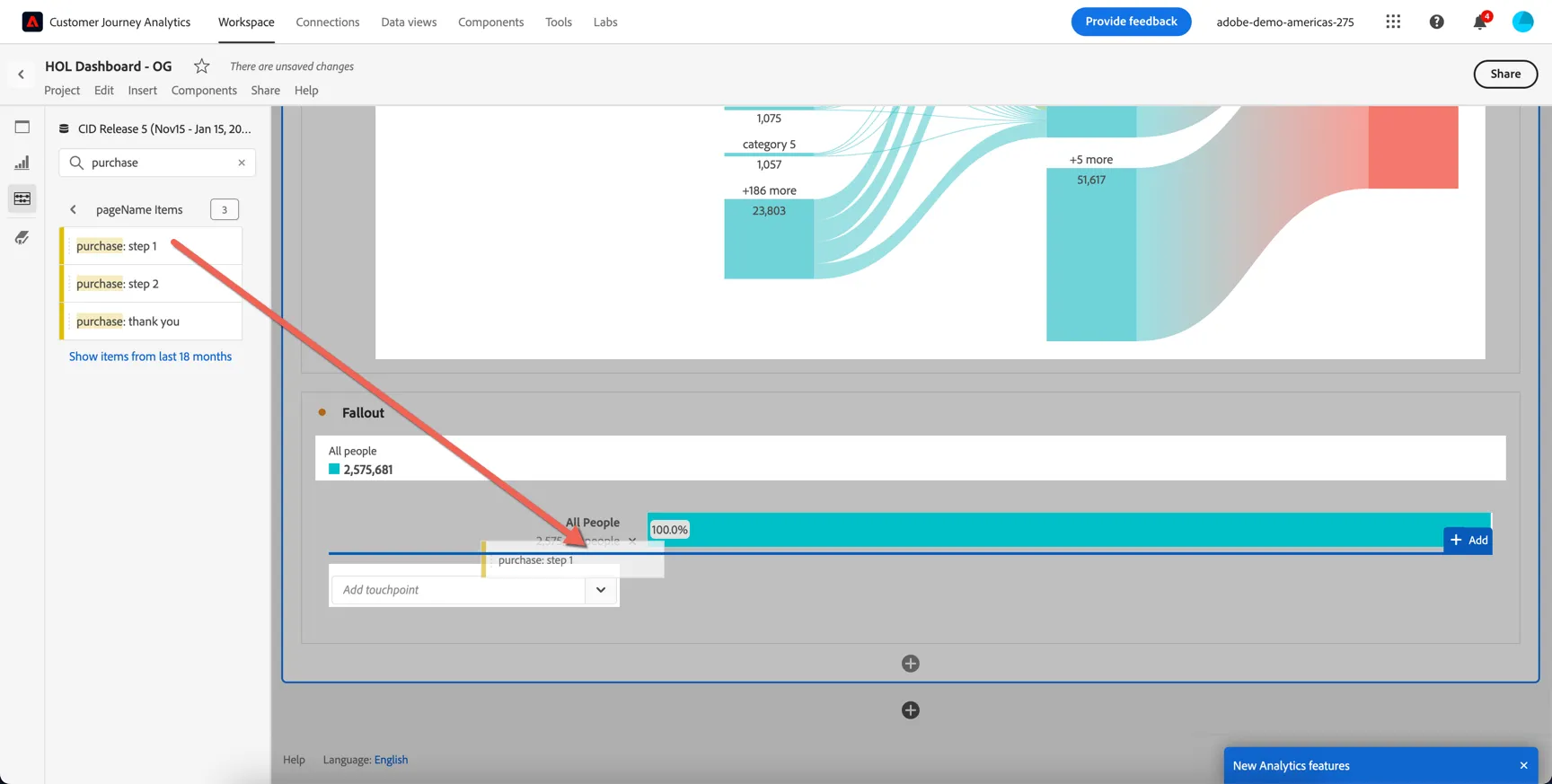
2. From the Components menu, drill into the values for pageNames and search for purchase.
- Drag purchase: step 1 into the Add Touchpoint drop zone, just under all people
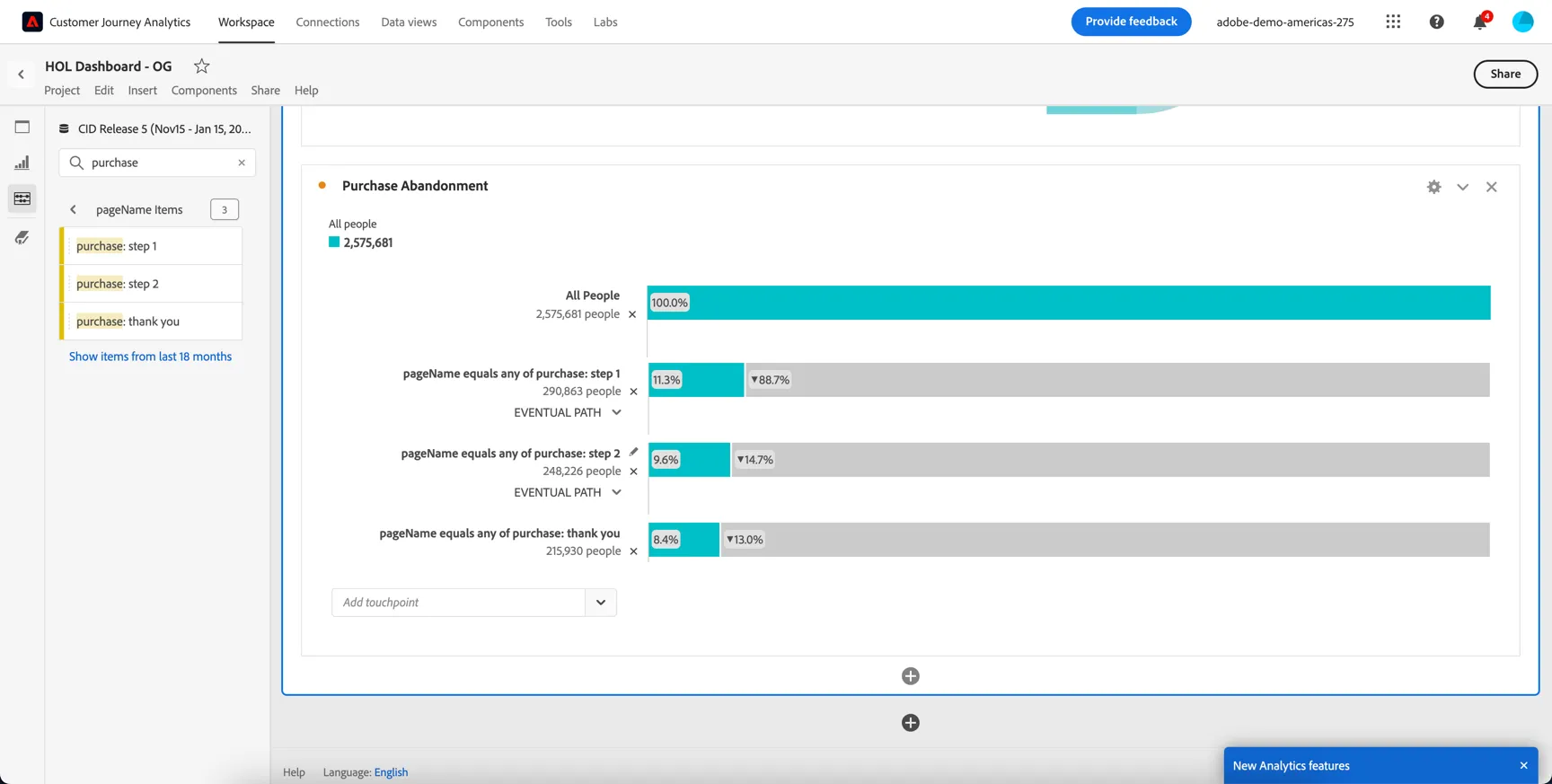
3. Repeat the process for purchase: step 2 and purchase: thank you
4. Rename your fallout to Purchase Abandonment
5. Finally hit Ctrl/Command S to Save your project.
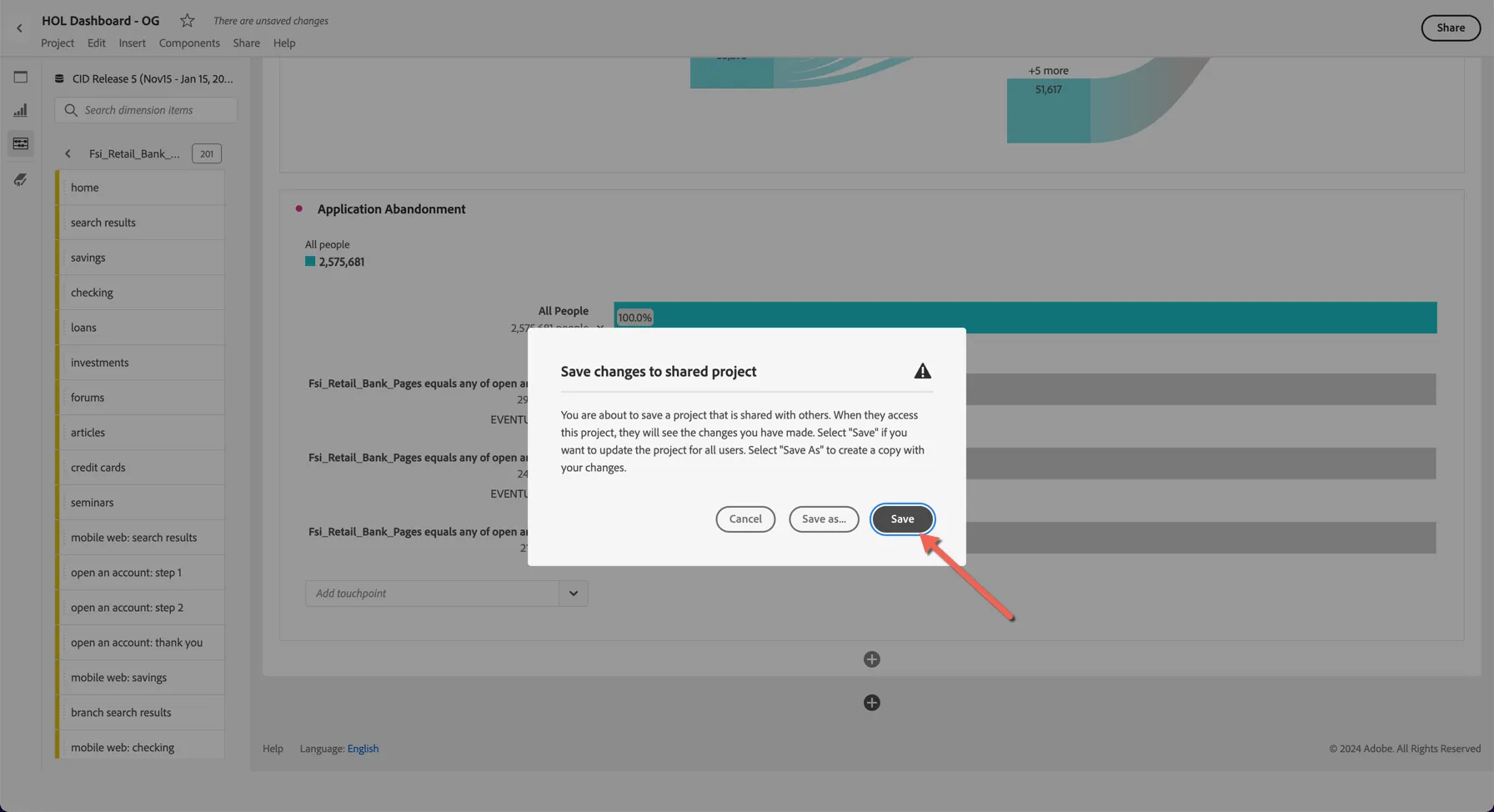
This is a great way to understand if your application process is too complex and need to be optimized.
Congratulations, this completes the fall out exercise