Ingest data from Adobe Campaign
This excercise will be delivered as Demo.
In this exercise, you’ll ingest Adobe Campaign Delivery Logs data into AEP by using Adobe Campaign Managed Services Source Connector.
Ingest data from Adobe Campaign
Follow the steps below to ingest data from Adobe Campaign.
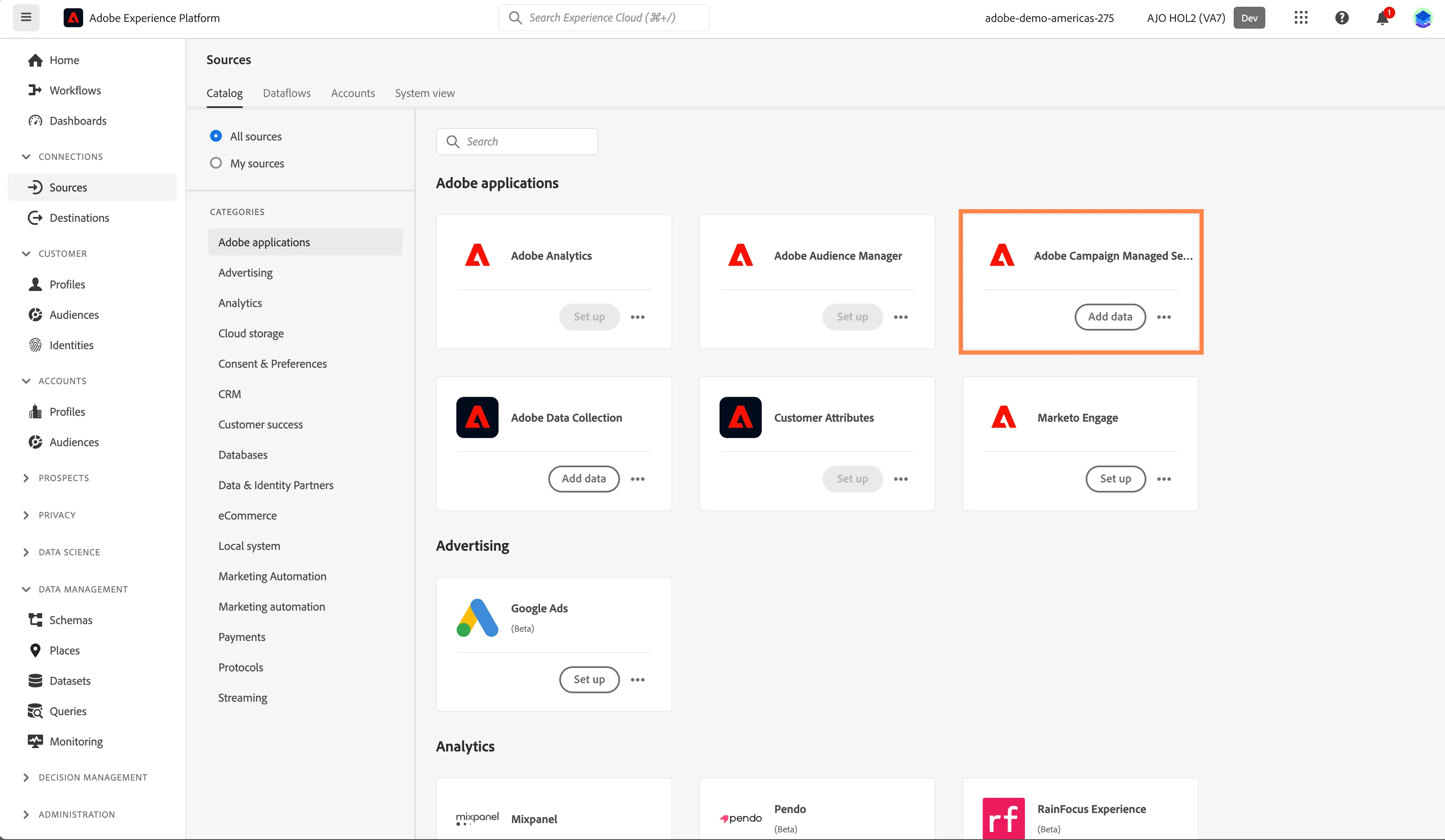
- In the left rail, click on Connections and choose Sources. You’ll then see the Sources Catalog.
- Under Categories, select Adobe Applications, click the Add Data on the Adobe Campaign Managed Services card.
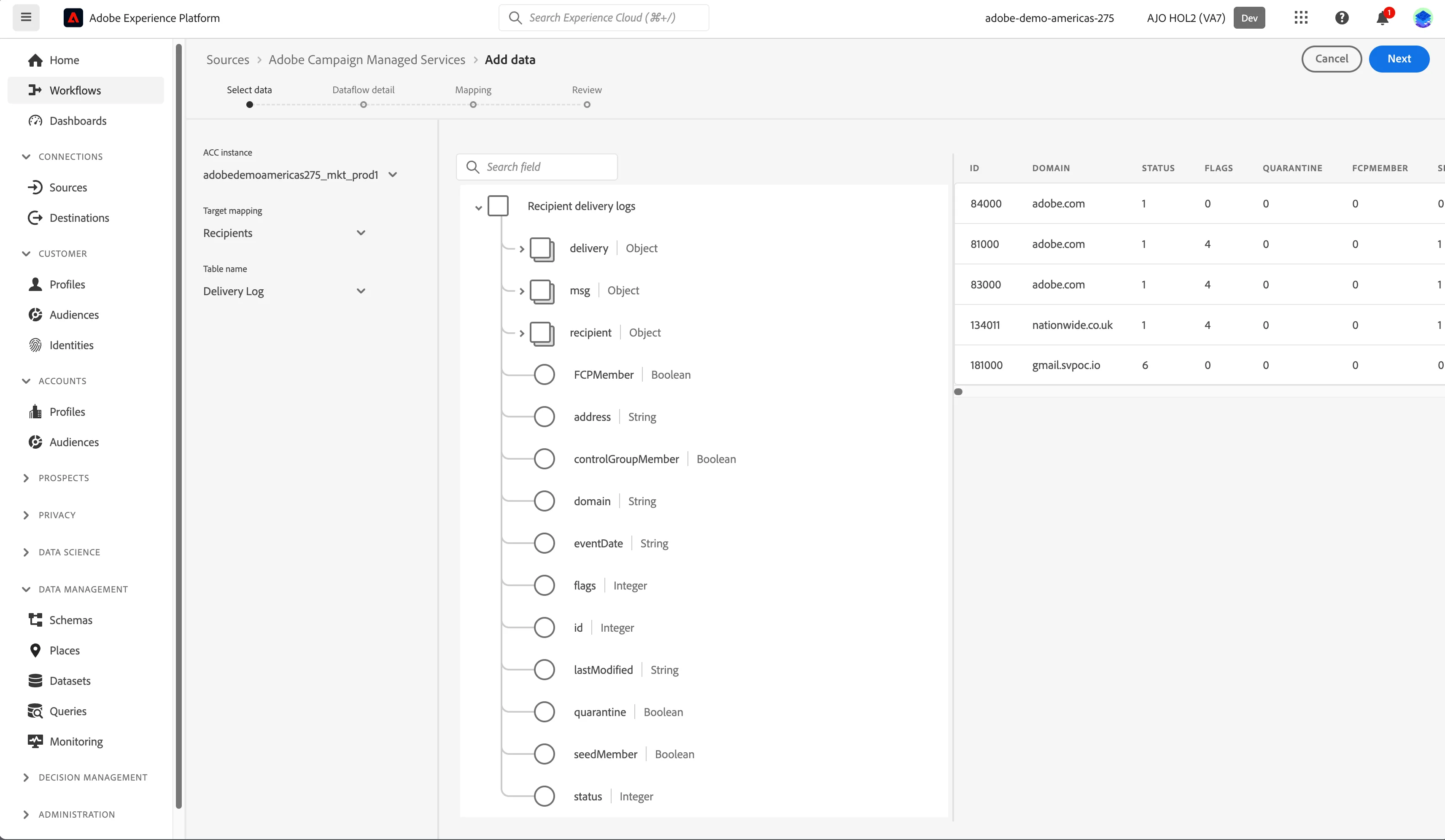
3. Select values from dropdown as mentioned below. Click Next.
- ACC instance: adobedemoamericas275_mkt_prod1
- Target mapping: Recipients
- Table name: Delivery Log
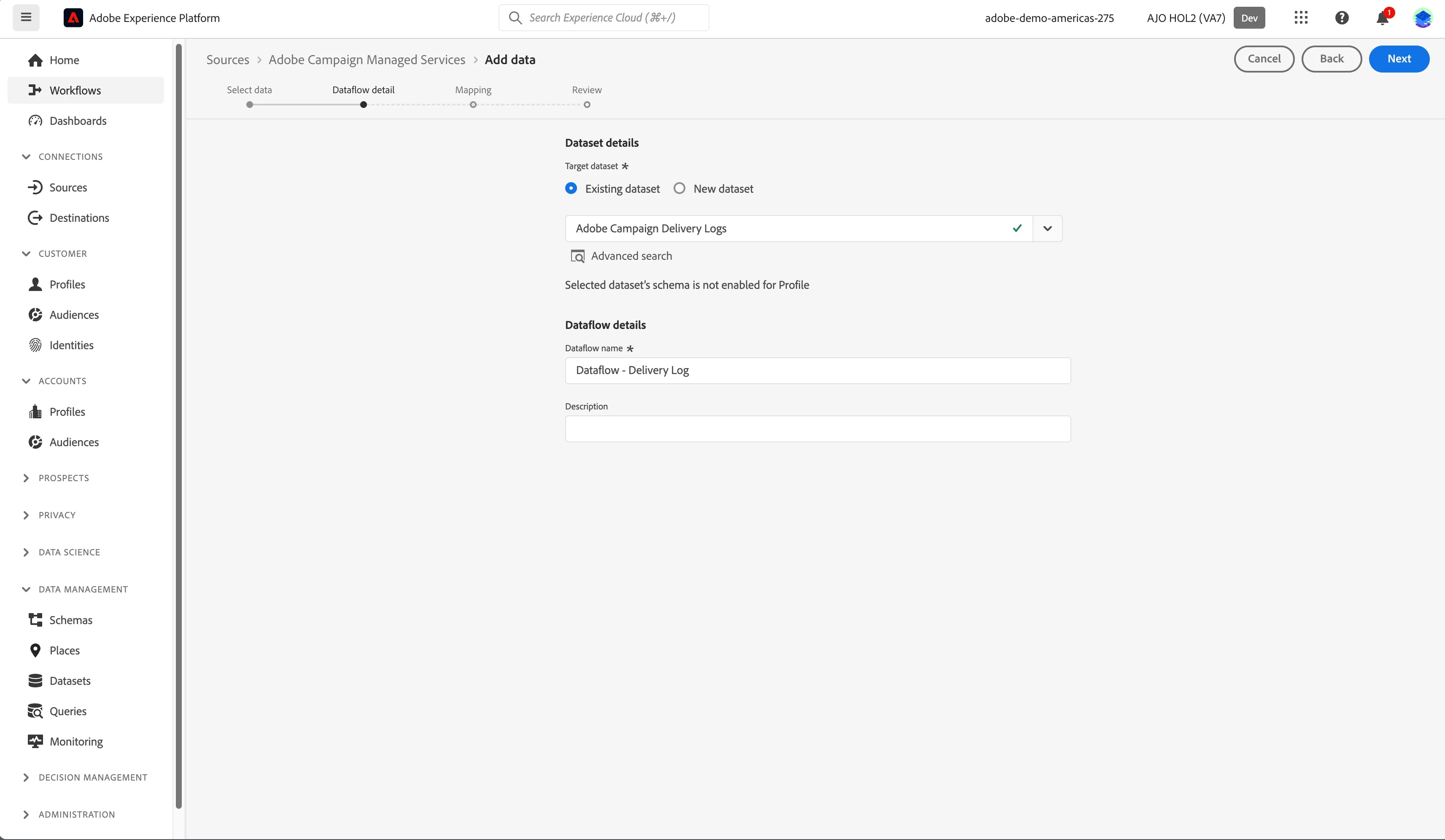
4. On the Dataflow detail tab:
- Select Existing dataset for Target dataset
- Select Adobe Campaign Delivery Logs from dataset dropdown.
- Keep the default values for the rest and click Next.
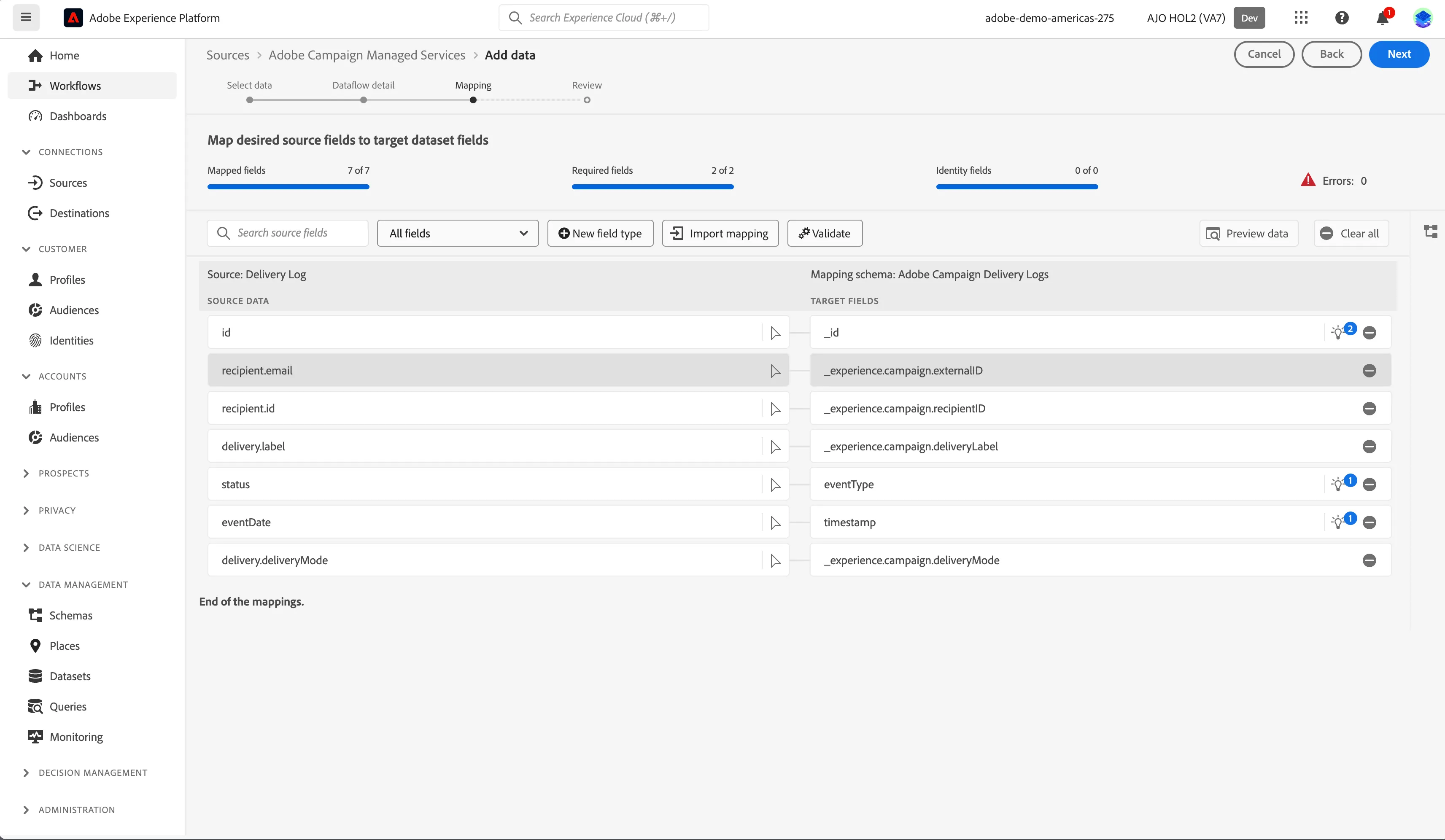
5. On the Mapping tab, perform below steps:
- Map only the fields displayed in screenshot below.
Alternatively, you can import the already configured mapping for the dataset by clicking on Import mapping and selecting Dataflow - Delivery Log.
- Remove the remaining fields from mapping.
- Click on Validate. Click Next.
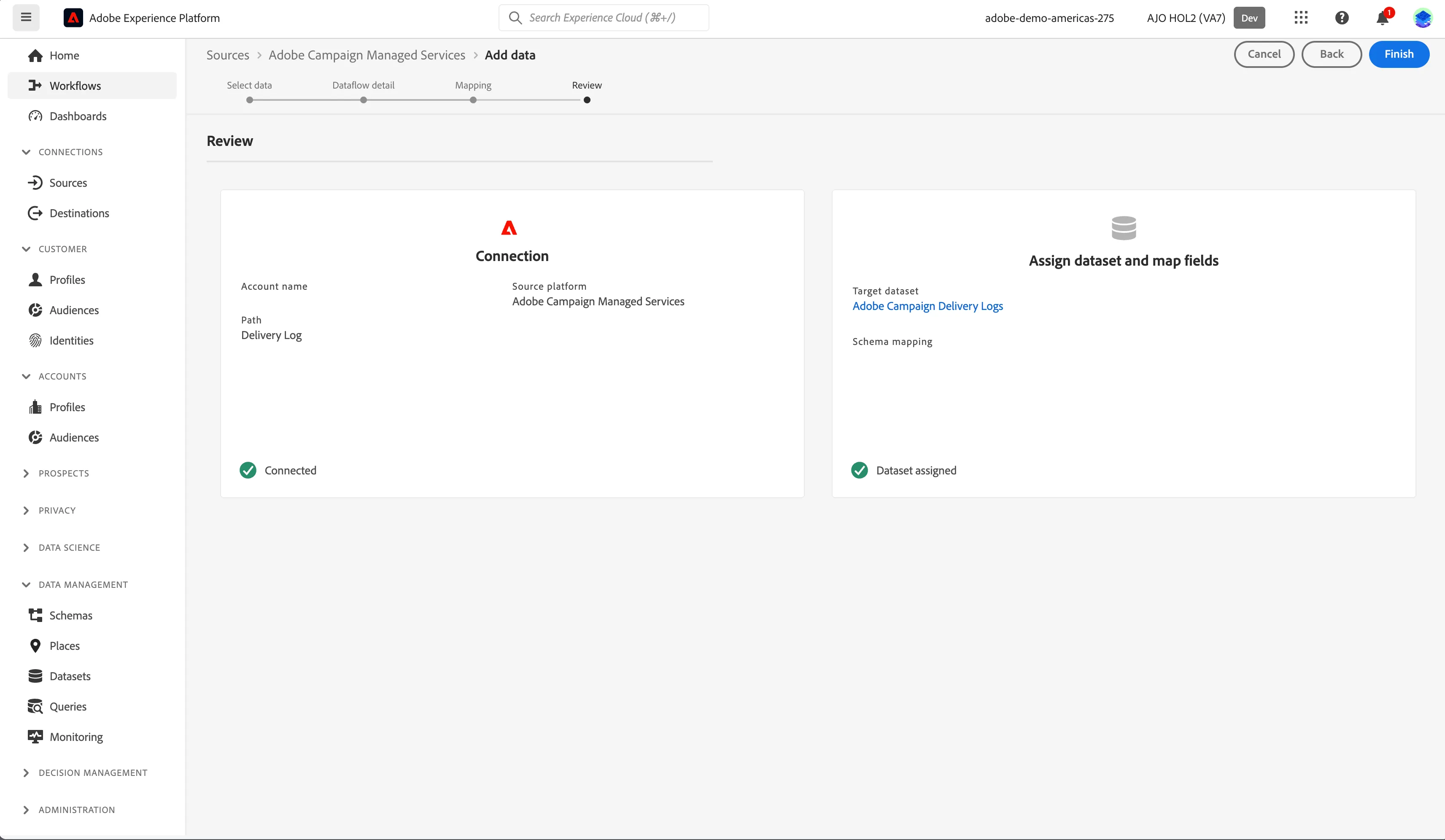
6. Review the details and click Finish.
7. Configured dataflow will be displayed.
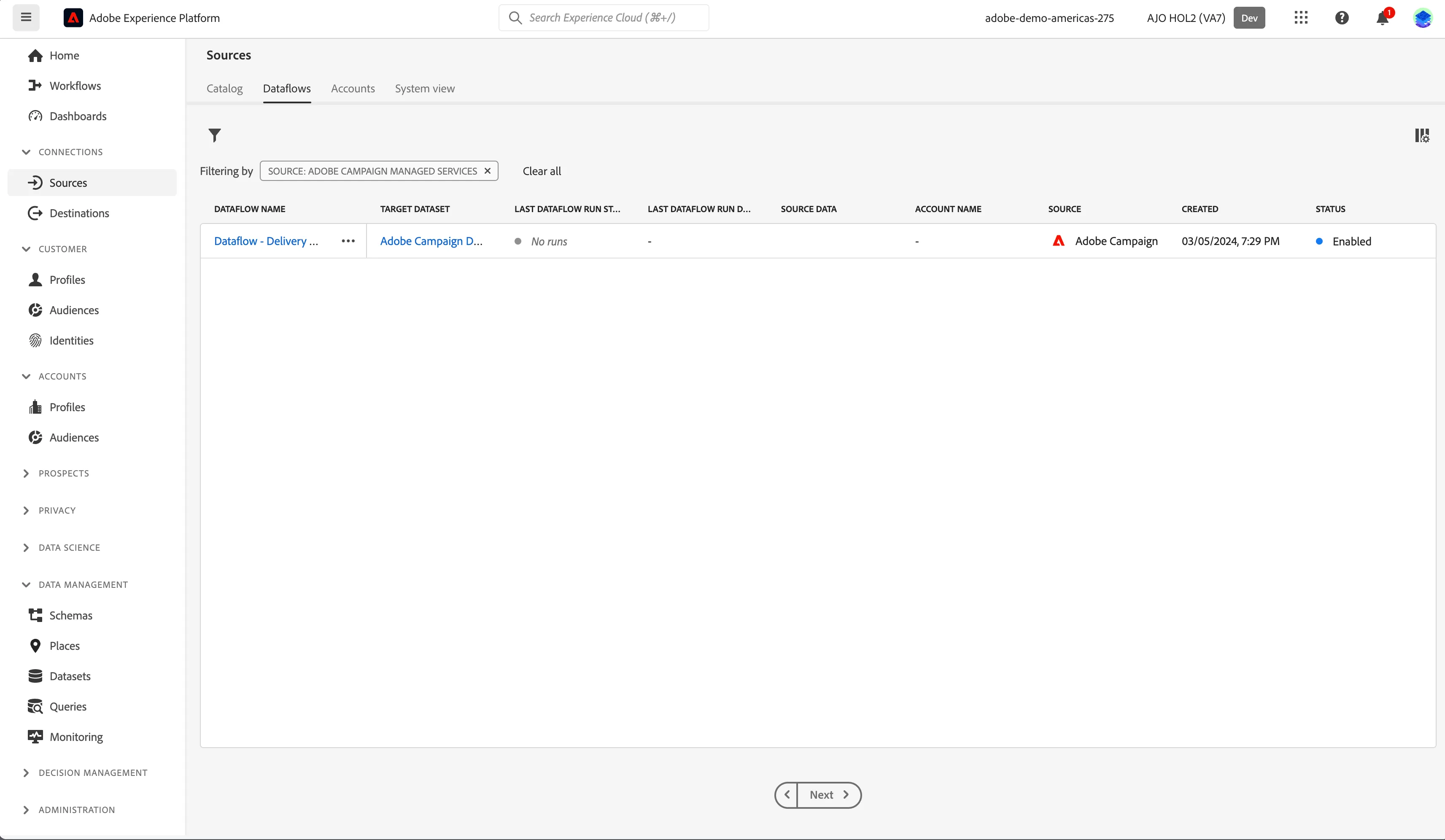
You have now successfully ingested data from Adobe Campaign.