Ingest data from Amazon S3
In this exercise, you’ll ingest customer profile data into AEP by using Amazon S3 Source Connector.
Connect to Amazon S3
- For this exercise, we'll be using HOL S3 Bucket Amazon S3 connection.
Ingest data from Amazon S3
For this exercise, we have uploaded sample_crm.csv file to Amazon S3 bucket. Follow the steps below to select the file for ingestion.
- In the left rail, click on Connections and choose Sources. You’ll then see the Sources Catalog.
- Under Categories, select Cloud storage, click the Add Data on the Amazon S3 card.
- Click Existing account and select the HOL S3 Bucket. Click Next.
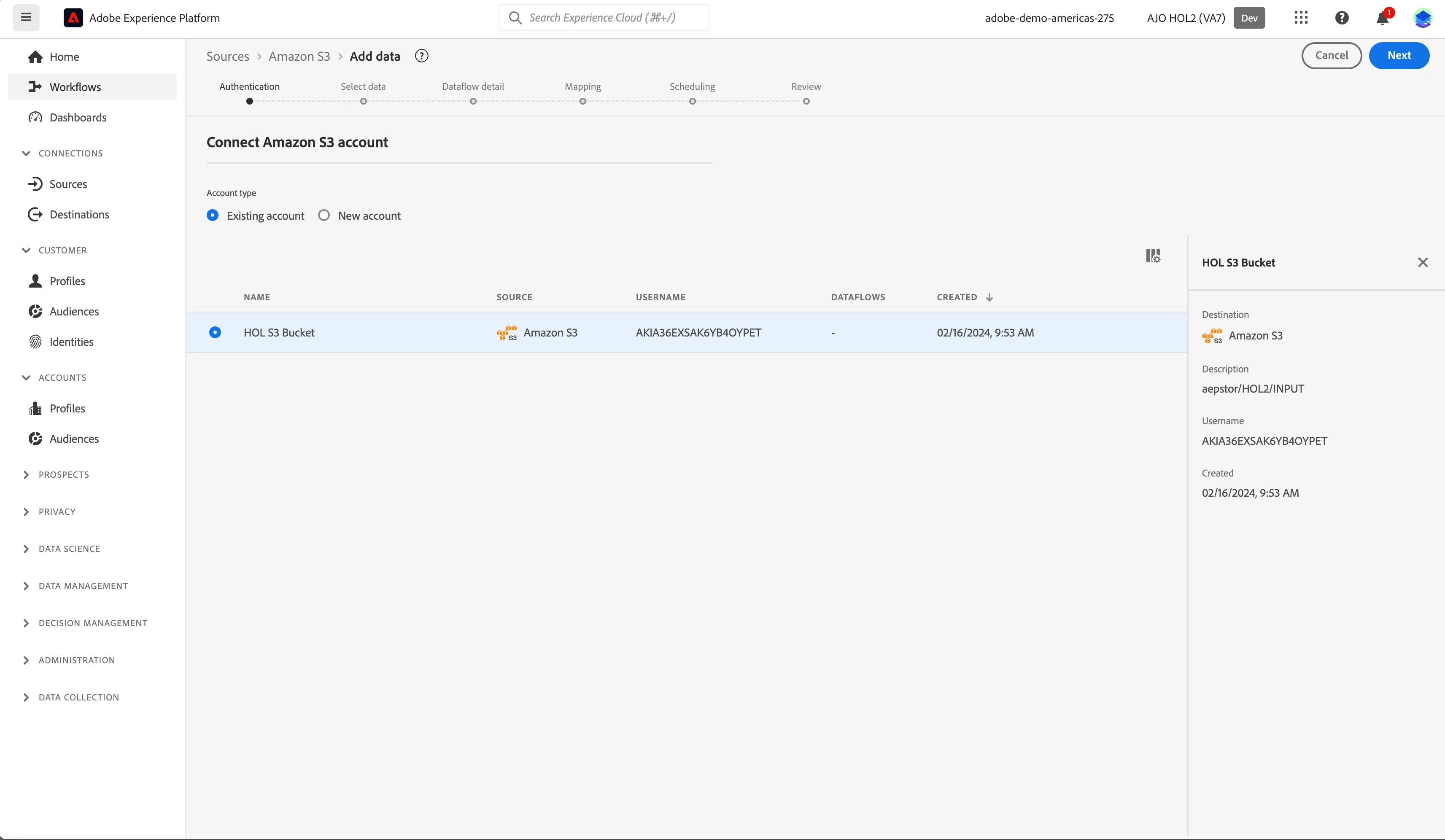
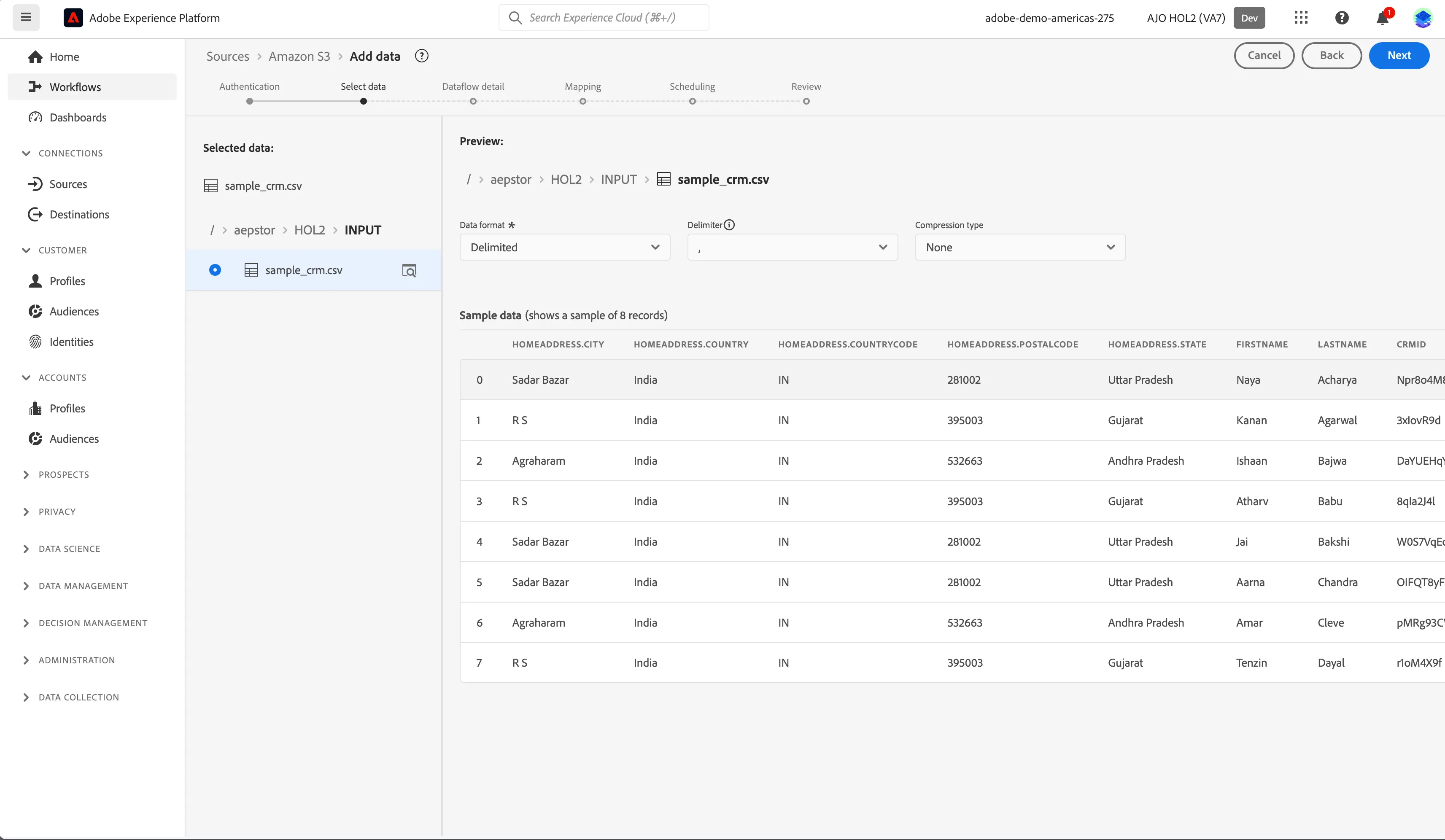
4. Click sample_crm.csv and select Delimited from Data format. Sample records from the csv will be dsiplayed. Click Next.
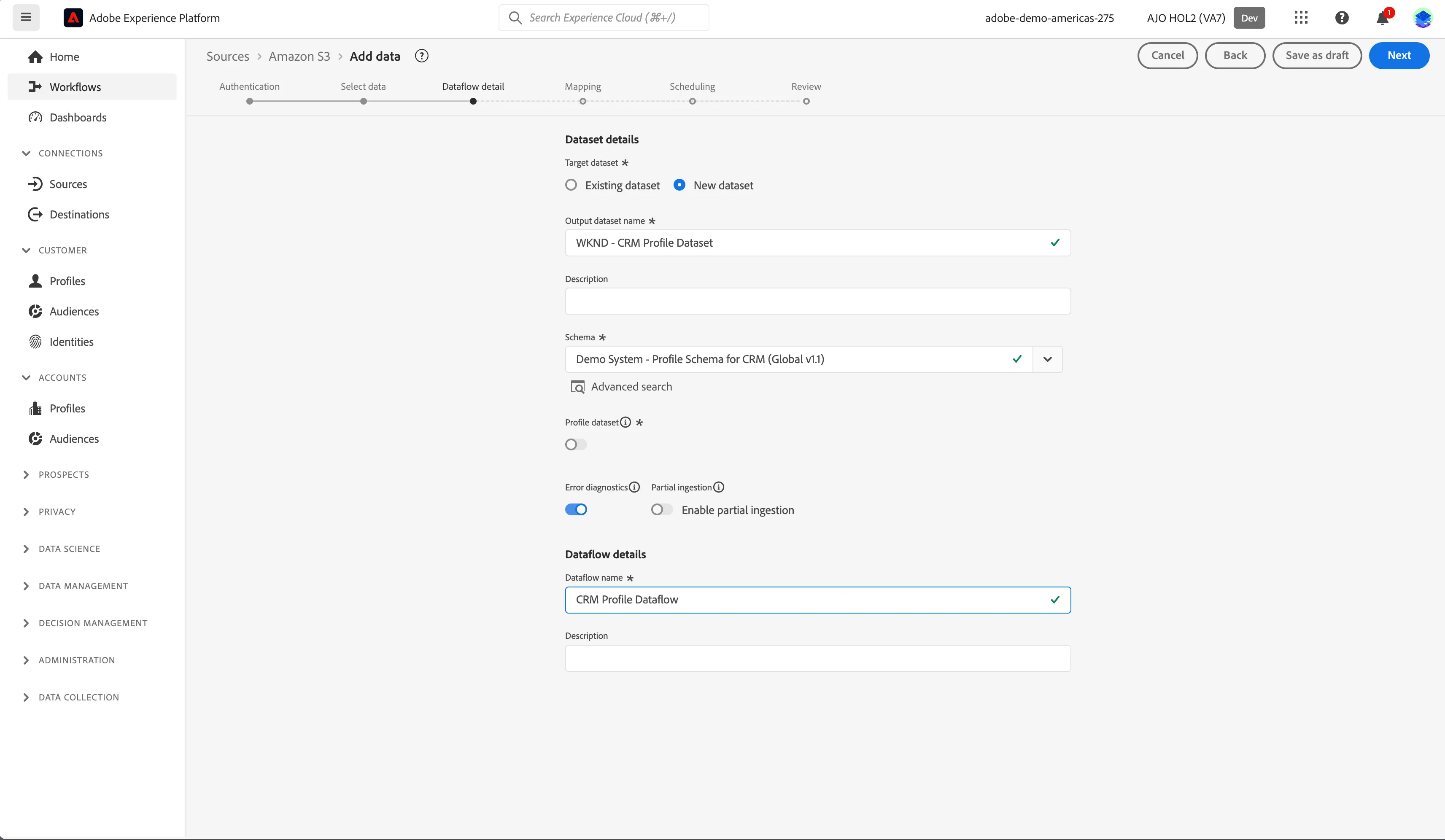
5. Click New dataset and set the Output dataset name to [your initials] - CRM Profile Dataset. Select the Demo System - Profile Schema for CRM (Global v1.1) from Schema dropdown. Set Dataflow name to [your initials] - CRM Profile Dataflow. Click Next.
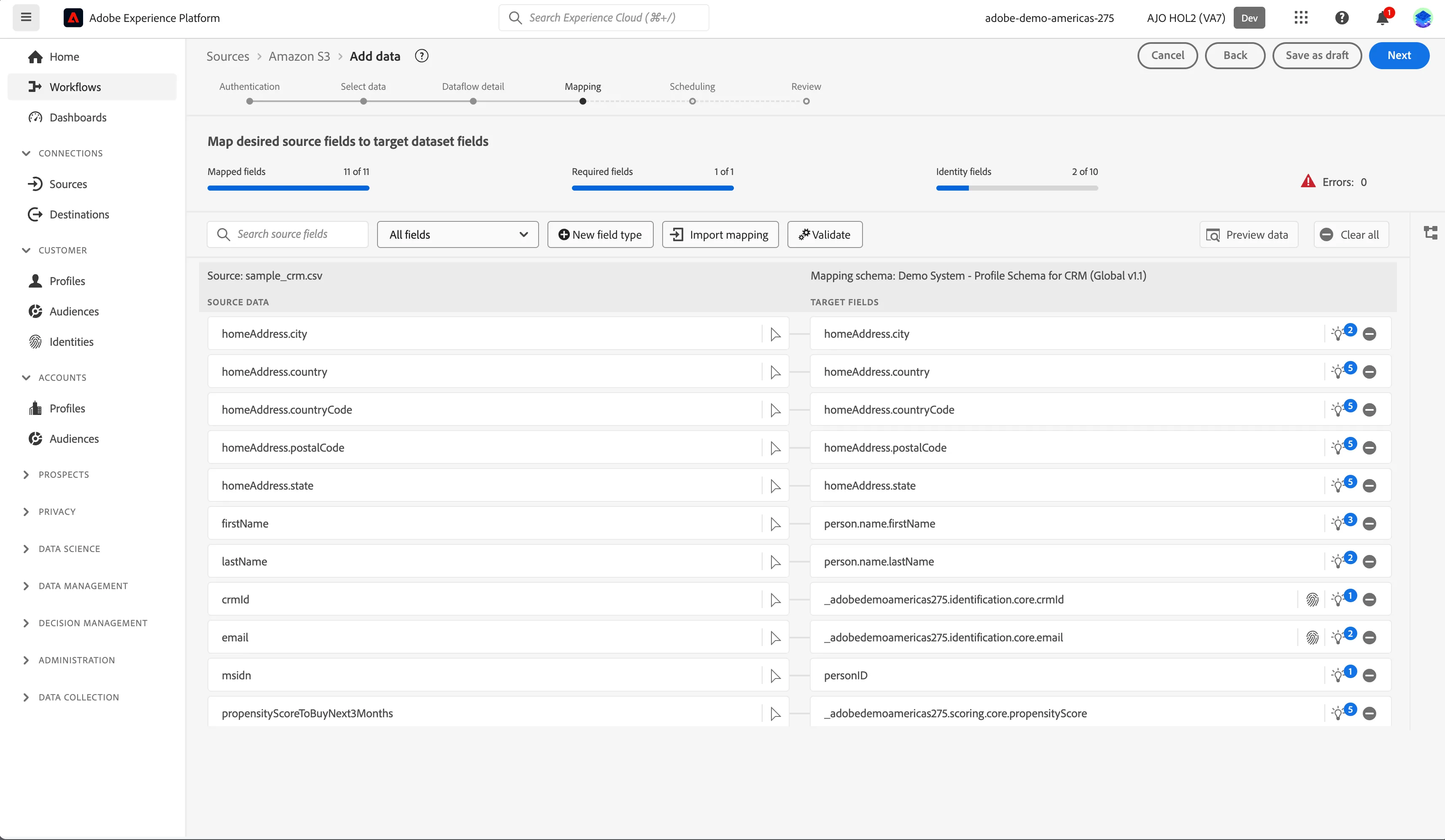
6. Fields from csv file are automatically mapped to selected Schema. Review the values and click Next.
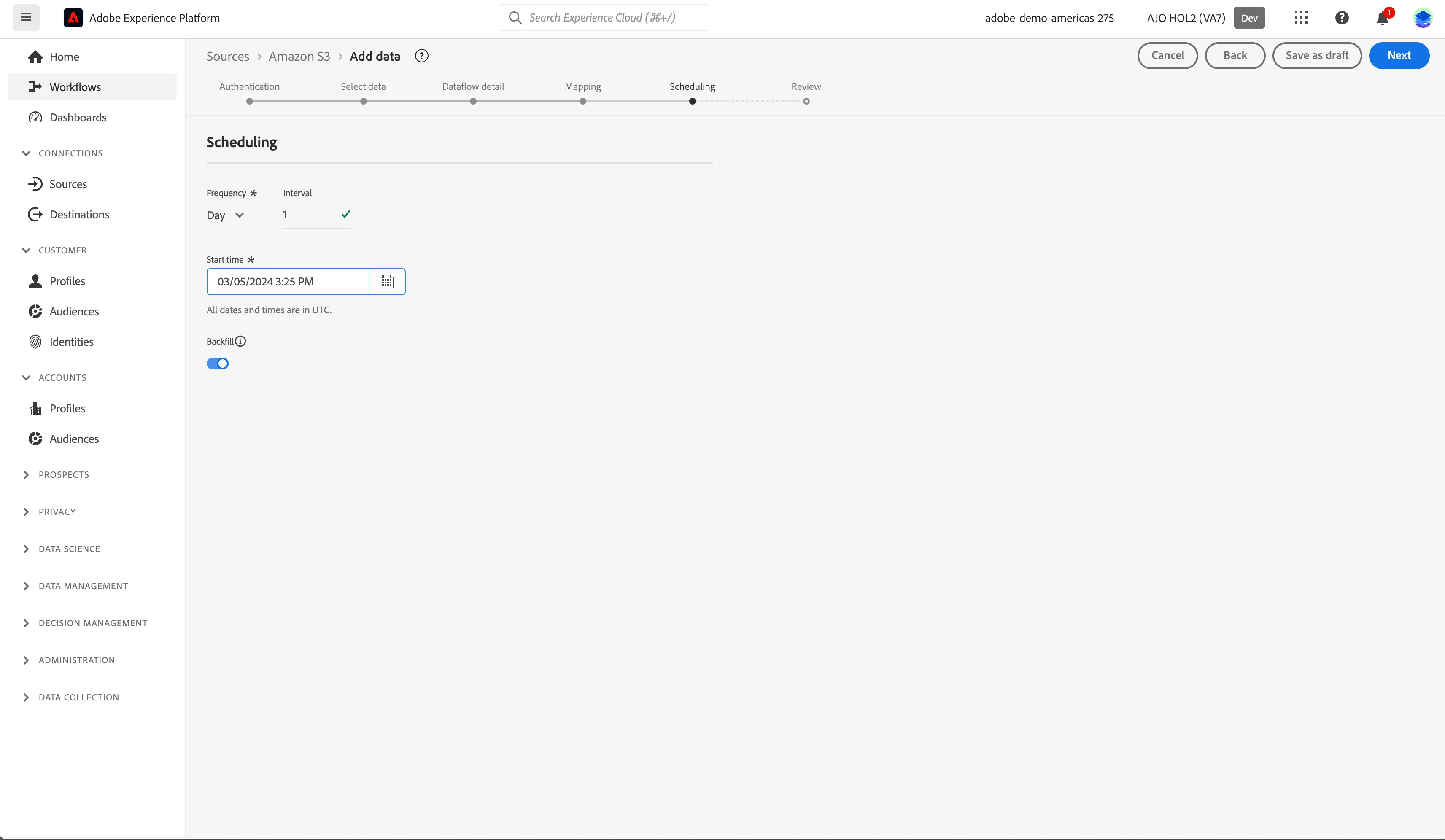
7. Set Frequency to Day, Interval to 1 and select tomorrow's date for Start time. Click Next.
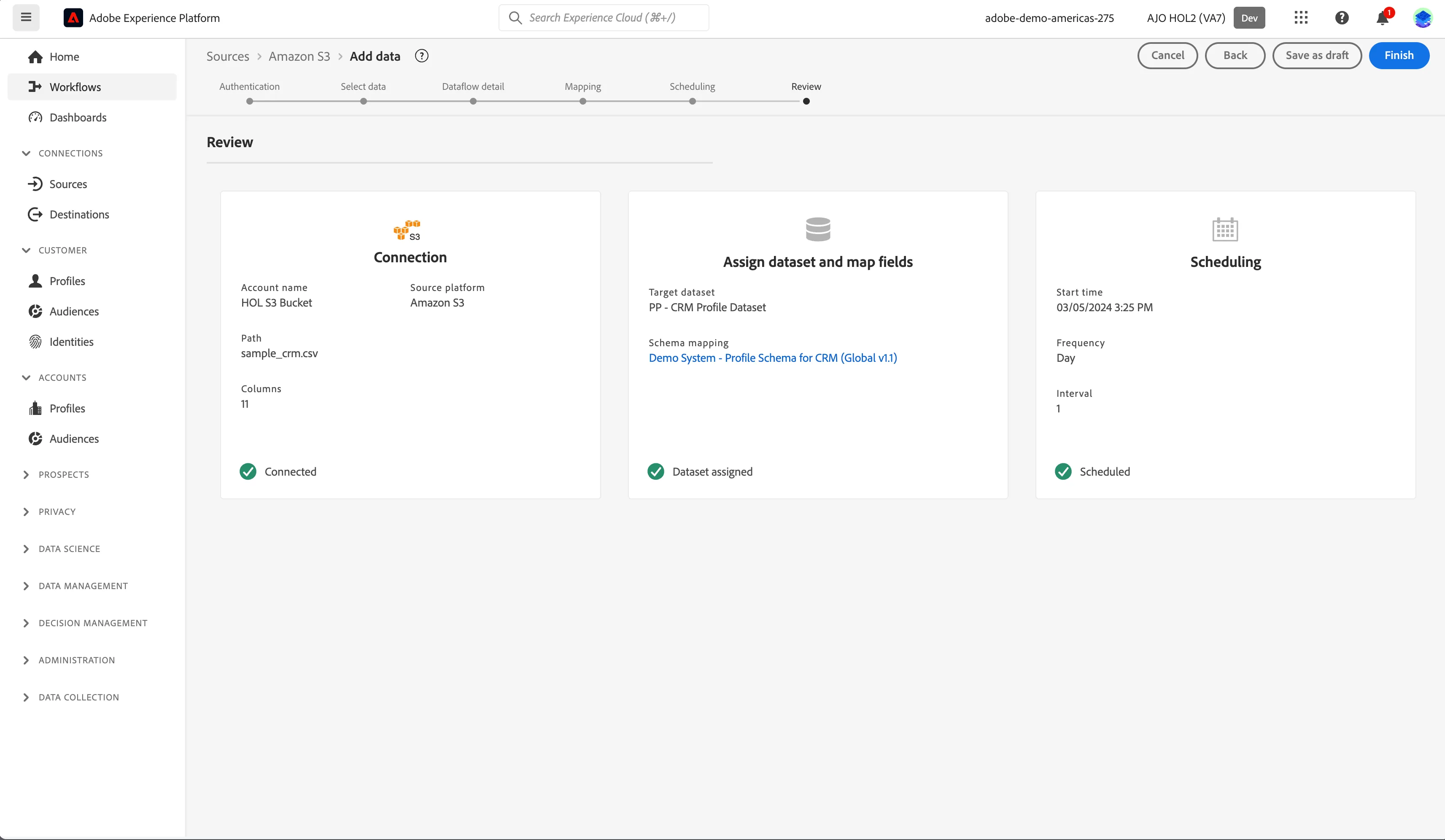
8. Review and click Finish.
9. Configured dataflow will be displayed under the Amazon S3 source connector.
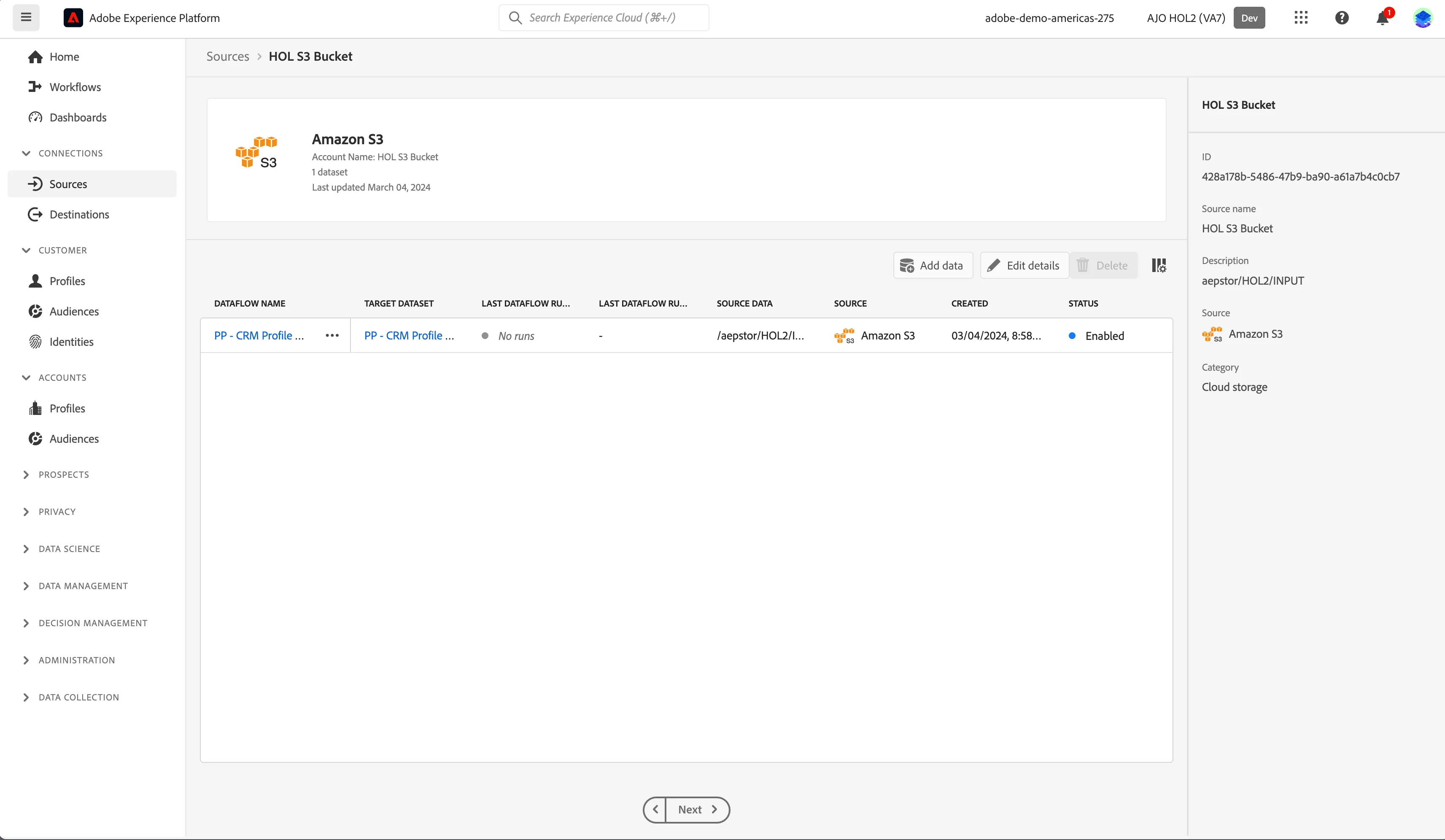
You have now successfully ingested data from Amazon S3 source connector.