Adobe Real-Time Customer Data Platform AI Assistant
Adobe Real-Time Customer Data Platform AI Assistant
Adobe Real-Time Customer Data Platform AI Assistant is a conversational experience that allows practitioners to perform tasks at a fast pace. Whether the task is to understand concepts, troubleshoot problems, or search through information. Adobe Real-Time Customer Data Platform AI Assistant also allows non-experts to perform expert tasks and increases the overall quality of work.
The Adobe Real-Time Customer Data Platform AI Assistant is trained on its Adobe Experience League documentation. When asked a question, AI Assistant responds with a helpful answer that enables quick learning.
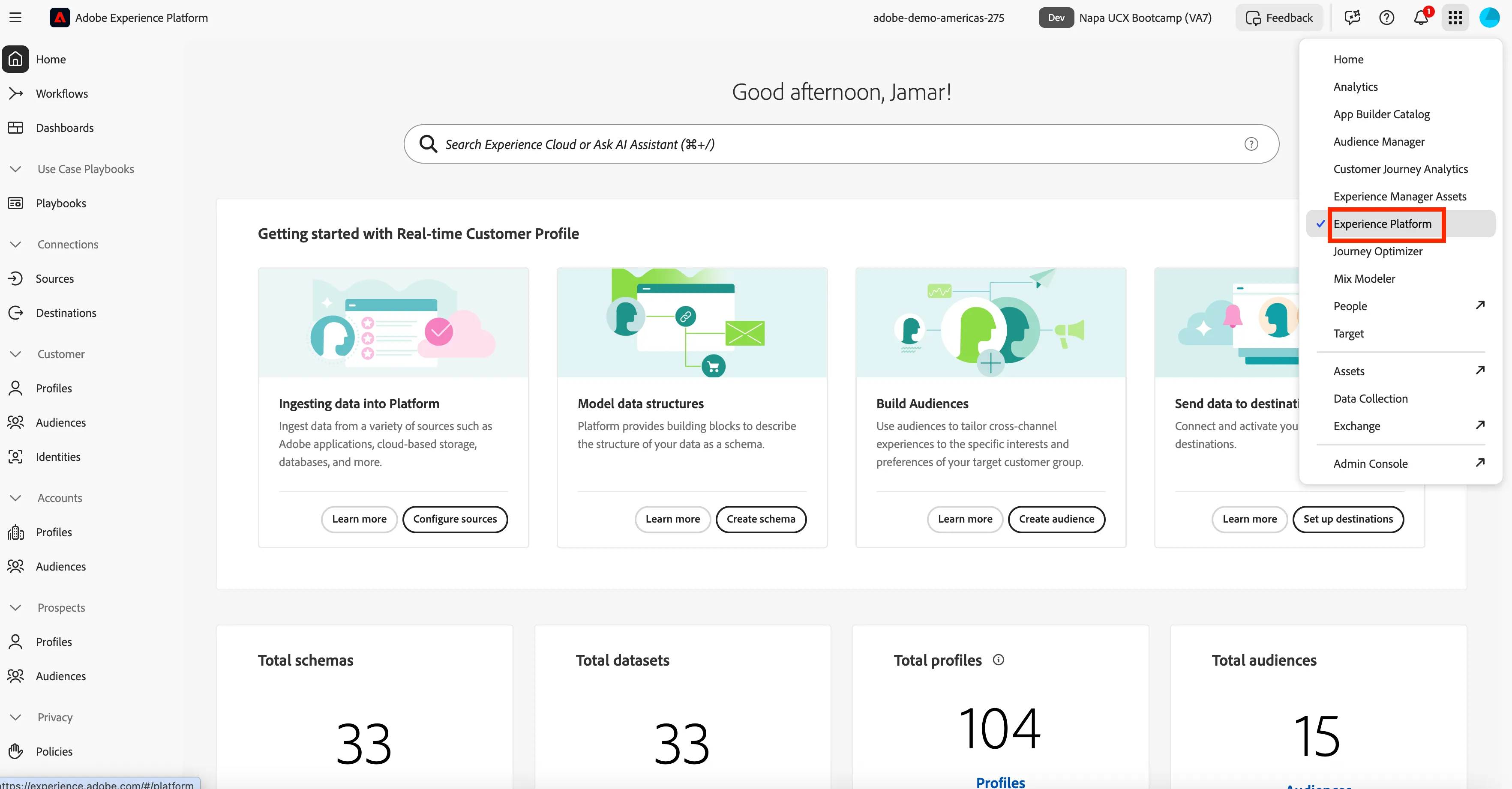
Navigate to Adobe Real-Time Customer Data Platform
- Click on the 9-dot picker and select Experience Platform.
Create a Schema, Dataset, and Ingestion Data using Adobe Real-Time Customer Data Platform AI Assistant
- The goal of this exercise is to demonstrate how Adobe Real-Time Customer Data Platform AI Assistant accelerates your time to value by providing details in how to use features in Adobe Real-Time Customer Data Platform.
- Start by using Adobe Real-Time Customer Data Platform AI Assistant to get started with creating a schema. Once you have a schema created, you will then create a dataset and if you have done everything correctly, you will be able to ingest a small data set.
- To get started with Adobe Real-Time Customer Data Platform AI Assistant you need to click on the chat box with a star icon in the top righ corner. This will launch AI Assistant in Adobe Real-Time Customer Data Platform for you.
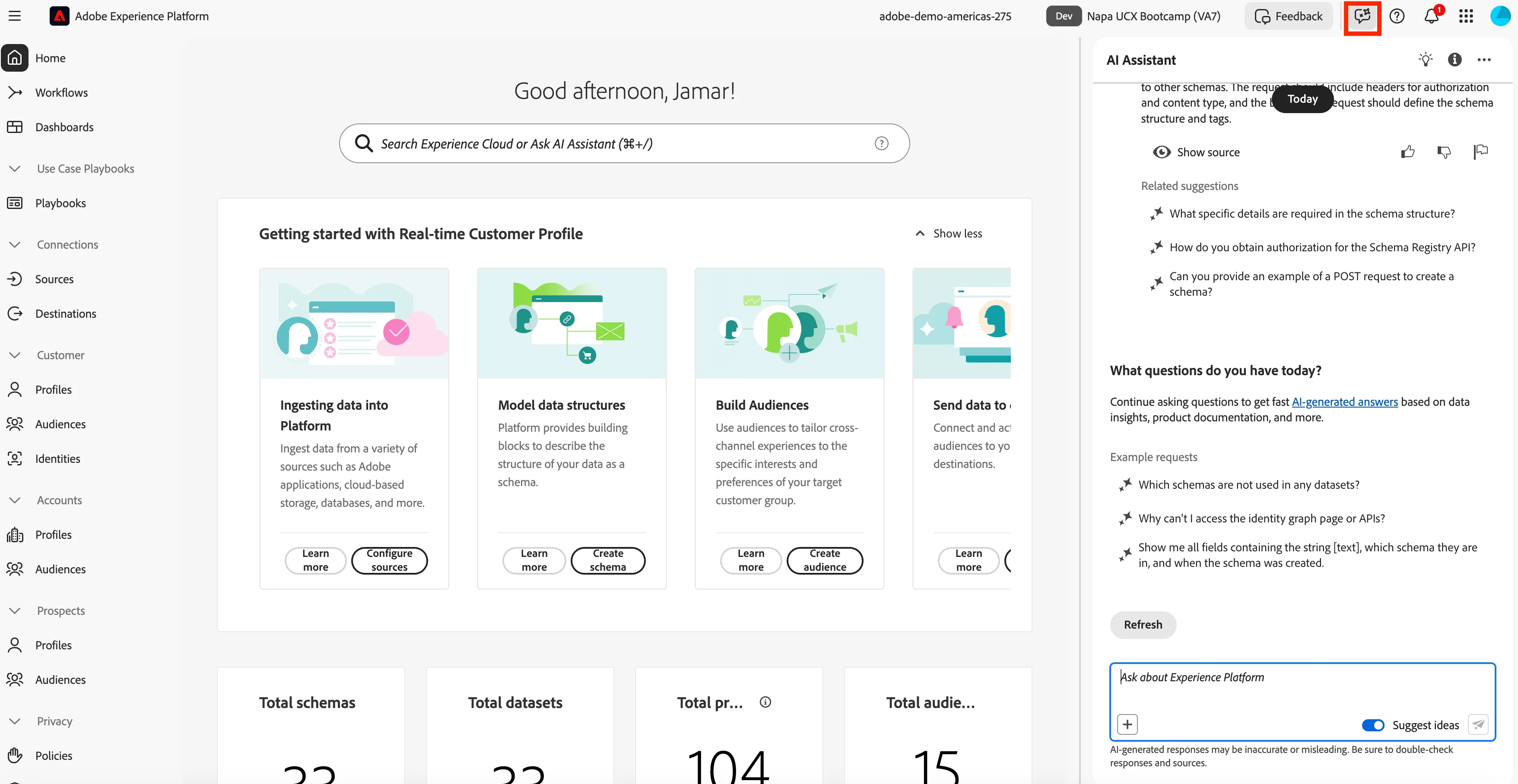
- Now you can ask the AI Assistant: How do I create a Schema?
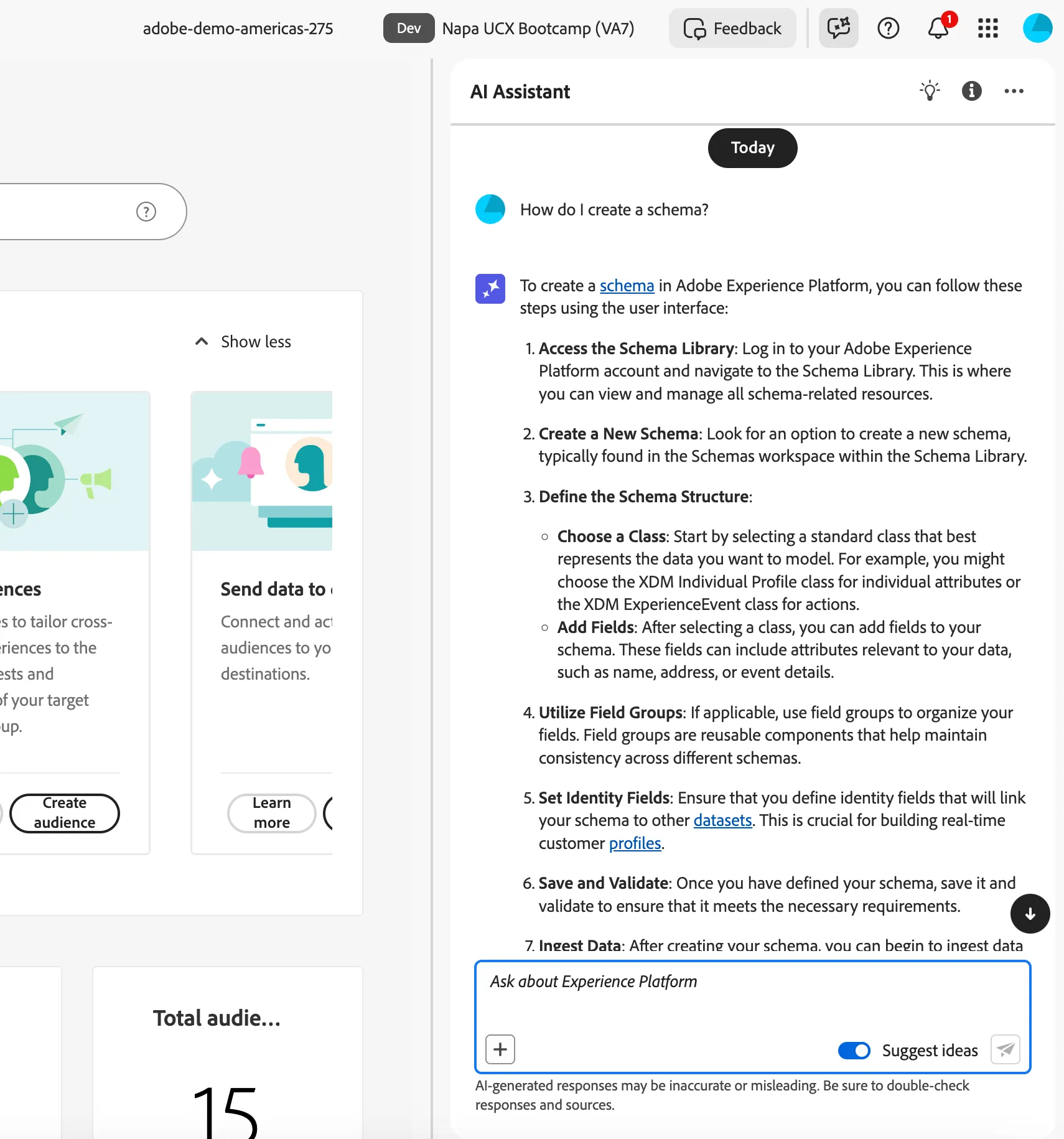
- You need to follow steps 1, 2, 3, 4, and 6 from the AI Assistant. You will not need to complete step 5 for this exercise.
Now let's start to put together the schema:
- Following steps 1 and 2 from AI Assistant, create a new schema.
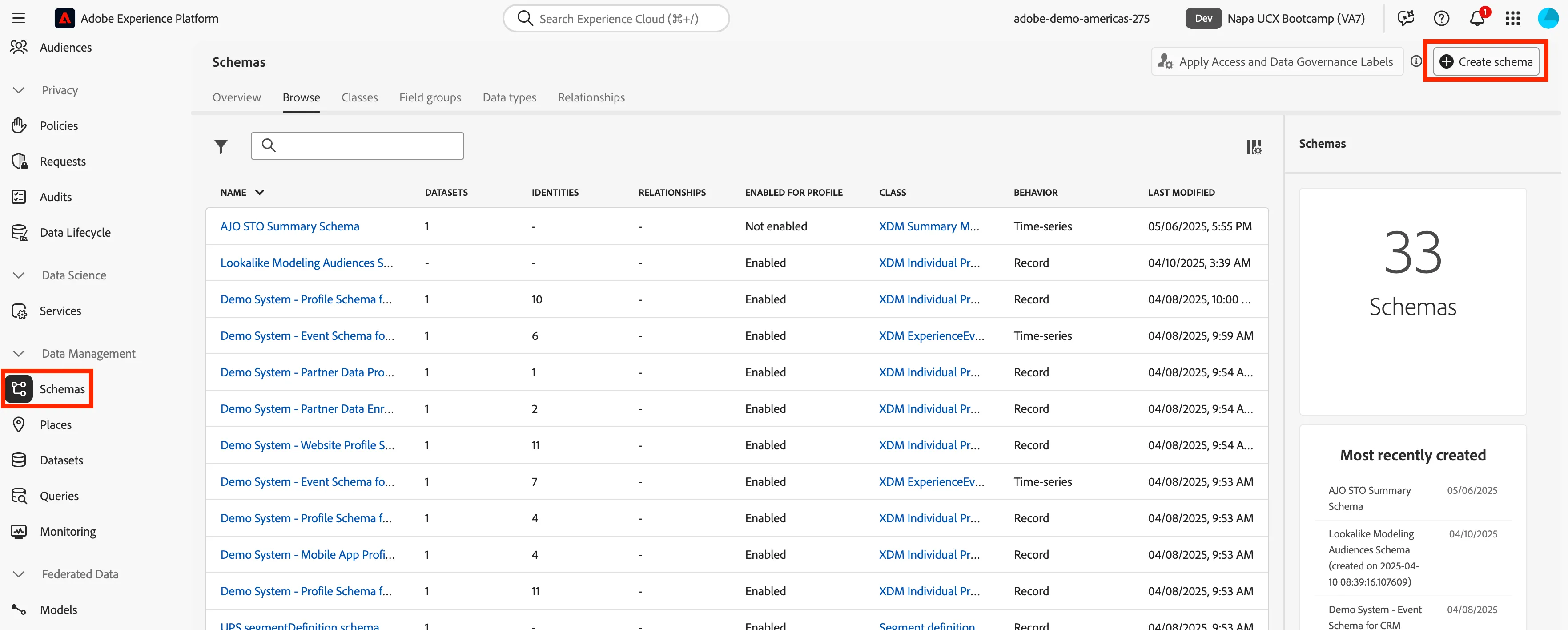
- Schema Details
- Name: Customer Shopping Pref + Initals +User Number
- You will select Manual for schem process.
- Schema class: Individual Profile
- Now you will need to create a field group to add the fields into that will be ingested. Field groups are reusable components that define one or more fields. Let's use AI Assistant again to get started.
- Ask the AI Assistant: How do I create a Schema?
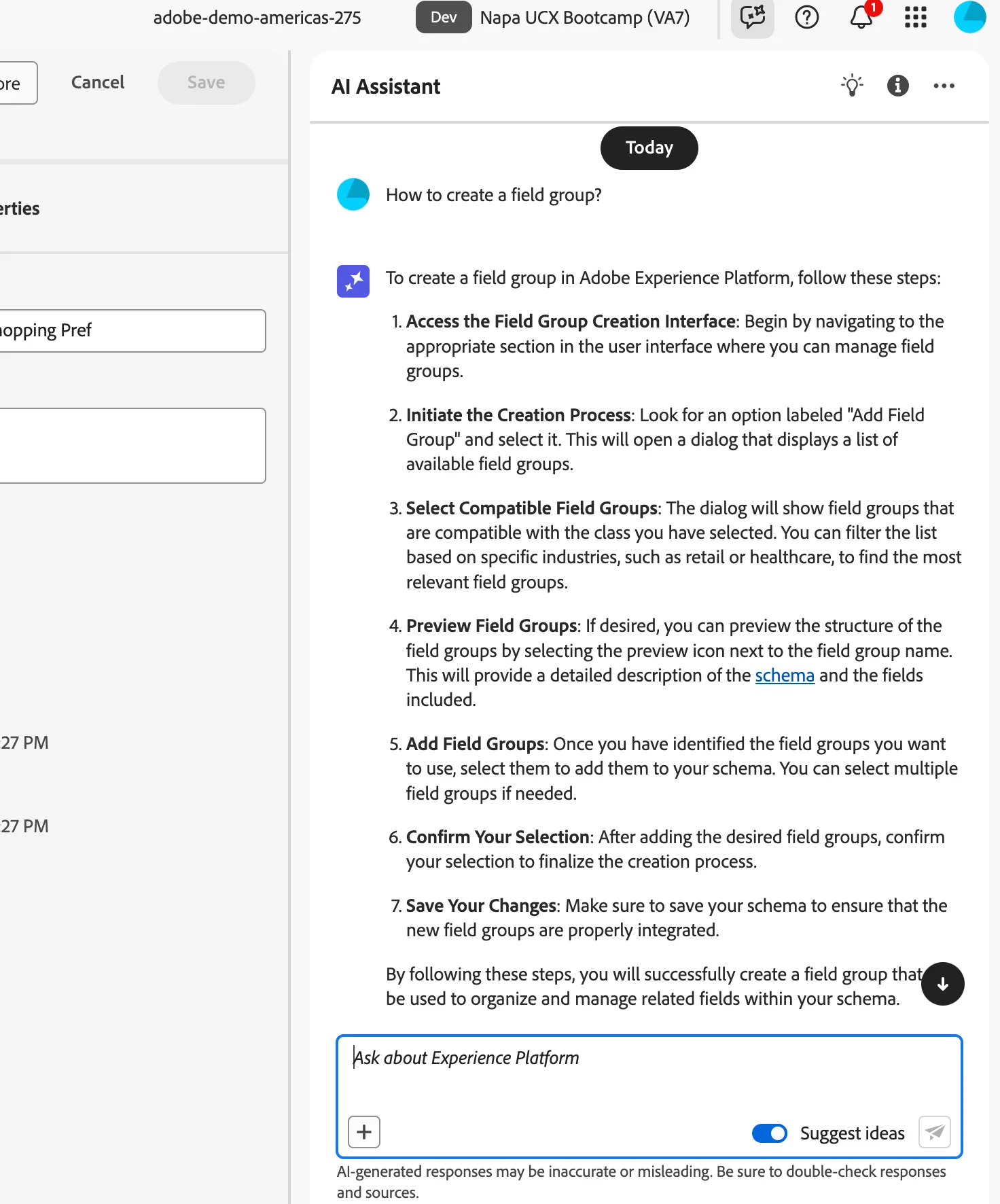
- Field Group Details
- Select Create new field group
- Name: Customer Shopping Pref + Initals +User Number
- You will select Manual for schem process.
- Schema class: Individual Profile
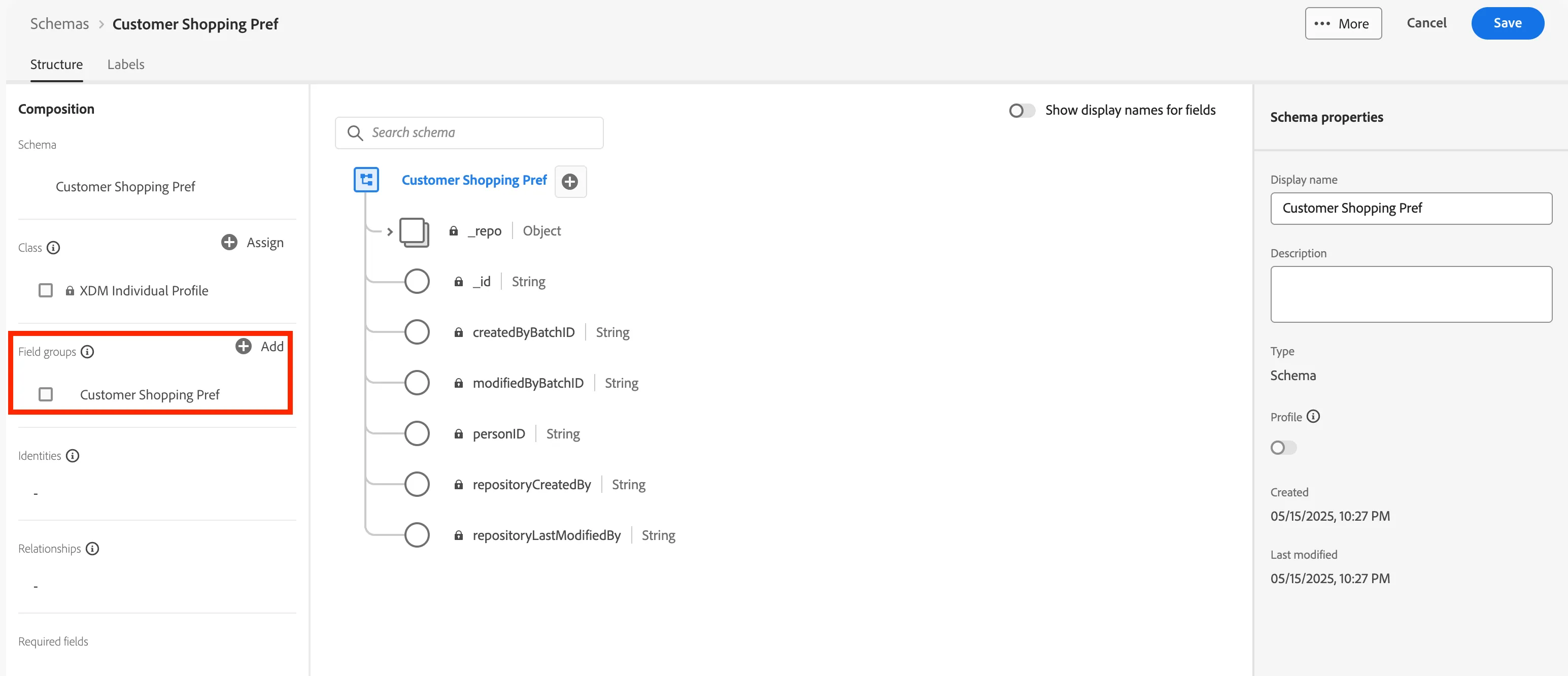
- You will need to create an object assosciated with the empty field group you just created. Ask AI Assistant: Create an type object in a schema. You will need to follow step 5 to create an object to add fields.
- Object Details
- Field Name: CustomerShoppingPref + Initals +User Number (no spaces)
- Display Name: Customer Shopping Pref + Initals +User Number
- Type: Object
- Field Group: CustomerShoppingPref + Initals +User Number
- Click Apply.
- Next add fields to the Object. Same process as creating an object just change the type.
- Field Details: Make sure to click apply at the bottom for each field.
Field Name | Display Name | Type |
|---|---|---|
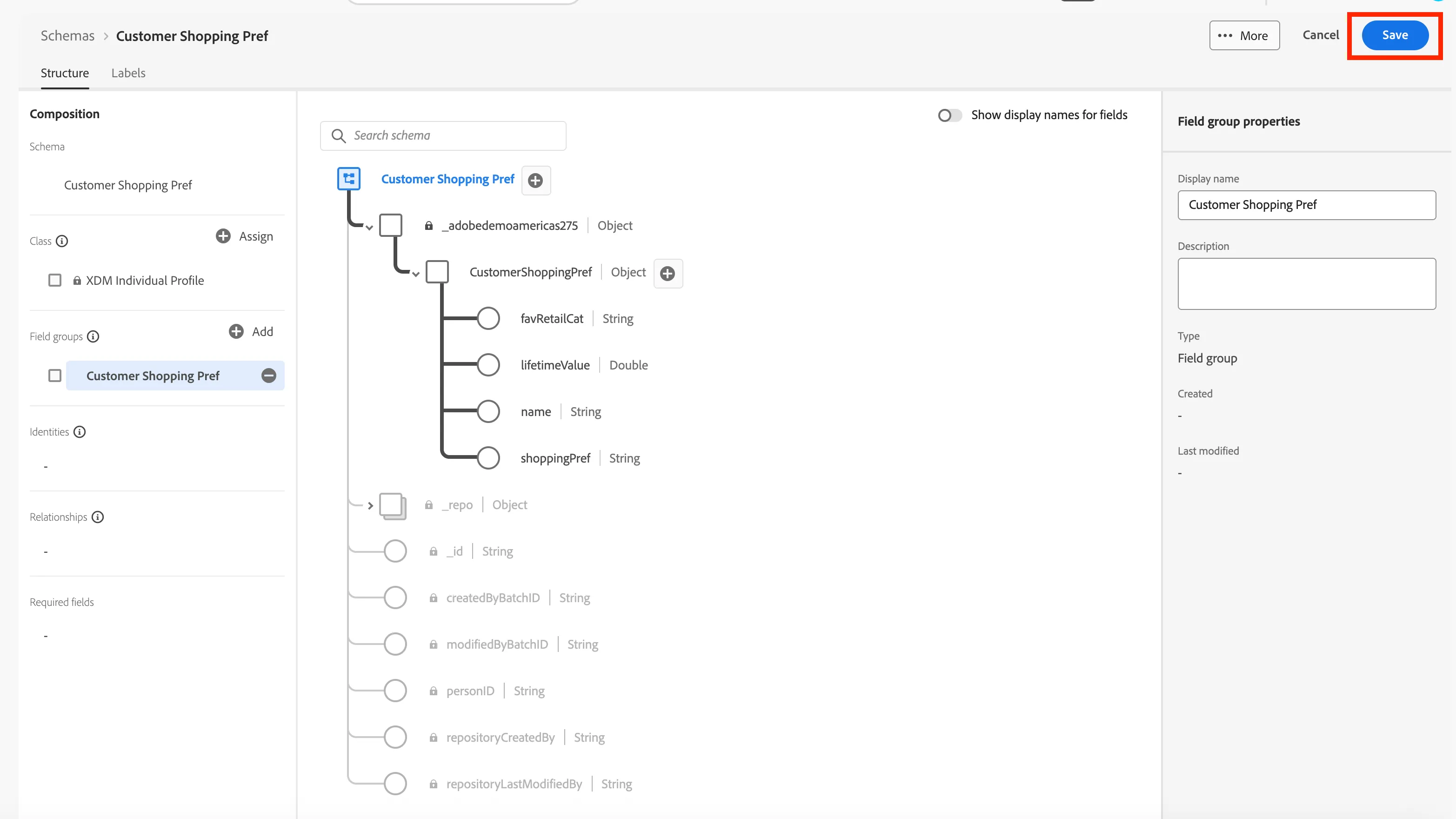
name | Name | String |
shoppingPref | Shopping Pref | String |
lifetimeValue | Lifetime Value | Double |
favRetailCat | Favorite Retail Category | String |
- This is what your schema should look like when completed. When you are done click Save.
- When you're done with the schema you will now need to get a dataset to store the data. The schema is like the blueprint for the data and the dataset is the actual storage of the data.
- Ask AI Assistant: How to create a dataset?.
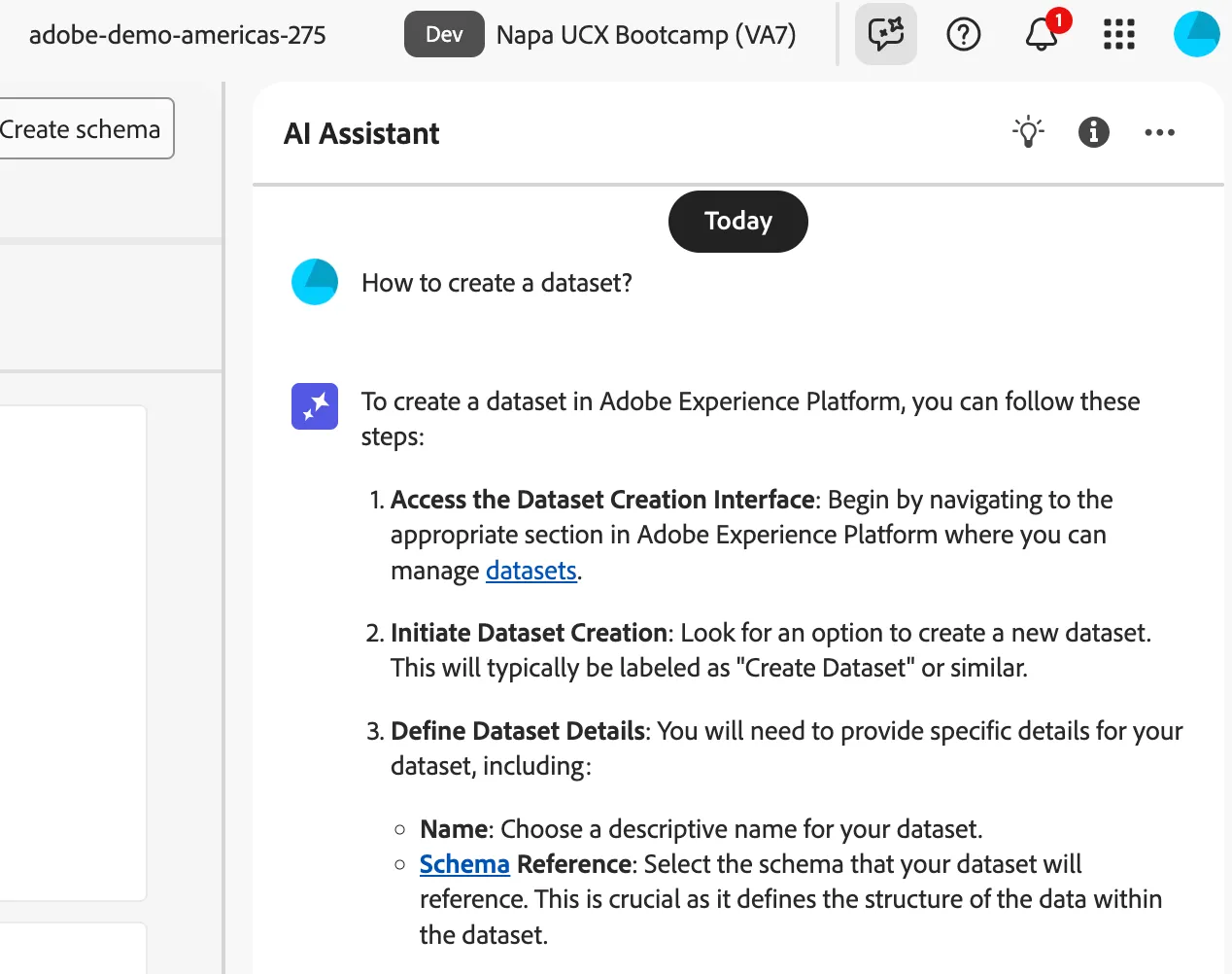
- Dataset Details:
- Method: Create dataset from schema
- Select Schema: Customer Shopping Pref + Initals +User Number (One you created)
- Name: Customer Shopping Pref + Initals +User Number
- Click Finish.
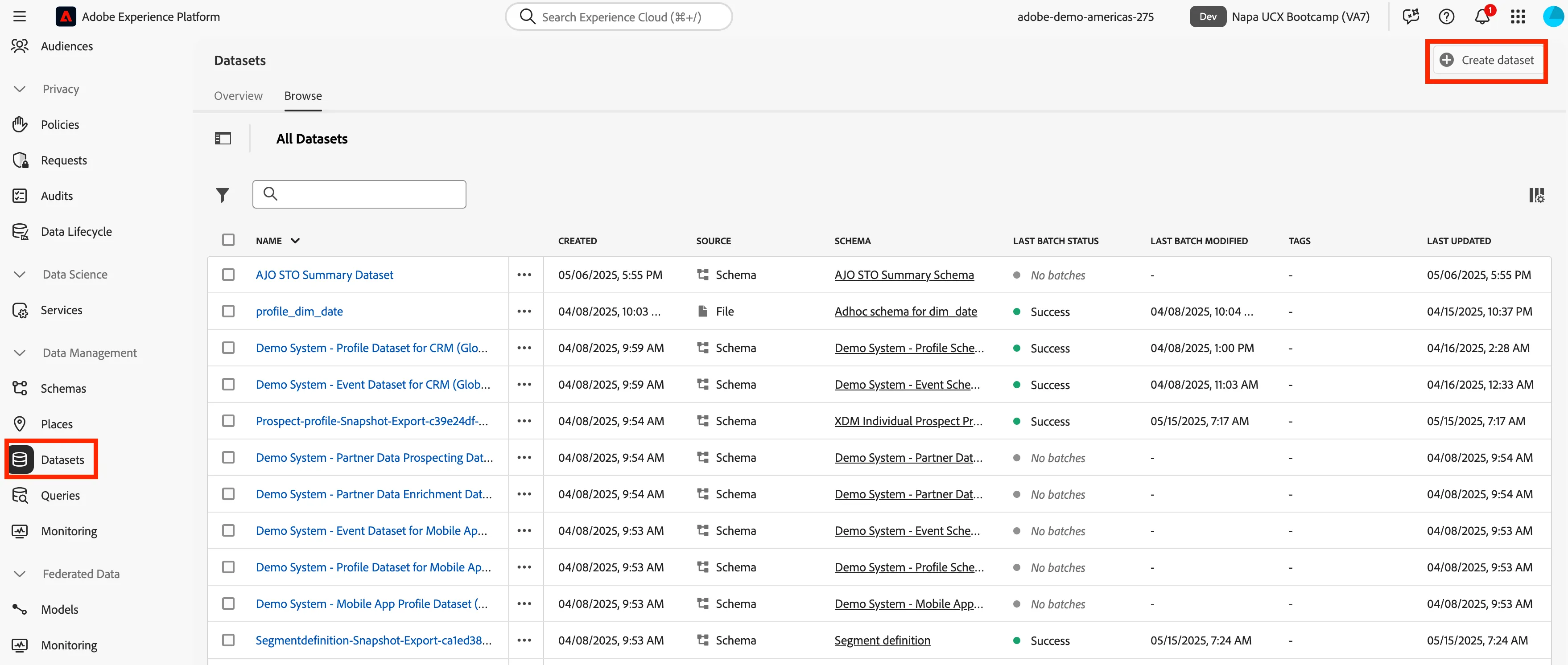
- When you have creatd the dataset then you can scroll on the left side to Add data.
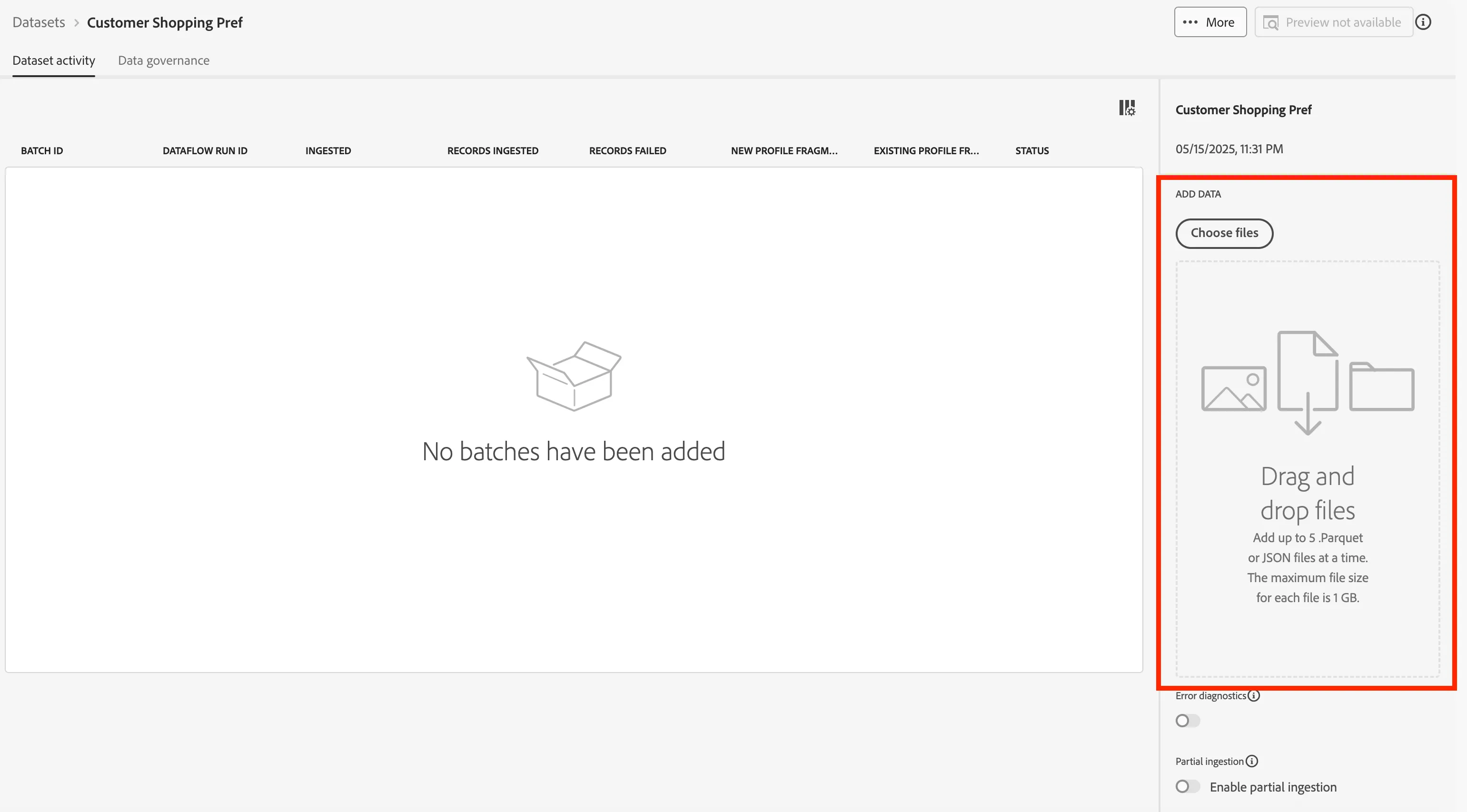
- Now you can load this data into the dataset.
- Once the data is ingested you will get some information about the data ingested.
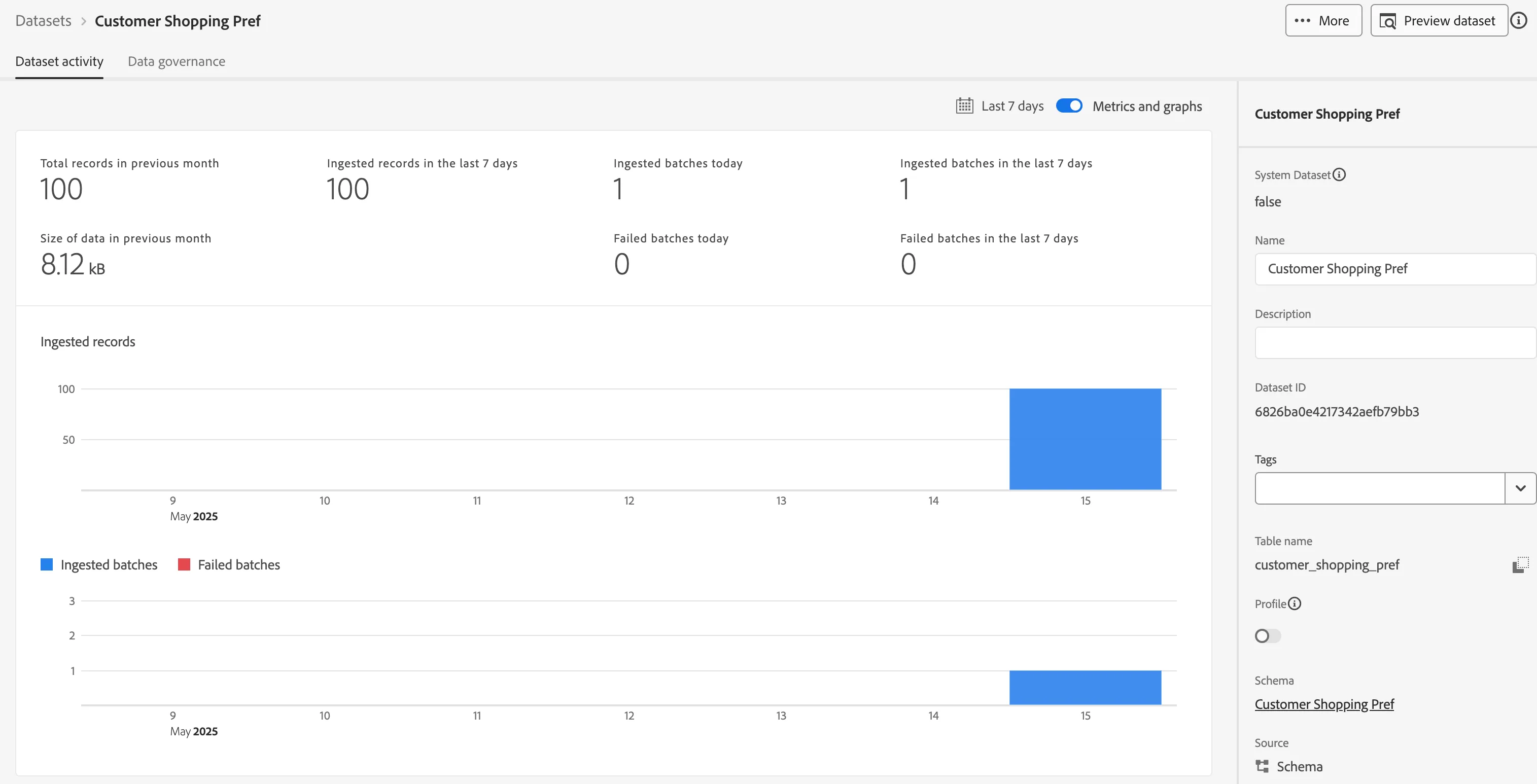
- Congratulations you have created a schema and a dataset using AI Assistant. Then you were able to ingest data into that dataset.