Audiences
Audiences in Adobe Experience Platform
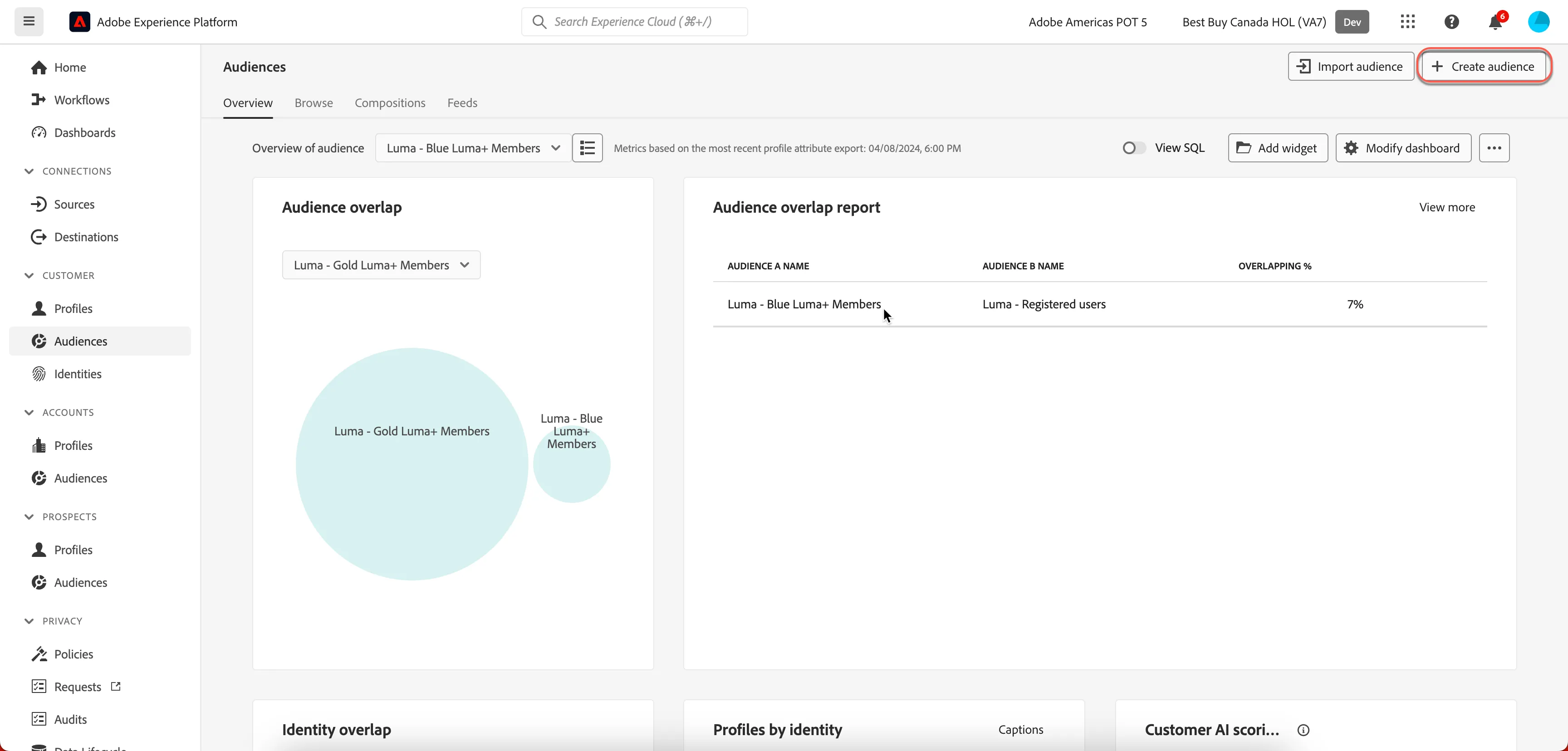
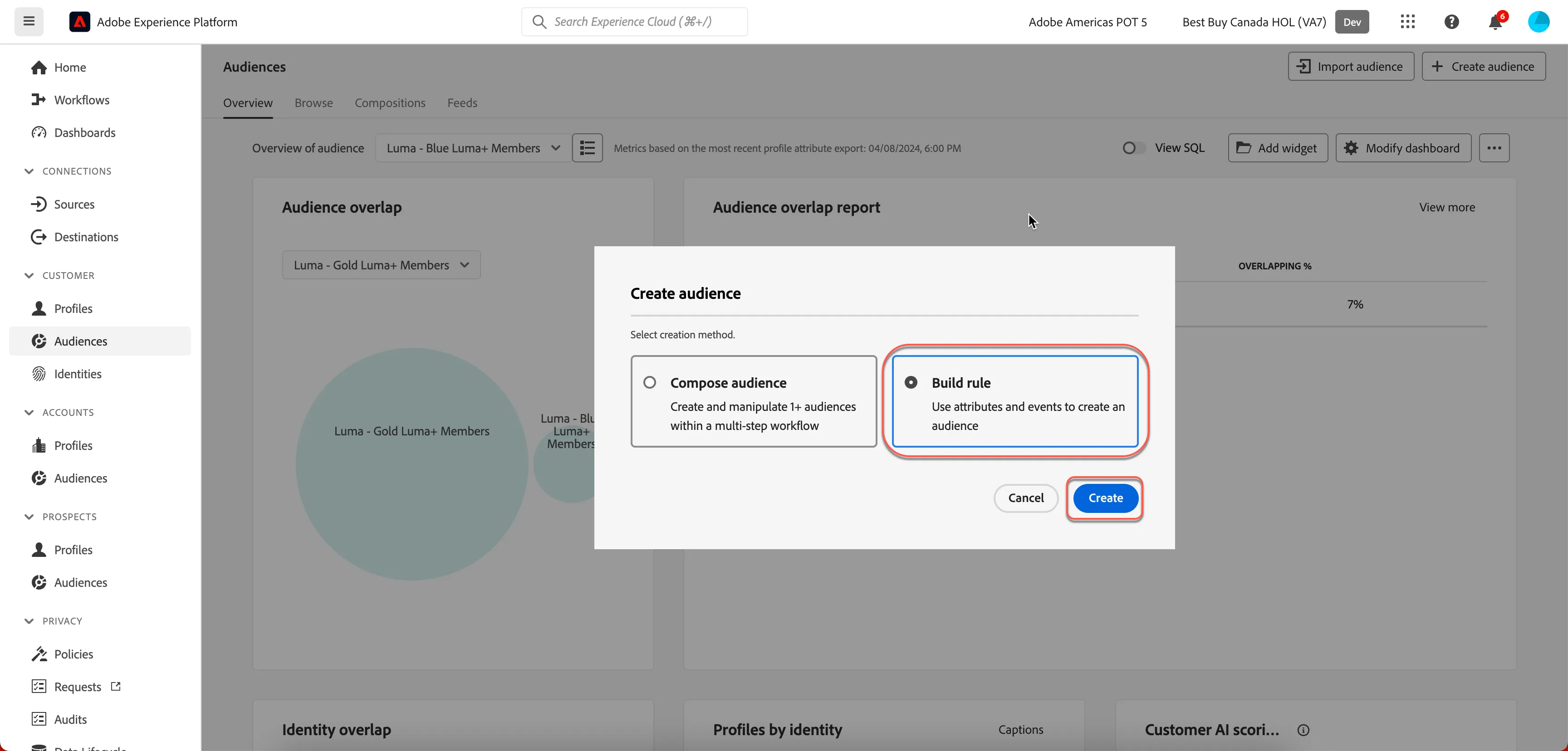
From the main menu, select Audiences on the left navigation bar and choose "Create segment, then Build Rule".
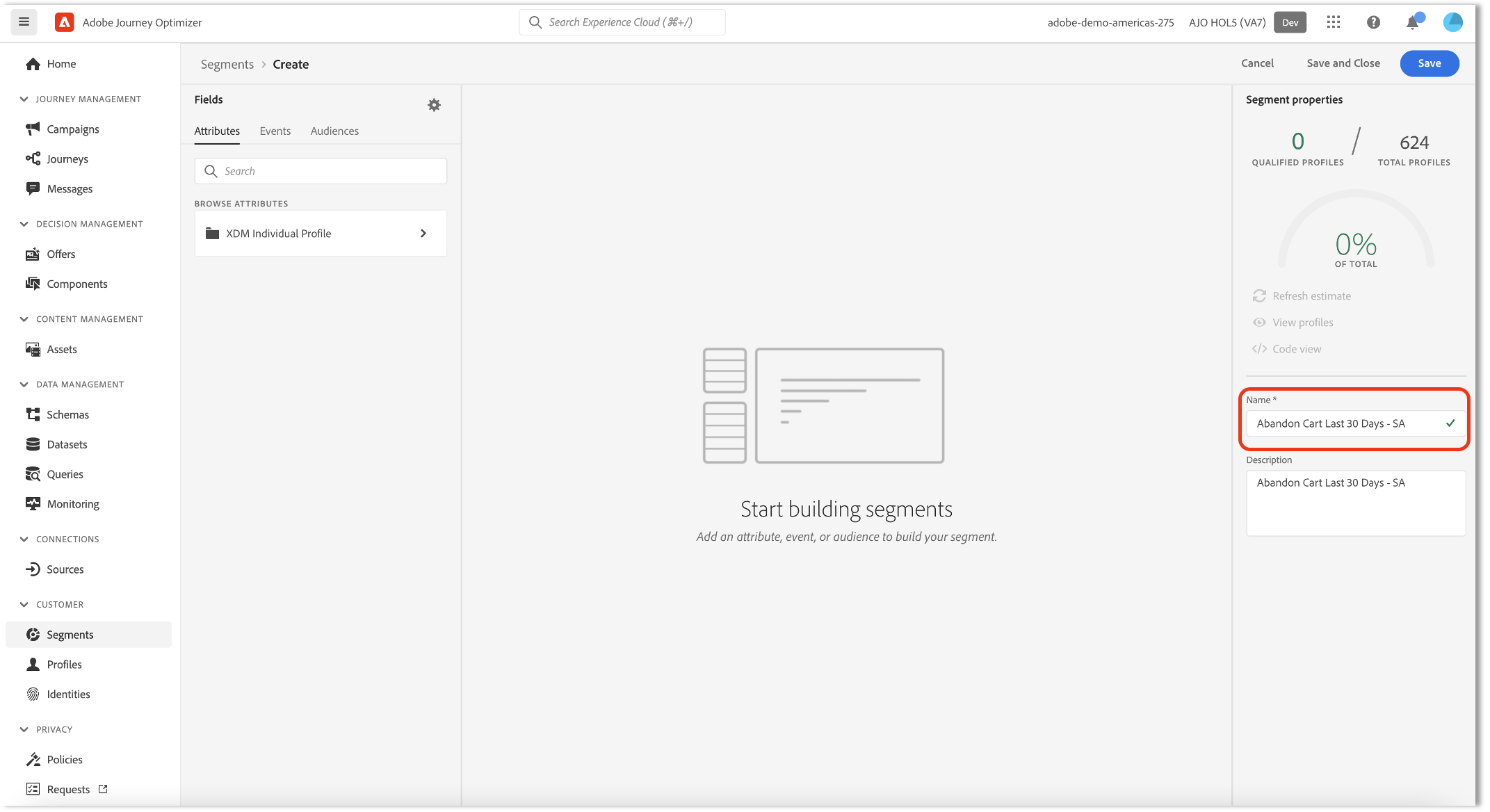
Name your Segment uniquely using the syntax
Abandon Cart - <your initials>
.
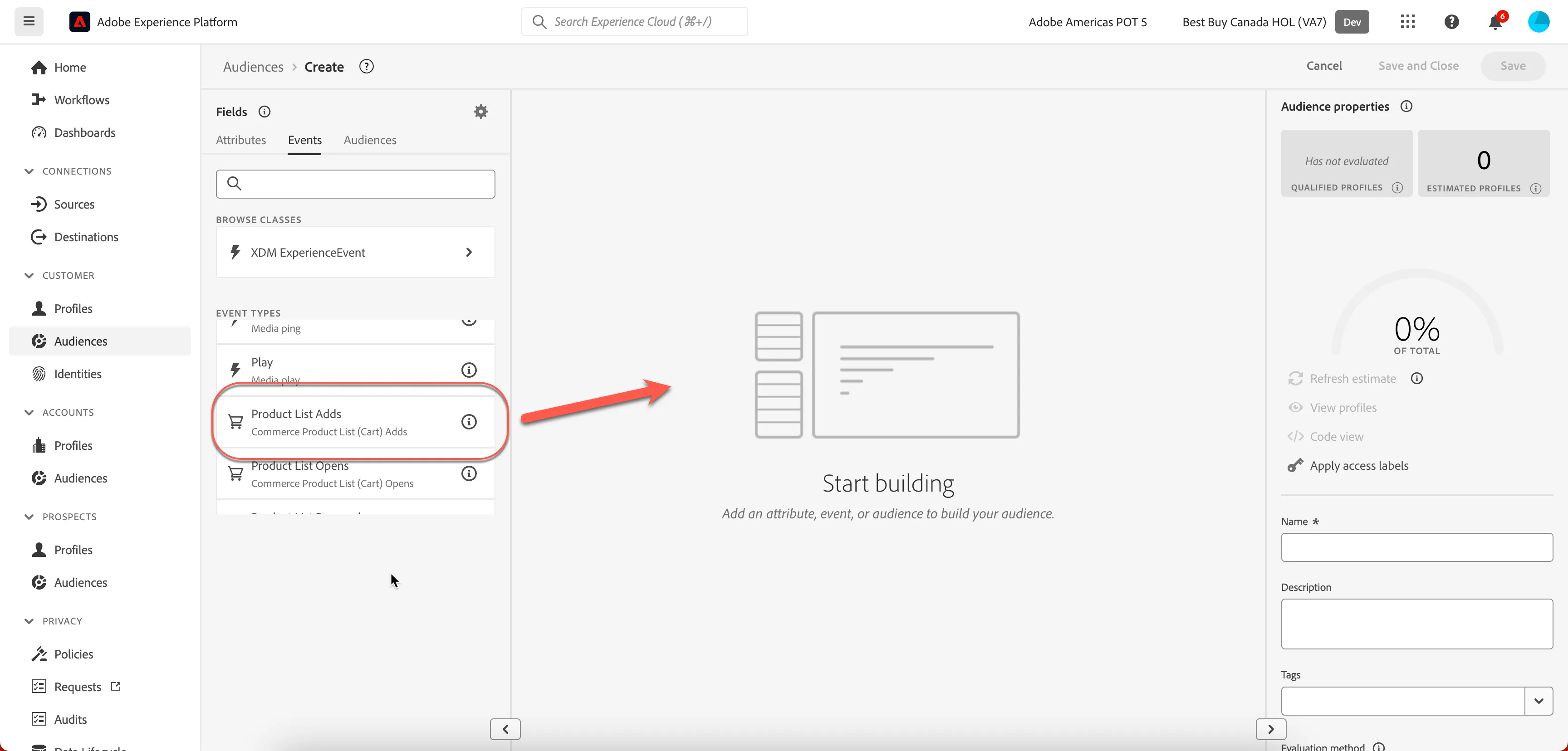
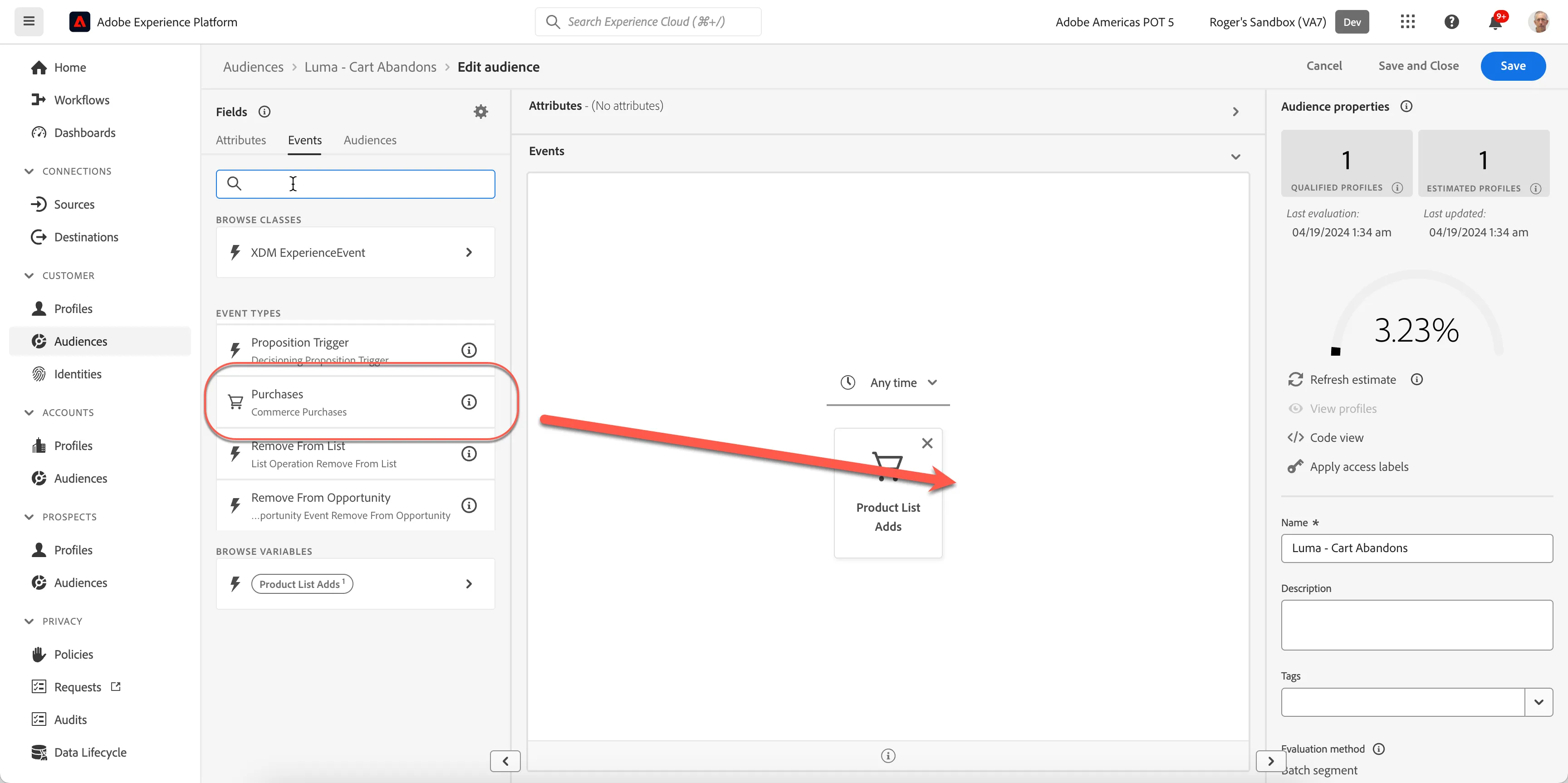
Enter in Event criteria using the editor. From the Events tab use the search feature entering "Product list adds" as shown next to the search icon. Below, you'll see the "Product list adds" event. Drag it onto the pallet and leave the time as "Any time".
From the Events tab, use the search feature by entering "Purchases" and add the Purchase event by dragging it onto the canvas just to the right of Product list add.
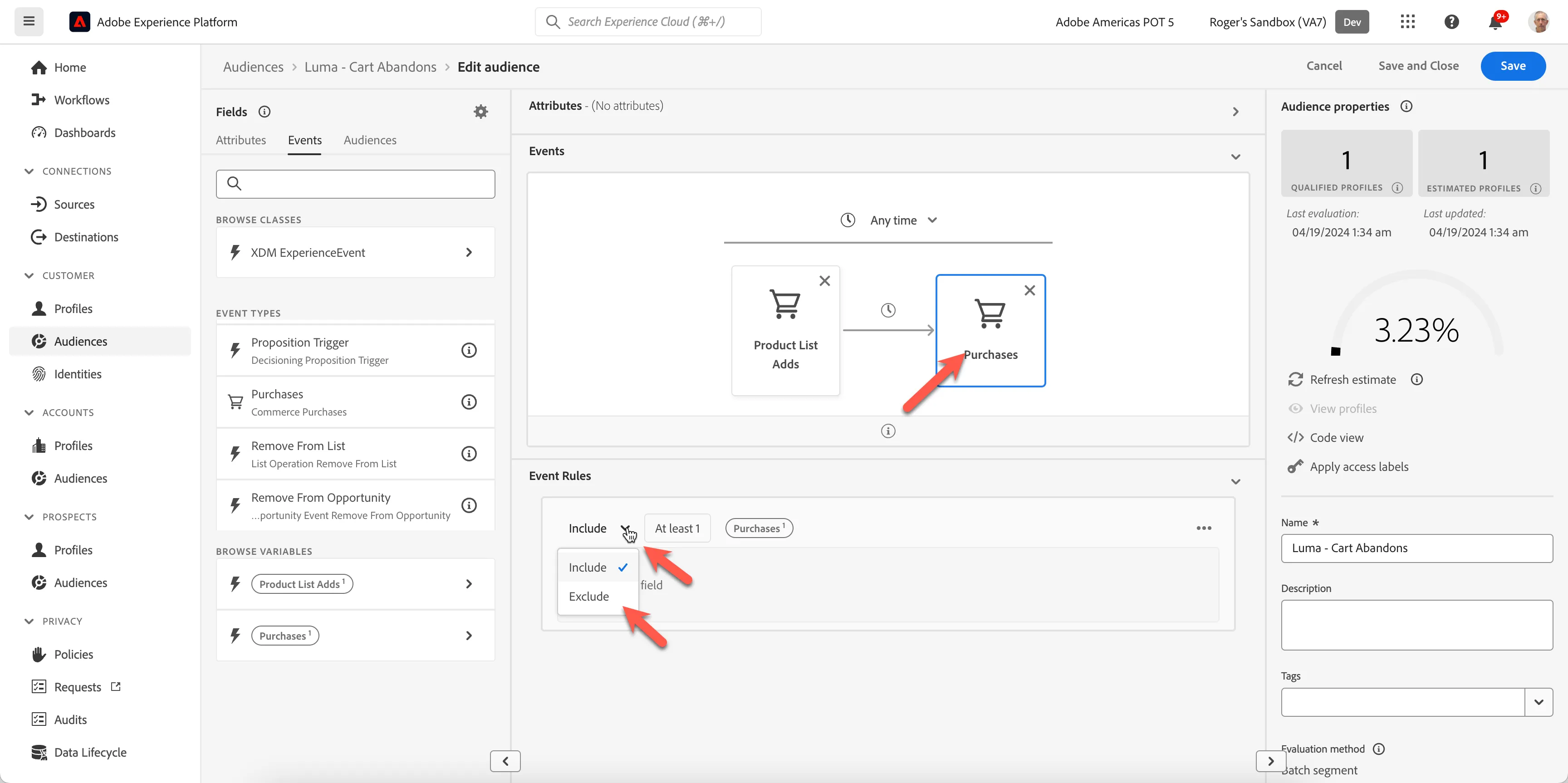
We need to adjust the value of Purchase to be only those that did not purchase. Click on the Purchase item on the canvas, this will open the Event Rules below. Click on the Include drop down and switch to Exclude'.
When you are complete your segment should appear as below.
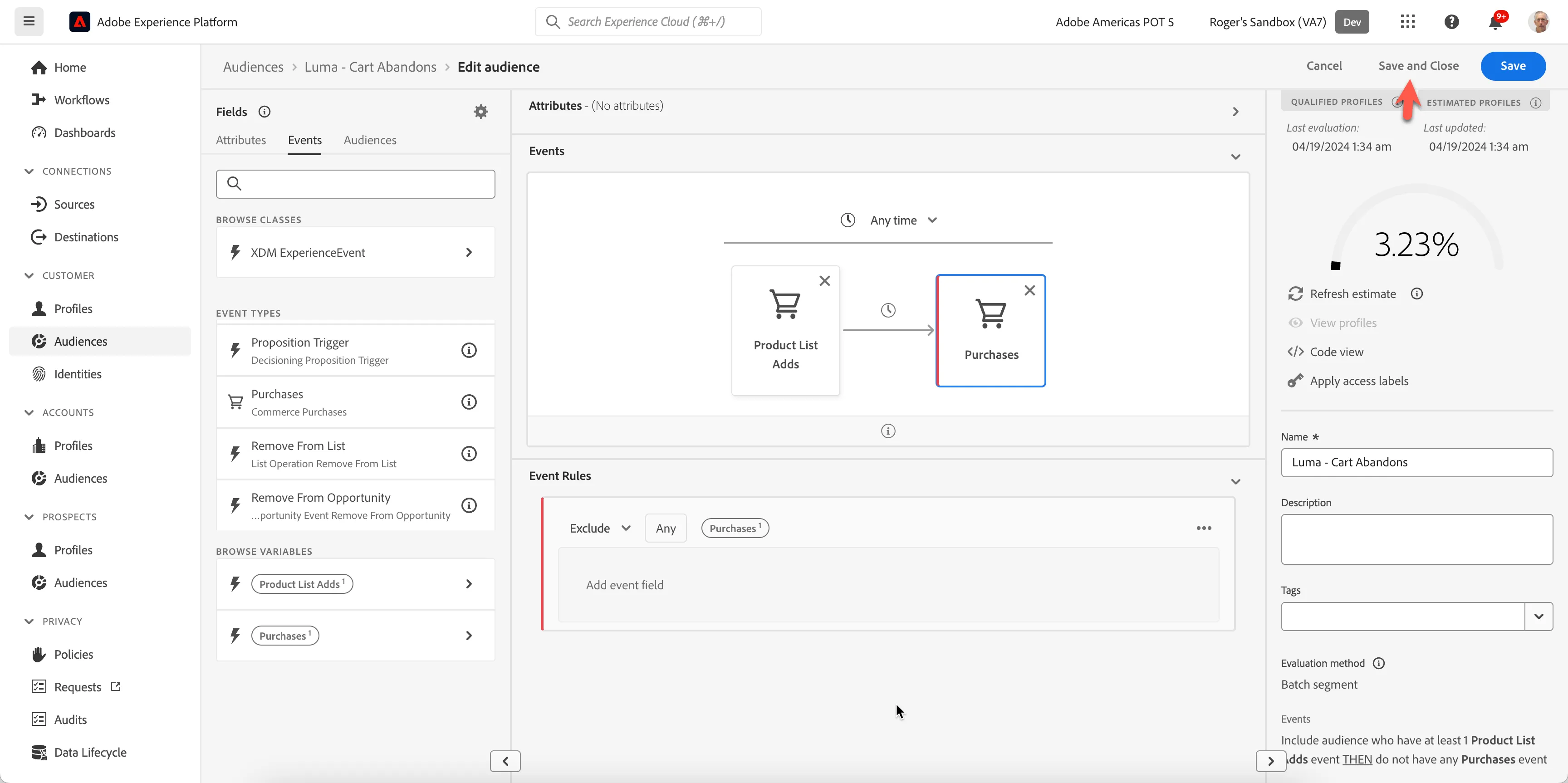
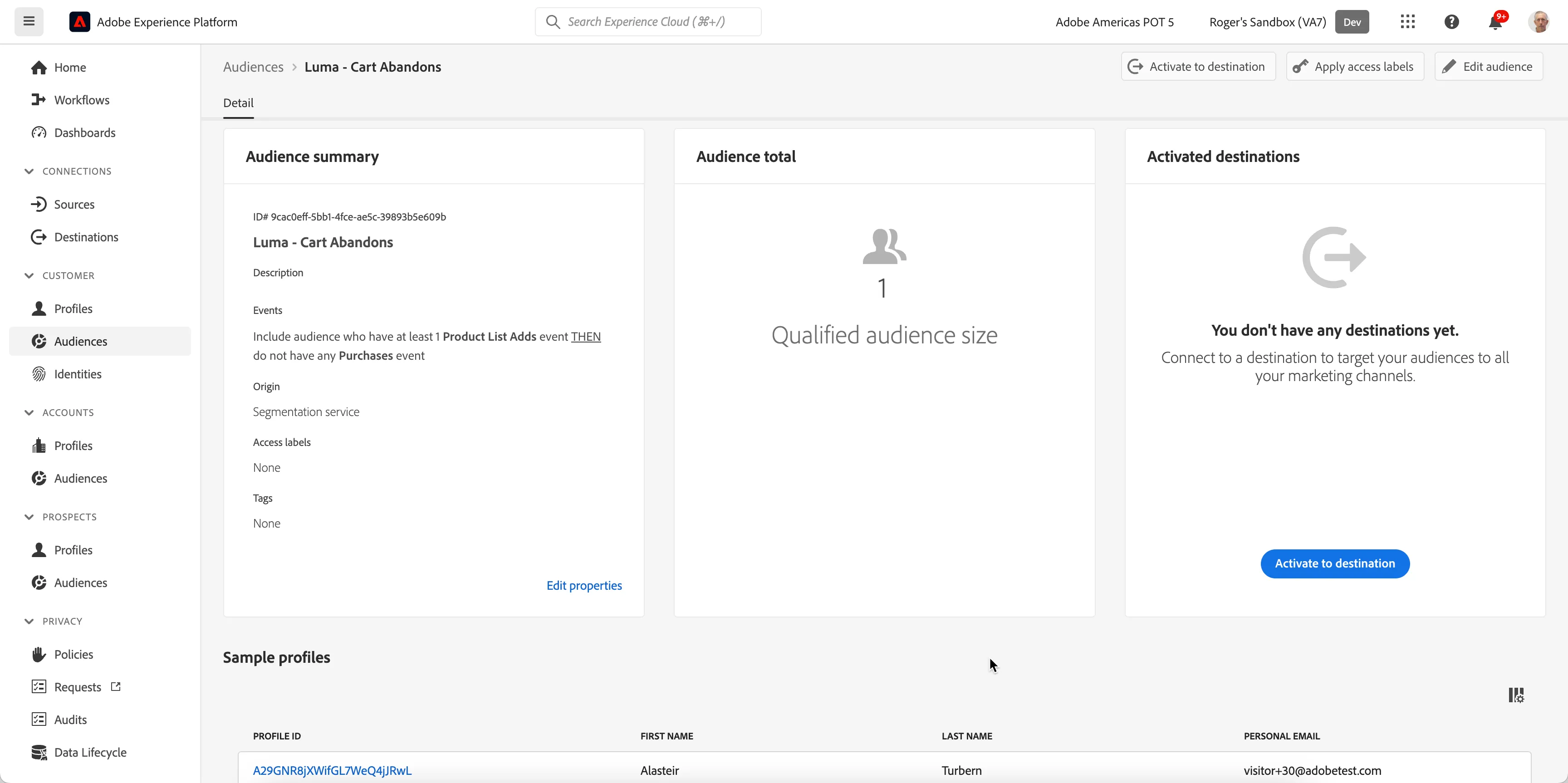
- Click "Save and Close" when complete.On the Summary Segment tab you can see details about your segment.
For a quick bonus, we can create an Attribute based Audience