Unified Profile
Visit the Website
On the website homepage, and any other page, you can get access to the REAL TIME CUSTOMER PROFILE VIEWER.
- Click the Adobe logo icon in the top left corner of your screen to open the REAL TIME CUSTOMER PROFILE viewer.
- Have a look at the panel:
- Notice the Adobe Id within IDENTITIES. This is the Experience Cloud ID (aka ECID).
- Click on the EVENTS tab to see the experience events that were collected based on the customer’s behaviour. The list is currently empty (or has just the home page view event) but that will change soon.
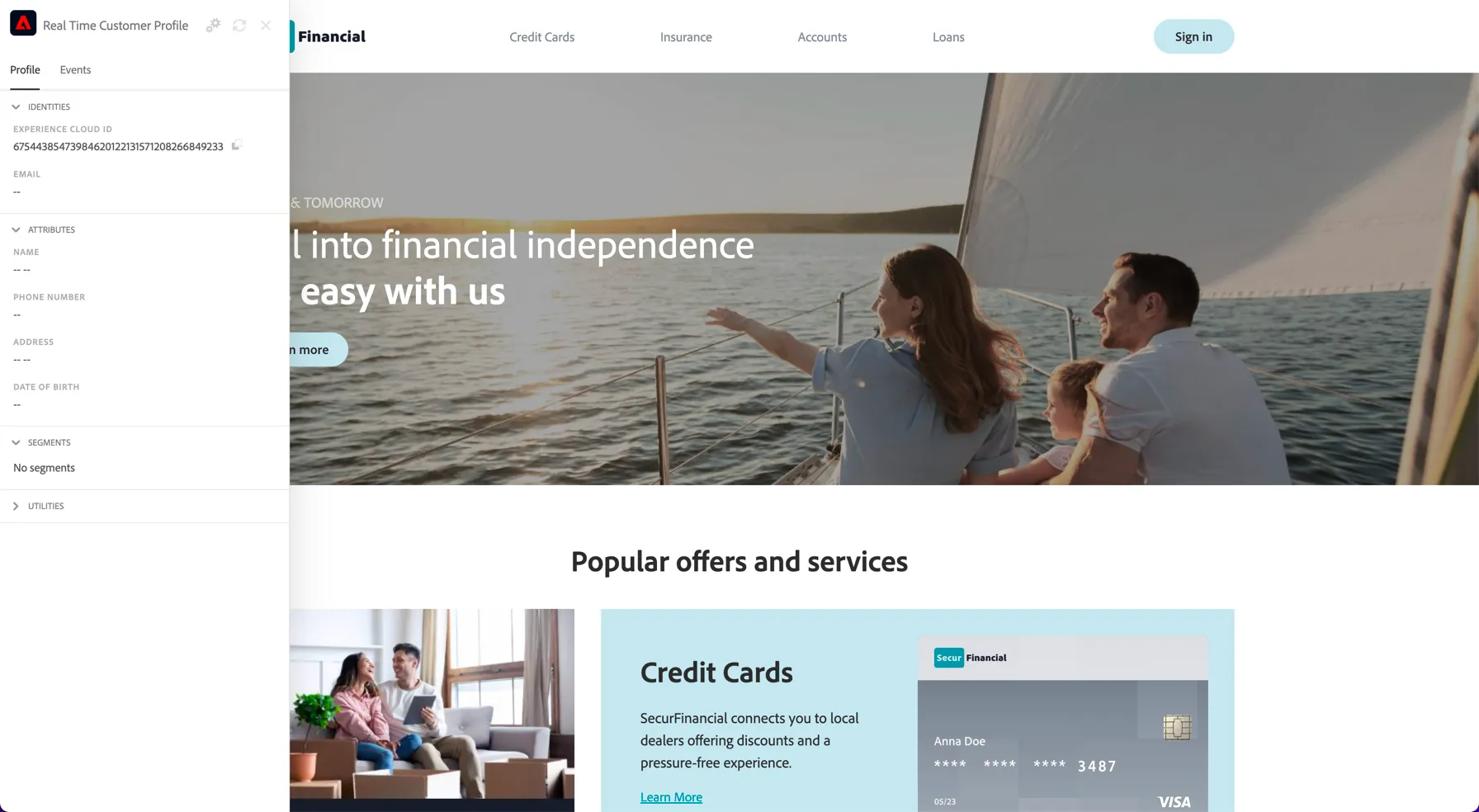
Let's behave as a typical customer now.
- Click on Loan
- Click on Car Loan
You’ll then see the product detail page for this product. An experience event of type Product View has now been sent to AEP using the Web SDK. To inspect this event:
- Open the REAL TIME CUSTOMER PROFILE panel.
- Take a look at the EXPERIENCE EVENTS.
You will see the interactions you have had with the demo web site.
Tap on the refresh button at the top of the panel if you don't see the events appear
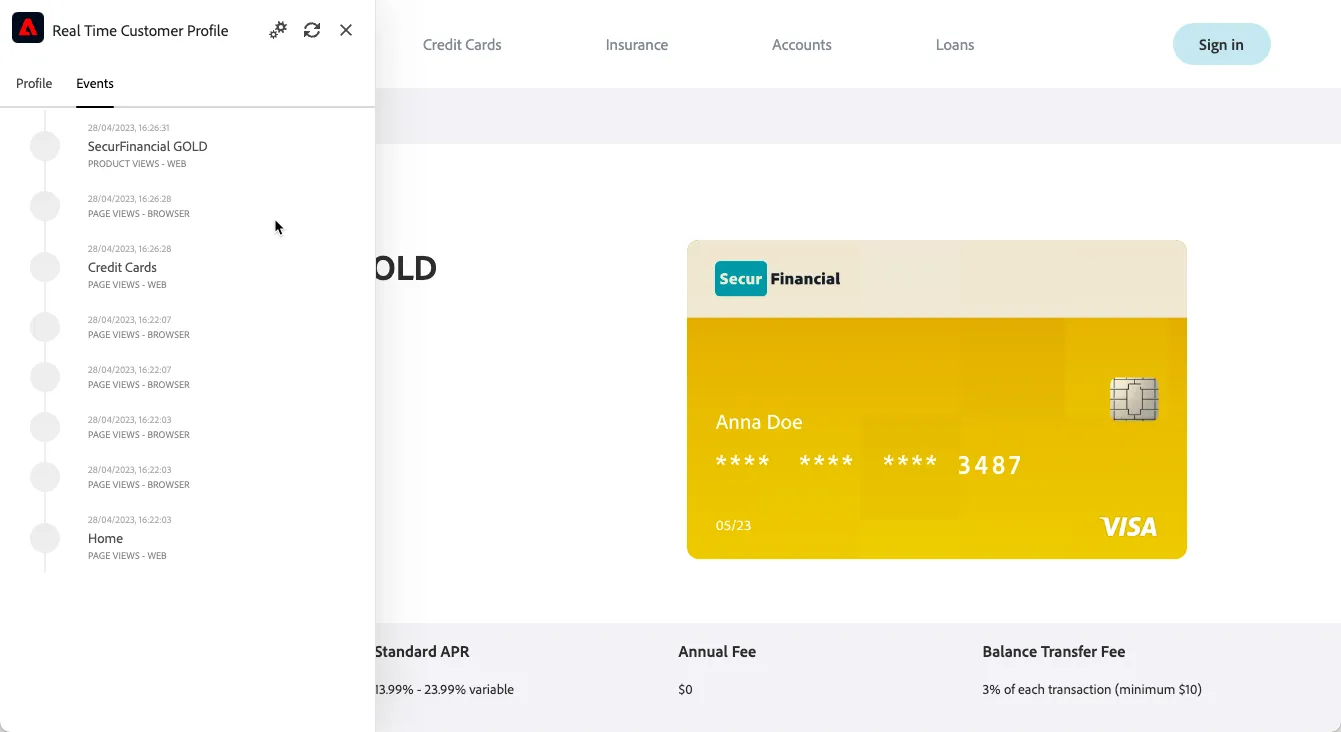
While the behaviour is anonymous, we’re able to track every click and store it in Adobe Experience Platform and we can use that information to personalise the experience.
- Return to the home page by clicking the Secure Financial logo in the top left.
We've used Adobe Target to personalise the home page to align with their product interests, the banner image and text has been updated with car loan.
This experience is managed through Adobe's Edge servers to ensure minimal latency.
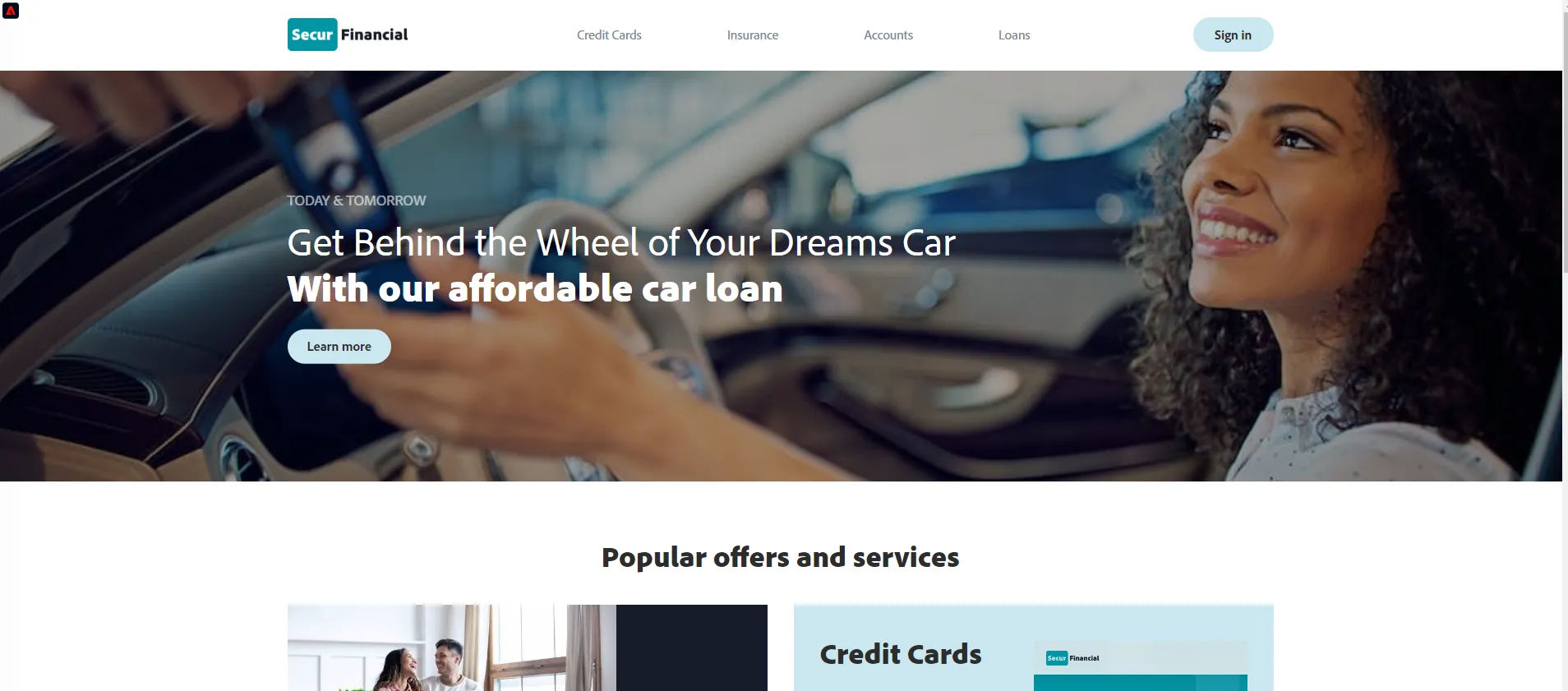
Once the anonymous customer becomes known, we will be able to merge all anonymous behaviour automatically to the known profile that has already been ingested.
- Click on the Sign in button at the top right.
- Click SIGN IN
- Enter the email address assigned as your CUSTOMER PROFILE - NOTE it will end in @gmail.svpoc.io.
- Use any value for password and click Sign In
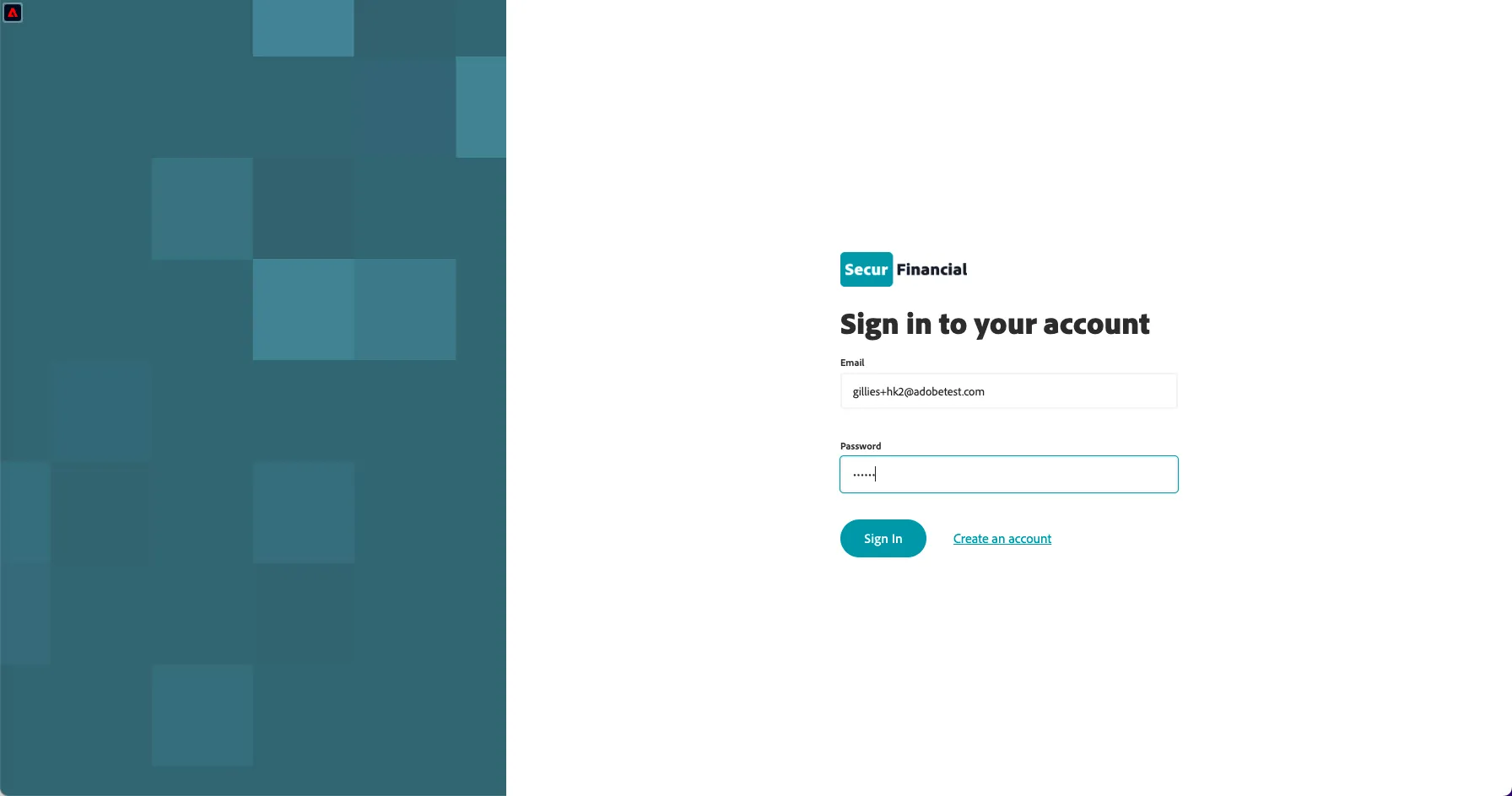
This will send a login event to AEP with the email address so we can stitch the unknown and known profiles together. You can see the sign-in event in the events panel of the profile viewer:
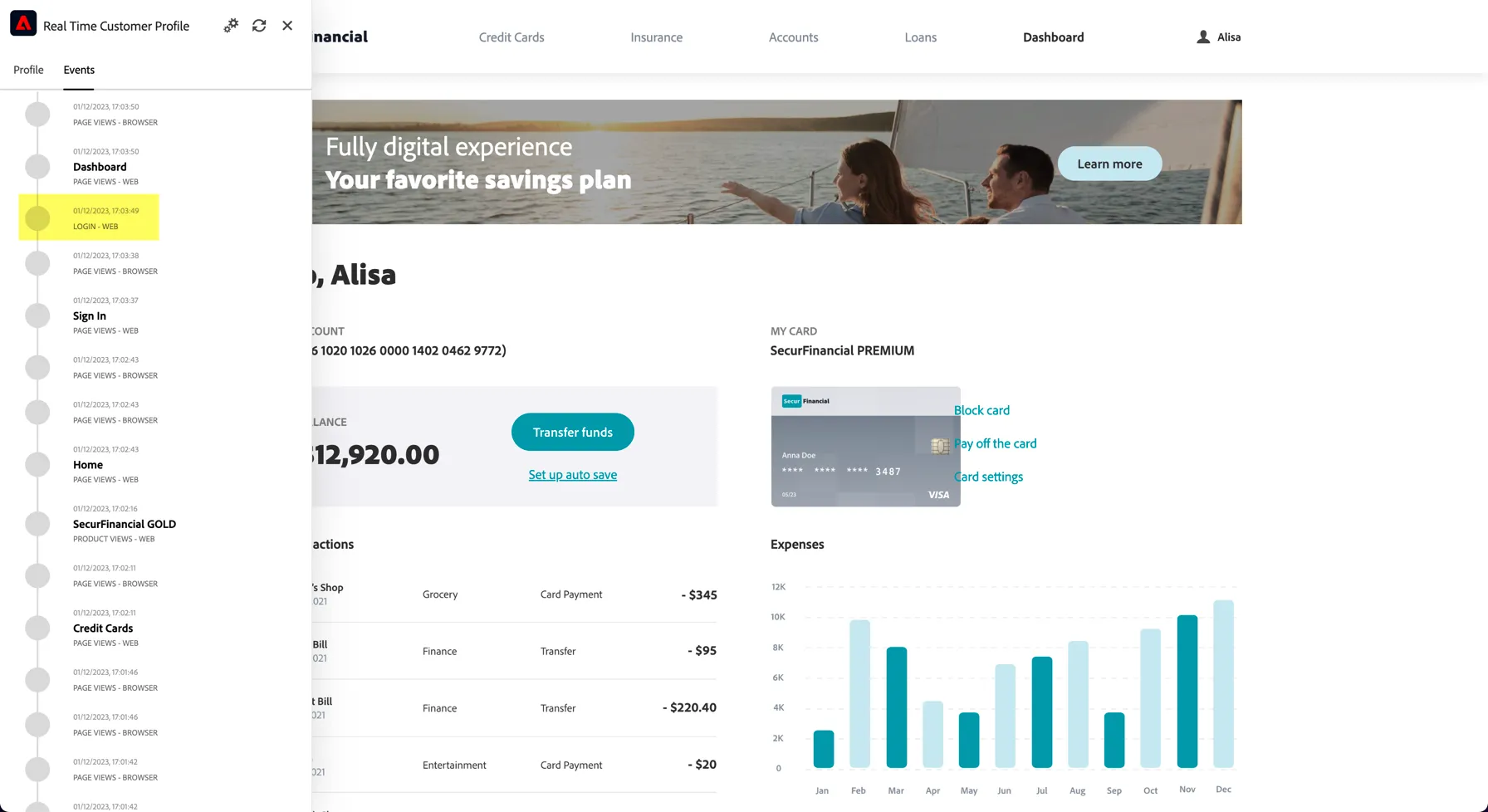
You’ve seen how we collect event data in real time in and how we can use this data for personalisation onsite. In the next exercise, you’ll visualize your profile in Adobe Experience Platform and see how the Identity Service has stitched the new device to a pre-existing known customer profile.
Visualise your Profile
In Adobe's Real-time Customer Profile, all profile data is shown alongside event data, as well as existing segment memberships. The data shown can come from anywhere, from Adobe applications and external solutions. This is the most powerful view in Adobe Experience Platform, the true experience system of record.
Every identity that is ingested into Adobe's CDP is linked to a namespace. Here are some examples:
Namespace | Identity |
|---|---|
ADOBE ID (ECID) | 69682293281473338931553229536283705959 |
CRM ID | P8aVtE05 |
With Adobe Experience Platform, all IDs are equally important. Previously, the Adobe ID was the most important ID in the Adobe context and all other IDs were linked to the ECID in a hierarchical relation. With AEP this is no longer the case, and every ID can be considered a primary identifier.
Typically, the primary identifier depends on the context.
- If you ask your Call Center, "What is the most important ID?", they will probably answer, "the phone number!".
- But if you ask your CRM team, they will answer, "the email address!".
Adobe Experience Platform understands this complexity and manages it for you. Every application, whether an Adobe application or non-Adobe application, will speak with Adobe Experience Platform by referring to the ID they consider primary. And it simply works!
- In the left rail, click on Customer -> Profiles
- On the Profiles tab, click on Browse
- For the field Identity Namespace, select Email
- For the field Identity Value enter your CUSTOMER PROFILE email address
- Click View. You'll see your profile in the list.
- Click the Profile ID to open your profile
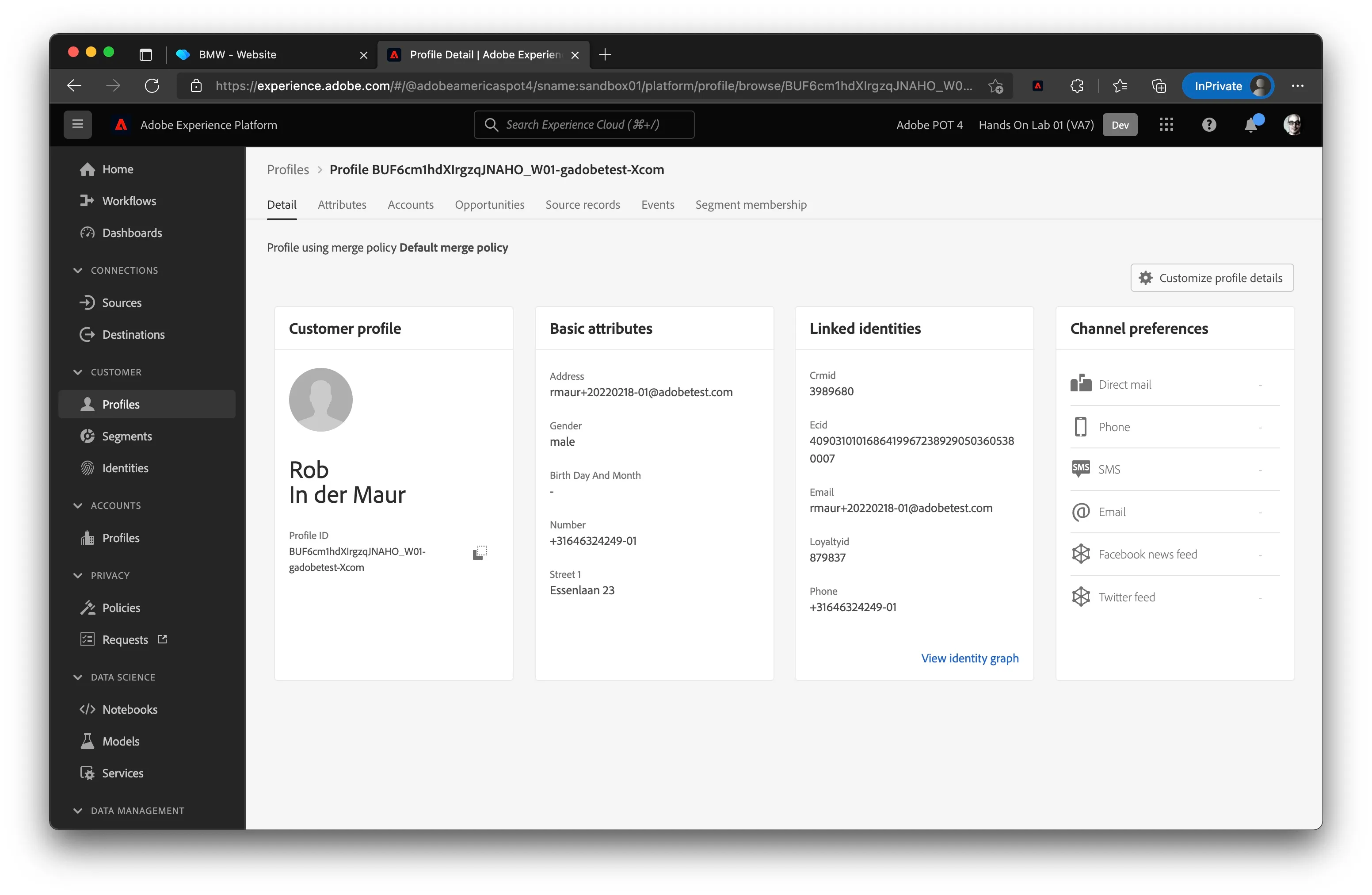
You now see an overview of a couple of important Profile Attributes of your customer profile.
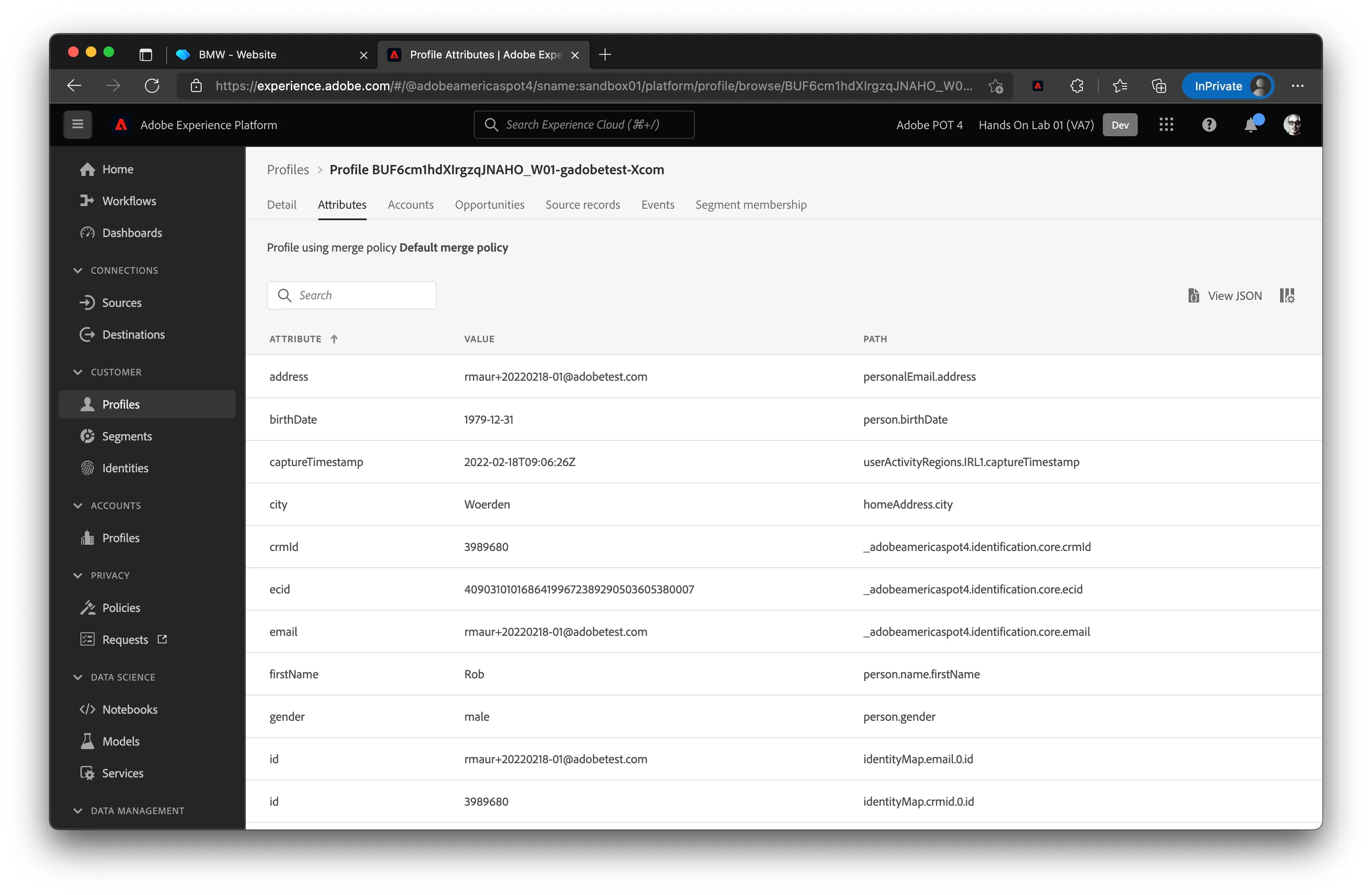
Click on the Attributes tab to see all profile attributes attached to your profile.
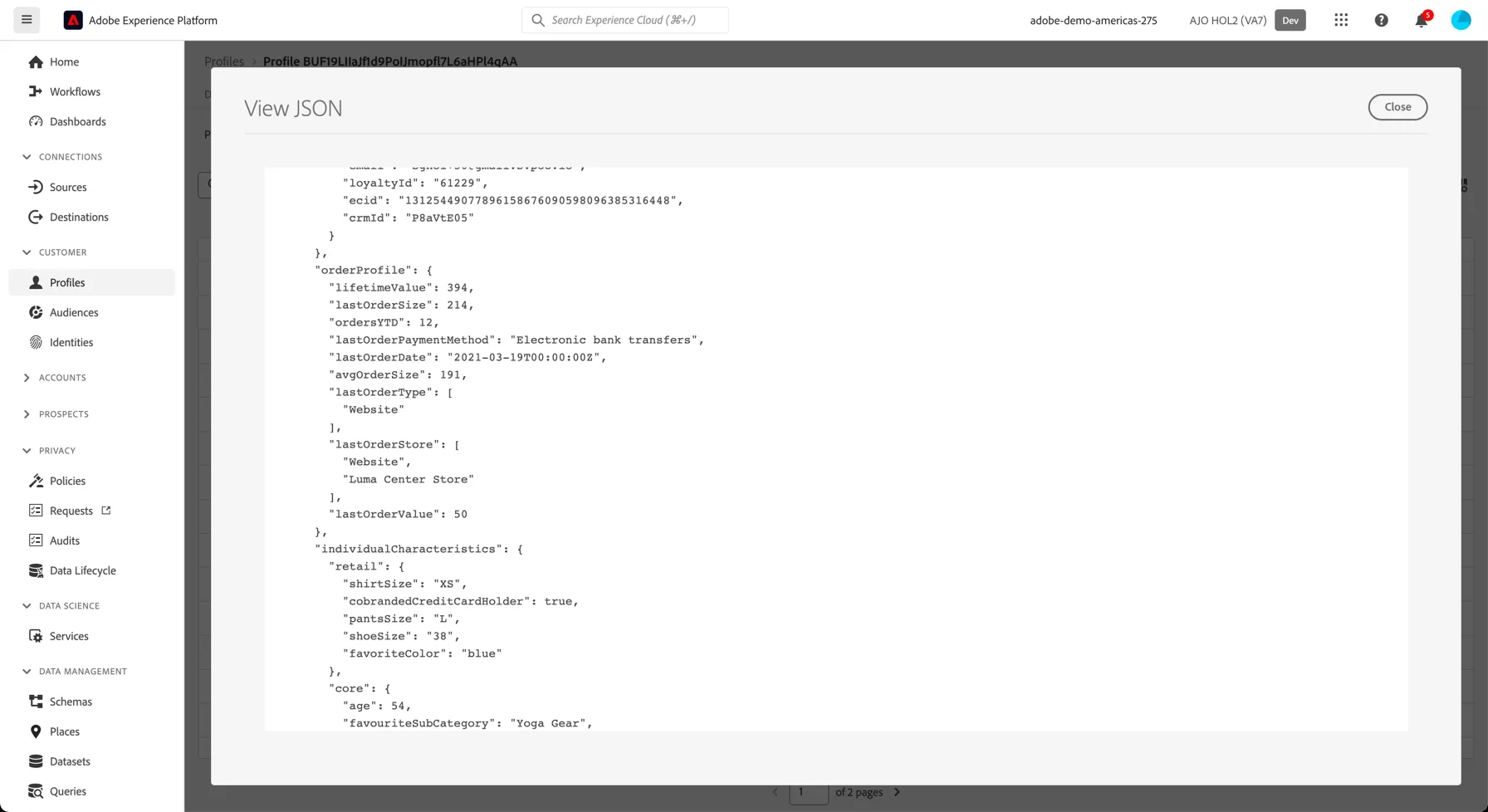
Click on the View JSON button to view these in a structured format. You'll see a number of Retail specific attributes are attached to your profile record, such as lastOrderStore, lifetimeValue etc.
To see all entries for every experience event that is linked to your profile:
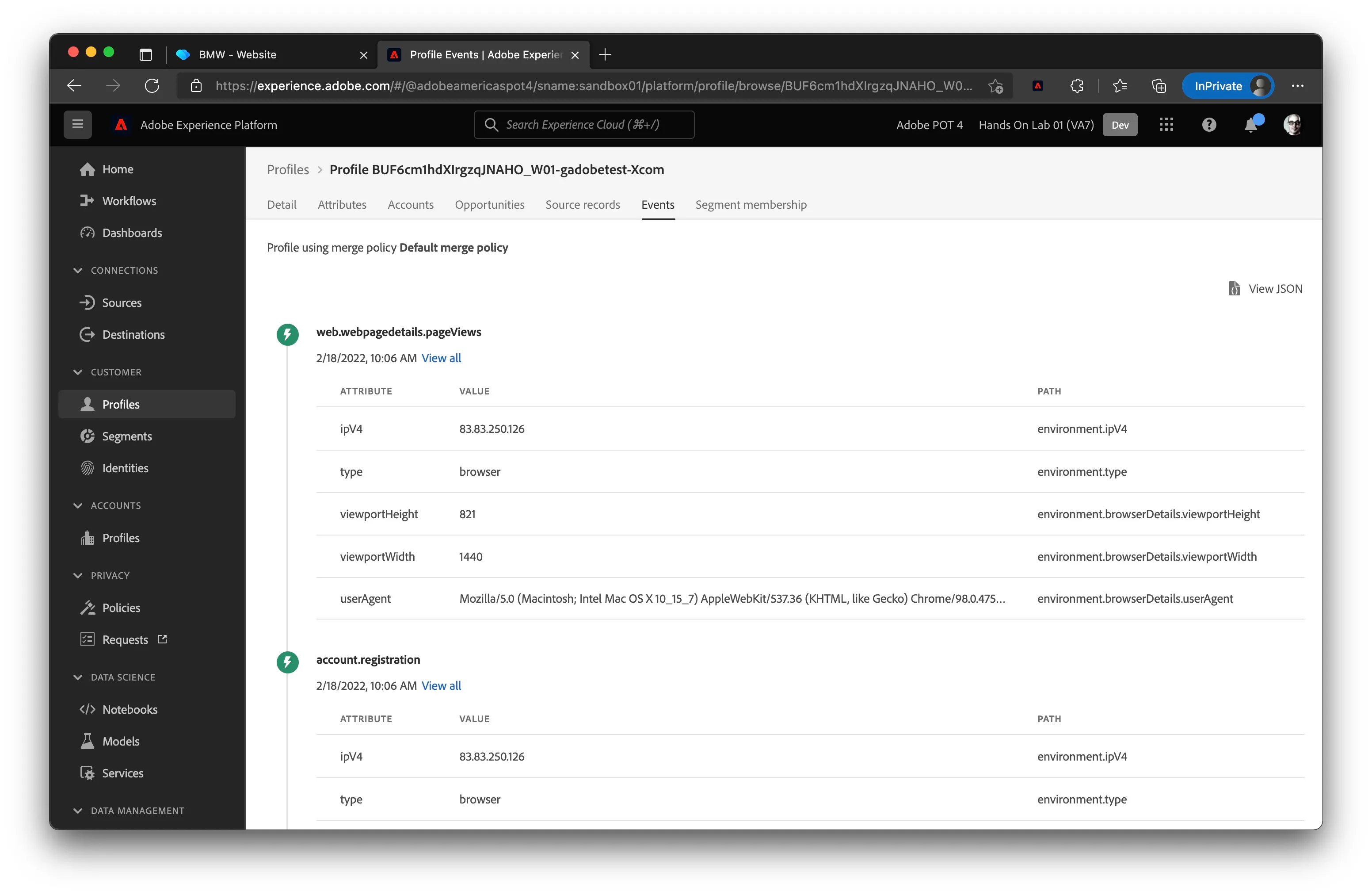
- Click on the Events tab
- You can click on View all for each event to see more details of a specific experience event.
It can take a few minutes for stitching of new devices to be reflected here, so don't panic if you don't see your website events yet, just come back in a minute and refresh.
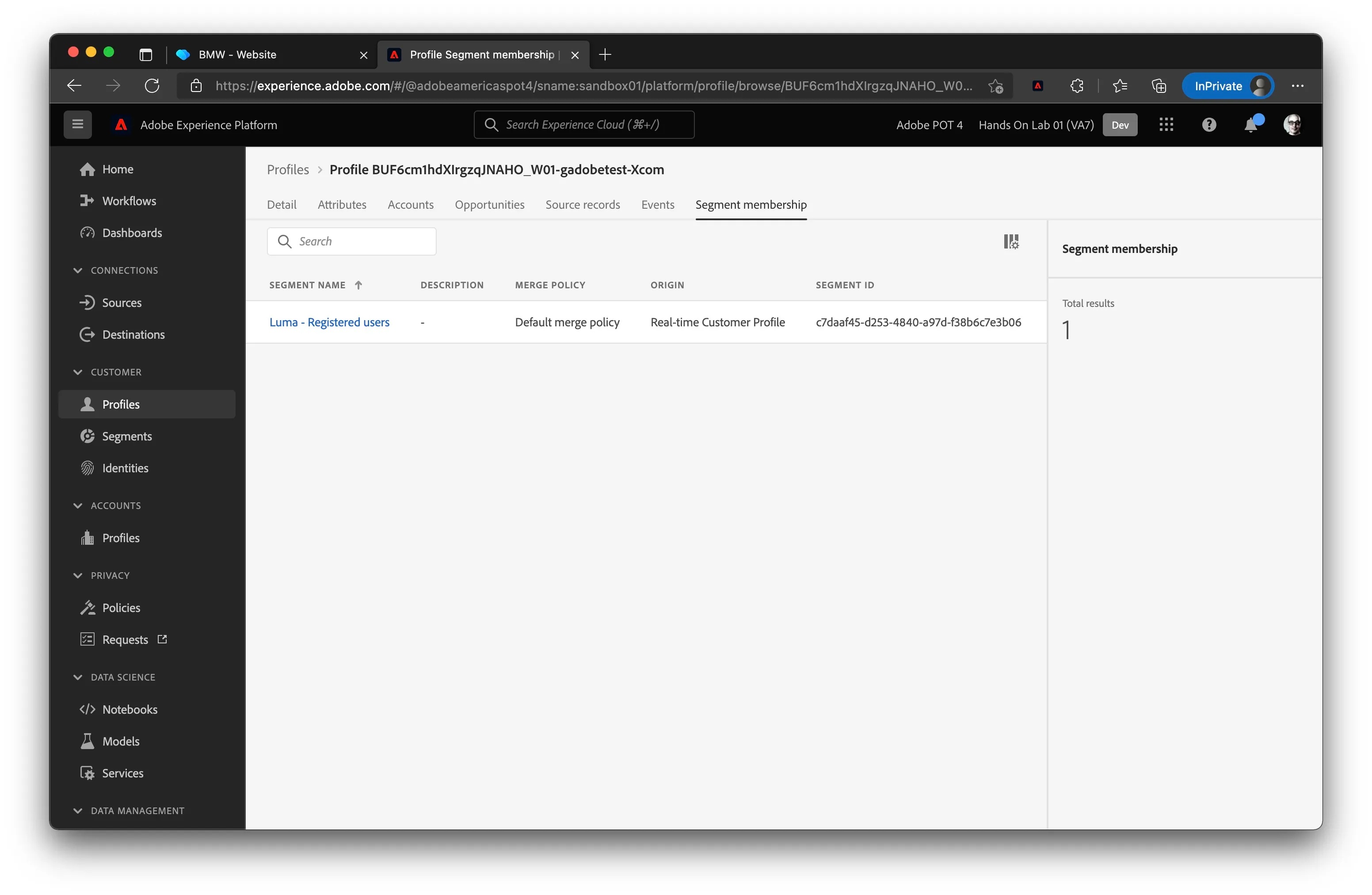
To see all segments that this profile belongs to click on the Segment Membership tab:
You've now learned how to view any customer’s real-time profile by making use of AEP’s User Interface.
Visualise the Identity Graph
Return to the Details tab of your profile and click on the View Identity Graph link:
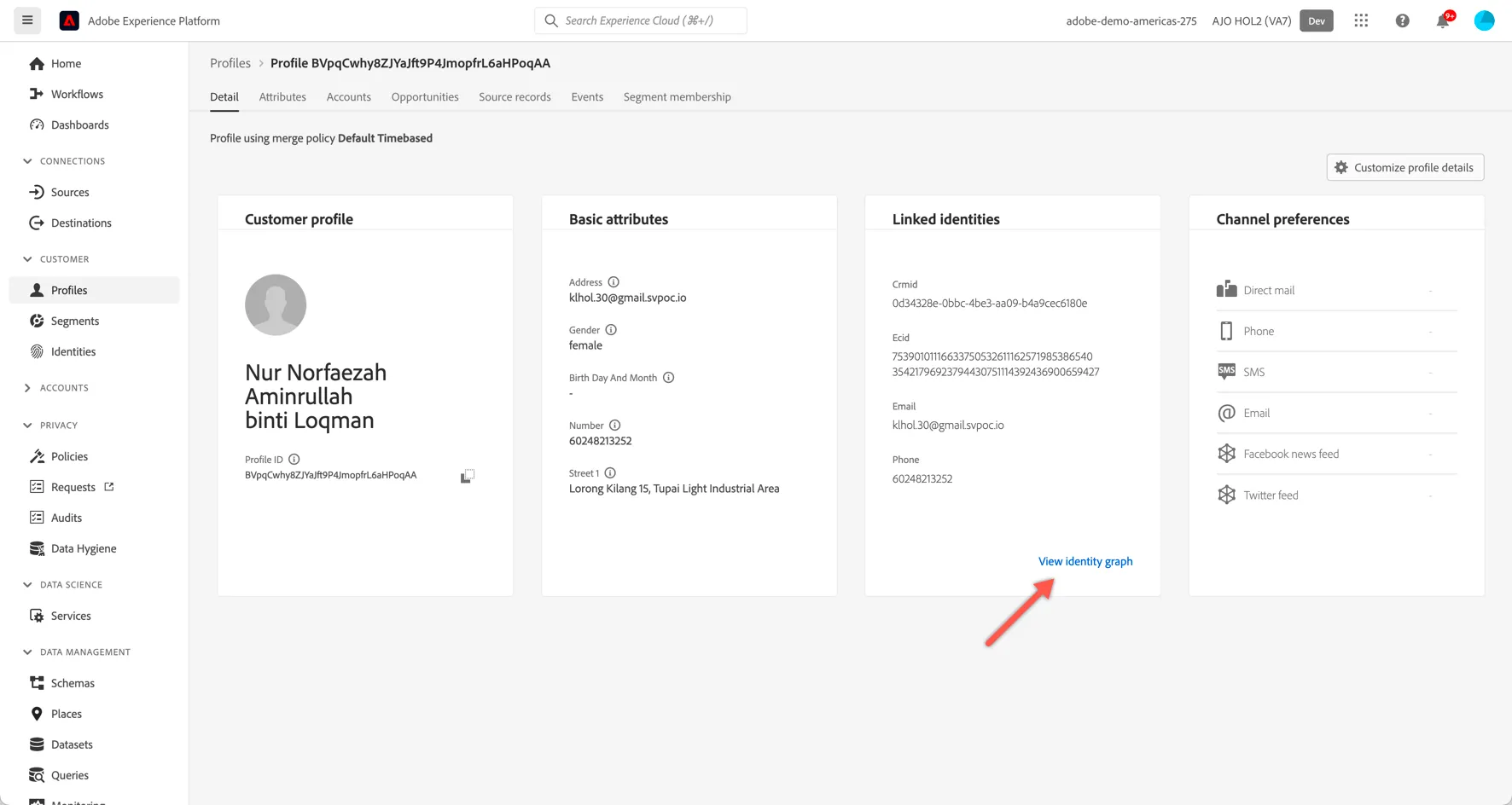
Explore how the identities have been linked (1), how the graph has grown over time (2) and which datasets each of the id's have originated from (3).
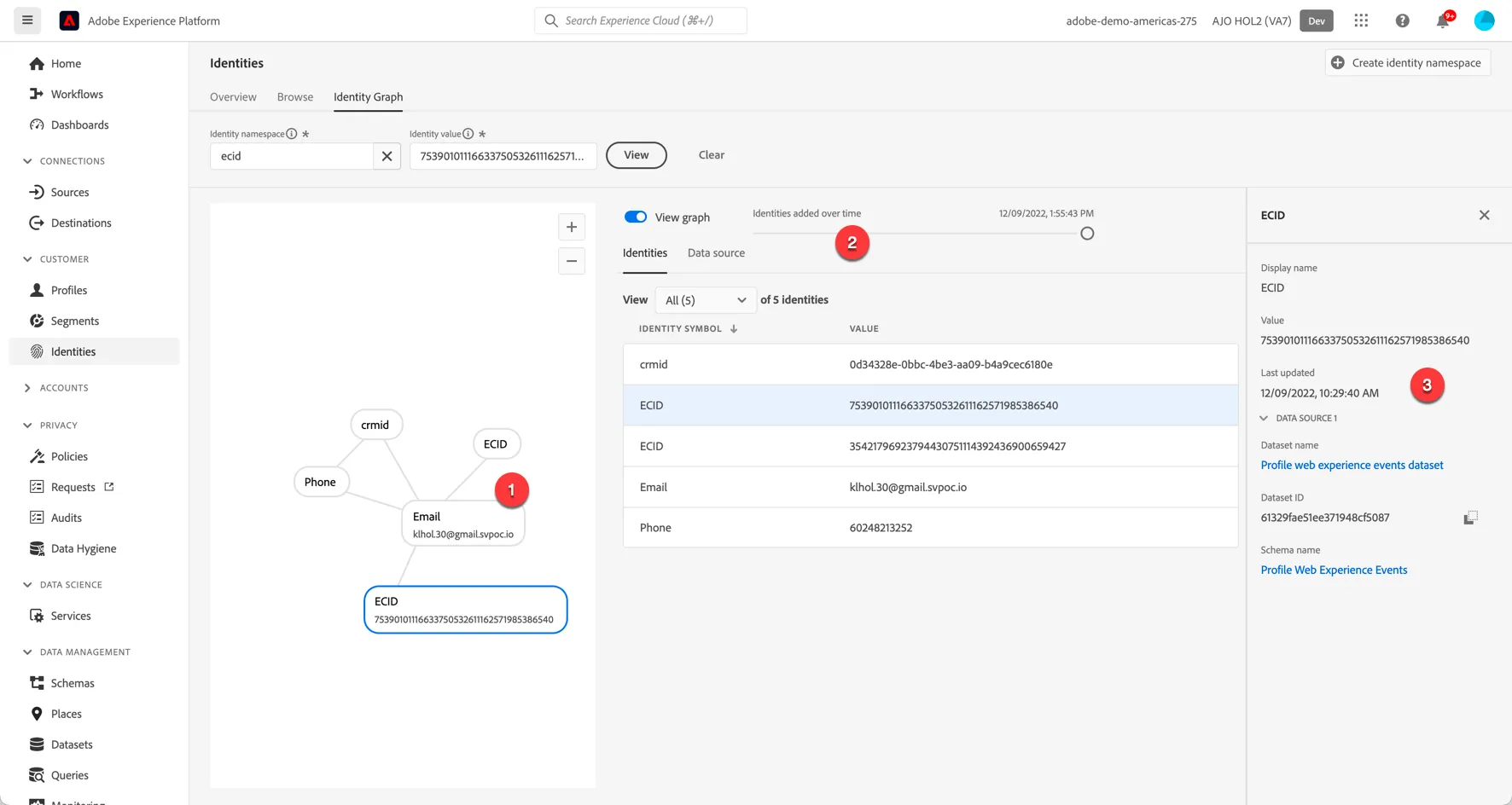
You have now successfully viewed a customer's identity graph in Adobe Experience Platform.