Build Federated Audience
[Hands on keyboard!]
Create a Federated Audience Composition
SecurFinancial wants to increase adoption of higher-value digital products (high-yield savings, credit cards, home and personal loans) among existing customers without copying sensitive financial data out of their data warehouse.
In this exercise, you will build an audience to qualify banking customers who have a credit score of 650 or above, have a high account balance, and do not currently have a loan in their SecurFinancial portfolio.
High-Value Savers Showing Loan Intent
In the Customer > Audiences portal, click the Federated compositions tab.
Click Create composition.

Label your composition High-Value Savers + add your initials. Click Create.
Click the + button in the canvas and select Build audience. The right-hand rail should appear.
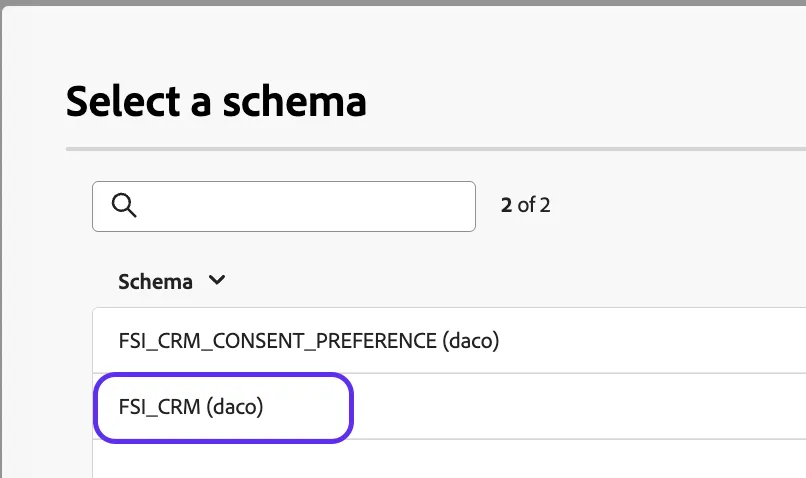
Click the schema folder to find and select the FSI_CRM schema then click Confirm.
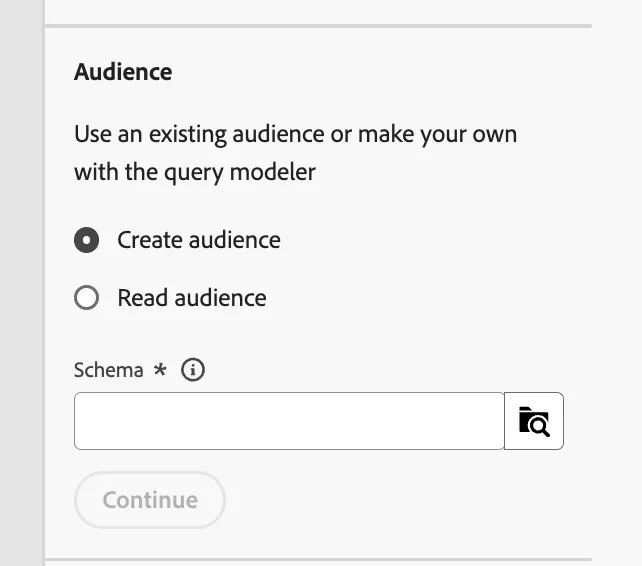
Click Create audience. The query builder window should load. Now, click the + button and then Custom Condition.
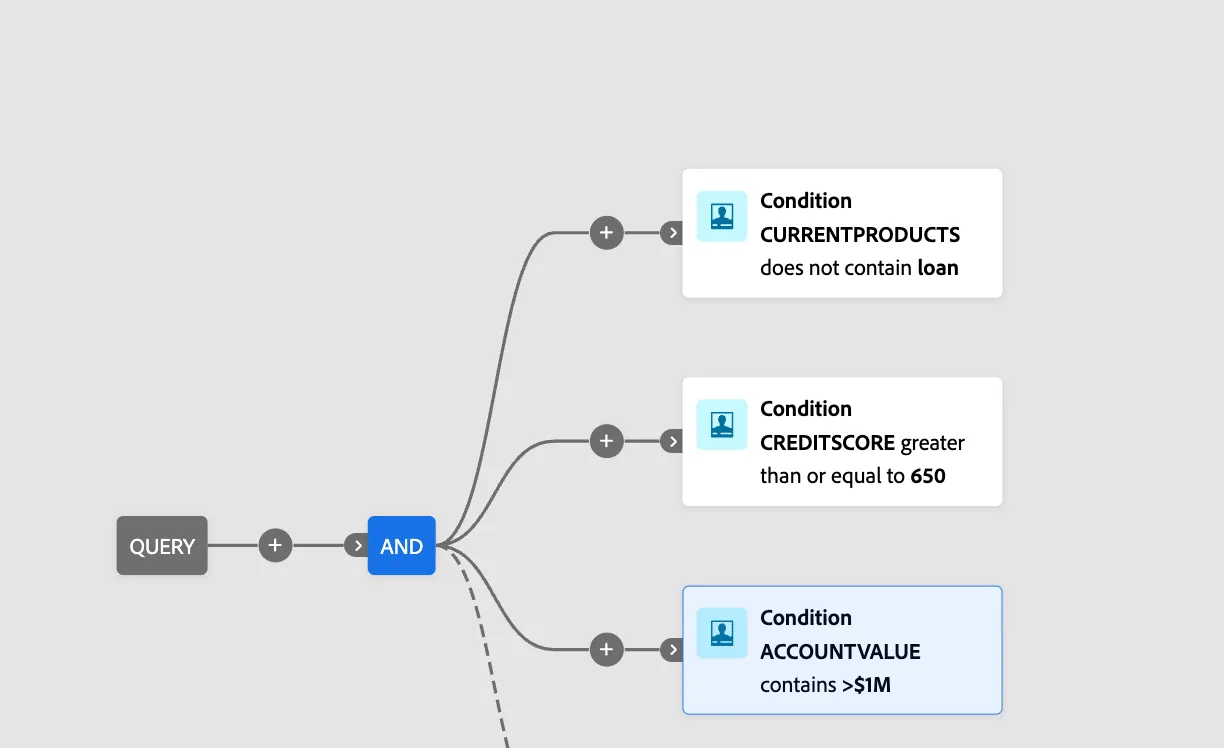
Create the following condition:
CURRENTPRODUCTS does not contain loan
AND
CREDITSCORE greater than or equal to 650
ACCOUNTVALUE contains >$1M
Your query should now look as follows
Click the next + button then click Save audience.
Label this step High-Value Savers + your initials. We will use the same value as the audience label, however, any name can be used.
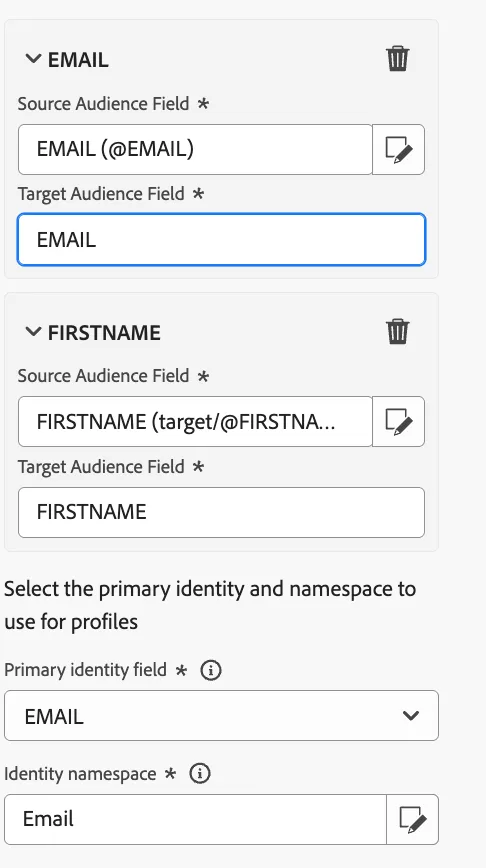
Add the following audience mappings:
Source Audience Field: EMAIL
Source Audience Field: FIRST NAME
Select the primary identity and namespace to use for profiles:
Primary identity field: Email
Identity namespace: Email
Click Save and then click Start, to run the query of the composition you just built.
Note: We used the ACCOUNTVALUE, PRODUCT, and CREDIT information to build our audience, without moving sensitive data into AEP's profile store.