Planning
1 min
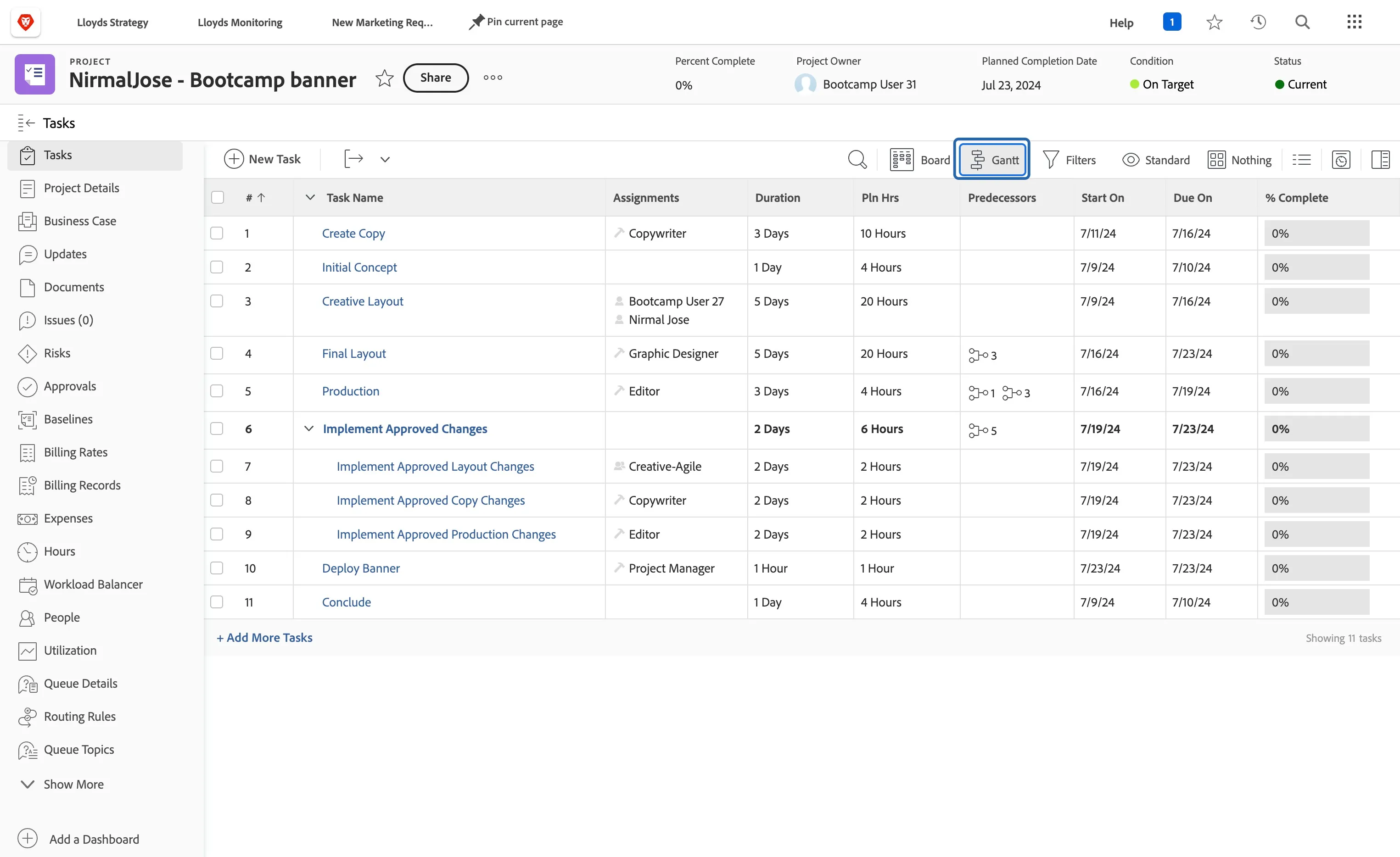
Click on the <Your Name> - Bootcamp banner to go inside it.
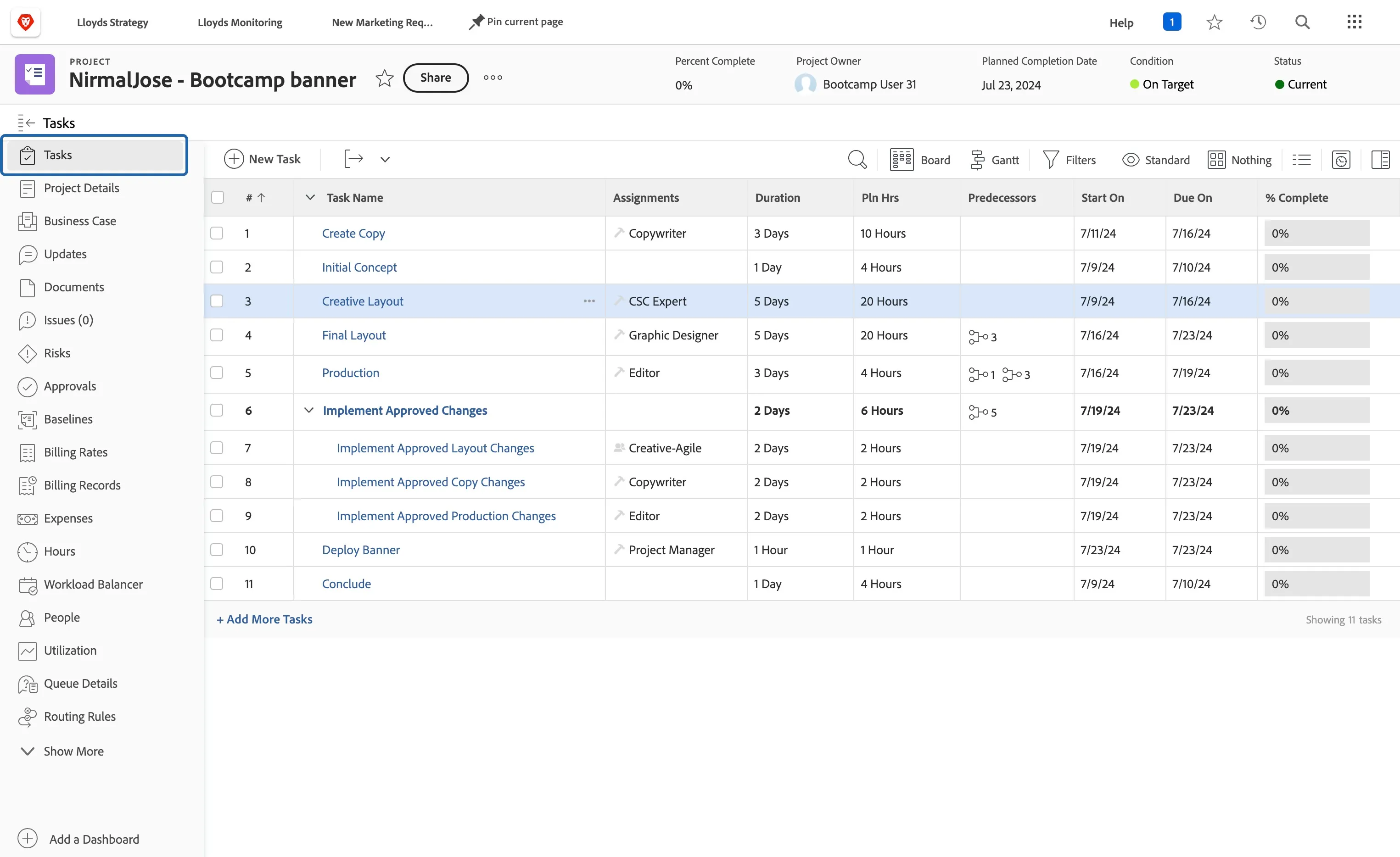
You can see all the tasks created automatically for you. Lets assign Creative Layout task to yourself.
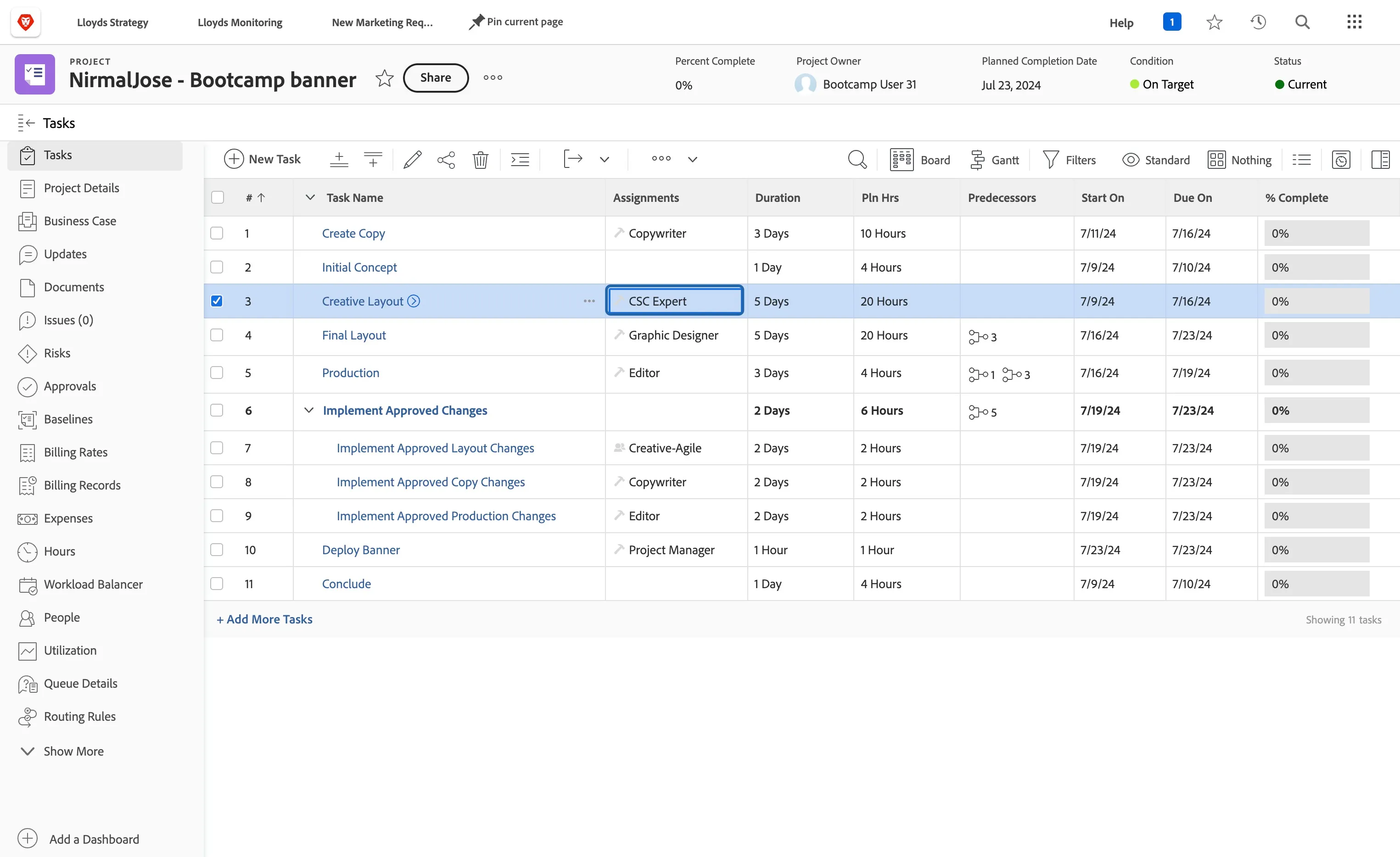
Click on Assignment cell i.e. CSC Expert
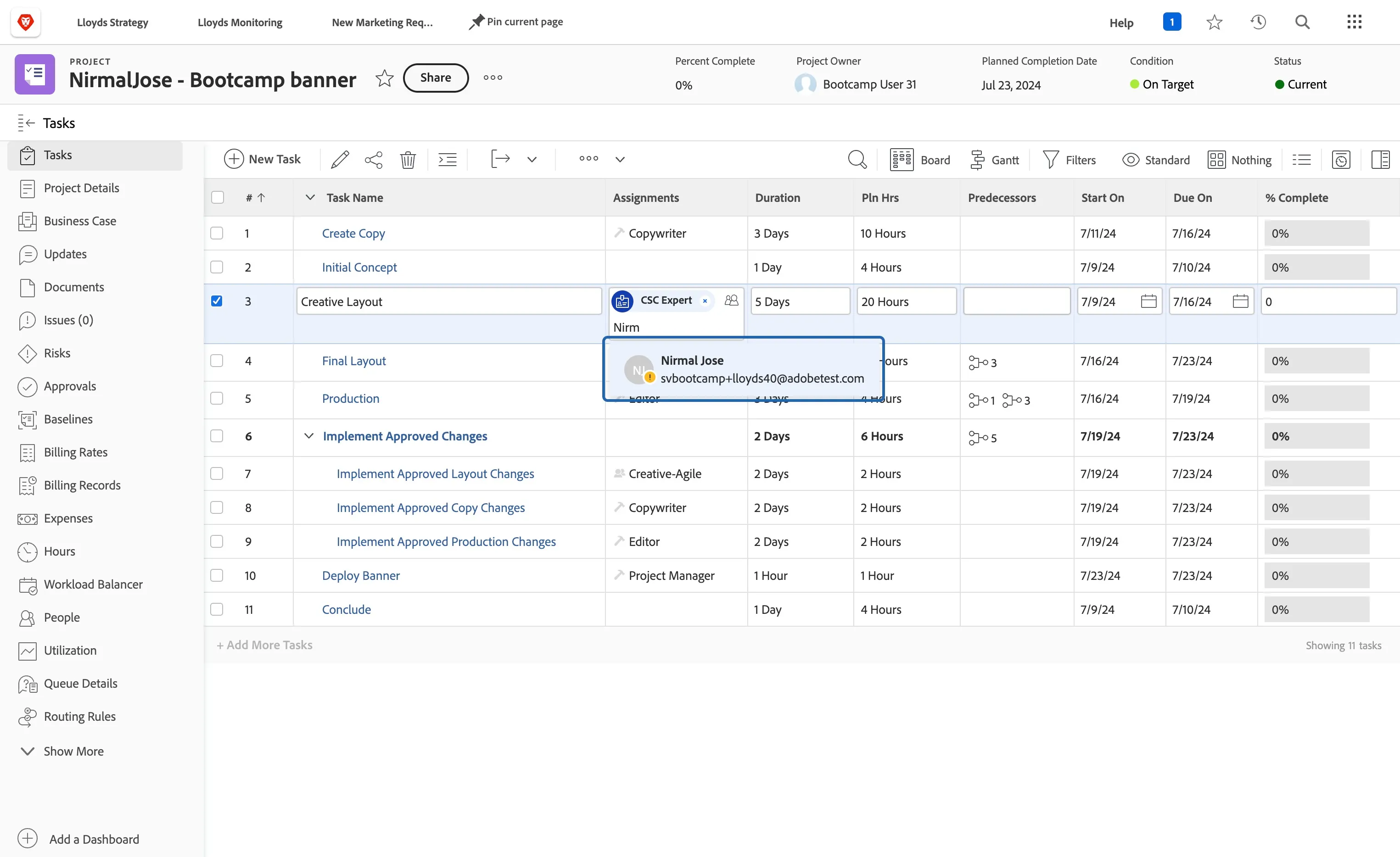
Type in your name to assign the task to yourself
Click on Gantt to see the relationship and cadence between the tasks
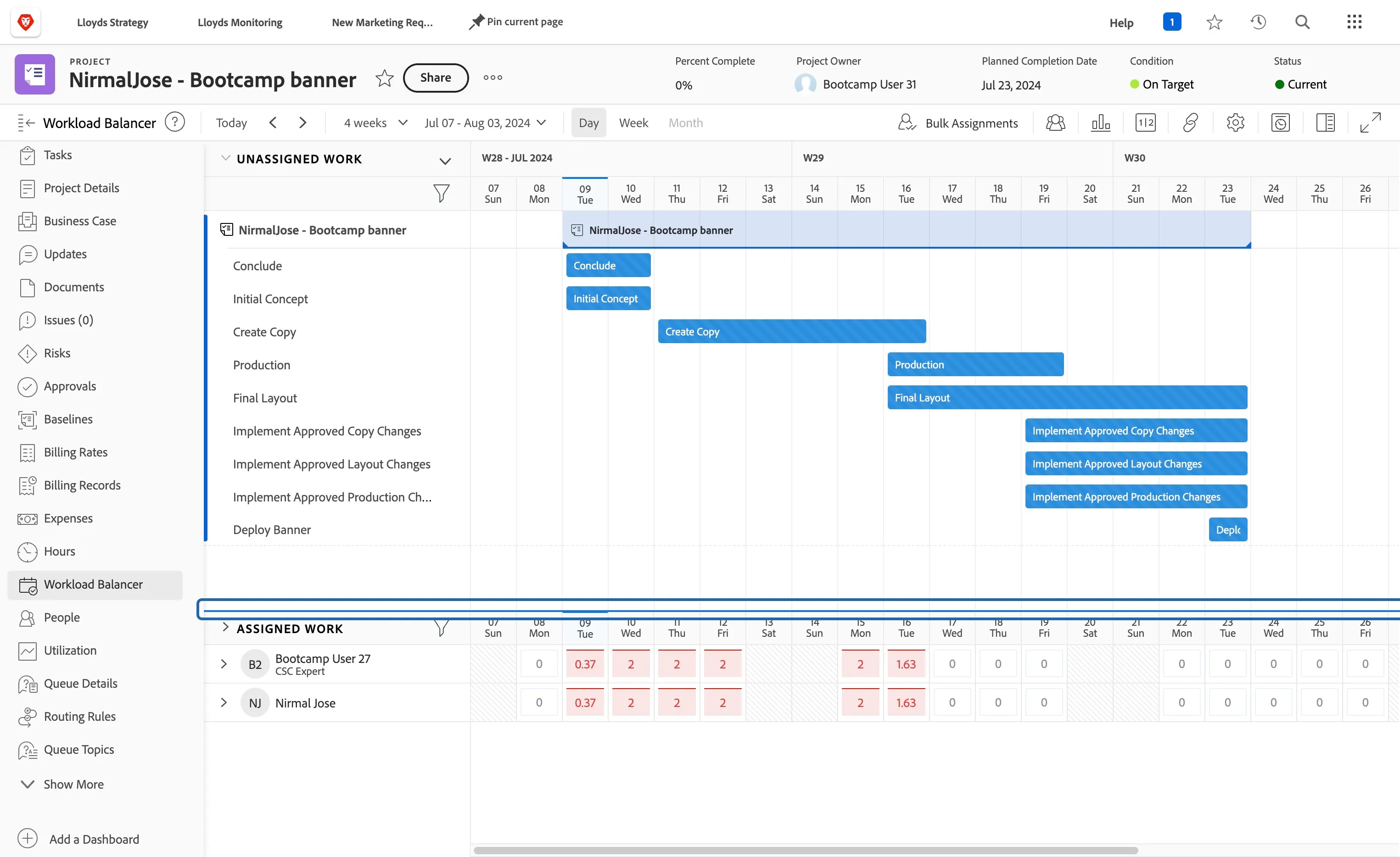
Click on Workload Balancer
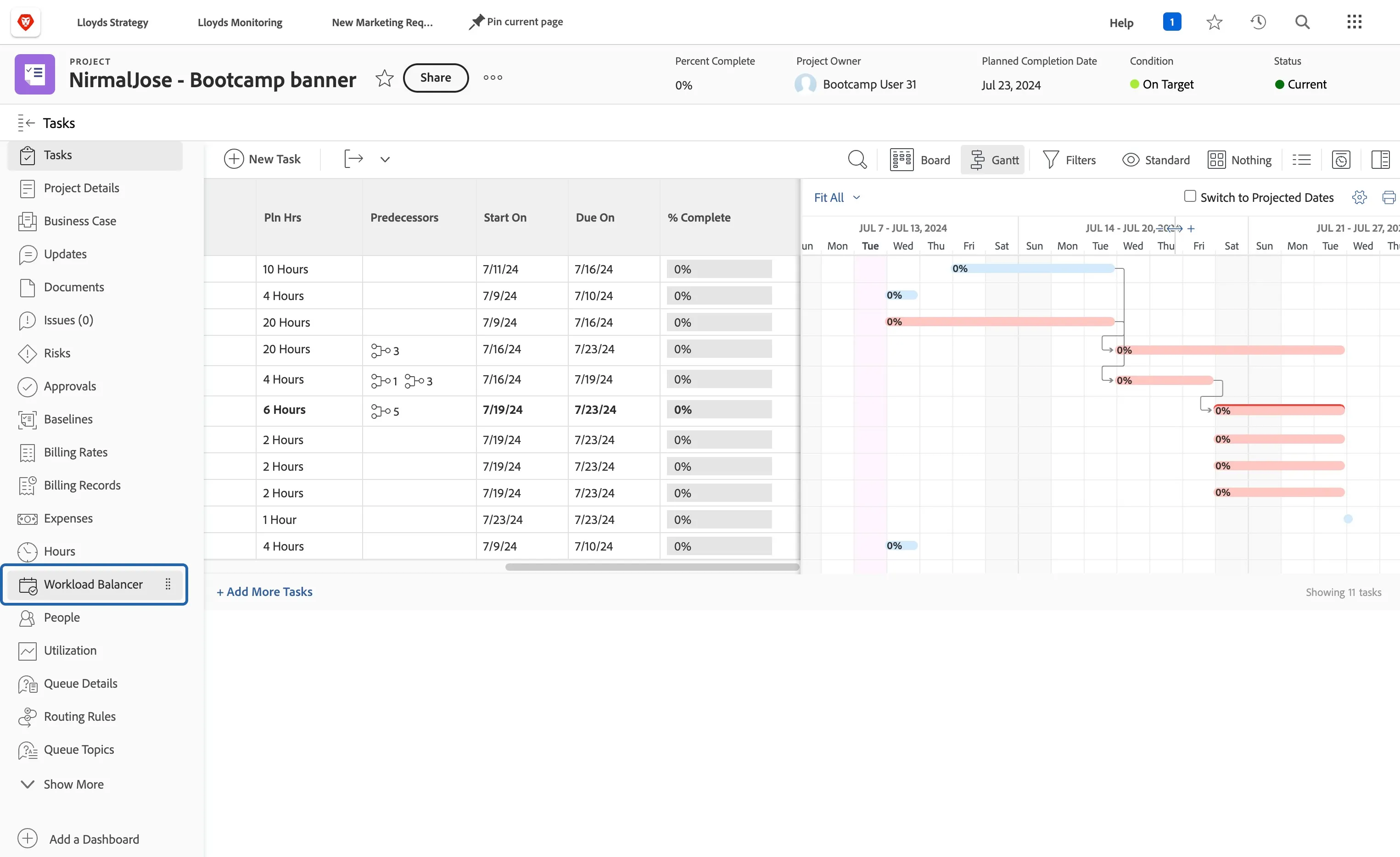
Scroll to the right see how the current tasks for the project is assigned and how the assigned user is loaded with.