Expand your Journey
1 min
This lab will walk through the steps to create some other content within Adobe Journey Optimizer.
NOTE: Some exercises may vary during the actual Hands on Lab versus what is listed in the Archbee Page, due to industry setup and / or Presenter preferences.
Adding Events
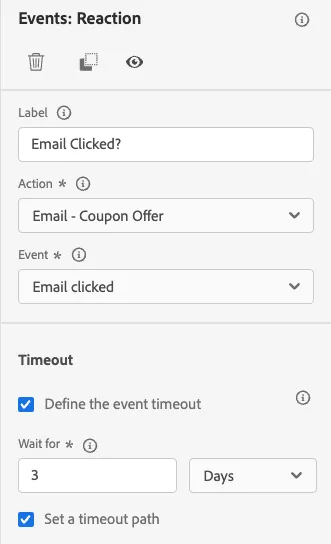
- Under Events, drag on Reaction node to the email message path. Click on Event and select “Email Clicked.”
- Ensure the Coupon Offer email is chosen for the Action value.
Set a timeout path of 3 days. Click ok.
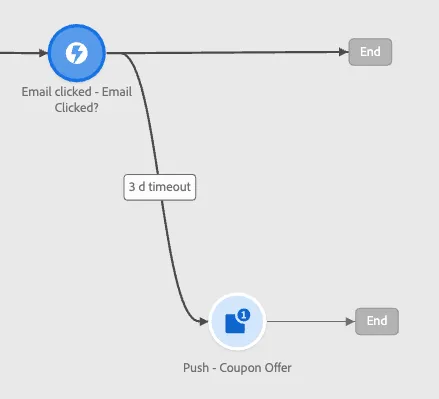
On the timeout path, add a Mobile Push Notification node.
- Continue on to the next lab to configure the push message.