SMS Designer
2 min
This lab will walk through the steps to create a basic SMS Message in Adobe Journey Optimizer.
NOTE: Some exercise steps may differ from lab presentation content.
Create a New Message
Within a Campaign or Journey, edit the basic properties of the SMS Message, including the Name, Description and Tags:
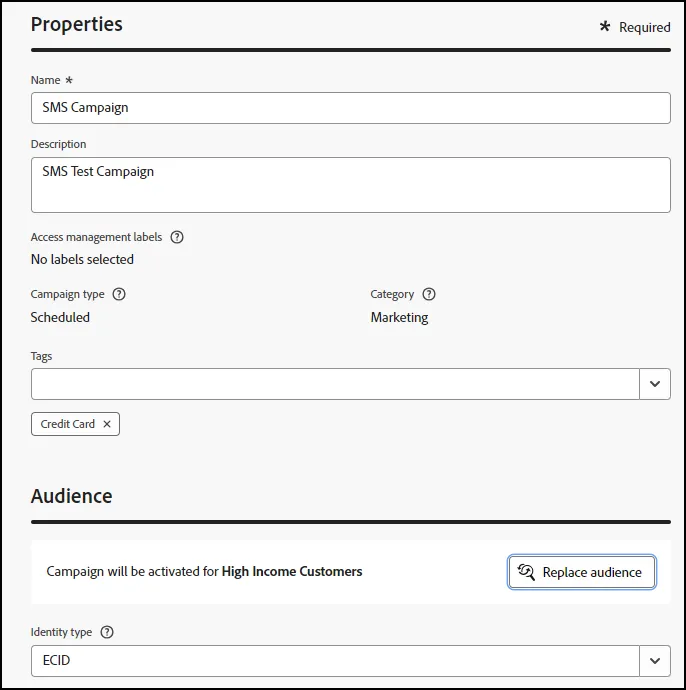
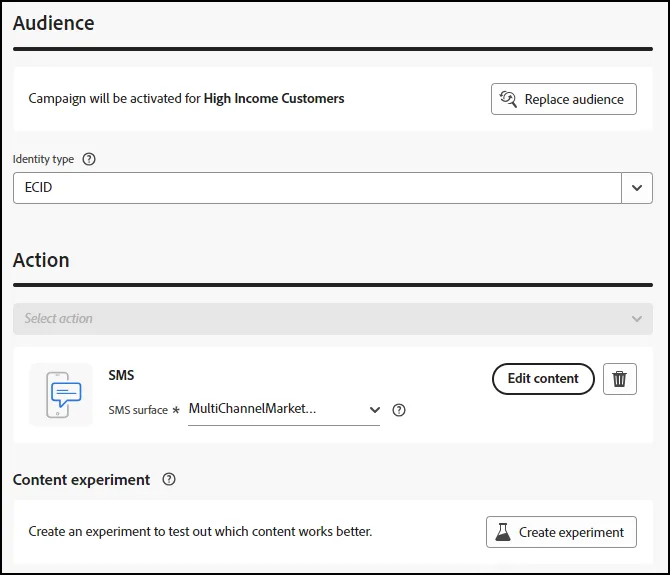
- Click on "Replace Audience" to change the audience, as you would like.
When ready, click on "Edit Content" to open the SMS Message Designer:
Define the SMS Message
Compose the message.
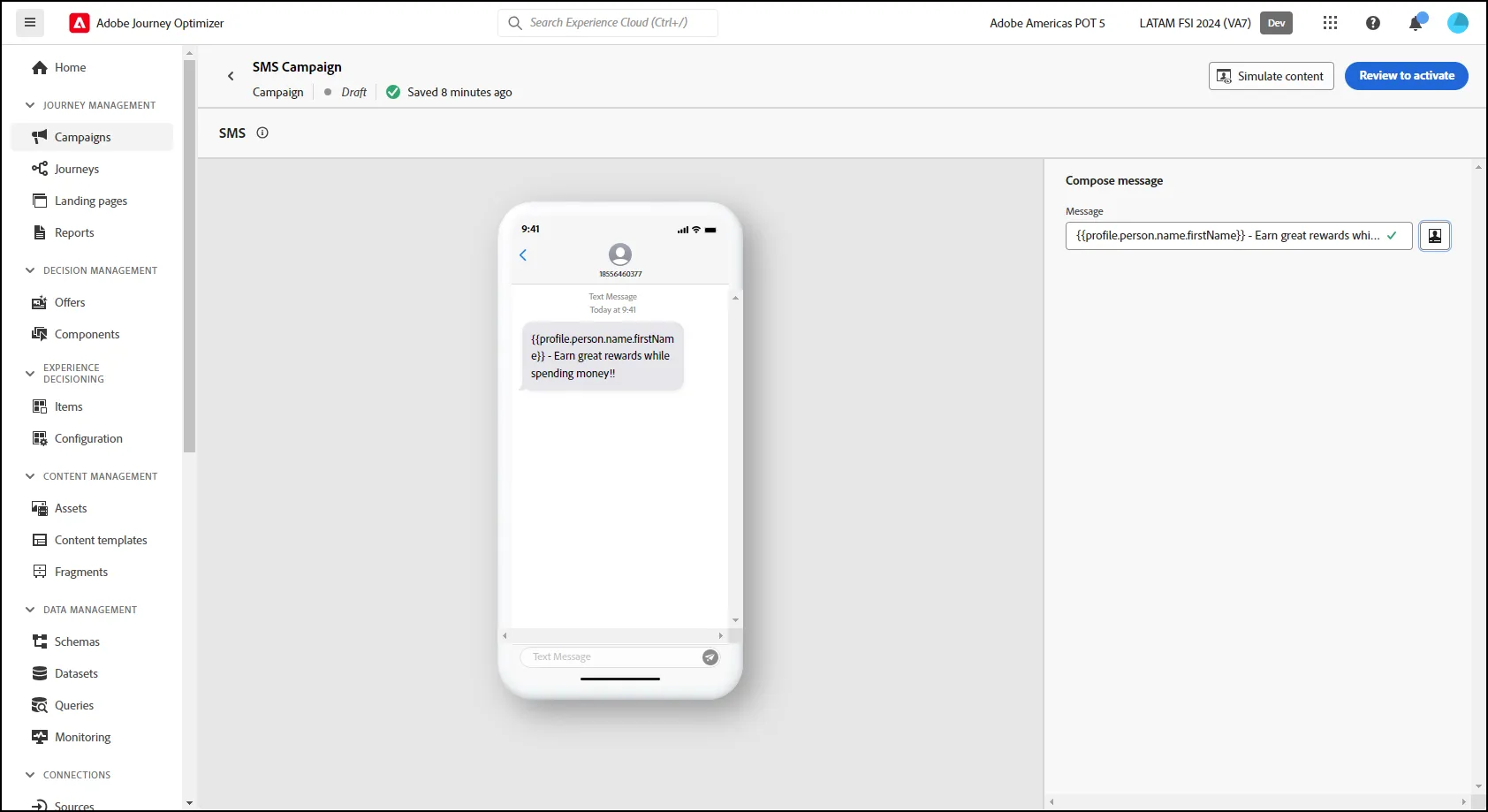
- Exit the designer after composing the message.
- NOTE: You can add scheduling details, if you would like to do so.
- End of Lab