Create a Plan
Plan
Beyond just viewing model insights, Mix Modeler empower users to take action by enabling advanced forecasting capabilities across a variety of scenarios. Within this interface, users can build plans on top of models, truly operationalizing robust measurement insights into rapid actions.
Plans in Mix Modeler allow you to identify optional budget allocation based on marketing spend and impact to goals. The planning functionality is integrated with the outcomes of the trained models based on your harmonized data.
A plan outlines the discretionary investments (for example budgets) a business intends to spend on marketing-related projects over the course of a given timeframe in service of common KPI (for example orders, revenue). Plans can include expenses from channels such as paid advertising, sponsored web content, events, etc.
In this interface, customers are able to build plans on top of their models, truly operationalizing these robust insights into actions.
Create a Plan Exercise
- Navigate to Plans in the Mix Modeler UI.
- Click on Open plan canvas.
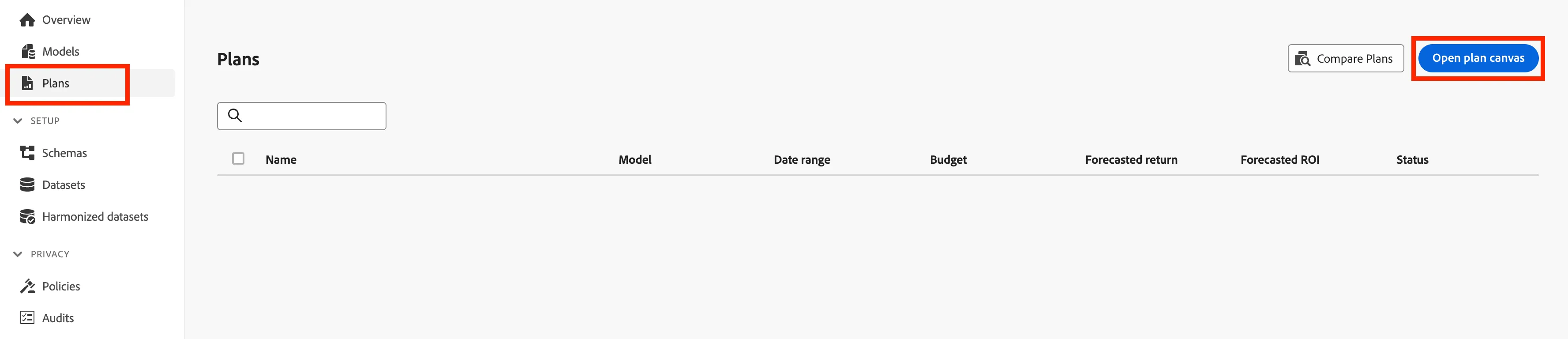
- You will need have a model, a date range, and a budget to be able to create a plan. Configure your plan as followed:
- Name = Sales Plan FY24 Optimized + {initials}
- Model = AMM Revenue MTA Model
- Date range = 01/01/2024 to 12/31/2024
- Budget = $442,500,000
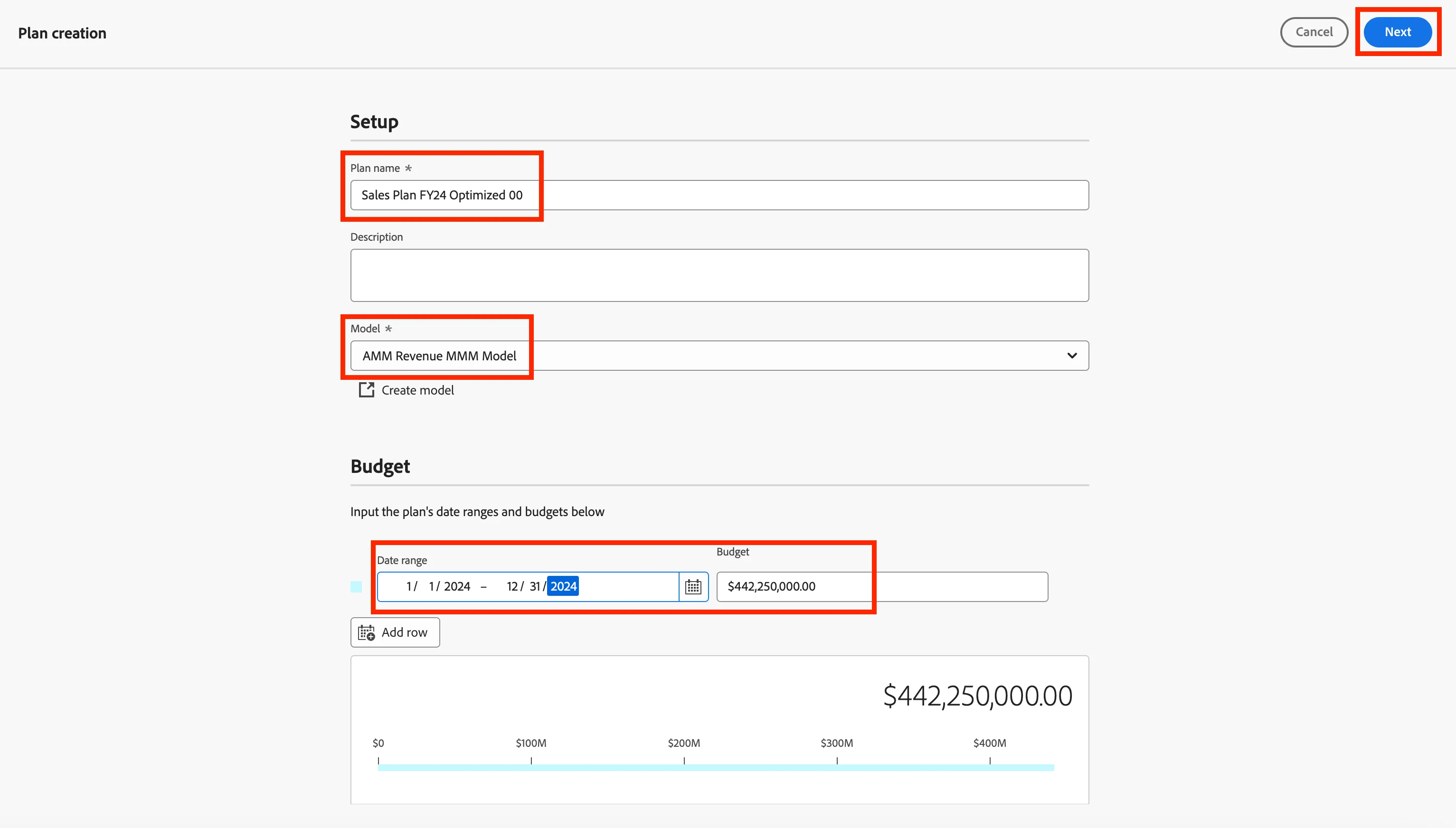
- Click Next.
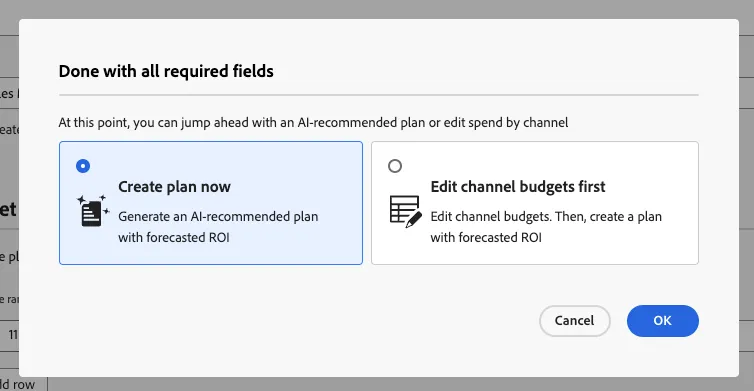
- In the next screen, choose Create plan now and click on OK.
The plan will take a few minutes to generate. Next, we will explore the plan output. Many Adobe Mix Modeler customers choose to share this plan output with their media agency of record for execution. This collaborative approach allows customers to retain ownership of measurement insights and strategy while enabling agencies to focus on optimizing campaign performance.
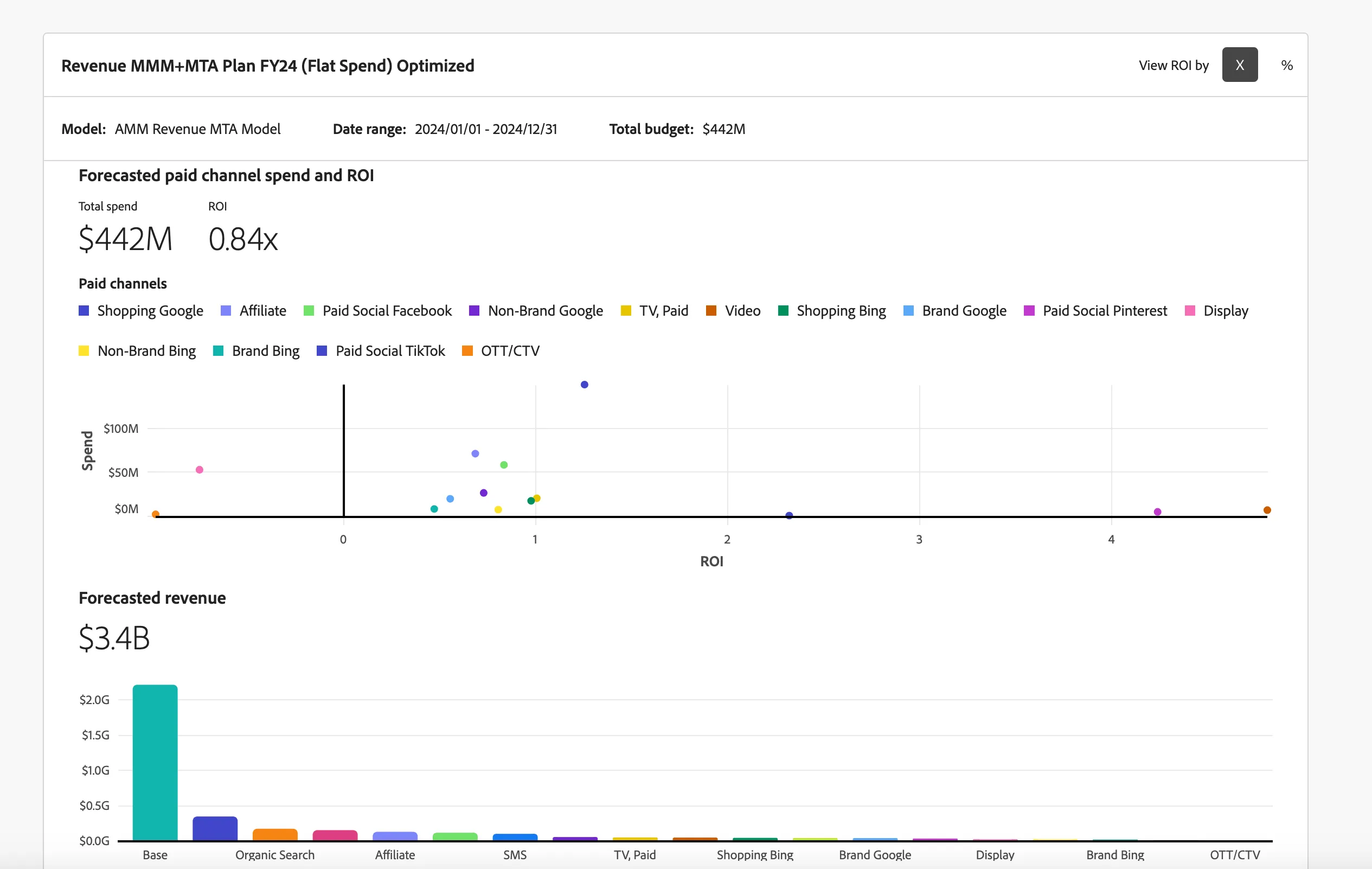
Congratulations! You have completed creating your first plan.