Anx: Add authentication to the site
In this annex exercise, you will enable authentication for your Saga site and define which email addresses are allowed to access it. This will help ensure that the site is available only to users whose accounts match the authorized email patterns.
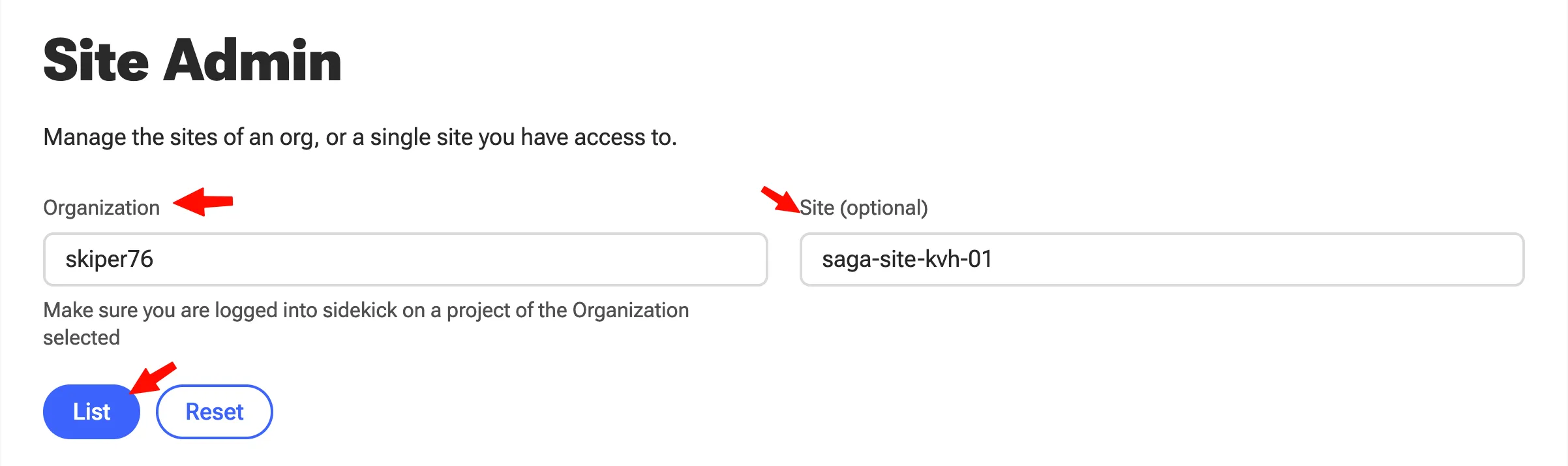
- Enter your org and site name, and list:
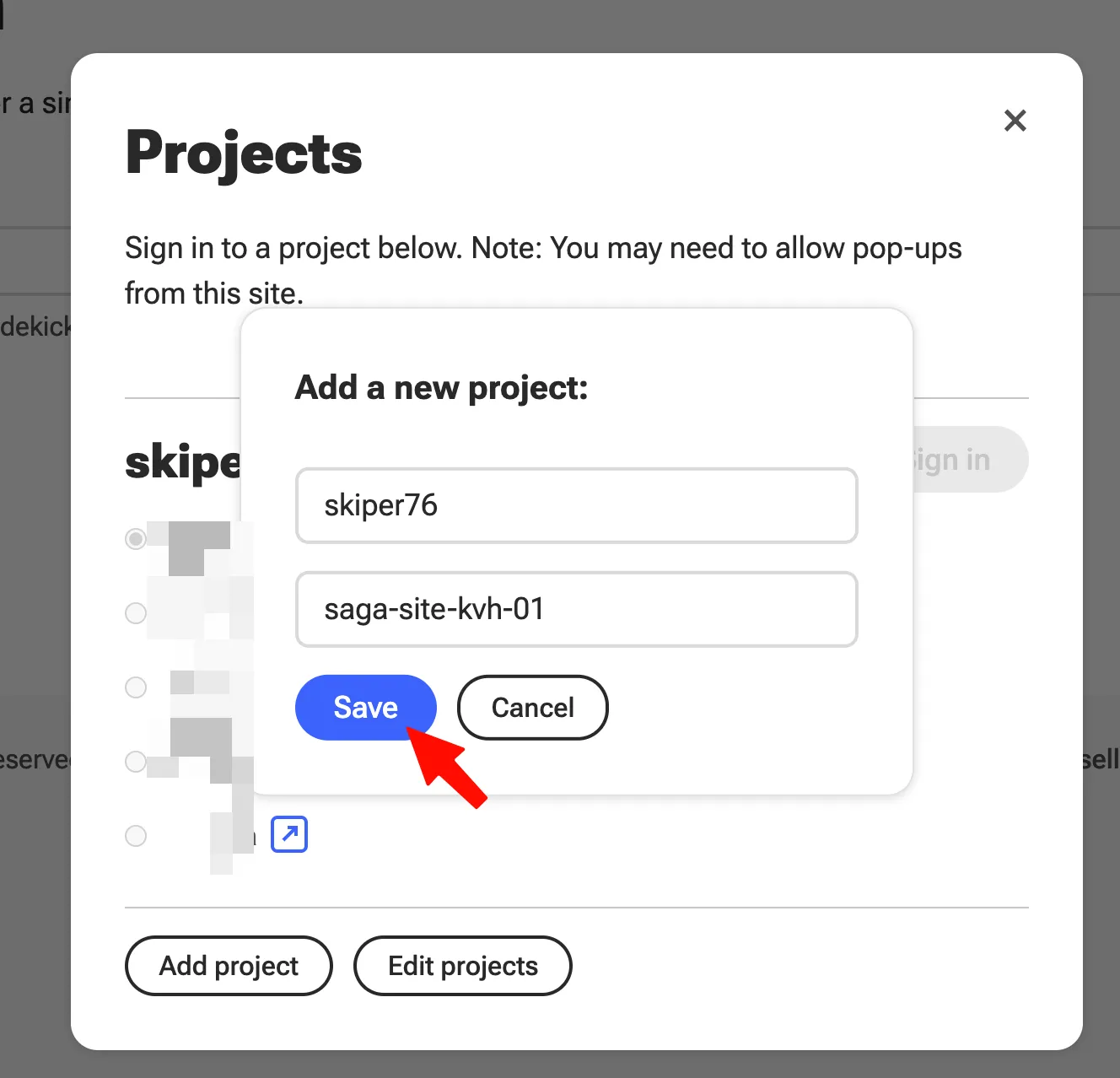
- Click on Save (if this pops up):
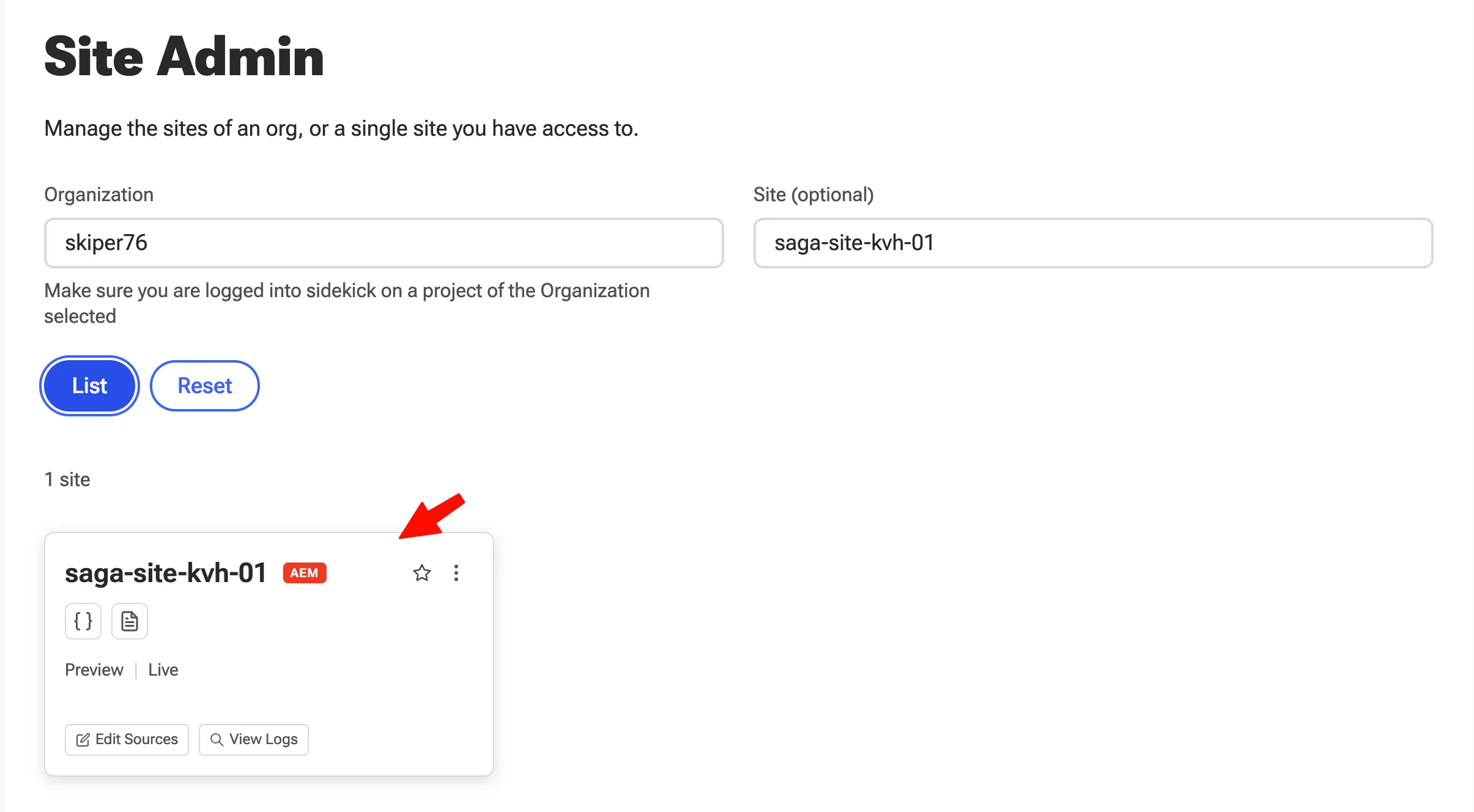
- You should see your site:
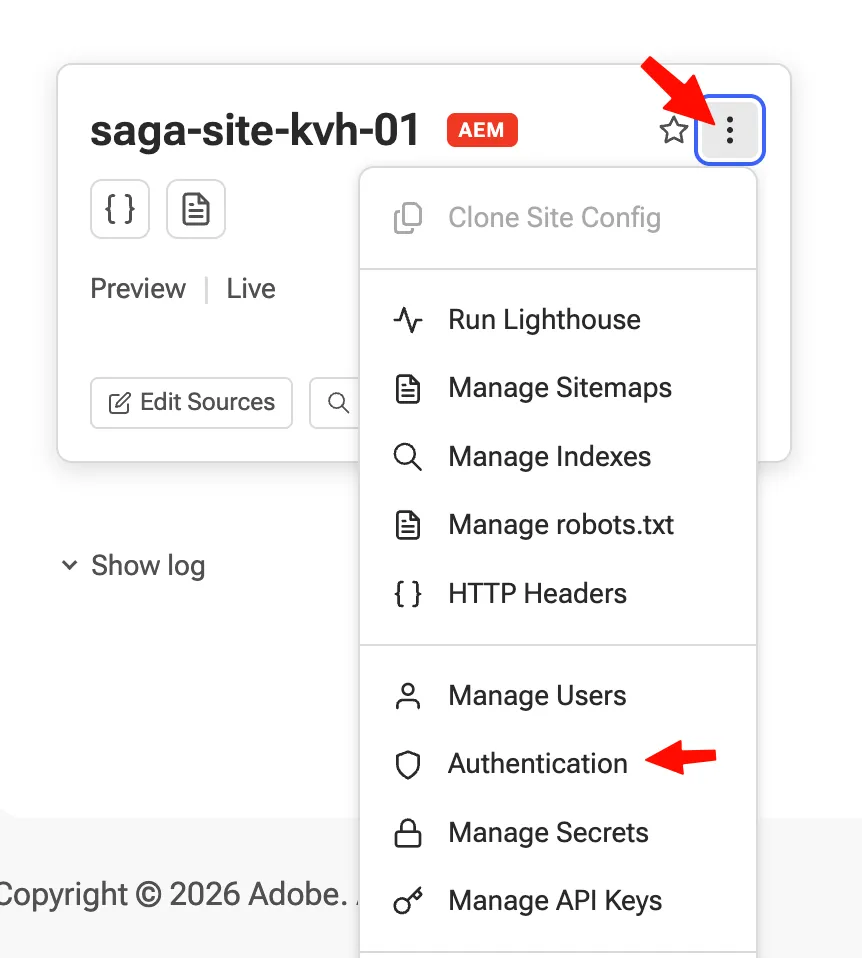
- Click on the top right, and select Authentication:
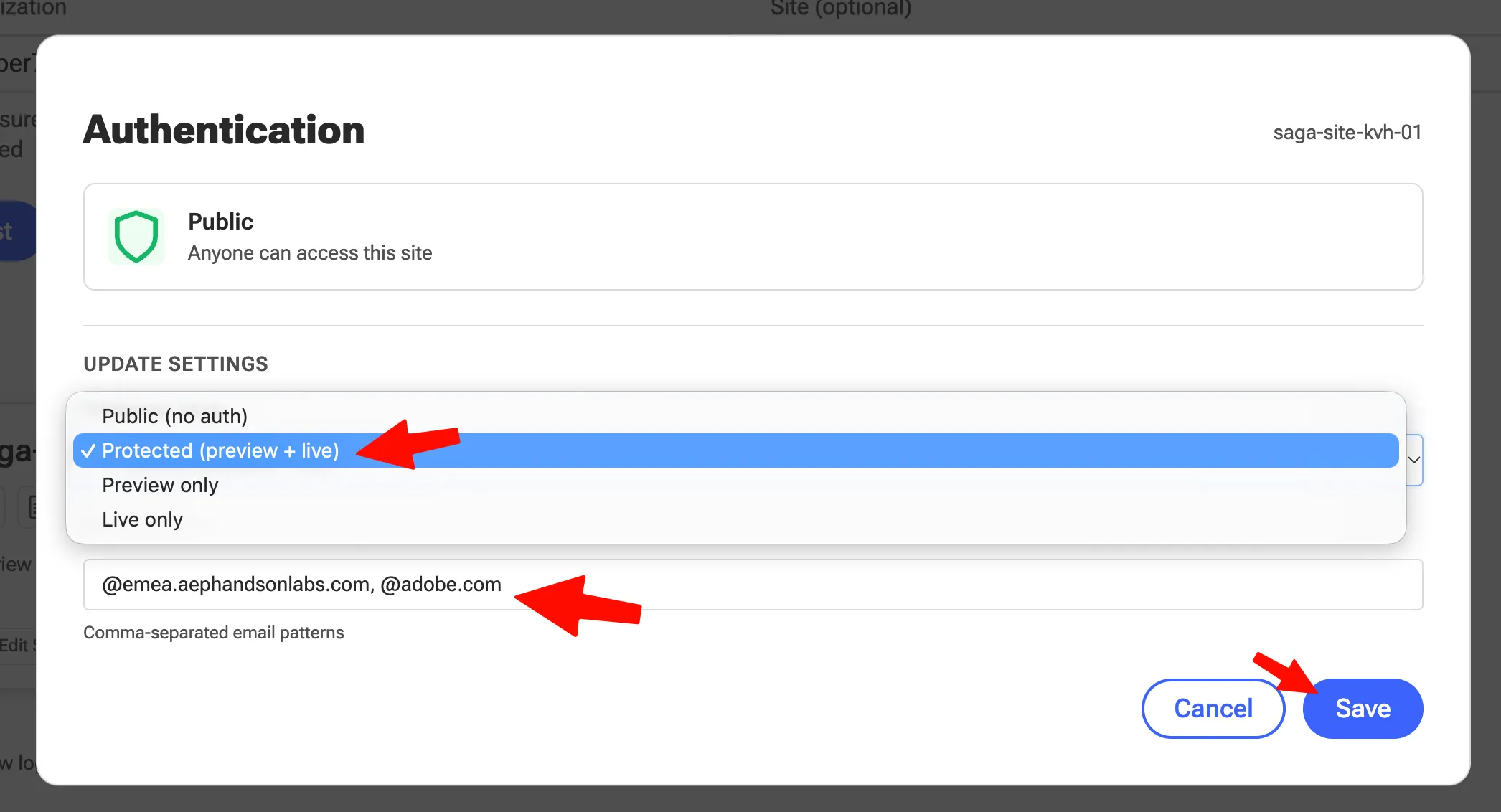
- Select Protected, and add *@adobe.com, *@emea.aephandsonlabs.com as authorized email patterns, then click Save:
Conclusion
Your site is now protected by authentication. Only users who sign in with an email address matching one of the authorized patterns can access it.