Ex6: Migrate your site
We will now use AEM Coder, also known as the Experience Modernization Agent, to create an AEM Edge Delivery Services implementation of the NatWest homepage.
The target implementation should reproduce the homepage’s general structure, responsive layout, component patterns, and interaction model while using lab-safe placeholder content and assets.
Step 1 — Check the already migrated site
To prepare the author lab, we have created a NatWest EDS Site, using only the Experience Modernization Agent!
Take a look at the result here: https://main--natwest-da--skiper76.aem.page/
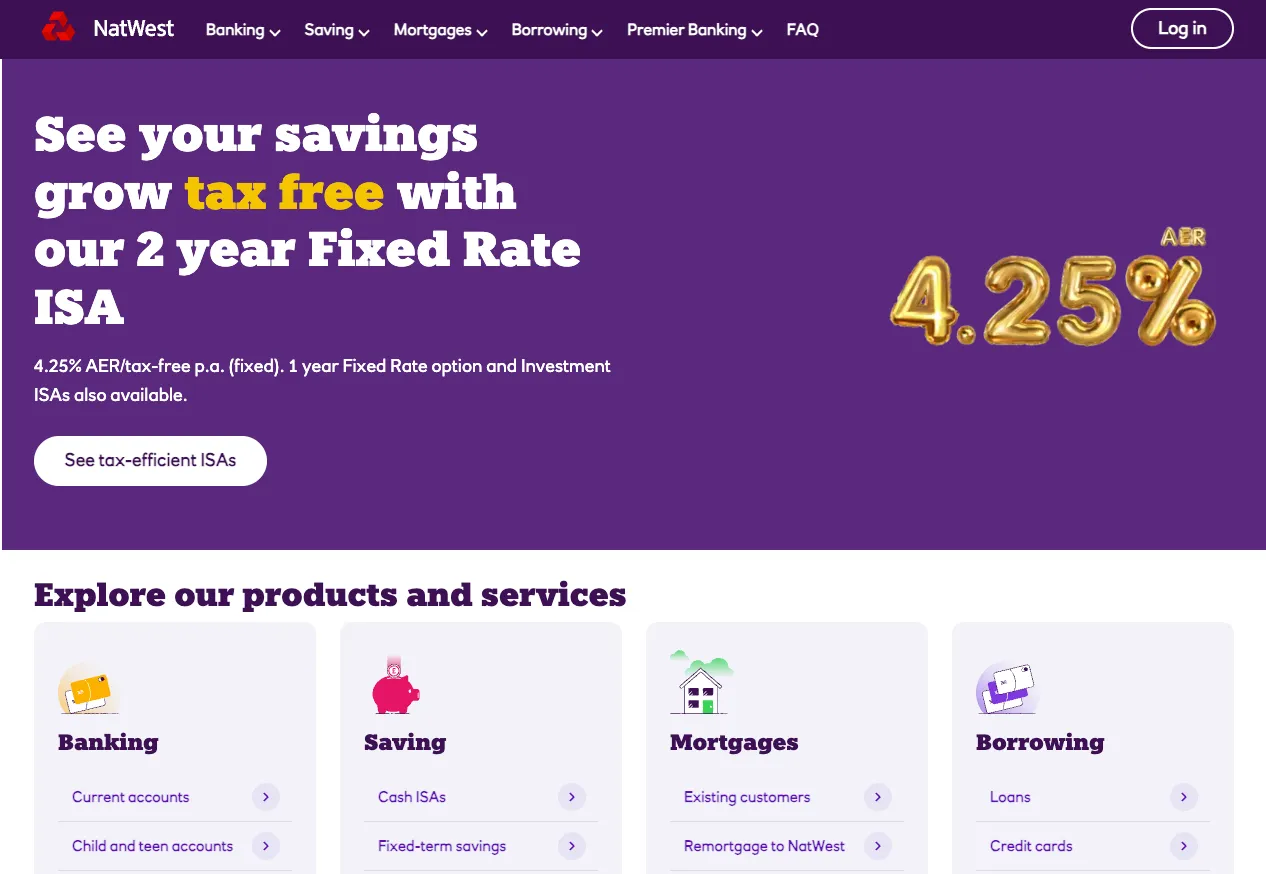
Of course, there have been a few adjustments and prompt iterations, but thanks to EMA, this demo site creation took only about ~2hours.
Step 2 — Migrate your Page with one prompt
- Go back to aemcoder.adobe.io tab, and in the chat, paste this prompt: Migrate this site to AEM, only the Homepage: https://www.natwest.com/
Migrate a page to AEM.
Migrate only the homepage of NatWest Bank: https://www.natwest.com/
Rebuild all blocks to match NatWest styling, and don't reuse blocks from wknd.- If prompted, provide the following answers:
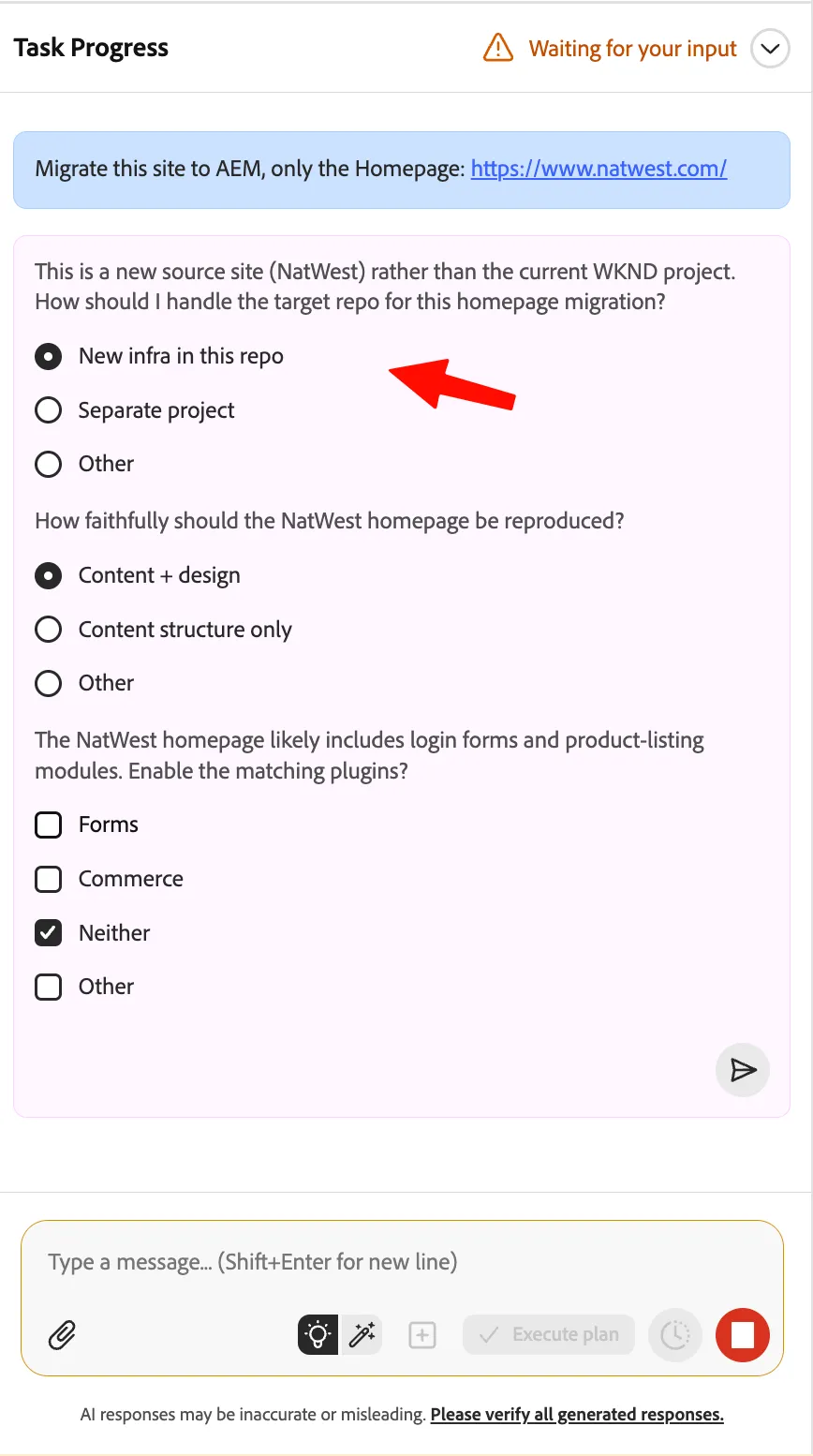
Notice that if not enough context is provided in our prompt, the agent will ask questions to prepare the best answer possible.
- The Agent will first craft a plan on how to do this task, when finished, validate the plan and switch to Execute Plan:
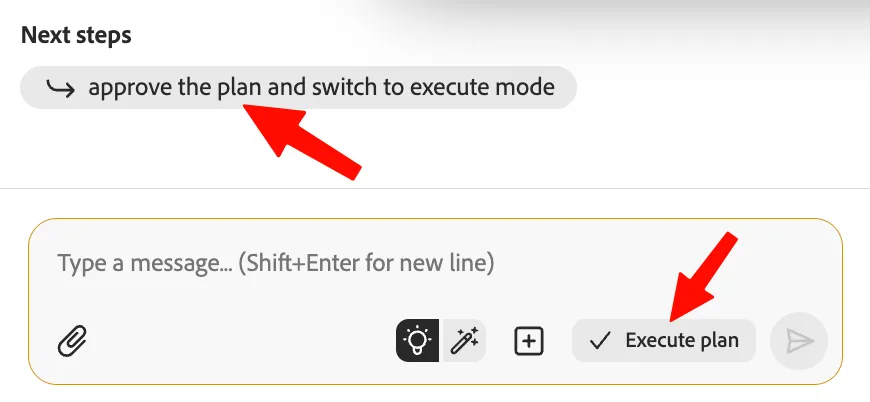
- The Agent will now execute the plan; it will take quite some time as it is a huge task (5-10 minutes).
- Take a coffee break, or enjoy inspecting the Agent thinking. You can reveal more of the AI thinking on the top "Task Progress":
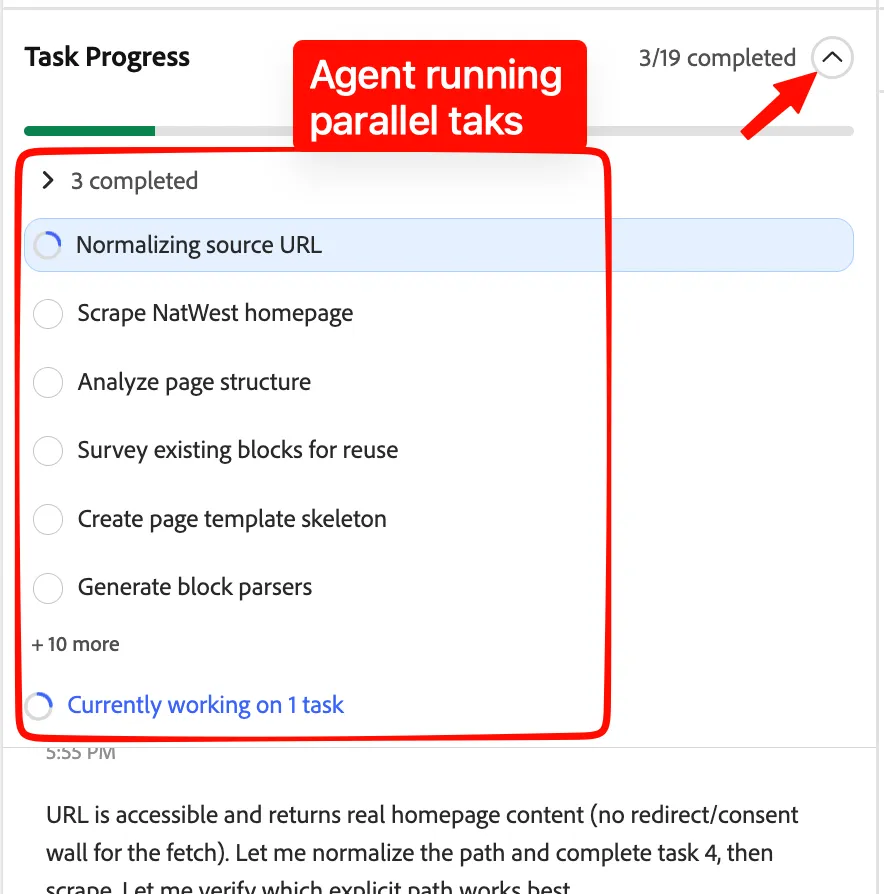
While you take a coffee, the agent will:
- Normalize the NatWest homepage URL.
- Scrape the homepage content and structure.
- Analyze the page layout and section hierarchy.
- Identify existing AEM blocks that can be reused.
- Create a page-template skeleton.
- Generate parsers for the detected page blocks.
- Generate transformers to convert source content into AEM-compatible content.
- Bundle the import script and supporting logic.
- Run a single-page import for the homepage.
- Verify content completeness and confirm the generated output path.
- Extract design tokens such as colors, typography, spacing, and layout values.
- Apply the design tokens within the homepage scope.
- Implement or adjust block-level CSS and JavaScript for visual fidelity.
- Preview the imported homepage.
- Compare the AEM preview with the source homepage.
- Run lint checks on the generated implementation.
- Confirm that no WKND project regressions were introduced.
- ...and many more...
While the Agent is working, you can also take a look at a few tips in Tips for working with the agent
- When the agent is done, take a look at the result:
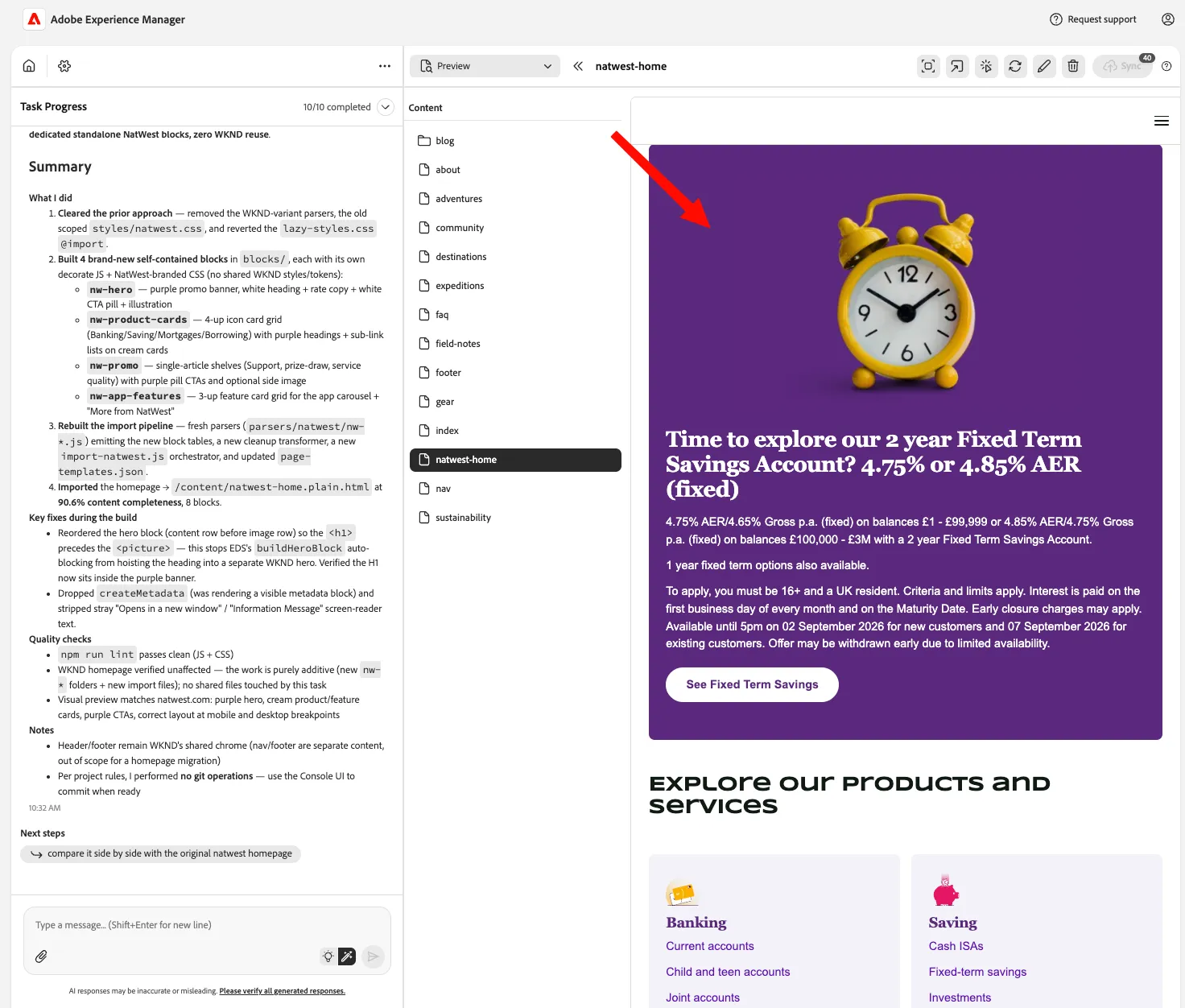
- Click here top-right to see the preview:

- This will open a preview in full page, feel free to navigate through the website:
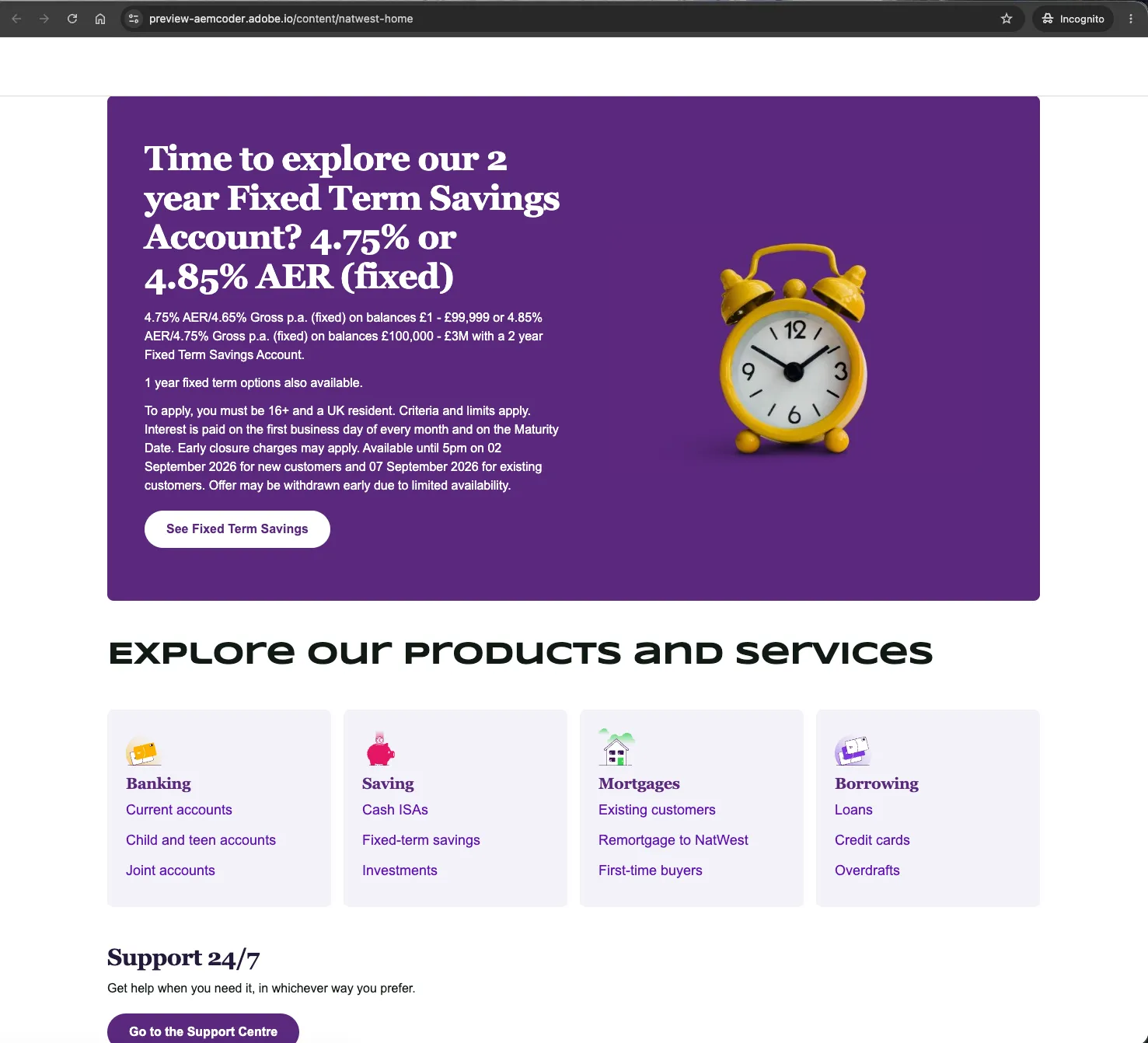
Some elements don't feel right? Don't start from scratch again, just select the element and ask the Agent to correct it.
Having some time to try more? Ask the agent to also migrate header and footer, to have the full page migrated.
Buttons are not working on the site? That's normal, as we don't have other pages migrated; the Agent may not have added hyperlinks.
Congratulations!
You just migrated a full website page in a couple of minutes.