Overview Dashboard
4 min
Explore the Overview Dashboard
Overview Dashboard Exercise
- Navigate to the Overview dashboard in the Mix Modeler UI.
- We can now see series of data visualizations in the overview dashboard. We can make changes to these to customize this dashboard.
- Navigate to the second Spend data visualization.
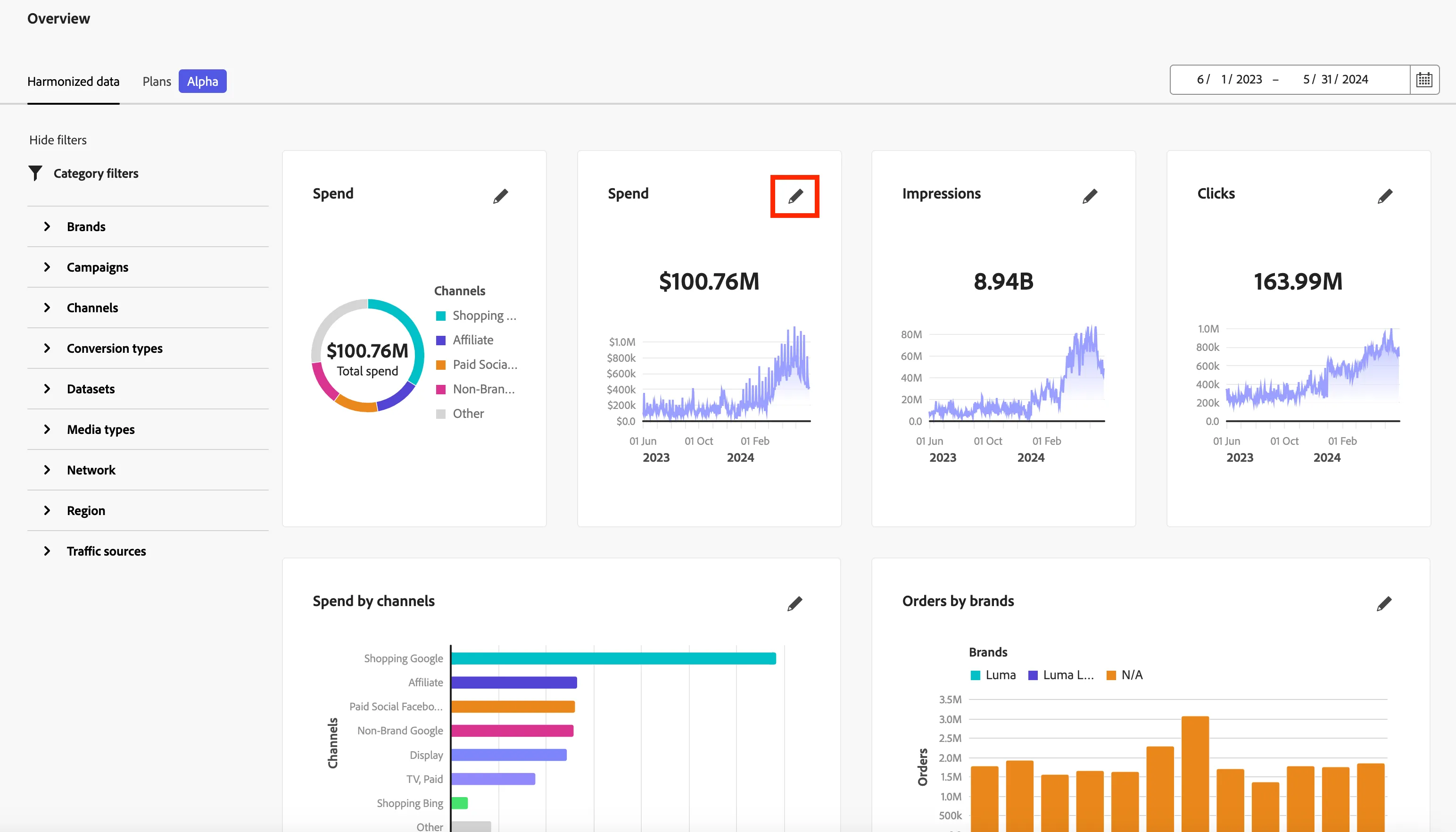
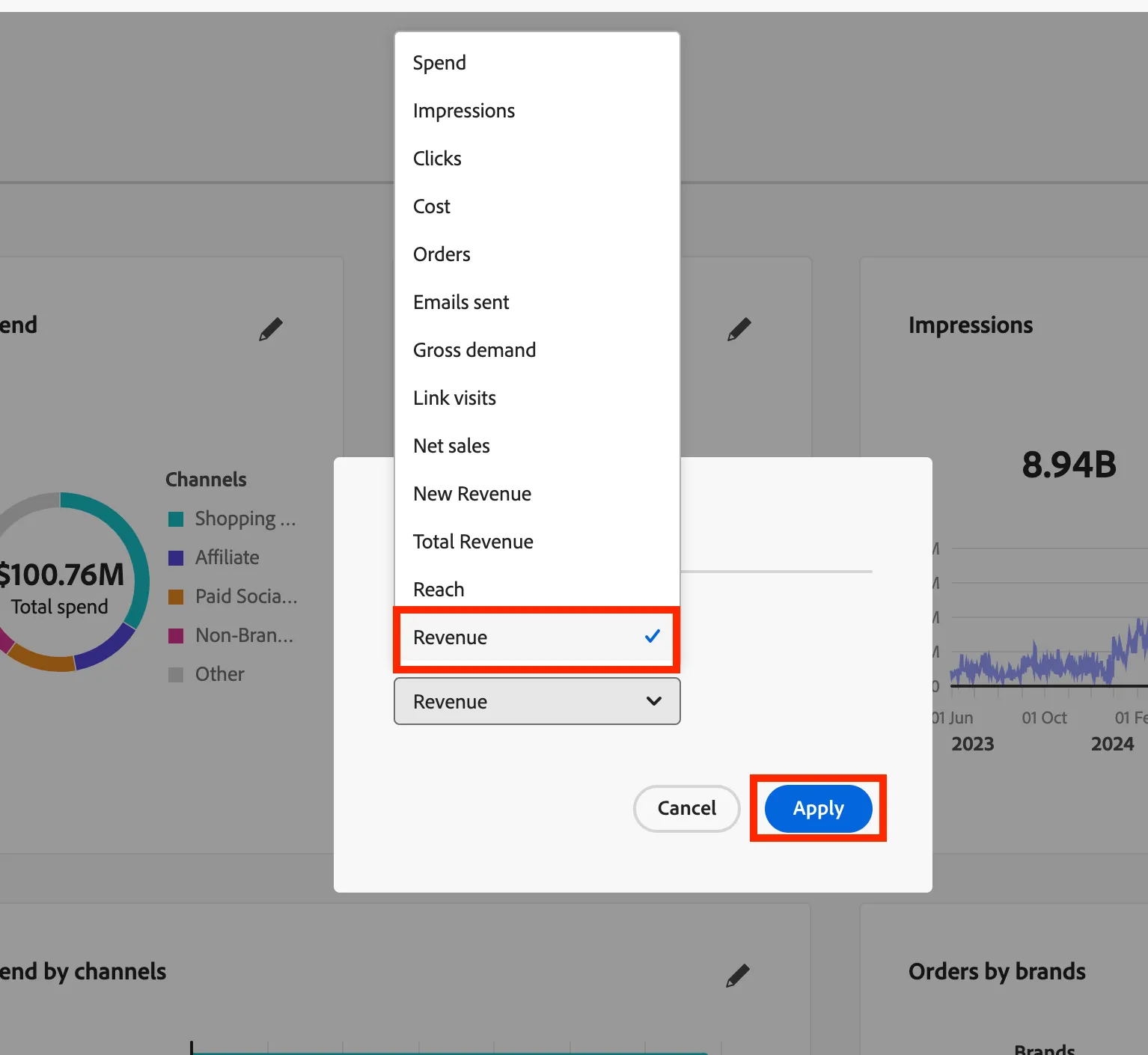
- Click on the pencil icon to see a series of data points that can be selected. Select Revenue and click Apply.
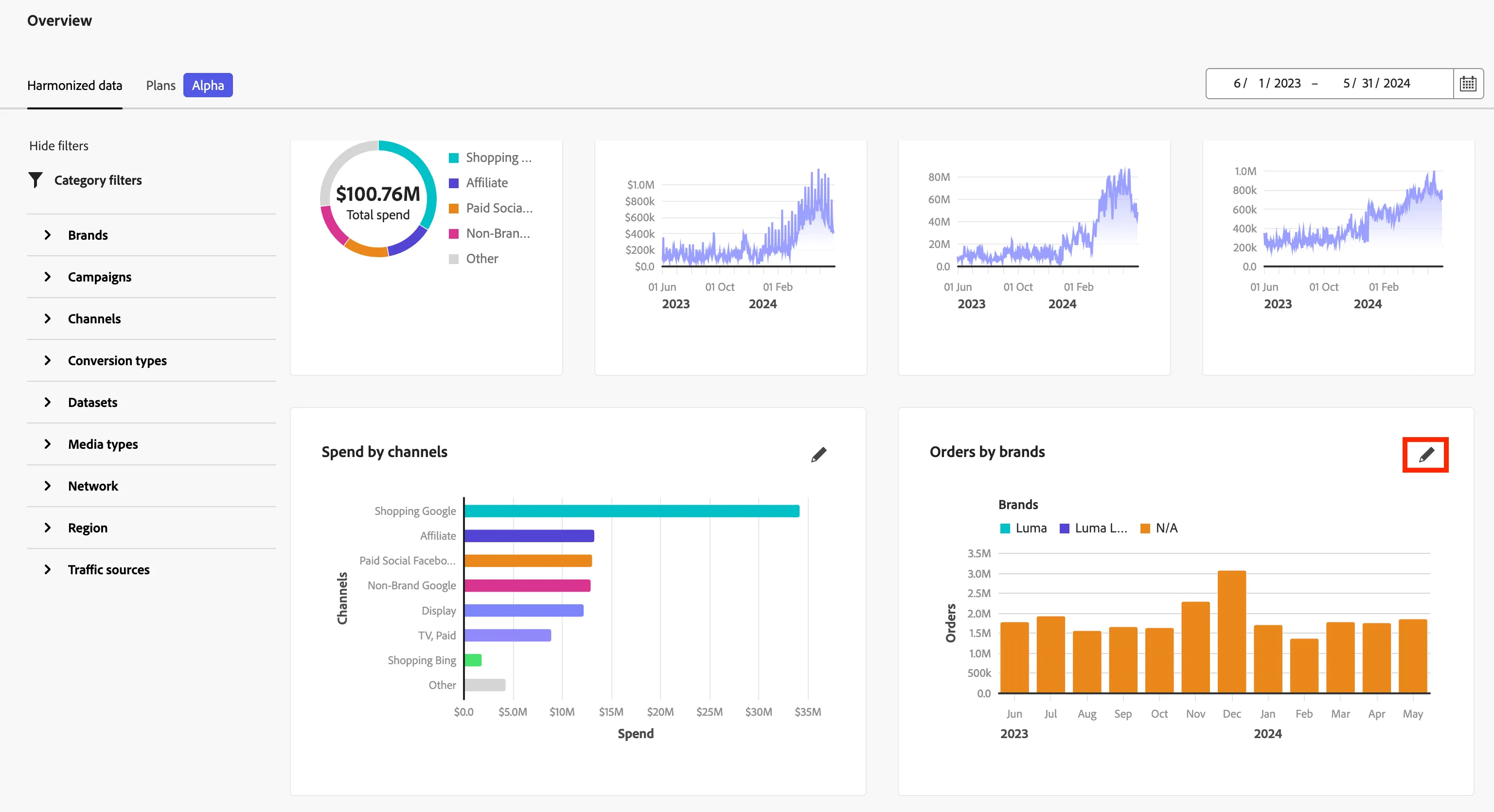
- Next, click on the pencil on the Orders by brands visualization to make an update.
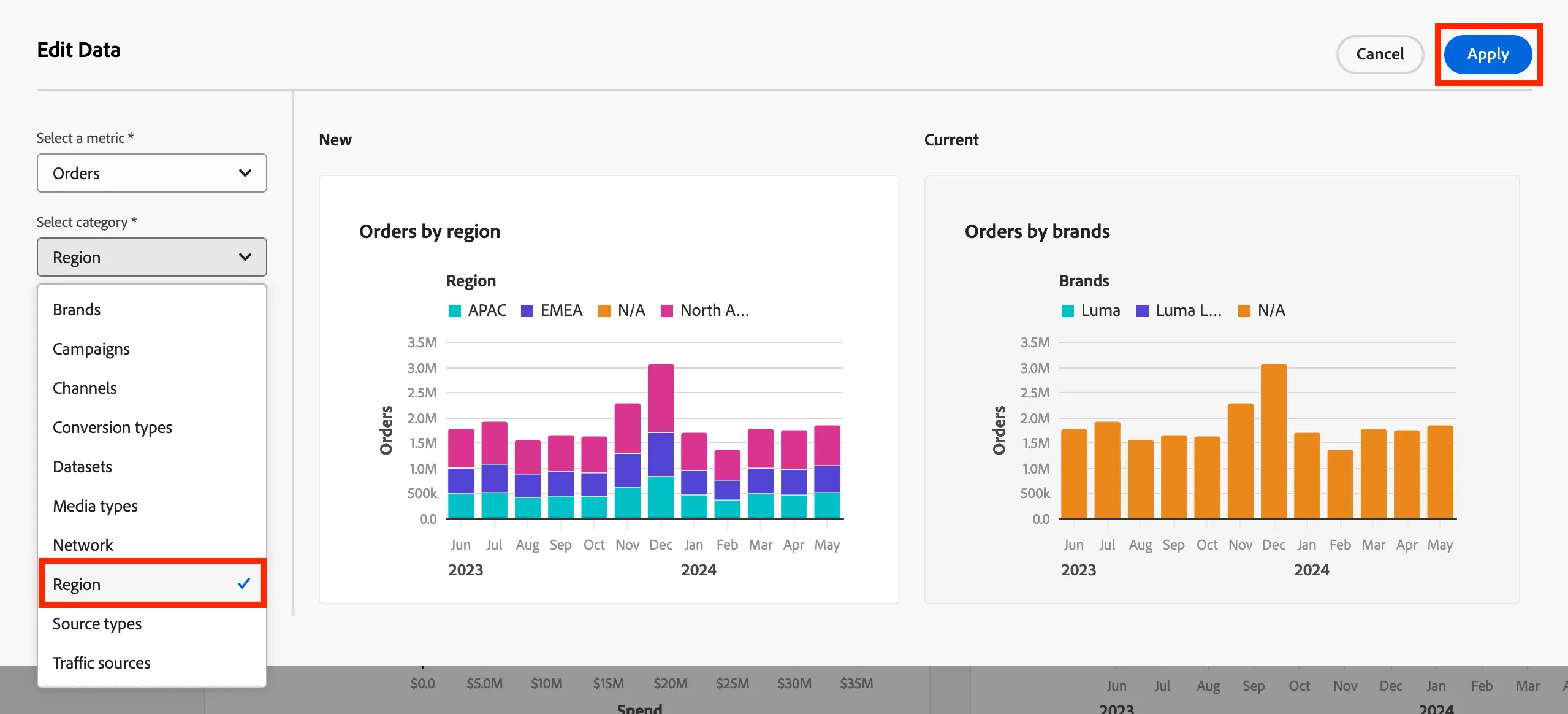
- Next, expand the drop down under Select a category and select Region. Click Apply.
Congratulations! You have completed editing the Overview Dashboard.