Exercise 1 - Insights
Learning Objectives
In this exercise you will become familiar with the Customer Journey Analytics interface and learn how to leverage it's adhoc analysis to understand the end to end journey customers are taking across channels. We will showcase the significance in understanding all data sources to answer your business questions and introduce some of the new features unique to Customer Journey Analytics such as Forecasting, Guided Analysis, Intelligent Insights, Journey Mapping and Summary Data Support.
Scenario
SecurFinancial are a leading retail bank offering personal banking services across a range of loans, credit cards and insurance products. While business is good, the call center and branch managers have been complaining that they need more staff to keep up with the demand. As an analyst you've been tasked with identifying and locating any current issues in their online journeys and locate opportunities to divert offline interactions to digital channels.
Access
Your login credentials should be available on your desk including your lab participant number.
Login via https://platform.adobe.com
Once authenticated switch to Customer Journey Analytics using the solution switcher:
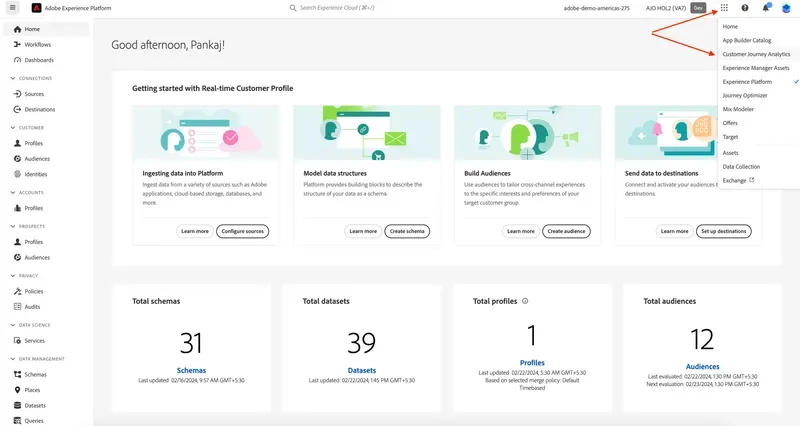
1.1 Create a project
First we'll start by creating a new project from a pre-built template. This will provide you with some initial insights while giving you an isolated area to explore the data further.
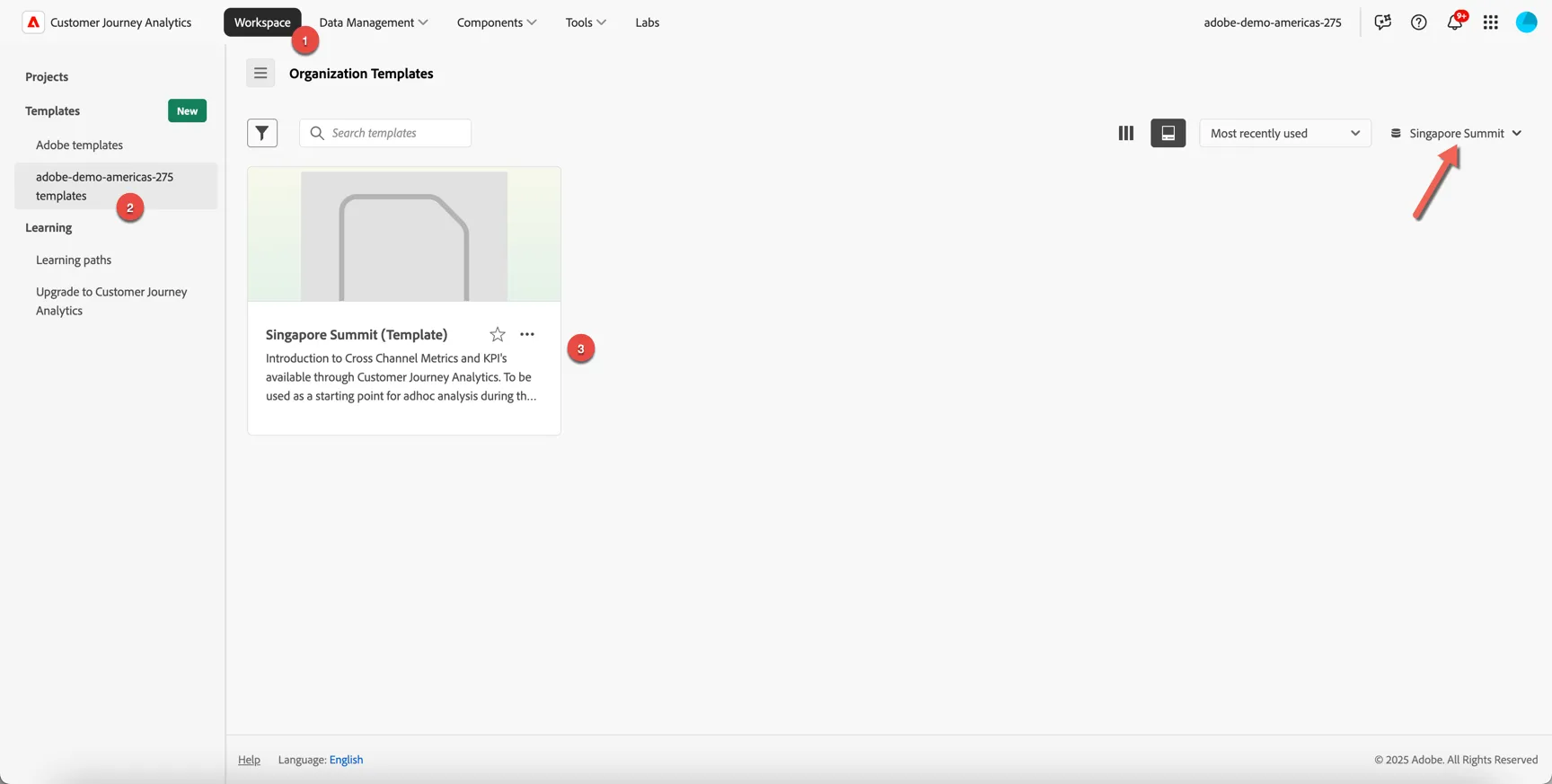
Under Workspace -> Templates -> adobe-demo-americas-275 templates you should see a template called Singapore Summit (Template).
If you don't see it, check on the top right that the dataview is set to Singapore Summit.
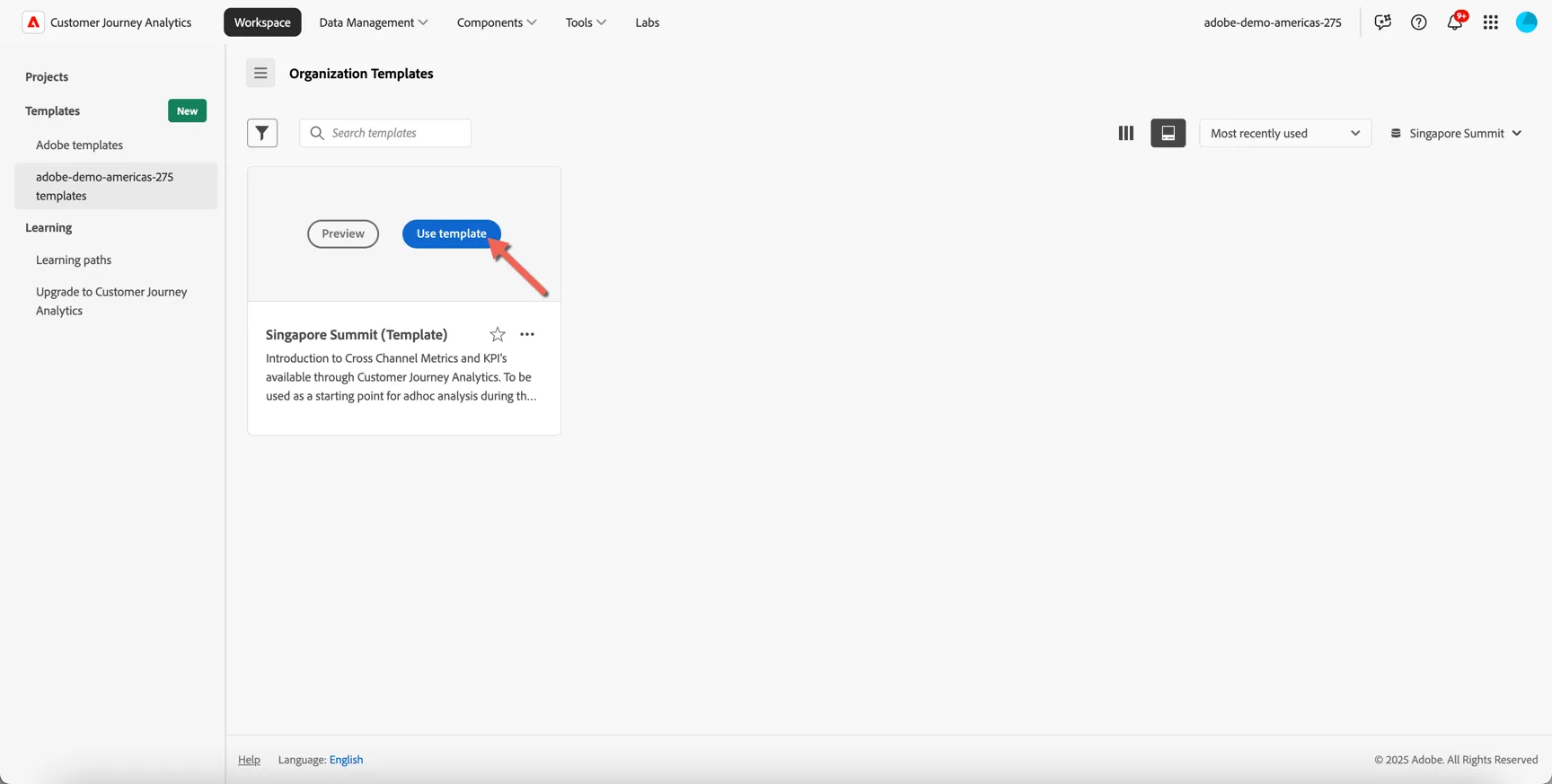
Hover over the template card and click to Use template
Take note of the following UI components:
Panel - Each dashboard/project is made up of one or more panels
Data View - Controls what data is available to the report - keep in mind this includes multiple datasets that can span multiple channels and data sources.
Date Range - The date range controls what data is displayed in the panel
Component Menus - Provides access to add additional visualisations, components and panels to your report.
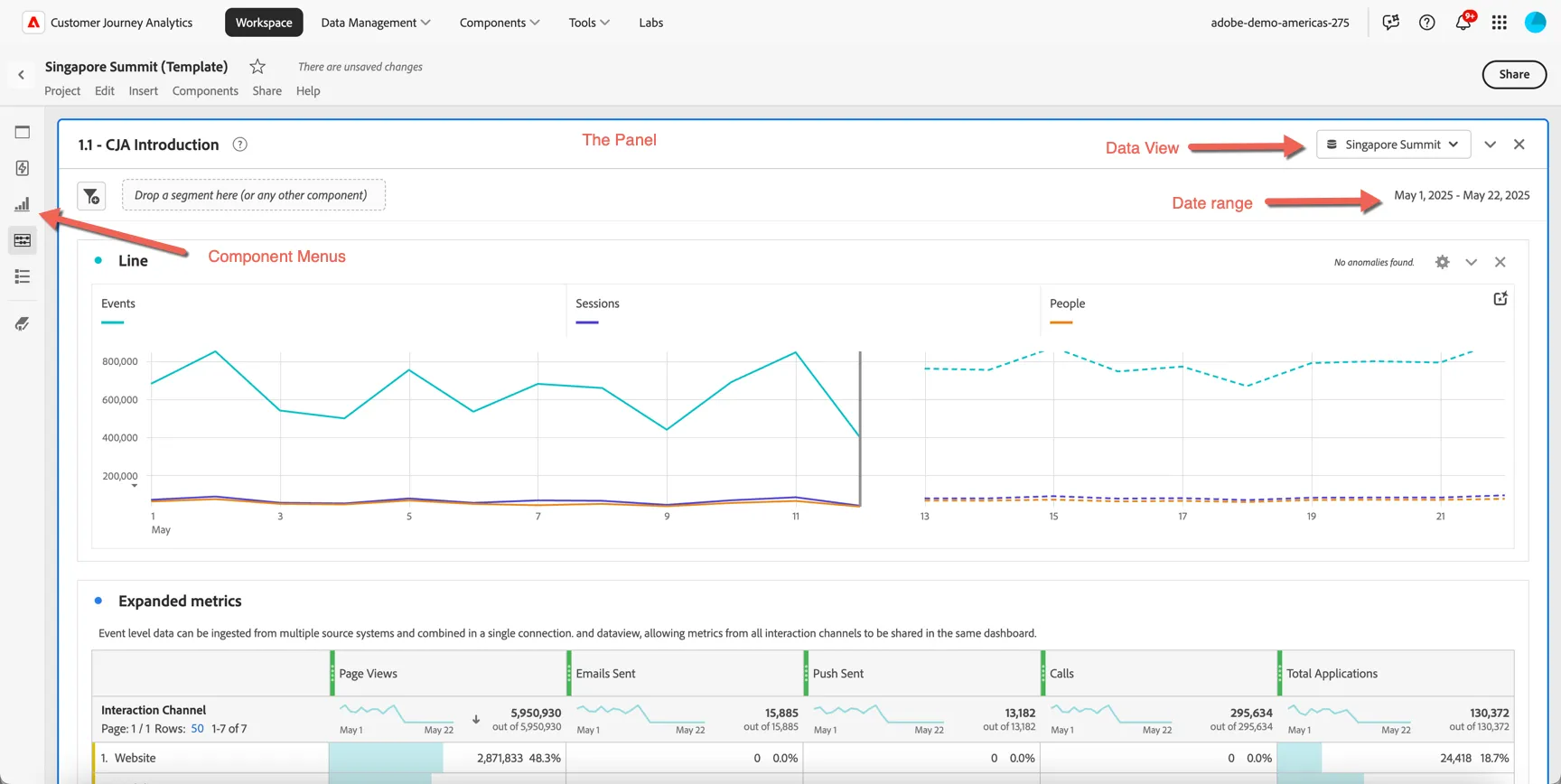
For this exercise we will walk through the first panel together.
You can see immediately the new primary metrics exposed through CJA: Events, Sessions and People. If you're familiar with Analytics you can think of these as being equivalent to Hits, Visits and Visitors - but remember in Customer Journey Analytics we're grouping data based on a person identifier, not a device (or cookie).
You can see immediately the new primary metrics exposed through CJA: Events, Sessions and People. If you're familiar with Analytics you can think of these as being equivalent to Hits, Visits and Visitors - but remember in Customer Journey Analytics we're grouping data based on a person identifier, not a device (or cookie).
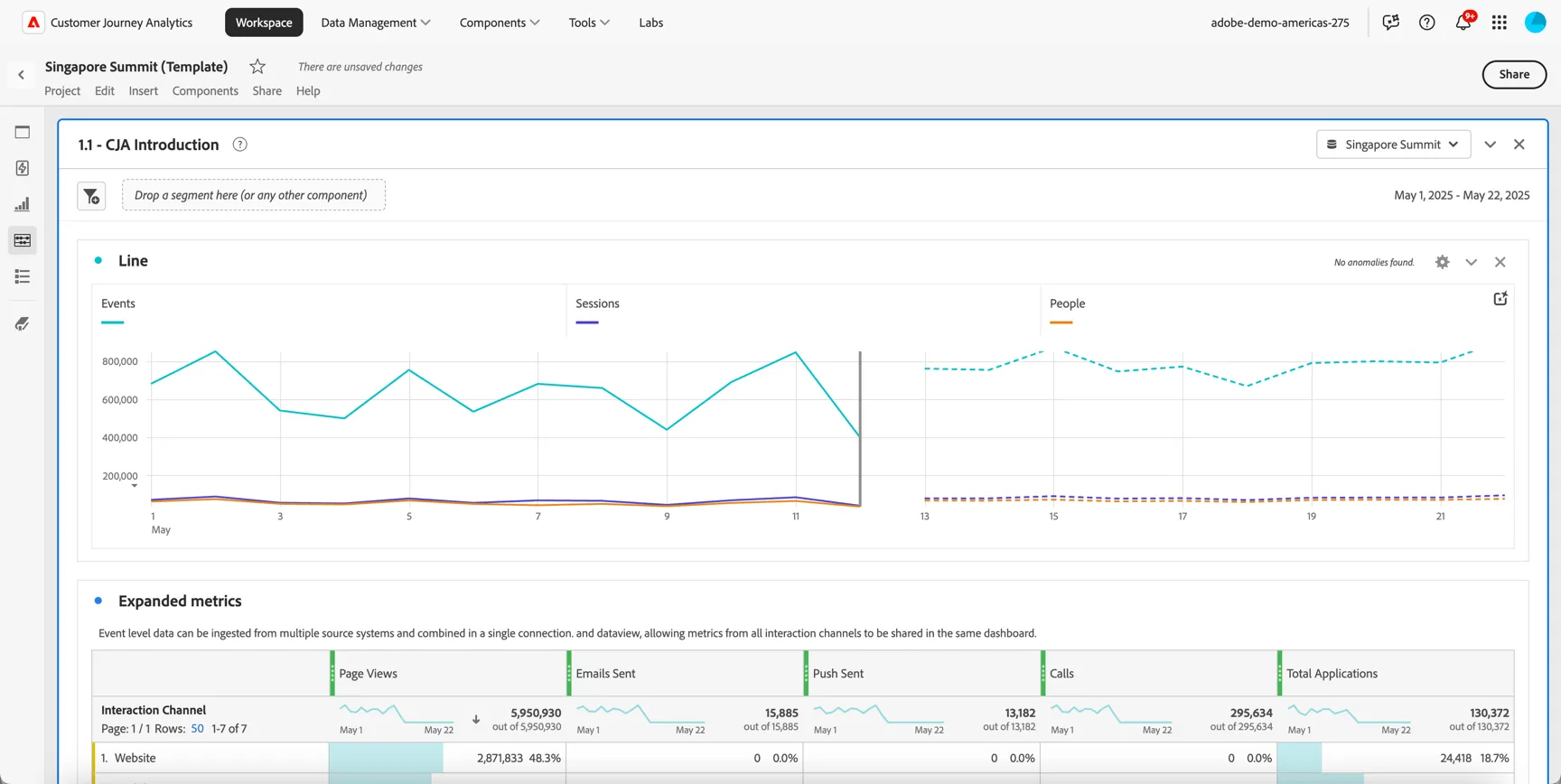
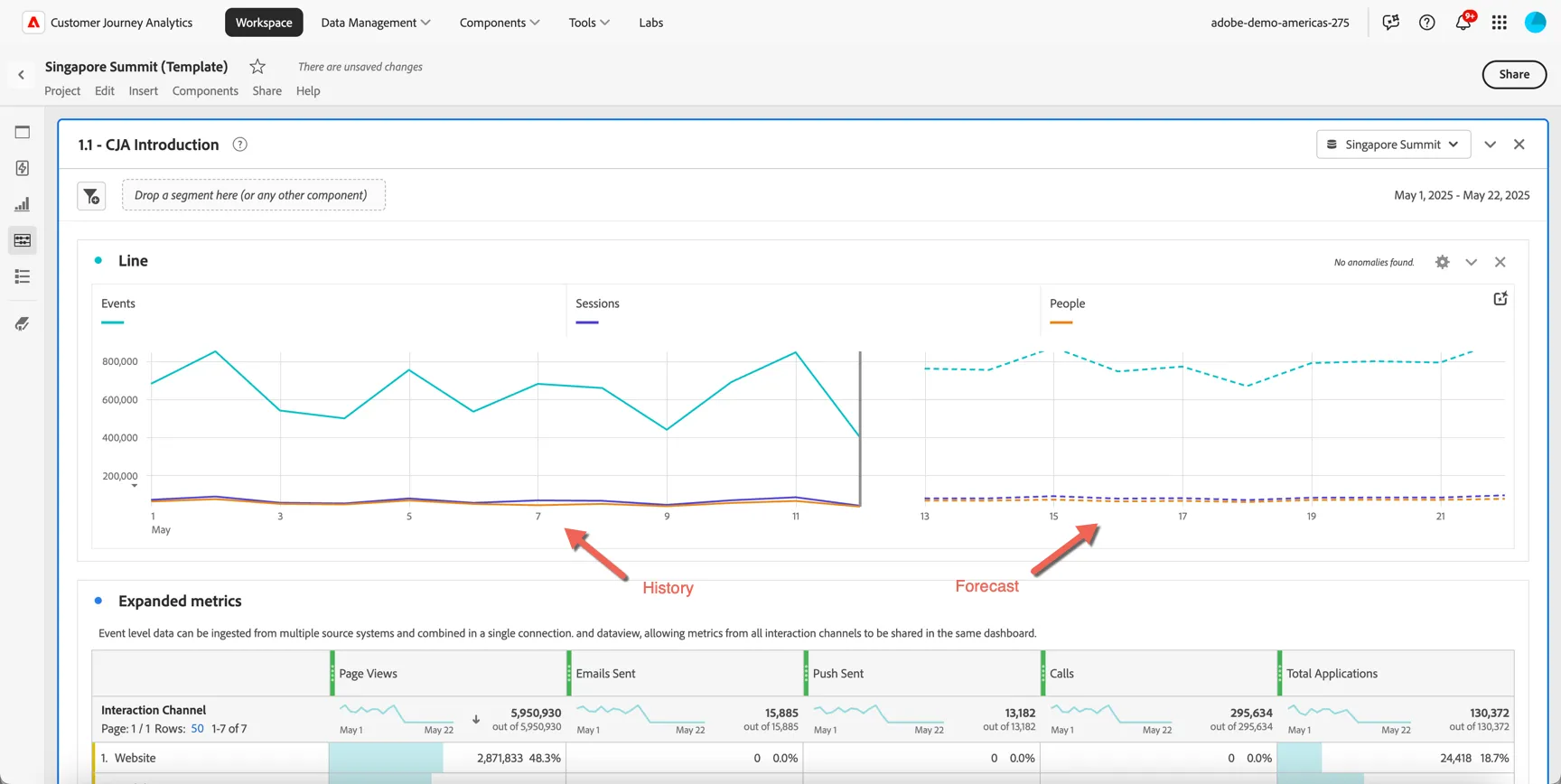
Based on the forward looking date range defined for this panel, Customer Journey Analytics has provided some automatic forecasting to predict how the data will continue to trend over the coming weeks. You can leverage forecasting for:
Planning: By analyzing trends and predicting future outcomes, you can identify potential opportunities and threats and adjust your strategies accordingly.
Budgeting: By forecasting future revenue and expenses, you can ensure that teams have adequate funds to cover their costs and invest in growth opportunities.
Risk management: By anticipating future events and trends, you can take proactive steps to mitigate risks and minimize potential losses.
Resource allocation: By predicting future demand, you can ensure the necessary resources are available to meet customer needs and avoid stock-outs or overstocking.
Performance evaluation: By comparing actual results to forecasted results, you can identify areas for improvement and make necessary adjustments.
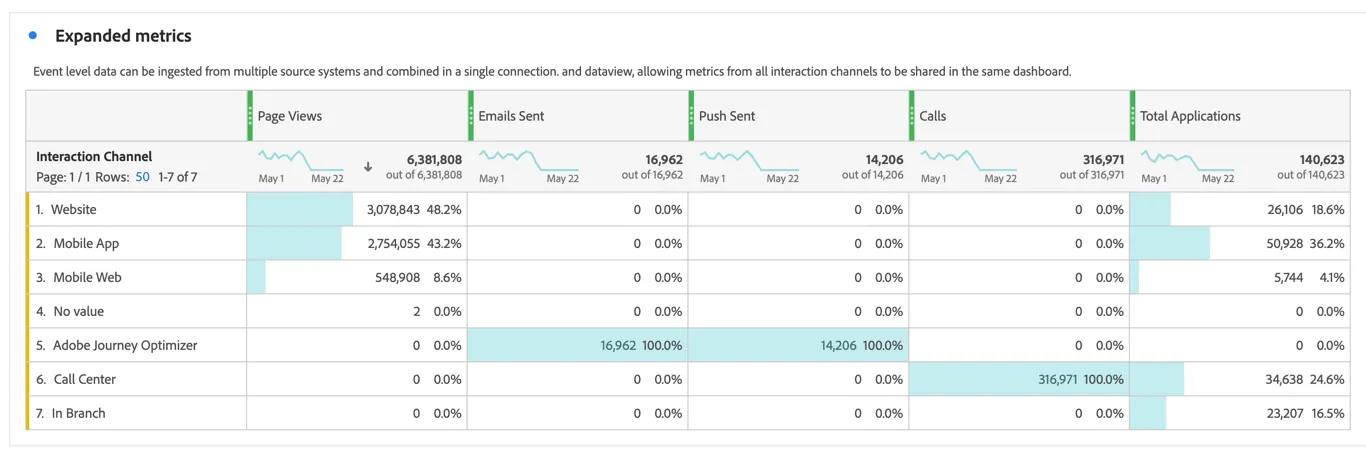
Since the event data ingested to CJA comes from multiple sources not just your website and app we can combine many different types of metrics into the same dashboard. Scroll down to the expanded metrics and you can see some examples of the types of metrics we can include and the source systems or interaction channels that these metrics were collected from. Some will be specific per channel, for example the Calls metric comes from the Call Center dataset, others will be shared across multiple source systems, for example Total Applications.
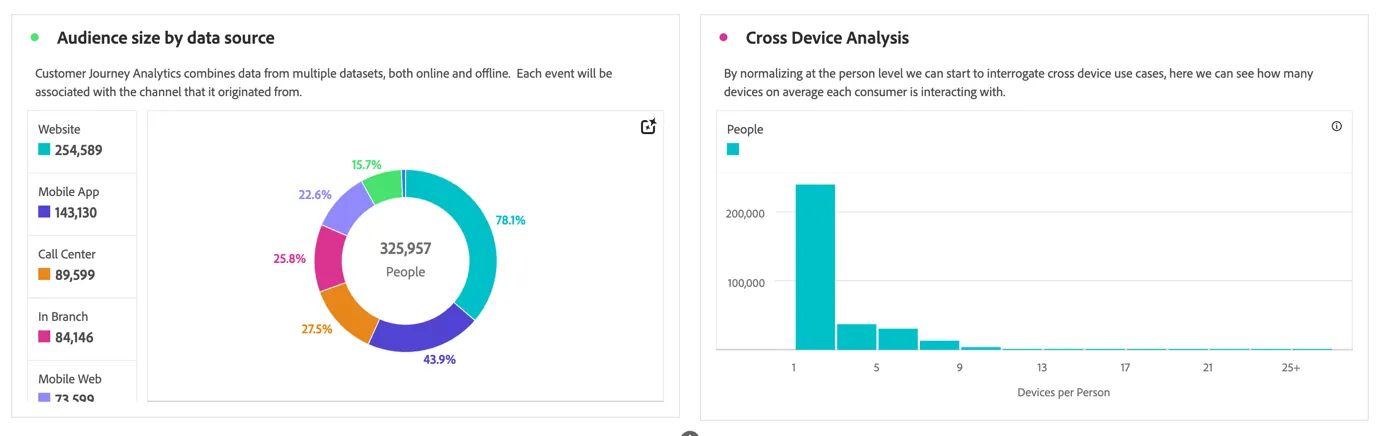
By grouping data at the person level, we can start to analyze things like audience size per channel and devices per person.
Now before we start our adhoc analysis let's save the project. Click on Project -> Save.
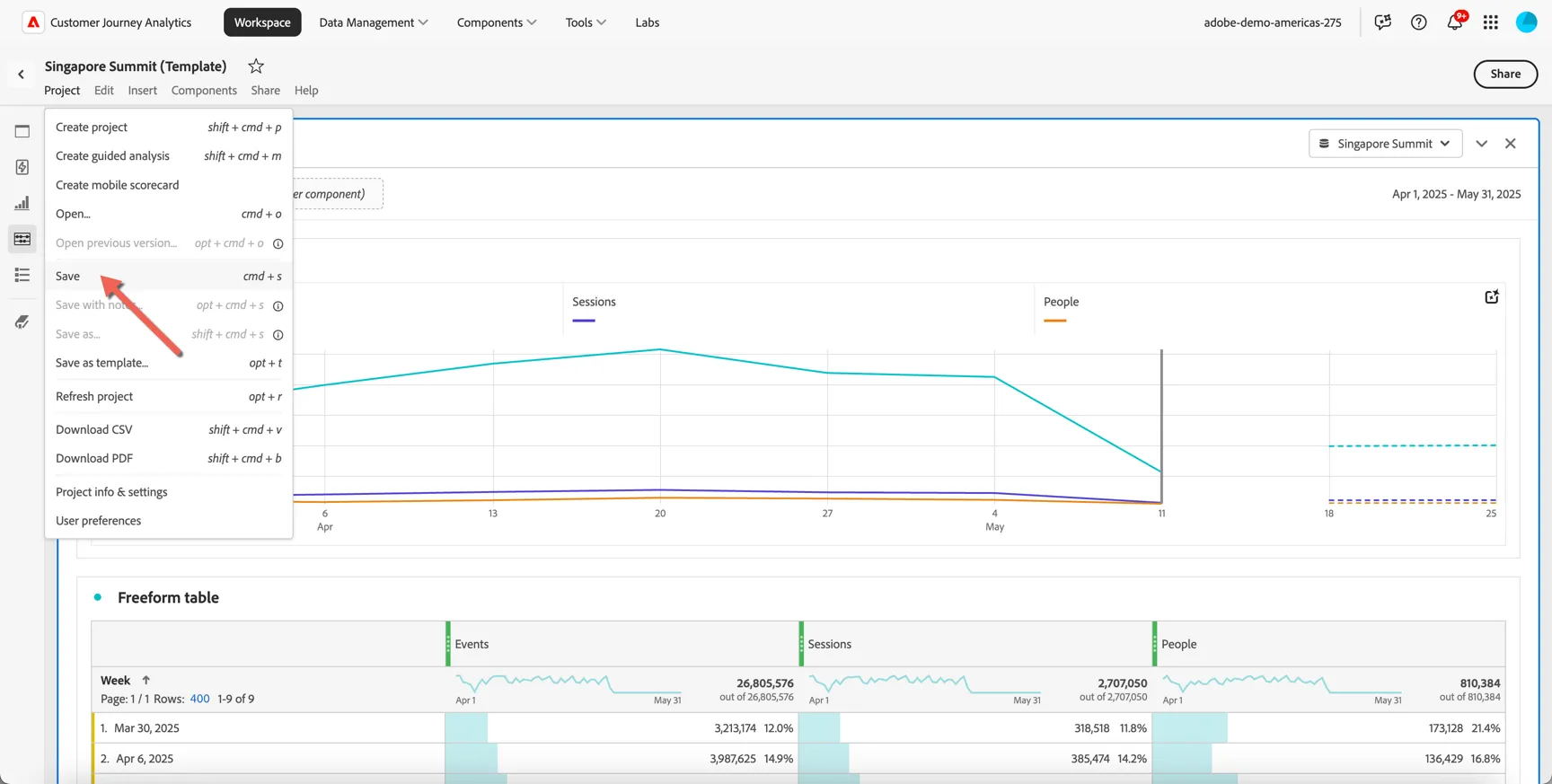
Give your project a unique name by including your lab number or last name. Then click save.
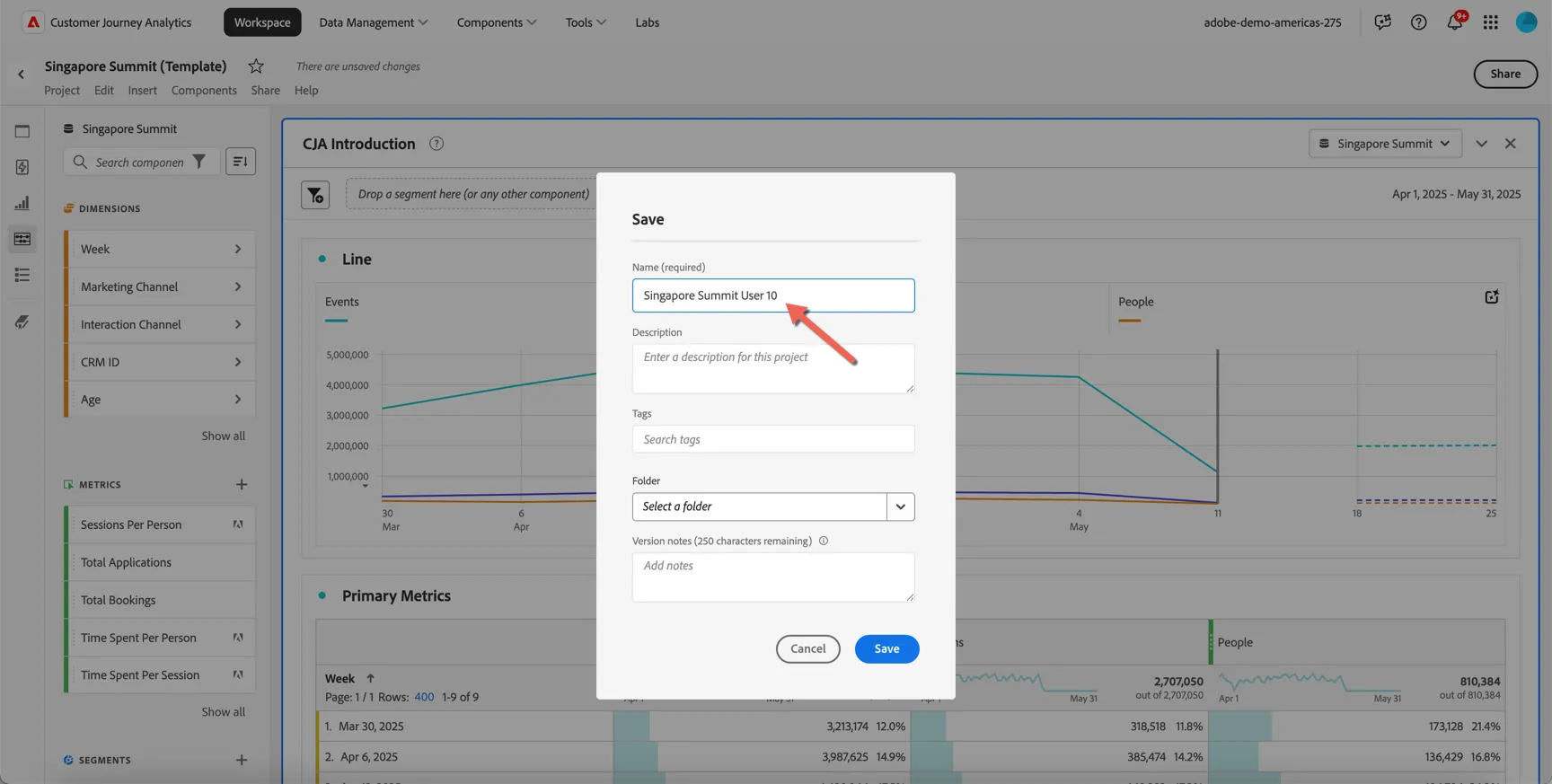
1.2 Guided Analysis
Let's take a look at how SecurFinancials new account applications are trending over the last few months.
We can use one of the new Guided Analysis options to quickly view this and break it down by attributes like the account type, the channel the application was submitted on and/or customer demographics.
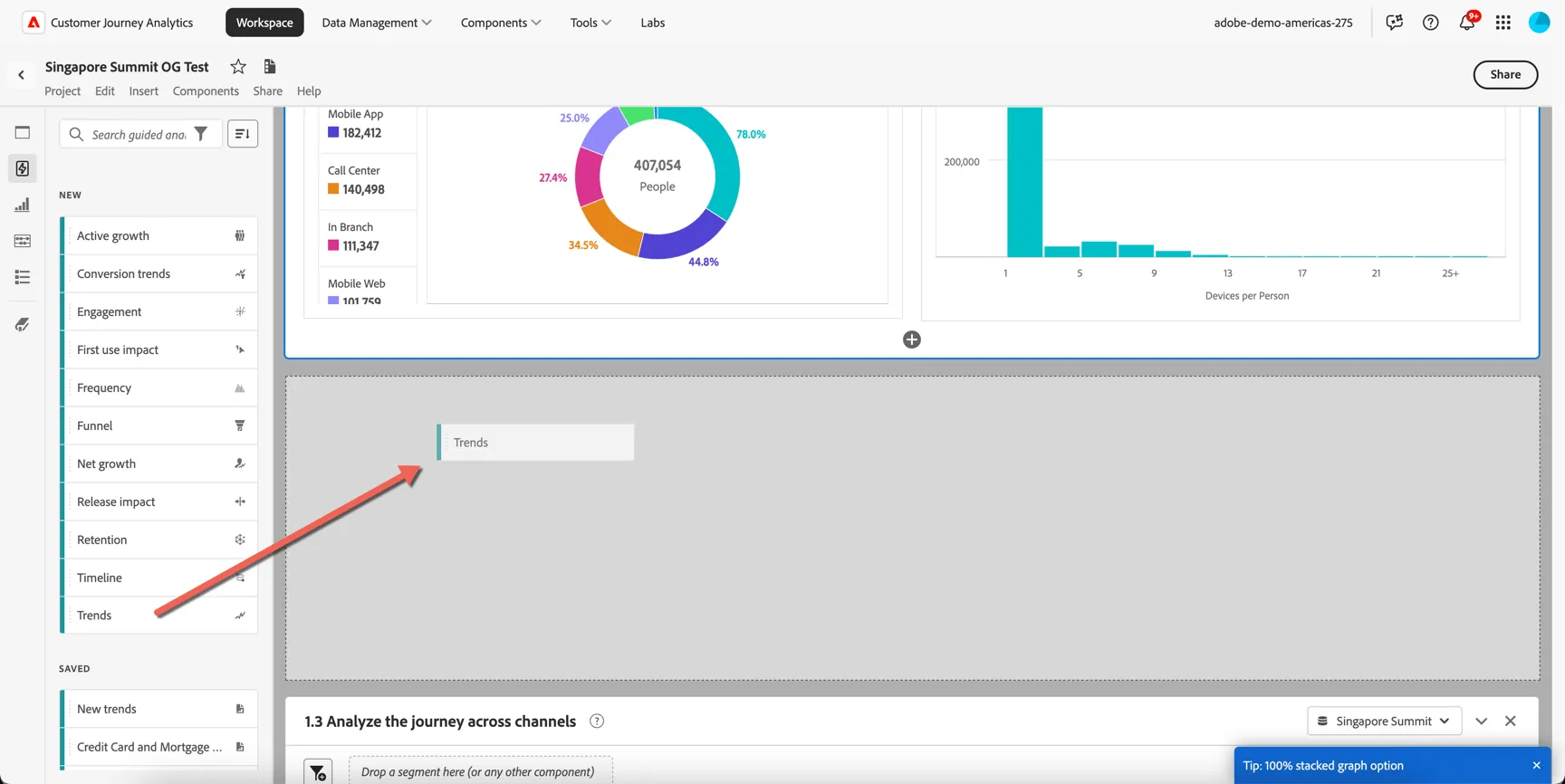
Open the Guided Analysis panel on the left hand side, and drag the Trends option into your dashboard under the first panel.
Click to Create Trends
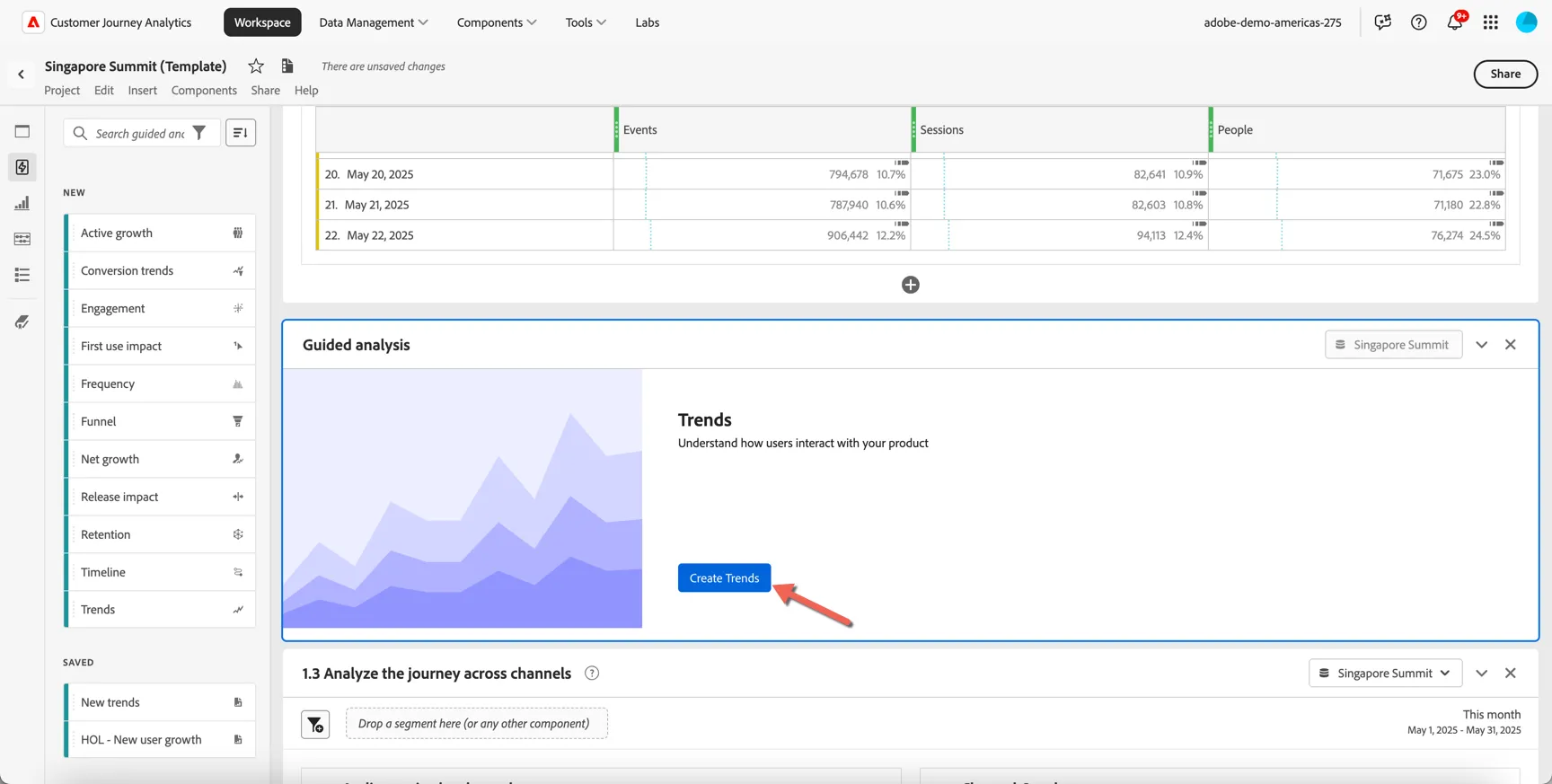
We are immediately shown a quick trend line of all events from the last 30 full days.
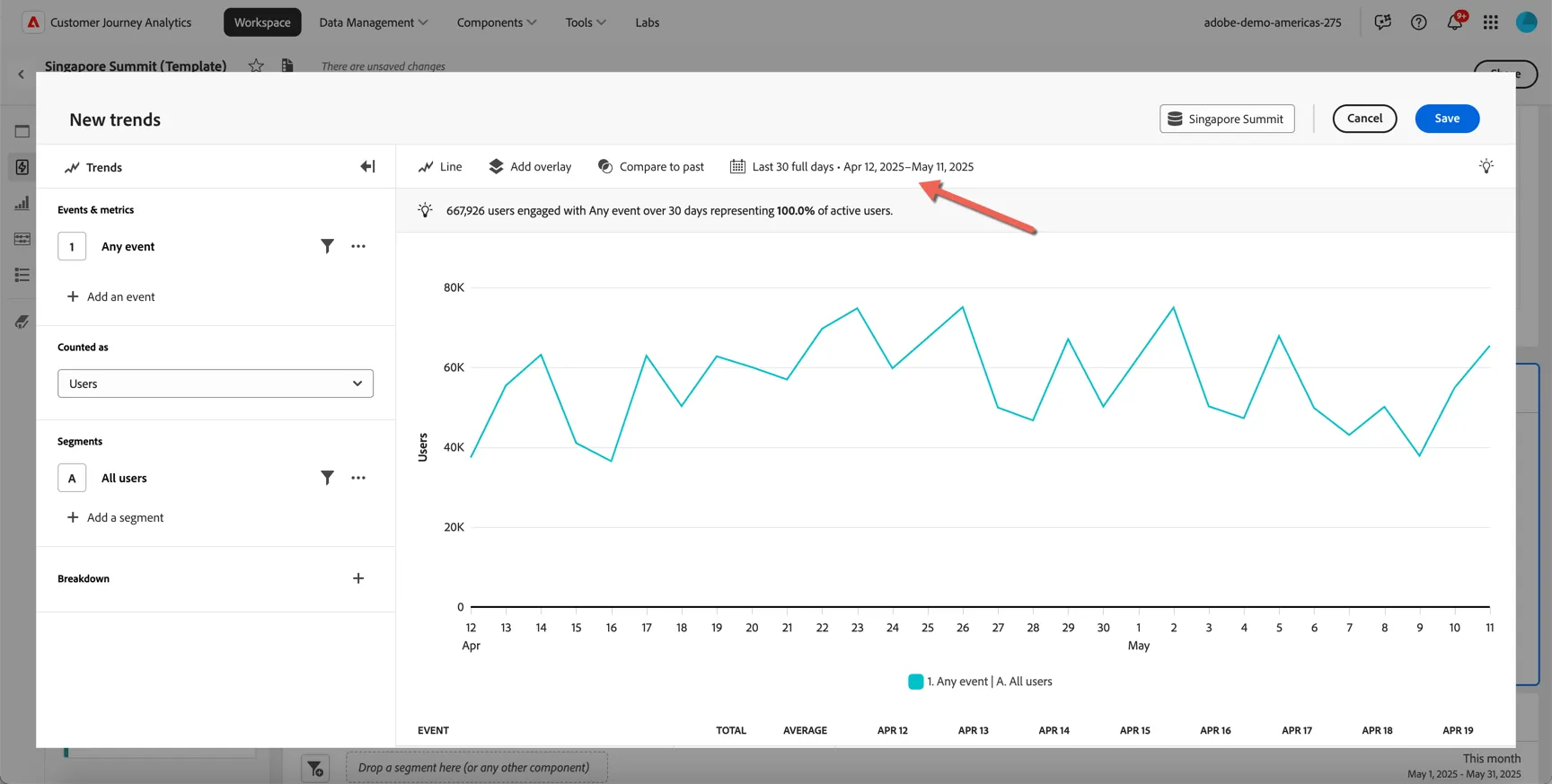
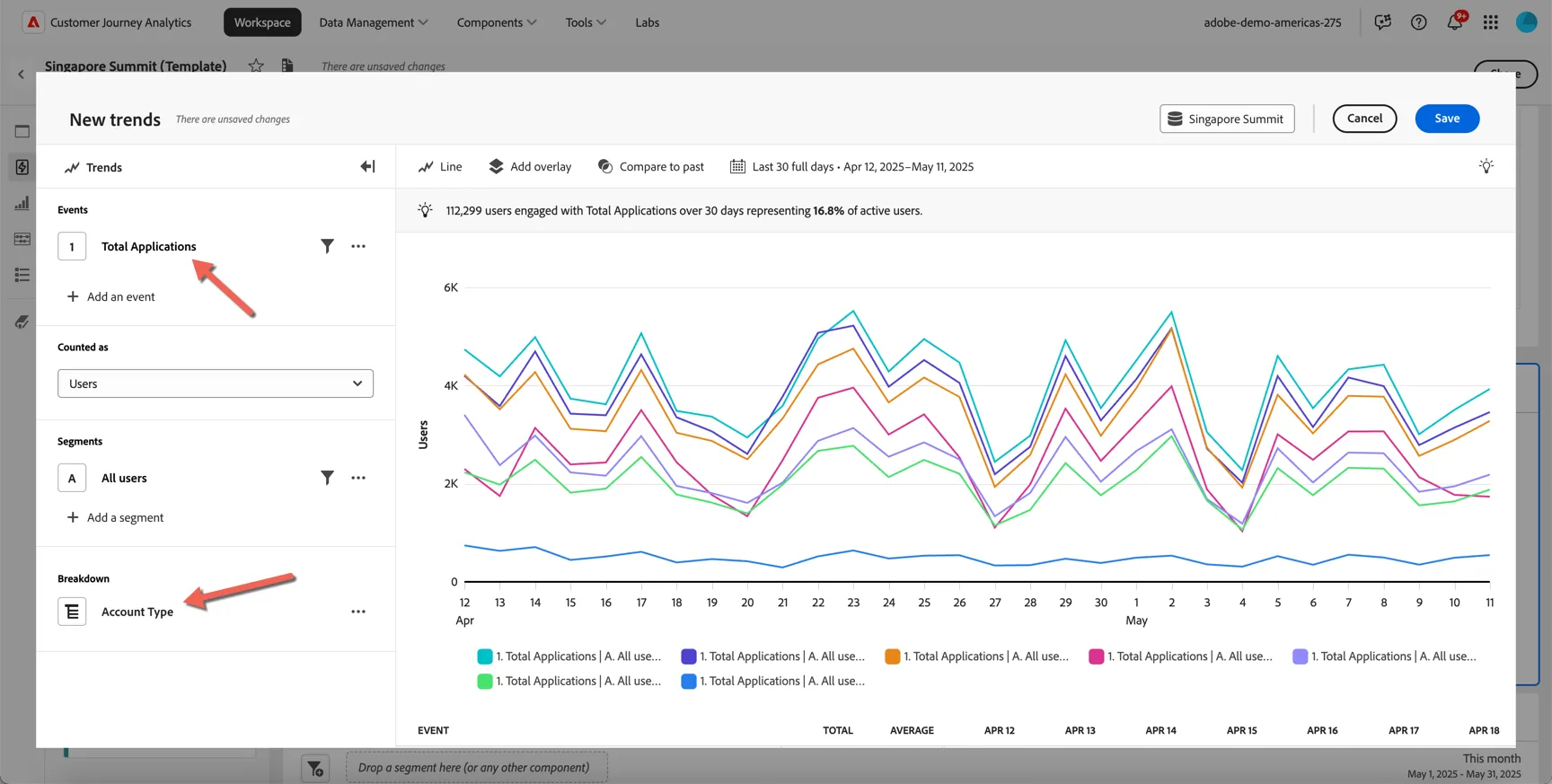
Change the Event that we want to analyse from Any event to Total Applications and add a breakdown by Account Type.
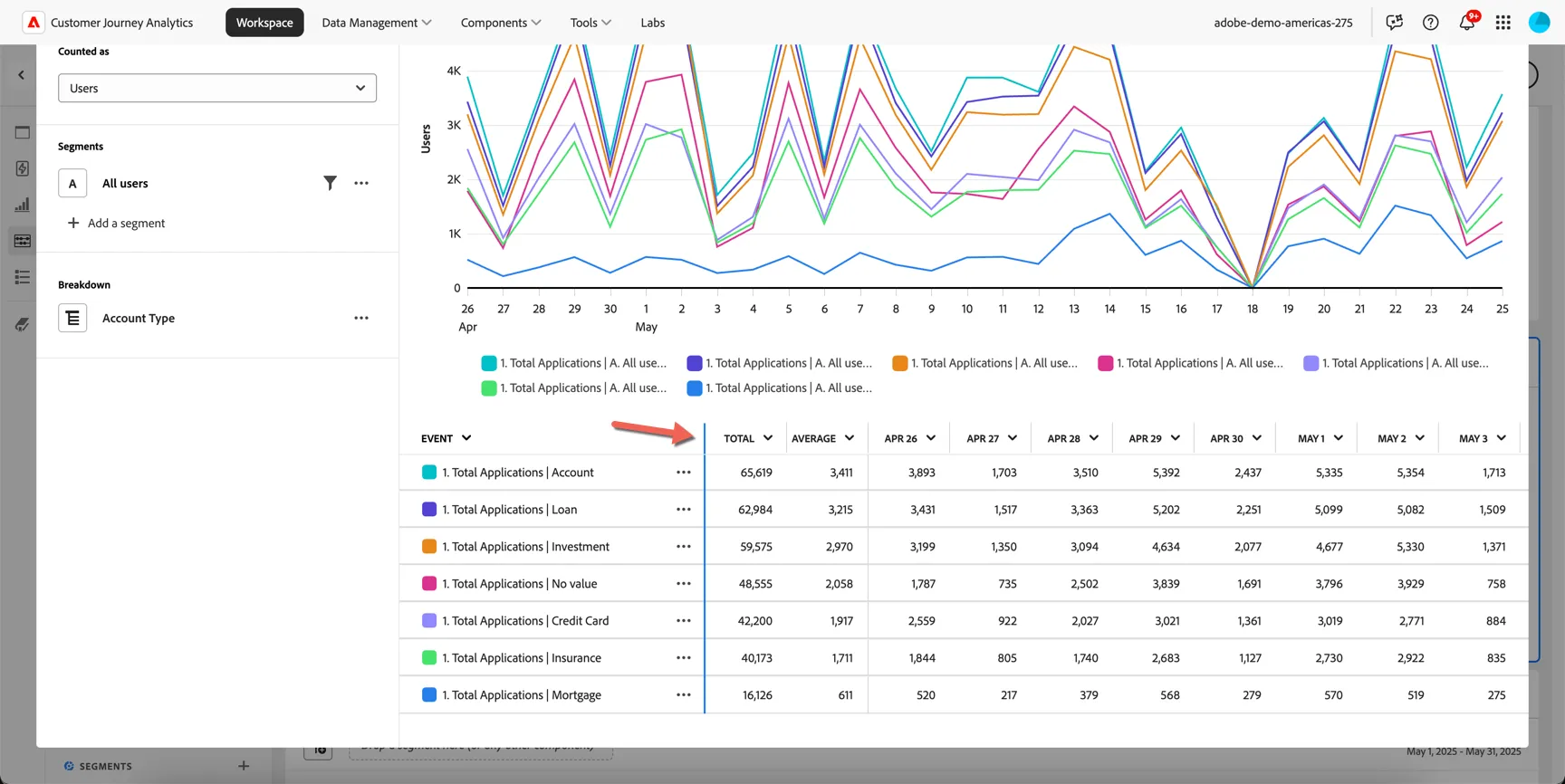
Top Tip - if you can't see the full event definition in the table, you can widen the column by dragging the column divider in the heading.
Now let's compare these results to those from last month. Click on Compare to past and select Previous Period.
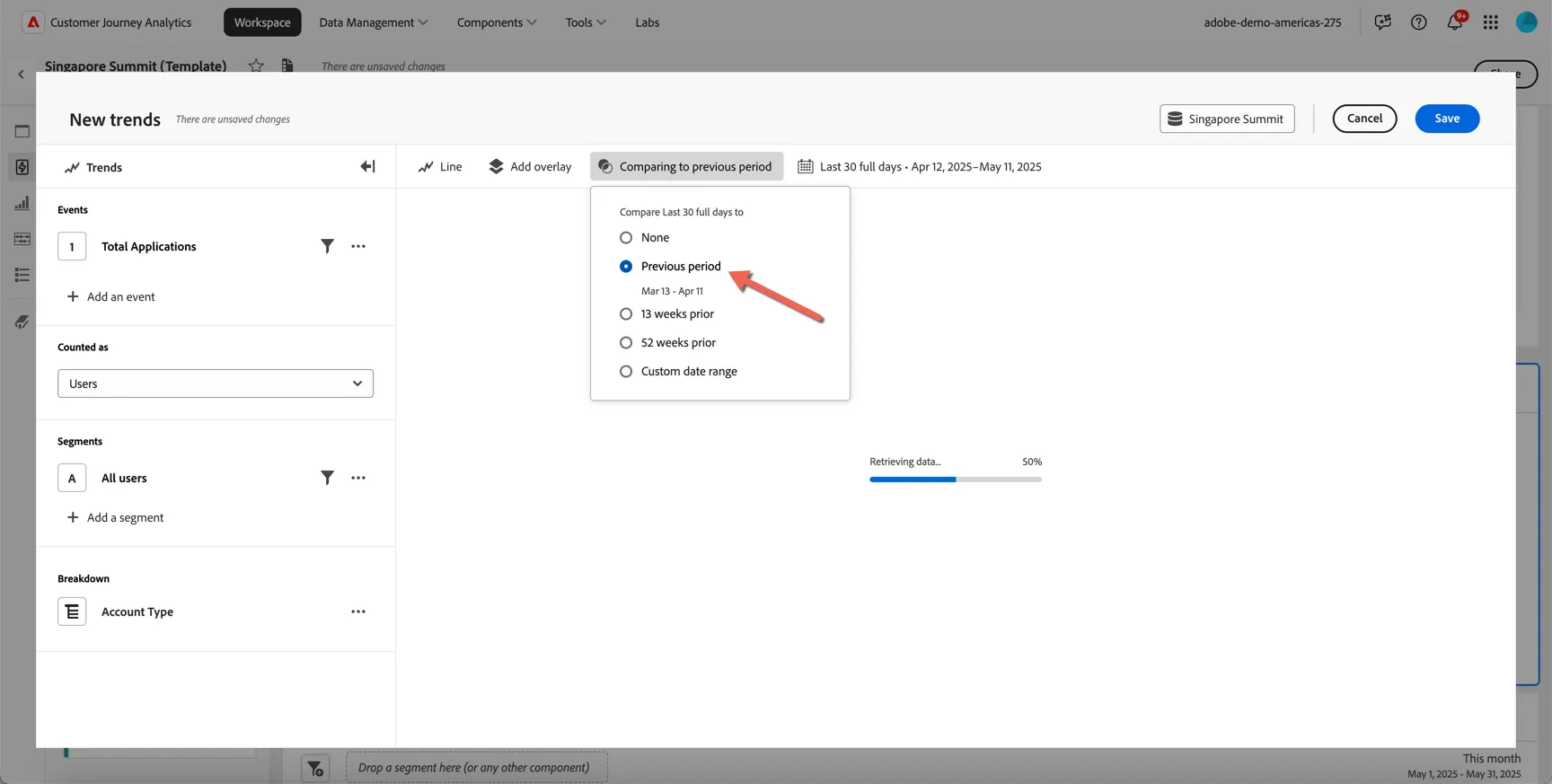
We can see that applications for most account types have seen a small increase month on month, but credit card applications have declined.
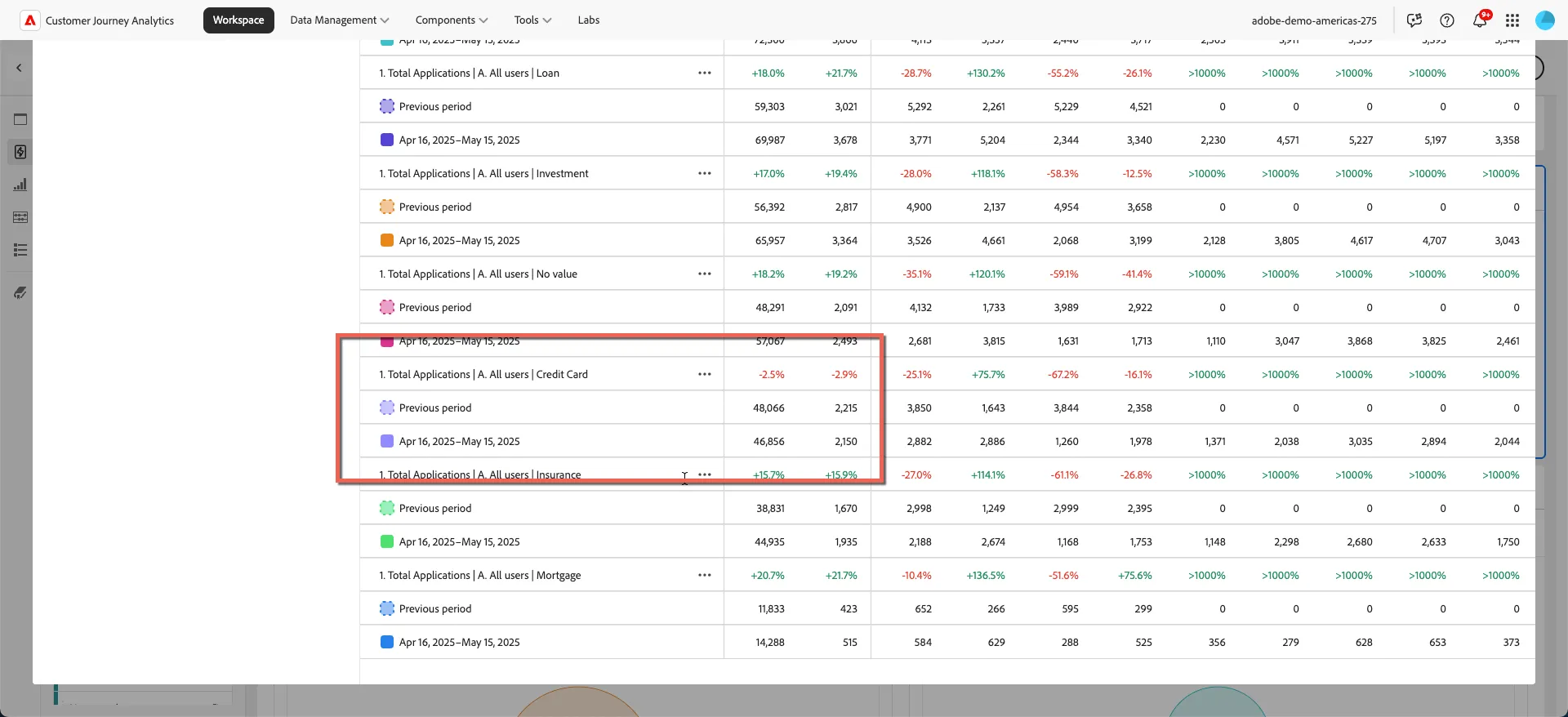
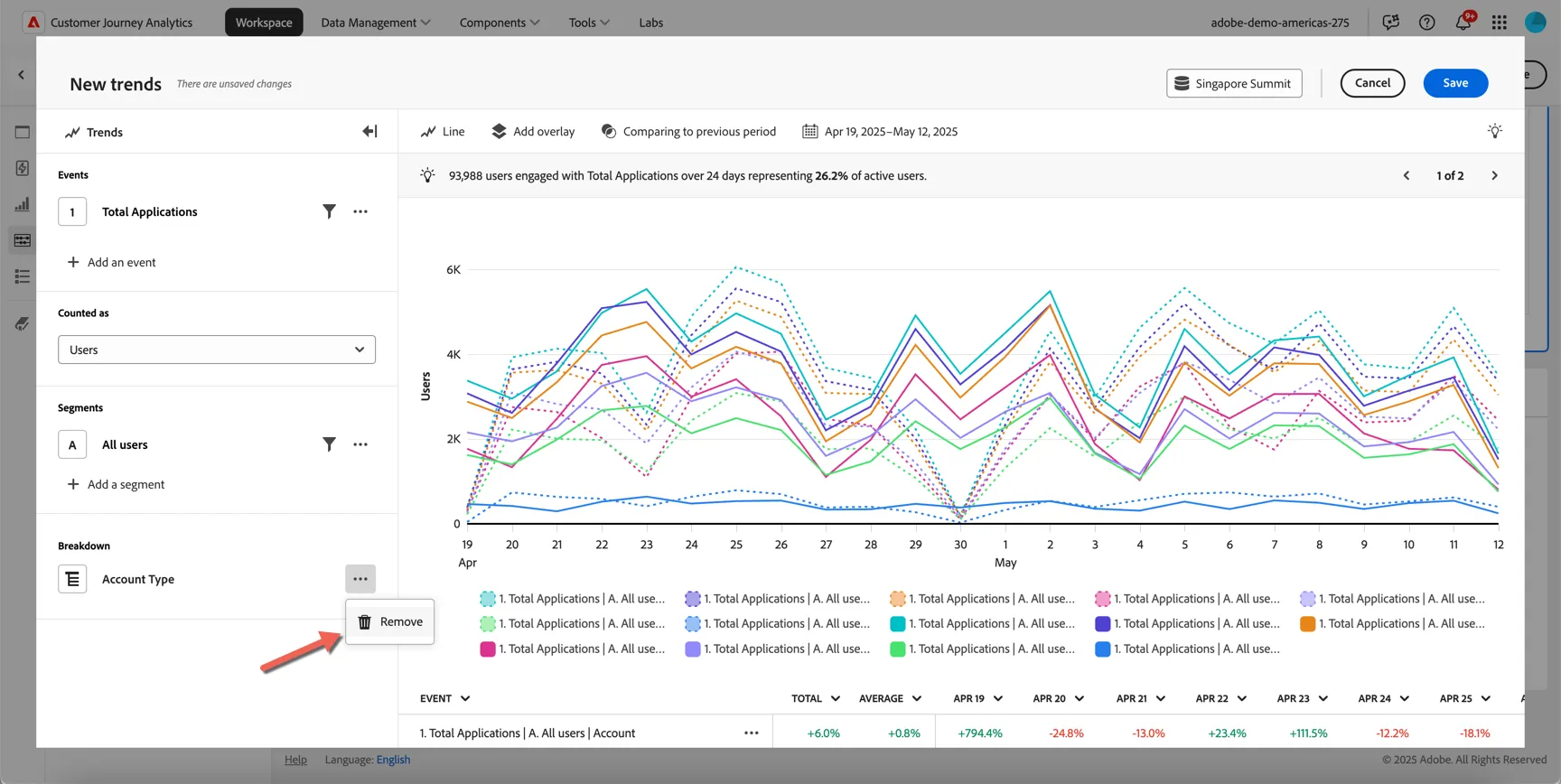
Let's zoom in on this account type and see what other insights we can find. Remove the breakdown by Account Type.
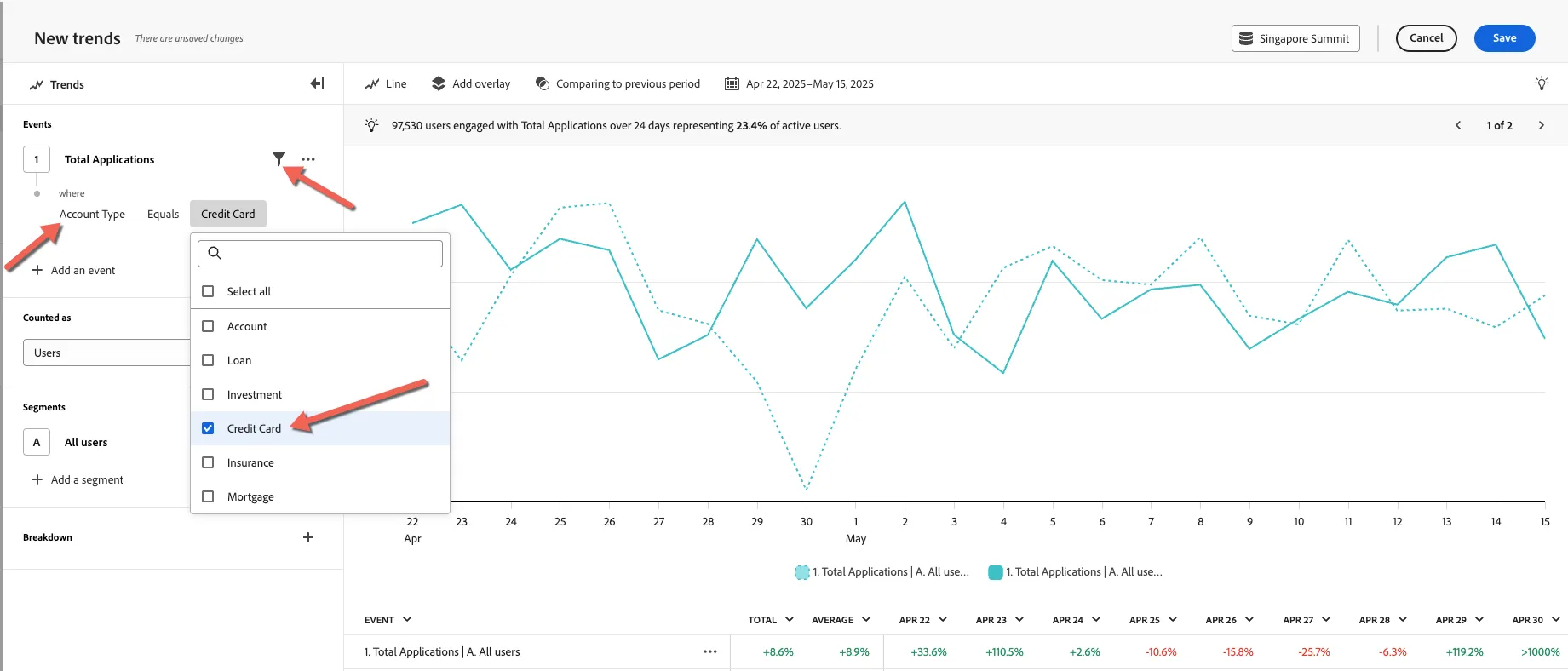
Now add a filter on our events to include only credit card applications.
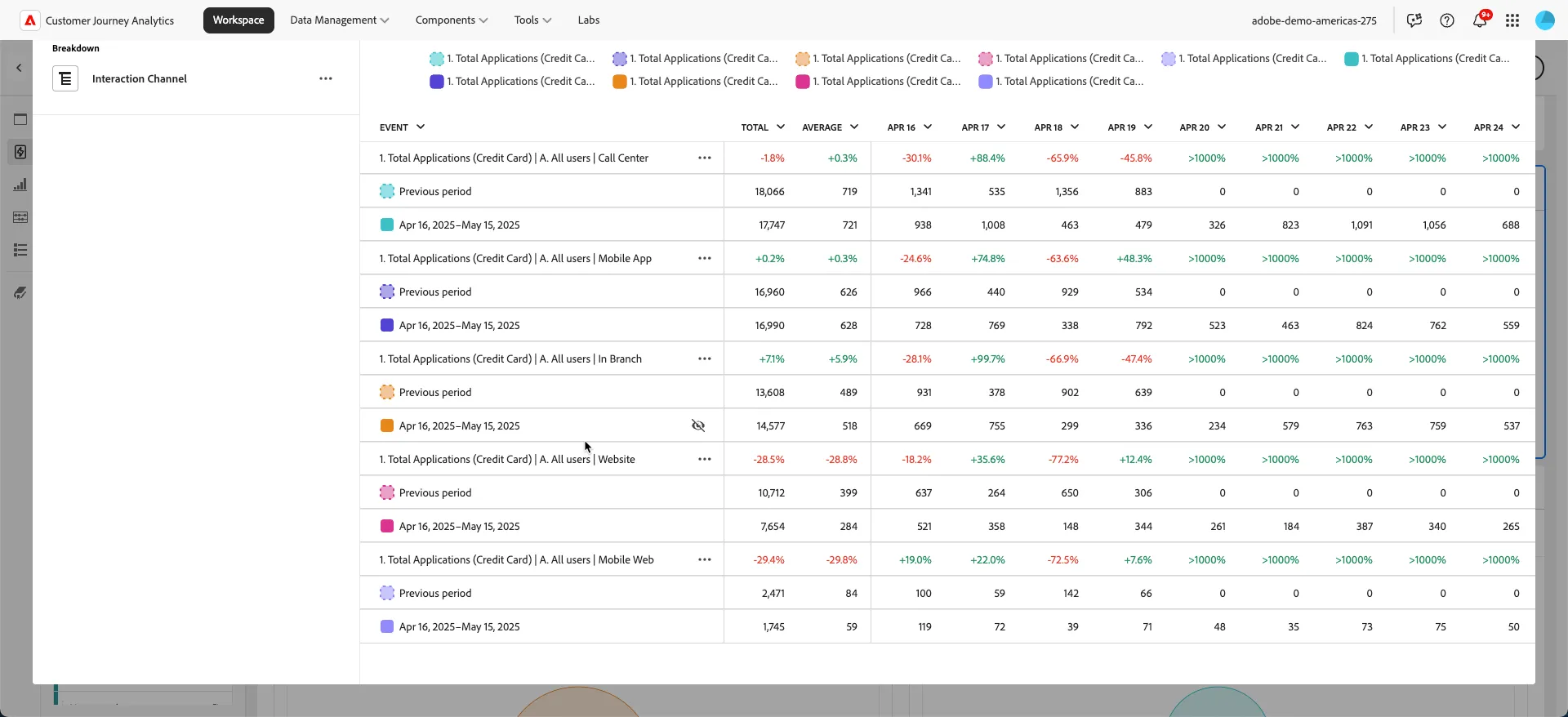
Let's break it down now by interaction channel.
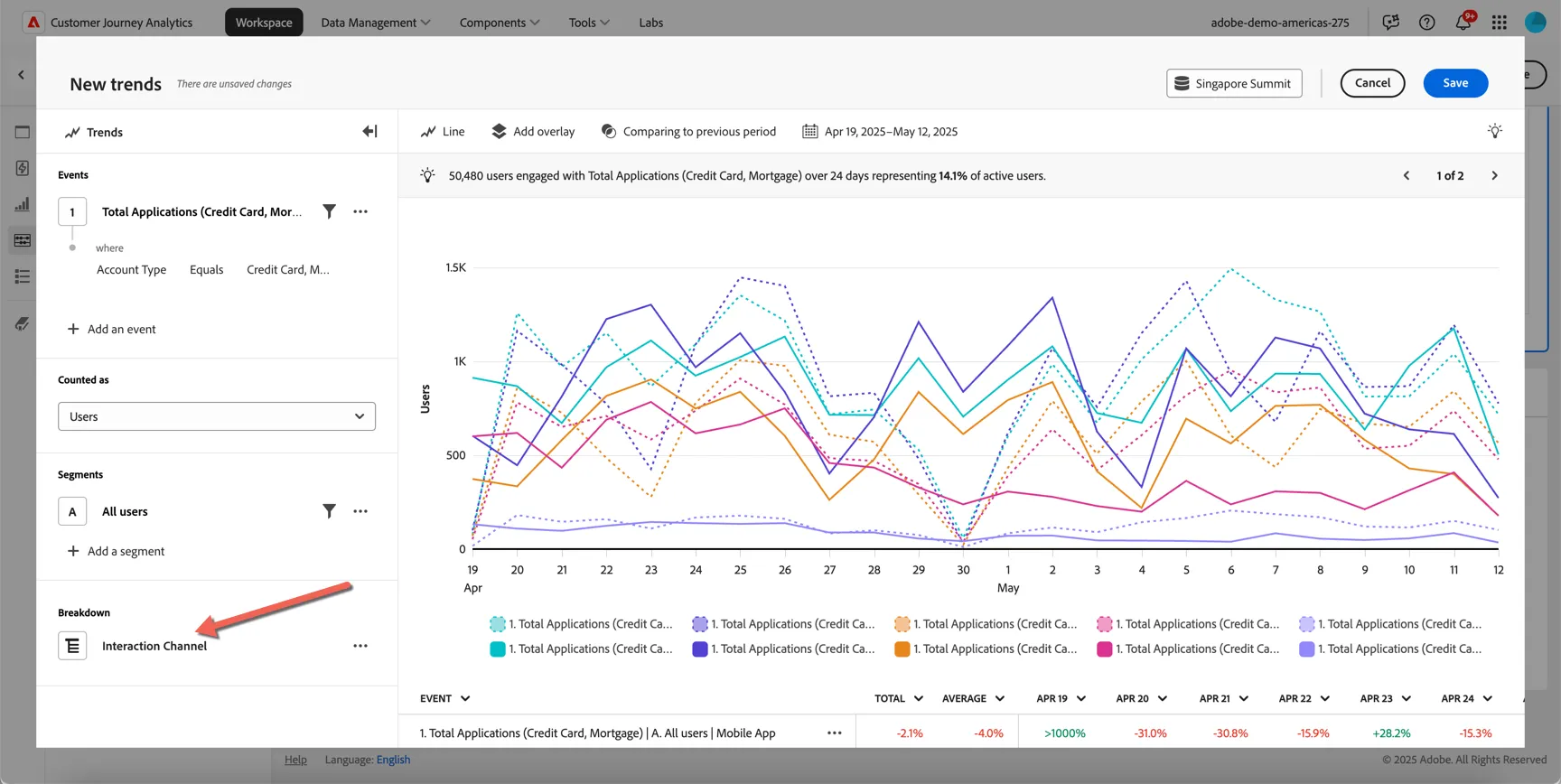
We can see that Web and Mobile Web are performing particularly poorly while call center and in branch applications have increased. Perhaps there is some friction on these channels which is driving customers to the call center and/or in branch?
Now let's use some profile information to analyse it further, change the breakdown from Interaction Channel to Age Group.
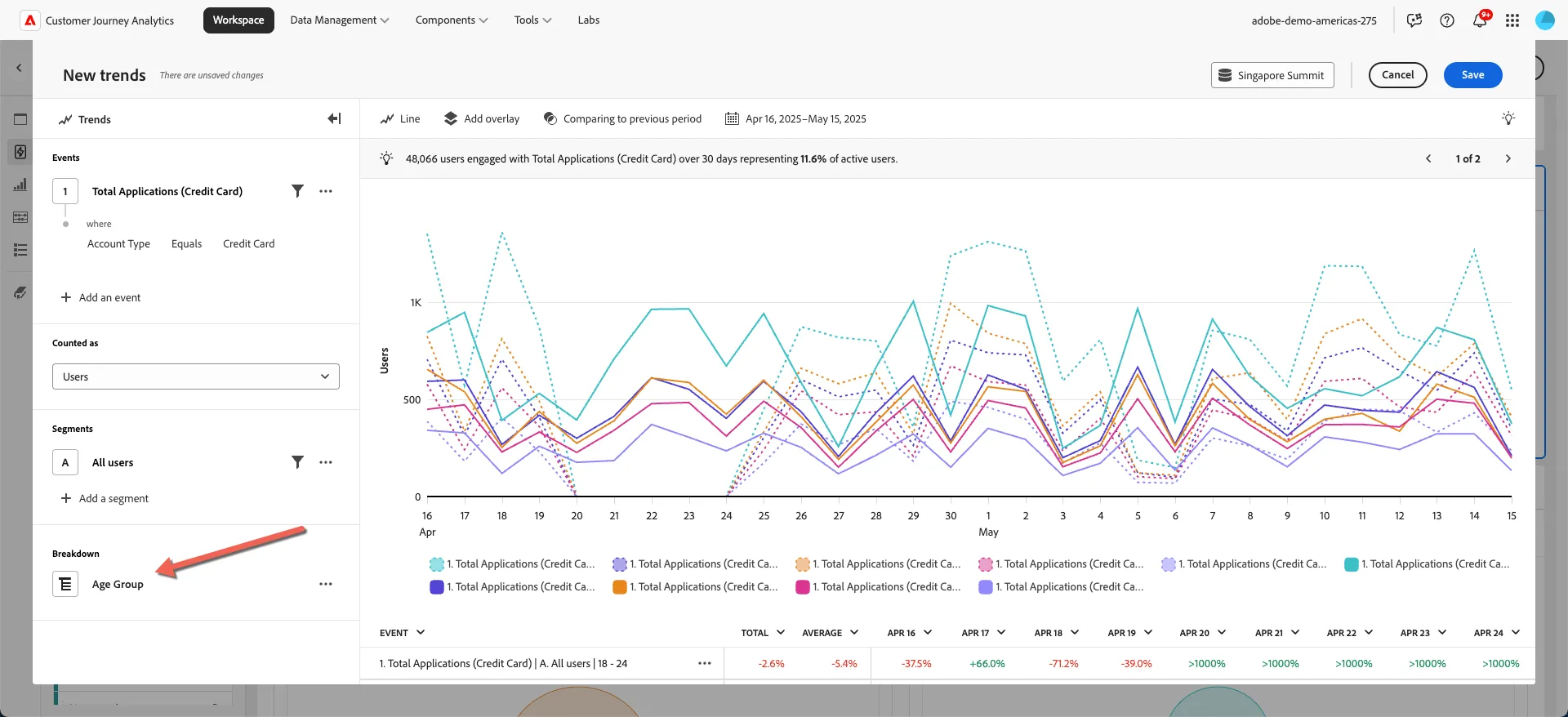
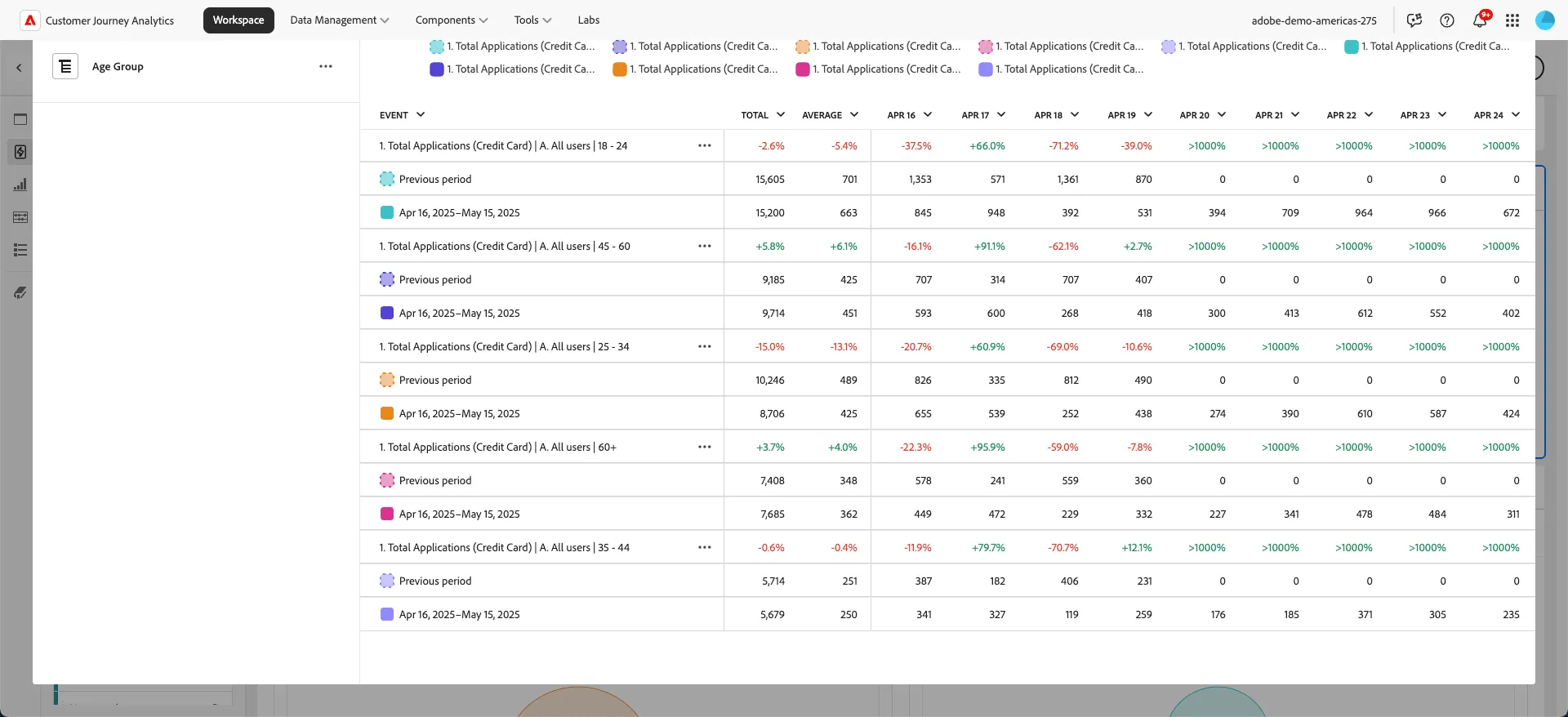
We can see that the drop in applications is coming predominantly from the younger age groups 18-24 and 25-34
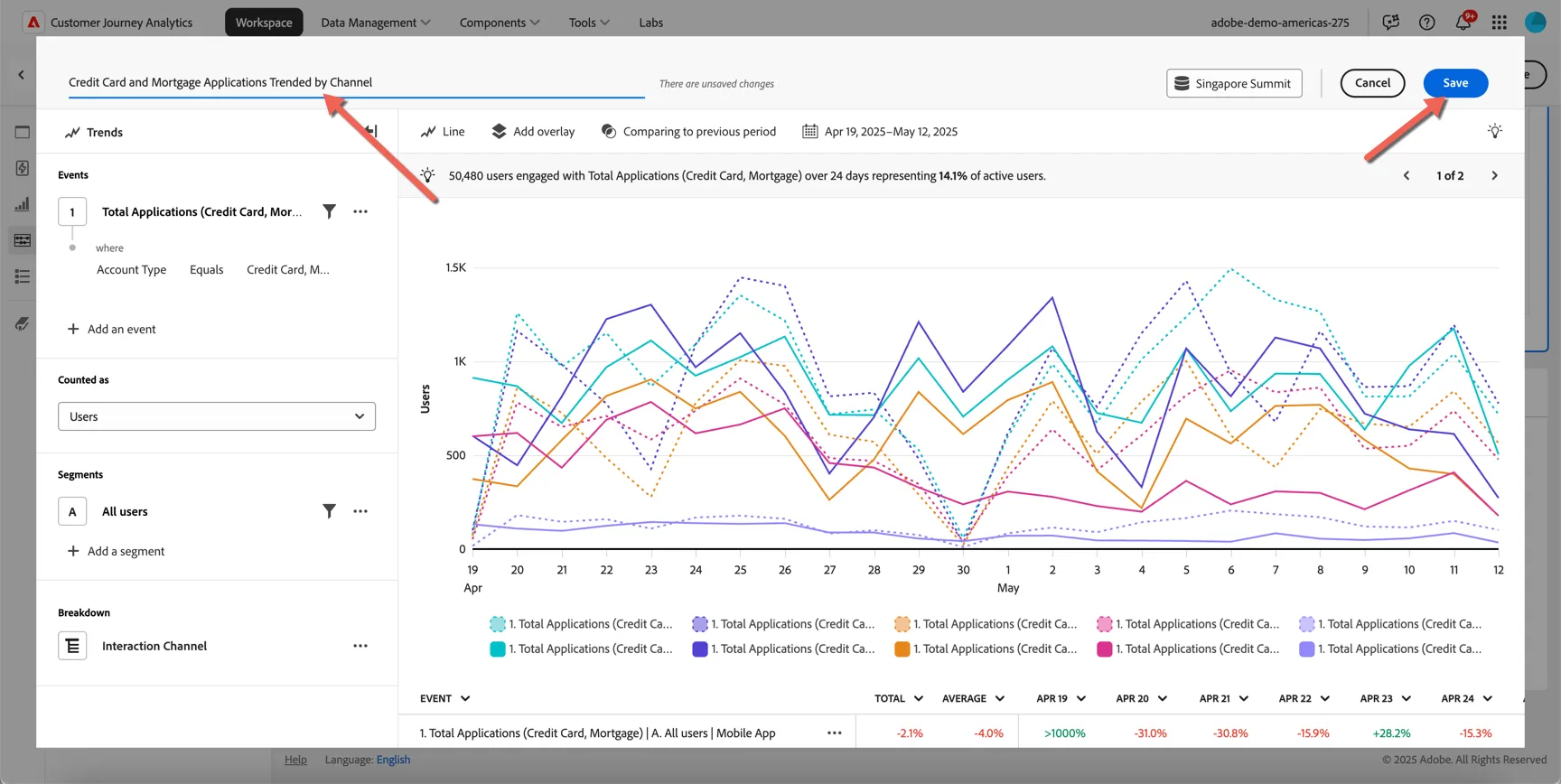
Update the name of your analysis and click save. We'll continue to analyze the journey customers are having across channels in the next exercise.
Insights Unlocked!
- Credit Card Applications are trending down month on month
- Website channel across desktop and mobile is performing worse than other channels
- The issue is predominantly impacting younger applicants between the age of 18 and 34.
Hypothesis:
- Younger customers seem to be getting stuck during the application process online and are either dropping off or transferring to offline channels.
1.3 Analyzing the Journey
Now that we've generated some quick insights through the guided analysis, let's validate our hypothesis through some cross channel journey analysis.
Scroll down to the panel labeled 1.3 Analyze the journey across channels.
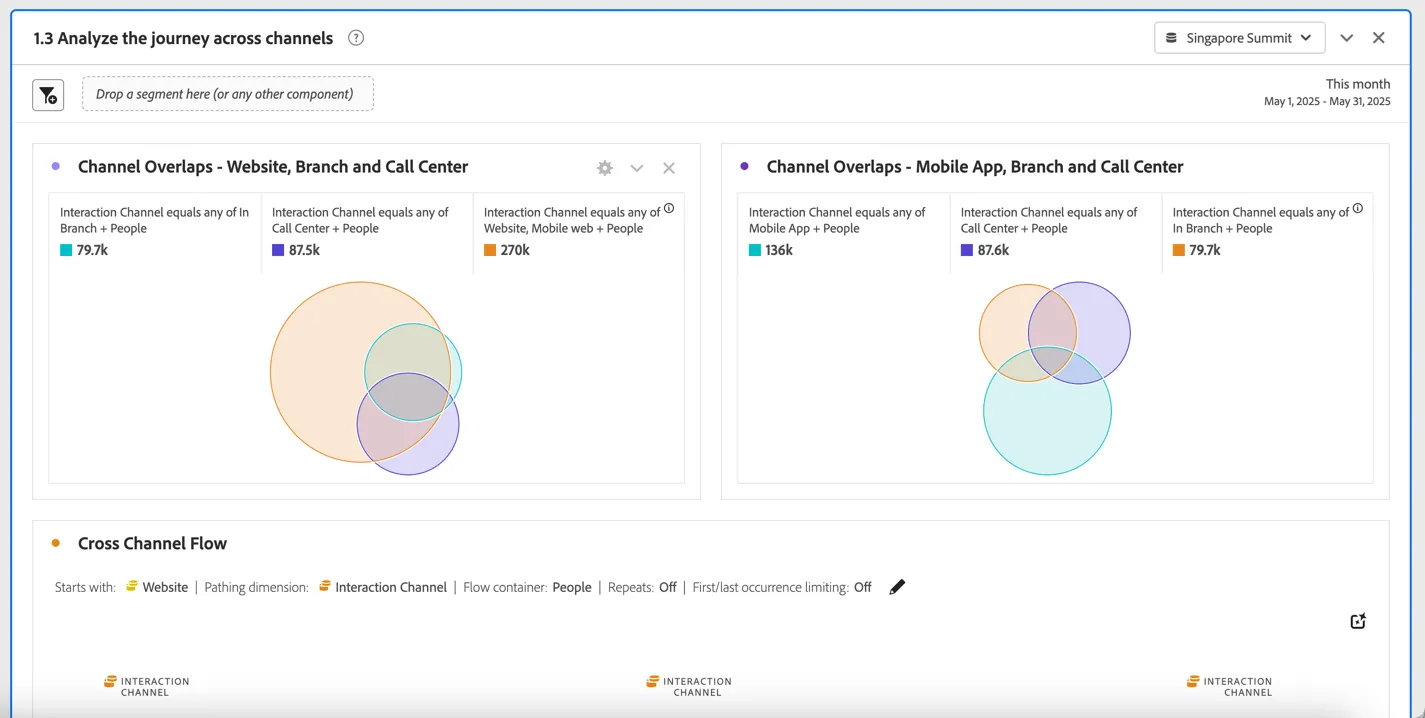
Here we can see the overlap of people interacting across channels. The Channel Overlap venn diagrams show the overlap of customers engaging on the website AND the call center or in branch is much higher than those who engage on the mobile app.
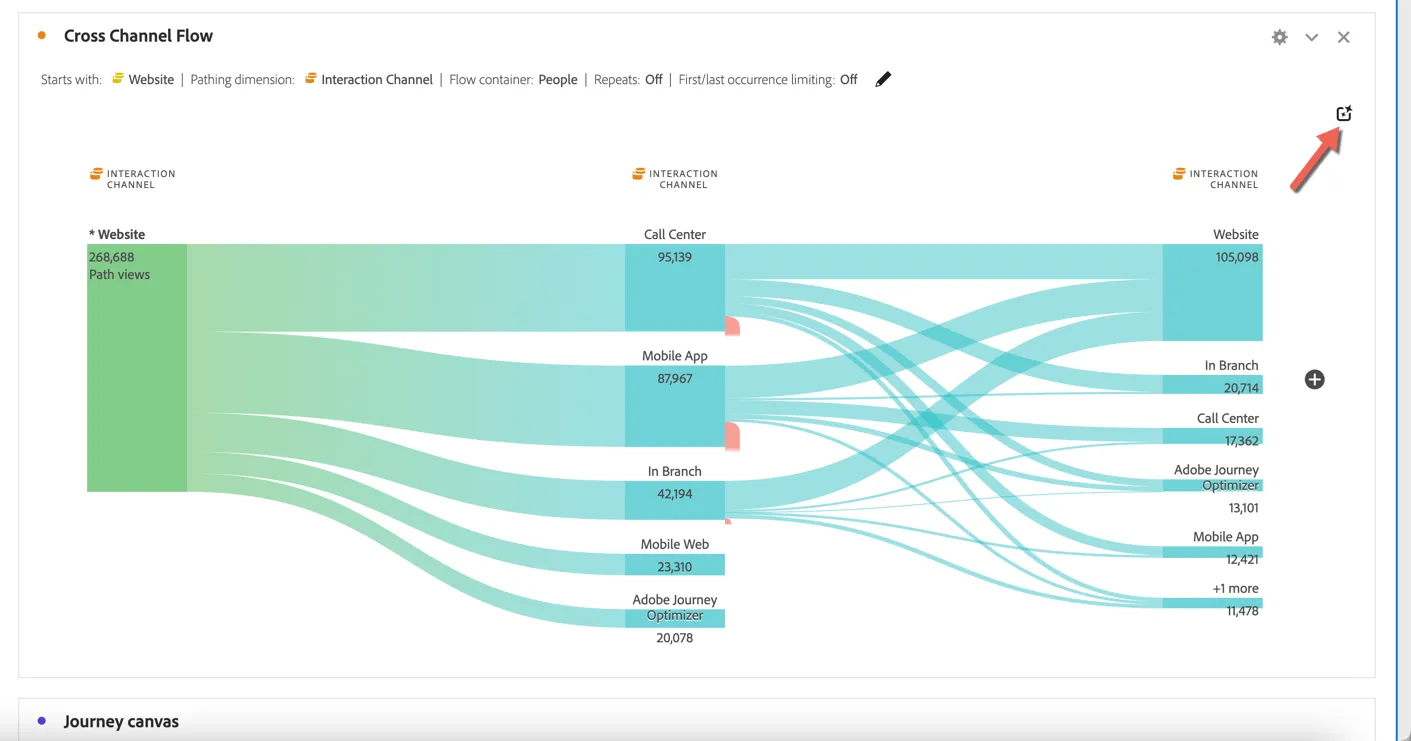
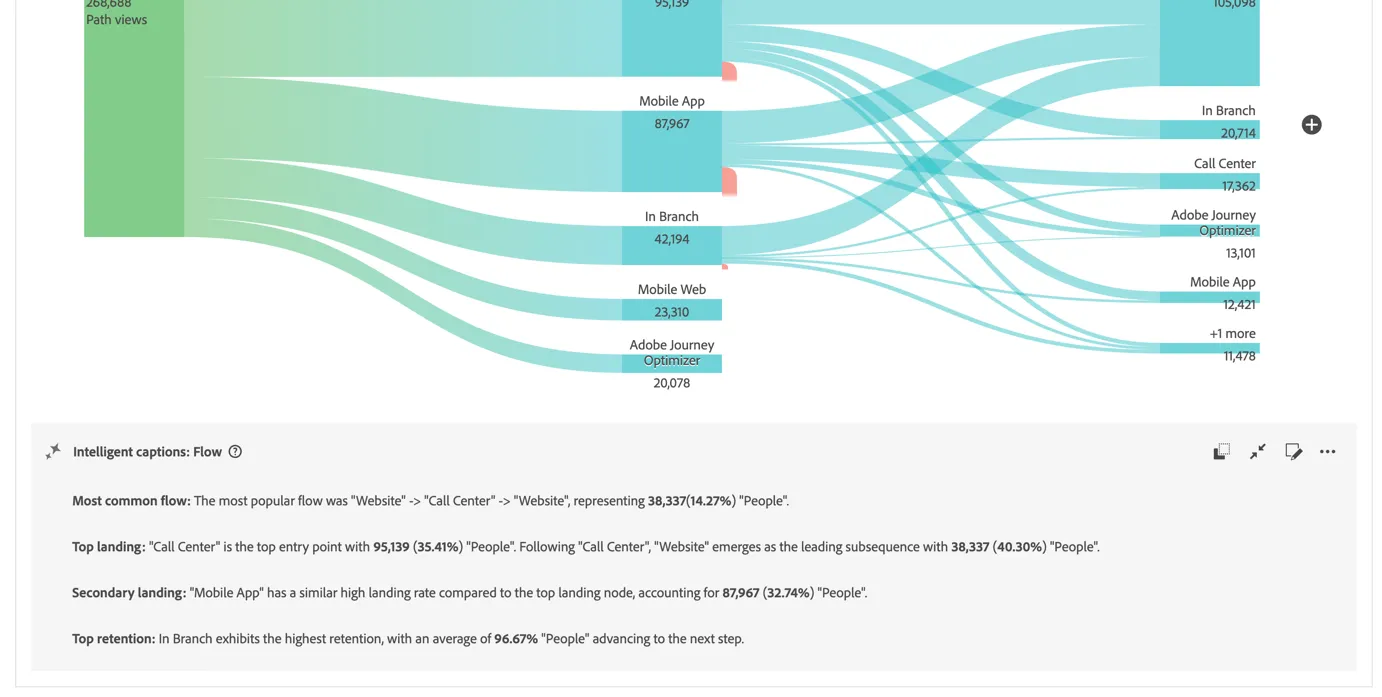
Looking at the Cross Channel Flow we can see the common path customers are taking after landing on the website. We can see a good portion of customers are calling the call center after visiting the website. Click the intelligent captions icon in the top right to use generative AI to get a quick summary of the key insights from this visualisation.
Intelligent Captions provide high level takeaways allowing you to share your findings easily with other users. Use the arrow icons on the right to expand and collapse the captions.
The flow visualisation is great for high level analysis but CJA's journey canvas allows us to drill into exactly which paths customers are taking and where they are falling out of the expected trajectory.
Scroll down to the Credit Card Application Journey Canvas. It has been prepopulated to show the expected journey from viewing the credit card page on the website to completing an online application.
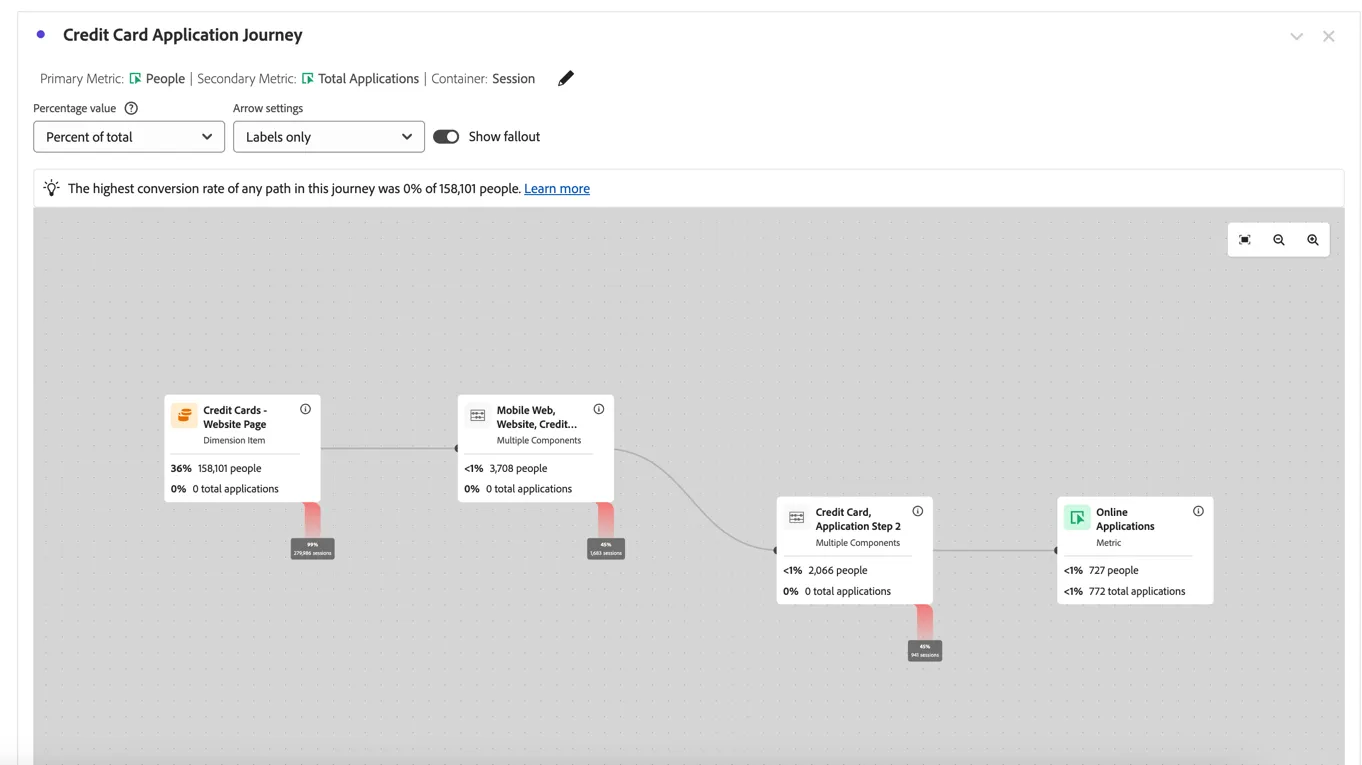
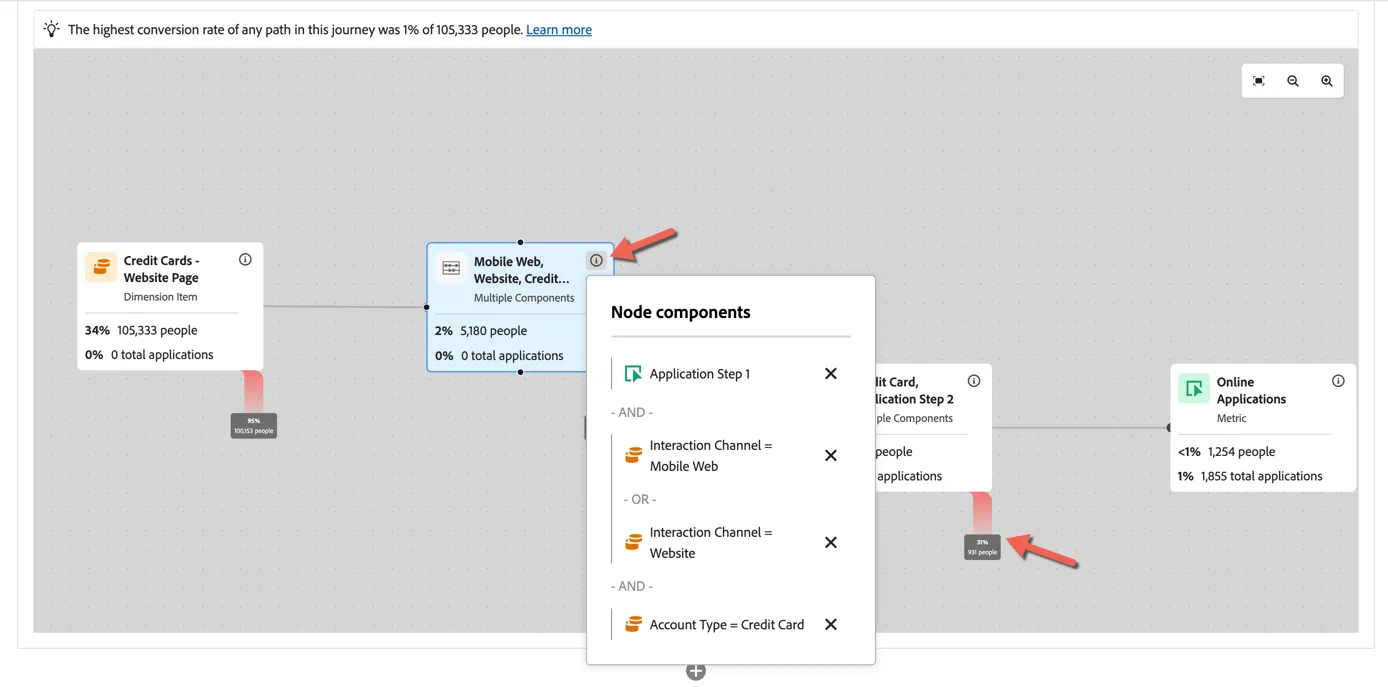
Click on the i icon in the node to see the components that make it up. The red line shows the fall out between each node.
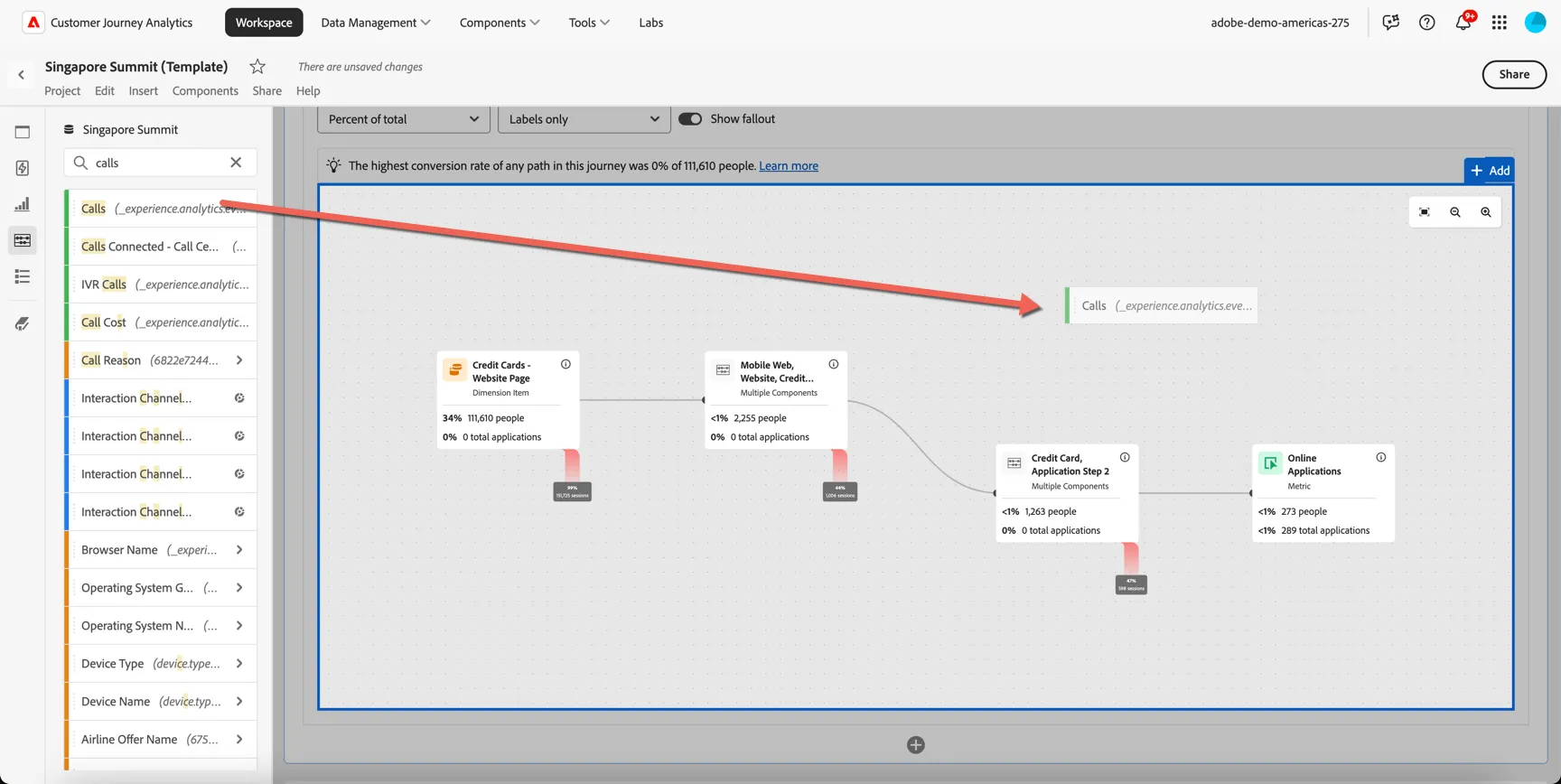
Let's add to the journey to see the number of people who make a call to the call center after starting the application process. Search for Calls in the components menu and drag the Calls metric onto journey canvas.
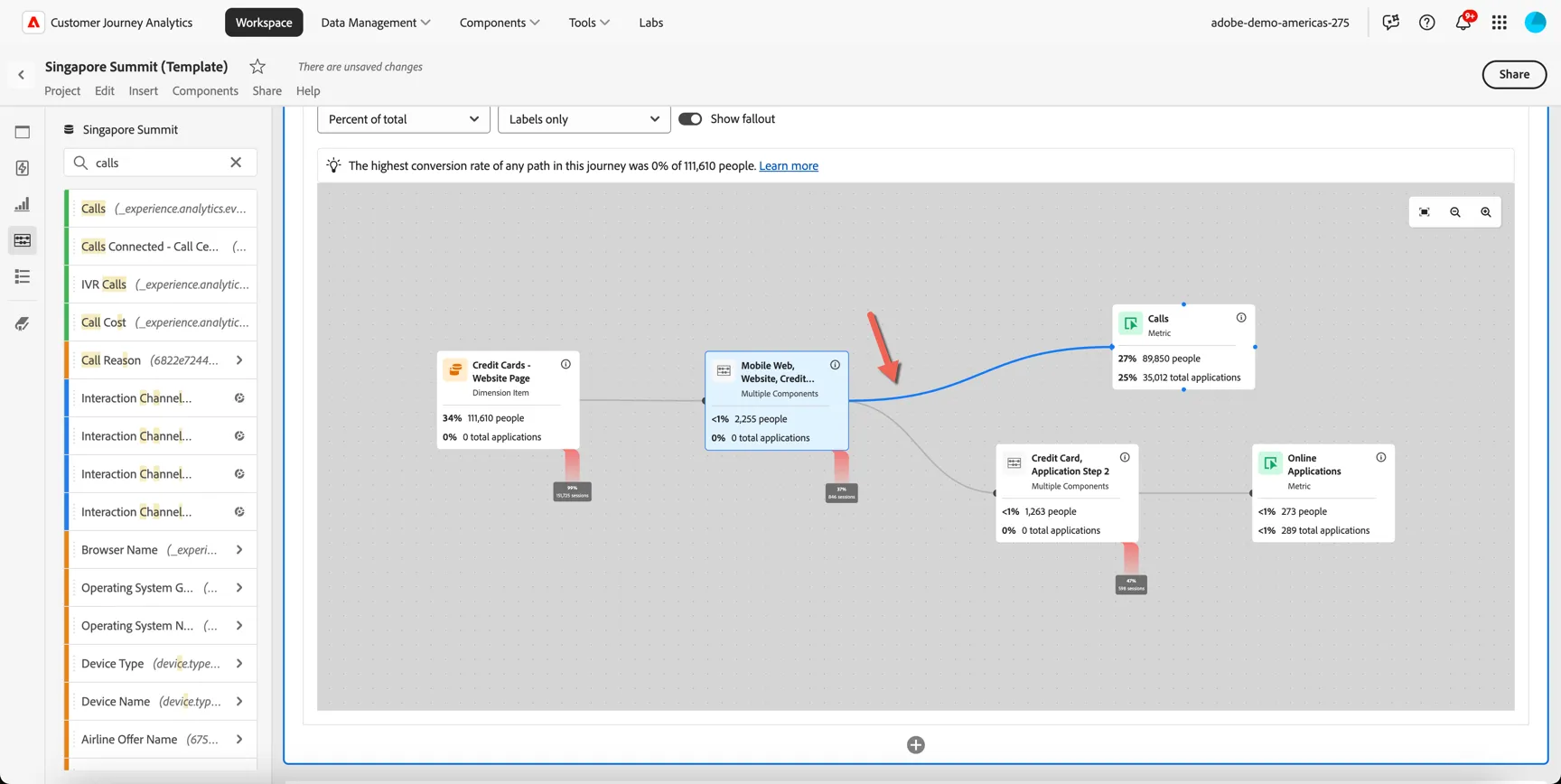
Now drag a connector from Credit Card Application Step 1 node to the Calls metric node.
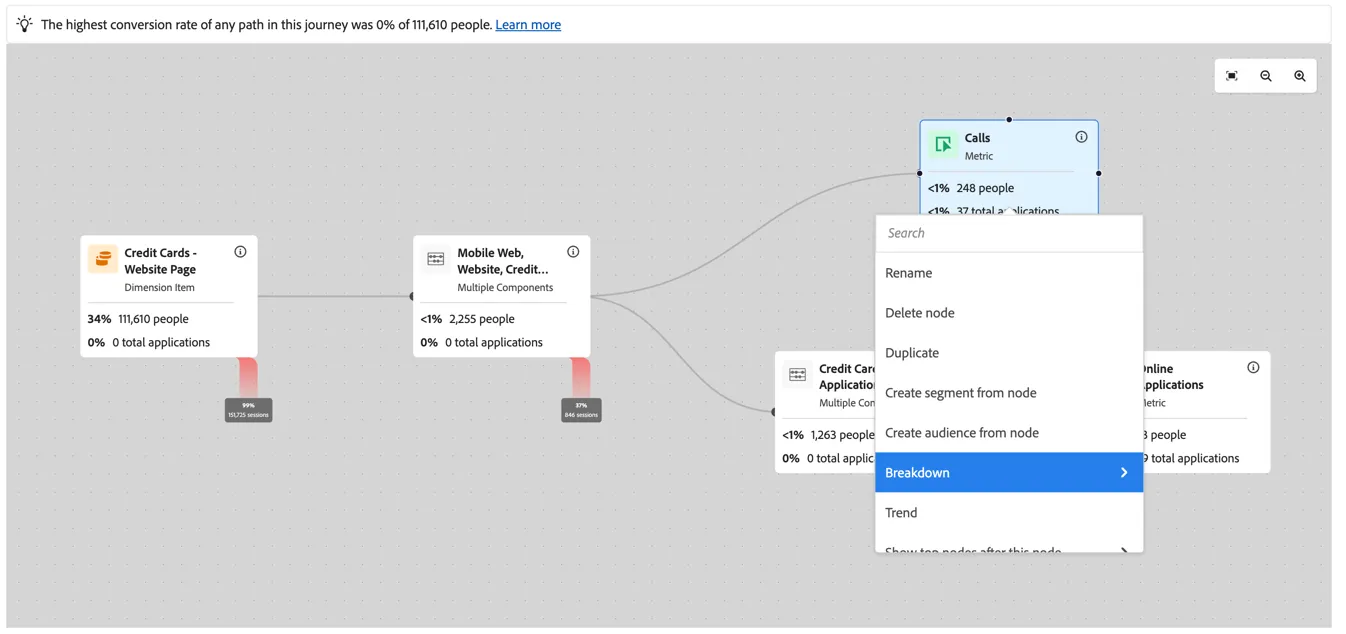
We can further breakdown the Calls node to understand what the reason was for the call. Right click on the Calls node and select to Breakdown -> In Journey Canvas by Call Reason.
We can see that the largest proportion of calls are related to questions around credit limits!
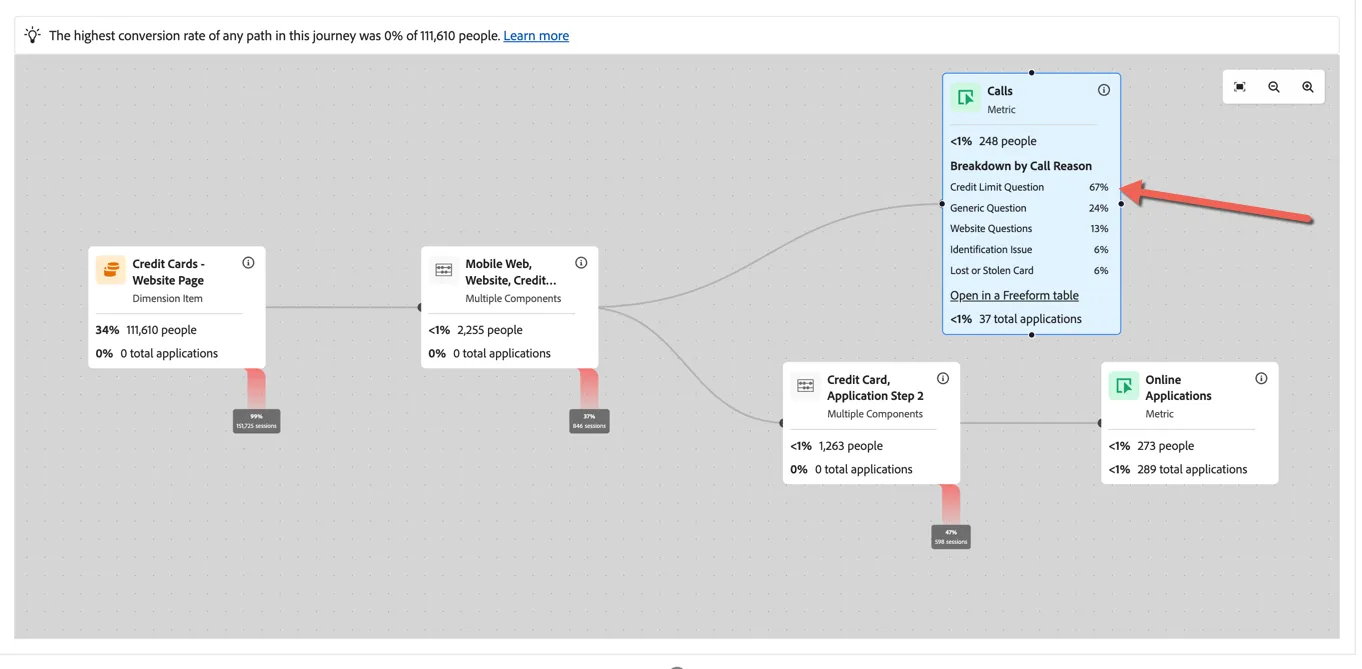
With this kind of visualisation we can run deep analysis of fallout and fallthrough that accommodates the most complex of user journeys crossing any number of channels, dimensions and metrics.
Insights Unlocked!
- We've confirmed that customers are diverting from online credit card applications to offline channels, in particular the call center
- The most common reason for these calls revolve around credit limits
Summary
Congratulations, you've completed the exercise to gather insights using Customer Journey Analytics. Based on our analysis we can share the following back to management and the marketing team at SecurFinancial:
Insights:
- Credit Card Applications are trending down month on month
- Website channel across desktop and mobile is performing worse than other channels
- Younger customers are more impacted than older customers
- Customers are diverting to call center channel and the most common reason relates to credit limit queries
Recommendations:
- Verify that the credit limit options available on the web application form are the same as those available on other channels
- Experiment with content and layout of credit limit information for younger applicants
- Ensure targeting of younger applicants for credit card marketing is properly vetted
Bonus Exercise: Omni-channel Attribution
Let's take a quick look now at the marketing channels which have had the most impact historically on Credit Card Applications to provide insight on where we should focus our upcoming marketing effort and budget.
Scroll down to the last panel in your dashboard. We can see here a quick visualisation to show the top performing channels for both online and offline applications.
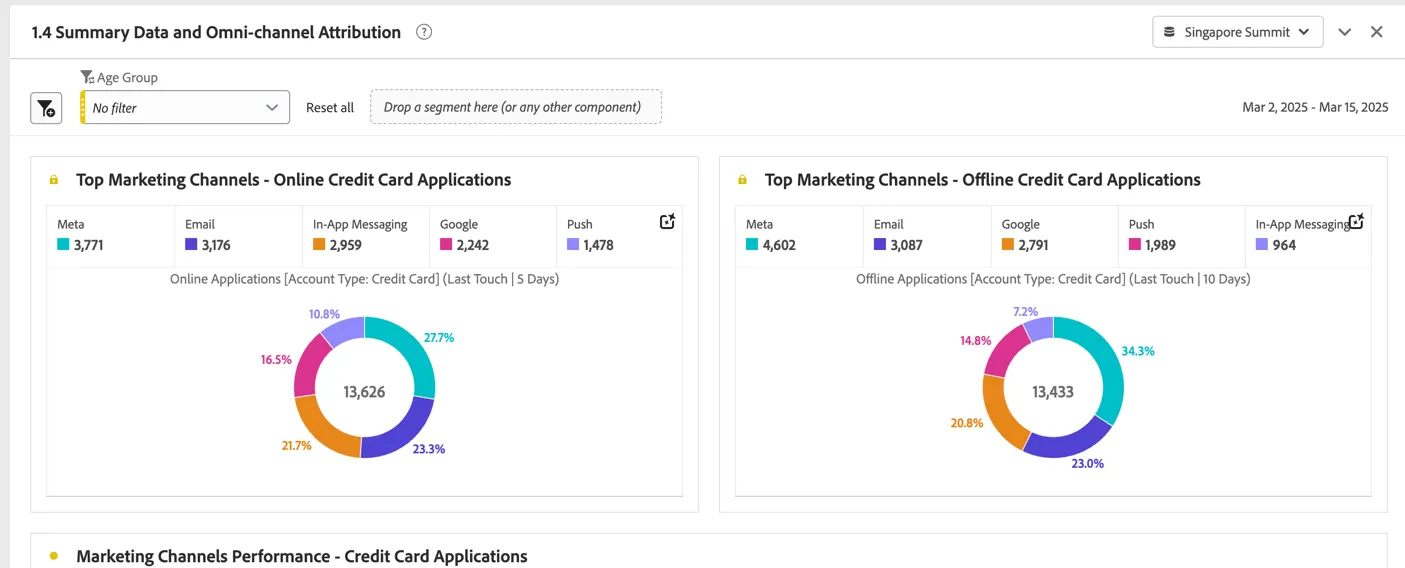
If you scroll down to the data table which enables these visualisations, you can see we also have summary data from Meta and Google to understand how many impressions, clicks and the cost for these paid channels for the reporting period. This data is collected as daily aggregates and can be tied to the person level event metrics through shared Campaign Id's collected when a customer clicks through from an Ad.
With this summary level data we can start to report on advertising metrics like cost per click, return on ad spend and cost per aquisition across not only online but offline channels as well.
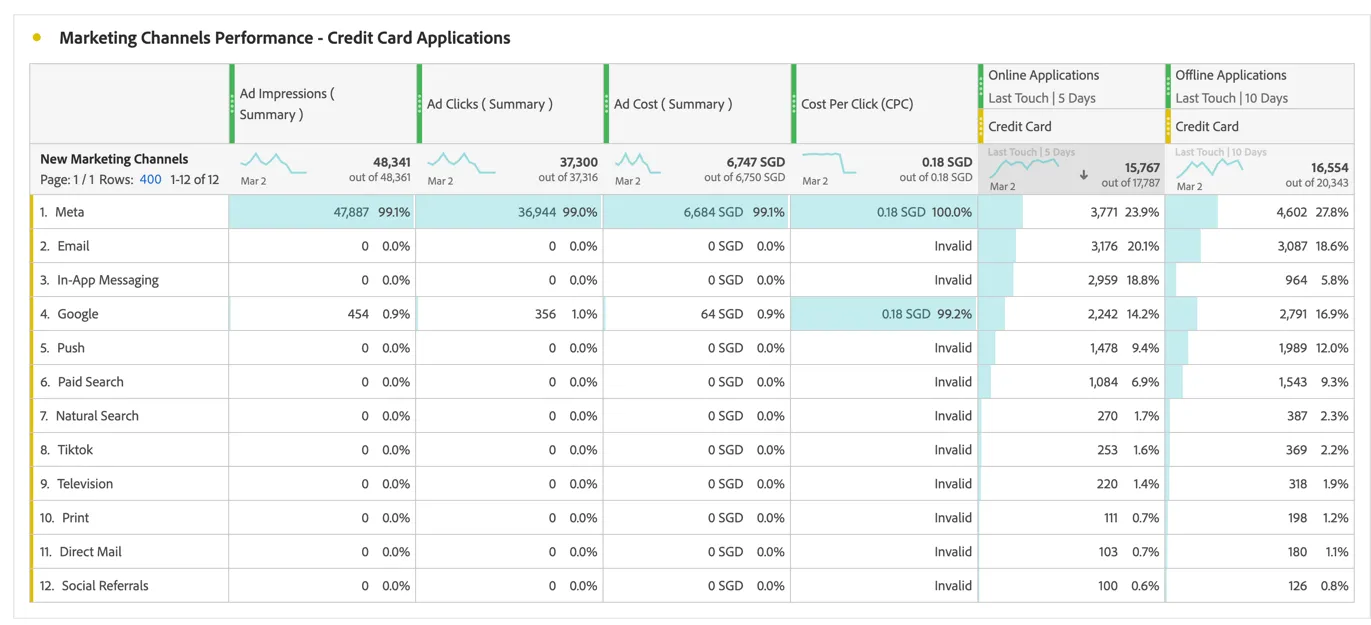
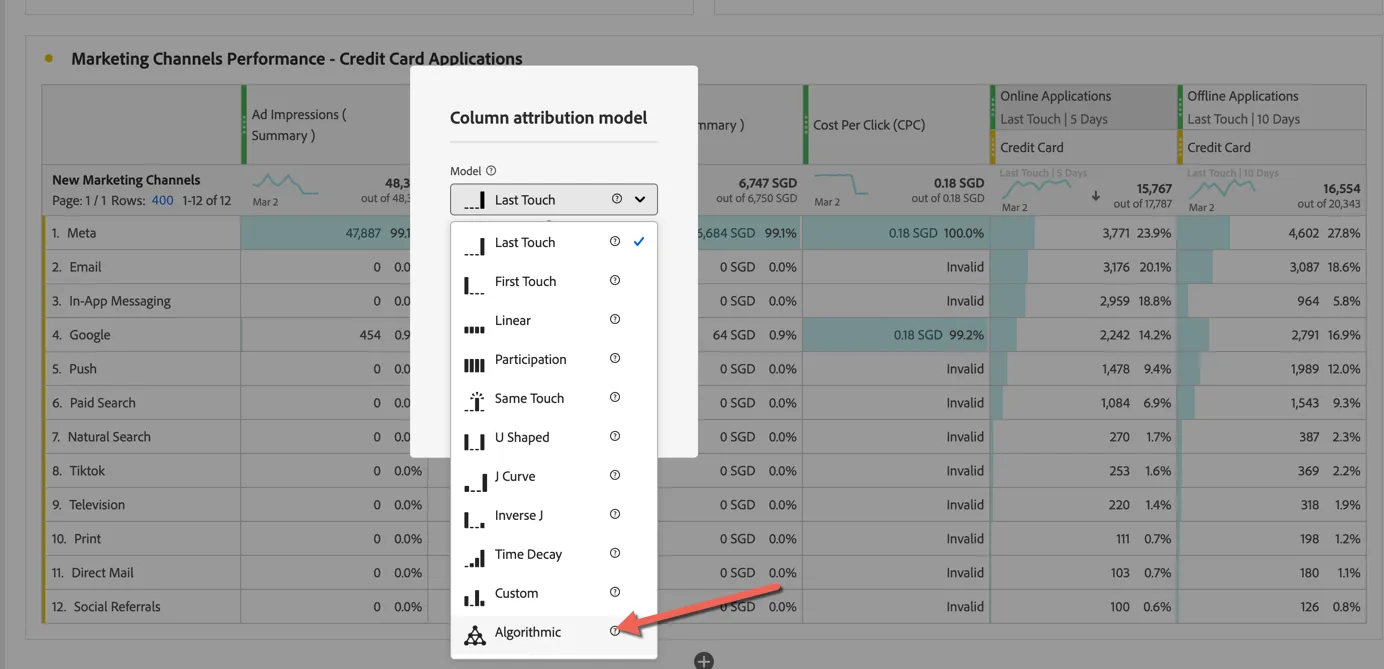
For the purpose of this exercise we've used different attribution for online applications (last touch within 5 days) vs offline applications (last touch within 10 days). You can easily update the attribution model used depending on your organisations needs by right clicking on the column heading and selecting modify attribution model.
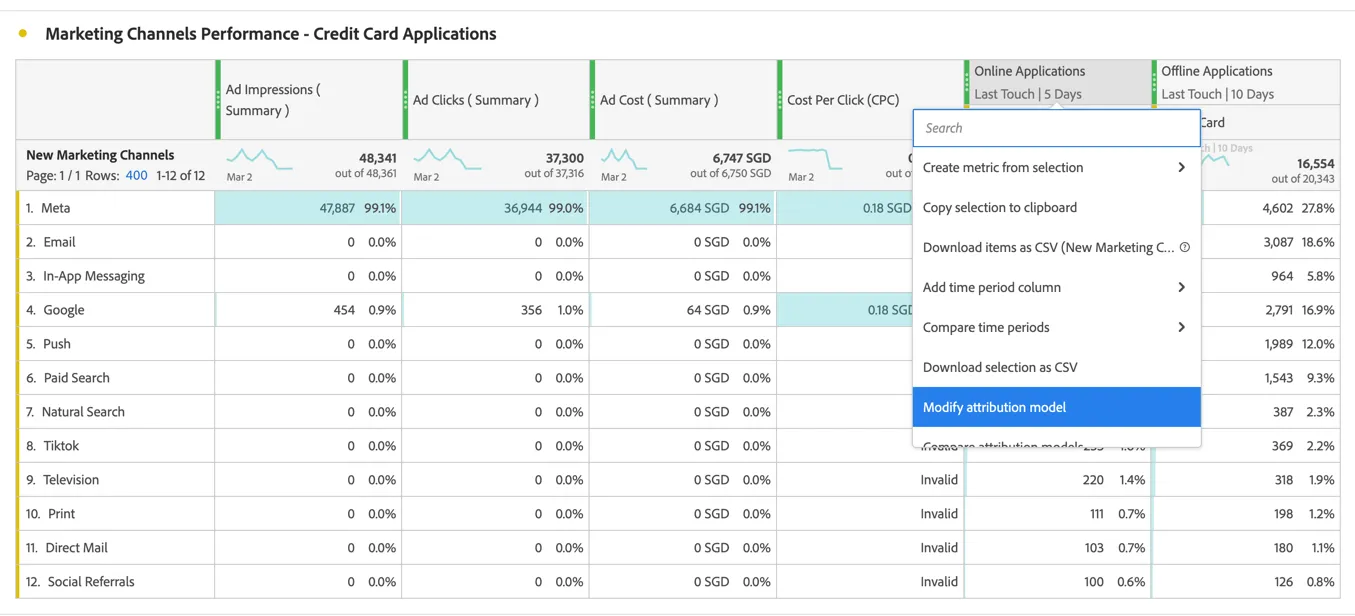
You can choose from any of the supported models including Adobe's algorithmic model which uses AI/ML to allocates multi-touch attribution across channels.
Insights Unlocked!
- Meta is our top performing channel historically for credit card acquisitions, we can focus new marketing efforts here.