Journeys in AJO
This lab will walk through the steps to create a Basic Email and SMS Journey in Adobe Journey Optimizer.
NOTE: Some exercises may vary during the actual Hands on Lab versus what is listed in the Archbee Page, due to industry setup and / or Presenter preferences.
Create a Journey
Navigate to Journeys within Journey management on the left menu.
Click on “Create Journey”.
Provide a Name and Description: Platinum Cart Abandoner - {your initials}
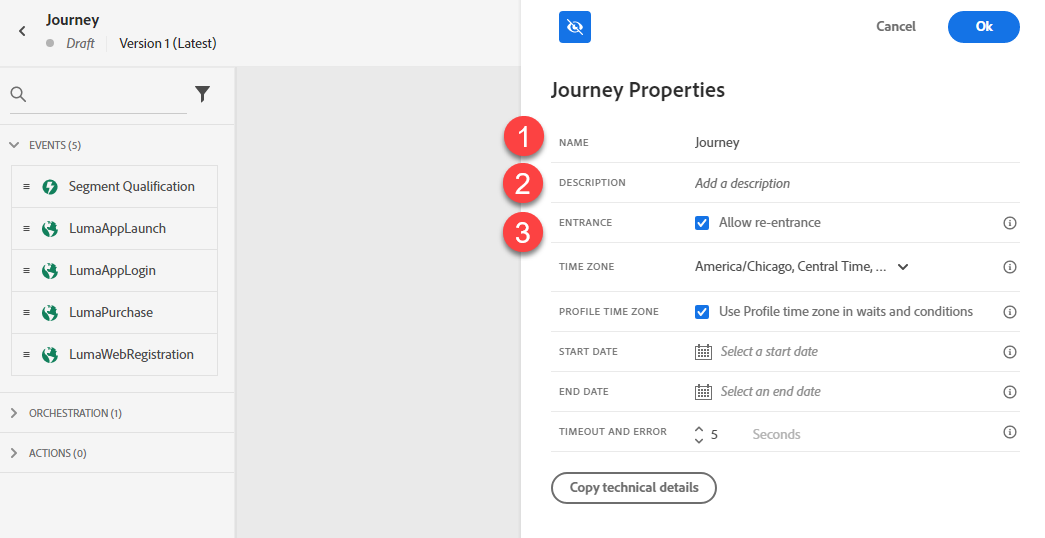
- Uncheck “Allow Re-Entrance.”
- Click Save.
Define the Audience
- Under Orchestration Node, drag the “Read Segment” onto the Canvas.
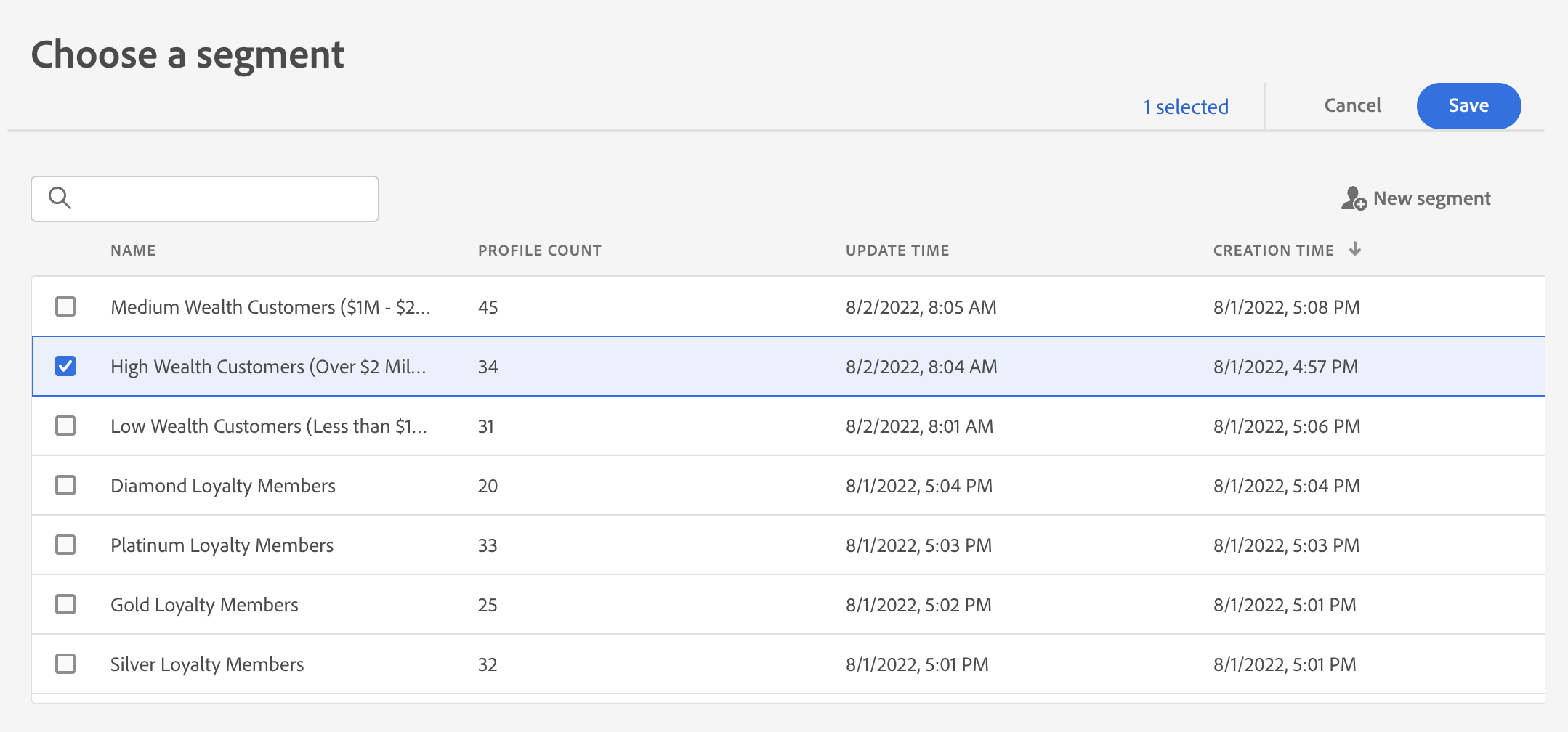
- Change the label to “Platinum Cart Abandoners”. Click on Select a Segment.
Select “Platinum Cart Abandoners - {your initials}” segment created earlier. Click Save.
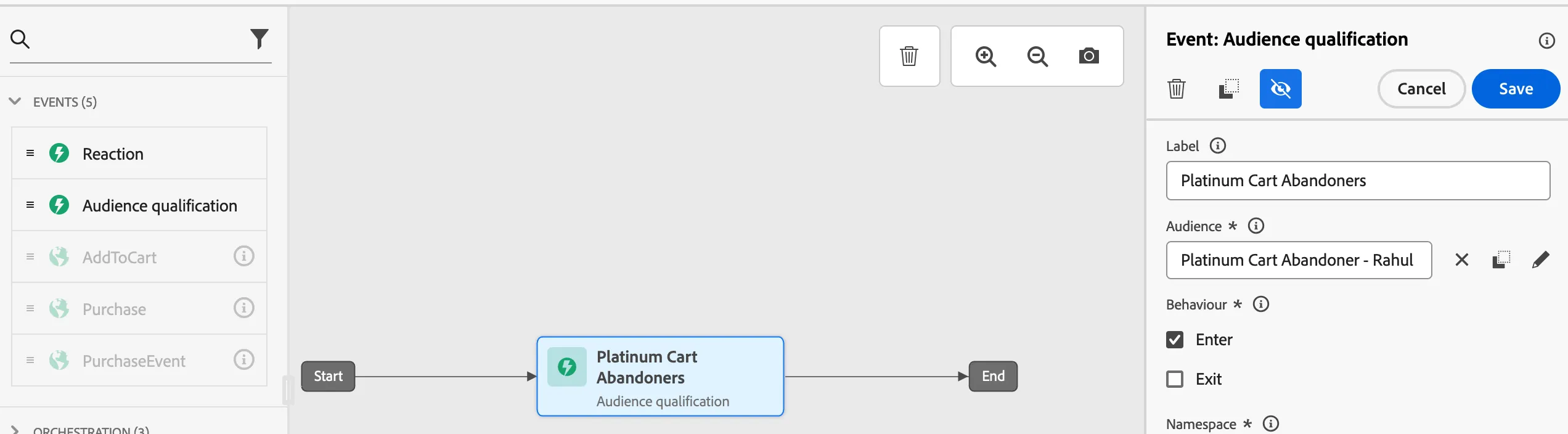
Setup Branching
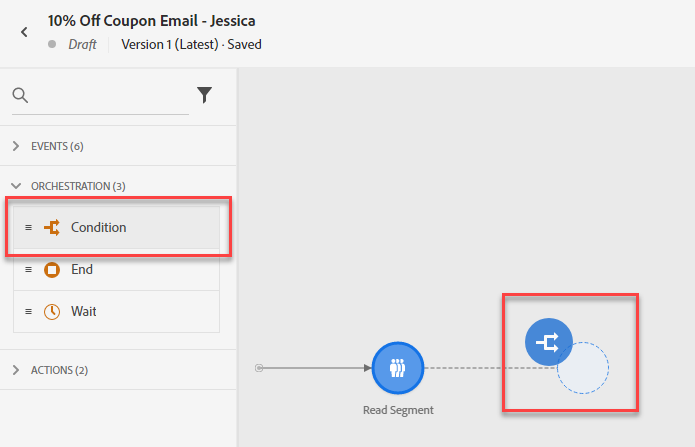
Under Orchestration Node, drag the “Condition” after the Read Segment.
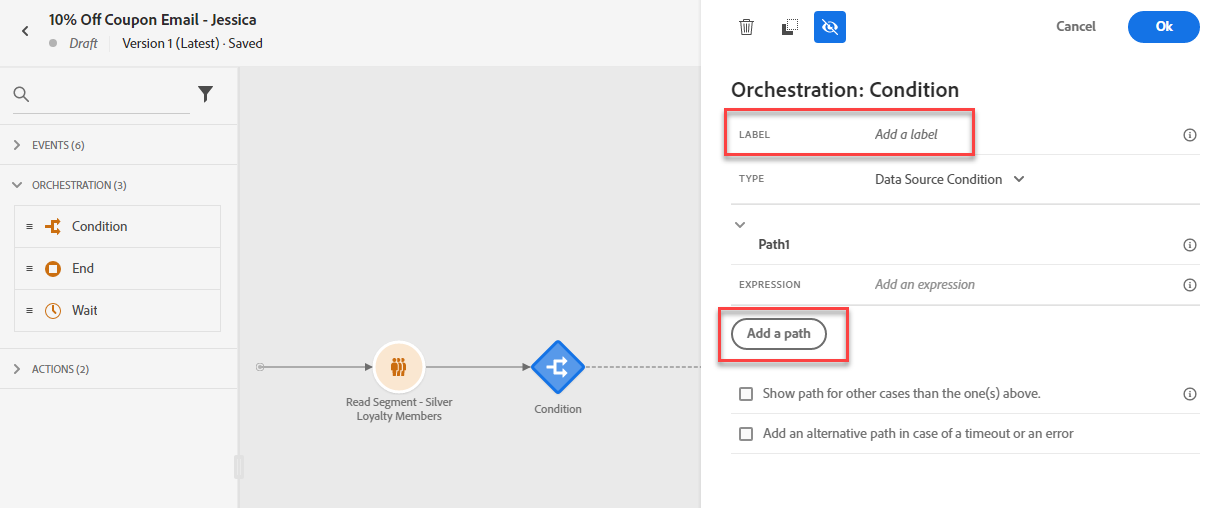
Add the label “Preferred Channel”. Set Type to “Data Source Condition”. Click on “Add a Path” 2 times
Click Path1 and rename as "Email". Click Path2 and rename as "SMS". Click Path3 and rename Push
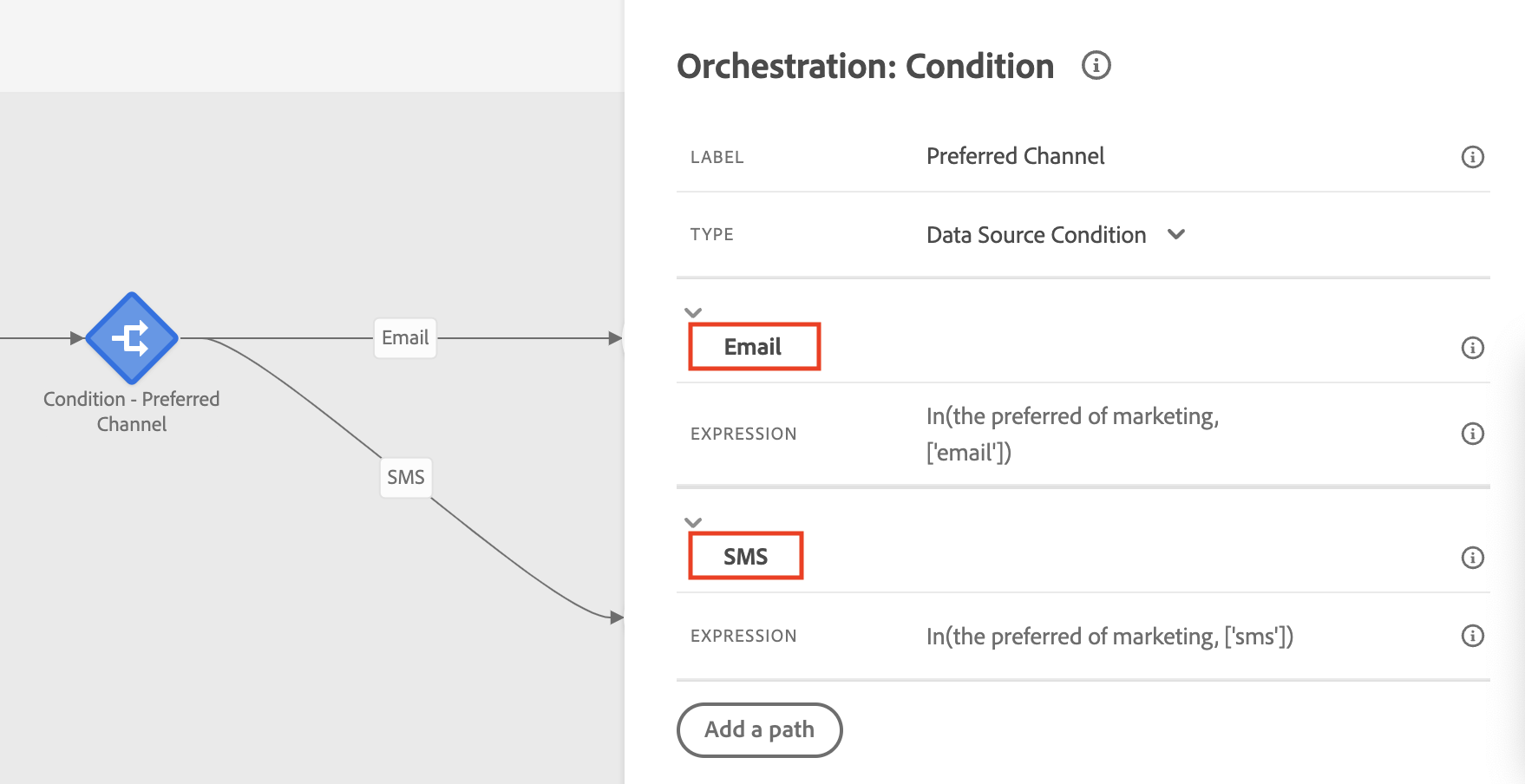
Expand the Email path, and click on the Expression Field. Search for preferred channel, and drag and drop it into the canvas.
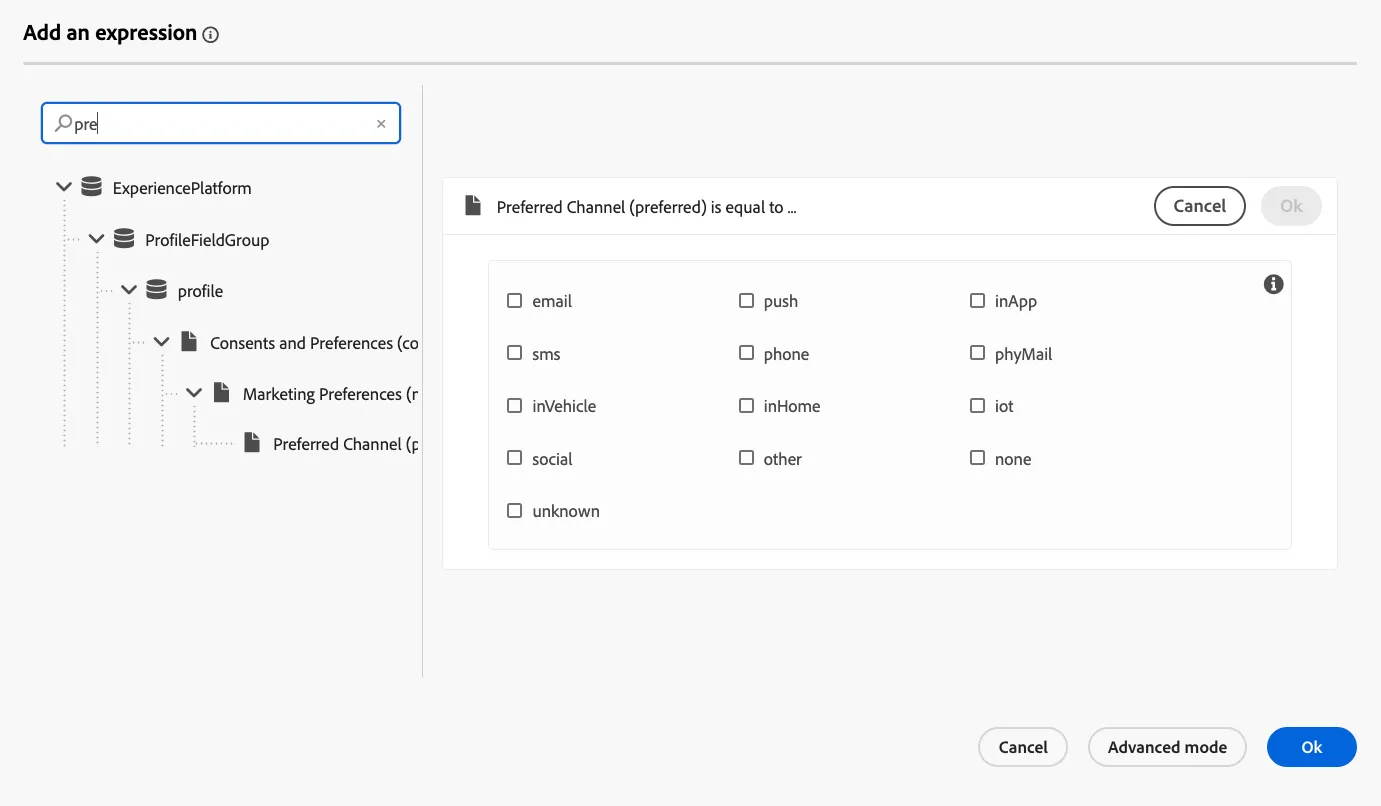
- Select the email channel, click ok and then ok.
- Repeat step 4 and 5 but for SMS, Push and InApp. Use the appropriate value in the Preferred channel field.
Add Messages
Under Actions, drag the Email Action onto the Canvas on Email path, drag SMS Action onto the SMS path, drag the Push action onto the Push path and drag the InApp action to the InApp path.
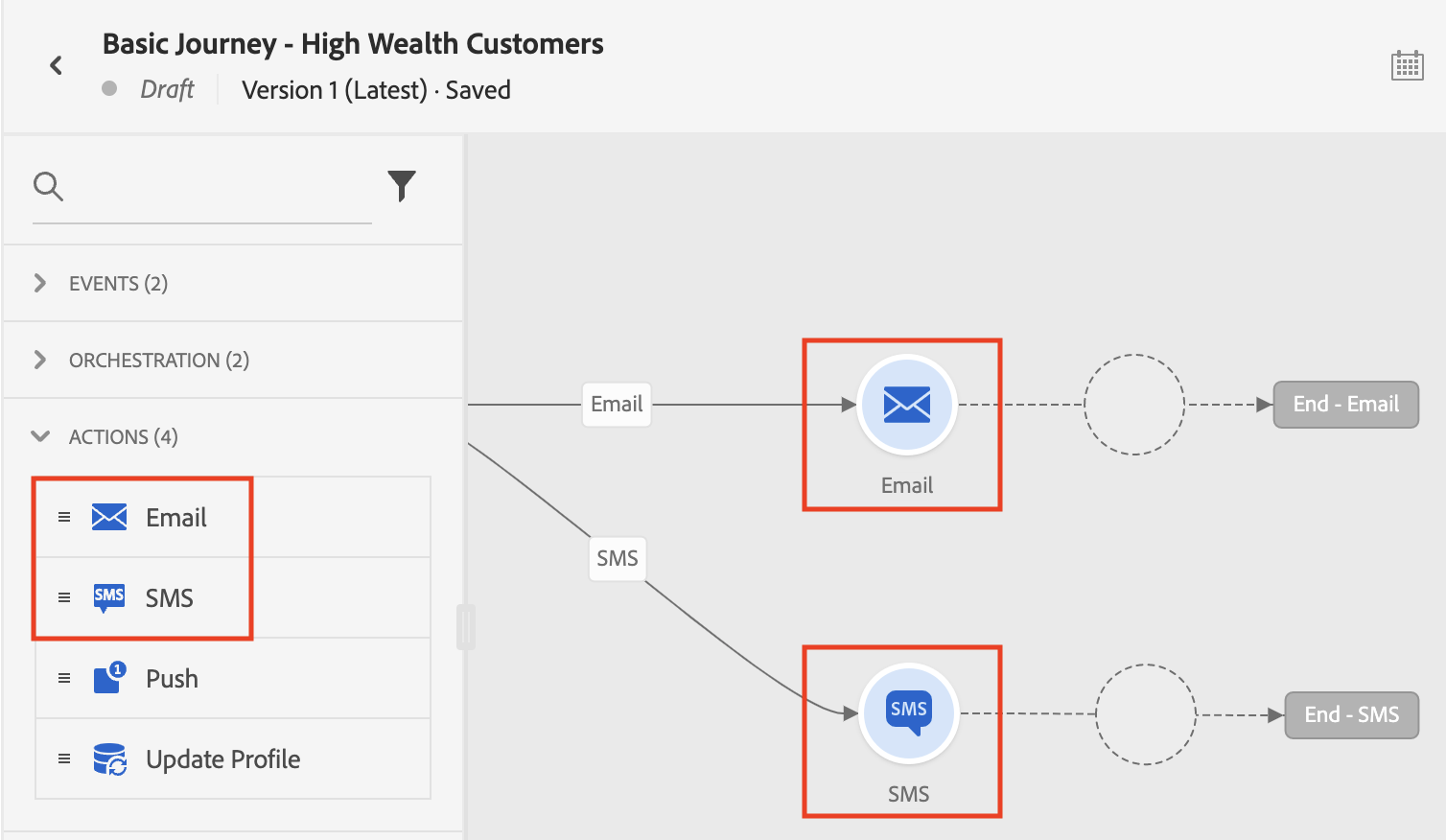
- Next, we will design the Email, SMS messages, and Push designers.