1.4 Take Action: send your segment to Facebook
Facebook is one of the many destinations available for Real-Time CDP. To send a segment to Facebook, go to Destinations in the left hand menu and then to Catalog tab.
Scroll down until you see the Facebook Custom Audiences destination card. Click Activate audiences.
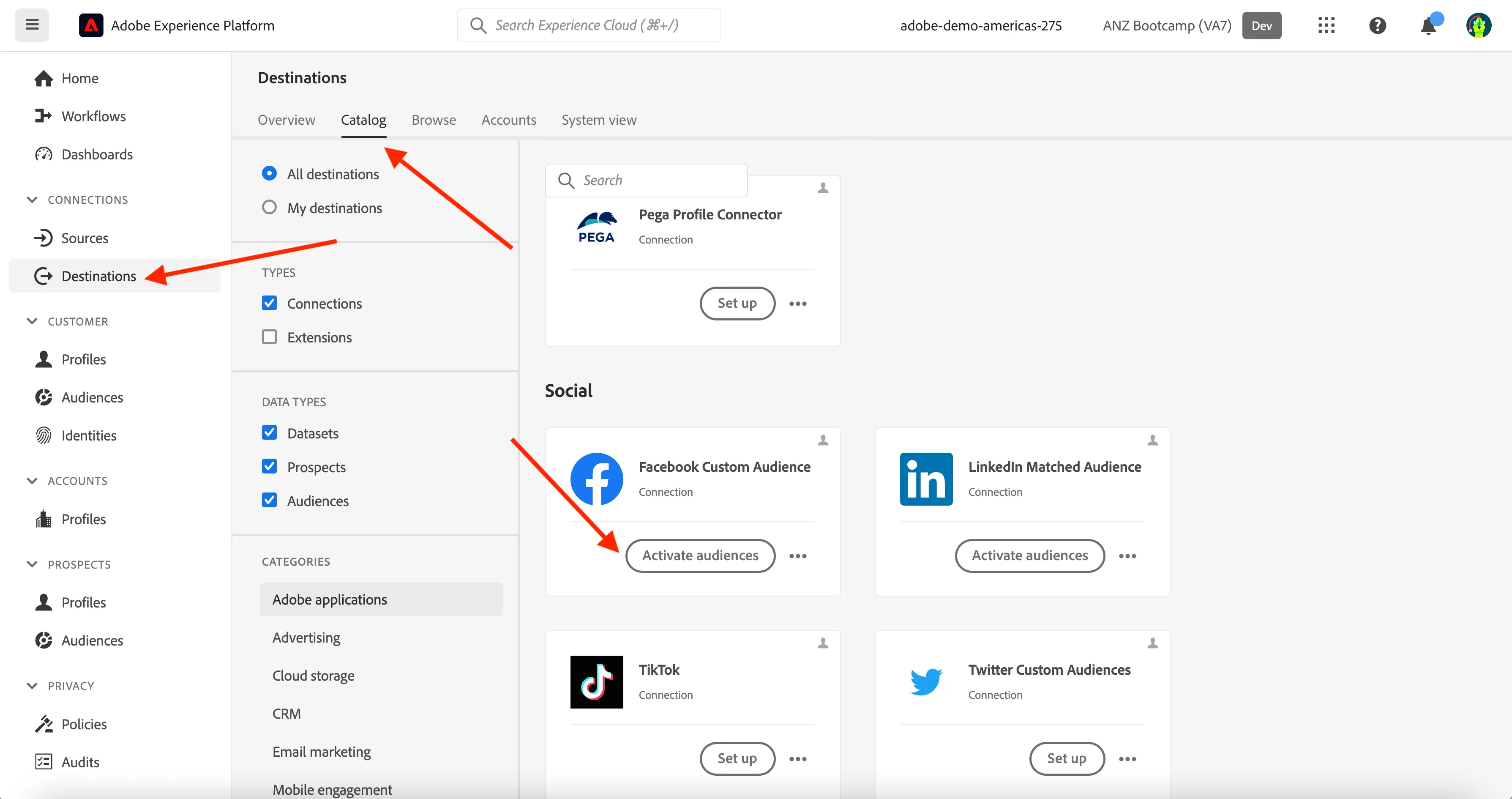
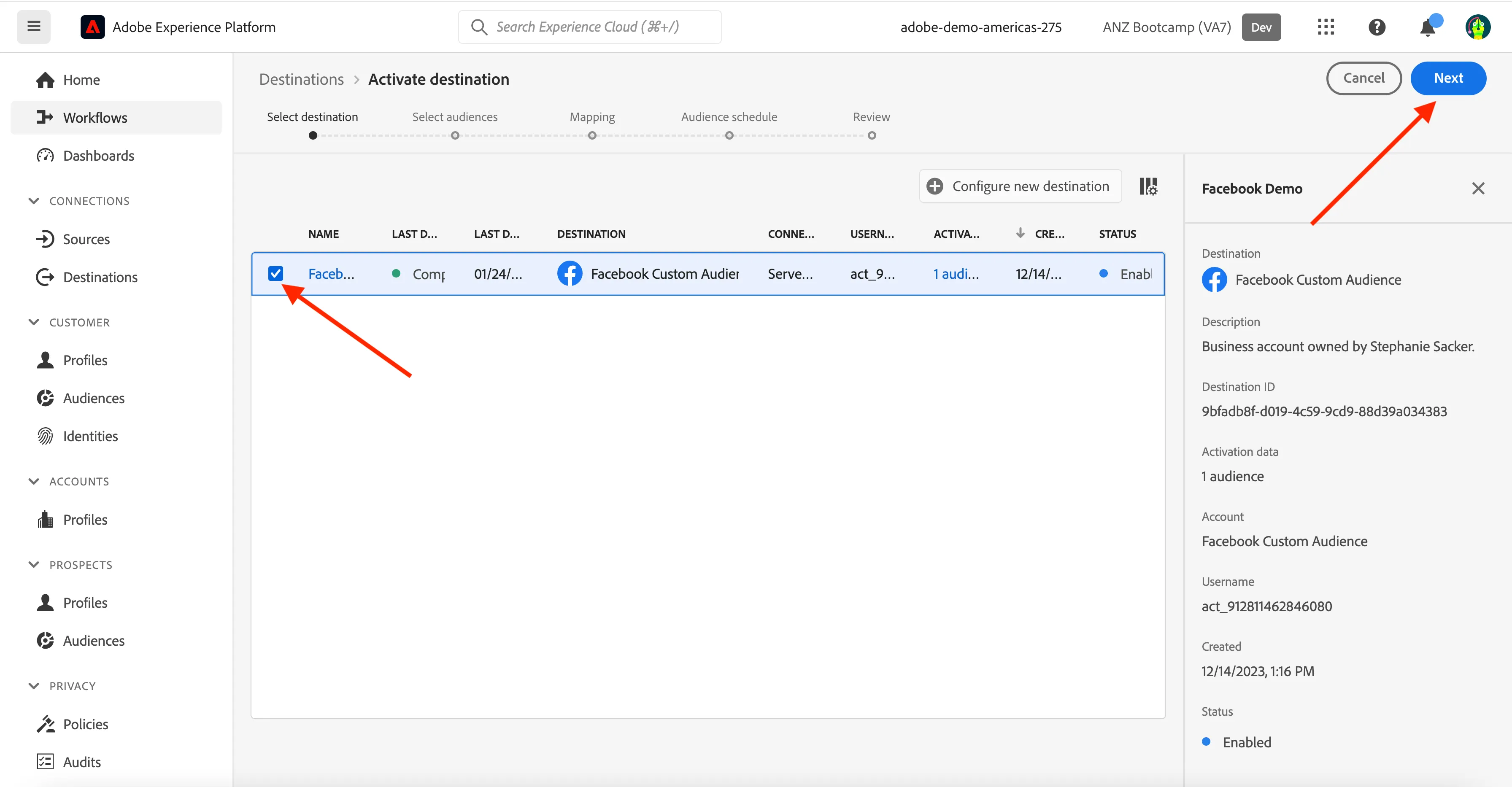
Select the destination Facebook demo by clicking on the box and click Next.
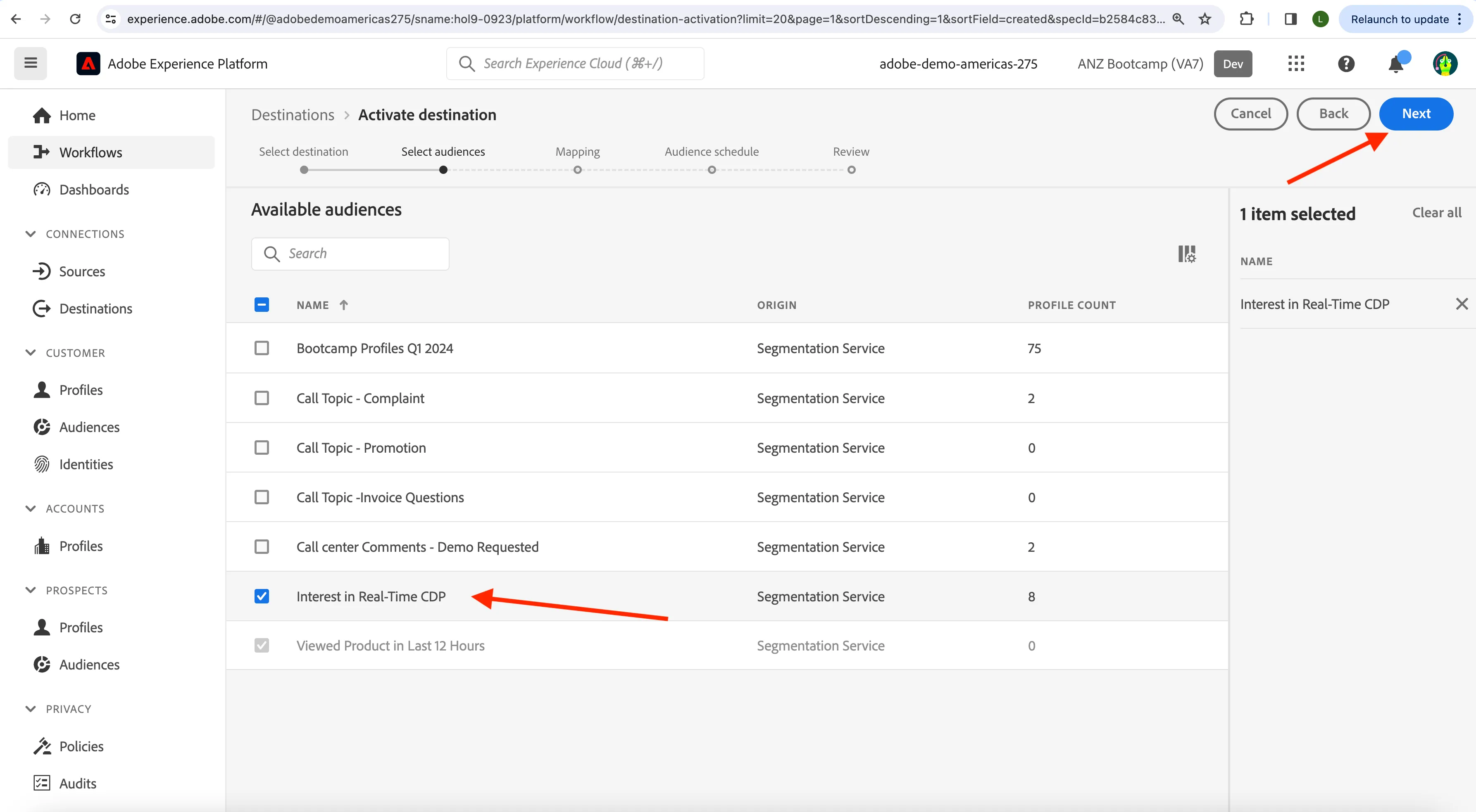
In the list of available segments, select the segment you created in 1.3 Create a segment1.3 Create a segment, which is named yourLastName - Interest in Real-Time CDP. If you cannot see your segment on the first page, you can search for it by your last name. Then, click Next.
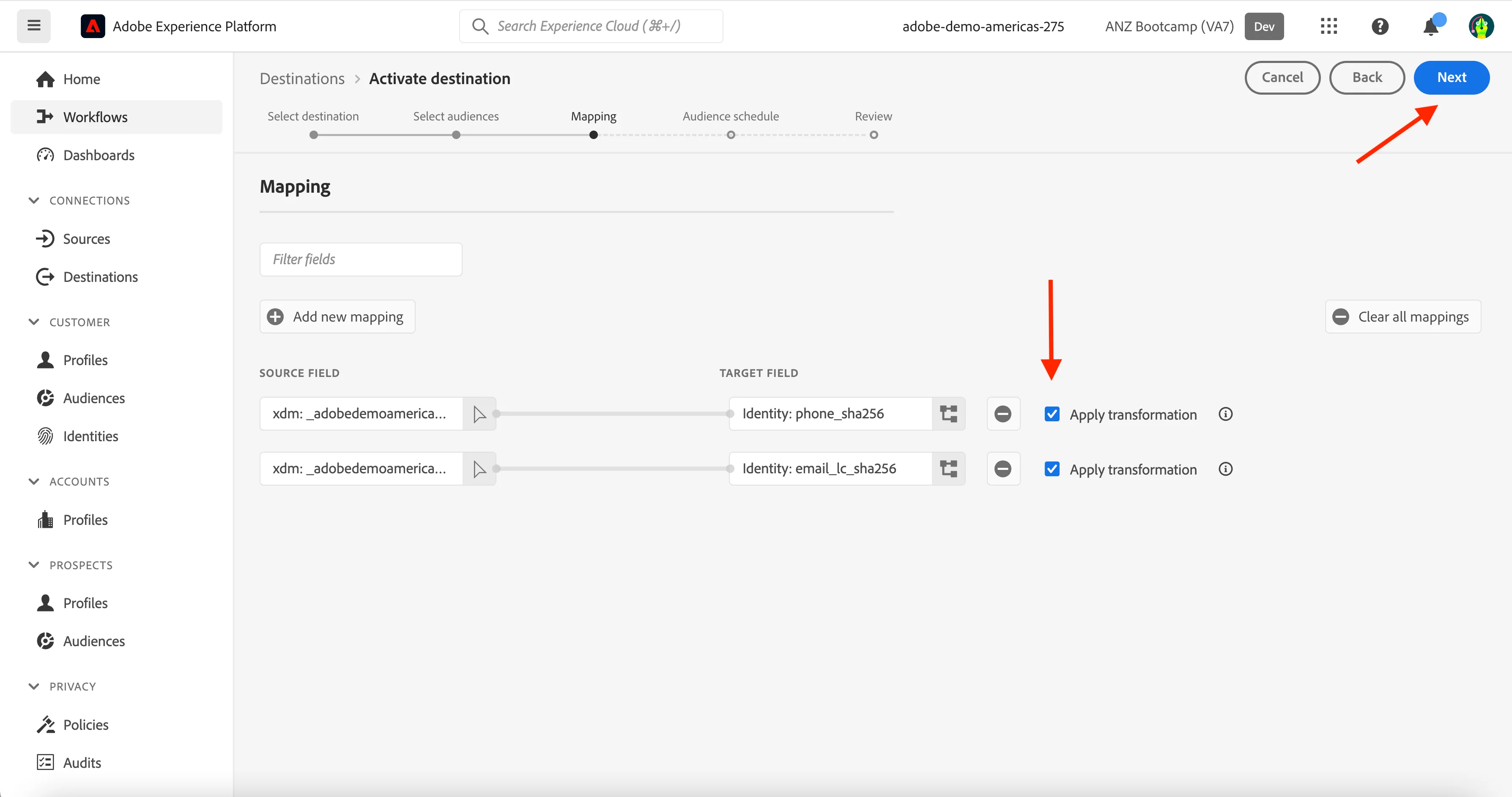
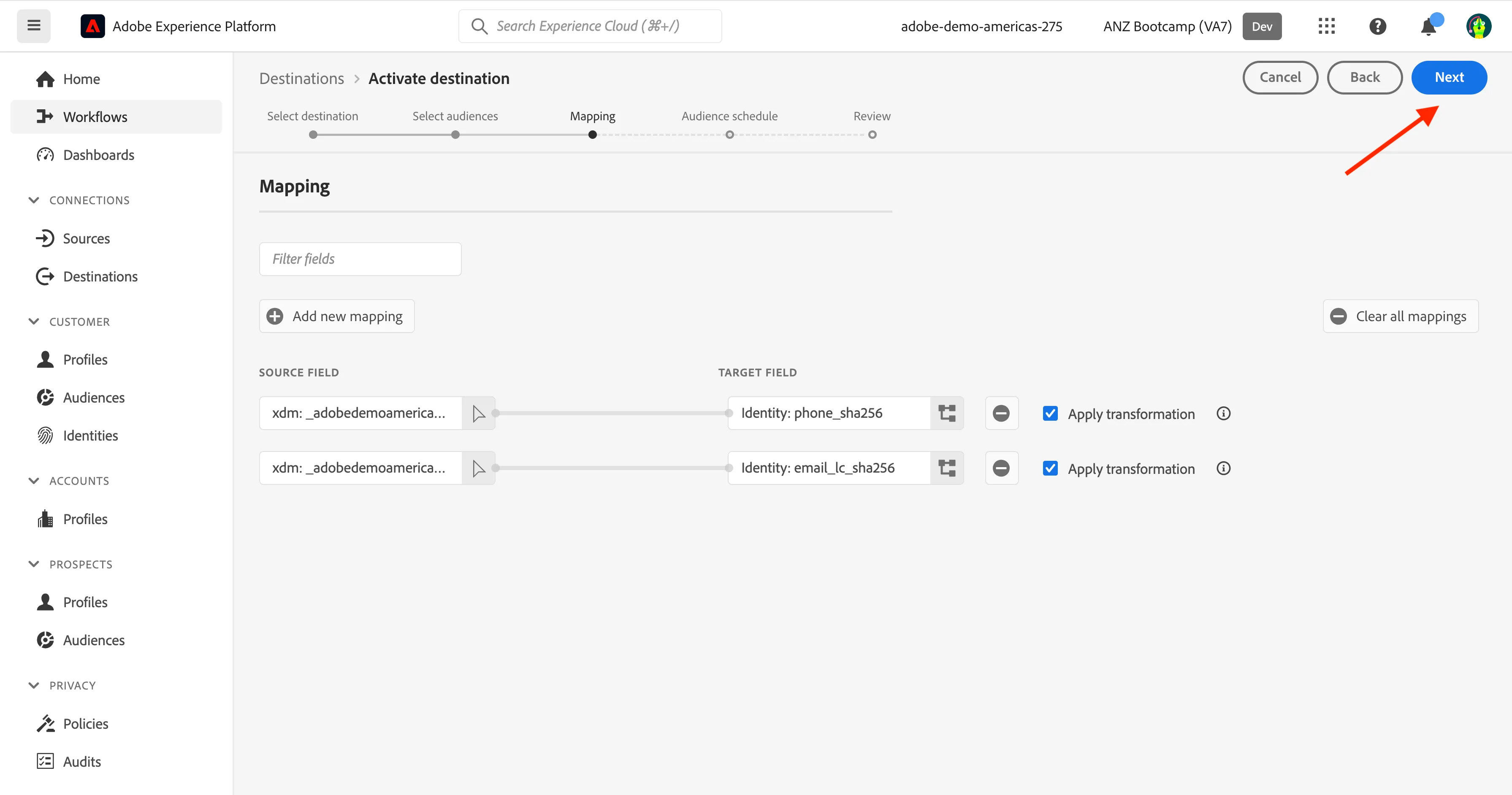
On the Mapping page you will see the email address and phone number source fields being mapped to the target fields in Facebook which are hashed email address and hashed phone number. Make sure that the Apply Transformation is ticked for the source email to be hashed and click Next.
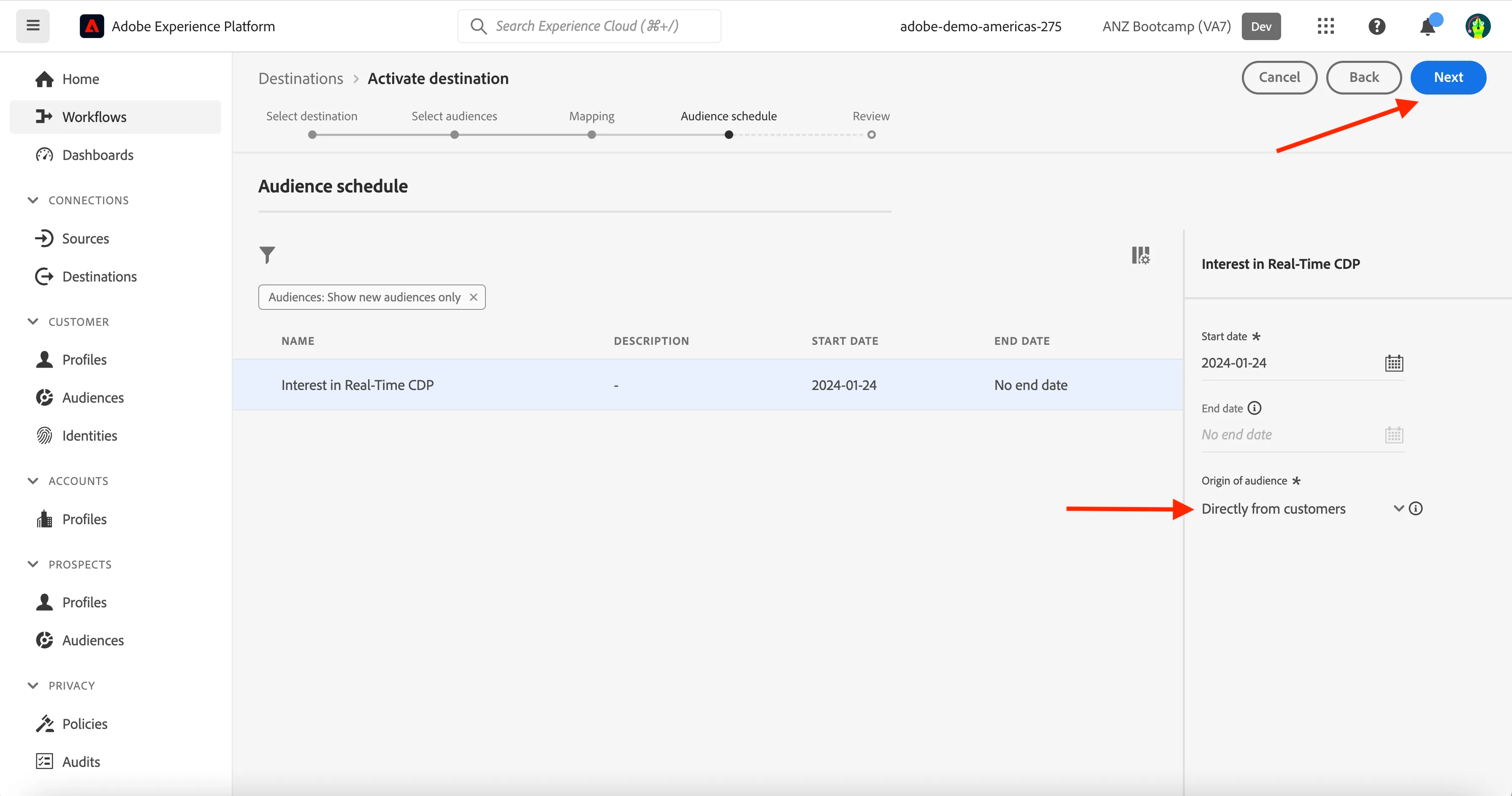
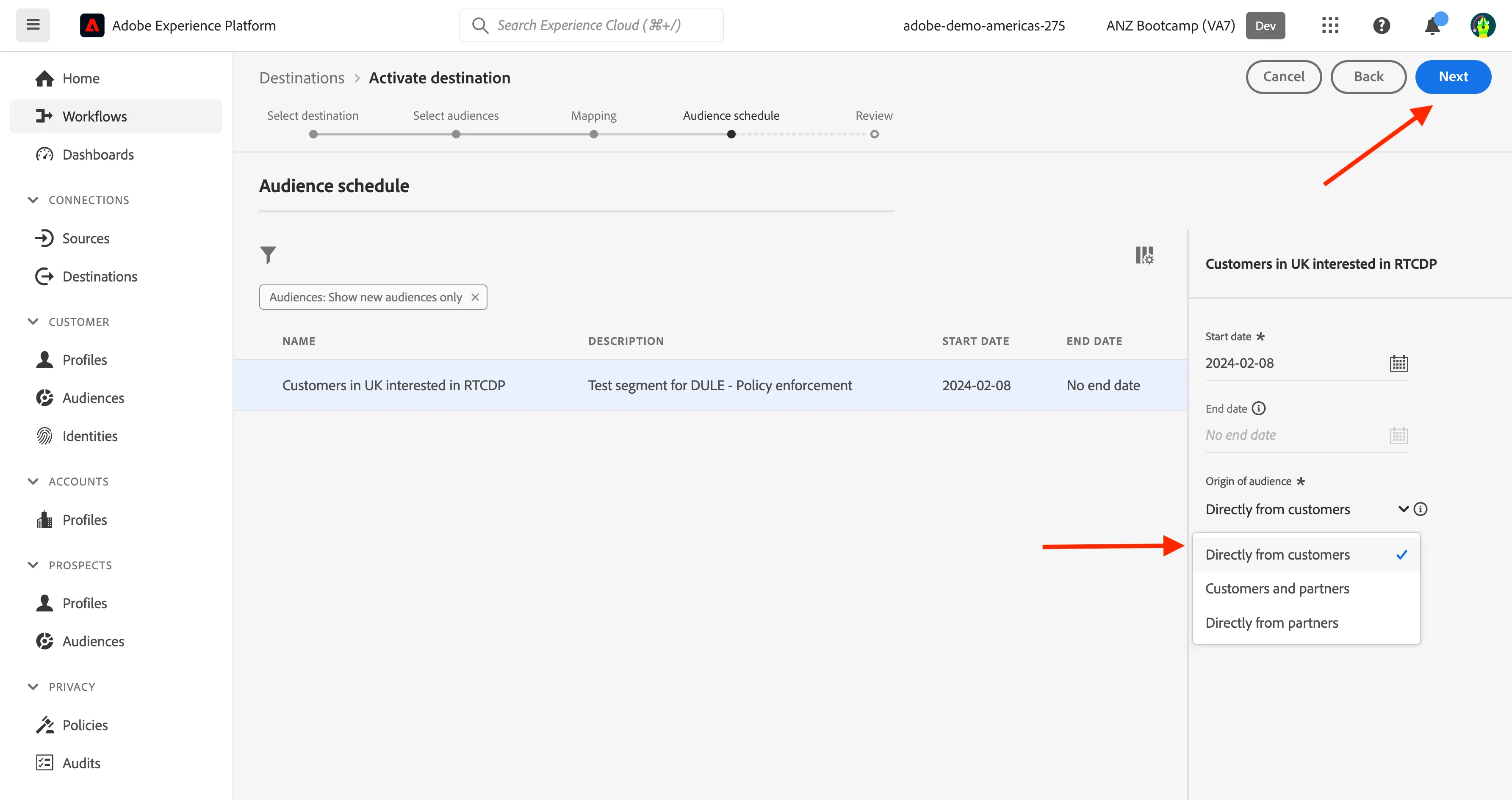
On the Segment Schedule page, select the Origin of audience and set it to Directly from customers. Click Next.
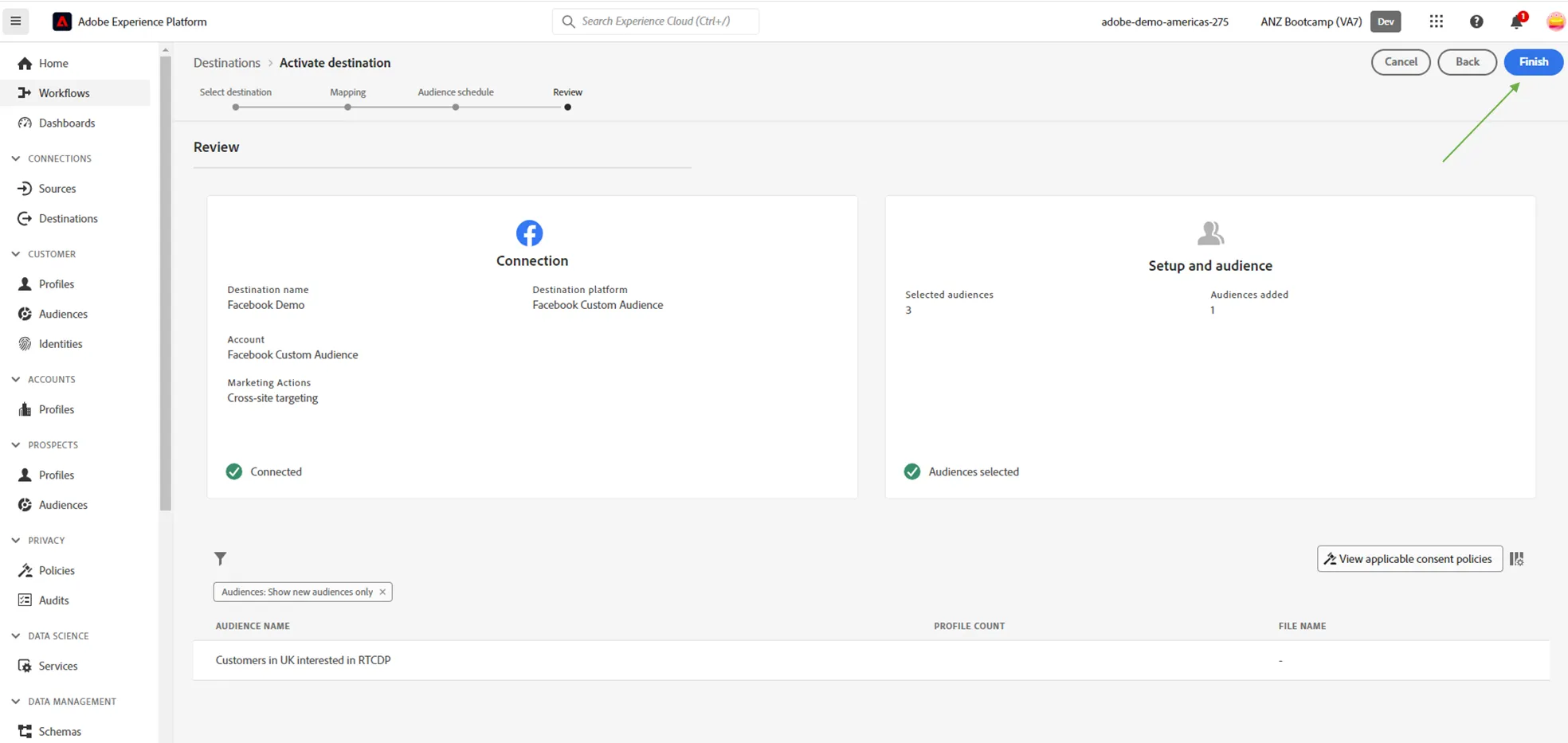
Finally, on the Review page, click Finish.
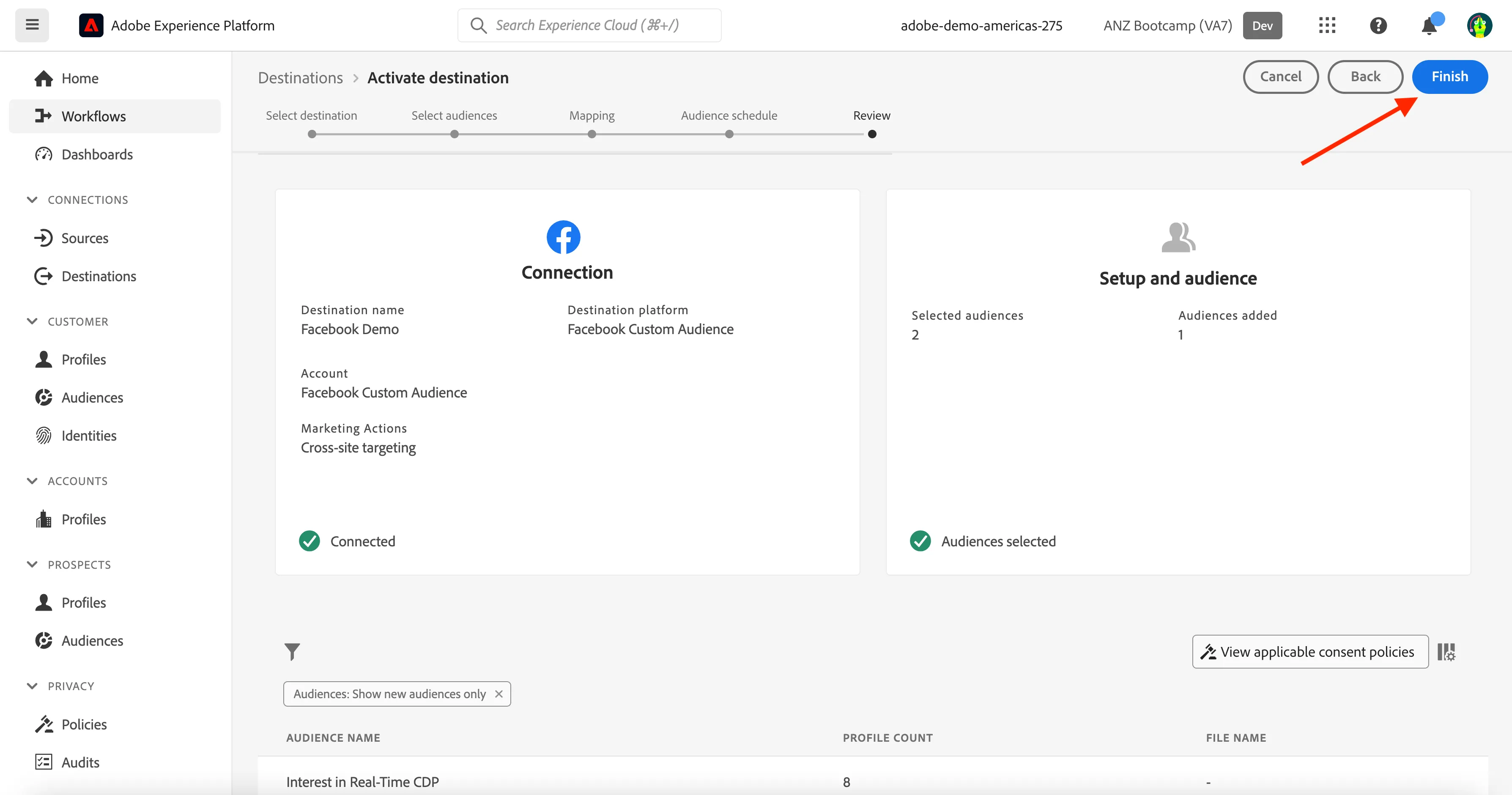
Your segment is now sent to Facebook Custom Audiences. Every time a customer qualifies for this segment, a signal will be sent to Facebook server-side to include that customer in the Custom Audience at Facebook side.
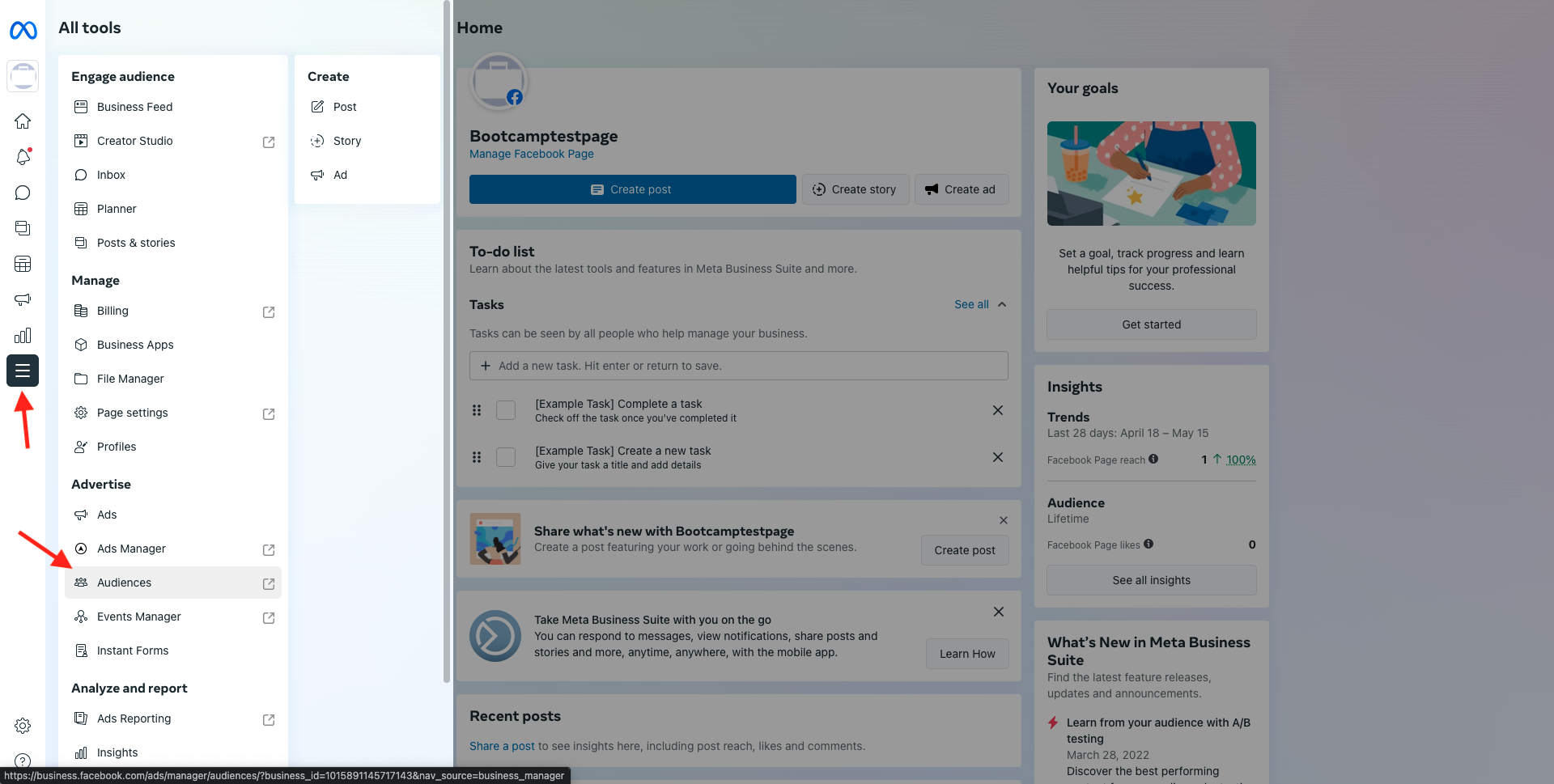
You do not have access to Bootcamp Facebook account, but the screenshots below outline what you would see if you did.
In Facebook, you would find your segment from Adobe Experience Platform under Custom Audiences
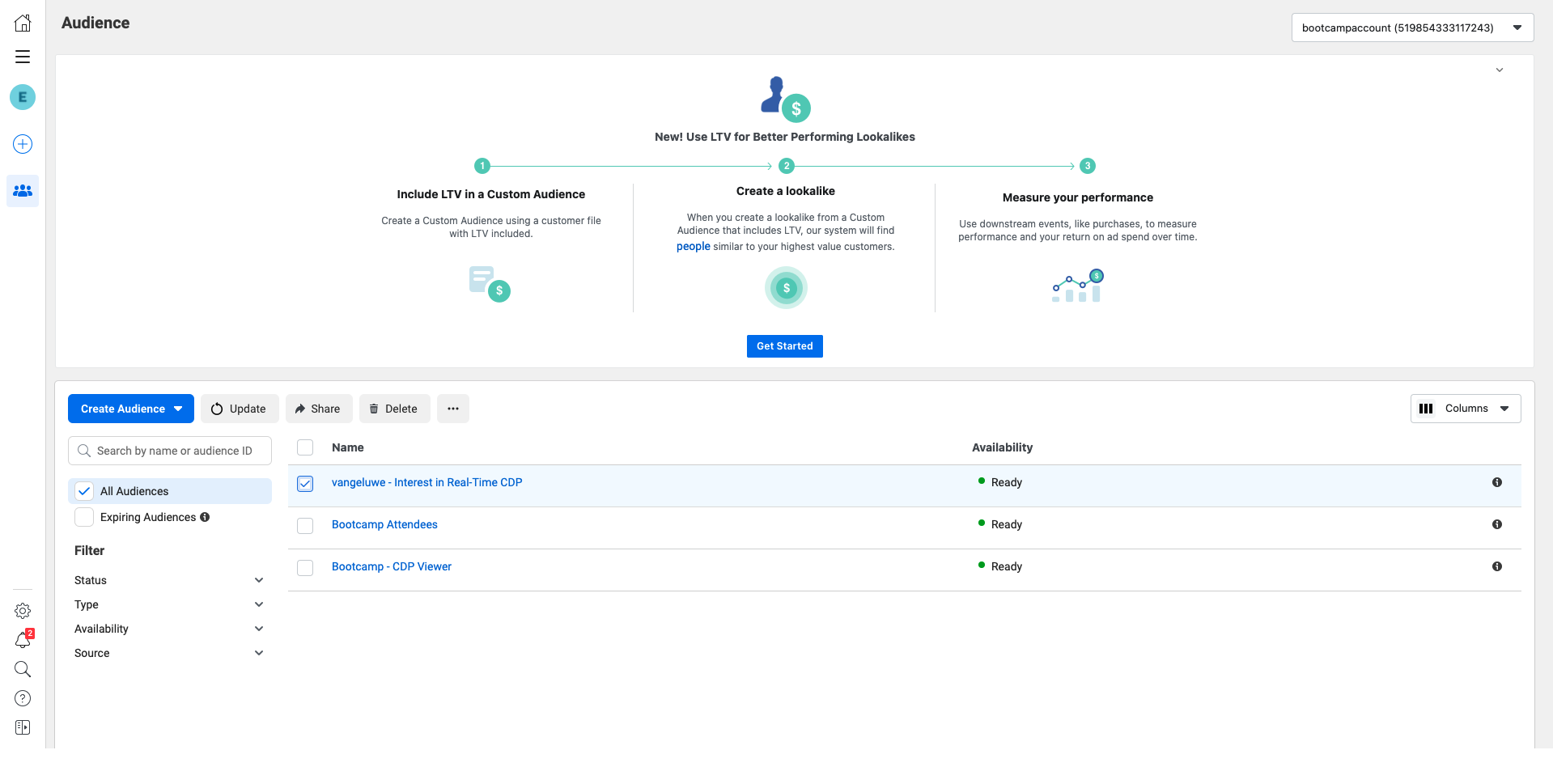
It would be listed alongside your other custom audiences in Facebook
This next activity is designed to illustrate what happens when you try to activate an audience that is in violation of the in-built automated policy enforcement as part of the Adobe Experience Platform Data Governance policy and DULE framework.
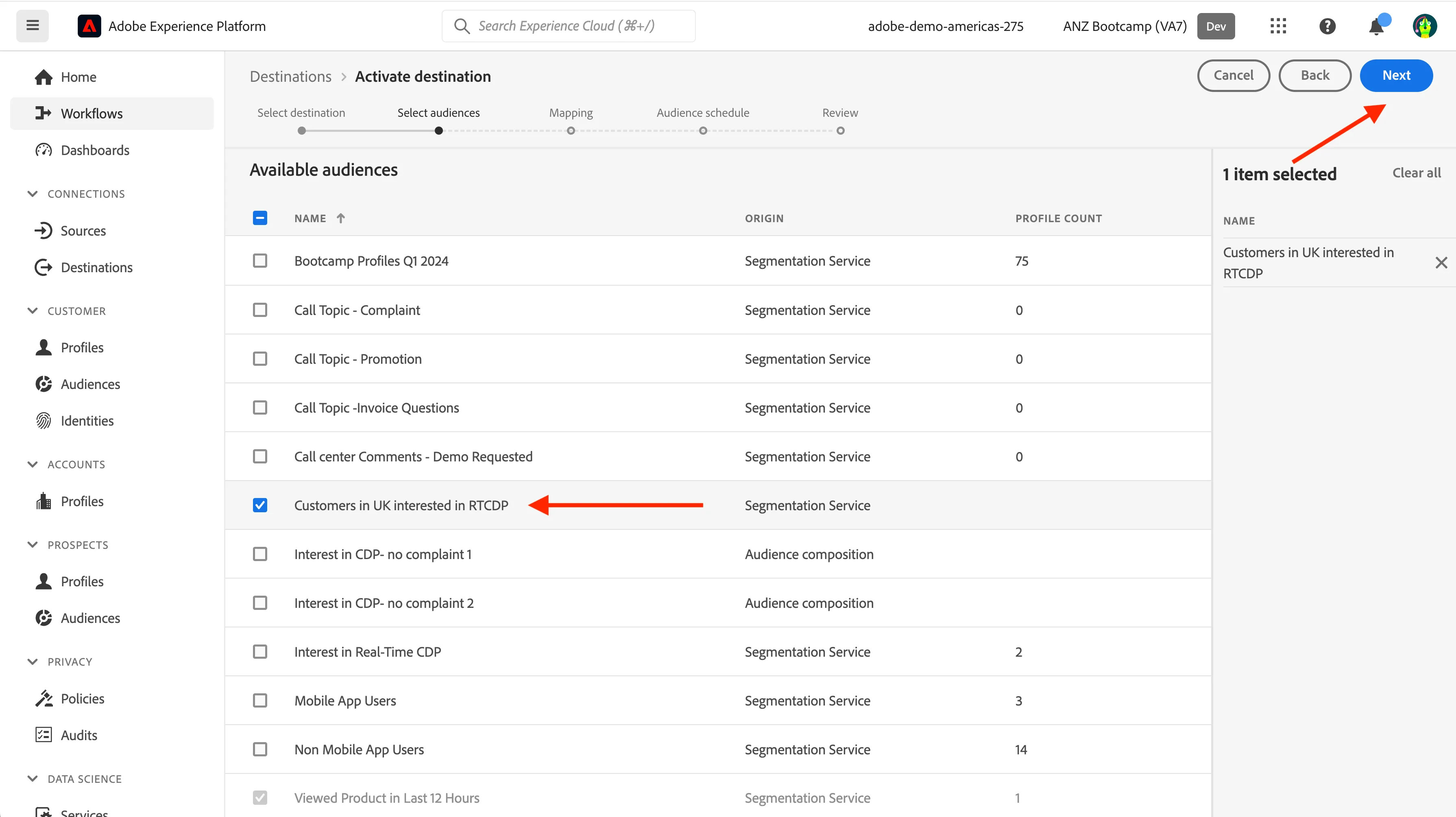
Following the same steps to select Facebook as a destination, this time please select "Customers in UK interested in RTCDP" , and then click Next
Same as last time, click Next again for the mapping section
Select "Directly from customers" for the Origin of Audience and then click Next
Click Finish.
This should pop up with a policy violation error detailing the reason and steps. In the background, the segment 'Customers in UK inetrested in CDP' contains a field 'homeaddress -> country' which is labelled as C4, C5 - not to be used for targeting of any type and or based on interest.
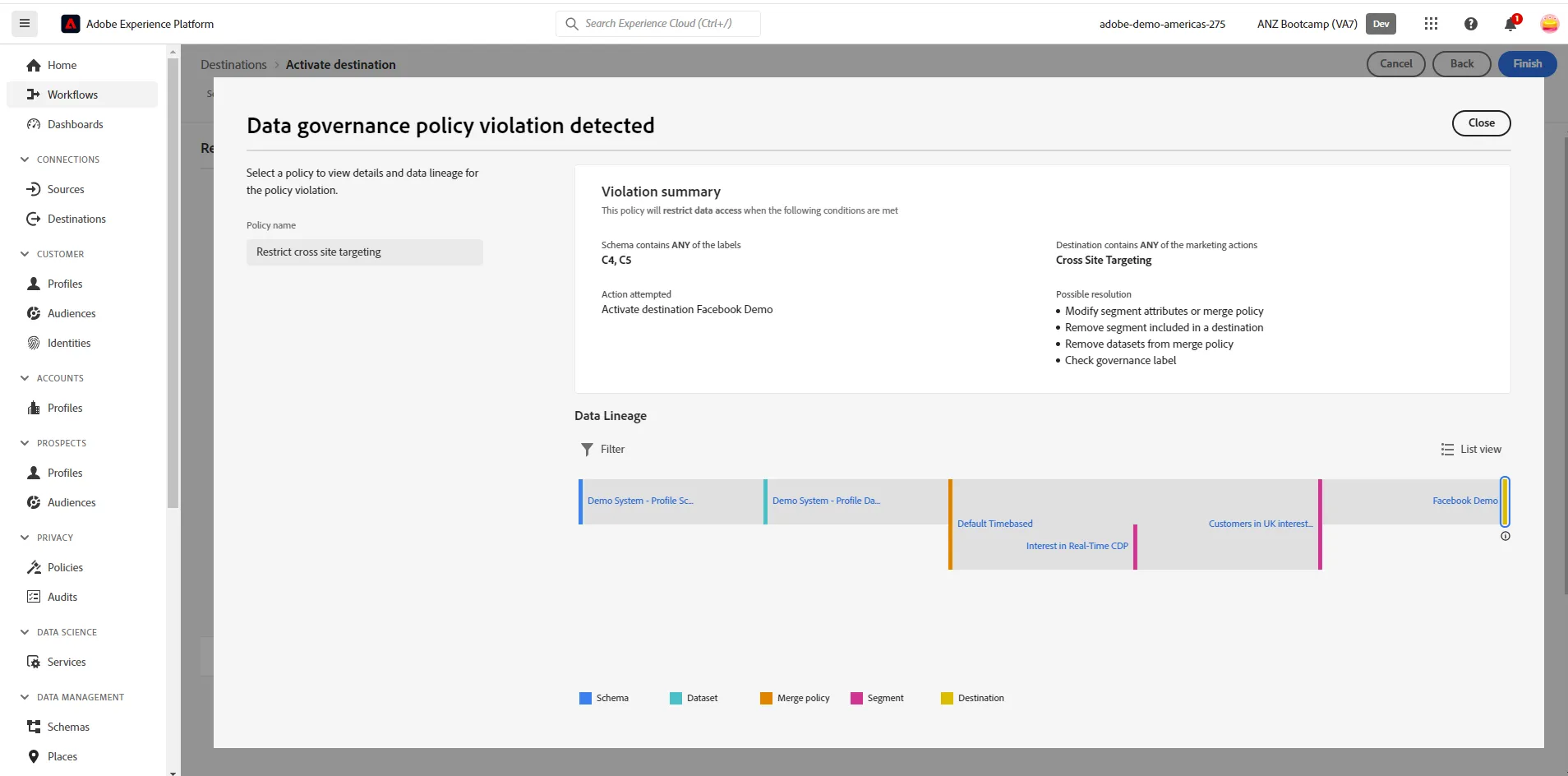
Please click "Close" and "Cancel to navigate back to the destinations page.
Exercise complete checklist
yourLastName - Interest in Real-Time CDP has been activated to facebook
Attempted to send "Customers in UK interested in RTCDP" to facebook, however received policy violation message