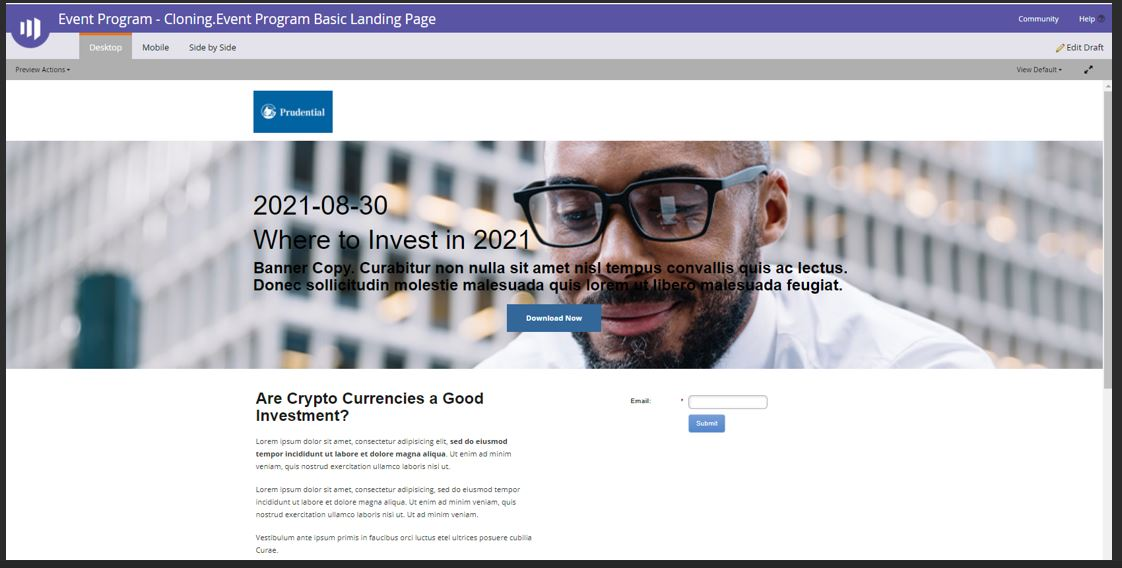
Event Program - Cloning
4 min
Clone Event Program
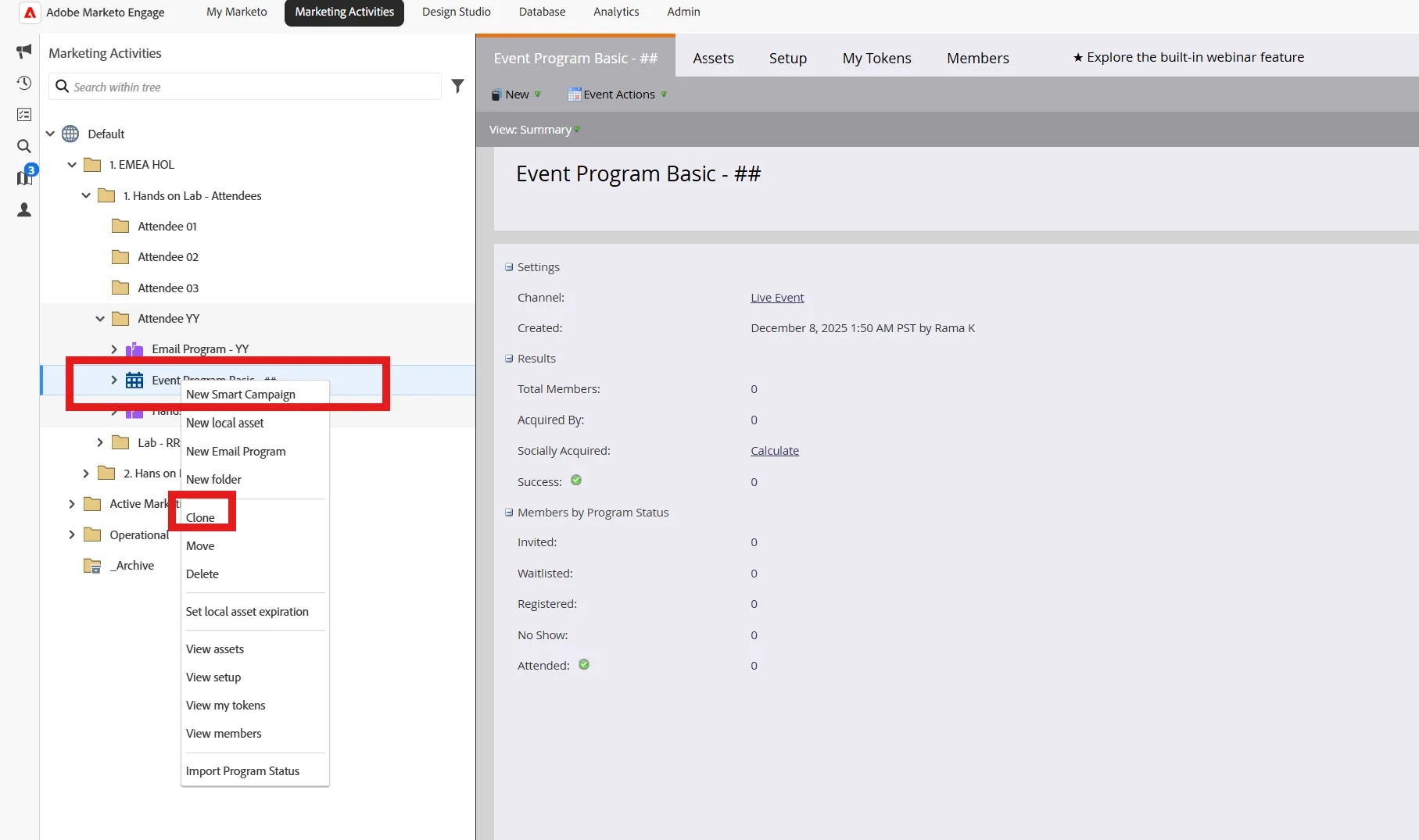
- Right-click on the Event Program you just created before, select Clone
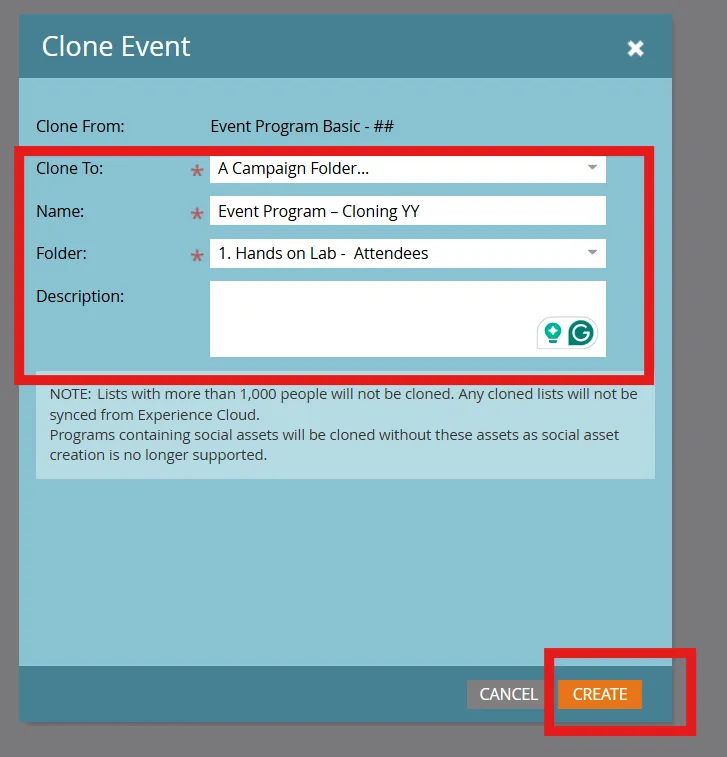
- Click Create after the following fields have been filled out:
- Clone To: Attendee ## Folder
- Name: Event Program – Cloning ##
- Folder: Attendee - ##
- Description: Leave blank
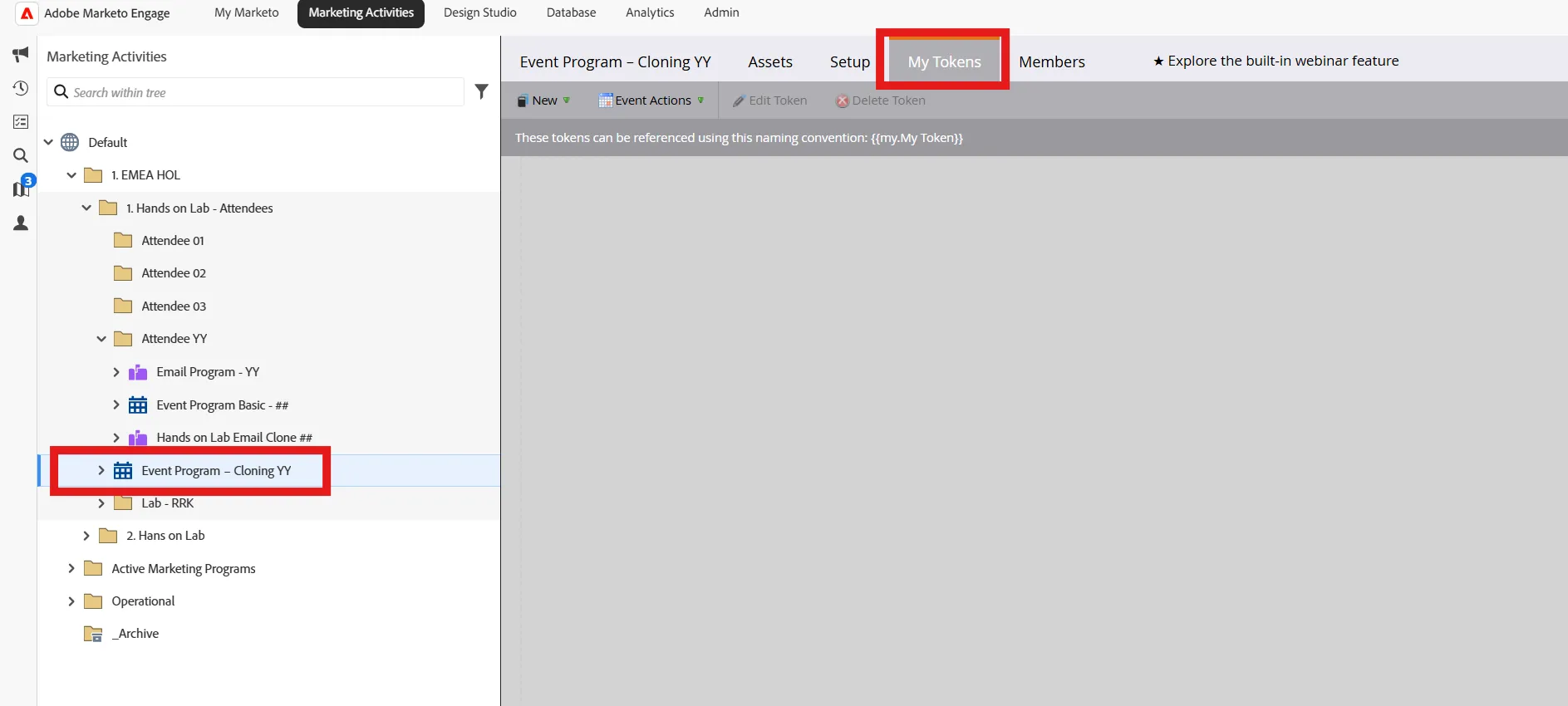
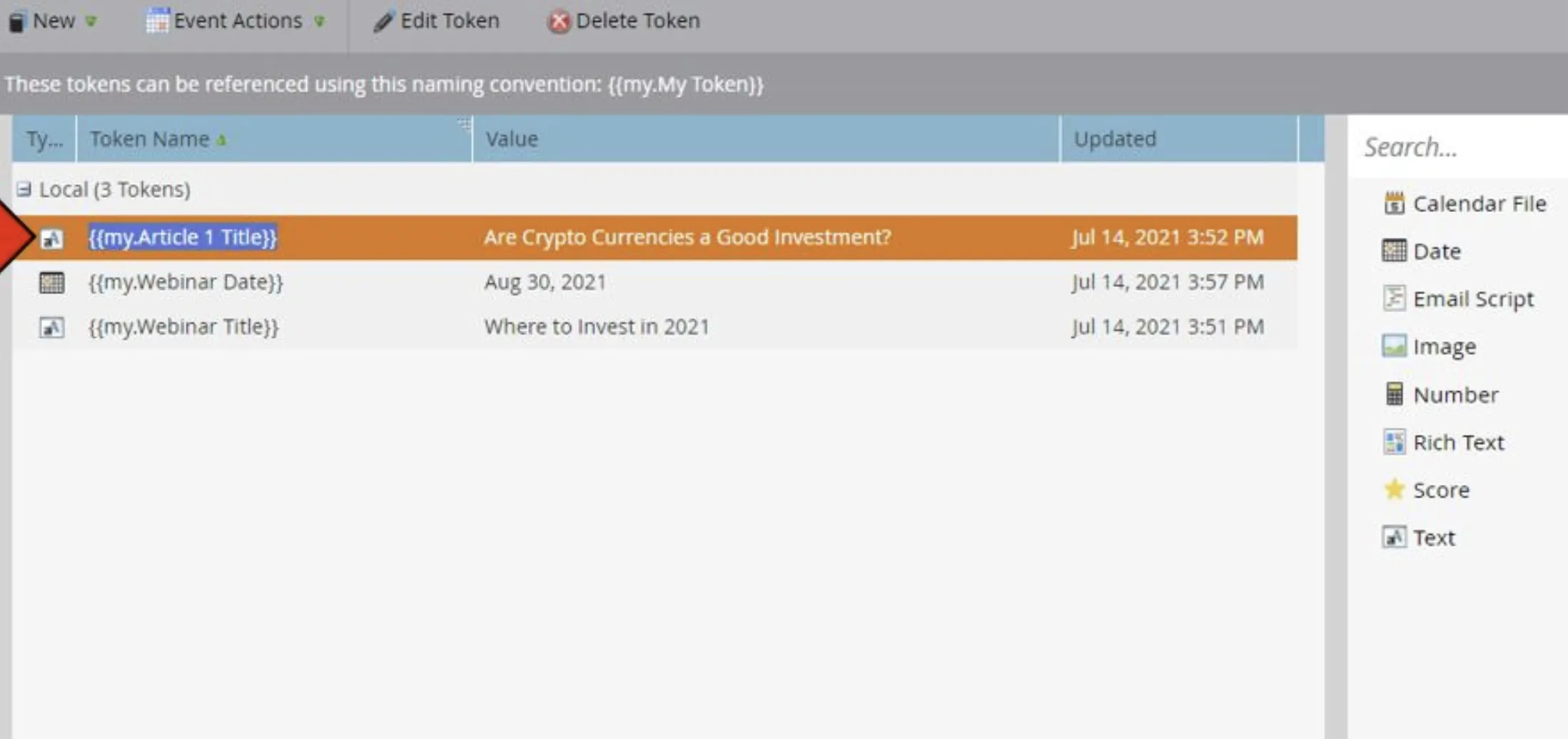
- Click on the Event Program – Cloning Event that you just created. Click on My Tokens tab
- Create the Following Tokens:
- Article 1 Title
- Webinar Date
- Webinar Title
Edit/Customize Landing Page
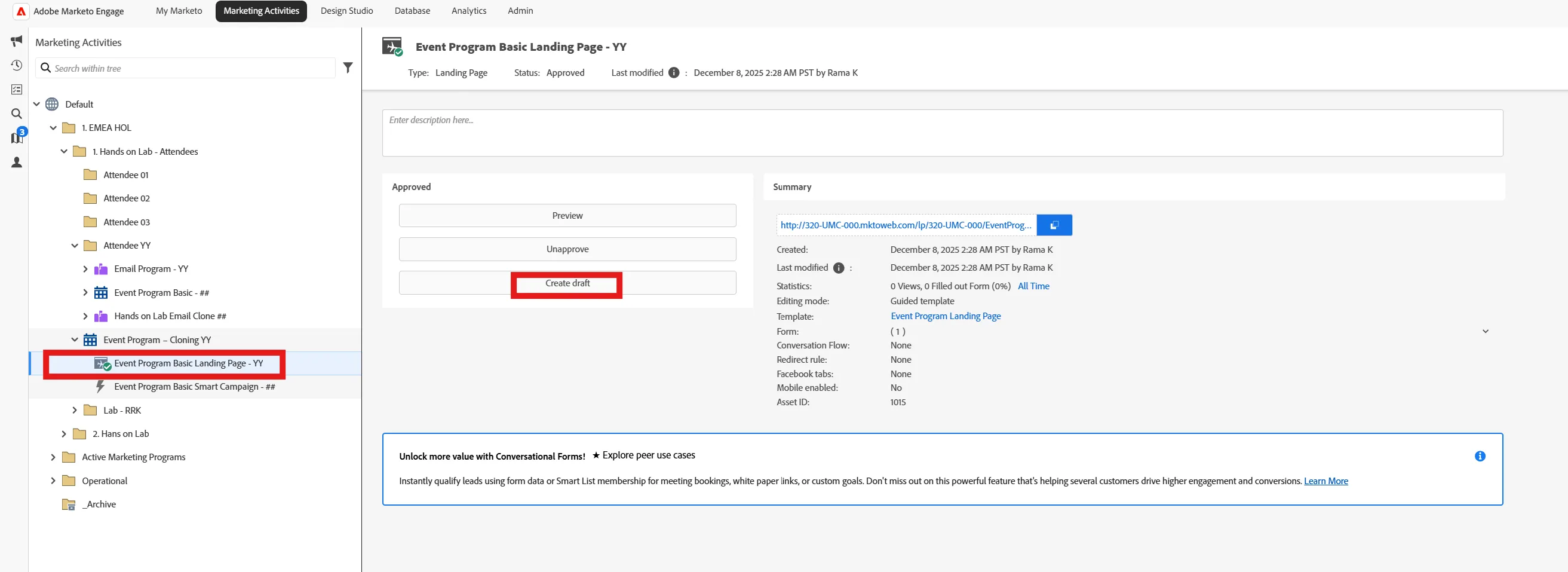
- Click on your program from the left navigation menu, select Event Program Basic Landing Page - ##
- Click on Create Draft
-
- Areas that we are going to modify with tokens:
- Logo
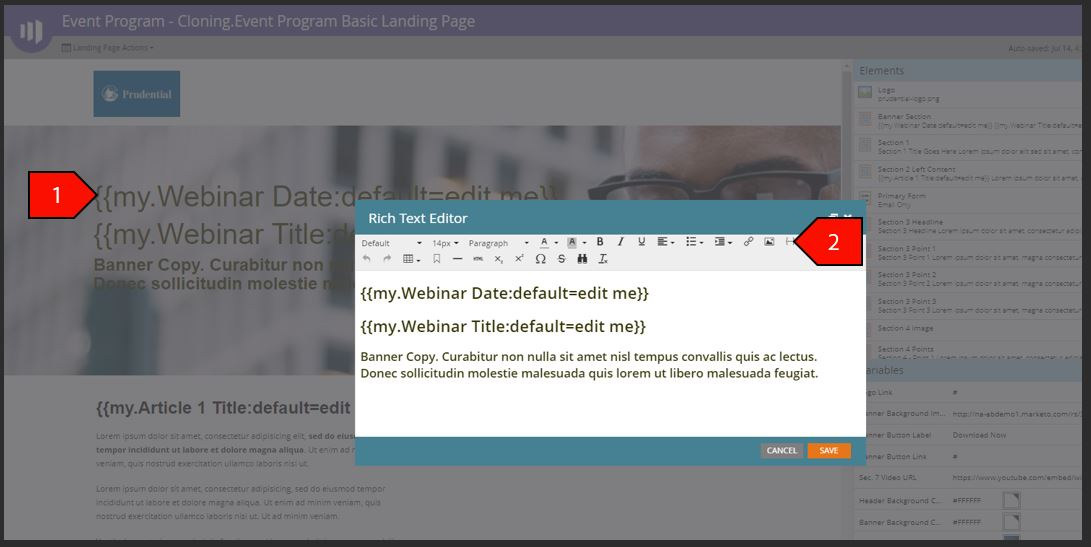
- Banner Section
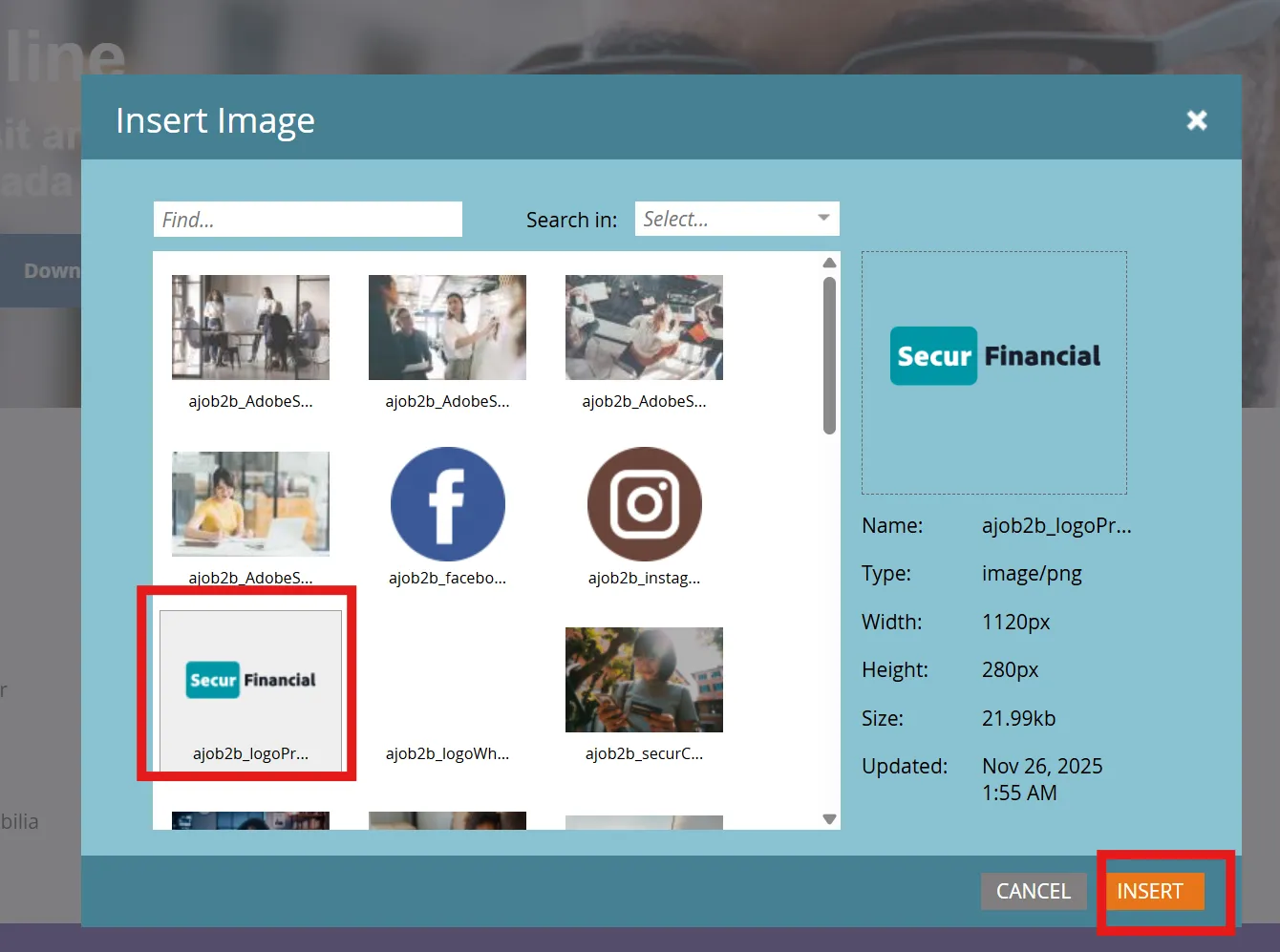
Double-click on the Logo. Select Secur Financial Logo.
Change the Banner Background Image by inserting URL to the layout menu on the right in the Banner Background box

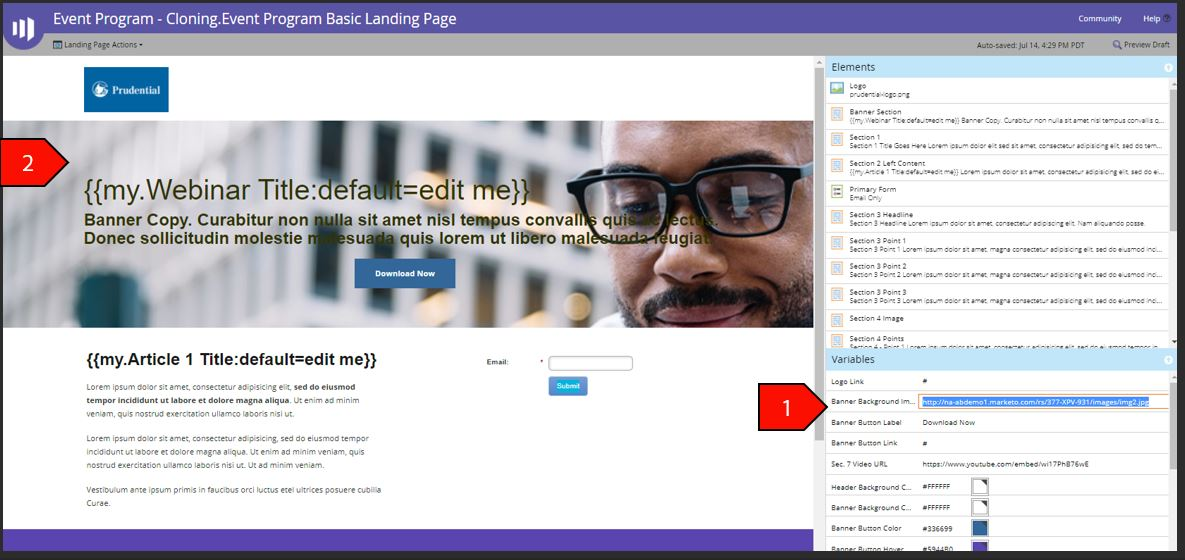
Double-click on the Banner Section Headline. Highlight the Banner Section Headline Text and Click on the Insert Token Icon
Click on Preview to view the Modifications that the Tokens had on the Landing Page