High Value Churn Risk Abandoners
3 min
As part of this section we will create a high value audience of customers who cart abandoners because of the following characteristics:
- Visited the Luma Site and added some products to their cart but did not purchase
- Have a Loyalty Tier value of "Platinum"
- Have an Churn score value of > 0.7
- Click on Audiences in the left navigation panel.
- In the top right corner of the screen, click Create Audience.
- Select Build Rule.
- Click Create.
- Name your segment - High Value Churn Risk Abandoners - (your initials
- Since the first two conditions are the same as the previous segment, we will re-use the existing one to build our new segment.
- Select Audiences on the left pane within the segment UI.
- Expand Experience Platform to expose all currently existing audiences.
- Search for the Audience you created in the previous exercise. (you can search for your initials)
- Drag to the main central audience canvas.
- Note that it gets dragged into the Attributes section and not the Events section.
- Click on the expand icon to convert this view into rules. Click Convert
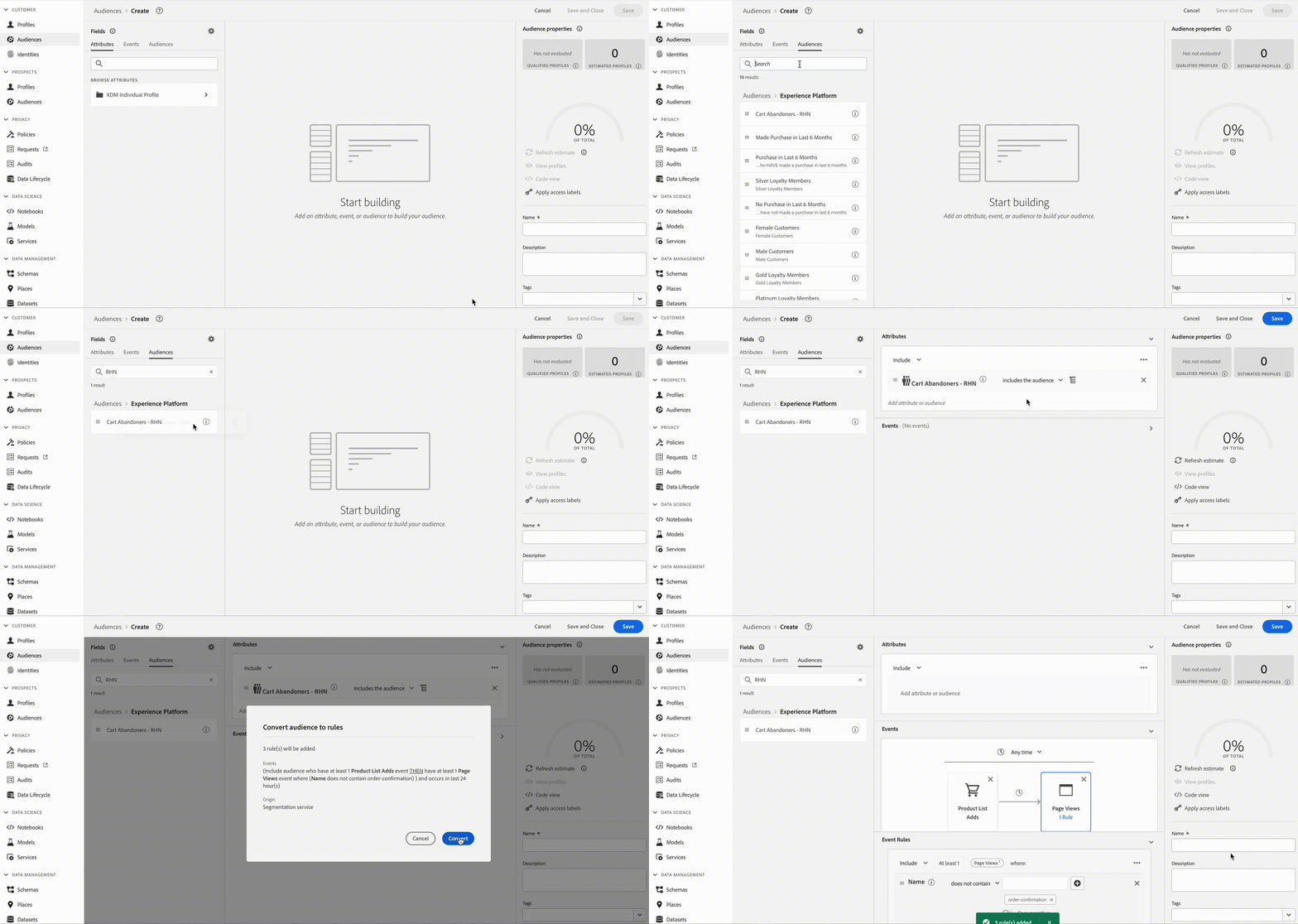
13. Now we have recreated the logic as in the previous segment without having to re-write it.
14. Now let's expand on this logic by including additional attributes.
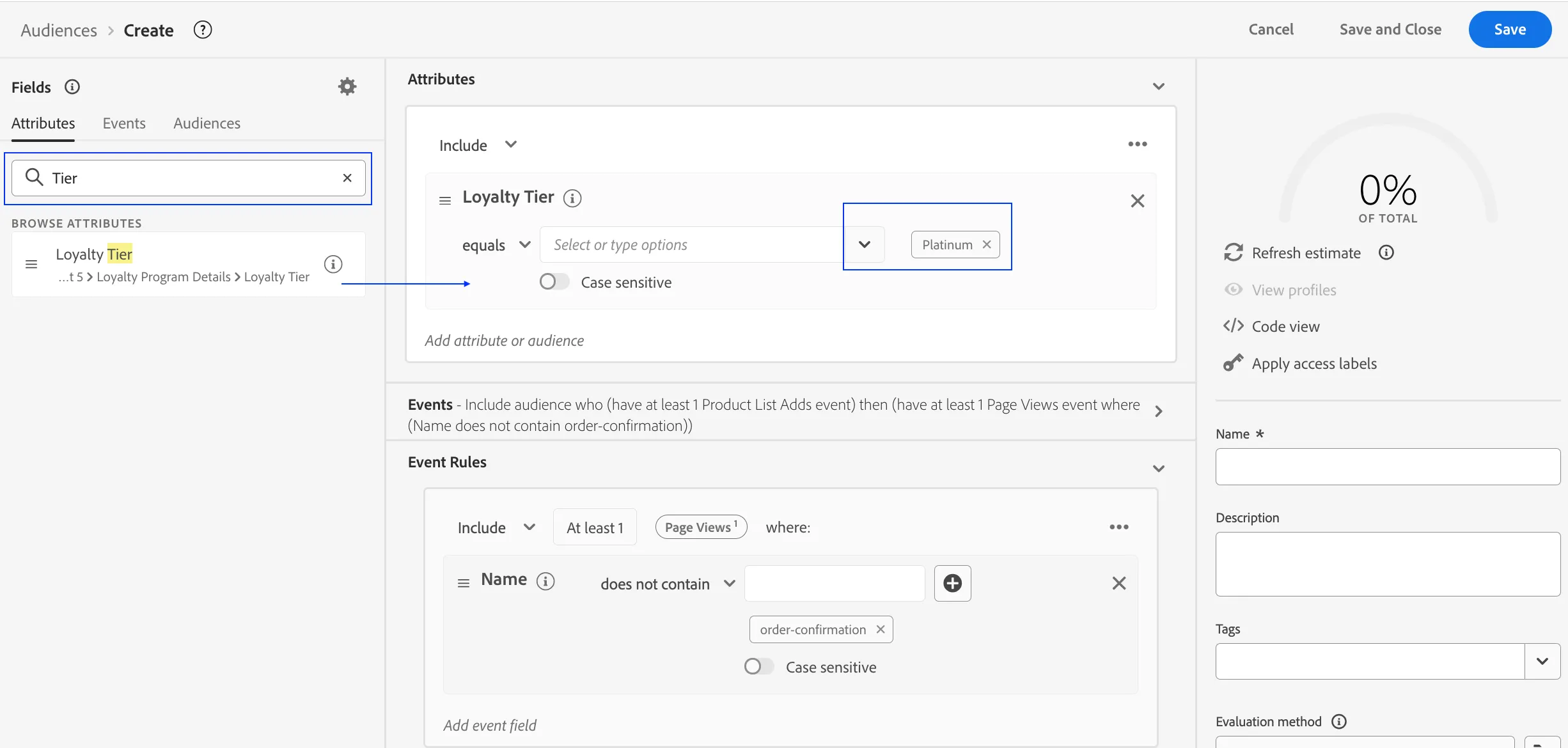
15. Click on Attributes in the left segment pane.
16. Search for the term "Tier".
17. Drag and drop the Loyalty Tier data point into the Attributes section of the canvas.
18. Set Tier to Platinum using the drop down options.
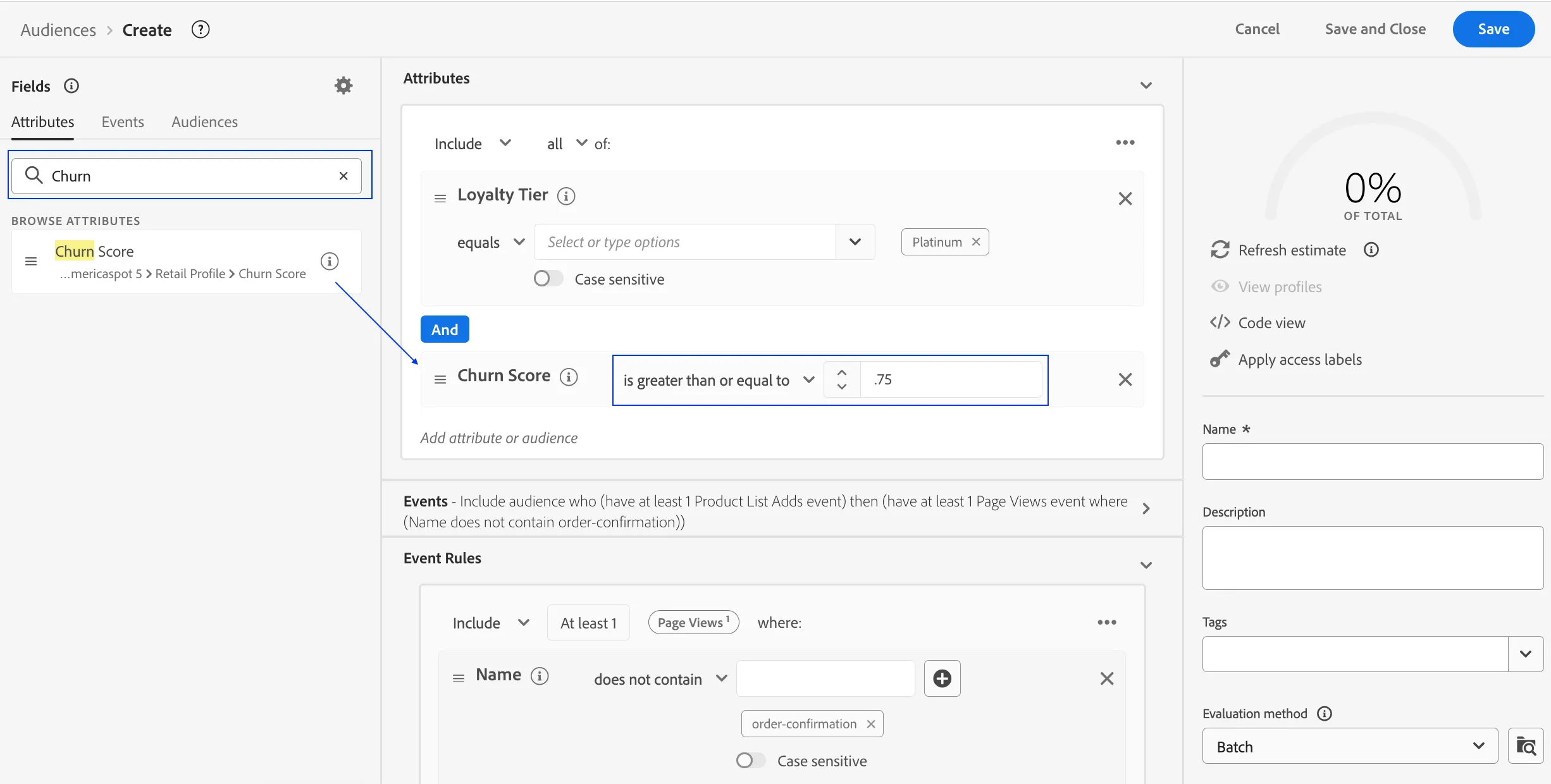
19. Now search for the term "Churn".
20. Drag and drop Churn Prediction below Loyalty Tier to form an AND relation.
21. Set Churn Score value to 0.7 using and the logical operator to greater than or equal to.
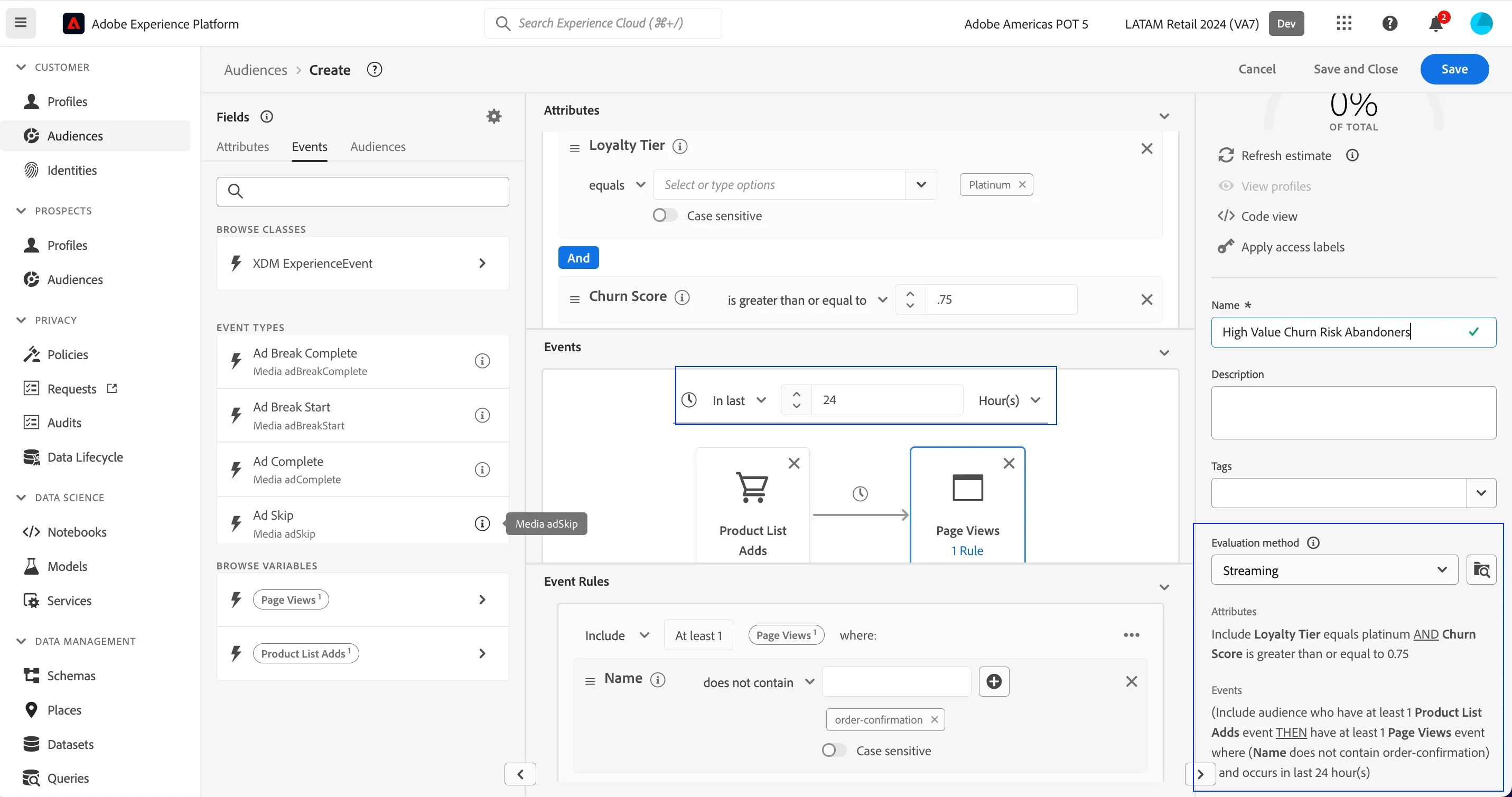
22. Set lookback window to Last 24 Hours.
23. Set Evaluation method to Streaming.
24. Review logic is as desired.
25. Click Publish.