Cohort Analysis
Objective
Understand downstream behaviour after an event of interest using the Cohort Visualisation
What is Cohort Analysis?
A cohort is a group of people sharing common characteristics over a specified period. Cohort Analysis is useful, for example, when you want to learn how a cohort engages with a brand. You can easily spot changes in trends, then respond accordingly.
Examples of what you can do with Cohort Analysis:
- Launch campaigns designed to spur a desired action.
- Shift marketing budget at exactly the right time in the customer lifecycle.
- Recognise when to end a trial or an offer, in order to maximise value.
- Gain ideas for A/B testing in areas such as pricing, upgrade path, and so on.
Creating a Cohort Visualisation
In this lab, we will create a Cohort Visualisation that will allow us to see the time between a customer being exposed to an Offer and them booking a holiday/flight. This will allow us to optimise our future marketing activity to send offers at the right time, or to know when best to end our campaigns (diminishing returns).
- Create a new panel below the last panel we just worked on, title it Cohort Analysis, ensure your date range is Last full 6 months and select the Cohort Table visualisation.
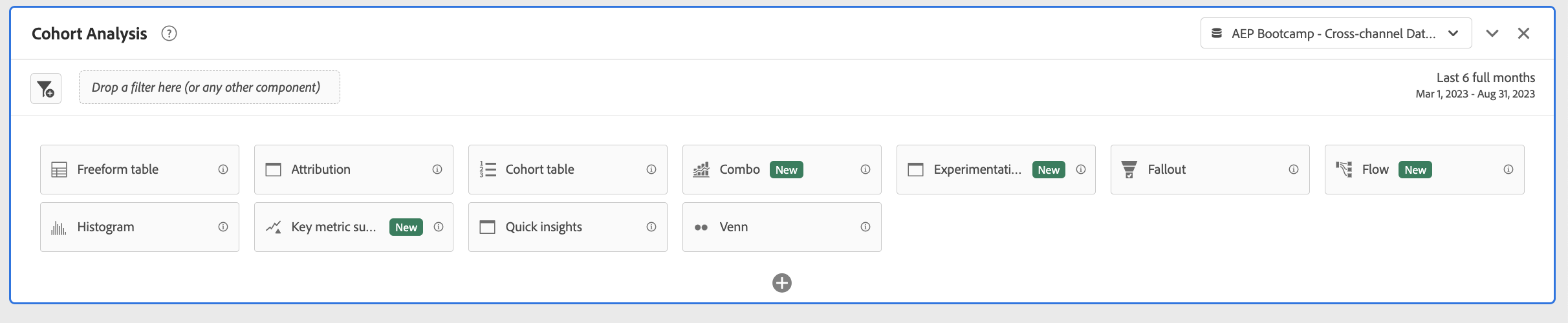
The Cohort table configuration should look like this:
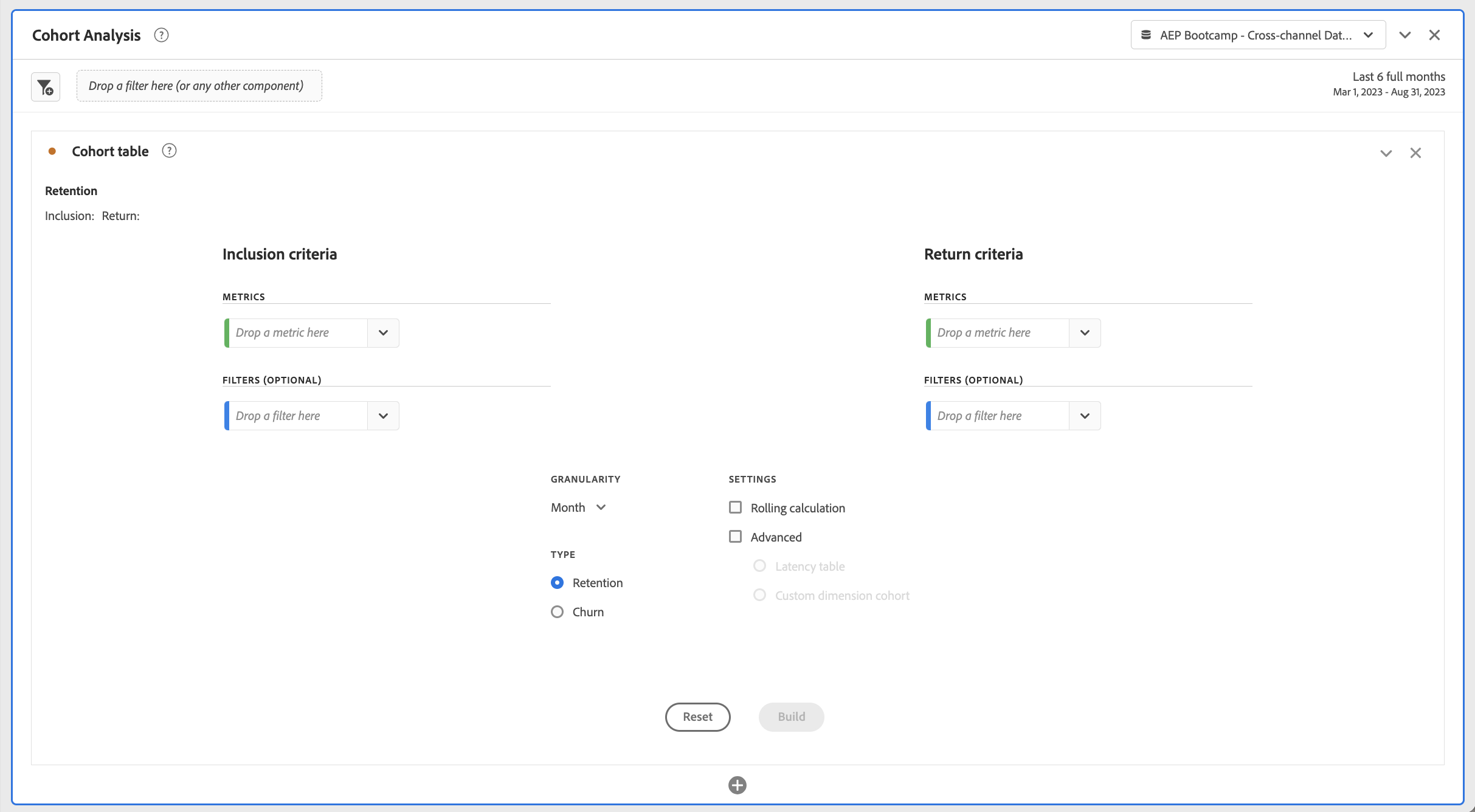
- The Inclusion Criteria allows you to set a metric as Day 0. Anyone that has this event will fall into Day 0. Filters can be applied to be very specific about the event criteria.
- The Return Criteria allows you to set a metric as the event that will happen in the future that you want to measure. Anyone that met the inclusion criteria and then meets the return criteria will be measured.
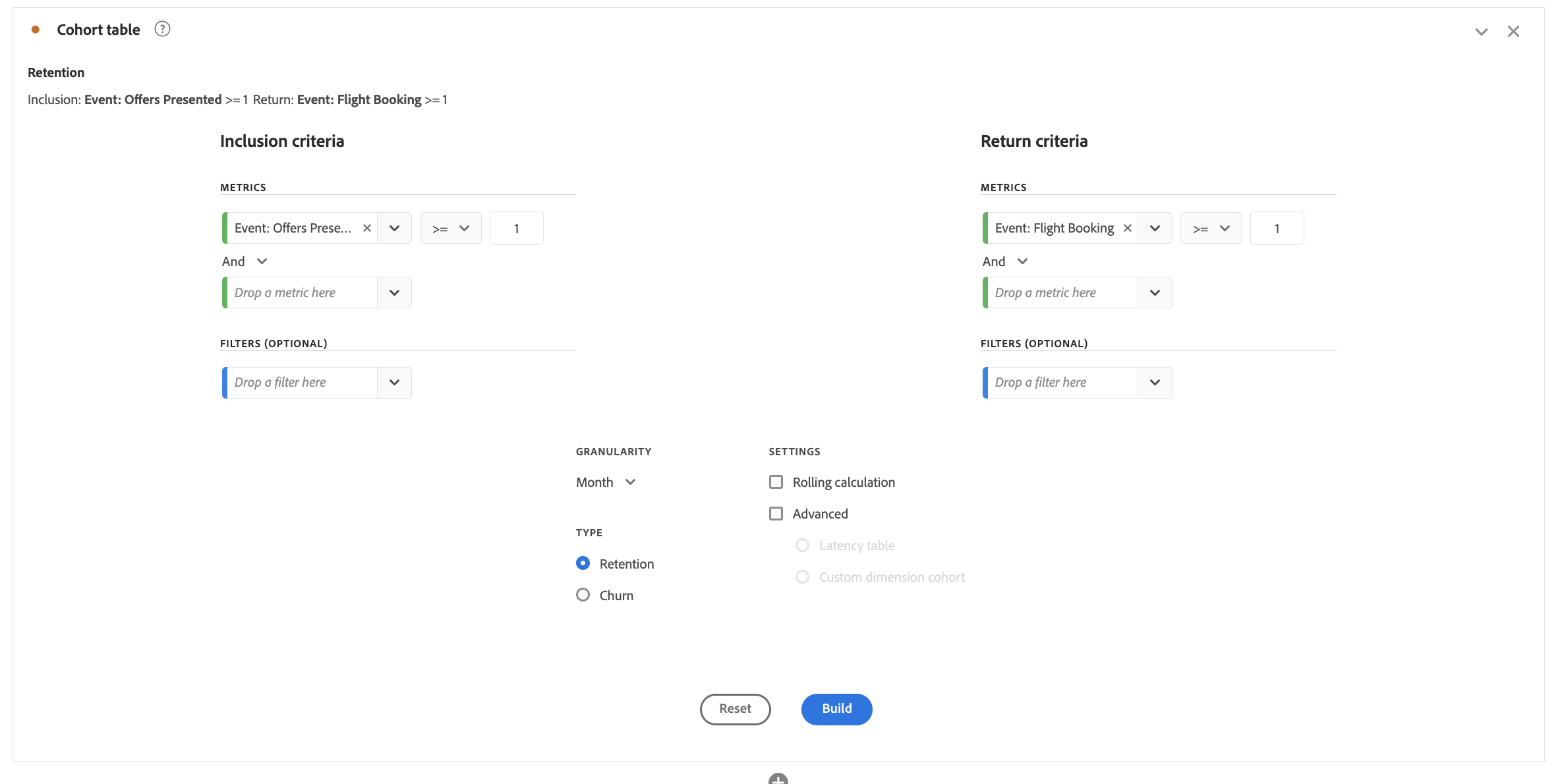
Let's say we want to measure people that are exposed to an offer and then understand if they book a flight in the future. In that case, the Inclusion Criteria will be the Offer Presented metric, and the Return Criteria will be the Booking metric.
- Search in the Components Panel for the Event: Offers Presented metric, drag this metric to the Inclusion Criteria Metrics drop zone.
- Search in the Components Panel for the Flight bookings metric, drag this metric to the Return Criteria Metrics drop zone.
- Ensure the granularity is set to "Month" since we want to see the data over months.
- Click Build
The resulting Cohort Table shows the number of people who were exposed to an offer by month as well as the number of people that booked a flight in the + Months after that offer was presented:
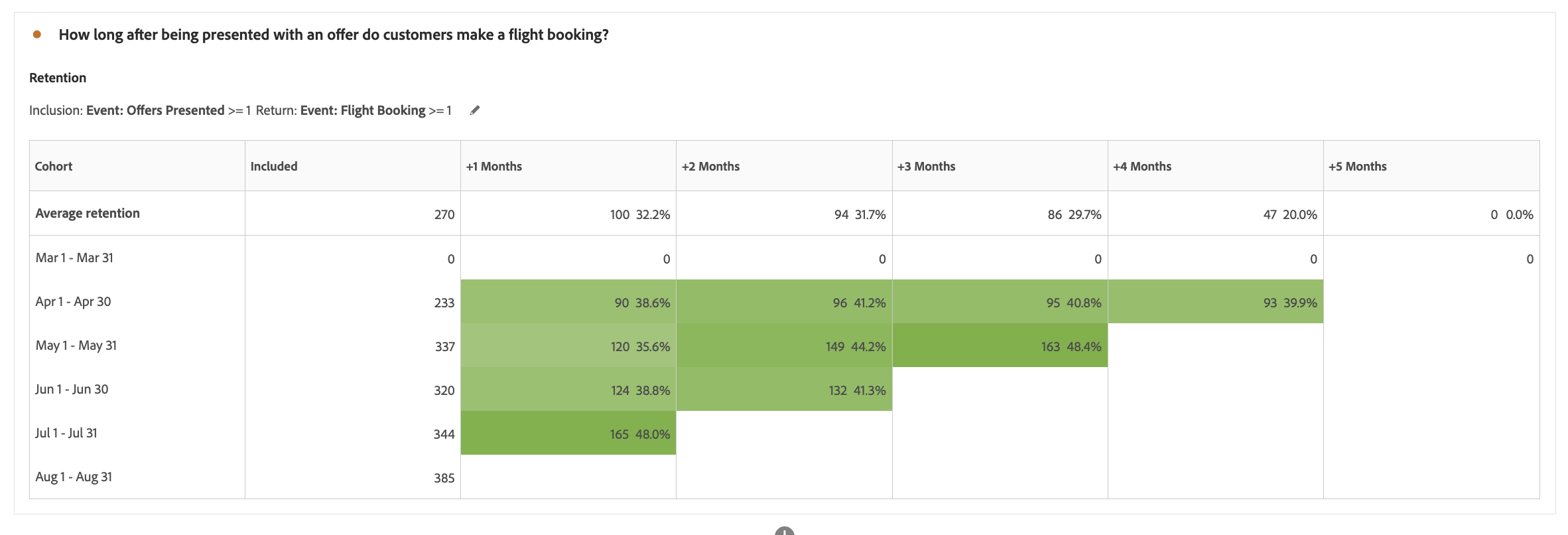
From the Cohort Table, we can see that most customers are booking within one month of being exposed to an offer, very few book after 4 months.
To dig deeper, you can also add Offer Type filters to the Inclusion and Return criteria to see if the behaviour varies depending on the campaign or offer content.
Congratulations, this completes the exercise on Cohorts!