Audience Creation Exercise
[Hands on keyboard!]
Create a Federated Audience Composition
SecurFinancial is a leading financial services firm. Leverages its wealth of customer data across desperate sources to personalize offers and campaigns for a large number of segments.
Use Case
In this exercise, we will build an audience to qualify SecurFinancial customers who have a credit score of 650 or above and do not currently have a loan in their SecurFinancial portfolio. ( Snowflake Based)
SecurFinancial Customers - No Loans, Good Credit
In the Customer > Audiences portal, click the Federated compositions tab.
Click Create composition.

Label your composition SecurFinancial Customers - No Loans, Good Credit + your lab user ID. Click Create.
Click the + button in the canvas and select Build audience. The right-hand rail should appear.
Click Select a schema and select the FSI_CRM schema then click Confirm
Click Continue. In the query builder window, click the + button and then Custom Condition. Create the following condition
CURRENTPRODUCTS does not contain Loan
AND
CREDITSCORE greater than or equal to 650
We'll use marketing preference data to segment customers who have opted for email as their preferred channel of communication
AND
CONSENTSMARKETINGPREFERRED equal to email
Note: the value field is case-sensitive
Your query should now look as follows
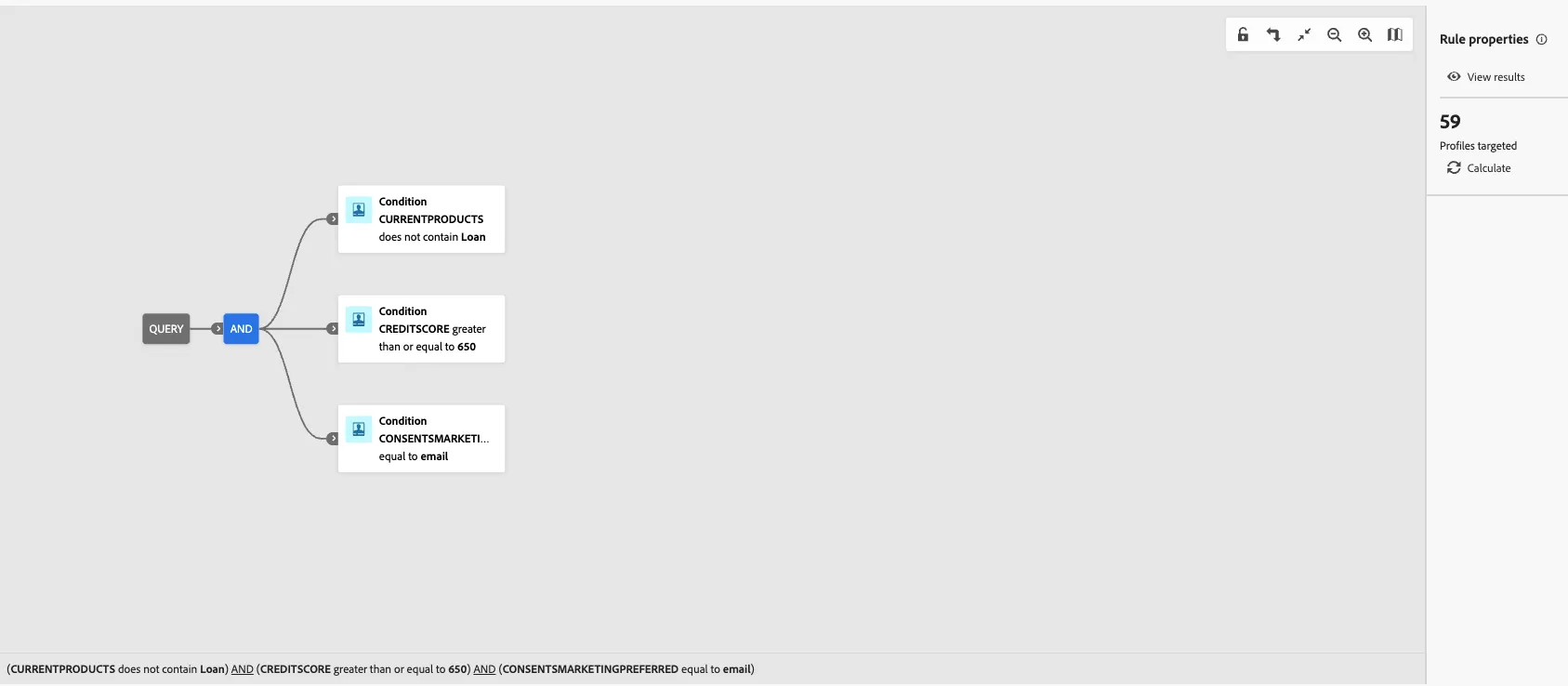
Click the next + button then click Save audience.
Label this step SecurFinancial Customers - No Loans, Good Credit + your lab user ID. Use the same value as the audience label.
Add the following audience mappings:
Source Audience Field: EMAIL
Source Audience Field: CURRENTPRODUCTS
Source Audience Field: FIRST NAME
Select the primary identity and namespace to use for profiles:
Primary identity field: Email
Identity namespace: Email
Click Save and then click Start, to run the query of the composition you just built.
Note: We used the Product and Credit information to build our Audience and didn't move sensitive data( eg; credit score) to downstream platforms for activation.