AEP AI Assistant
5 min
Adobe Experience Platform AI Assistant
Adobe Experience Platform AI Assistant is a conversational experience that allows practitioners to perform tasks at a fast pace. Whether the task is to understand concepts, troubleshoot problems, or search through information. AEP AI Assistant also allows non-experts to perform expert tasks and increases the overall quality of work.
The AEP AI Assistant is trained on its Adobe Experience League documentation. When asked a question, AI Assistant responds with a helpful answer that enables quick learning.
How to Activate AEP AI Assistant
- The goal of this exercise is to demonstrate how Adobe Real-Time Customer Data Platform AI Assistant accelerates your time to value by providing details in how to use features in Adobe Experience Platform.
- Start by using AEP AI Assistant to get information to create a schema.
- To get started with Adobe Real-Time Customer Data Platform AI Assistant you need to click on the chat box with a star icon in the top righ corner. This will launch AEP AI Assistant for you.
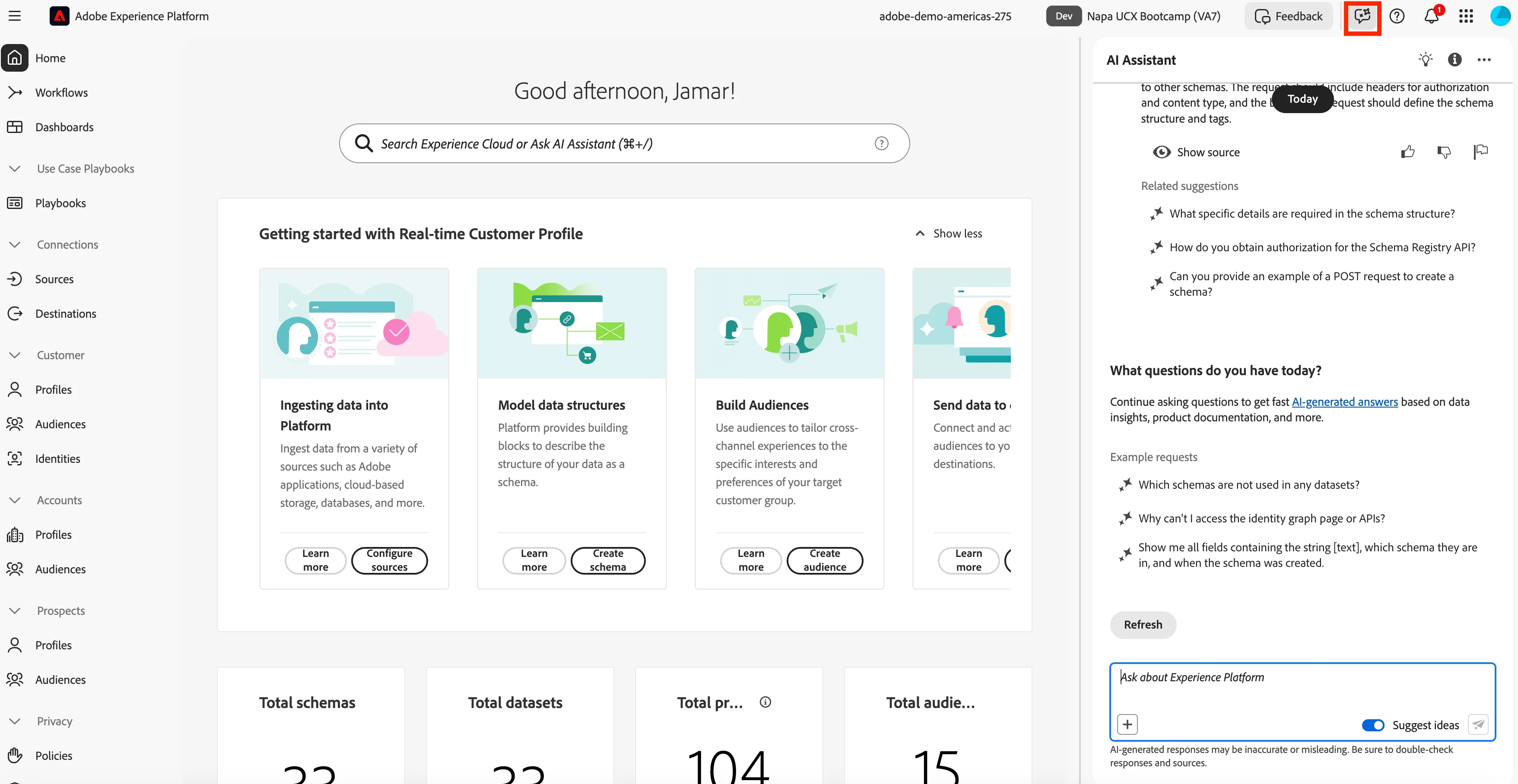
- Ask the AEP AI Assistant for a joke: Tell me a joke.
- Now you can ask the AEP AI Assistant: How do I create a Schema?
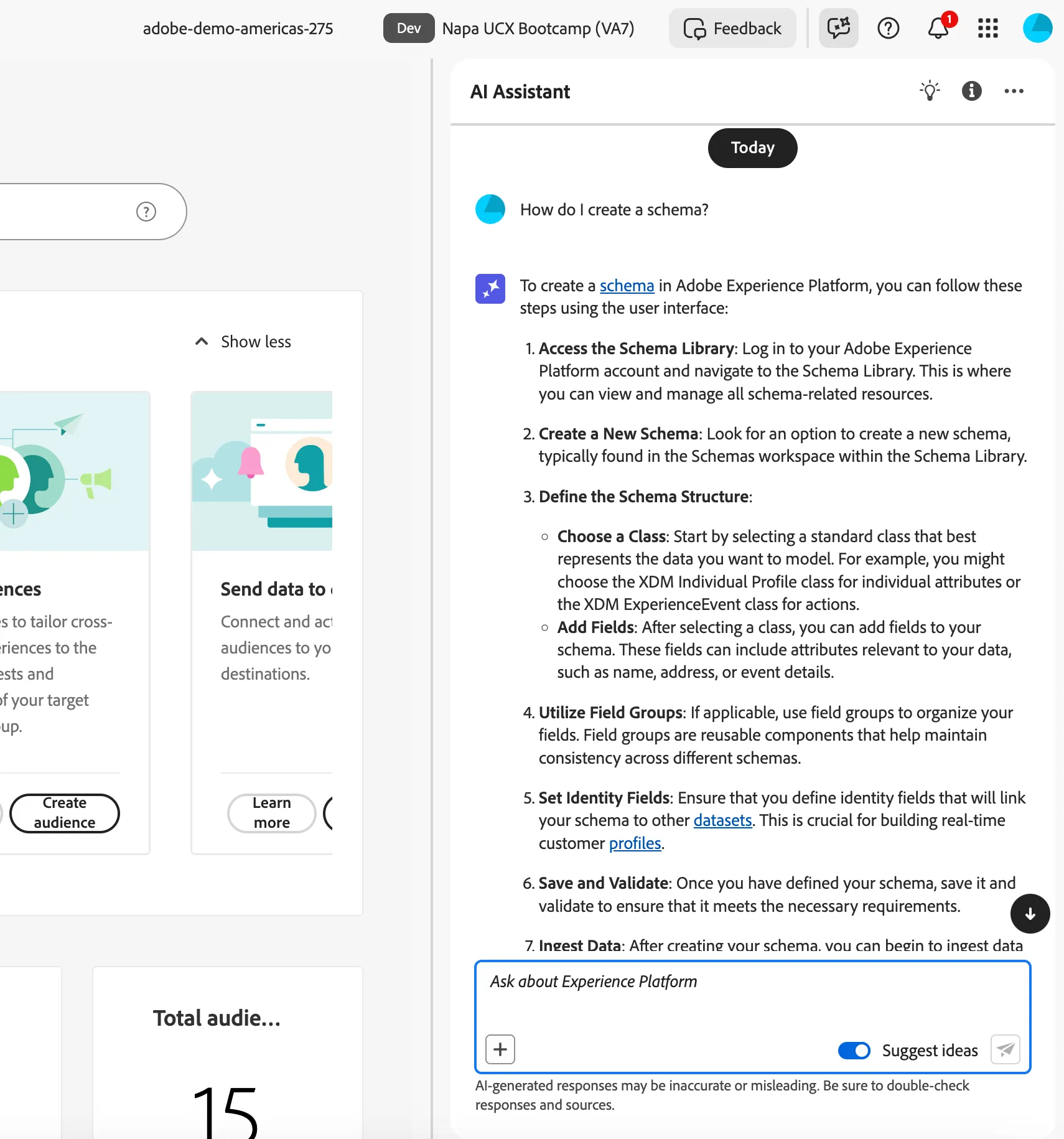
- You need to follow steps 1, 2, 3, 4, and 6 from the AI Assistant. You will not need to complete step 5 for this exercise.
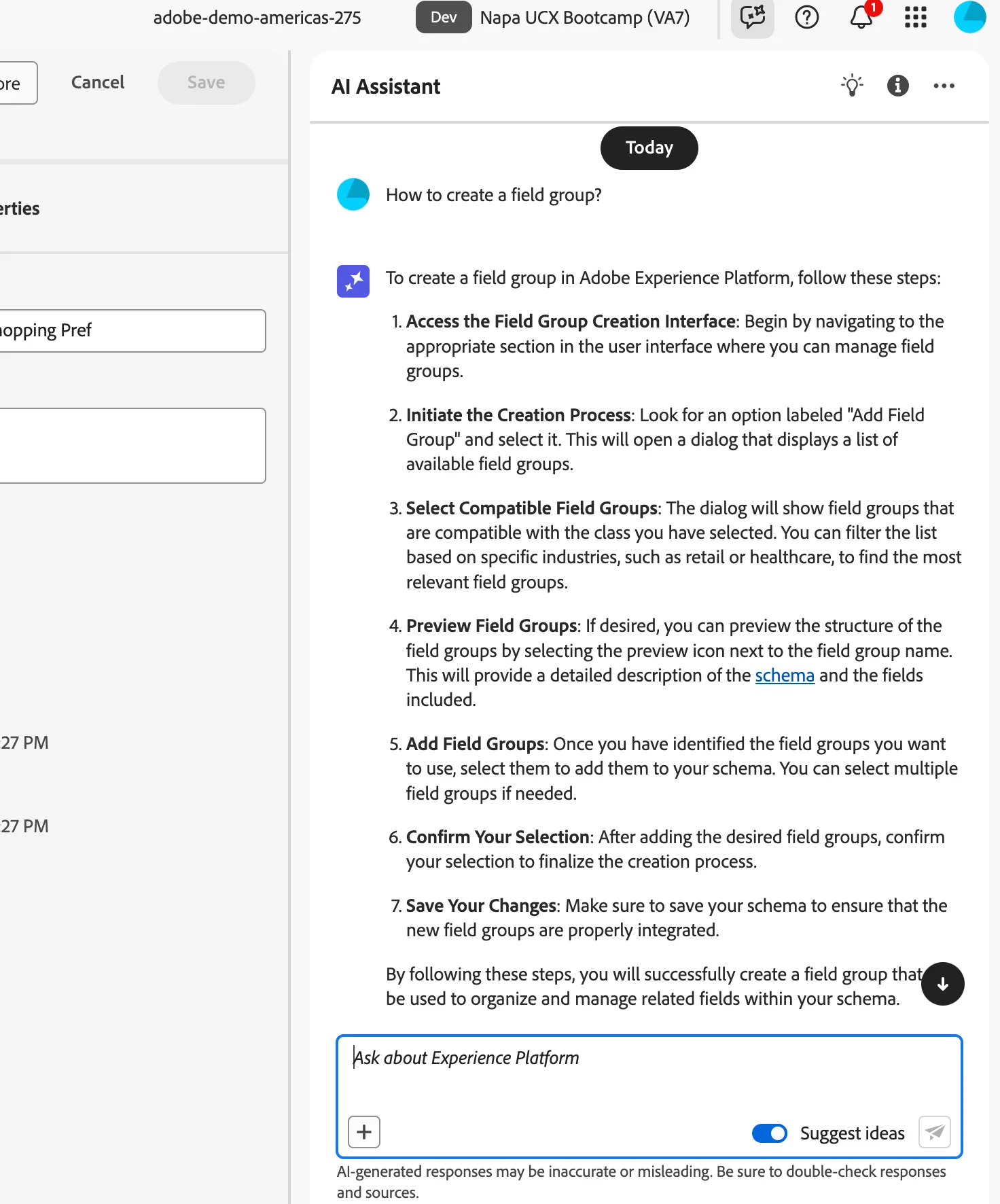
- The AEP AI Assistant will show you the step by step process to create a Schema.
- Now ask the AAI Assistant: How to create a dataset?.
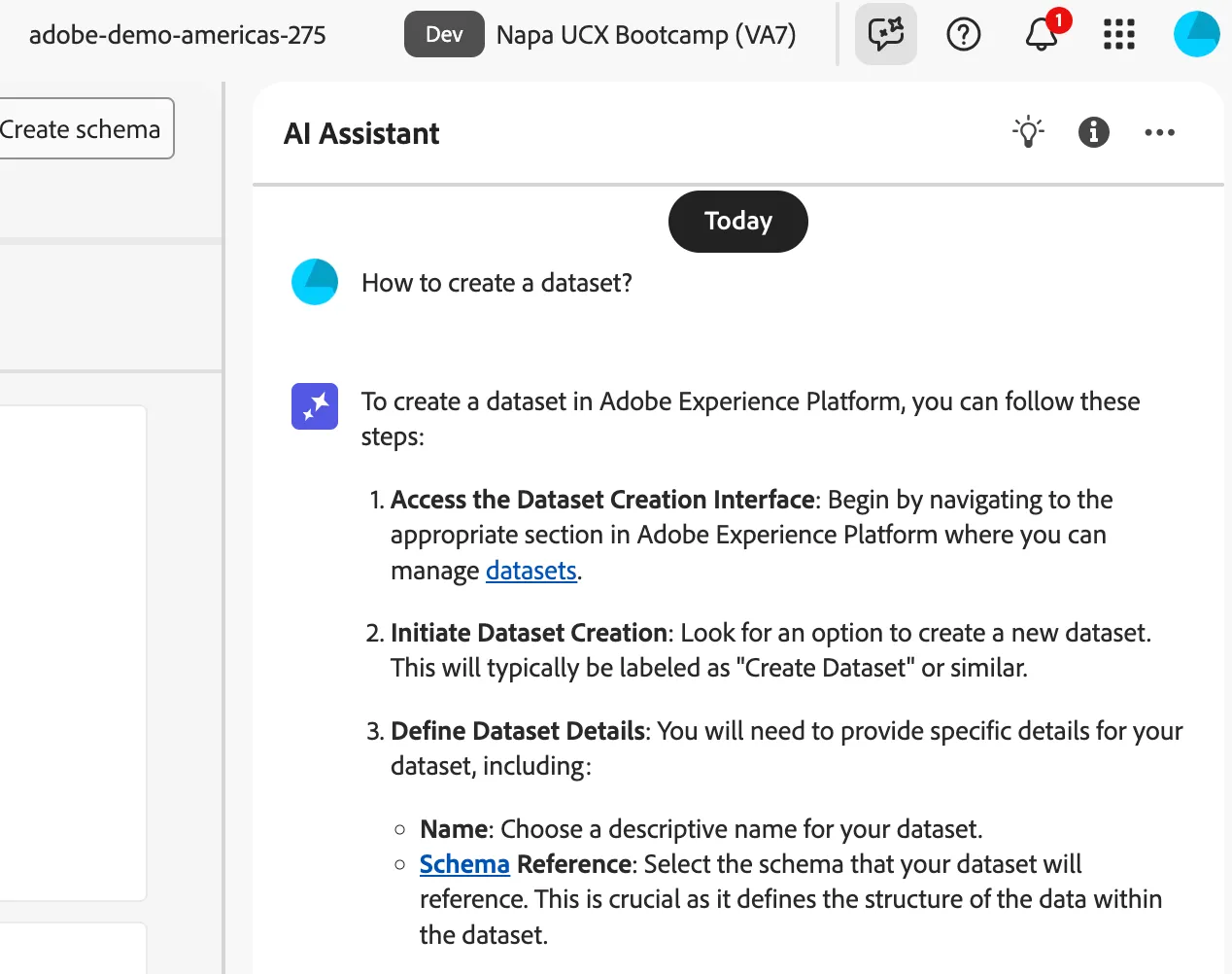
- Now you can explore asking some other questions.
- Congratulations you have tested the AEP AI Assistant.