FAC: Audience Enrichment
In this exercise, we will start with an existing AEP Audience and enrich it with a Federated Composition.
Exercise Stages:
- Mapping the AEP audience into the Federated Composition Destination.
- Enrich this audience with our Federated Composition - Fiber Eligible Prospects w Email Consent.
Review Existing Adobe Experience Platform Audience
- Navigate to Customer > Audiences portal, click the Browse tab.
2. Search for "AEP". You should see a CitiSignal - Streaming Service Subscribers audience.
3. Click on the Audience to review the logic. Note that this is an audience based on data ingested into Adobe Experience Platform.
Leverage existing AEP audiences within compositions for enrichment
In this section, we will use the above audience and enrich it further using our Federated Composition created in the prevous section.
- Navigate to Customer > Audiences > Federated Compositions tab.
- Click Create Composition.
- Name your composition: Fiber Eligible - Streaming Service Subscribers w Email Consent [+ your initials]
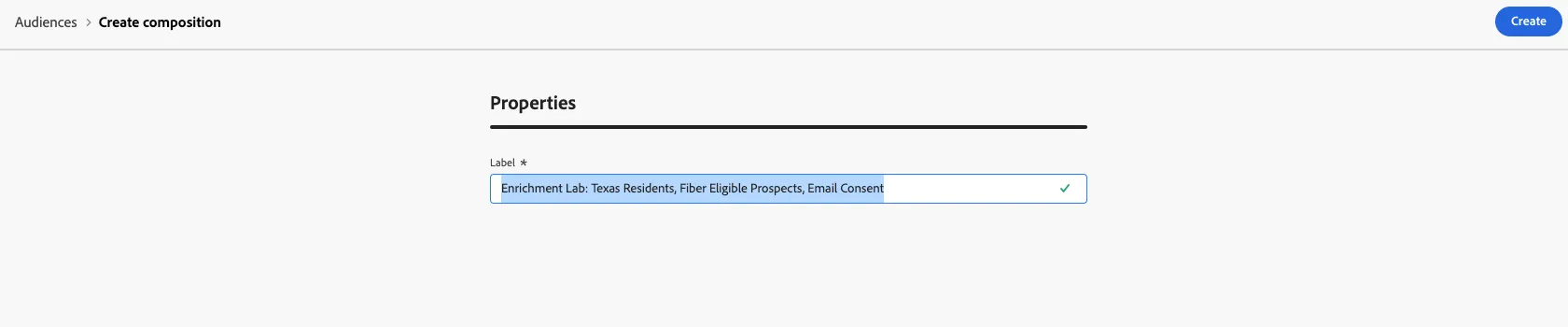
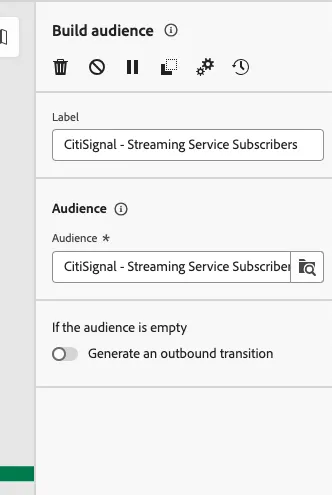
- Click the + button in the composition canvas and selet Build audience
- Add the audience - CitiSignal - Streaming Service Subscribers
Note: This view will expose all audiences that were mapped to the Federated Audience Composition Destination.
3. Next, click on the Add icon and select Reconciliation.
4. Select the TELCOM_CONSENT_PREFERENCE Schema to reconcile against.
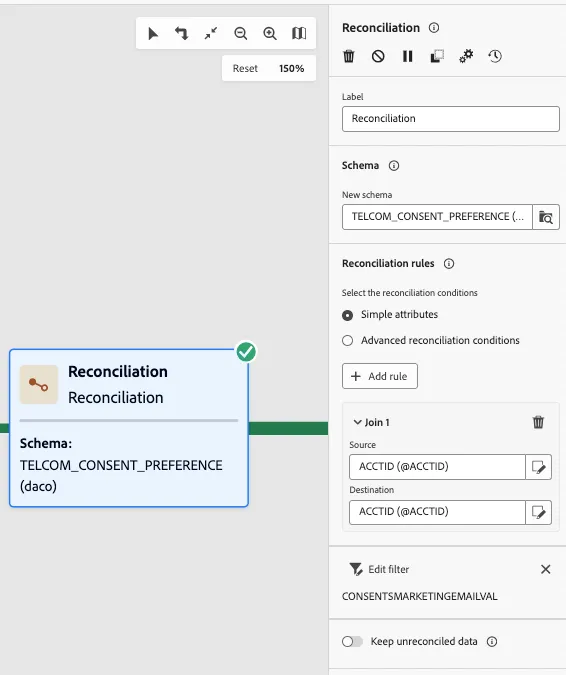
5. Select Simple Attributes and set the following parameters within the Join block:
6. Click on Edit filter and set a condition to filter for those Accounts that have opted in to Email. This workflow is very similar to the prvious composition workflow.
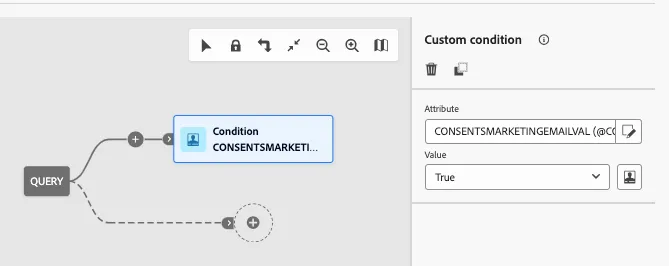
7. Run your composition to ensure it does not throw any errors.
10. Save the results into an Audience - add icon > Save Audience.