Application Form Abandoners
As part of this section we will create an attribute based audience of customers who:
- Have started an application process but did not complete
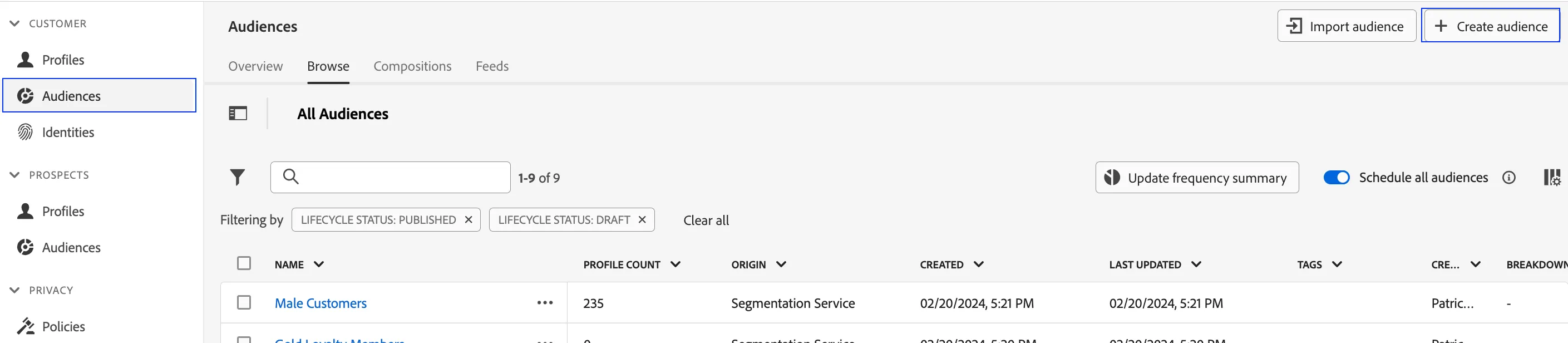
- Click on Audiences in the left navigation panel.
- In the top right corner of the screen, click Create Audience.
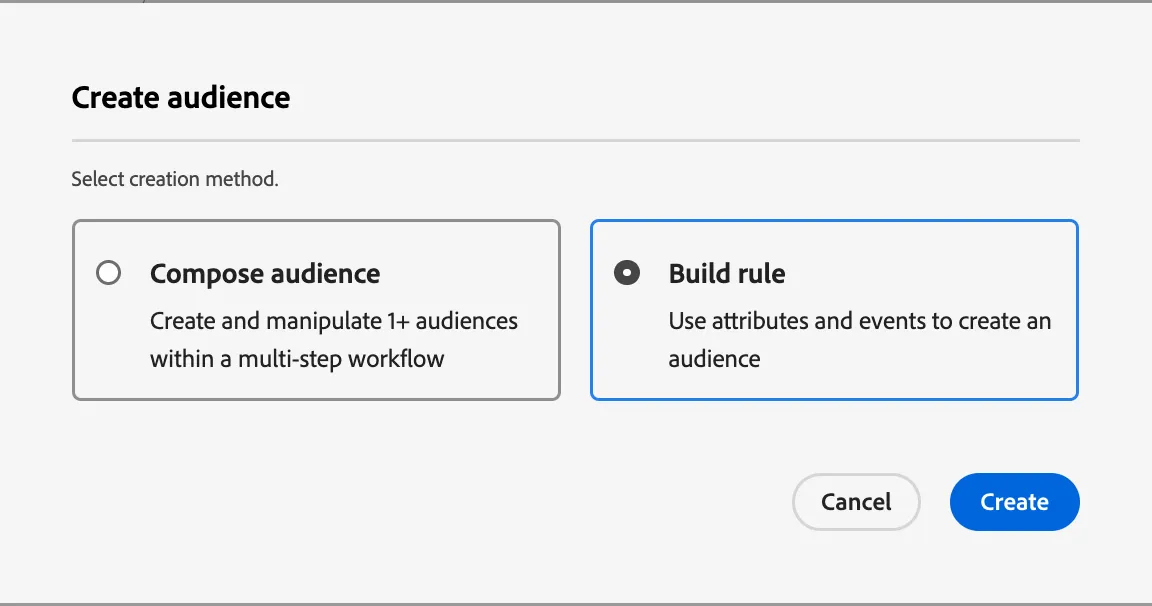
3. Select Build Rule.
4. Click Create.
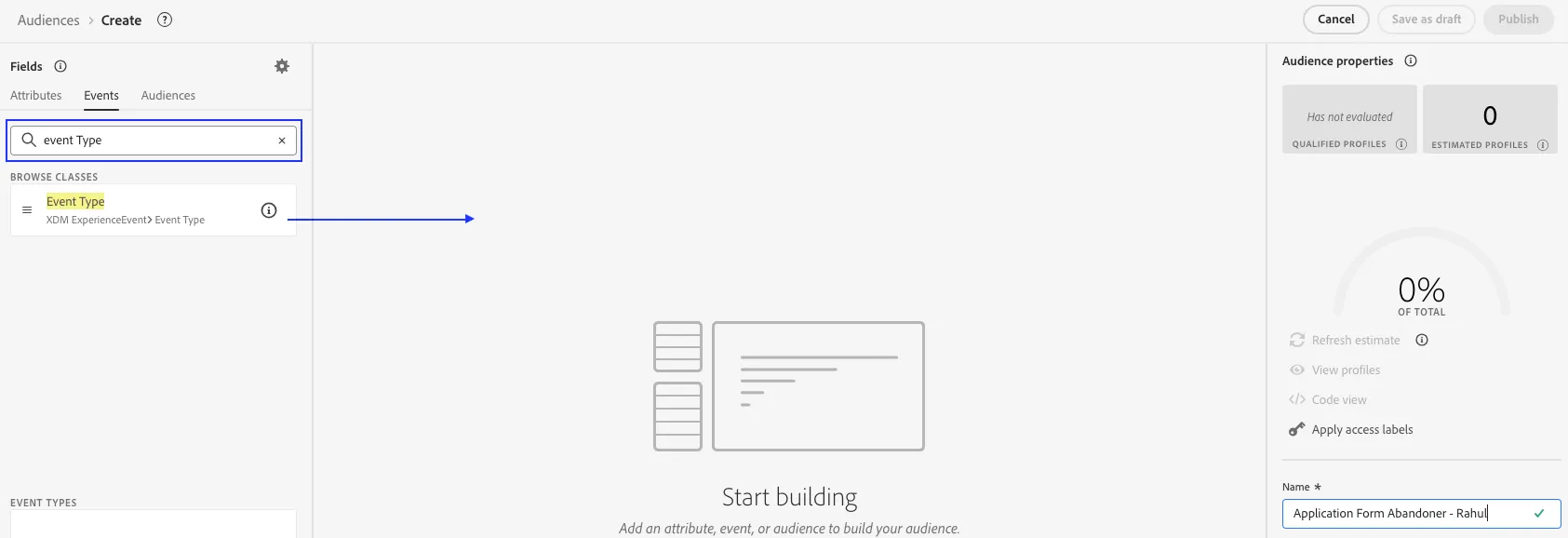
5. Explore the segmentation canvas. This canvas allows marketers to build audiences from ALL existing attributes and events available on the real-time customer profile.
6. Name your segment - Application Form Abandoners - (your initials)
7. Since this is an Event-based audience, click on Events in the left tab on the canvas. This selection will expose all event based data points that have been onboarded.
8. Search for the term "Event Type" to locate the relevant data point.
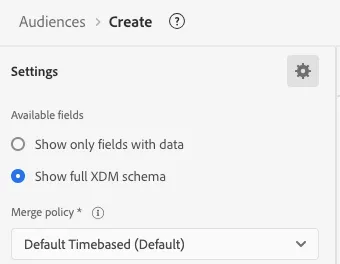
Note: You may have to click the gear icon and select Show full XDM schema
9. Drag it to the main canvas.
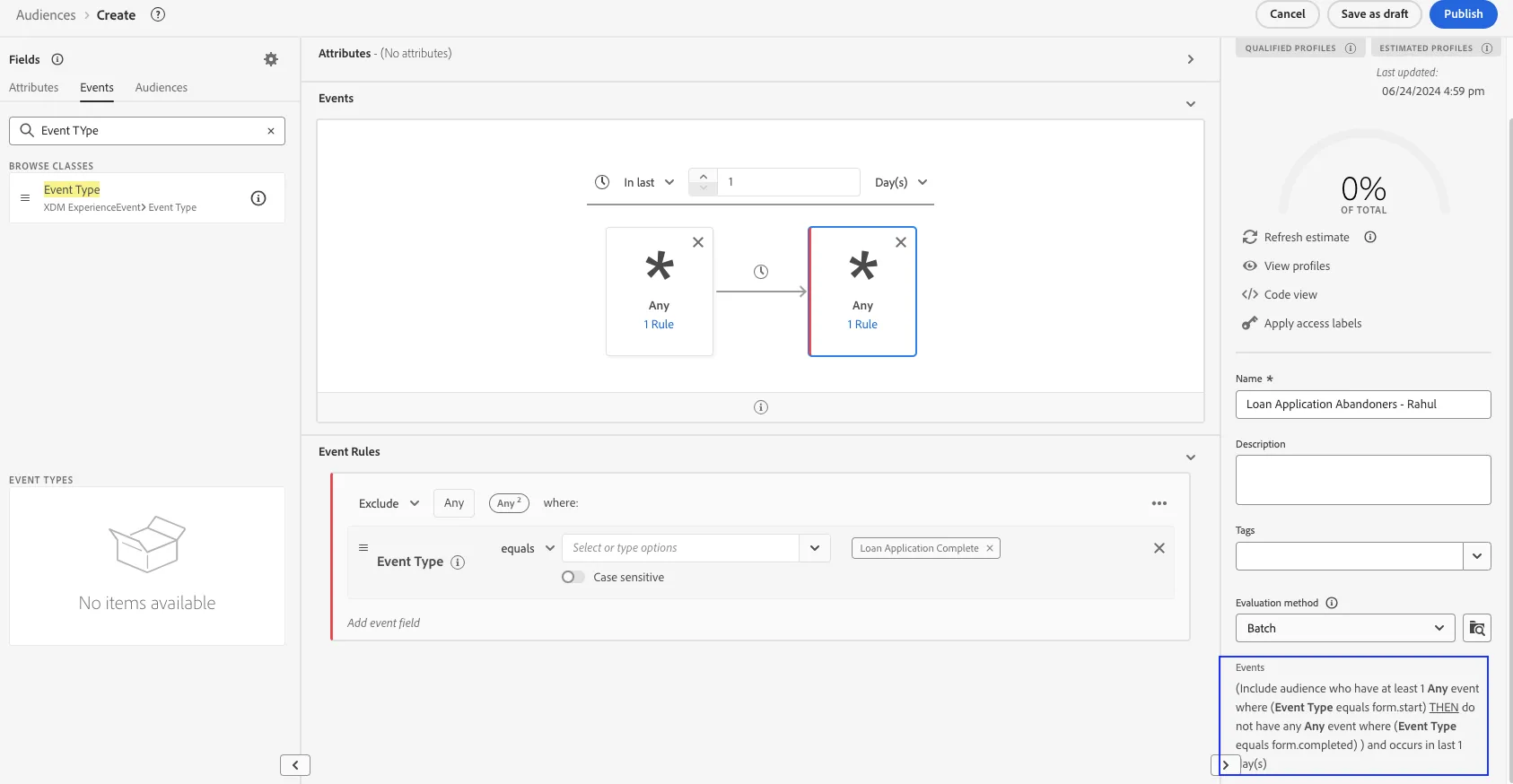
11. Do this for a second time but this time drag it to the right of the previous event.
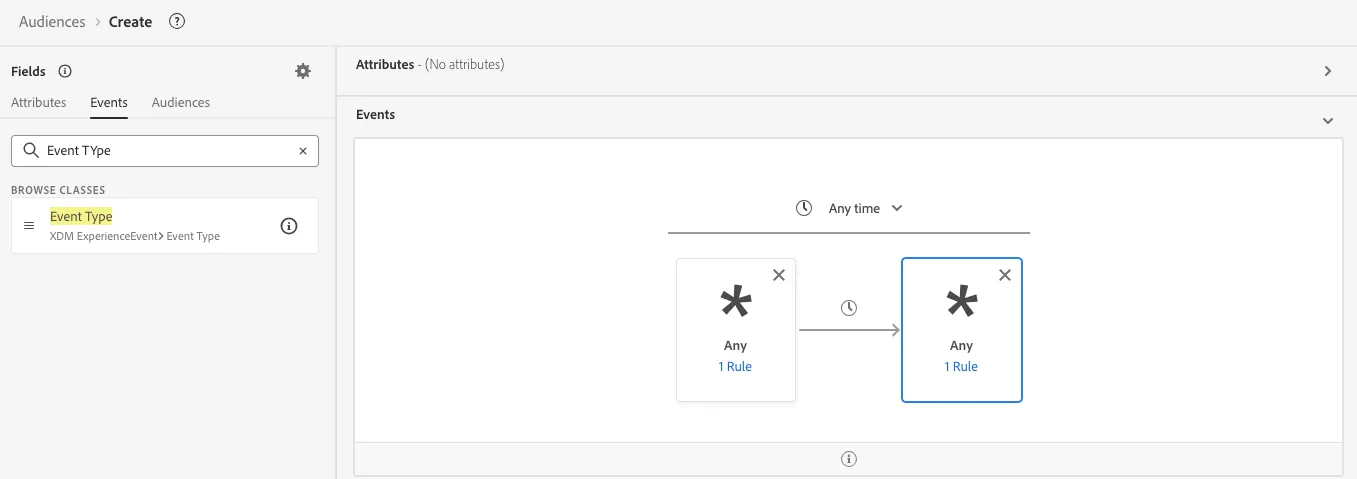
12. Click on the left most event box.
13. With the logical operator set to equals, search for Loan Application Started and select it.
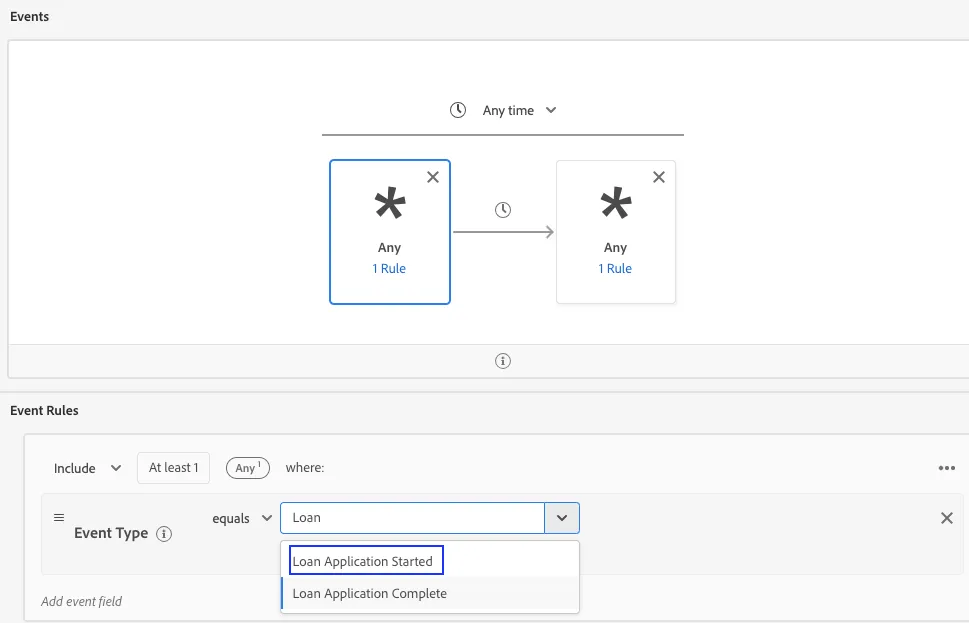
14. . Click on the right most event box.
13. With the logical operator set to equals, search for Loan Application Completed and select it.
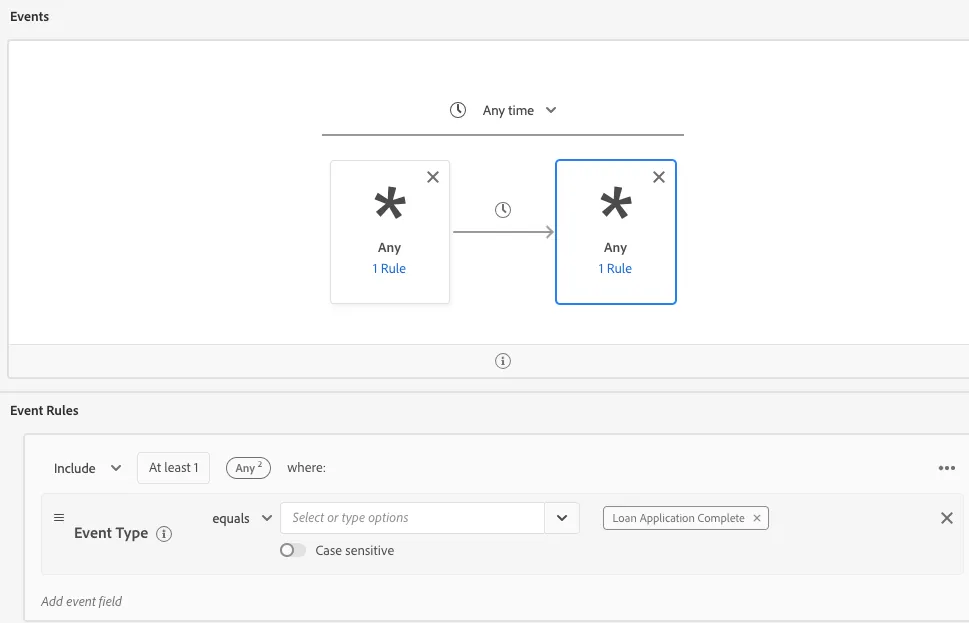
15. Now change the rule to Exclude profiles that met this second event condition
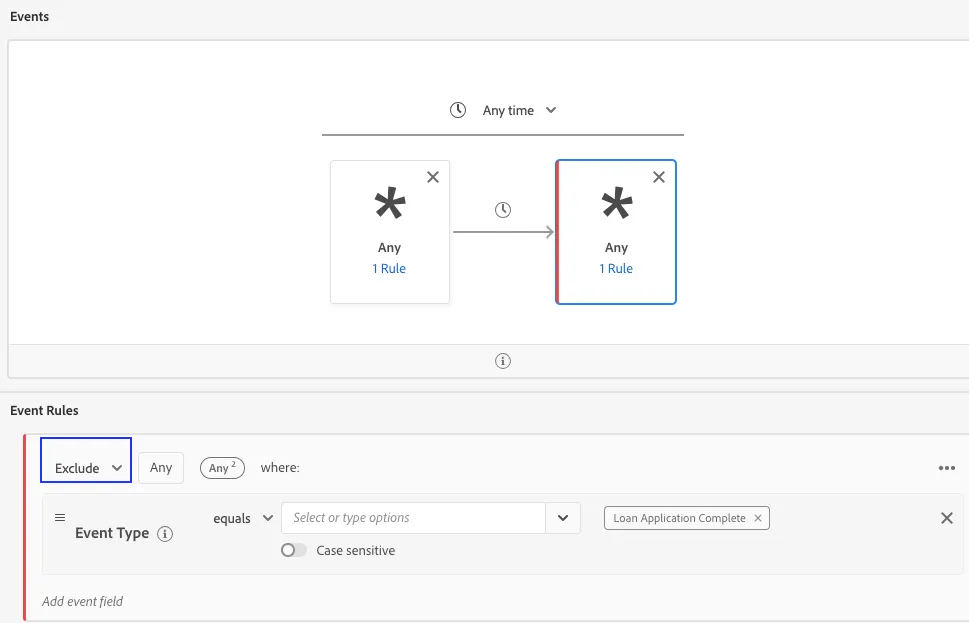
15. Set a suitable lookback window.
17. Review logic is as desired. We have created a condition which looks at customers who have started a loan application on the website but did not complete it, thereby making them cart abandoners.
18. Click Save as Draft (or Publish) and Close.