Schemas and Datasets
Before starting the CJA Workflow, don’t forget about base step, which is to understand the data that is available in Adobe Experience Platform.
Garbage in, garbage out. Remember? You must have a clear idea of what data is available and how the schemas in Adobe Experience Platform are configured. Understanding the data that is in Adobe Experience Platform will make things easier, not only on the data connection part, but also when building visualisations and doing analysis.
Understand Schemas and Datasets
Let's explore our schemas and datasets.
To log into the Adobe Experience Platform, check the Introduction Section.
- Go to Schemas in the left rail and explore the following schemas.
- Click on the Browse tab.
- Explore the following schemas:
- Demo System - Event Schema for Website (Global v1.1).
- Demo System - Event Schema for Call Center (Global v1.1).
- Demo System - Event Schema for POS (Global v1.1).
- Demo System - Event Schema for Mobile App (Global v1.1).
- Demo System - Profile Schema for CRM (Global v1.1).
- Make sure you check at least things like:
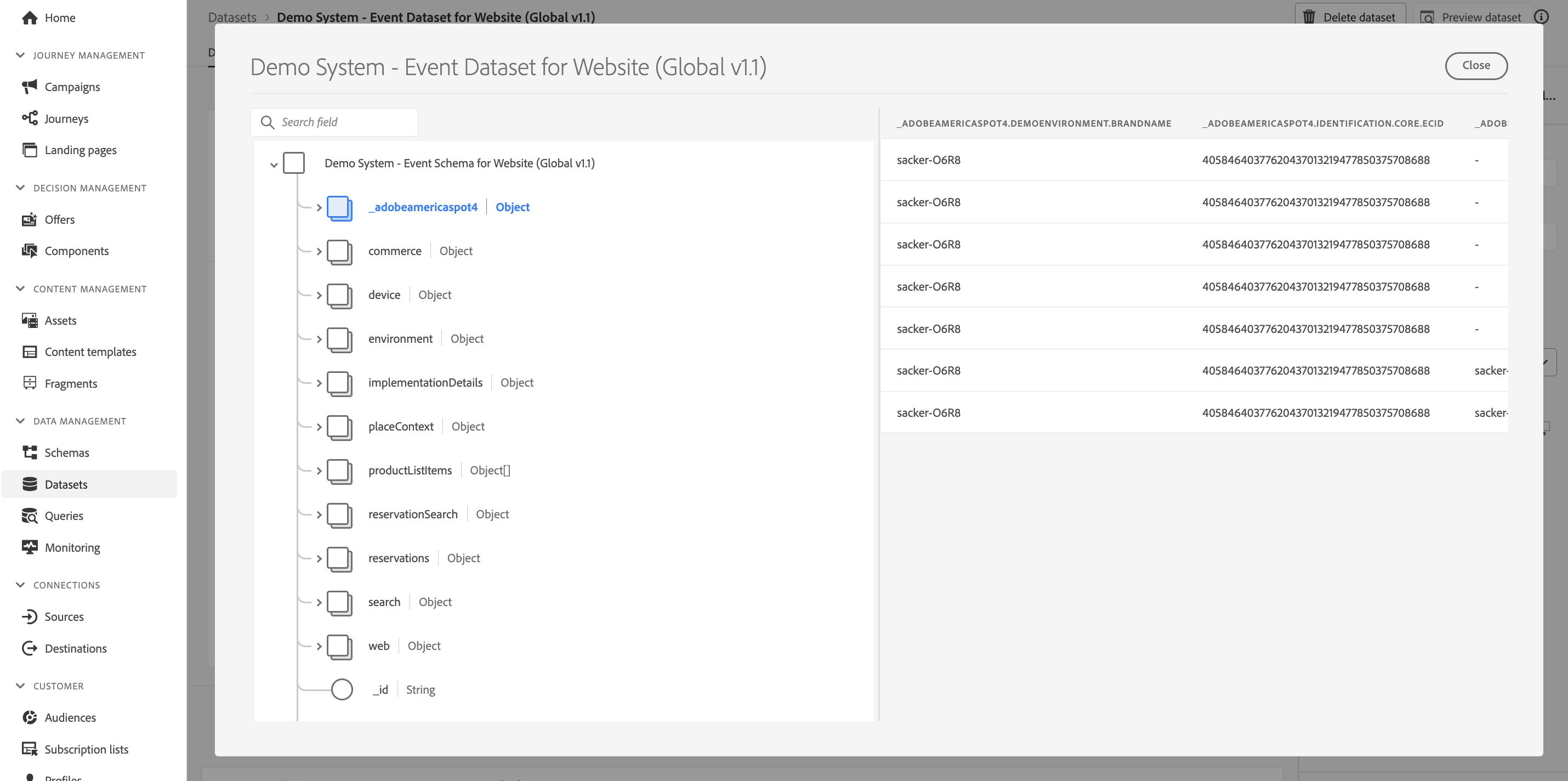
- Identities. Frequent Flyer ID, Email, phoneNumber, ECID. Which identities are the primary identifiers, which ones are the secondary identifiers? You can find the identifiers by opening a schema and looking at the object _experienceplatform.identification.core. Have for example a look at the schema Demo System - Event Schema for Website (Global v1.1).
- The commerce object inside the schema Demo System - Event Schema for Website (Global v1.1).
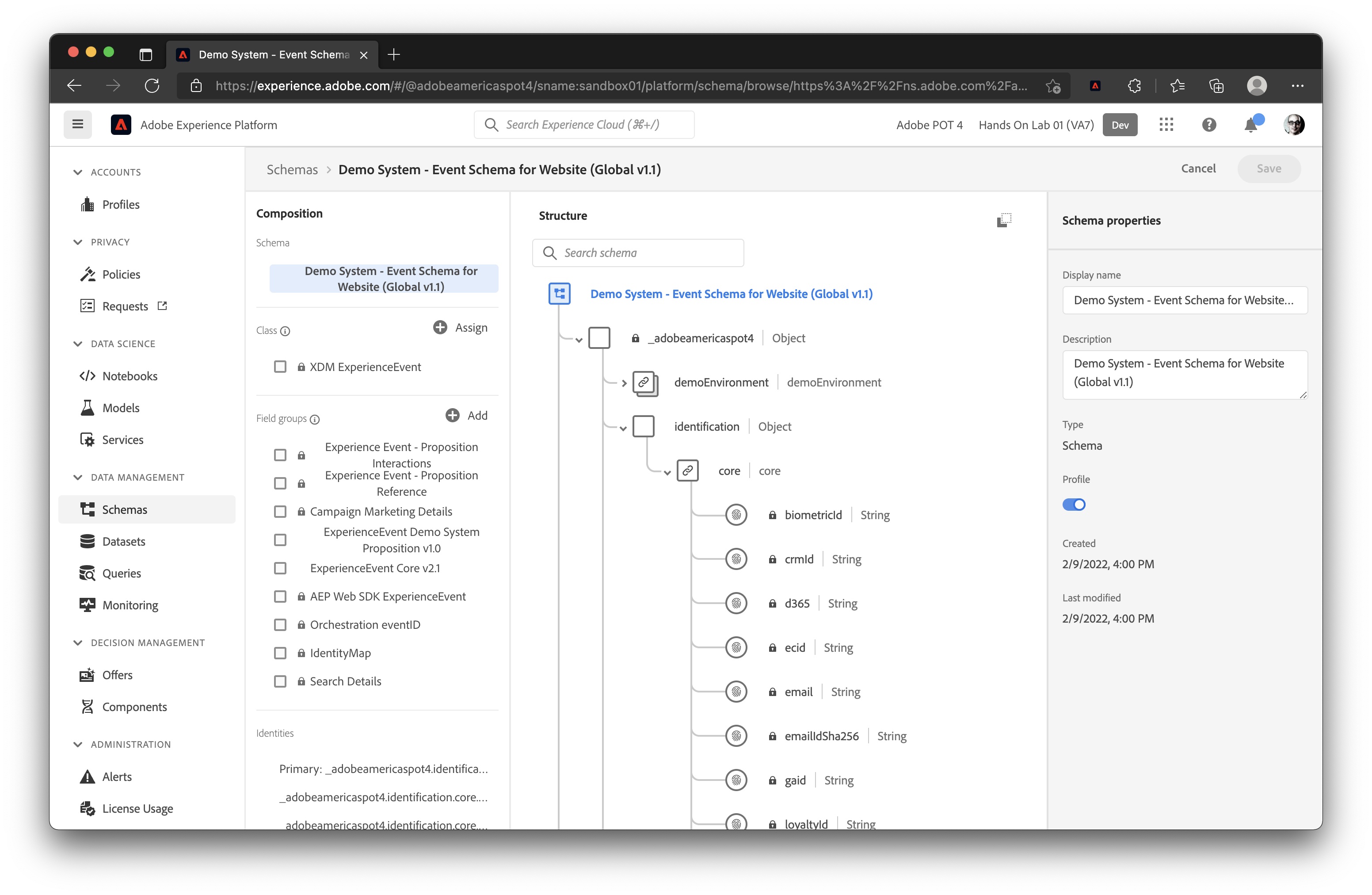
- Preview the Datasets that correspond to the above Schemas, for example:
- Demo System - Event Dataset for Website (Global v1.1).
- Demo System - Event Dataset for Call Center (Global v1.1).
- Demo System - Profile Dataset for CRM (Global v1.1).