Opportunity Person Audience
As part of this exercise, we will build an audience that uses Opportunity, Opportunity Person and B2B Person data
Goal: Build an audience for a retargeting campaign to target known Influencer personas who have not engaged recently and are associated with one or more open opportunities -
Stalled Opportunities with Dormant Influencers
To build such an audience, you would likely use account attributes such as the ones listed below:
- Opportunity Stage = negotiation (open opportunity)
- roleInOpportunity = Influencers
- No events/interactions with your brand across channels in the last 7 days
Since we are building an audience of "B2B Persons" we should navigate to the above B2B attributes through relationships on the B2B Person Table
- Person -> Opportunity Person -> Opportunity -> Opportunity Stage = Negotiation
- Person -> Opportunity Person -> roleInOpportunity = Influencer
Building a B2B Person based audience using the RTCDP B2B UI
- Click on Audiences under the Customer section in the left navigation panel
- In the top right corner of the screen, click Create Audience and select the Build Rule Option
3. Explore the segmentation canvas. What you see in the left panel under Fields are all objects you saw as part of a Person Profile
5. With Attributes selected, click and expand the directories to drill down as below
XDM Individual Profile -> B2B -> Person Key -> Opportunities -> Opportunity Key -> Opportunity -> Opportunity Stage
6. Drag that attribute to the central canvas
7. Set the value for Opportunity Stage = negotiation
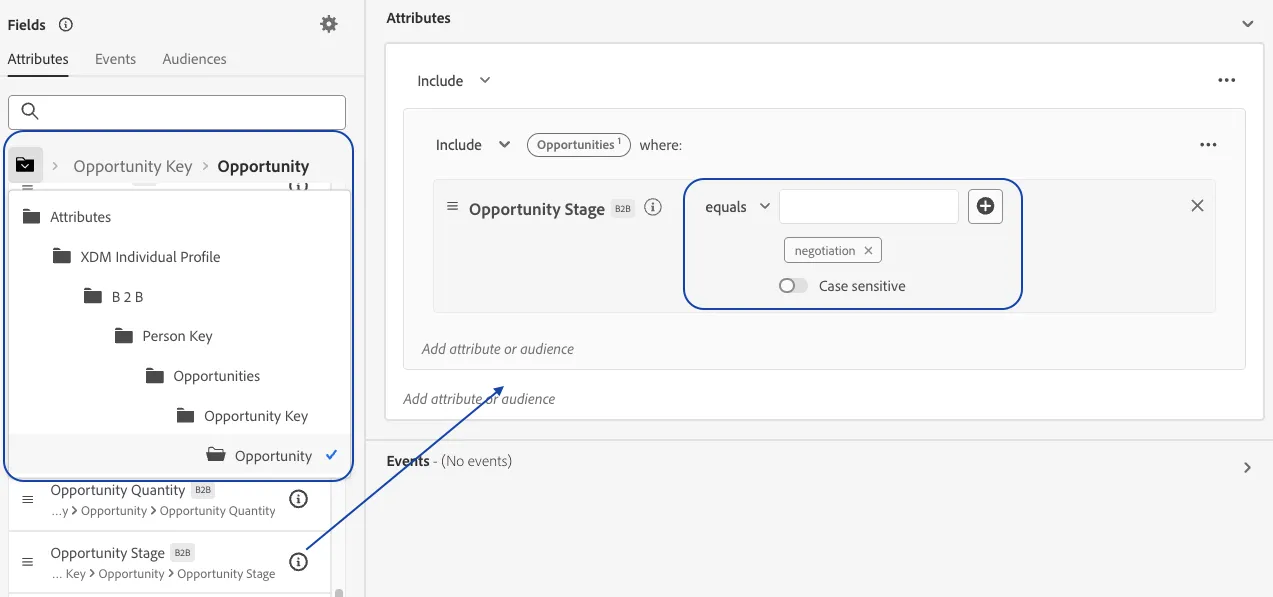
8. Now to move on to the the next attribute, drill out of the sub directories by clicking on the directory icon
9. With Attributes selected, click and expand the directories to drill down as below
XDM Individual Profile -> B2B -> Person Key -> Opportunities -> Person Role
10. Drag that attribute to the central canvas
11. Set the value for Person Role = influencer
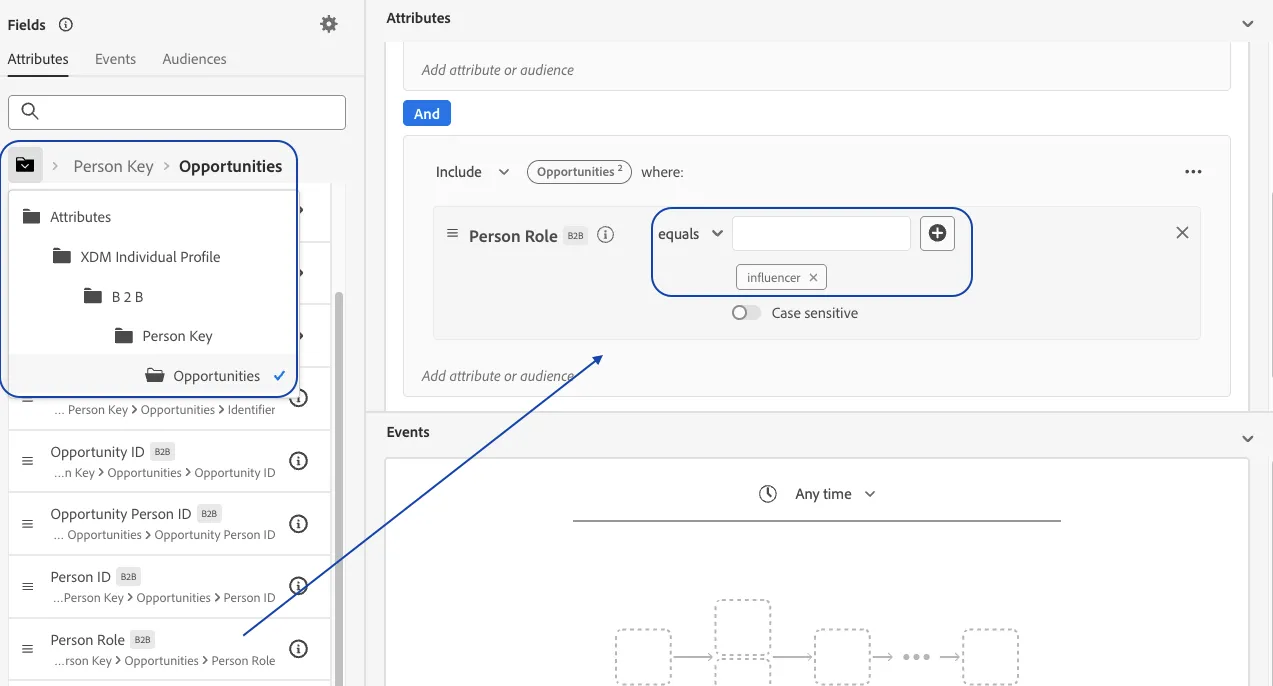
16. Now to impose the lack of engagement logic, click on the Events tab. This will allow you to choose data points tied to behavioral,engagement, transactional events
17. Search for eventType and drag it to the central canvas into the Events section
18. Set the following
- Change time window operator to In Last
- Set value to 7 days
- Set EventType operator to exists
- Change logic to Exclude
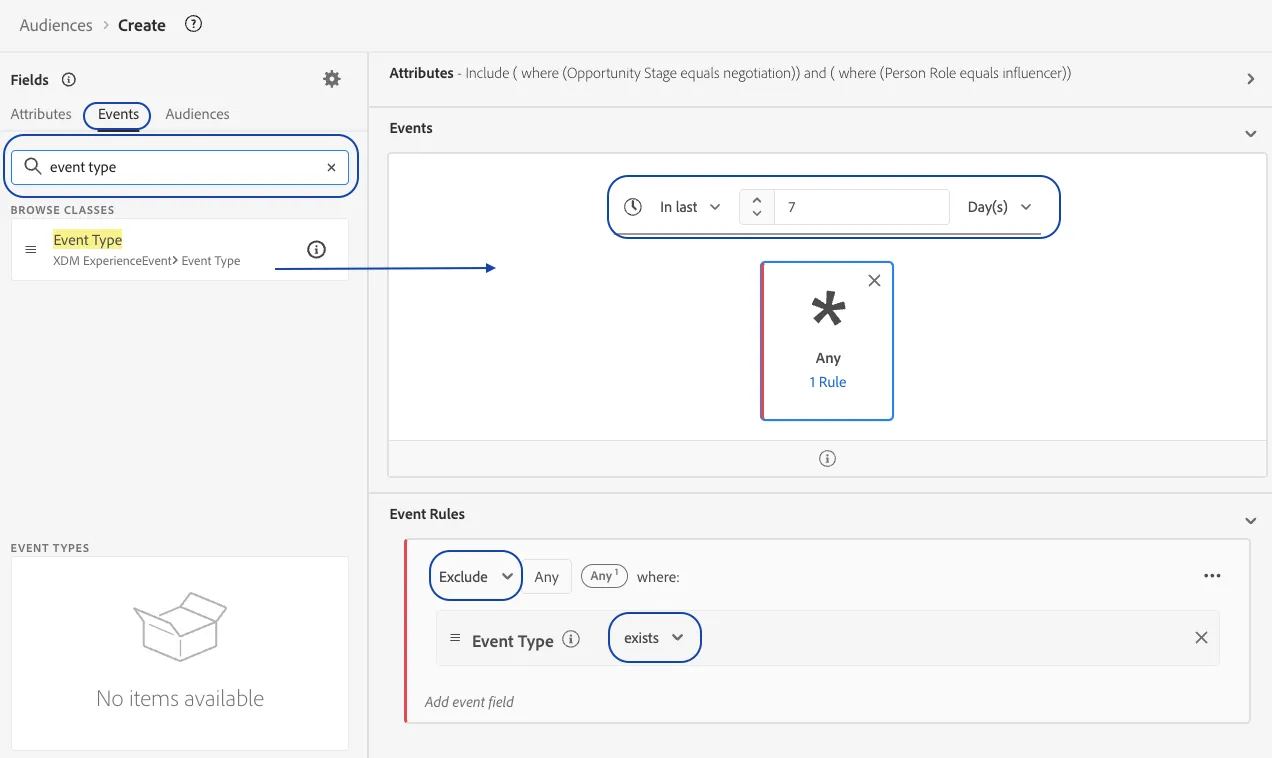
19. Validate your audience logic by reviewing the simple english definition at the bottom of the right panel
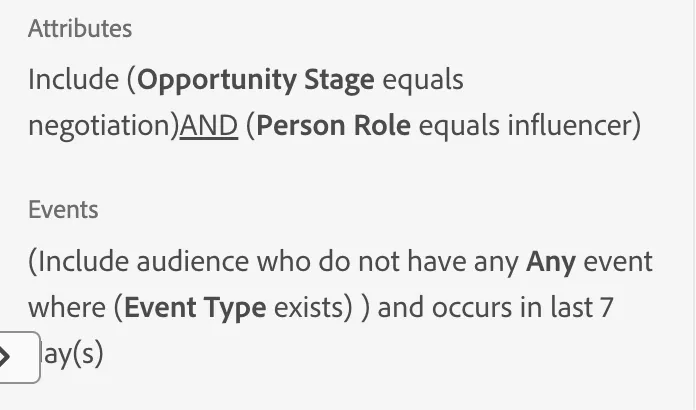
19. Name your audience - Stalled Opportunities with Dormant Influencers + {your initials}
15. Click Save and Close