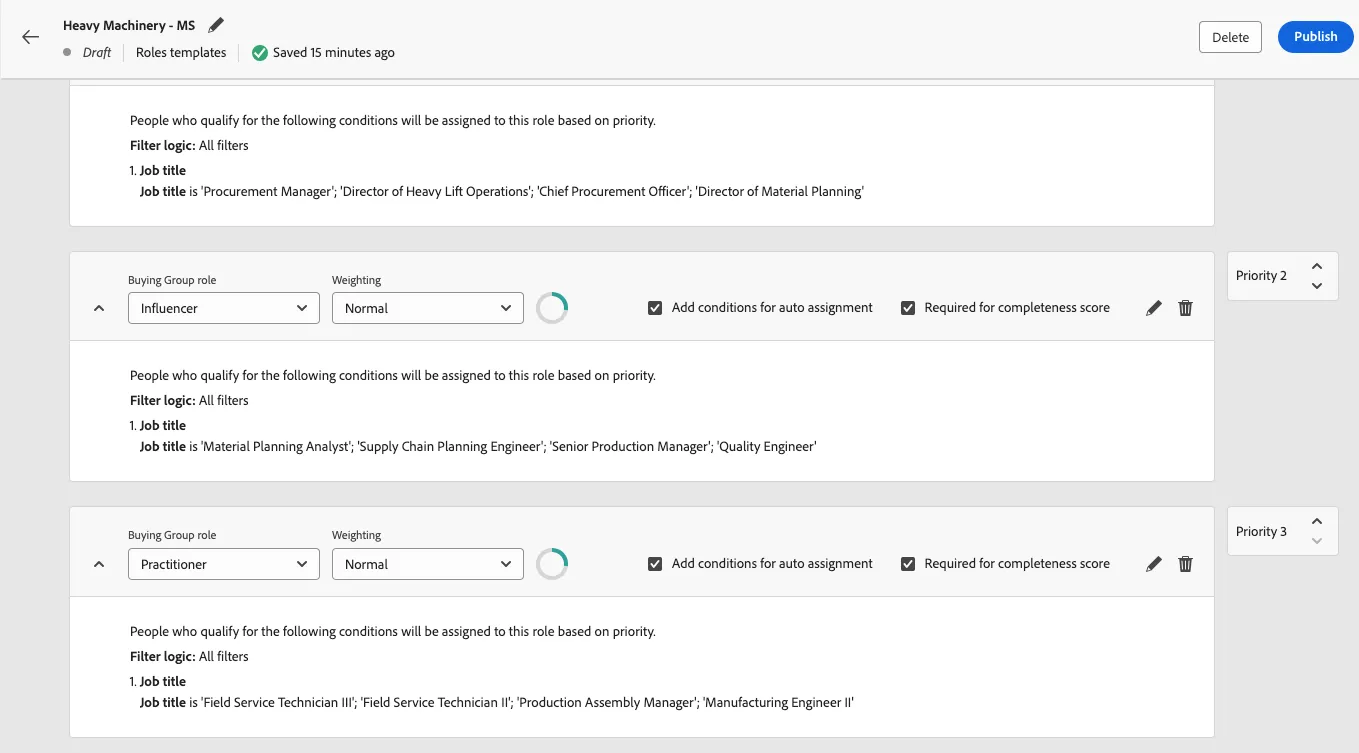
Roles Templates
Create a Roles Template to identify the people that make up your buying group.
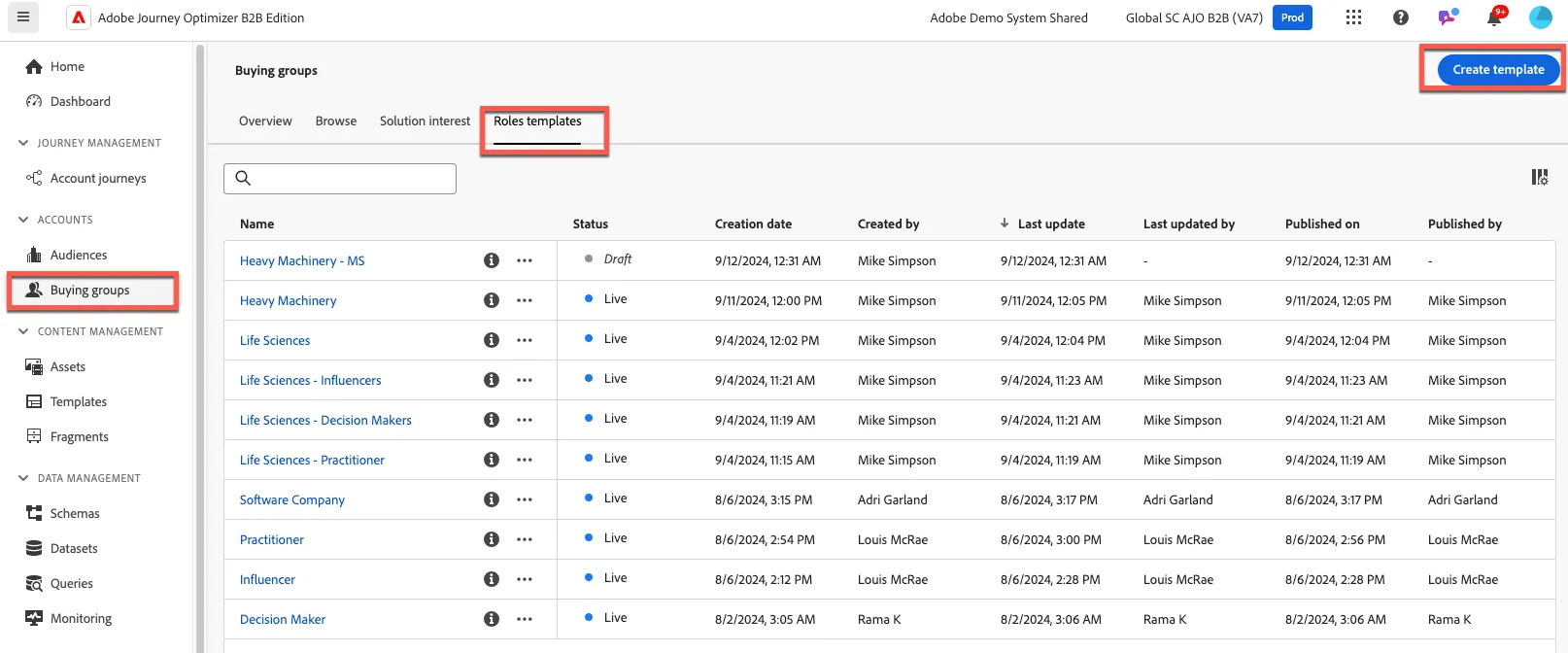
1. From the menu, select "Buying Groups" on the left navigation bar, select "Roles templates" from the section titles and click "Create template".
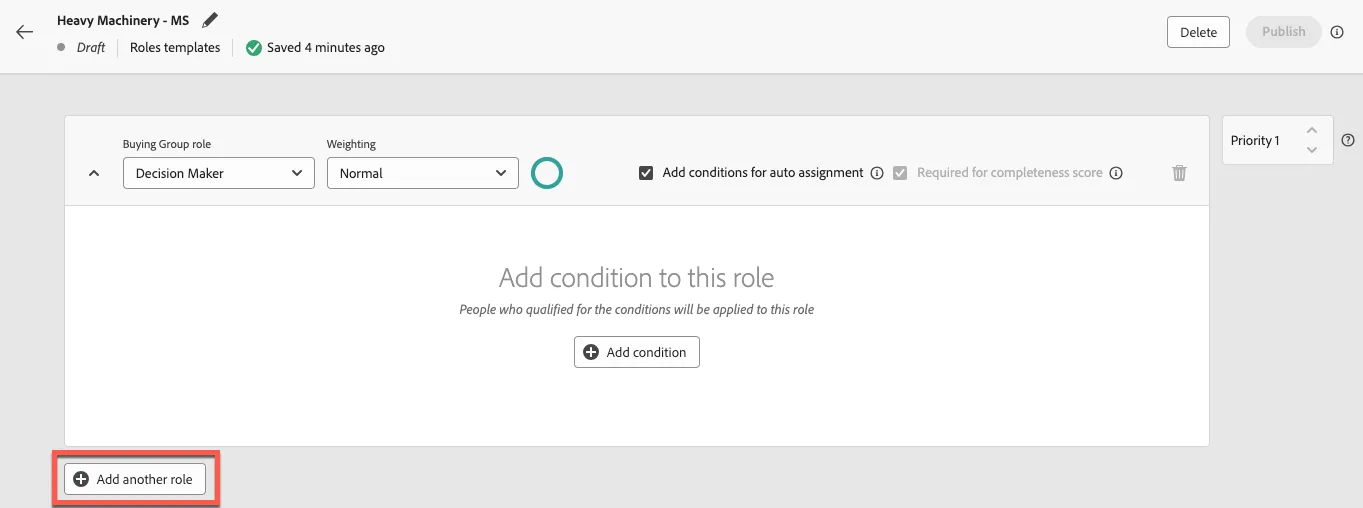
2. Name your Roles Template "Sales Aligned Roles - {your initials}"
3. Click the "Add another role" button twice to add two more roles.
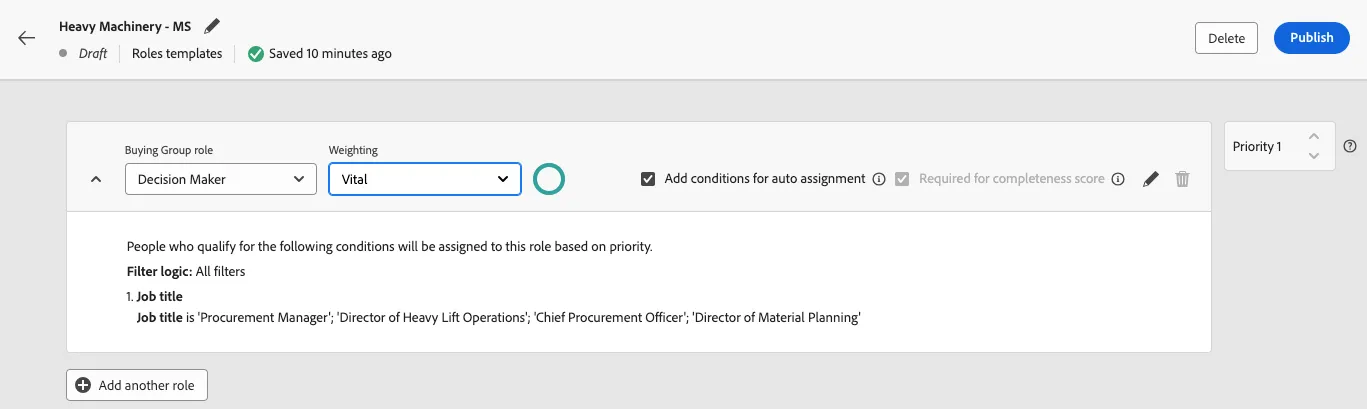
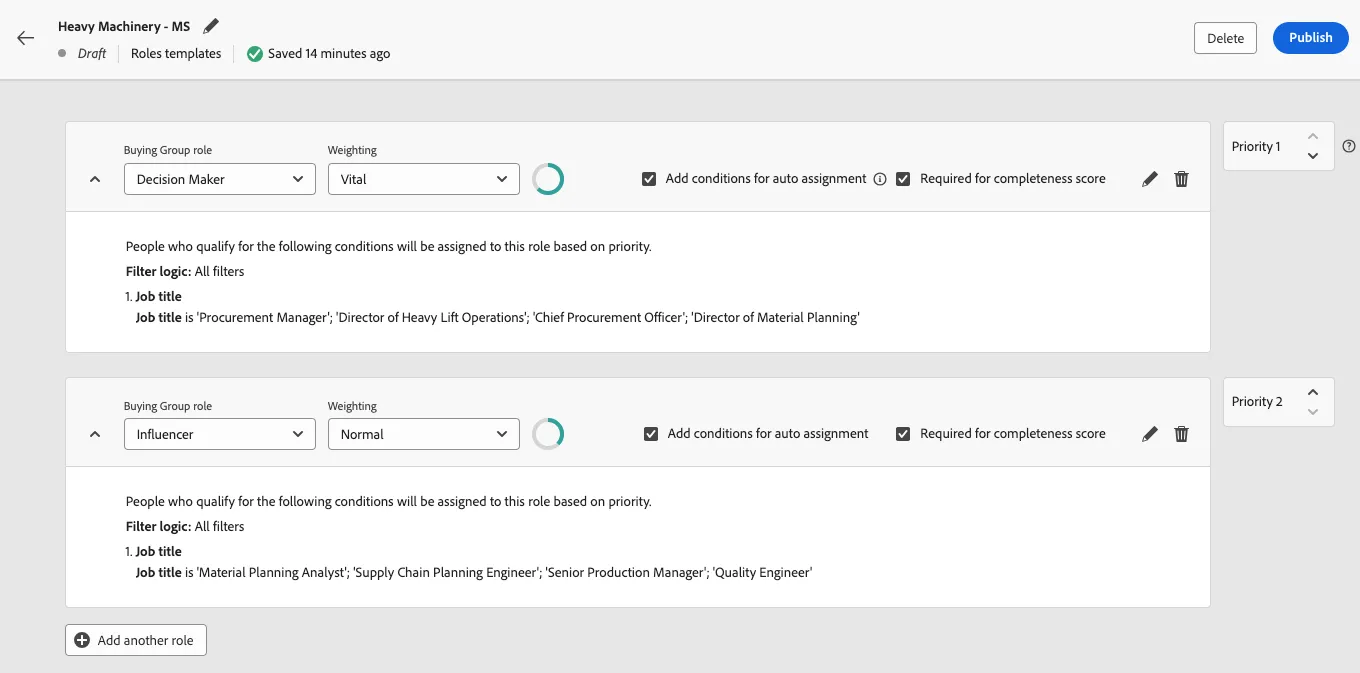
4. For the first role, leave the role as the default "Decision Maker" and click "Add condition", pull the "Job title" person attribute into the canvas, expand the condition, and add the following job titles:
- VP
- SVP
- Chief
Change the operator to "starts with" and click "Done"
Change the weighting of the role to "Vital".
5. For the second role, leave the role as the default "Influencer" and click "Add condition", pull the "Job title" person attribute into the canvas, expand the condition, and add the following job titles:
- Director
- Head
- Manager
- Logistics Manager
- Operations Manager
- Procurement Manager
- Distribution Manager
6. For the third role, leave the role as the default "Practitioner" and click "Add condition", pull the "Job title" person attribute into the canvas, expand the condition, and add the following job titles:
- Principal Data Scientist
- Senior Risk Analyst