Bonus: Use the AEM CLI (Optional)
Why use the AEM CLI?
The AEM CLI is optional in this lab.
It is useful when developing JavaScript and CSS because it:
- Starts a local development server.
- Uses your local project files.
- Proxies content from the Edge Delivery Services preview environment.
- Automatically reloads the browser when local code changes.
It does not replace Universal Editor, AEM Author, or the publishing process. Content changes still need to be published to Preview before they appear in the local development environment.
Part 1 — Install the AEM CLI
- Install the CLI globally: npm install --global @adobe/aem-cli
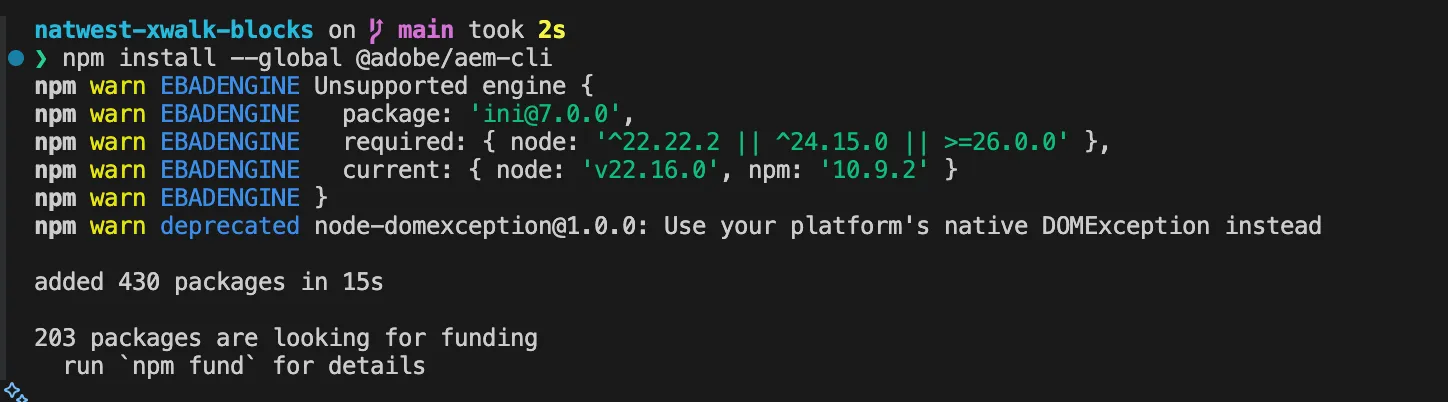
- Verify the installation: aem --version

If your organization prefers project-local dependencies, you can use:
npm install --save-dev @adobe/aem-cli
npx aem up
Part 2 — Start the local development server
- From the project root, run aem up:
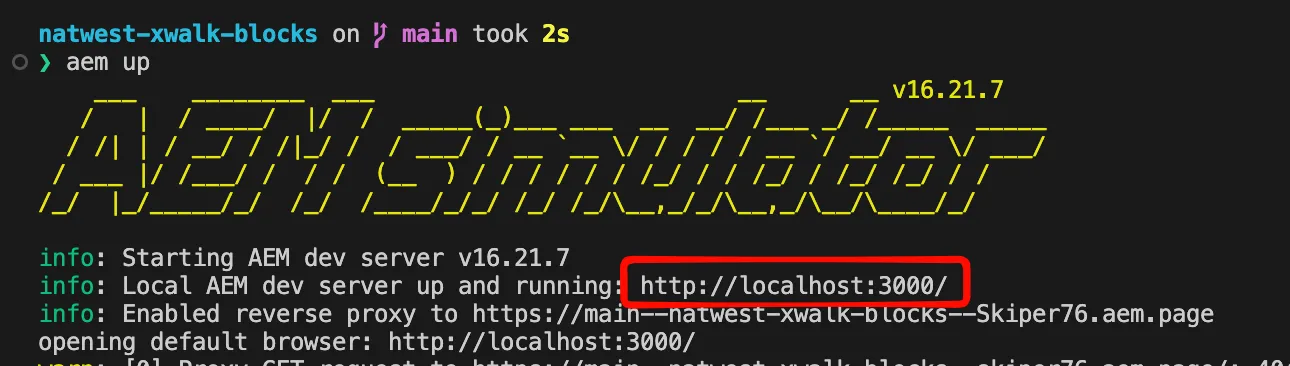
- The CLI starts a local server, normally available at: http://localhost:3000
- Open the page that contains your published Quote Lab block.
- Keep the terminal running while developing (when finished, stop the server with Ctrl+C). You will see all code changes, reflected live in the localhost site rendering.