Person Profiles
3 min
Recap
- B2B Persons table is directly related to the B2B Accounts table
- B2B Persons table is directly related to the B2B Opportunity Person table
Let's now explore how this data looks in our system
Exploring an existing B2B Person profile in Adobe Experience Platform
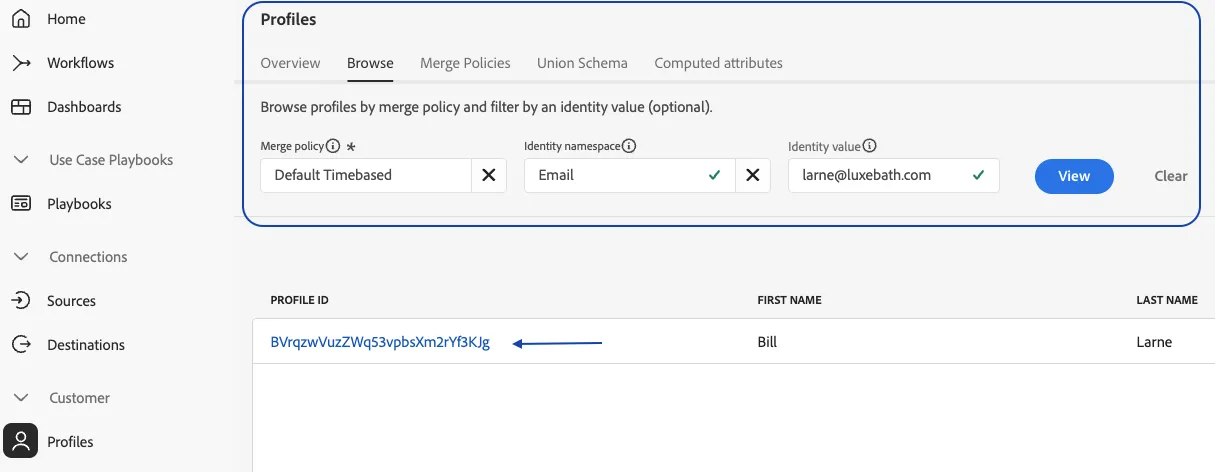
- Navigate to Profiles under the Customer section from the left-hand navigation bar
- Click on the Browse tab
- Search for 'Email' under namespaces
- Enter the below string as the Identity Value and Click View
Name | |
|---|---|
Chris Flather | |
Bridget Campomanes | |
Eryn Vernon | |
Gaurav Bansal | |
Jessica Latinovic | |
Justin Martinez | |
Manisha Chandel | |
Sachin Kaushik | |
Sai Ramalingam | |
Alexis Diller | |
Brian Reilly | |
Brittany Brady | |
Chelsea Zwepink | |
Christine Levine | |
Dakota Doran | |
Andrew Reynolds | |
Kendra Pilon | |
Paul Zielinski | |
Sheila Brennan | |
Thaize Schmidt |
5. Click on the Profile Id
6. Review the following tabs
- Details - All Widgets
- Attributes
- Accounts
- Identity Graph
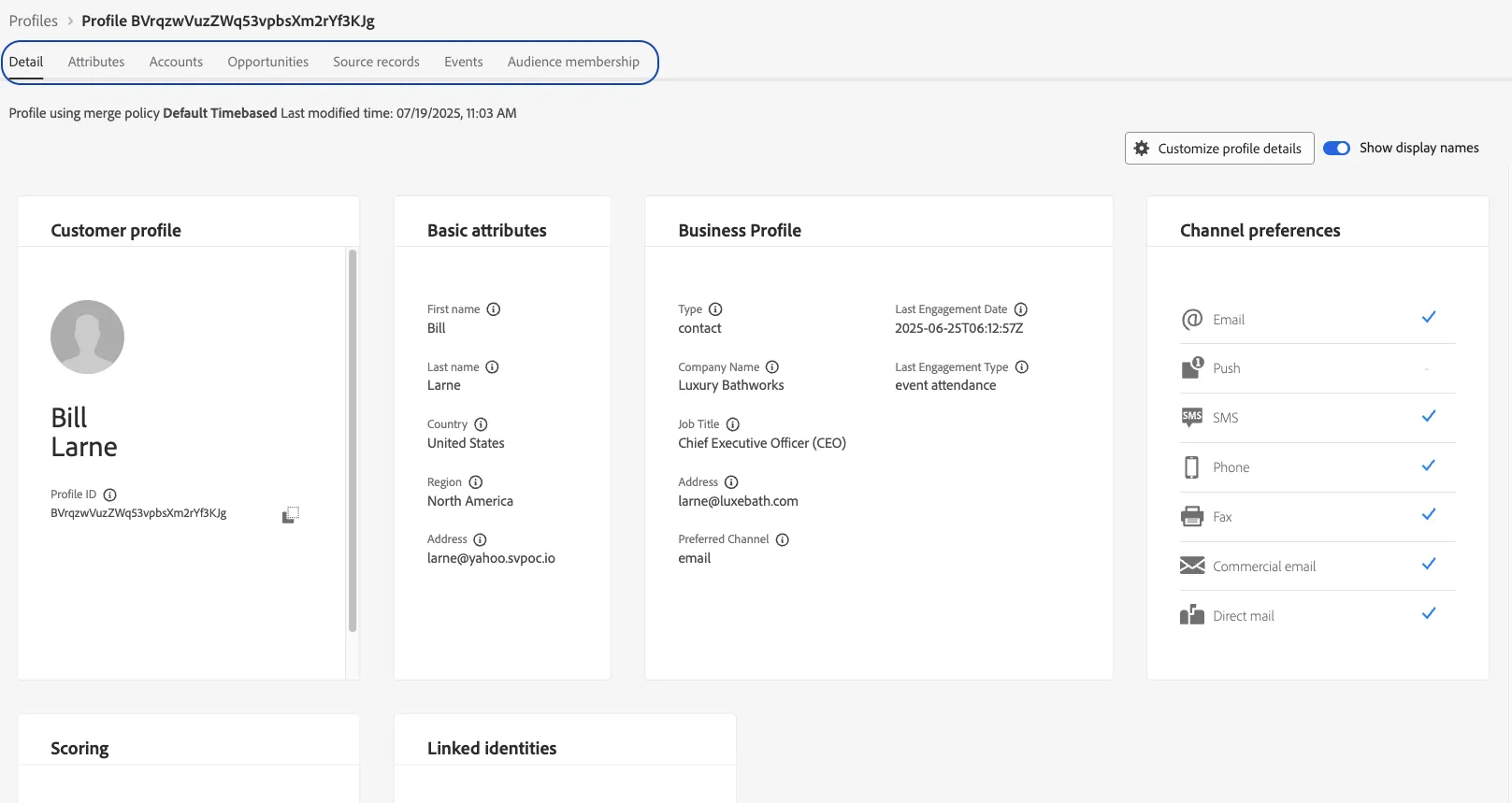
- Oportunities - Click into the AdCore Opportunity and review the role of this person tied to that opportunity

This is what a known customer profile with some CRM data would potentially look like