Schemas
A schema is a set of rules that represent and validate the structure and format of data.
In addition to describing the structure of data, schemas apply constraints and expectations to data so it can be validated as it moves between systems.
B2B Data Model
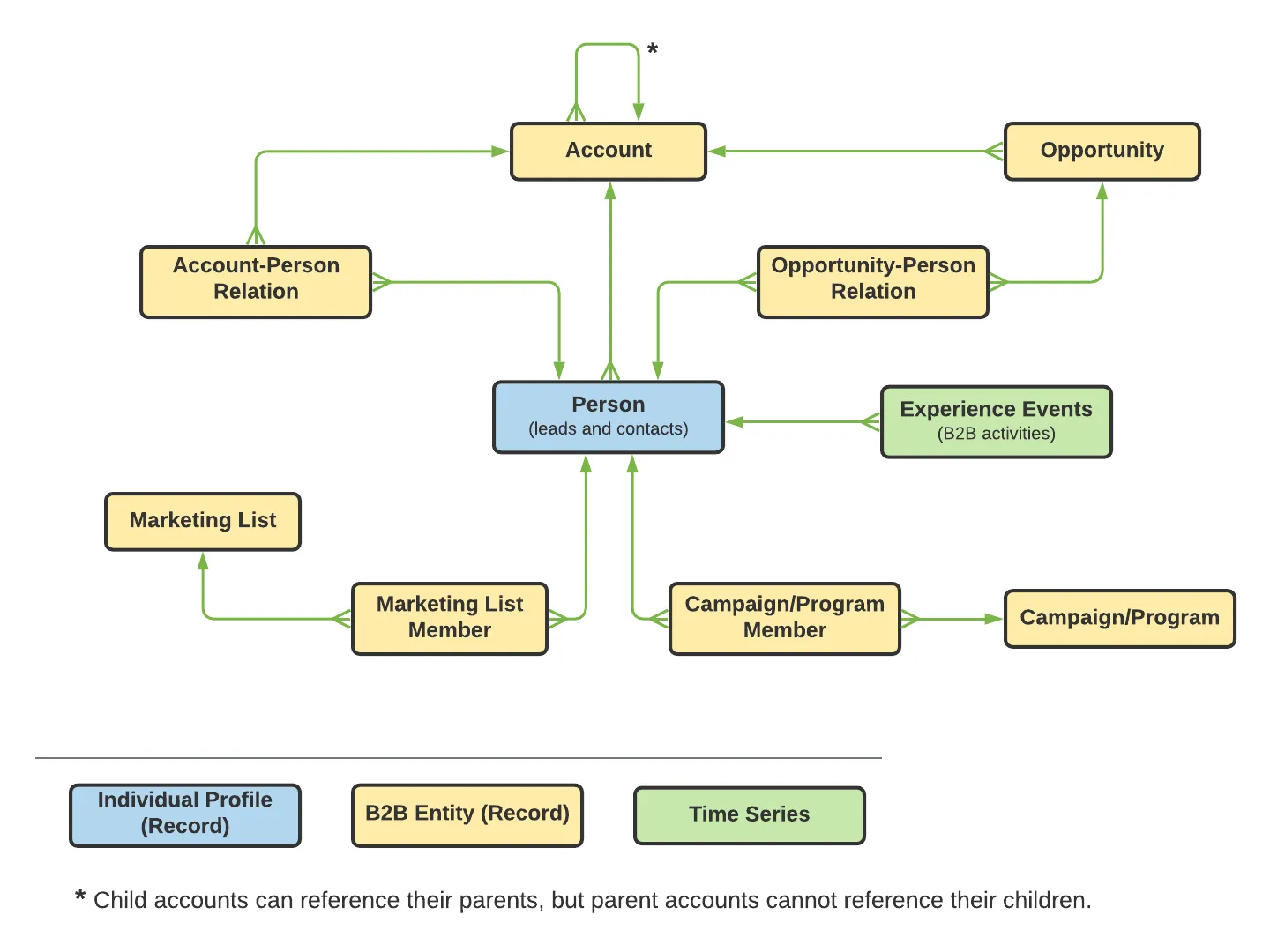
Real-Time CDP B2B Edition provides several new XDM schema classes (not included in RTCDP, B2C), field groups, and relationship types to capture and structure your data specifically for B2B purposes.
The following diagram provides an example of how the different B2B classes/schemas can relate to each other in a standard implementation:
Review existing B2B Schemas:
You can use the schema auto-generation utility collection and environment from this GitHub repository to set up your B2B schemas and relationships
- Navigate to Schemas under Data Management in Adobe Experience Platform UI
- While on the Browse tab, type in B2B in the search box
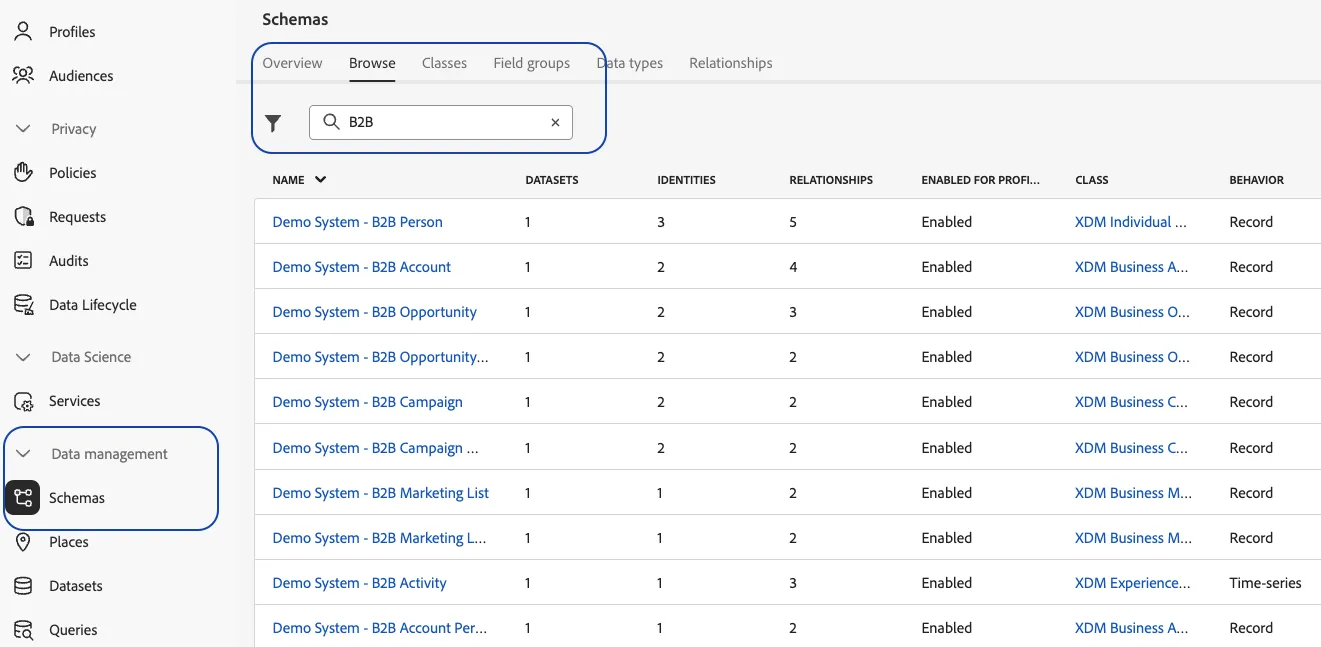
3. Click on the B2B Person Schema and review the following components:
Class: Nature of the data
- Click on the Class XDM Individual Profile to highlight fields contributed by that class
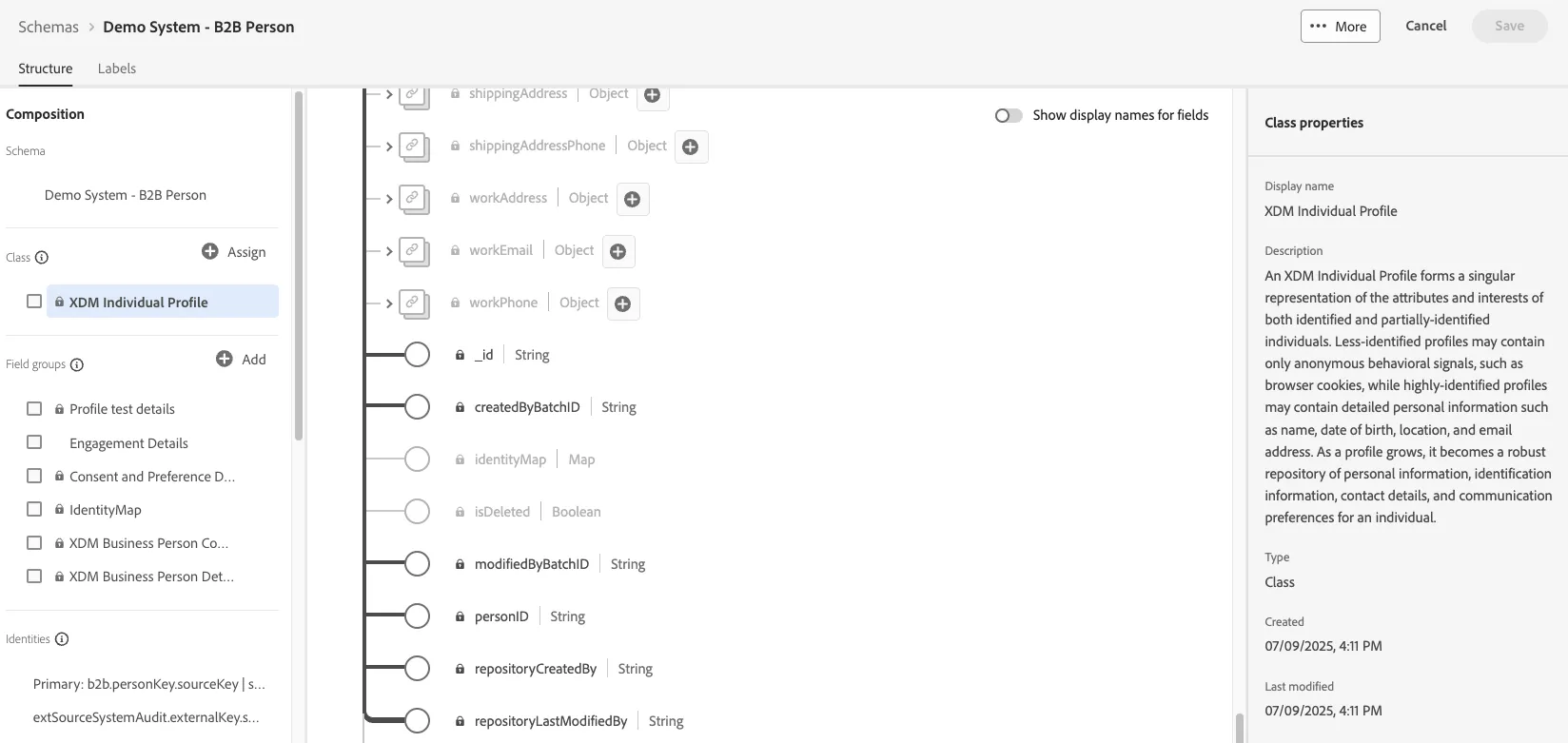
Field Groups: Reusable components that define data attributes that are to be ingested through this schema
- Click on the XDM Business Person Details field group to highlight the B2B specific fields contributed by this out-of-the-box field group to the schema.
- Click on specific fields to review the structure constraints imposed on the right panel
- Similarly, click on the Engagement Details field group to highlight the fields contributed by this custom created field group to the schema
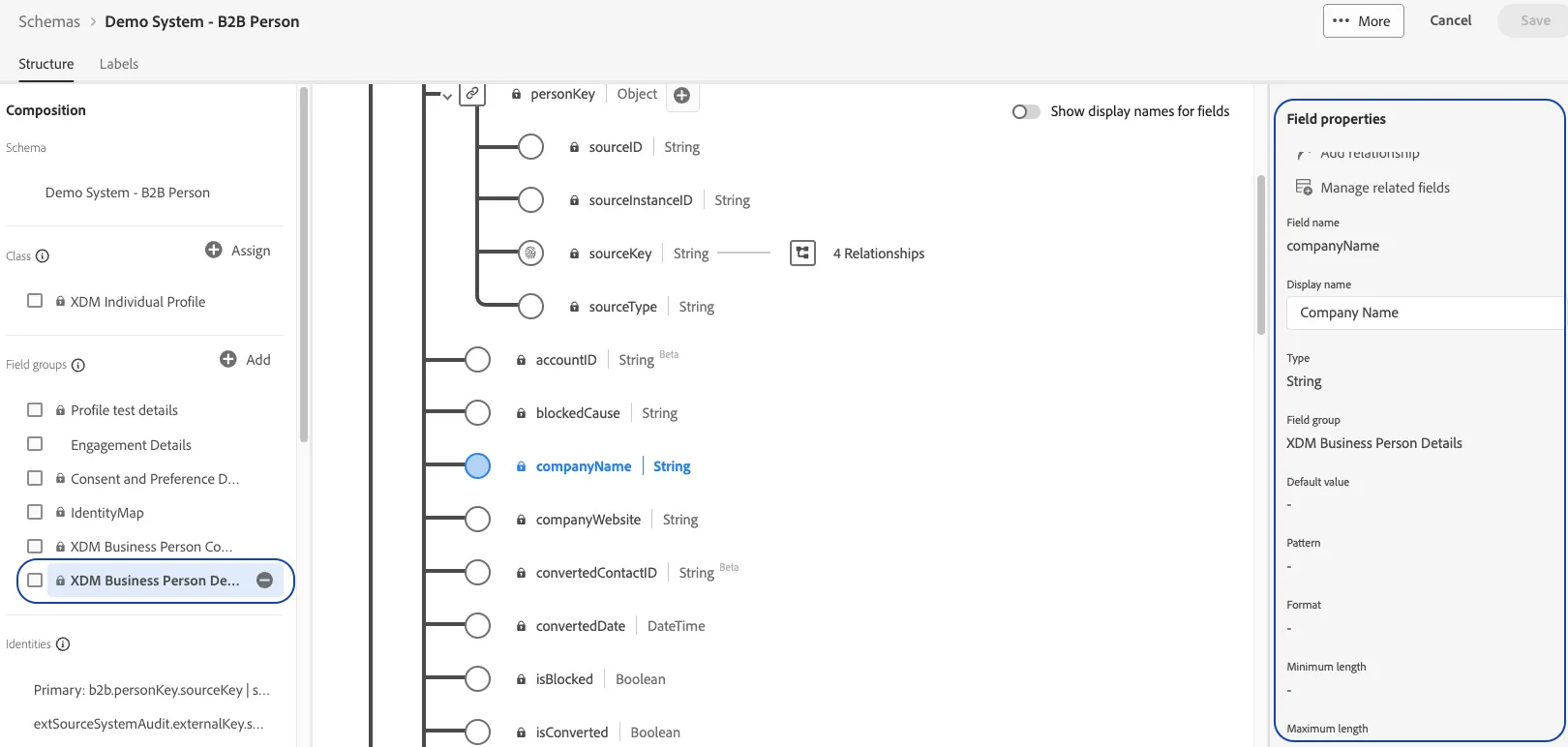
Identitites: Identities are ingested into the ID graph to build unified Individual and Account profiles
- Primary identifiers are required fields, non-primary identifiers are optional
Relationships: Relationships between B2B schemas describe how these business entities relate to each other
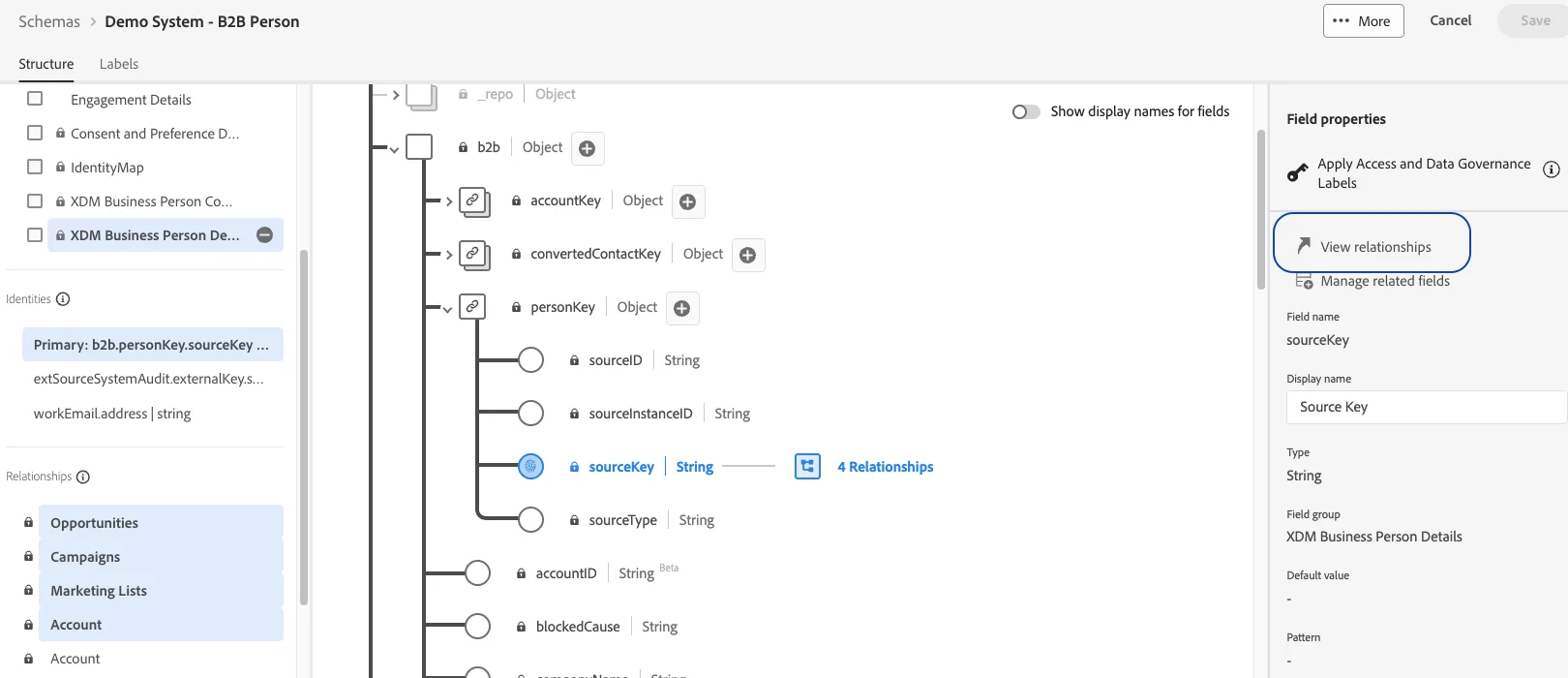
- Click on the different relationships listed and review the field used to connect the person schema to other schemas
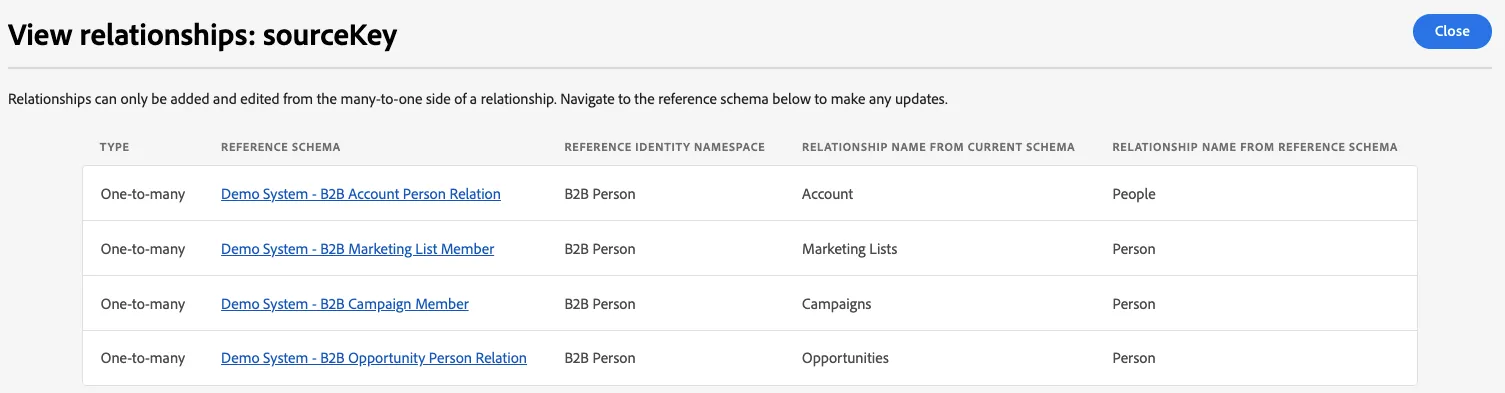
- Click on the View Relationship on the right panel to expose the cardinality of the relationships. Compare this to the B2B data model that was surfaced earlier
4. Similarly, review the B2B Account/Opportunity/Opportunity Person schemas